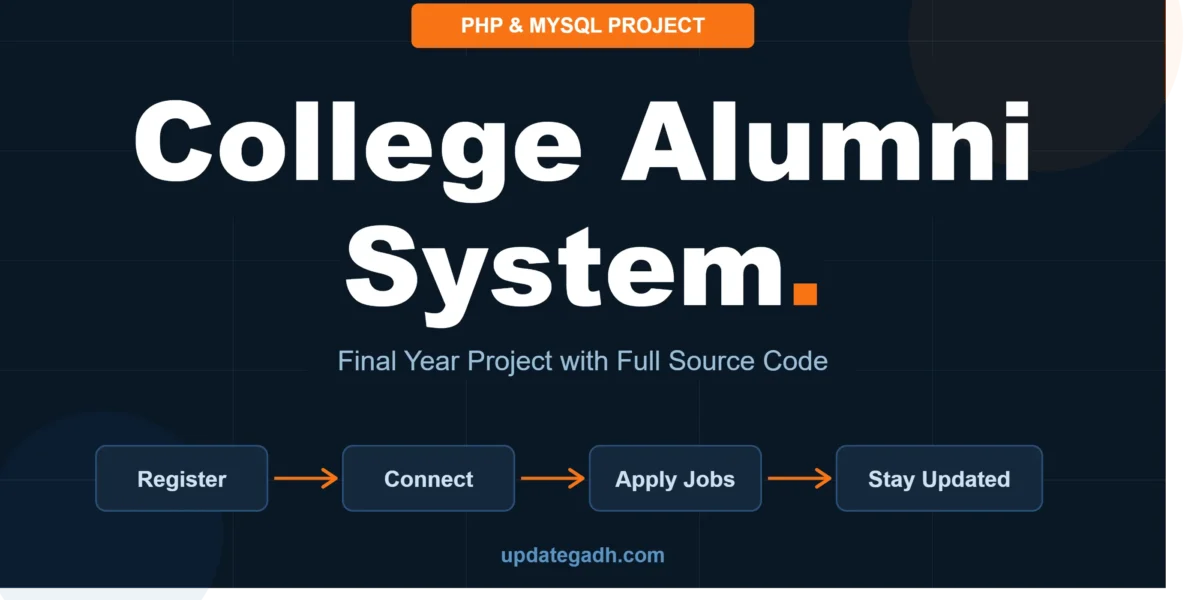
Managing college alumni records manually is slow, error-prone, and completely impractical at scale. A College Alumni System project in PHP and MySQL solves this by consolidating all alumni interactions — registration, job postings, batchmate search, and event updates — into a single centralised, database-driven web application.
This project is one of the most practical and interview-ready final year project choices for MCA, BCA, B.Tech, and M.Tech students in 2025. Every module you build maps directly to a real database table, which means your viva answers will always be grounded in actual code rather than vague theory.
In this post, we will walk through all the key features, the complete database structure, the technology stack, and why this project stands out for your final year submission.
Table of Contents
What is an Alumni System project?
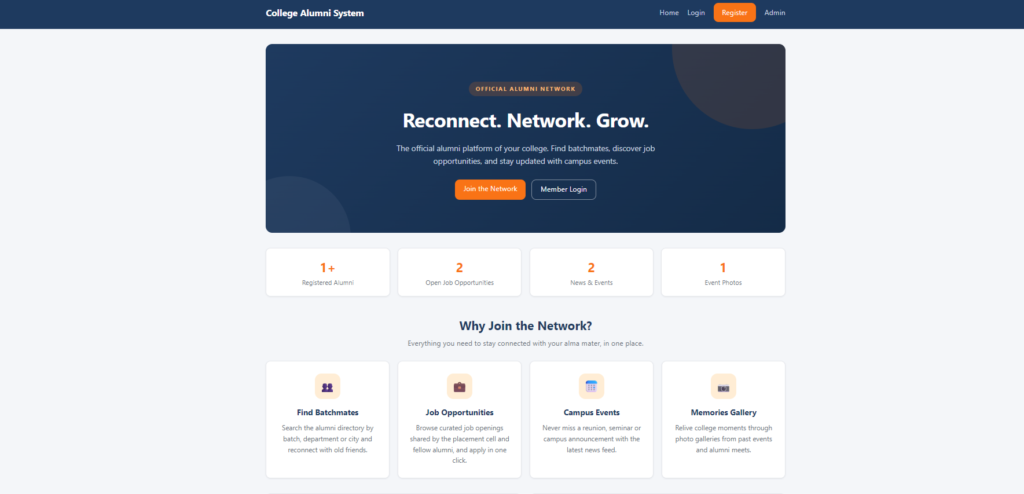
A College Alumni Management System is a web-based platform that allows colleges to maintain a live, searchable database of their former students. Alumni can register, update their professional profiles, connect with batchmates, apply for jobs posted by other alumni or the college, and stay updated on events and reunions — all through a secure online portal.
Unlike generic management systems, this project covers both the admin side (college staff managing content) and the alumni side (former students managing their own profiles) — making it a full-featured, role-based web application.
Key Features of the College Alumni System in PHP MySQL
1. Alumni Registration & Secure Login
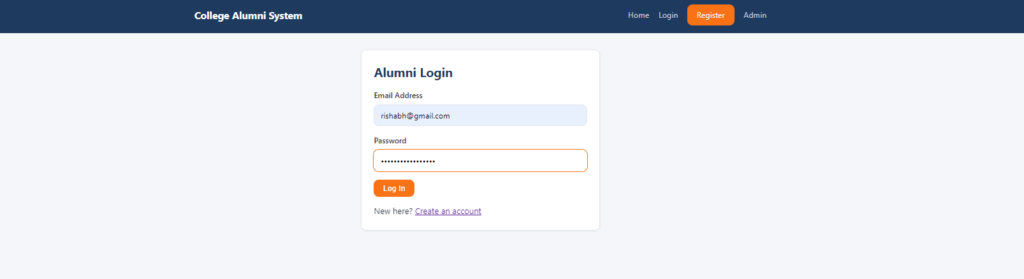
New alumni register through a sign-up form, where their data is stored in a tbl_alumni table. Passwords are hashed using MD5 or bcrypt before storage, ensuring credentials are never saved in plain text. Email verification is built into the registration workflow, preventing fake accounts and validating genuine alumni before granting dashboard access.
2. Admin Dashboard
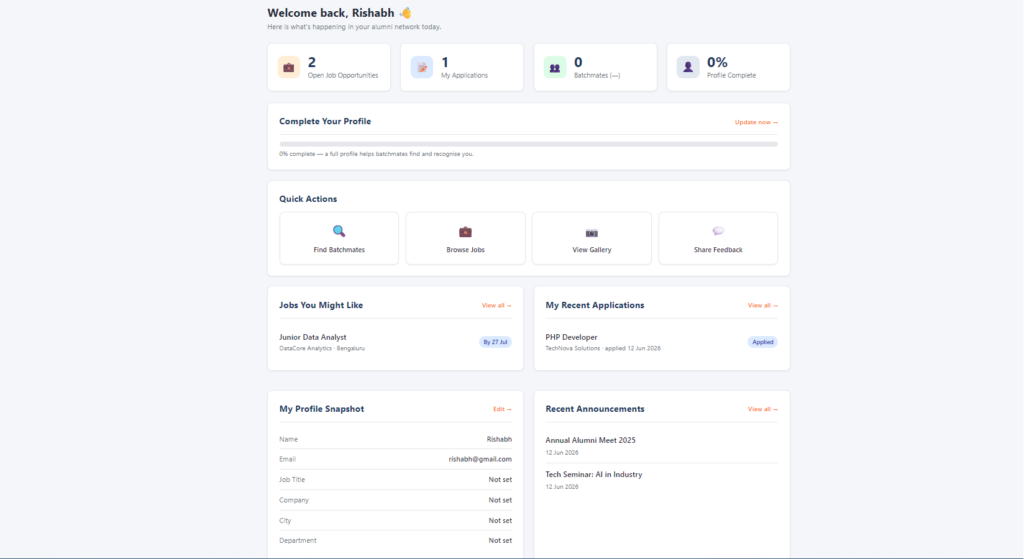
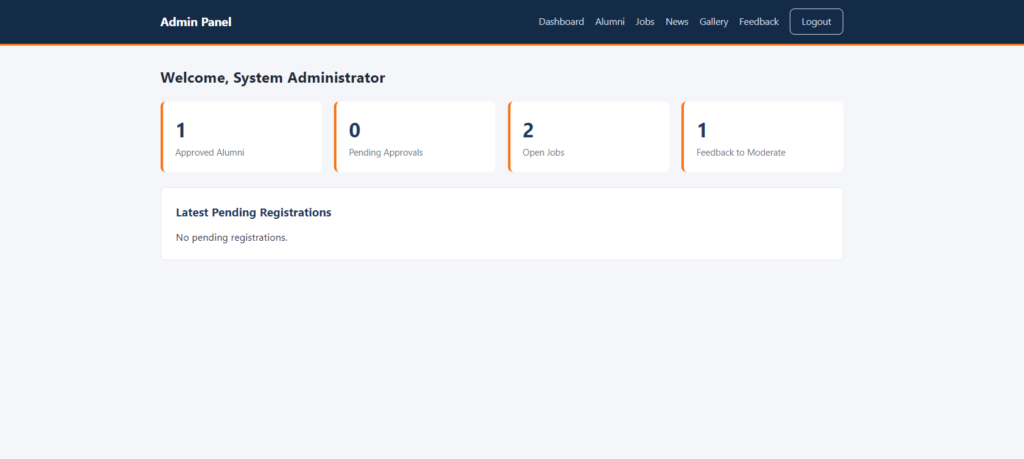
The admin panel serves as the central control room for the entire system. From a single interface, college administrators can approve or reject new registrations, manage existing user accounts, publish announcements, moderate feedback, and oversee all content published on the platform. The dashboard also provides a quick summary of total registered alumni, pending approvals, and recent activity.
3. Alumni Profile Management
Every registered alumnus gets a personal profile page where they can update their current job title, company name, work location, graduation year, and contact details. All updates are stored persistently in the tbl_alumni_profile table, allowing the college to maintain an always-current professional directory of its graduates.
4. Batchmate Search Module
One of the most used features of any alumni platform is the ability to find former classmates. This module lets alumni filter the directory by graduation year, department, or city using dynamic SQL WHERE clauses. All queries are executed using prepared statements to prevent SQL injection — an important security concept that directly supports strong viva answers on database security.
5. Job Portal Module
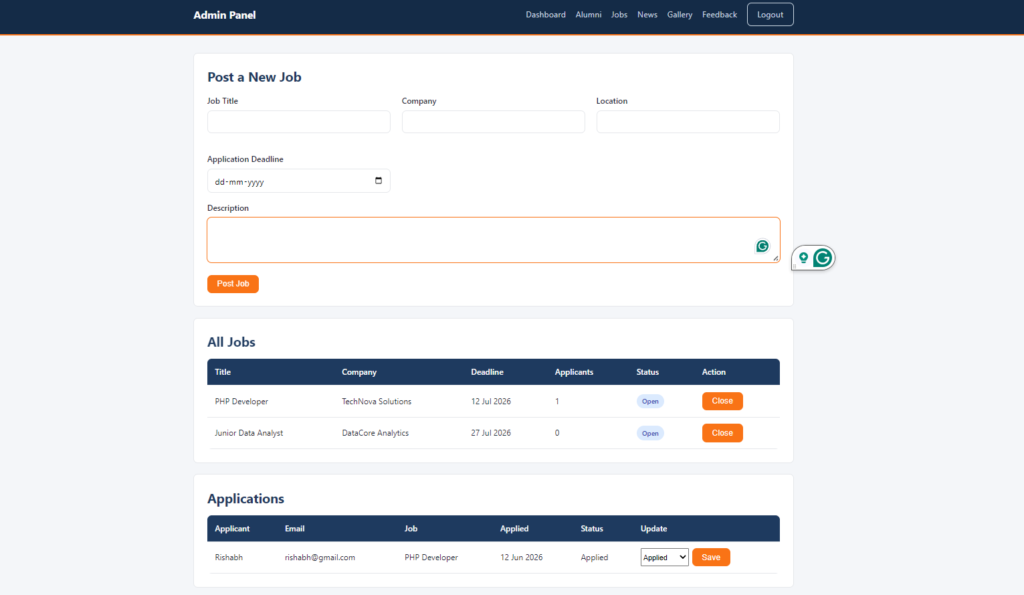
Admins and verified alumni can post job opportunities, which are stored in the tbl_jobs table with details such as company name, role, location, and application deadline. Other alumni can browse available positions, submit applications, and track their application status in real time — giving this project a practical, employment-focused use case that resonates well with college placement offices.
6. News & Events Board
The college can publish reunion notices, seminar updates, achievement announcements, and upcoming event information through this module. All entries are stored in the tbl_news table with date-stamped records, ensuring the content feed stays organised and chronologically sorted. Alumni can browse news from their dashboard without requiring any admin intervention for viewing.
7. Gallery Management
Admins can upload event photos through the gallery module. The system stores file paths in the tbl_gallery database table while the actual image files are saved in the /uploads/gallery/ server directory. This two-layer approach — database records for metadata and a file system for image storage — is a fundamental PHP file handling concept and a popular viva topic.
8. Feedback & Testimonials
Alumni can submit written feedback and testimonials about their college experience. These entries are captured in the tbl_feedback table and placed in a moderation queue. The admin reviews each submission before approving it for public display on the platform — demonstrating a proper content moderation workflow in a real-world web application context.
Database Structure Overview
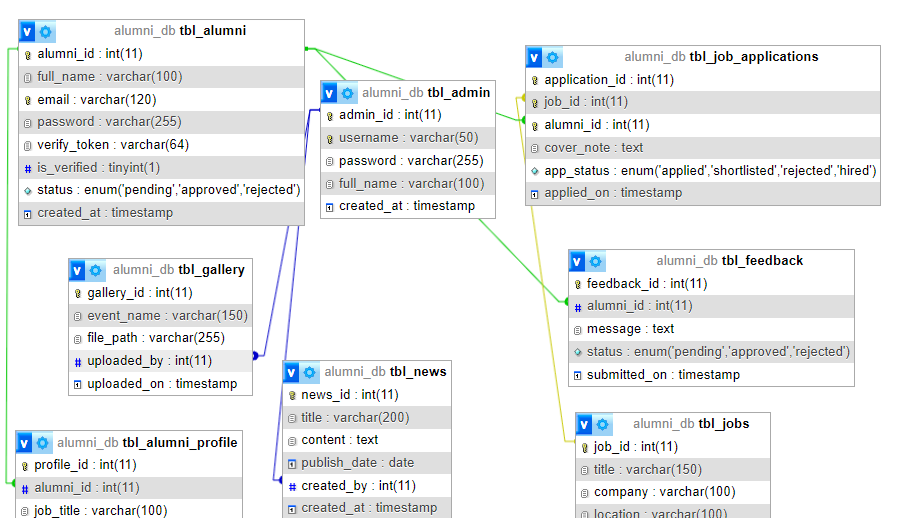
The project uses a well-normalised MySQL database. Below is a summary of the core tables and their roles:
| Table Name | Purpose | Key Fields |
tbl_alumni | Stores registration and login credentials | alumni_id, name, email, password, status, created_at |
tbl_alumni_profile | Stores extended profile details | profile_id, alumni_id, job_title, company, city, grad_year |
tbl_jobs | Job postings and application tracking | job_id, title, company, location, posted_by, deadline, status |
tbl_news | News, events, and announcements | news_id, title, content, publish_date, created_by |
tbl_gallery | Event photo file paths and metadata | gallery_id, event_name, file_path, uploaded_on |
tbl_feedback | Alumni testimonials pending moderation | feedback_id, alumni_id, message, status, submitted_on |
Technology Stack
| Layer | Technology |
| Frontend | HTML5, CSS3, Bootstrap 5, JavaScript |
| Backend | PHP 8.x (Core PHP / OOP) |
| Database | MySQL 5.7+ / MariaDB |
| Server | XAMPP / WAMP / Apache |
| Security | MD5 / bcrypt password hashing, Prepared Statements |
| File Handling | PHP move_uploaded_file() for gallery uploads |
| Session Management | PHP Sessions for role-based login control |
System Requirements
- PHP 7.4 or higher (PHP 8.x recommended)
- MySQL 5.7+ or MariaDB
- XAMPP / WAMP / any Apache local server
- Any modern web browser (Chrome, Firefox, Edge)
- Minimum 256 MB RAM for local development
- Text editor: VS Code, Sublime Text, or Notepad++
How the System Works
When a new alumnus visits the portal, they complete the registration form and receive an email verification link. Once verified and approved by the admin, they gain access to their personal dashboard. From there, they can update their profile in tbl_alumni_profile, search for batchmates using the dynamic filter module, browse and apply for jobs listed in tbl_jobs, and view the latest news from tbl_news.
On the admin side, the college staff logs in through a separate admin panel, reviews pending alumni registrations, manages job postings and news entries, uploads gallery photos, and moderates feedback before it appears publicly. The entire flow is session-protected, with PHP role-based access ensuring alumni cannot access admin routes and vice versa.
Why This Project is Perfect for Final Year Students
The College Alumni System is an excellent final year project choice for MCA, BCA, B.Tech, and M.Tech students for several reasons. First, it covers a wide range of PHP and MySQL concepts in a single project — CRUD operations, file uploads, session management, prepared statements, and role-based access control. Second, it has a realistic, real-world use case that any examiner or interviewer can immediately understand and relate to. Third, every module ties back to a specific database table, making Viva questions predictable and easy to prepare for.
This project is also strong portfolio material for students targeting web developer roles, PHP developer internships, or placement interviews at IT companies and software service firms. college alumni system project with source code, college alumni system project template, college alumni system project pdf, college alumni system project report pdf, college alumni system project github, college alumni system project ppt Alumni Management System Project Class 12, college alumni system project example
Watch Project Demo + Screenshots
User
Admin
Database
Watch the full project walkthrough, database setup, and feature demonstration on our YouTube channel.
Download College Alumni System – Source Code, Report & PPT
- Get the complete College Alumni System project with full PHP source code, MySQL database file, project report, synopsis, and PowerPoint presentation — ready for submission.
![E-Learning Management System (LMS) [Udemy Clone ]](https://updategadh.com/wp-content/uploads/2026/05/auto-thumb-8366-800x450.webp)