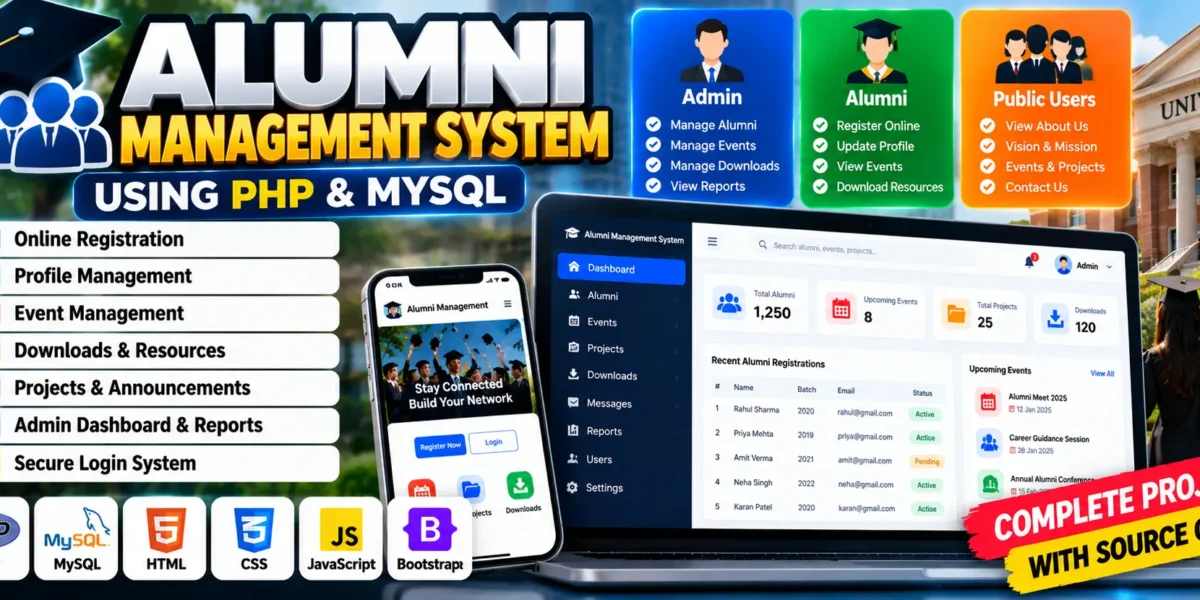
Alumni Management System Using PHP and MySQL
The Alumni Management System is a web-based application developed using PHP, MySQL, HTML, CSS, JavaScript, and Bootstrap. It is designed to help colleges, universities, and educational institutions maintain organized records of their graduates and strengthen communication between alumni and their institutions.
Managing alumni information manually can make it difficult to maintain updated profiles, share announcements, organize events, and keep track of graduates. This project provides a centralized platform where alumni can register, manage their profiles, view events, and access institutional resources. Administrators can manage alumni records, publish information, and export data for reporting.
For students, this project offers practical experience in PHP development, MySQL database connectivity, role-based authentication, dynamic web pages, and database operations. It also demonstrates how technology can support long-term relationships between educational institutions and their former students.
Complete Advance AI Topics: Click Here
Real Time Projects on YouTube:- DecodeIT
What Is an Alumni Management System?
An Alumni Management System is a web application that helps educational institutions maintain alumni records and coordinate communication with graduates. It provides dedicated functionality for alumni and administrators to manage profiles, events, announcements, and institutional resources.
Project Overview
| Project Details | Description |
|---|---|
| Project Name | Alumni Management System |
| Languages Used | PHP, HTML, CSS, JavaScript |
| Frontend Framework | Bootstrap |
| Database | MySQL |
| Type | Web Application |
Available Features
The system includes public information pages, alumni registration and profile management, event information, and administrative functionality for maintaining alumni records.
1. Home Page
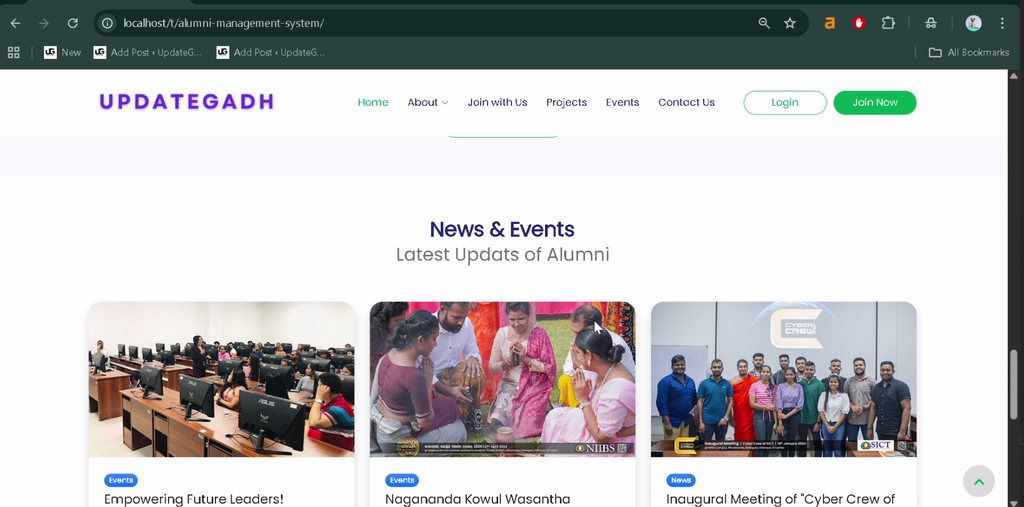
The home page introduces the alumni network and provides access to the main sections of the website.
2. About Us Page
This page provides background information about the alumni network and its connection with the educational institution.
3. Vision and Mission Page
The vision and mission section explains the institution’s objectives and goals for alumni engagement.
4. President’s Message
This section displays a message from the institution’s president to communicate its perspective and commitment to the alumni community.
5. Executive Committee
The executive committee page presents information about alumni committee members or institutional representatives.
6. Downloads
The downloads page allows alumni to access documents and other resources provided by the institution.
7. Join With Us
This section encourages former students to connect with the alumni community and participate in its activities.
8. Alumni Benefits
The benefits page explains the advantages of joining the alumni network and staying connected with the institution.
9. Online Registration
New alumni can submit their details through an online registration form to join the alumni network.
10. Projects Page
The projects section displays projects associated with or supported by the alumni community.
11. Events Management
The events page provides information about upcoming alumni events and activities, helping graduates stay informed about institutional programs.
12. Contact Us
The contact page provides a form through which alumni can communicate with the institution.
13. Login Module
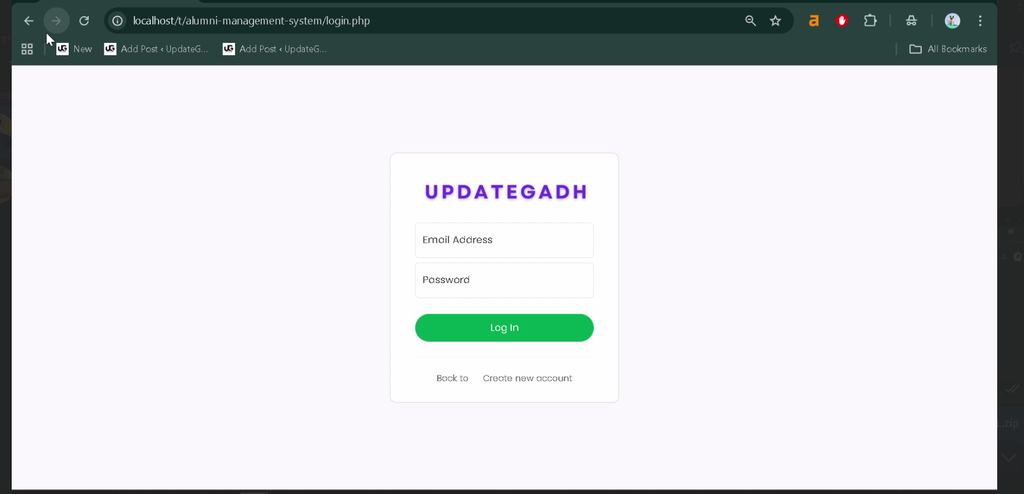
The login module provides access to the system for registered alumni and authorized administrators.
14. Admin Module
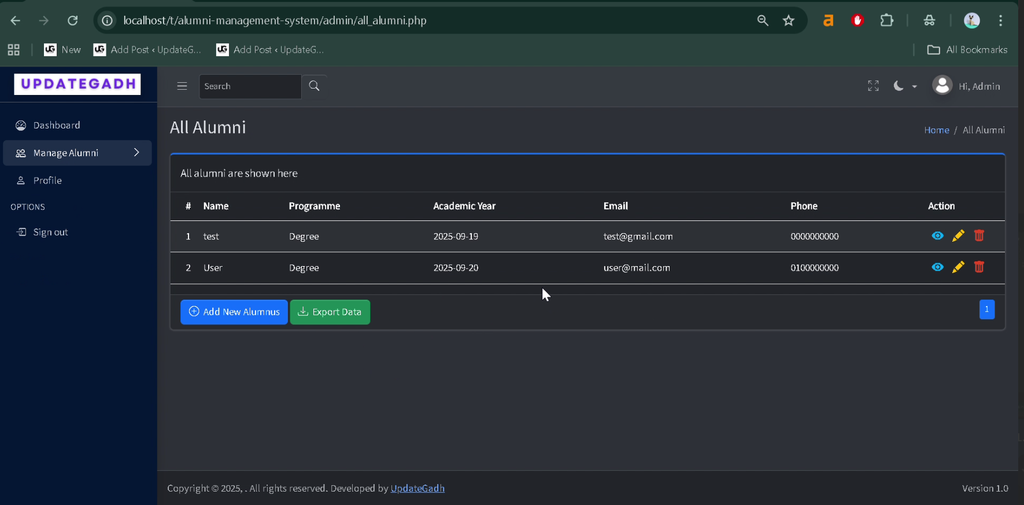
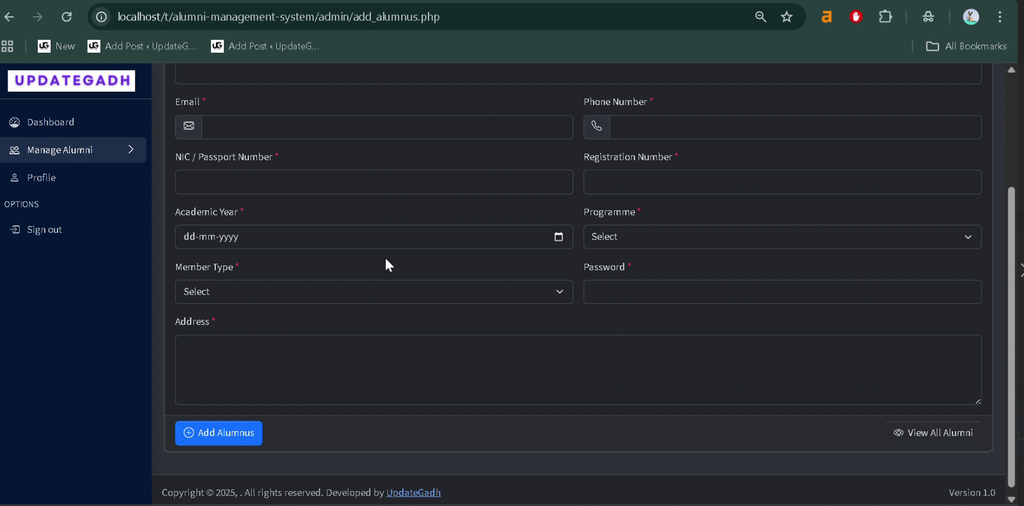
The admin dashboard allows administrators to manage alumni profiles, export alumni information, and maintain event details.
15. Alumni Module
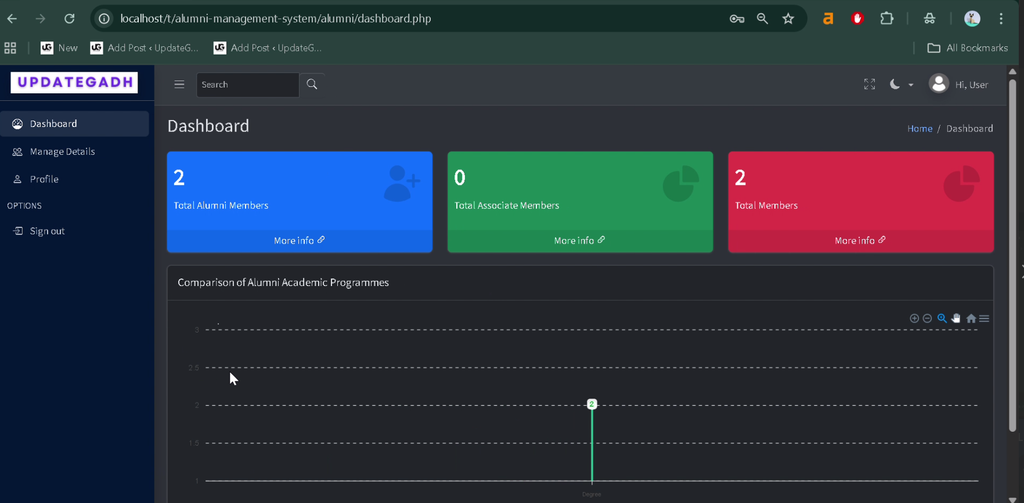
Registered alumni can access their dashboard, manage their personal profiles, and update their information.
Technology Stack
- PHP: Handles server-side processing and application logic.
- MySQL: Stores alumni profiles and related application data.
- HTML: Structures the web pages.
- CSS: Styles the website interface.
- JavaScript: Supports client-side interactivity.
- Bootstrap: Provides responsive layout components.
- Apache: Runs the PHP application through a local server environment.
Software and Tools Required
- XAMPP, WAMP, or LAMP
- Visual Studio Code
- Git
- Web Browser
How to Download
The complete package is available so you can run, study, and submit it with confidence. It includes:
- Full Source Code
Screenshot
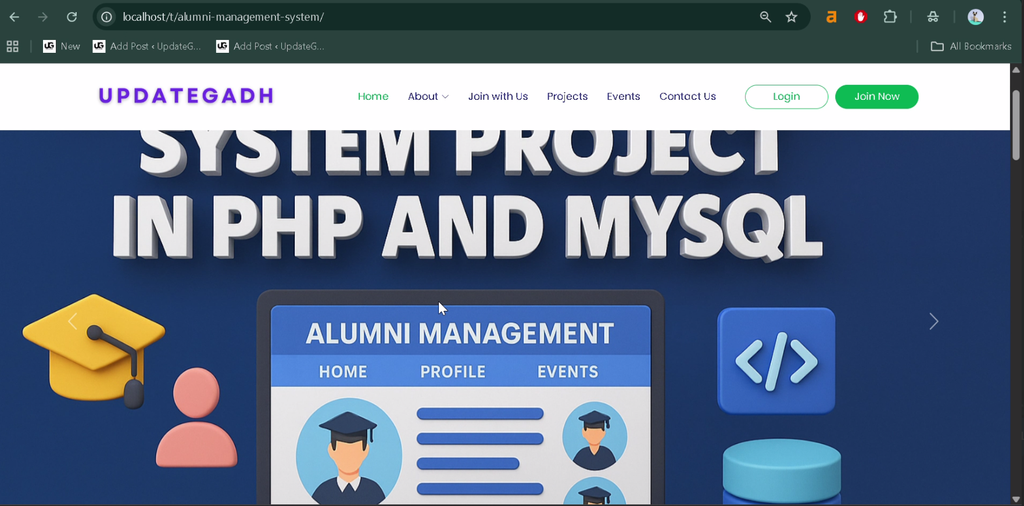
How to Install and Run the Alumni Management System in VS Code?
Follow these steps to configure the project and run it locally using PHP and MySQL. The exact folder and database filenames should match the files included with your project.
Step 1: Extract the Project
Extract the project archive. If you are using XAMPP, move the project folder into the htdocs directory. For example:
C:\xampp\htdocs\alumni-management-systemFor WAMP or LAMP, place the project in the appropriate web directory.
Step 2: Open the Project in VS Code
Open Visual Studio Code, select File → Open Folder, and choose the extracted project directory.
Step 3: Start the Server
Open the XAMPP Control Panel and start Apache and MySQL.
Step 4: Create the Database
Open phpMyAdmin in your browser and create a database named aasict_db. You can also execute:
CREATE DATABASE aasict_db;Locate the aasict_db.sql file inside the project’s db folder and import it into the newly created database.
Step 5: Configure the Database Connection
Open config.php and update the connection details according to your MySQL setup:
<?php
$server = "localhost";
$username = "root";
$password = "";
$database = "aasict_db";
?>
Use the existing connection logic in the project and ensure these values match your local database credentials.
Step 6: Run the Project
Open your browser and enter the local URL corresponding to the project folder:
http://localhost/alumni-management-system/If you use a different folder name, replace alumni-management-system with the actual name. The application should load if the server, database, and project configuration are correct.
How to Use the Alumni Management System?
1. Alumni Usage
- Register through the online registration form.
- Log in to access the alumni dashboard.
- View and update personal profile information.
- Read announcements and information about events.
- Download resources made available by the institution.
2. Administrator Usage
- Log in through the administrator module.
- Access the admin dashboard.
- Add, edit, or delete alumni records.
- Export alumni information for reporting.
- Manage event details, projects, and announcements where supported.
- Review registered alumni information.
These separate roles help alumni manage their own information while administrators maintain the overall alumni database and institutional content.
Why Is This Project Useful for Students?
- PHP Development: Practice server-side scripting and dynamic page generation.
- Database Design: Understand how MySQL stores and retrieves alumni records.
- Authentication: Explore login workflows and role-based access.
- CRUD Operations: Learn how to create, view, update, and delete records.
- Dynamic Content: Understand how event information and profiles are managed through a database-driven website.
- Practical Application: Explore how institutions can use software to maintain relationships with graduates.
Frequently Asked Questions
1. What is the Alumni Management System project?
It is a web application that helps educational institutions maintain alumni records, manage profiles, and share event information and resources.
2. Which technologies are used in this project?
The project uses PHP, MySQL, HTML, CSS, JavaScript, and Bootstrap.
3. What are the main modules?
The main modules are the public website, alumni module, and administrator module.
4. Which database is used?
The supplied setup instructions use MySQL with the database name aasict_db.
5. How can I run the project locally?
Place the project in the local web server directory, start Apache and MySQL, import the supplied SQL file, configure the database connection, and open the project URL in your browser.
Final Thoughts
The Alumni Management System is a useful academic project for students who want to learn PHP and MySQL through a practical web application. It combines alumni registration, profile management, event information, institutional resources, and administrative record management.
Keywords: Alumni Management System, alumni management system project in PHP with source code, alumni management system using PHP and MySQL, college alumni management system, alumni management system project report PDF, alumni management system project PPT, alumni management system database design, alumni management system project documentation