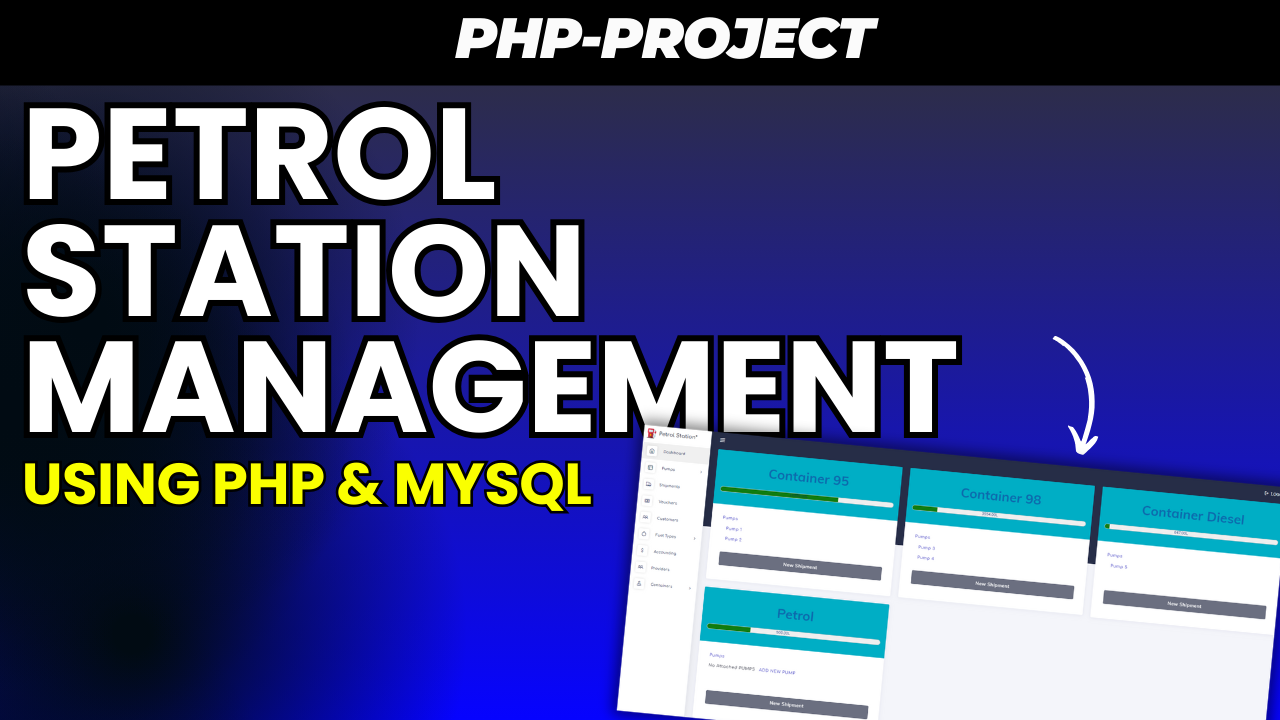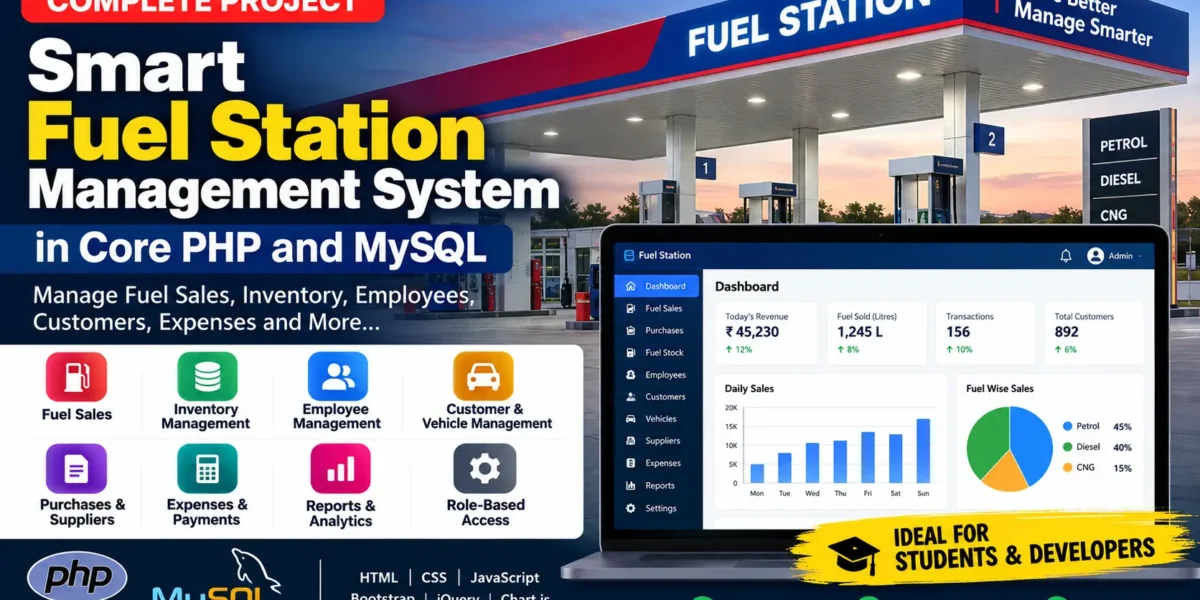
Smart Fuel Station Management System is a web-based petrol pump and fuel station management application developed using Core PHP and MySQL. It is designed to help fuel station owners, managers, administrators, and fuel attendants manage daily petrol pump operations from one centralized system.
The system provides modules for fuel sales, fuel inventory, purchases, pumps, nozzles, employees, attendance, customers, vehicles, suppliers, expenses, payments, daily closing, reports, notifications, invoices, and user access management.
This project is suitable for academic projects, final-year projects, demonstrations, learning purposes, local fuel station management, and further customization into a production-ready fuel station management solution.
What is Smart Fuel Station Management System?
A petrol pump handles a large number of daily transactions. Managing fuel sales, stock, employees, purchases, expenses, customers, and payments manually can become difficult as the business grows.
The Smart Fuel Station Management System provides a centralized solution for managing these operations digitally. Administrators can monitor station performance, manage fuel inventory, record sales and purchases, track employees, manage customers and vehicles, and generate different business reports.
The application is developed using Core PHP 8+ and MySQL 8+. The frontend uses HTML5, CSS3, JavaScript, Bootstrap 5, Font Awesome, Chart.js, jQuery, and DataTables. The application can be installed and executed locally using XAMPP.
Key Features
- Secure user authentication
- Super Admin panel
- Station Manager panel
- Employee or Fuel Attendant panel
- Fuel station management
- Employee management
- Employee attendance management
- Fuel type management
- Pump management
- Nozzle management
- Fuel sales management
- Fuel purchase management
- Fuel stock management
- Customer management
- Vehicle management
- Supplier management
- Expense management
- Payment management
- Daily closing
- Sales reports
- Financial reports
- Attendance reports
- Stock reports
- Printable invoices
- In-app notifications
- Activity logs
- Role-based access control
- CSRF protection
- SQL injection protection
Technology Used
| Technology | Purpose |
|---|---|
| Core PHP 8+ | Backend development |
| MySQL 8+ | Database management |
| PDO | Secure database connection |
| HTML5 | Website structure |
| CSS3 | Website styling |
| JavaScript | Client-side functionality |
| Bootstrap 5 | Responsive design |
| Font Awesome | Icons |
| Chart.js | Charts and graphical reports |
| jQuery | Frontend interactions |
| DataTables | Interactive tables |
| Apache | Web server |
| XAMPP | Local development environment |
| phpMyAdmin | Database administration |
| User Role | Main Responsibilities |
|---|---|
| Super Admin | Complete system management, users & roles, fuel stations, employees, attendance, fuel types, pumps, nozzles, customers, vehicles, suppliers, purchases, sales, stock, expenses, payments, reports, settings and activity logs. |
| Admin / Station Manager | Daily station operations, employees, attendance, customers, vehicles, fuel types, pumps, nozzles, sales, purchases, suppliers, stock, expenses, payments and reports. |
| Employee / Fuel Attendant | Employee dashboard, attendance, new fuel sales, transaction history and employee profile. |
| Module | Key Features / Details |
|---|---|
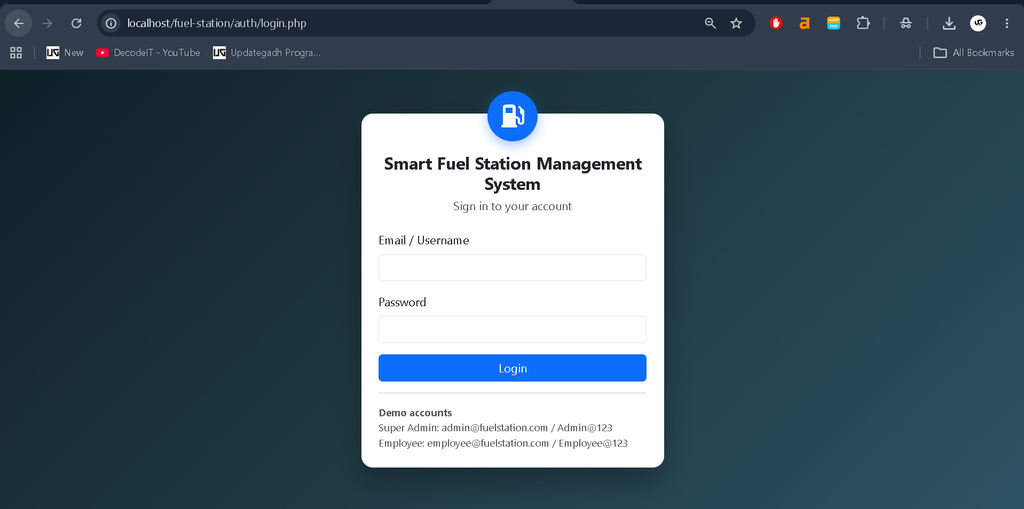
| Authentication System | Login using email or username, secure password verification, logout, forgot-password page, session timeout, brute-force protection, and account lockout after repeated failed attempts. |
| Fuel Station Management | Station name, station code, owner/company name, address, city, state, PIN code, contact number, email, GST number, license number, opening date, and active/inactive status. |
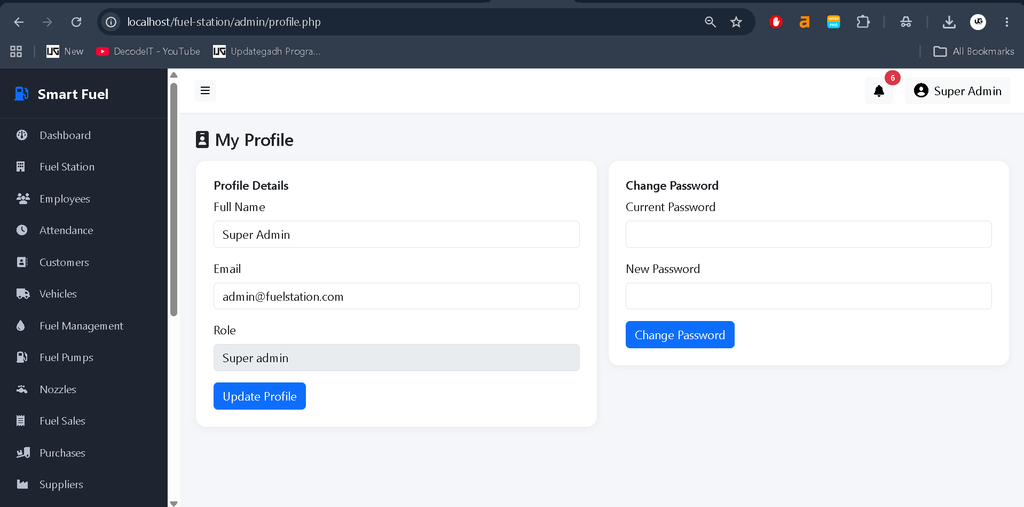
| Employee Management | Add and edit employees, employee profiles, photo upload, automatic employee code generation, department assignment, shift assignment, salary information, emergency contact details, and employee activation/deactivation. |
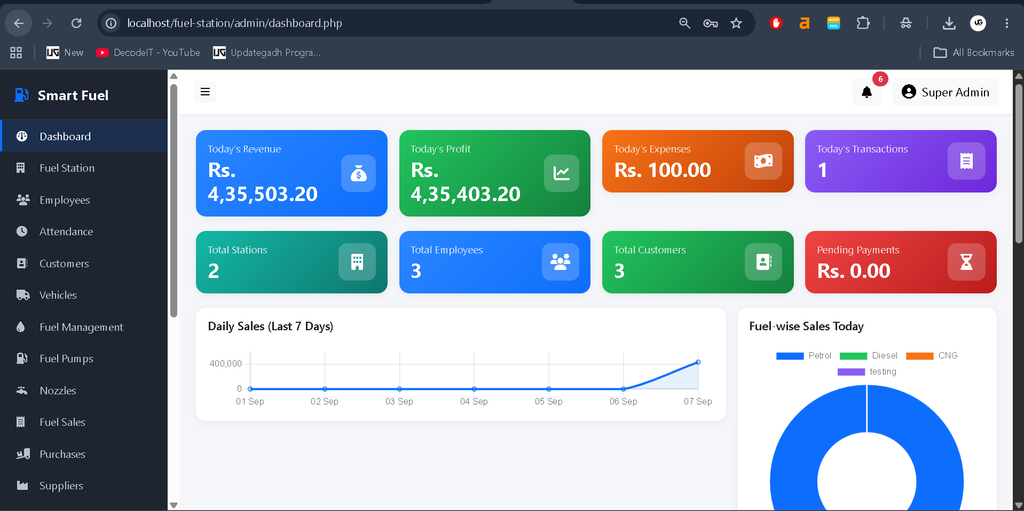
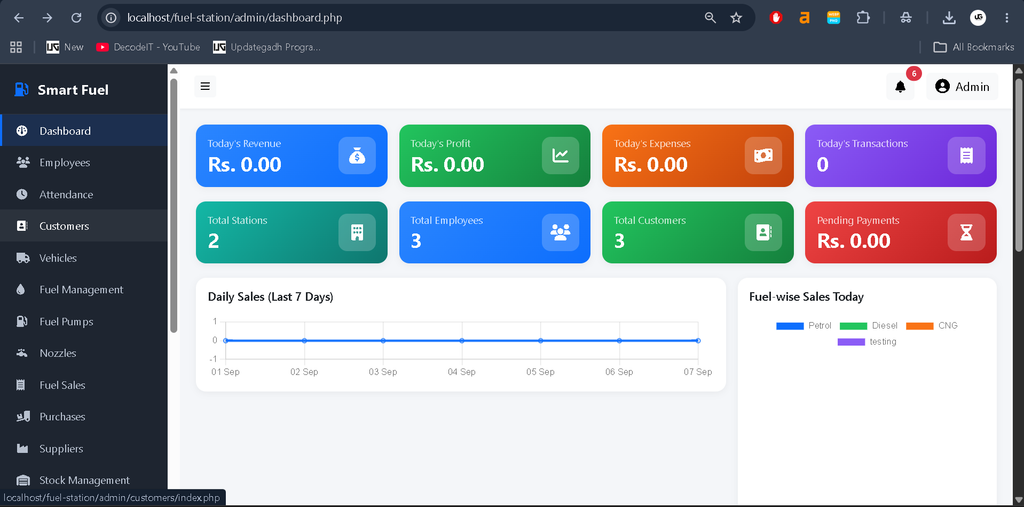
| Admin Dashboard | Today’s revenue, today’s profit, today’s expenses, transaction count, total stations, total employees, total customers, pending payments, daily sales charts, fuel-wise sales charts, monthly revenue, expense breakdown, current fuel stock, and recent transactions. |
Attendance Management
The Attendance Management module helps fuel station administrators and managers maintain accurate employee attendance records. It records daily attendance details and makes it easier to track employee working hours and attendance status.
| Attendance Details | Description |
|---|---|
| Employee | Employee associated with the attendance record |
| Attendance Date | Date on which attendance is recorded |
| Check-in Time | Employee’s check-in time |
| Check-out Time | Employee’s check-out time |
| Working Hours | Total hours worked by the employee |
| Attendance Status | Present, Absent, Half-day, Leave, or Late |
Fuel Type Management
The Fuel Type Management module allows administrators to create, update, and manage different types of fuel available at the fuel station.
| Fuel Type Details | Description |
|---|---|
| Fuel Name | Name of the fuel, such as Petrol, Diesel, or CNG |
| Fuel Code | Unique code assigned to the fuel type |
| Unit | Measurement unit used for the fuel |
| Purchase Price | Price at which the fuel is purchased |
| Selling Price | Price at which the fuel is sold |
| Minimum Stock Level | Minimum quantity that should be maintained |
| Status | Active or inactive status |
The selling price is used during fuel sale calculations.
Pump and Nozzle Management
| Pump Details | Nozzle Details |
|---|---|
| Station | Pump |
| Pump Number | Fuel Type |
| Pump Name | Nozzle Name |
| Status | Opening Meter |
| — | Current Meter |
| — | Status |
Fuel Sales Management
Fuel sales are one of the most important modules of the application. Administrators, Station Managers, and Employees can create fuel sales.
The fuel sale process includes:
- Selecting a pump
- Selecting a nozzle
- Loading the current opening meter
- Entering the closing meter
- Calculating litres sold
- Applying the fuel price
- Applying discount and tax
- Selecting the payment method
- Saving the sale
- Updating the nozzle meter
- Deducting fuel from stock
- Creating a payment record
- Generating an invoice
- Recording the activity in the audit log
Fuel Sale Calculation
The system uses the following calculation:
Total Litres = Closing Meter - Opening Meter

Total Amount = Litres × Price - Discount + Tax
The system does not allow a closing meter value lower than the opening meter. It also prevents a sale when sufficient fuel stock is not available.
The fuel sale process uses a database transaction. If any important operation fails, related database changes can be rolled back to maintain data consistency.
| Module | Key Features / Details |
|---|---|
| Fuel Purchase Management | Supplier, purchase invoice number, purchase date, fuel type, quantity, purchase price, tax, total amount, and payment status. |
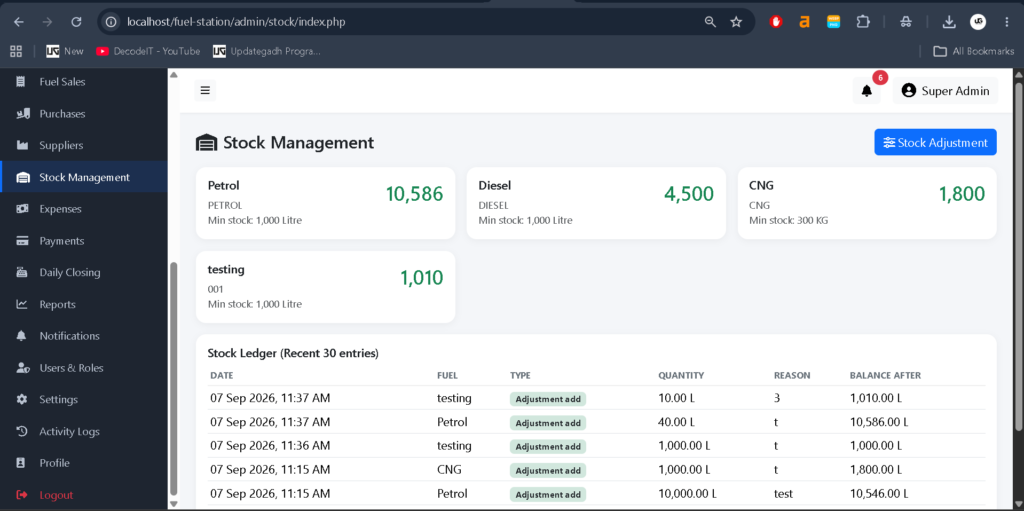
| Fuel Stock Management | Current stock by fuel type, minimum stock alerts, stock increases after purchases, stock deductions after sales, manual stock adjustments, stock transaction history, and stock ledger reports. |
| Customer Management | Customer name, mobile number, email, address, GST number, credit limit, outstanding amount, and active/inactive status. Customers can be linked with vehicles and fuel sales. |
| Vehicle Management | Vehicle number, vehicle type, fuel type, company, model, registration date, customer, and status. Supported types include Car, Bike, Truck, Bus, Tractor, Auto, and Other. |
| Supplier Management | Supplier name, company name, mobile number, email, address, GST number, bank details, opening balance, and status. |
| Expense Management | Electricity, salary, maintenance, rent, transport, cleaning, security, equipment, and other station expenses. |
| Payment Management | Cash, UPI, Card, and Credit payment methods. Payment records support cash reconciliation, pending payment tracking, and financial reporting. |
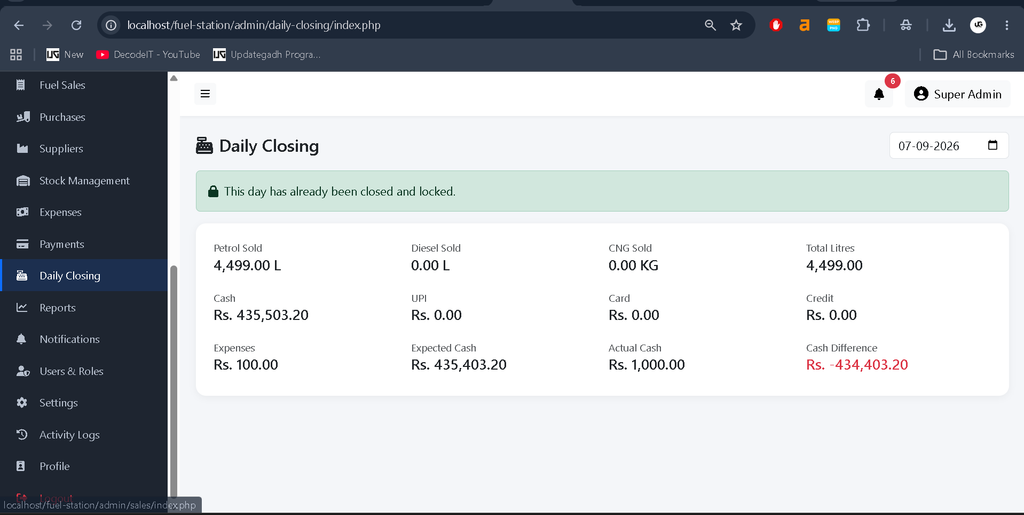
| Daily Closing | Fuel sold by type, cash sales, UPI sales, card sales, credit sales, expenses, expected cash, actual cash, and cash difference. Daily sales can be locked after closing. |
Expected Cash Calculation
Expected Cash = Cash Sales - ExpensesCash Difference Calculation
Cash Difference = Actual Cash - Expected CashAfter closing a day, the day’s sales can be locked to prevent unauthorized modifications.
| Module | Key Features / Details |
|---|---|
| Reports | Sales reports, employee-wise sales reports, stock reports, attendance reports, financial reports, and outstanding payment reports. Reports support date filtering and can be printed or exported to CSV. |
| Invoice Generation | Printable invoices containing invoice number, station information, sale date and time, employee, customer, vehicle, fuel type, quantity, price, discount, tax, total amount, and payment method. |
| Notifications | In-app notifications for important events such as new stations, transactions, and low-stock conditions. |
| Activity Logs | Records login, logout, create, update, delete, sales, purchases, stock adjustments, and user changes for auditing system activity. |
| Security Features | PDO prepared statements, SQL injection protection, CSRF protection, output escaping, bcrypt password hashing, server-side role validation, session timeout, HTTP-only session cookies, failed-login lockout, file upload validation, randomized filenames, and server-side error logging. |
How to Install Smart Fuel Station Management System
Follow the steps below to run the project on your local computer.
Step 1: Install XAMPP
Install XAMPP on your computer and make sure Apache and MySQL are available.
Step 2: Copy the Project
Copy the complete project folder into the XAMPP htdocs directory.
C:\xampp\htdocs\fuel-stationStep 3: Start Apache and MySQL
Open the XAMPP Control Panel and start:
- Apache
- MySQL
Step 4: Open phpMyAdmin
Open phpMyAdmin from your browser and create/import the project database.
Step 5: Import Database
Import the following SQL file:
database/fuel_station.sqlStep 6: Configure Database
Check the database configuration in:
config/database.phpMake sure the database name, username, password, and host match your local MySQL configuration.
Step 7: Configure Base URL
Verify the application base URL in:
config/config.phpStep 8: Open the Application
Open the following URL in your browser:
http://localhost/fuel-station/Step 9: Login
Use one of the available demo accounts to log in to the application.
For security, change the demo account password before using the application in a production environment.
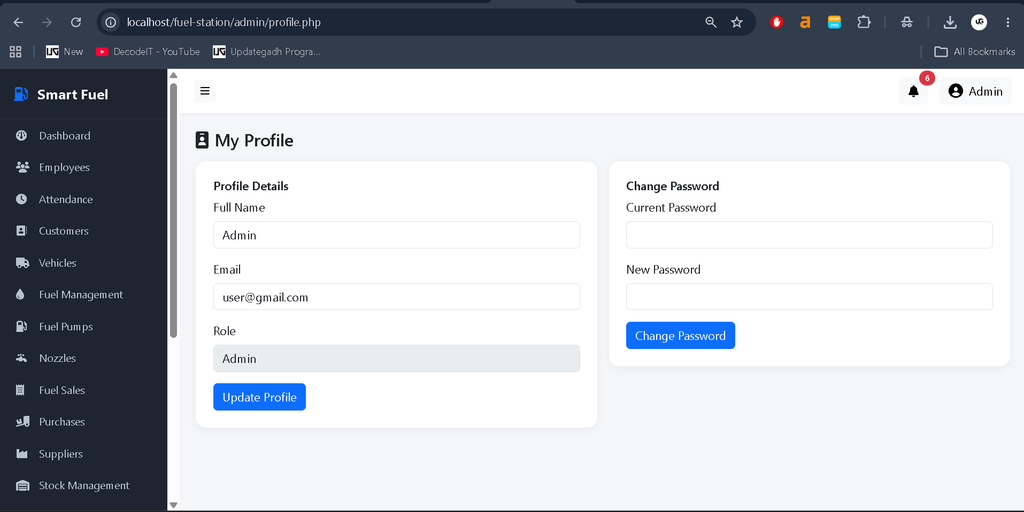
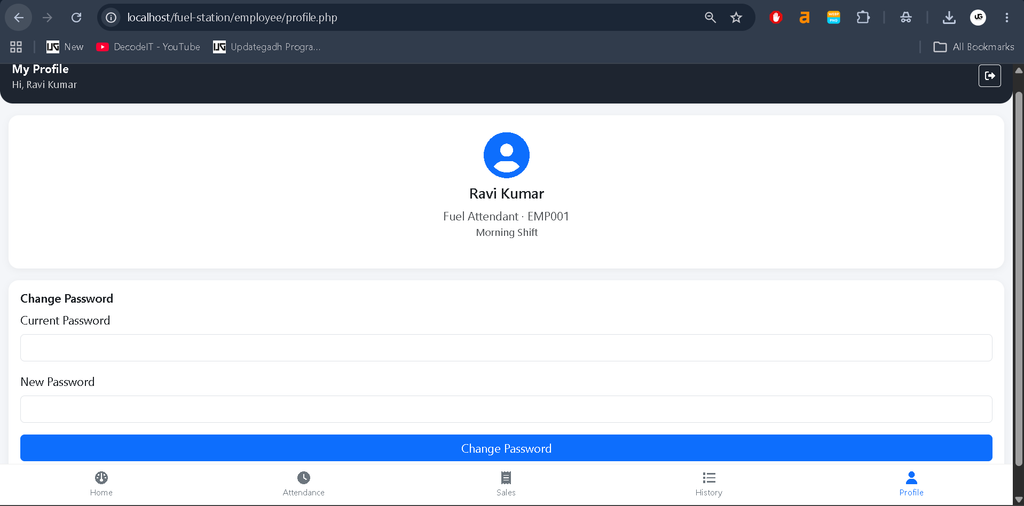
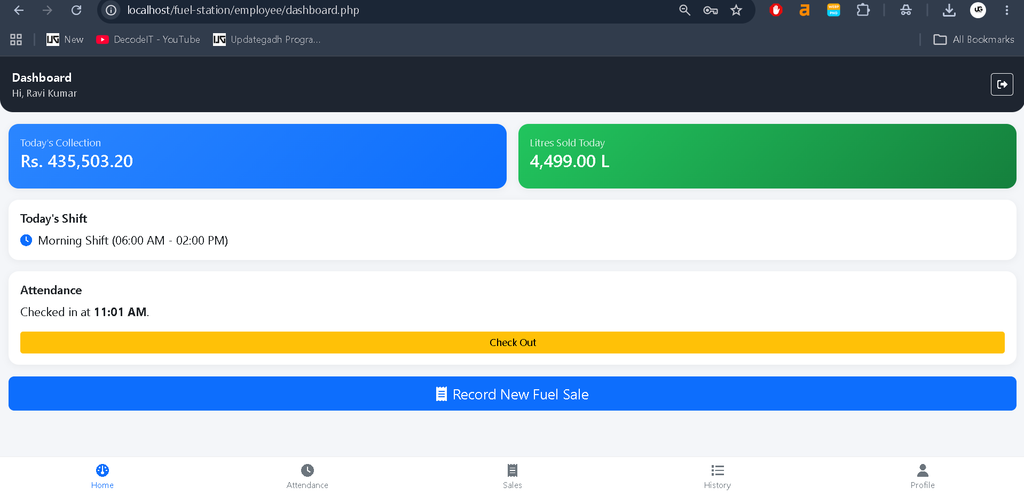
Screenshot
How to Download
Get This Project
The complete package is available so you can run, study, and submit it with confidence. It includes:
- Full Source Code
- Project Report
- Synopsis
- PPT Presentation
For any queries or a quick response, reach out on WhatsApp: +91 79834 34684
YT:- DecodeIT
Future Improvements
The current system can be further extended with additional features for larger fuel station businesses.
Possible future improvements include:
- Complete multi-station switching
- Payroll and salary processing
- SMS notifications
Conclusion
Smart Fuel Station Management System is a complete web-based application for managing petrol pump and fuel station operations using Core PHP and MySQL.
The system brings together fuel sales, inventory management, purchases, employees, attendance, customers, vehicles, suppliers, expenses, payments, daily closing, reports, invoices, notifications, and security features in a single platform.
It can be used as an academic project, demonstration project, learning project, or as a starting point for developing a customized fuel station management solution.
Before deploying the application in a production environment, additional configuration, HTTPS, secure environment settings, database backups, password changes, and operational testing should be completed.
Keywords
Smart Fuel Station Management System, Fuel Station Management System, Petrol Pump Management System, Petrol Pump Software, Fuel Station Software, PHP Fuel Station Management System, Core PHP Project, PHP MySQL Project, Fuel Management System, Petrol Pump Management Software, Fuel Inventory Management, Fuel Sales Management, Fuel Stock Management, Petrol Pump Project in PHP, Fuel Station Project in PHP, PHP MySQL Project Download fuel station management system in php and mysql ppt
fuel station management system in php and mysql github
fuel station management system in php and mysql pdf
fuel station management system project
petrol station management system php
online fuel delivery project source code
petrol pump management system open source
gas station management system github