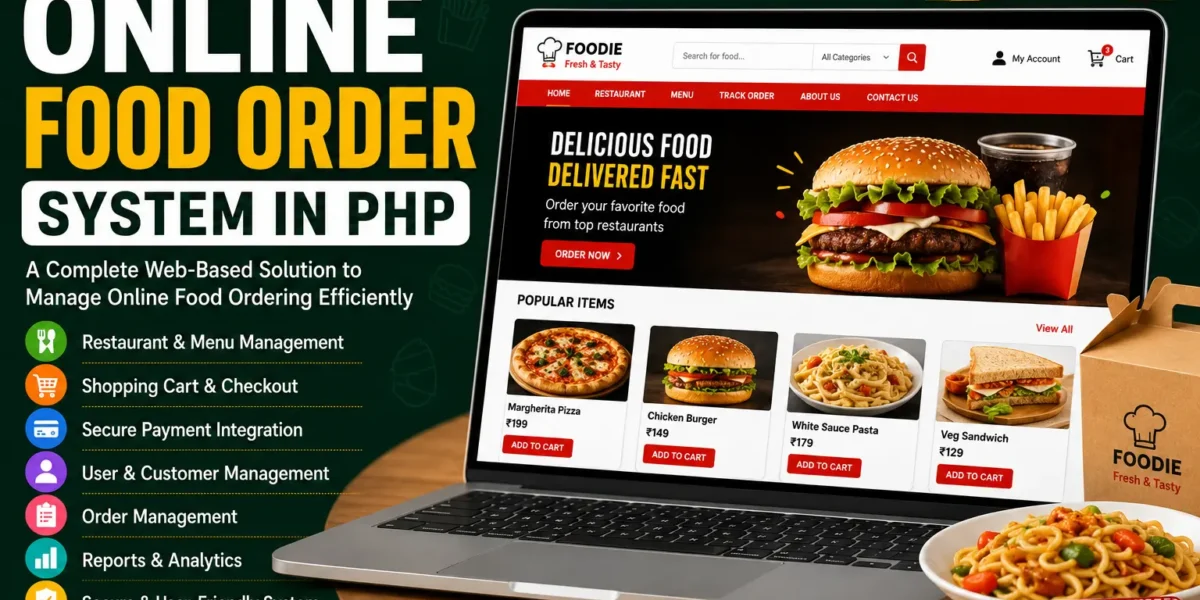
Online Food Order System in PHP
The Online Food Order System in PHP is a web-based application developed to connect restaurants with customers through an online food ordering platform. The system provides a simple way for customers to browse the website and place food orders, while the admin or manager can manage the different activities of the system from the administrative section.
This Online Food Order System in PHP is developed using PHP, JavaScript, and CSS. The project contains two main sections: the Admin or Manager Section and the User or Customer Section. The admin section is responsible for managing the website content, food items, restaurants, and order status, while customers can visit the available pages and place food orders through the website.
The project provides a simple interface so that users can easily work with the system. The main purpose of the application is to provide a convenient online method for customers to purchase food from restaurants without having to visit the restaurant directly.
Online Food Order System in PHP
The Online Food Order System provides an online platform where restaurants and customers can interact through a food ordering website. Customers can visit the website, explore the available information, and place orders for the food items they want.
On the other side, the administrator or manager has control over the main management activities. The admin can edit the site content, update food items, add restaurants, and check the status of orders from the admin section.
The system is designed to keep the ordering process simple. Customers can use the website to access the available pages and order food, while the administrator can manage the information and orders through the management section.
The application is built with PHP as the main development language, along with JavaScript and CSS for the website interface and functionality.
About the Online Food Order System
The Online Food Order System in PHP is a simple project that focuses on online food ordering. The system connects different restaurants with customers and provides a convenient way to order food online.
The application contains an admin or manager section where the main management activities are performed. These activities include editing site content, updating food items, adding restaurants, and checking order status.
The user section provides customers with access to the website pages. Users can go through the available pages and place food orders according to their requirements.
The design of the system is kept simple so that users do not face unnecessary difficulties while working with the application. The straightforward interface makes the available functionality easier to understand and use.
Admin or Manager Section
The Admin or Manager Section is the main management area of the Online Food Order System. The administrator has an important role in maintaining the information available on the website and managing the food ordering activities.
All the major management operations are handled through this section. The admin can update information, manage food items, add restaurants, and check order status.
1. Edit Site Content
The admin can manage and edit the content available on the website through the administration section. This allows the information displayed on the website to be maintained from one central location.
Instead of changing website information manually in different files, the available site content can be managed through the admin section provided by the project.
2. Update Food Items
The Food Item Management functionality allows the administrator to update the food items available through the system.
Food-related information can be maintained from the admin side so that customers can access the available food items when they visit the website.
The admin can manage the food information according to the requirements of the restaurant and the available menu.
3. Add Restaurants
The system provides an option for the admin or manager to add restaurants. This functionality allows different restaurants to be maintained within the platform.
By adding restaurants through the administrative section, the system can maintain information about the restaurants connected with the food ordering platform.
4. Check Order Status
The administrator can also check the status of food orders through the admin section. This allows the management side of the application to keep track of the orders placed by customers.
Order status information provides the admin with access to the current state of the orders handled through the system.
User or Customer Section
The User or Customer Section is designed for customers who want to use the online food ordering website.
Users can visit the available pages of the website and browse the information provided by the system. The available pages include the Home, About, and Contact sections.
Customers can use the website to explore the available food-related information and place their orders online.
Home Page
The Home Page provides the main entry point for customers visiting the online food ordering website. Users can access the available food-related information from the homepage and continue to the other sections of the website.
The homepage provides customers with access to the online ordering platform and the available restaurant and food information.
About Page
The About Page provides information about the website or food ordering platform. Customers can visit this page to learn more about the system and the services represented through the website.
Contact Page
The Contact Page provides a dedicated section for contact-related information. Customers can access this page when they need to view the available contact information of the website.
Online Food Ordering
The main functionality available to customers is the ability to order food online. Customers can use the website to select the food they want and place their order.
The system provides a convenient way to purchase food online without requiring customers to visit the restaurant directly.
This makes the food ordering process more convenient by allowing customers to use the website as the medium for placing their orders.
Restaurant Management
The Restaurant Management functionality is handled from the admin or manager section. The administrator can add restaurants to the system and maintain the available restaurant information.
This functionality is important because the project is designed to connect different restaurants with customers. By managing restaurants from the admin section, the available restaurant information can be maintained within the platform.
Food Item Management
The Food Item Management section allows the administrator to update the food items available on the website.
Food items are an important part of the online ordering process because customers use the available food information when deciding what they want to order.
The admin can maintain the food items from the management section so that the available information remains organized for customers using the website.
Order Management
The Order Management functionality allows the administrator to check the status of orders placed by customers.
When customers place food orders through the website, the admin can access the order-related information from the management section. The order status can then be checked through the available functionality.
This provides the management side with a centralized way to review the orders being handled through the online food ordering system.
Simple and User-Friendly Design
The project has been designed with a simple interface so that users can work with the system without unnecessary complexity.
The user side provides straightforward access to the website pages and food ordering functionality. Similarly, the admin side organizes the management features so that the administrator can perform the available operations from the management section.
The use of PHP, JavaScript, and CSS provides the basic technologies required for creating the interface and functionality of the system.
Technologies Used
The Online Food Order System is developed using the following technologies:
- PHP: Used for developing the main web application and handling server-side functionality.
- JavaScript: Used as part of the website functionality and user interaction.
- CSS: Used for designing and styling the website interface.
These technologies work together to create the web-based food ordering application and its different user and administrative sections.
How to Run Online Food Order System in PHP
To run the Online Food Order System in PHP on a local computer, a virtual server such as XAMPP is required. The project can be installed on a Windows computer using the XAMPP environment.
Step 1: Install XAMPP
First, make sure that XAMPP is installed on your Windows computer. XAMPP provides the local server environment required to run the PHP project.
After installing XAMPP, open the XAMPP Control Panel and start the required services.
Step 2: Start Apache and MySQL
From the XAMPP Control Panel, start both the Apache and MySQL services.
Apache is required for running the PHP application, while MySQL is required for handling the project’s database.
Step 3: Extract the Project
After downloading the Online Food Order System project, extract the downloaded project file.
Locate the main project folder after extracting the files.
Step 4: Copy the Main Project Folder
Copy the extracted project folder and paste it inside the XAMPP htdocs directory.
C:\xampp\htdocs\The htdocs folder is used for storing PHP projects that need to be accessed through the local Apache server.
Step 5: Open phpMyAdmin
After copying the project folder, open your web browser and access phpMyAdmin using the following local address:
http://localhost/phpmyadmin/phpMyAdmin provides the interface required to create the project’s MySQL database and import the SQL file.
Step 6: Create the Database
Inside phpMyAdmin, click on the Databases tab and create a new database named:
foodorderThe database name should be foodorder as required by the project.
Step 7: Import the SQL File
After creating the foodorder database, select the database and open the Import tab.
Browse the project folder and select the database file:
foodorder.sqlThe foodorder.sql file is available inside the Online-Food-Order folder.
After selecting the SQL file, click Go to import the database.
Once the import process is completed, the required database information will be available for the project.
Step 8: Open the Project
After completing the database setup, open the project through your browser using the local project address:
http://localhost/Online-Food-Order/The Online Food Order System will then be available through the local server.
Step 9: Open the Admin Section
The admin or manager section can be accessed through the manager login page:
http://localhost/Online-Food-Order/managerlogin.phpFrom the manager section, the administrator can access the available management functionality, including food items, restaurants, website content, and order status.
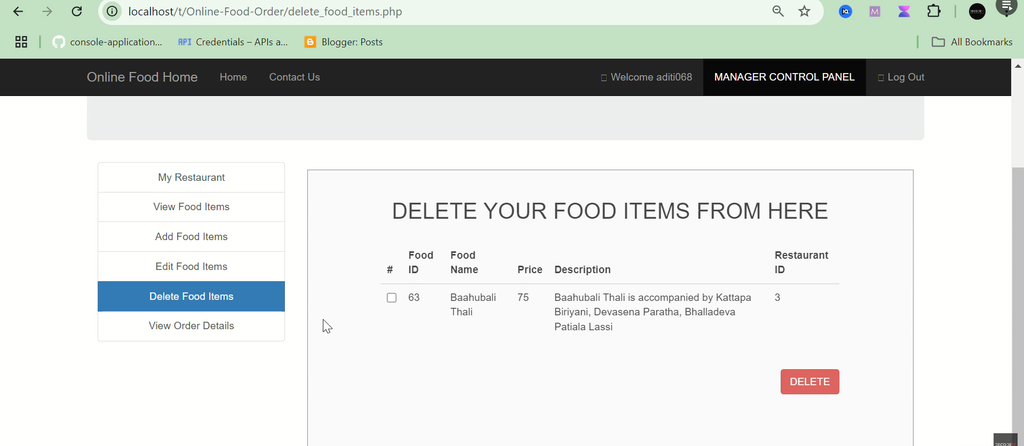
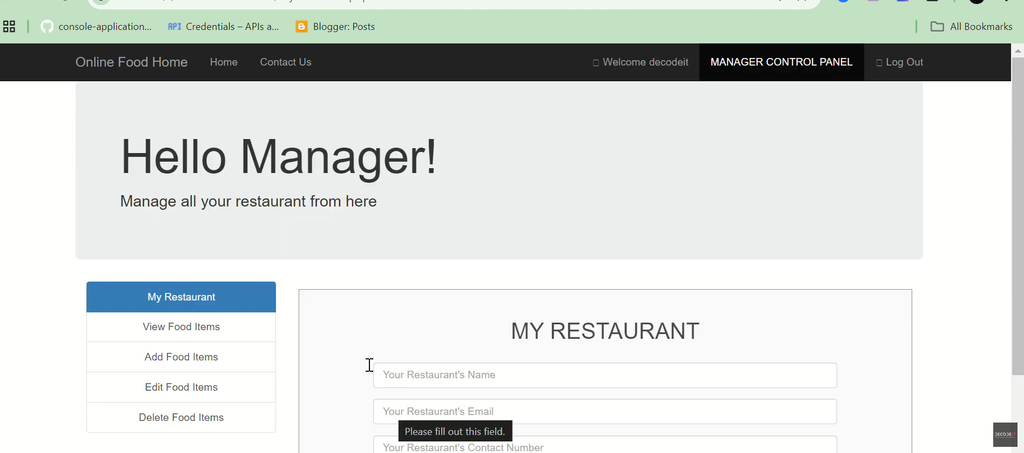
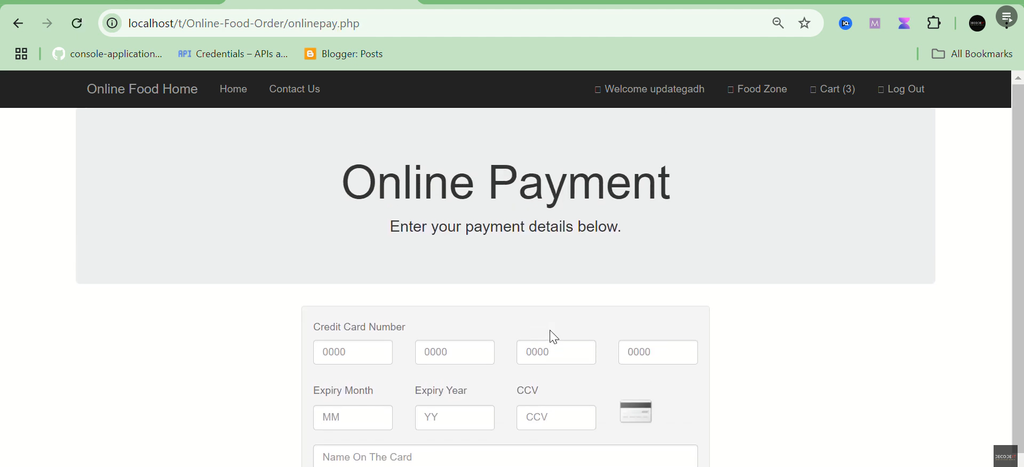
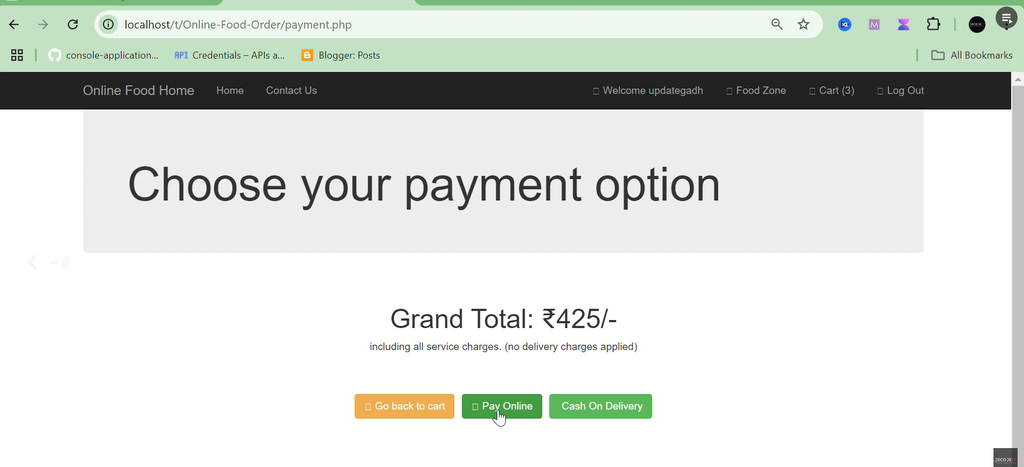
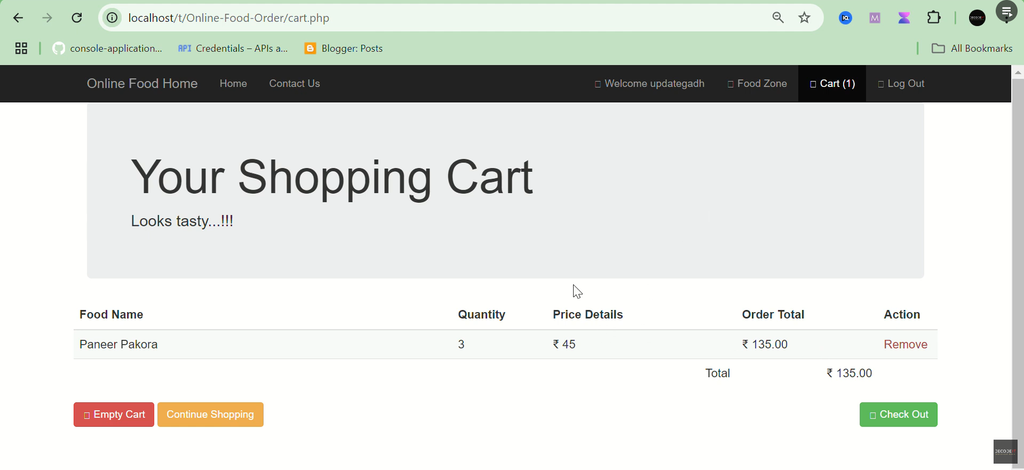
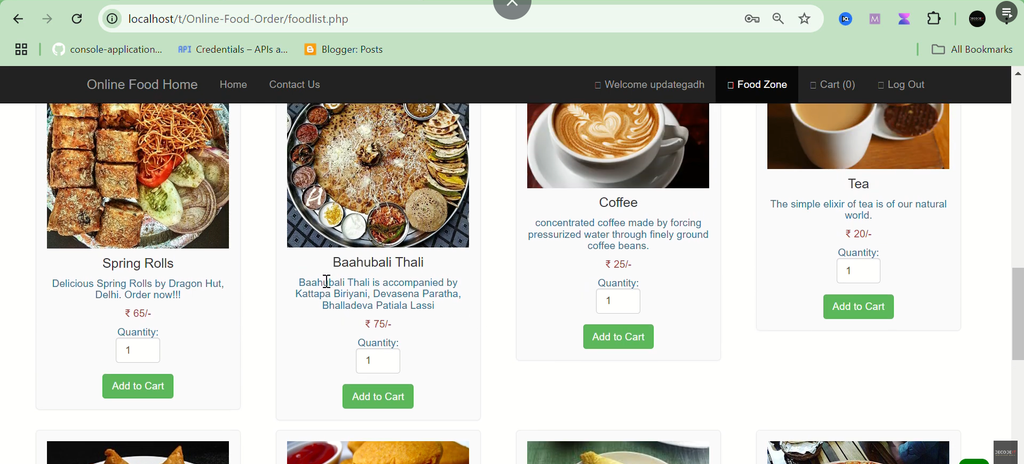
Screenshot:-
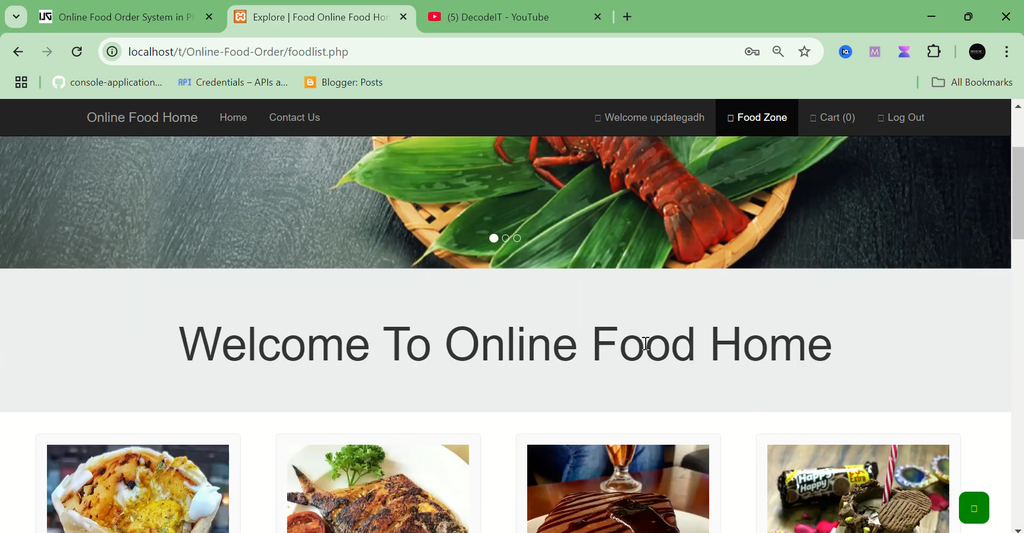
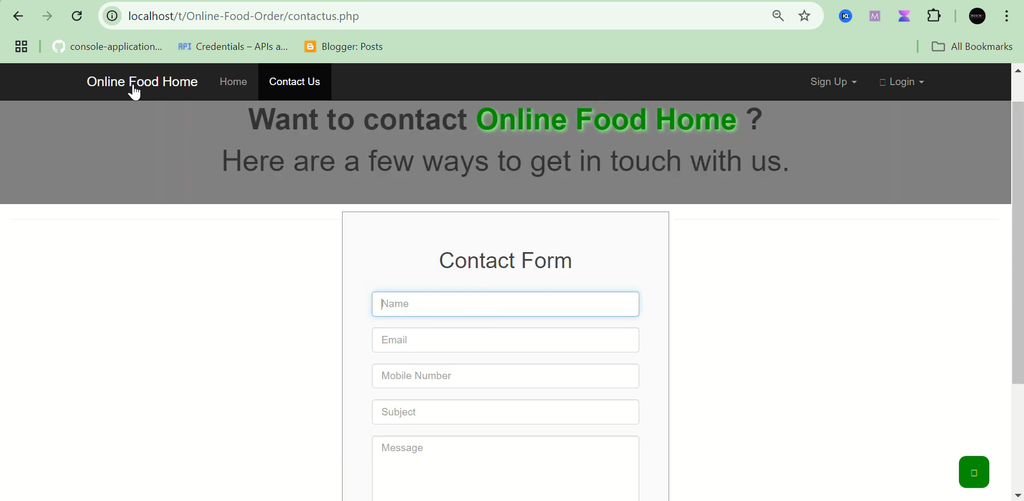
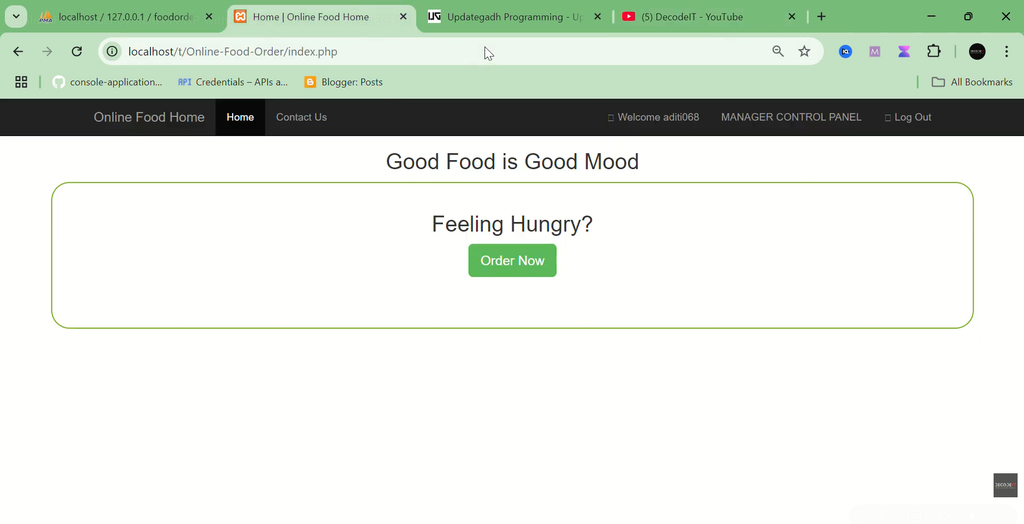
How to Download
Get This Project
The complete package is available so you can run, study, and submit it with confidence. It includes:
- Full Source Code
- Project Report
- Synopsis
- PPT Presentation
For any queries or a quick response, reach out on WhatsApp: +91 79834 34684
Online Food Ordering System for Students
The project can also be useful for students who are learning PHP and want to understand how a practical web application works.
The system demonstrates the basic structure of an online food ordering platform, including customer-side pages, food ordering, restaurant management, food item management, website content management, and order status management.
Students can study the project structure and understand how PHP, JavaScript, CSS, and the database work together to create the application.
Conclusion
The Online Food Order System in PHP provides a simple web-based solution for connecting restaurants with customers. Customers can visit the website, explore the available pages, and place food orders online, while administrators can manage website content, food items, restaurants, and order status from the admin section.
Developed using PHP, JavaScript, and CSS, the project provides a straightforward structure that is easy to understand and use. The separate admin and customer sections keep the main activities of the system organized.
The system can be installed locally using XAMPP, with the foodorder MySQL database and the provided foodorder.sql file. Once the database and project files are configured, the application can be accessed through the local browser.
Keywords:-
- online food order system in php github
- free online food order system in php
- online-food-ordering system project in php github
- online food order system in php pdf
- online food ordering system project pdf
- online food ordering system project in php documentation pdf
- online food ordering system source code in php
- localhost food order admin
- free online food order system
- free online ordering system for restaurants
- online food ordering system project pdf
- online food order system in india
- online food ordering system mini project
- online ordering for restaurants
- table ordering system for restaurants
- online food ordering system project in software engineering