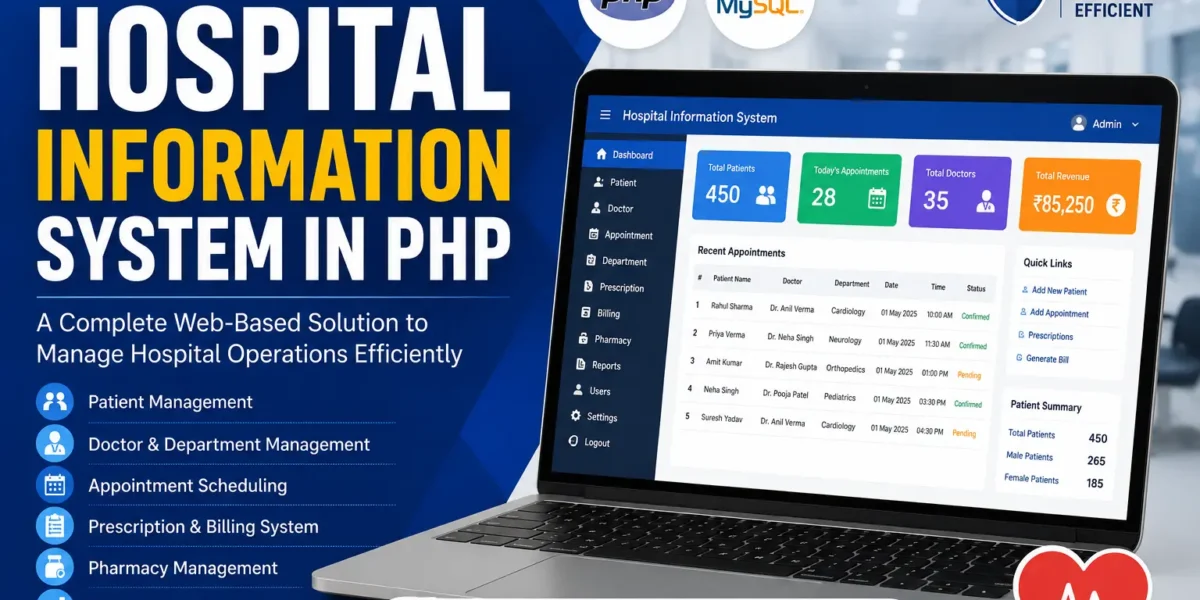
Hospital Information System in PHP
The Hospital Information System in PHP is a web-based application developed to simplify the management of important hospital activities. The system brings together essential functions such as patient management, appointment scheduling, medicine management, diagnosis records, and treatment-related information in one place.
This Hospital Information System in PHP is developed using PHP, JavaScript, and CSS. The application is divided into two main sections: the Admin Section and the User (Manager) Section. Each section provides functionality according to the role of the user.
The system is designed with a simple and clean interface that makes it easier to navigate through the available options. It can be used as an educational and personal project for students, developers, and educators who want to learn about PHP and MySQL-based applications in a healthcare environment.
Hospital Information System in PHP
Managing hospital information requires handling different types of records. Patient details, appointments, diagnoses, treatments, and medicines need to be maintained properly so that the required information can be accessed when needed.
The Hospital Information System provides a centralized application for managing these activities. Instead of handling different records separately, the system provides dedicated sections through which administrators and managers can manage the available hospital information.
The admin dashboard acts as the main management area of the system. Administrators can manage patient records, appointments, treatment details, medicines, and diagnosis information through the available options.
The user side of the application is designed for managers. Managers can use the system to set and manage patient appointments. This provides an organized method for handling appointment scheduling.
System Overview
The Hospital Information System is divided into two major sections. The first section is designed for administrators, while the second section is designed for users or managers.
Admin Section
The Admin Section provides the main management functionality of the Hospital Information System. The administrator can access patient records, appointments, treatment information, medicines, and diagnosis records from the dashboard.
Patient information can be added, edited, and viewed through the system. Administrators can also manage appointment-related information and treatment details. Medicine information can be managed through the available medicine management section.
The admin interface brings these activities together, making it easier to maintain hospital-related information from one centralized location.
User (Manager) Section
The User (Manager) Section is designed specifically for managers who are responsible for managing patient appointments. This section provides the tools required to set and manage appointments.
Managers can use the available appointment functionality to organize patient schedules. By keeping appointment information within the system, the scheduling process can be handled through a single interface.
The user section focuses mainly on appointment management and provides managers with the required functionality for scheduling patients.
Key Features of Hospital Information System
1. User-Friendly Design
The system provides a simple and clean interface designed for easy navigation. The layout allows users to access the available functionality without unnecessary complexity.
Users with different levels of technical knowledge can navigate through the system and use the available features. The straightforward design helps administrators and managers work with the application more easily.
2. Patient Management
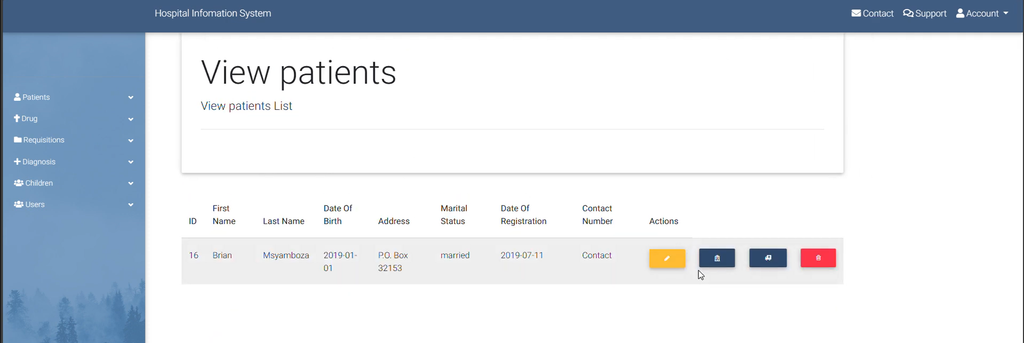
The Patient Management feature allows administrators to manage patient information through the system. Patient records can be added to the application and existing information can be accessed whenever required.
The administrator can also edit patient information when changes are necessary. This makes patient records easier to maintain and provides medical personnel with access to the available patient information.
- Add patient information
- Edit patient information
- View patient information
- Manage patient records
By keeping patient information in the system, the available records can be accessed through the admin interface instead of being maintained separately.
3. Appointment Scheduling
The Appointment Scheduling feature is designed for managers. Managers can set and manage patient appointments using the user section of the application.
Appointment management provides an organized way to handle patient schedules. Managers can use the available tools to arrange appointments and maintain the scheduling information within the system.
The appointment functionality helps in organizing patient visits and supports the management of available appointment information.
4. Medicine Management
The Medicine Management section allows administrators to manage medicine information. Medicines can be added to the system, updated when required, and tracked through the available records.
Maintaining medicine information within the system helps keep prescription-related information organized. The administrator can manage the available medicine records from the admin interface.
- Add medicines
- Update medicine information
- Track medicine records
- Manage prescription-related medicine information
5. Diagnosis Records
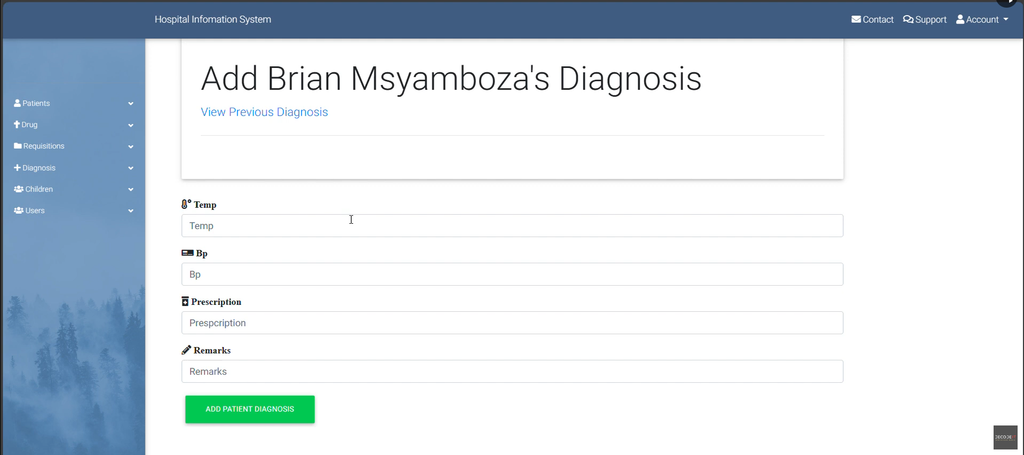
The Diagnosis Records feature allows patient diagnosis information to be recorded and updated. This provides medical personnel with access to patient diagnosis information through the system.
Diagnosis information can be maintained as part of the patient’s records. When required, the existing diagnosis information can also be updated.
This feature provides a clear view of the patient’s diagnosis information and helps maintain the available medical records in an organized manner.
6. Treatment Details
The admin section also provides functionality for handling treatment details. Administrators can manage treatment-related information along with patient records.
Treatment schedules and related information can be maintained through the system. By keeping these details within the application, hospital staff can access the available treatment information from the admin interface.
Admin Dashboard
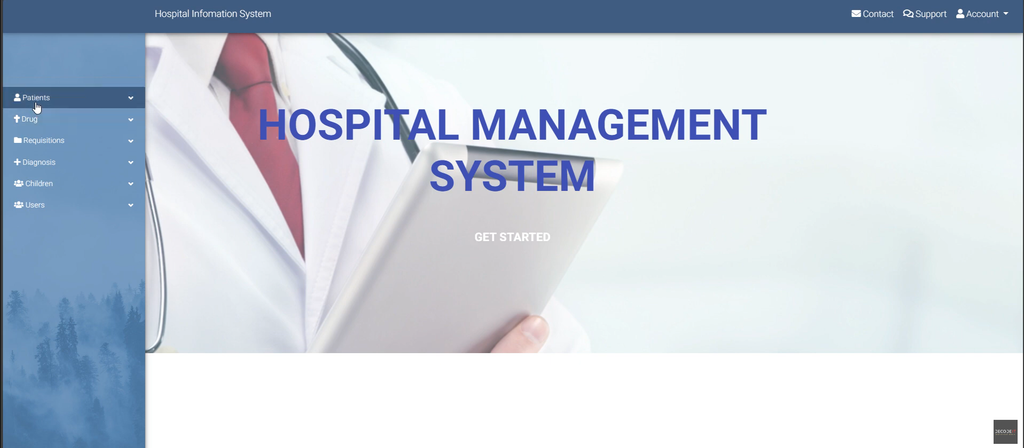
The Admin Dashboard serves as the central area for managing hospital information. It brings the major management functions together so that administrators can access patient records, appointments, treatments, medicines, and diagnosis information.
Through the dashboard, administrators can work with the available patient information and manage different types of hospital records. The centralized design makes it easier to move between the different sections of the system.
The dashboard is therefore an important part of the application because it provides access to the main administrative functions from one place.
Manager Appointment Management
The manager section focuses on appointment management. Managers can use the available functionality to set appointments for patients and manage the existing appointment information.
Appointment scheduling is an important part of the system because it provides a structured way to manage patient visits. Instead of handling appointment information separately, managers can use the application to maintain the required scheduling details.
Technical Requirements
To run the Hospital Information System, a virtual server environment such as XAMPP for Windows is required. XAMPP provides the environment needed to run PHP and MySQL-based projects.
Before running the project, make sure that XAMPP is installed and configured on the computer. The project files can then be placed inside the appropriate XAMPP directory and the required database can be imported.
Installation Guide
Step 1: Download and Extract the Files
First, download the Hospital Information System project files. After downloading the project, extract the contents of the ZIP file.
Once the ZIP file has been extracted, locate the main project folder. The project folder is named HIS.
Step 2: Copy the Project Folder
Copy the extracted HIS folder and place it inside the XAMPP htdocs directory.
xampp/htdocs/The htdocs folder is the default location used for PHP projects running through XAMPP.
After copying the project folder, the application files will be available through the local PHP server.
Step 3: Create the Database
After placing the project inside the XAMPP directory, the required database needs to be created.
Open your browser and access phpMyAdmin. From phpMyAdmin, open the Databases tab and create a new database named:
hisThe database name should match the database required by the project.
Step 4: Import the Database
After creating the his database, open the Import tab in phpMyAdmin.
Browse the extracted Hospital Information System project folder and locate the SQL database file:
his.sqlSelect the his.sql file and start the import process by clicking Go. The SQL file contains the database tables and data required for the Hospital Information System to function.
Step 5: Run the Project
Once the database has been imported successfully, open the Hospital Information System through your browser using the local project address.
After accessing the project, the login page of the Hospital Information System will be displayed. From there, users can access the system according to the available user section.
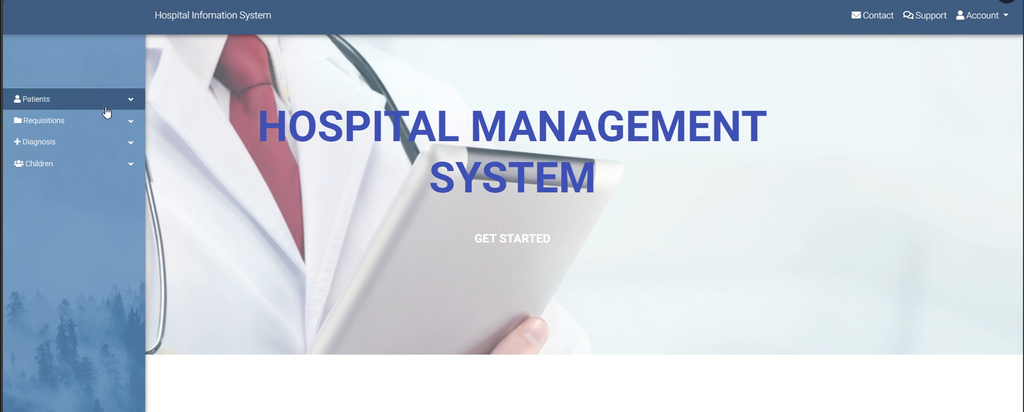
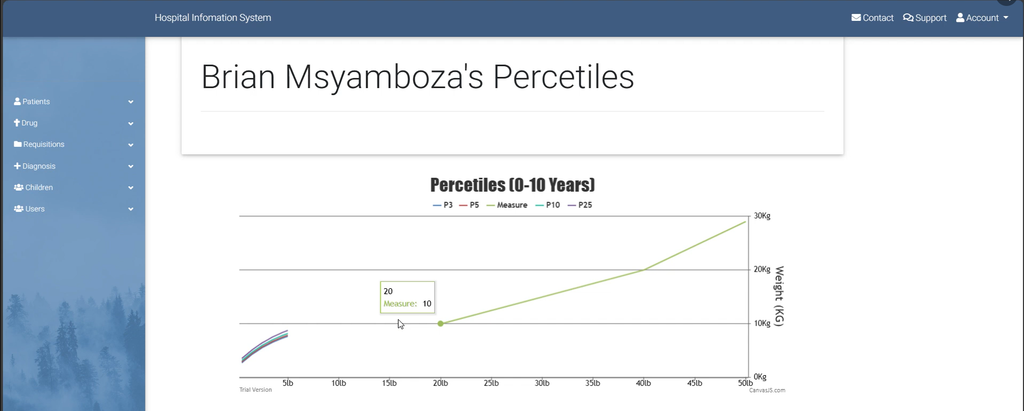
Screenshot:-

How to Download
Get This Project
The complete package is available so you can run, study, and submit it with confidence. It includes:
- Full Source Code
- Project Report
- Synopsis
- PPT Presentation
For any queries or a quick response, reach out on WhatsApp: +91 79834 34684
System Use and Restrictions
The Hospital Information System is available for educational and personal use. It is intended as a learning resource for students, developers, and educators interested in understanding PHP and MySQL-based applications in a healthcare setting.
The project provides an opportunity to study how a healthcare-related information system can be structured using PHP, JavaScript, CSS, and MySQL.
The code is open-source and freely available for modification. Users can study the project and make changes according to their educational or personal requirements.
Keywords:-
- hospital information system in php pdf
- hospital information system in php geeksforgeeks
- full hospital management system source code in php github
- hospital information system in php github
- localhost hospital management system php hospital
- hospital management system project with source code pdf
- hospital management system project in php
- hospital management system php mysql source code
- hospital management system php
- hospital management system er diagram
- hospital management system project
- hospital management system website
- hospital management system pdf
- hospital management system login
- hospital-management system github
- hospital management system project pdf