Online Hotel Reservation System
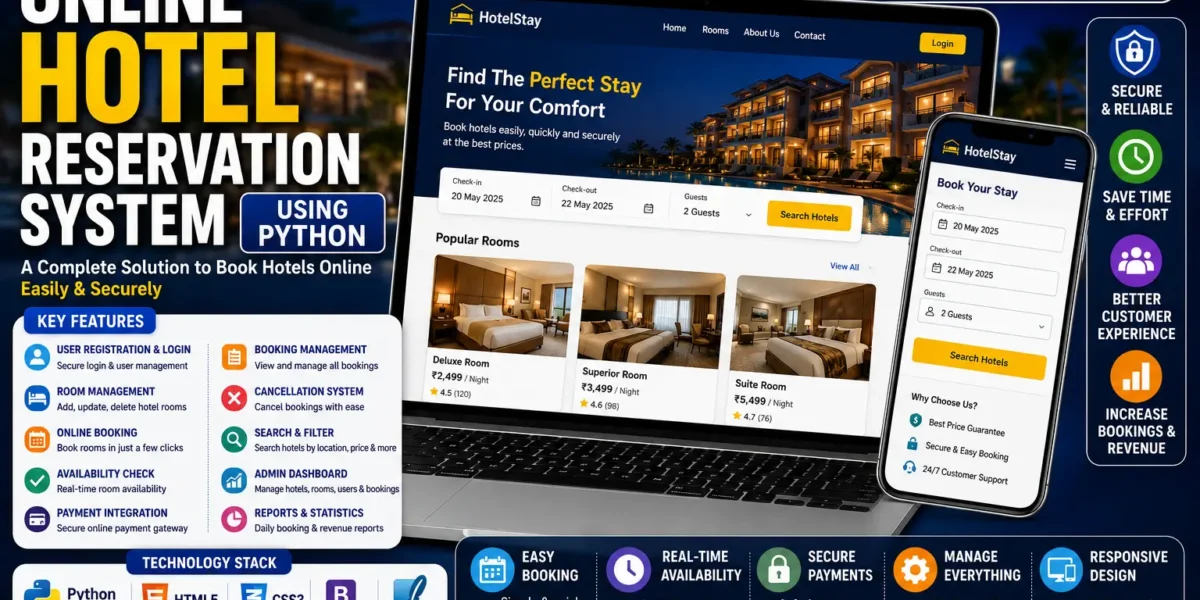
The Online Hotel Reservation System Using PHP and MySQL is a web-based application designed to simplify and manage the hotel room reservation process. The system provides a user-friendly platform where customers can browse available rooms, view room details, provide their booking information, and submit reservation requests.
The project includes two main sections: the User Side and the Admin Panel. Users can browse rooms and make reservation requests, while administrators have complete control over room records, reservations, check-in and check-out information, and user management.
Developed using PHP, CSS, Bootstrap, JavaScript, and MySQL, this project provides a practical example of how a dynamic hotel reservation website can be developed. It is also useful for students who want to understand PHP and MySQL-based web application development.
Project Overview
The main purpose of this system is to provide an organized online method for handling hotel reservations. Instead of maintaining room and booking information manually, the system allows hotel-related information to be managed digitally.
Users can browse available rooms, check room details, enter their personal information, and submit a reservation request. The request remains in a pending state until it is reviewed and approved by the administrator.
On the other side, the admin can manage room inventory, reservations, check-in and check-out records, and users from the admin panel.
| Project Detail | Information |
|---|---|
| Project Name | Simple Online Hotel Reservation System |
| Languages Used | PHP, CSS, JavaScript |
| Framework | Bootstrap |
| Database | MySQL |
| Database Name | db_hor |
| SQL File | db_hor.sql |
| Project Type | Web Application |
Key Features
User Side
The user section provides customers with the basic functionality required to browse hotel rooms and submit reservation requests.
1. Browse Available Rooms
Users can browse the available rooms through the website. Each room can contain details about the room type, allowing users to review the available options before making a reservation.
2. View Room Details
The system allows users to view information about different room types before selecting a room. Room information can include details maintained by the administrator, such as the room rate, type, description, and images.
3. Room Reservation
Users can select a room and submit a reservation request through the online booking interface. During the reservation process, the user provides important personal information required for the booking.
The booking form includes:
- Name
- Address
- Contact Number
- Check-in Date
4. Pending Reservation Status
After submitting a reservation request, the booking remains in a pending state until it is reviewed and approved by the administrator.
This approval-based process allows the admin to verify and manage reservations before they are confirmed.
5. Hotel Contact Information
Users can access the hotel’s contact information through the website. This provides customers with the necessary information to communicate with the hotel.
6. Hotel Gallery
The system also provides access to the hotel’s gallery. Users can view the available gallery information while browsing the hotel reservation website.
Admin Panel
The Admin Panel provides centralized control over the hotel reservation system. Administrators can manage rooms, reservations, check-ins, check-outs, and users.
1. Room Management
Administrators can manage hotel room records from the admin panel. Room information can be added, updated, or removed according to the requirements of the hotel.
Room records can include:
- Room Rate
- Room Type
- Room Description
- Room Images
This allows the admin to maintain the room inventory displayed to users.
2. Reservation Management
The admin can view and manage reservation requests submitted by users. Reservation approvals and updates are handled through the admin panel.
This allows administrators to review booking requests and ensure that only valid reservations proceed through the system.
3. Check-in and Check-out Tracking
The system keeps records of check-ins and check-outs. Administrators can use these records to monitor room occupancy and keep track of the status of hotel reservations.
This feature provides a digital record of customer check-in and check-out activities.
4. User Management
The admin panel also provides user management functionality. Administrators can control and monitor user access to ensure the smooth operation of the reservation system.
System Workflow
The Online Hotel Reservation System follows a simple booking workflow between the user and administrator.
- The user opens the hotel reservation website.
- The user browses the available rooms.
- The user views the details of the preferred room.
- The user selects a room for reservation.
- The user enters their name, address, contact number, and check-in date.
- The reservation request is submitted.
- The booking remains pending until the admin reviews it.
- The admin manages and approves valid reservations.
- Check-in and check-out information can be maintained by the admin.
This workflow provides a controlled reservation process where users can submit bookings and administrators can review and manage them.
Technology Used
| Technology | Purpose |
|---|---|
| PHP | Backend development and application functionality |
| MySQL | Database management |
| HTML | Web page structure |
| CSS | Website styling |
| JavaScript | User interaction and dynamic functionality |
| Bootstrap | Responsive and mobile-friendly interface |
Responsive Design
The project uses the Bootstrap framework to provide a clean and responsive interface. The layout is designed to work comfortably across desktop and mobile screen sizes.
The responsive design makes it easier for users to browse rooms and interact with the reservation system without requiring a complicated interface.
Project Structure and Design
The Online Hotel Reservation System follows a straightforward design focused on usability. The system separates user-facing functionality from administrative functionality.
The User Side is focused on browsing rooms, viewing room information, submitting reservations, and accessing hotel contact and gallery information.
The Admin Panel provides management functionality for rooms, reservations, check-in and check-out records, and users.
PHP and JavaScript handle application functionality, user actions, input validation, and page interaction, while Bootstrap provides the responsive layout.
How to Run the Project
To run the Online Hotel Reservation System Using PHP and MySQL locally, you need XAMPP or another suitable local server environment.
Prerequisites
- Install XAMPP or another virtual server.
- Start Apache and MySQL.
- Have the complete project source code available.
Step 1: Extract the Project Files
First, download the project source code and extract the ZIP file on your computer.
Step 2: Move the Project to XAMPP
Copy the complete extracted project folder and paste it inside the XAMPP htdocs directory.
xampp/htdocs/Step 3: Start Apache and MySQL
Open the XAMPP Control Panel and start both Apache and MySQL services.
Step 4: Create the Database
Open phpMyAdmin in your browser and create a new MySQL database with the following name:
db_horStep 5: Import the SQL File
After creating the database, open the Import tab and select the SQL file:
db_hor.sqlThe SQL file is located inside the project’s DATABASE folder. Import the file to create the required database tables.
Step 6: Run the User Side
After completing the database configuration, open the project through your local server in a web browser to access the user-side interface.
Step 7: Access the Admin Panel
The admin interface can be accessed through the admin path provided with the project. This section is used to manage rooms, reservations, check-in and check-out records, and users.
Screenshots:-
How to Download
Get This Project
The complete package is available so you can run, study, and submit it with confidence. It includes:
- Full Source Code
- Project Report
- Synopsis
- PPT Presentation
For any queries or a quick response, reach out on WhatsApp: +91 79834 34684
Educational Value
The Online Hotel Reservation System is a useful educational project for students who want to understand how PHP and MySQL can be used together to develop a dynamic web application.
The project provides practical experience with:
- CRUD operations
- Session management
- Database integration
- User authentication
- PHP and MySQL integration
- Responsive web design
By working with the project, students can understand how user information, room records, reservations, and administrative operations can be connected through a database-driven PHP application.
Conclusion
The Online Hotel Reservation System Using PHP and MySQL provides a simple and practical solution for managing hotel room reservations. The system contains separate user and admin interfaces, making it possible for customers to submit room reservations while administrators manage the hotel’s room inventory, bookings, check-in and check-out records, and users.
Built with PHP, MySQL, CSS, JavaScript, and Bootstrap, the project demonstrates the fundamentals of developing a dynamic hotel reservation website. Its straightforward structure and practical functionality make it suitable for students, learning purposes, and basic operational use.
Keywords: online hotel reservation system, online hotel reservation system using php, hotel reservation system in php, hotel reservation system using php and mysql, online hotel booking system php, hotel booking system php mysql, hotel reservation project in php, hotel reservation system source code, online hotel booking project, hotel management project in php online hotel reservation system in php with source code
online hotel reservation system in php github
hotel booking system php mysql github
hotel management system project in php pdf
php hotel booking system open source
online hotel booking website project
hotel booking system website
localhost hotel booking online hotel management system in php with source code
online hotel management system in php github
online hotel management system in php pdf
hotel management system project in php github
hotel management system in php with source code
online hotel management system in php example
hotel management system project with source code pdf
localhost hotel management system main