Online Grocery Store in PHP and MySQL
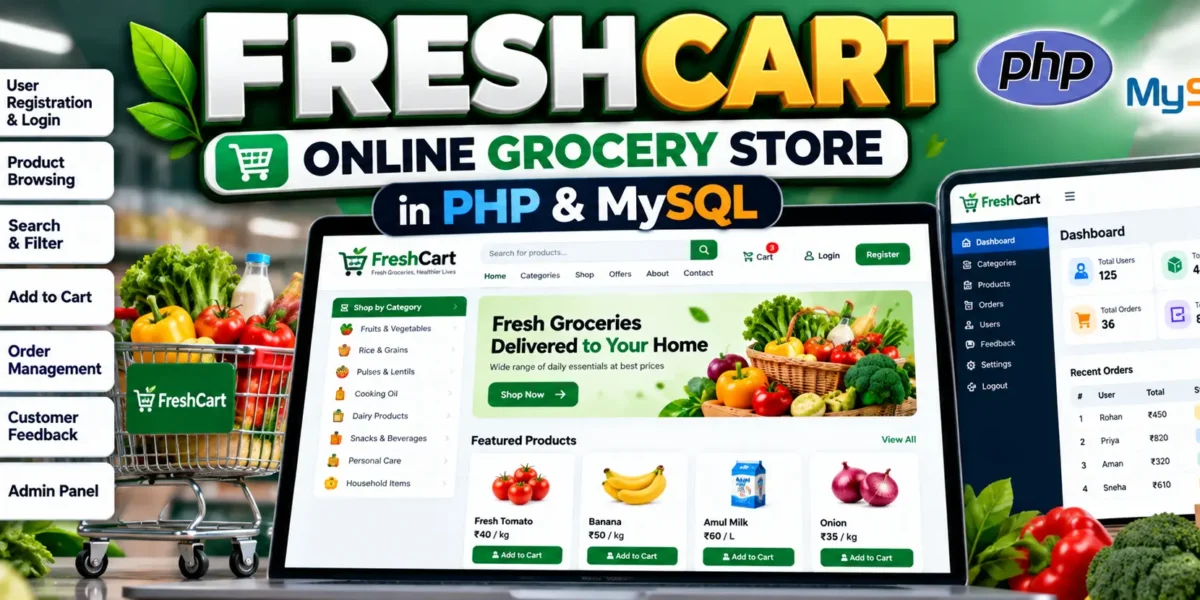
FreshCart Online Grocery Store is a PHP and MySQL-based grocery shopping web application that provides customers with a convenient way to browse products, manage a shopping cart, complete checkout, and view their previous orders. The application also includes a separate Admin Panel for managing products, categories, customers, orders, and feedback.
The project is designed around two main roles: Customer and Admin. Customers can create accounts, browse active grocery products, search and filter products, add items to their cart, update quantities, and place orders. Administrators can manage the store catalog, upload product images, manage customer accounts, review orders, and view customer feedback.
FreshCart uses PHP for backend processing and MySQL or MariaDB for database storage. The application also uses HTML, CSS, and JavaScript to provide a responsive interface that works across desktop and mobile screens.
Complete Advance AI Topics: Click Here
Real Time Projects on YouTube:- DecodeIT
Project Overview
| Attribute | Details |
|---|---|
| Project Name | FreshCart Online Grocery Store |
| Language/s Used | PHP, HTML, CSS, JavaScript |
| Database | MySQL / MariaDB |
| Type | Web Application |
| Developer | UPDATEGADH |
Requirements
Before installing the FreshCart Online Grocery Store, make sure the required software and PHP extensions are available on the system.
- XAMPP: Required for Apache and MySQL/MariaDB.
- PHP: PHP 8.0 or newer is required.
- PHP Extensions: The application requires the
mysqliandfileinfoextensions. - Web Browser: A modern browser is required to access the application.
Available Features
Customer Features
1. Customer Registration and Login
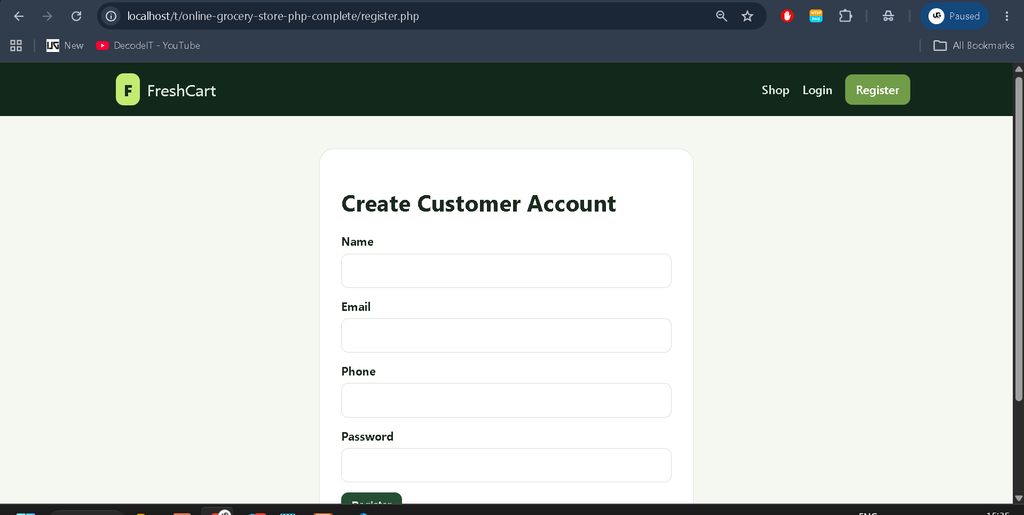
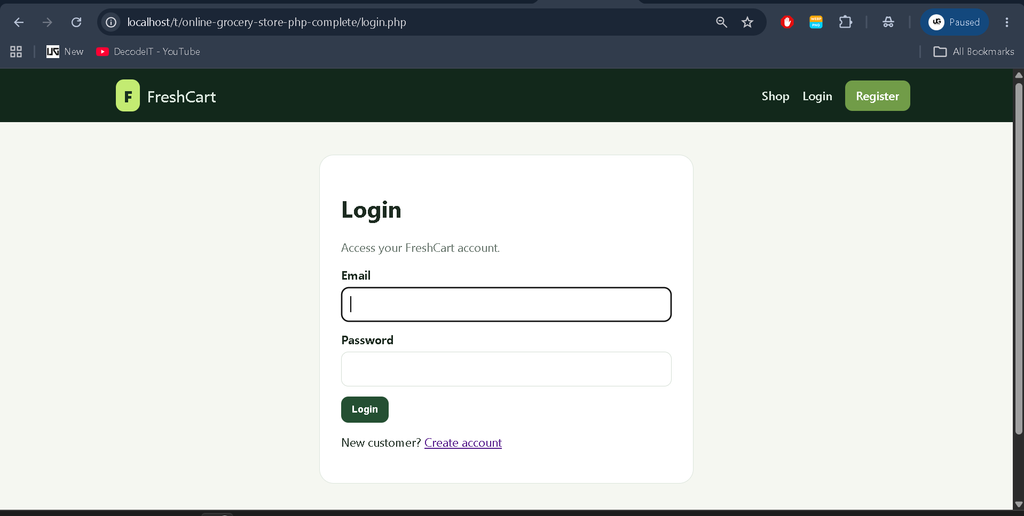
New customers can create their own accounts from the registration page. Existing customers can log in using their registered email address and password. The application uses session-based authentication to maintain the customer’s login state while using the store.
2. Product Catalog
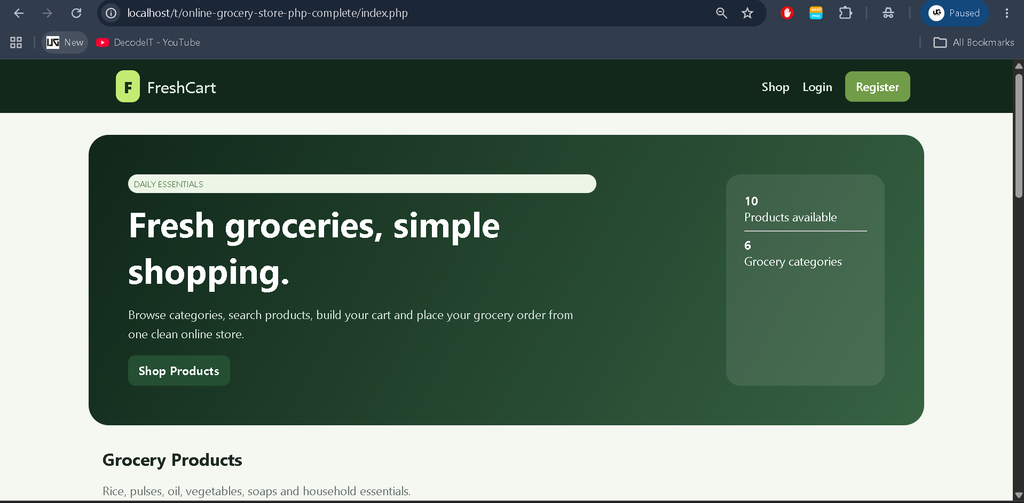
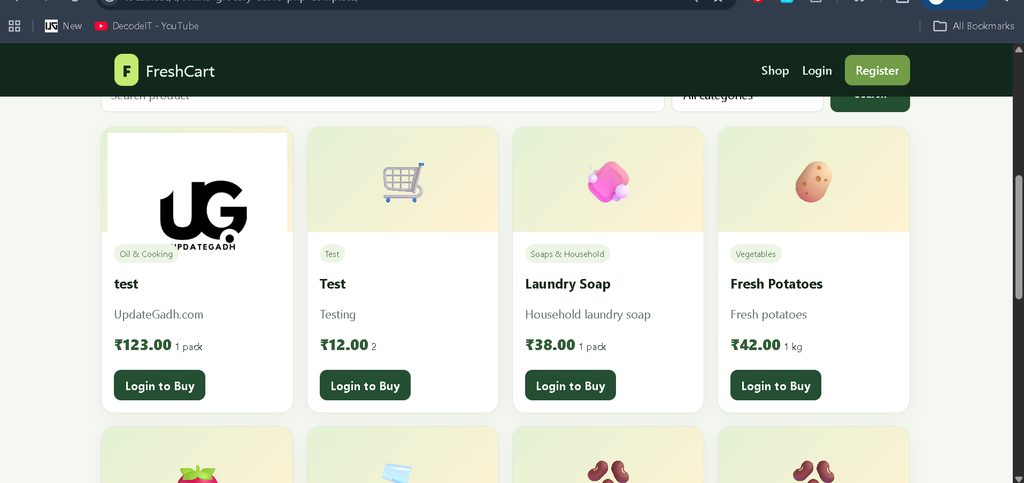
Customers can browse active grocery products from the main shop page. Products display information such as category, description, unit, price, and available product imagery.
3. Product Search and Category Filtering
The shop provides product search functionality. Customers can search products using their names or descriptions. They can also filter the catalog by grocery category to find relevant products more easily.
4. Product Photos
Customers can view uploaded product photos on the shop page and inside the shopping cart. When a product does not have an uploaded image, the application uses its configured display icon instead.
5. Shopping Cart
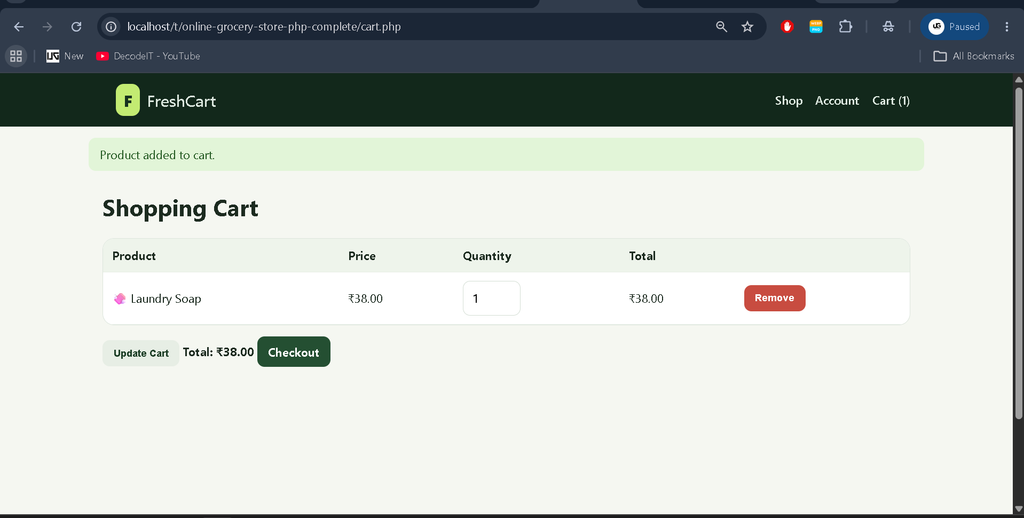
Customers can add products to their cart and increase or decrease product quantities according to their requirements. Items can also be removed from the cart before checkout. The cart displays the selected products and their calculated totals.
6. Checkout
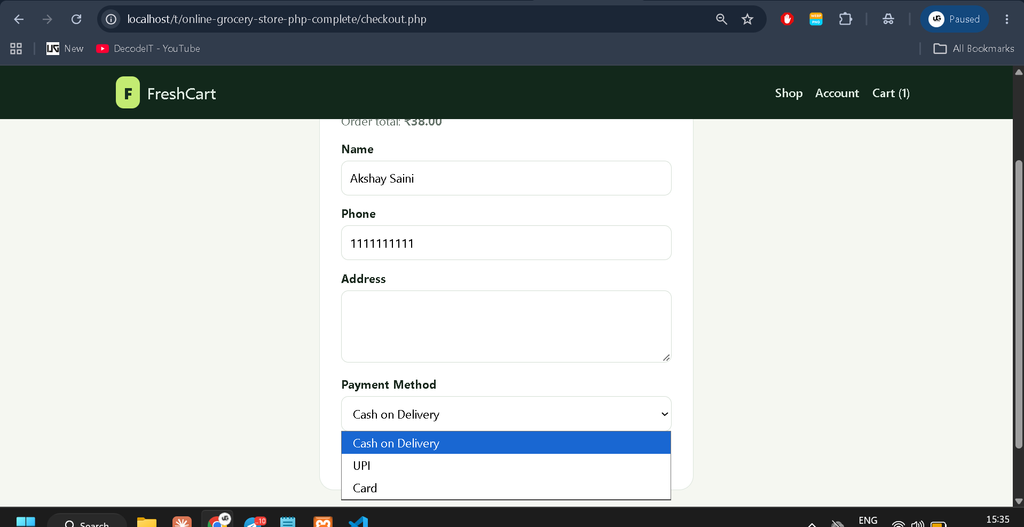
After reviewing the shopping cart, customers can continue to checkout. The checkout process collects the customer’s name, phone number, address, and selected payment method.
The available payment methods are:
- Cash on Delivery
- UPI
- Card
The selected payment method is recorded with the order. This project does not connect to an external payment gateway.
7. Order History
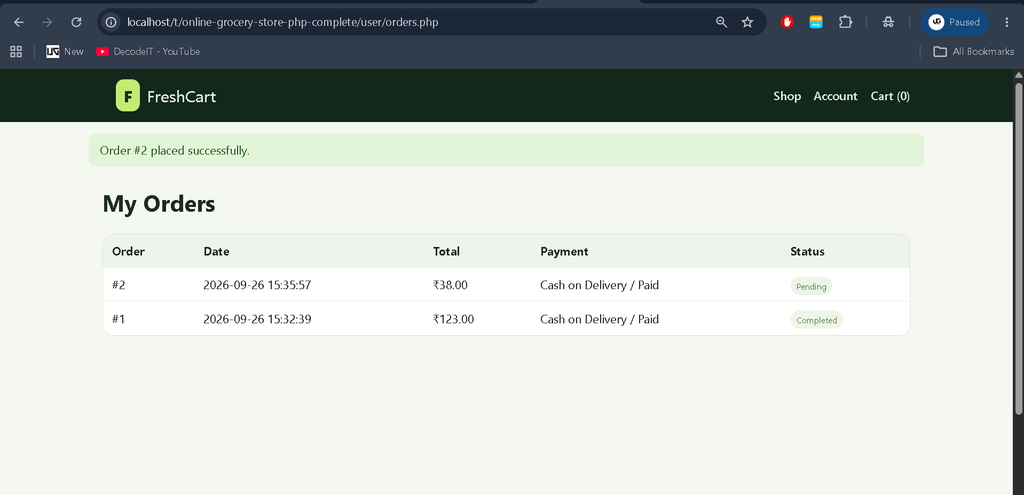
Customers can view their previous orders from their account. The order history contains information about order totals, payment details, and the current order status.
8. Profile Management
Customers can update their profile name and phone number from the profile section of their account.
9. Customer Feedback
Customers can submit feedback to the store. Submitted feedback is stored in the database and can be viewed by the administrator.
Admin Features
1. Admin Dashboard
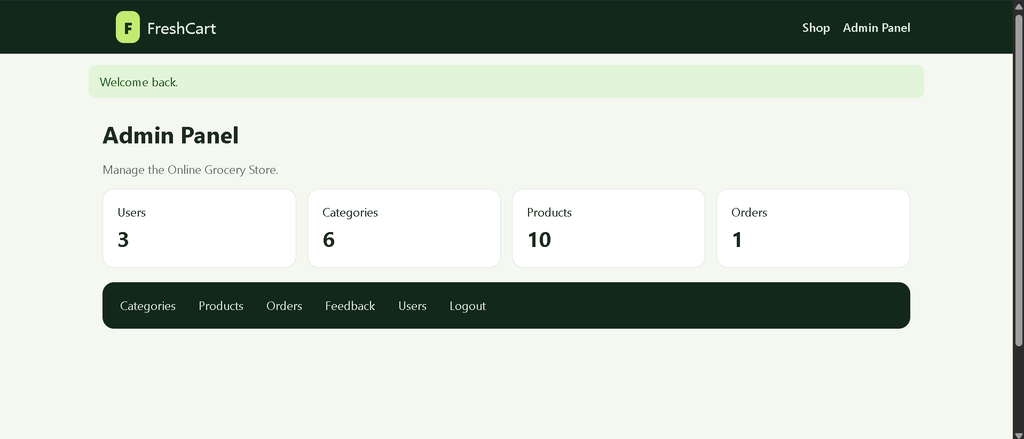
The Admin Panel provides dashboard totals for registered users, product categories, products, and customer orders. This gives the administrator a quick overview of the store.
2. Category Management
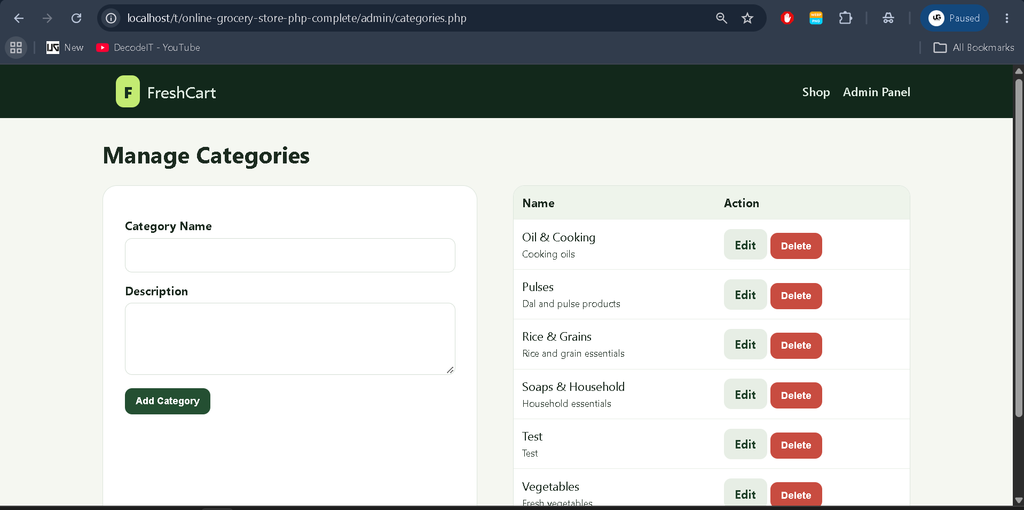
Administrators can add, edit, and delete product categories. The system prevents a category from being deleted while products are still associated with it.
3. Product Management
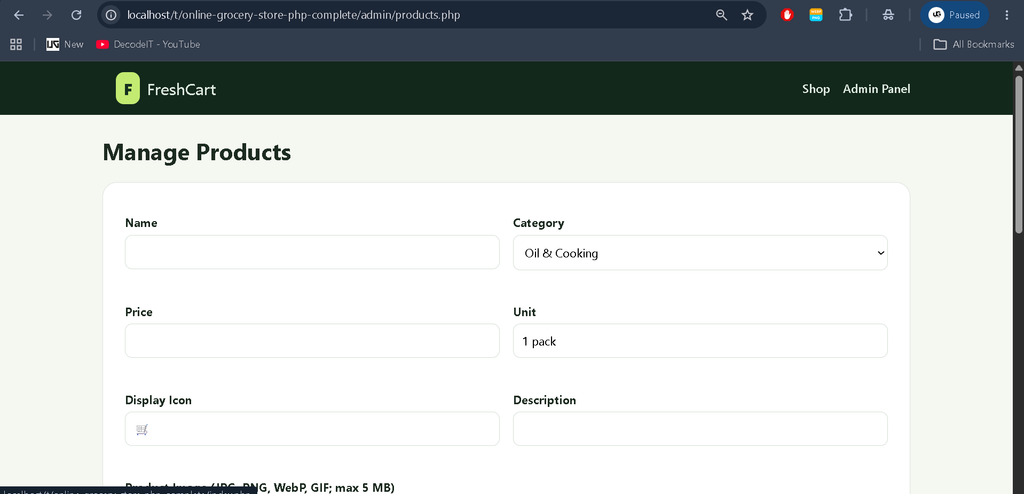
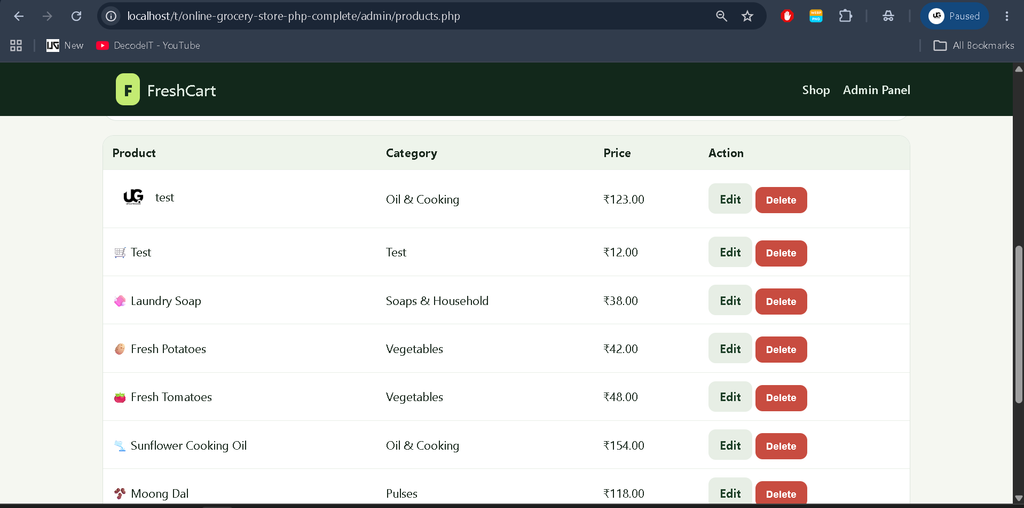
Administrators can add, edit, and delete grocery products. Product information includes the product name, category, price, unit, description, and display icon.
4. Product Image Upload
Administrators can upload product images while saving products. The application supports JPG, PNG, WebP, and GIF image formats with a maximum upload size of 5 MB.
Uploaded product images are stored inside:
uploads/products/The application generates filenames for uploaded images instead of relying directly on the original filenames.
5. Customer Management
Administrators can view and remove customer accounts. Admin accounts are not displayed in the customer management list and cannot be removed through this page.
6. Order Management
The administrator can view customer orders along with customer and contact details, ordered items, totals, and payment information. Order statuses can also be updated from the Admin Panel.
7. Feedback Management
Customer feedback submitted through the application can be viewed by the administrator from the feedback section.
Download Complete Code
Screenshots
Application Security and Access Control
FreshCart includes several application-level security mechanisms. Customer and administrator pages are protected according to the user’s role, which prevents customers from directly accessing administrative functions.
The application uses session-based login, password hashing and password verification, CSRF tokens on forms, and prepared statements for database operations. These mechanisms help provide safer handling of authentication, form submissions, and database queries.
Installation Guide in VS Code
Step 1: Install the Requirements
Install XAMPP with Apache and MySQL or MariaDB support. Also make sure PHP 8.0 or newer is available and that the mysqli and fileinfo PHP extensions are enabled.
Visual Studio Code can be used to open and edit the project files.
Step 2: Copy the Project
Copy the complete FreshCart project folder into the XAMPP htdocs directory.
C:\xampp\htdocs\your-project-folderIf the project is placed inside another folder, include the parent folder when opening it through localhost. The application detects its own base path automatically.
Step 3: Start XAMPP
Open the XAMPP Control Panel and start:
- Apache
- MySQL
Step 4: Create the Database
Open phpMyAdmin and create a database named:
groceryThe database should use the utf8mb4 character set when creating it.
Step 5: Import the SQL File
Select the grocery database in phpMyAdmin and open the Import section. Select the following file:
database/grocery.sqlImport the SQL file. The dump contains the required tables and sample data, but it does not create or select the database itself.
Step 6: Configure Database Connection
The default database configuration uses:
Host: localhost
Username: root
Password:
Database: grocery
These settings can be changed in config.php if your local MySQL configuration is different.
Step 7: Open the Application
For a project placed directly inside htdocs, open:
http://localhost/<project-folder>/If the project is inside a parent folder, include that parent folder in the URL. FreshCart automatically detects its base path for internal application links.
Existing Database
If you already have an existing grocery database, do not import the provided SQL dump over populated data without taking a backup first. The SQL dump creates the required tables and contains sample inserts.
The application automatically adds the nullable products.image_path column when connecting to an older database schema.
If the MySQL account does not have permission to alter the table automatically, execute the following SQL command once in phpMyAdmin:
ALTER TABLE products
ADD image_path VARCHAR(255) DEFAULT NULL
AFTER emoji;
Always back up existing database information before importing the supplied SQL file or modifying the database structure.
Demo Accounts
| Role | Password | |
|---|---|---|
| Admin | admin@freshcart.local | password |
| Customer | user@freshcart.local | password |
New customers can also register from the login page. Administrative pages require an authenticated account with the admin role.
Project Structure
admin/
    Admin dashboard, categories, products, orders, users, and feedback

assets/
    CSS and JavaScript

database/
    MySQL/MariaDB dump and sample data

inc/
    Shared page header and footer

user/
    Customer dashboard, orders, profile, and feedback

cart.php
    Shopping cart

checkout.php
    Checkout and order creation

config.php
    Database connection, sessions, URL helpers, and access checks

index.php
    Shop home page and product catalog

login.php
    Customer and admin login

register.php
    Customer registration
Important Notes
Product Image Uploads
Product images are uploaded when an administrator saves a product. PHP’s file_uploads setting must be enabled, and the web server must have permission to write to the project directory so that it can create the following folder:
uploads/products/Image Upload Size
The application accepts product images up to 5 MB. If PHP rejects an image that is within the application’s configured limit, check the upload_max_filesize and post_max_size settings in the PHP configuration file.
Database Sample Data
The supplied SQL dump contains sample categories, products, accounts, orders, and feedback. The dump should not be imported again over a live database because doing so can affect existing data.
Usage Guide
Customer
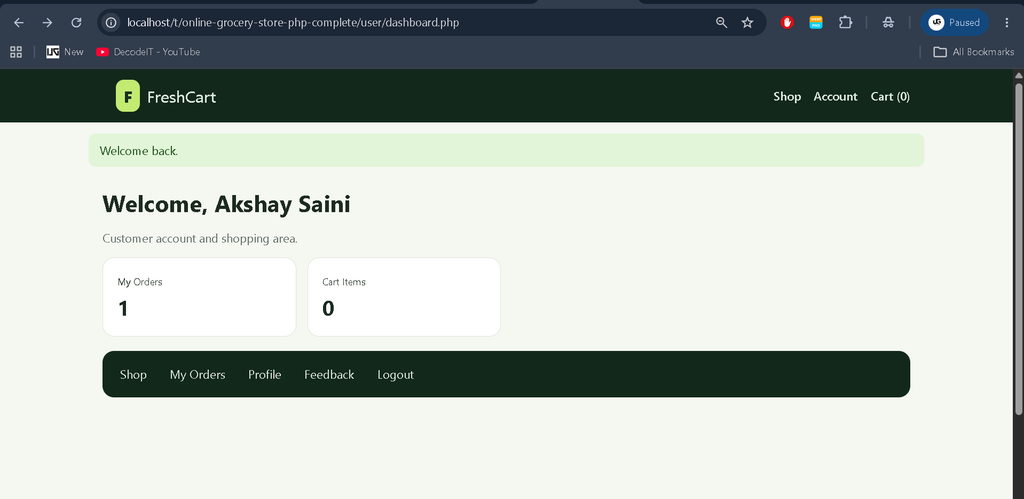
Customers can register for an account or use the provided demo account to log in. After authentication, they can browse active grocery products, search by product name or description, and filter products according to category.
Customers can view product photos when available, add products to their cart, increase quantities, update quantities, or remove products. After reviewing the cart, they can proceed to checkout and provide their name, phone number, address, and selected payment method.
After an order is placed, customers can view their previous orders, payment details, and order status. They can also update their profile name and phone number and submit feedback to the store.
Admin
The administrator logs in through the same authentication system using an account with the admin role. The Admin Panel provides access to dashboard totals and store management functions.
Administrators can manage categories, products, product images, customer accounts, customer orders, order statuses, and customer feedback. Customer accounts are separated from administrator accounts in the user management section.
Final Thoughts
As a student project, FreshCart provides a practical example of how PHP and MySQL can be used to build an online grocery shopping application. The project connects customer authentication, product catalog management, shopping cart functionality, checkout, order history, and feedback into a single web application.
Keywords
online grocery store project in php mysql, freshcart online grocery store, grocery store management system in php, online grocery shopping project in php, php mysql grocery shopping project, online grocery store source code, grocery store project using php and mysql, shopping cart project in php, grocery shopping website php mysql, online grocery management system php, grocery store web application php, php mysql ecommerce grocery project,Online Grocery Store in PHP and MySQL