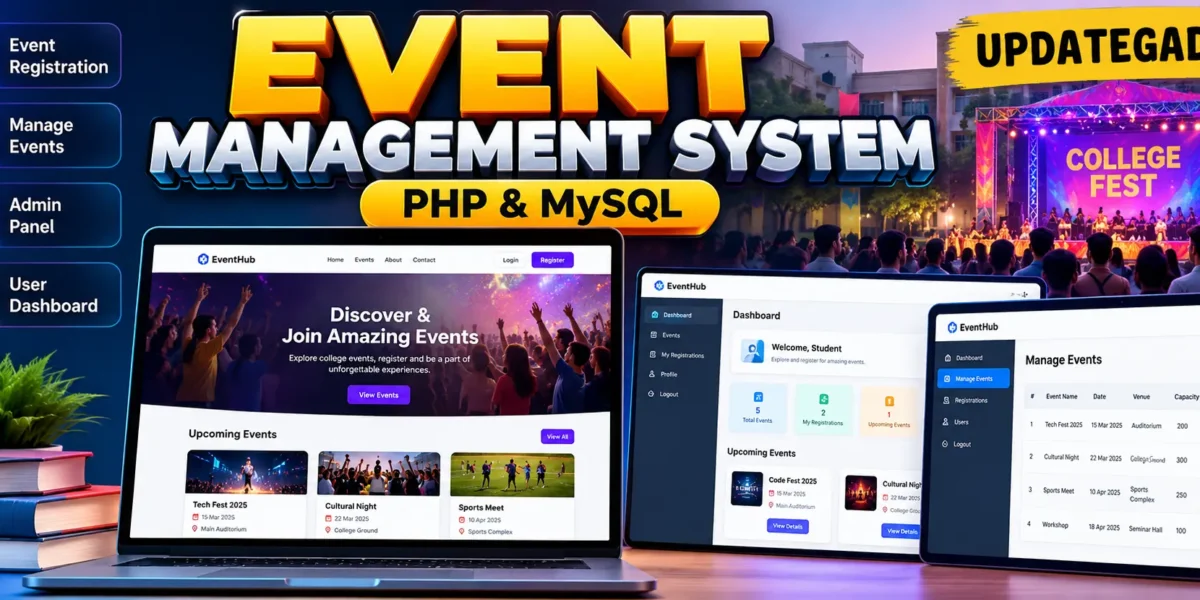
Event Management System in PHP and MySQL
The Event Management System is a practical web application designed for managing college fest event registrations through a simple and organized digital platform. Developed with PHP, MySQL, HTML, CSS, and JavaScript, the project provides separate experiences for students and administrators. Students can create an account, sign in, explore upcoming events, and register for events, while administrators can manage the event schedule and monitor registrations from a dedicated dashboard.
The project is suitable for a medium-level college project because it demonstrates real-world concepts such as authentication, role-based access, database relationships, CRUD operations, validation, capacity checking, dashboards, and registration reporting without introducing an unnecessarily complicated architecture.
Complete Advance AI Topics: Click Here
Real Time Projects on YouTube:- DecodeIT
Project Overview
| Project Detail | Information |
|---|---|
| Project Name | Event Management System |
| Languages Used | PHP, HTML, CSS, JavaScript |
| Database | MySQL |
| Application Type | Web Application |
Project Introduction
Managing college fest registrations manually can make it difficult to maintain participant information, event capacity, schedules, and registration records. This project provides a centralized system where students and administrators can complete these tasks through browser-based interfaces. A student can register once, log in securely, view event information, and reserve a place in an available event. The administrator can maintain event records and review participant registrations.
The system uses MySQL as the central database. Separate tables store users, events, and registrations, while relationships connect student accounts with the events they have selected. A unique registration rule also prevents the same student from registering for the same event more than once.
Key Features
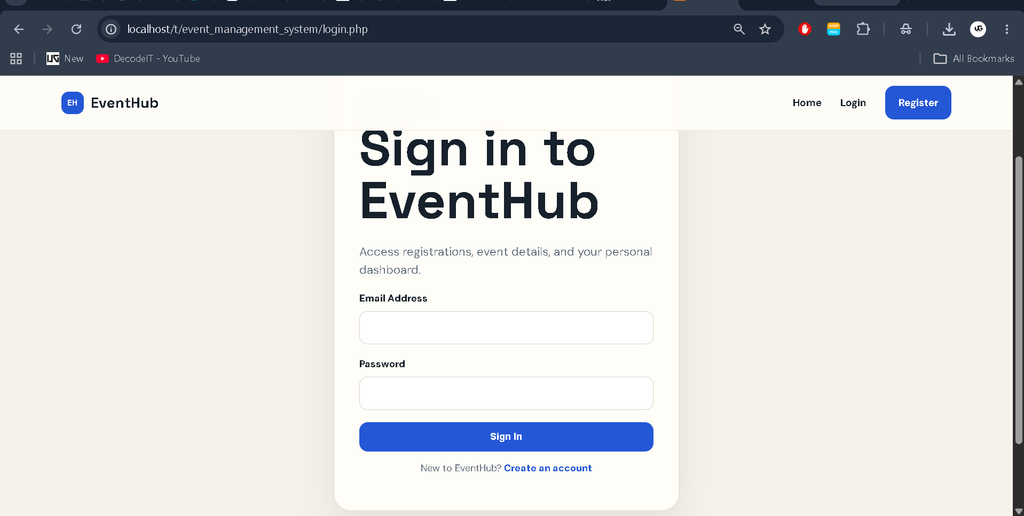
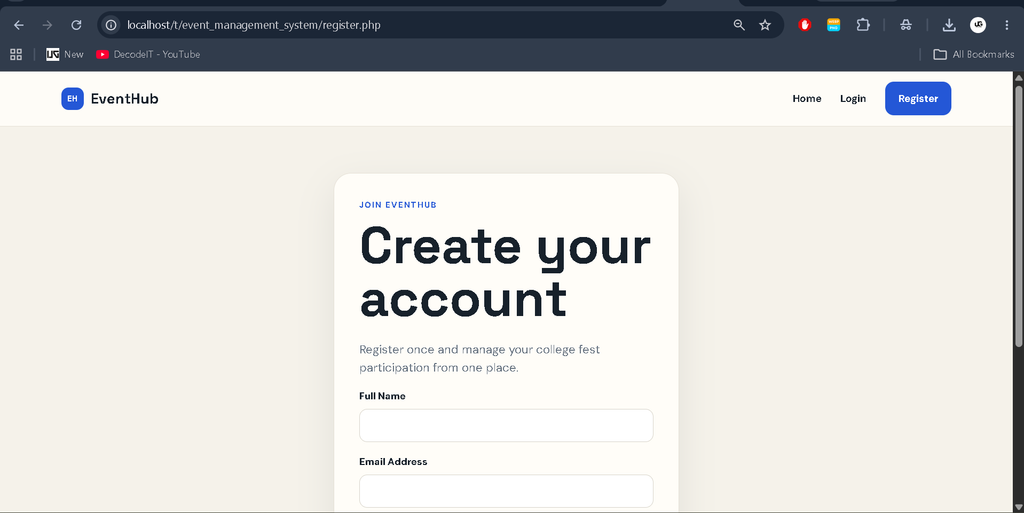
- User Registration and Login: Students can create accounts with their name, email address, and password and then sign in to access protected pages.
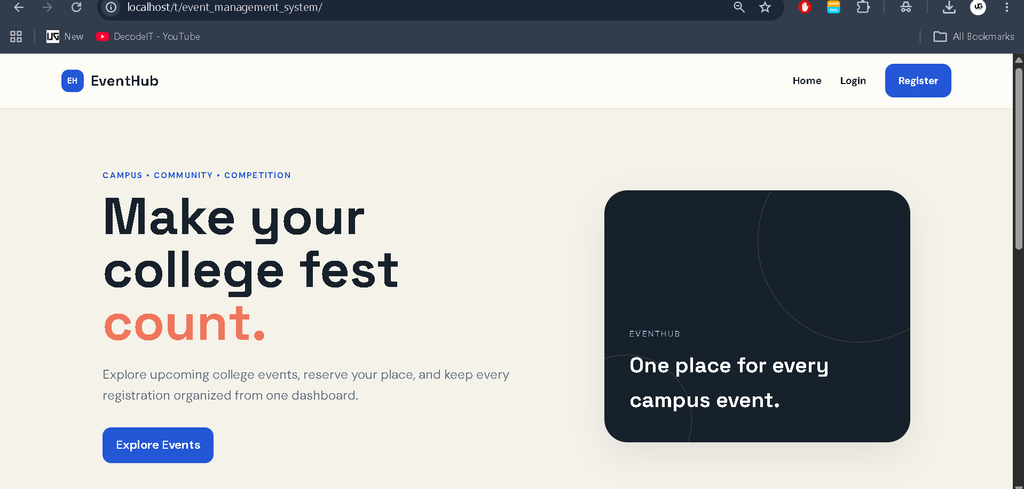
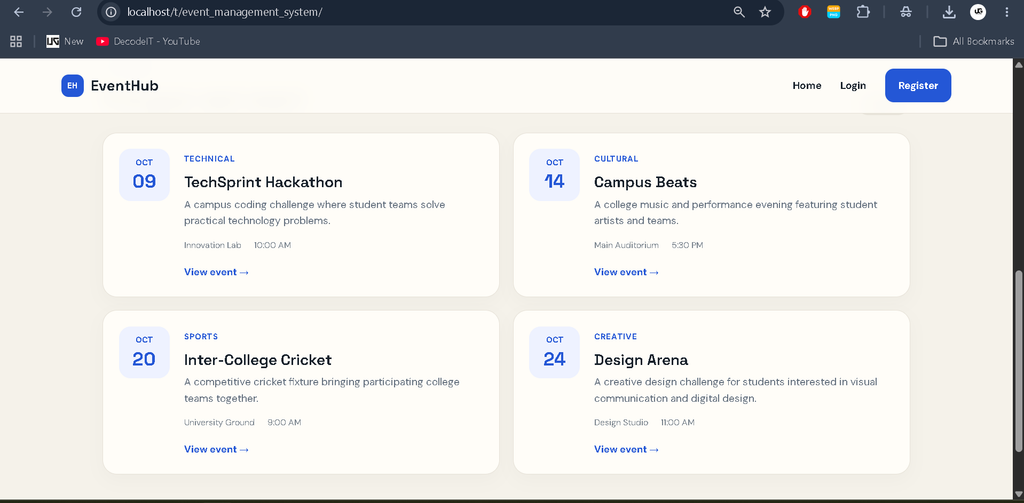
- Event Listing: The home page presents upcoming college fest events with category, date, venue, time, description, and capacity information.
- Event Details: Students can open an individual event page to review its information before registering.
- Event Registration: Logged-in students can register for an event when seats are available.
- Duplicate Registration Protection: The database and application logic prevent a user from registering for the same event more than once.
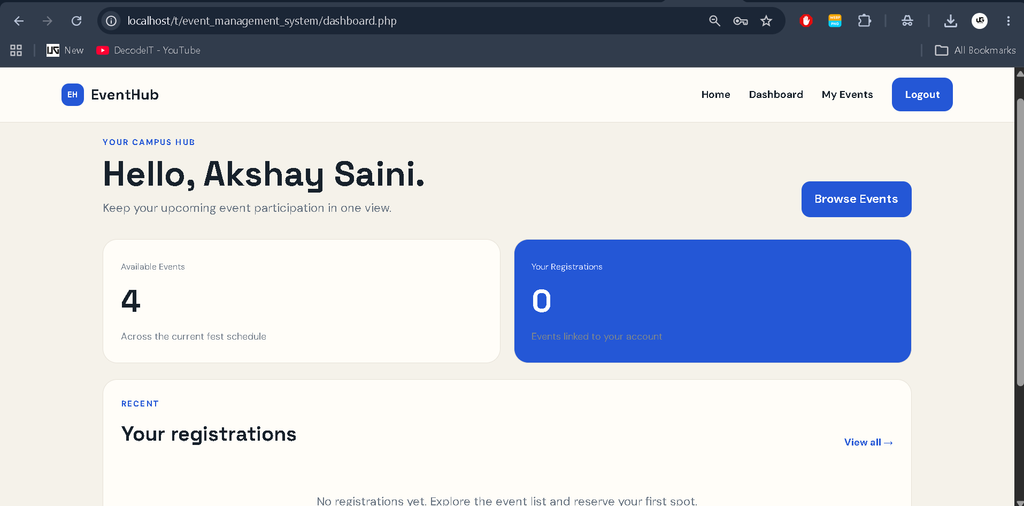
- Student Dashboard: The dashboard summarizes available events and the student’s registrations.
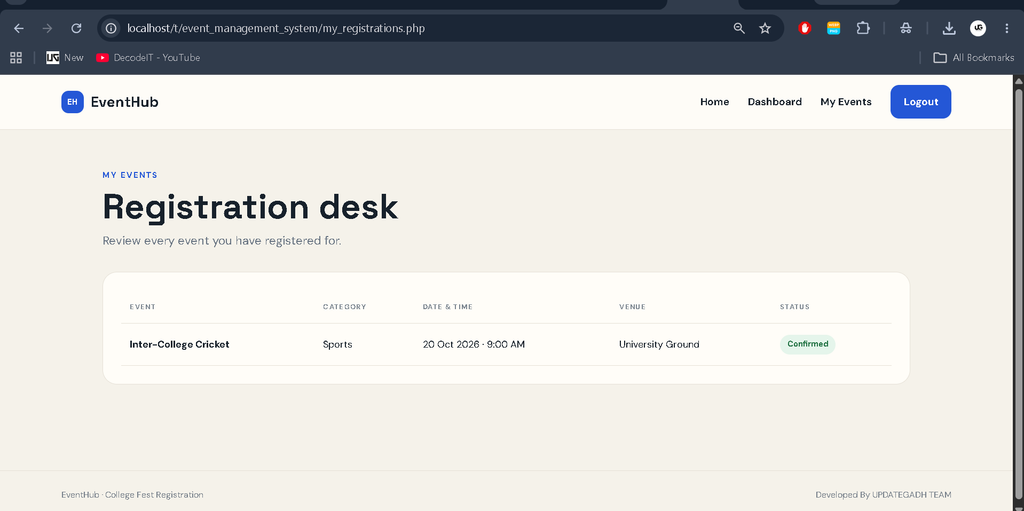
- My Registrations: Students can review their registered events, dates, venues, categories, and registration status.
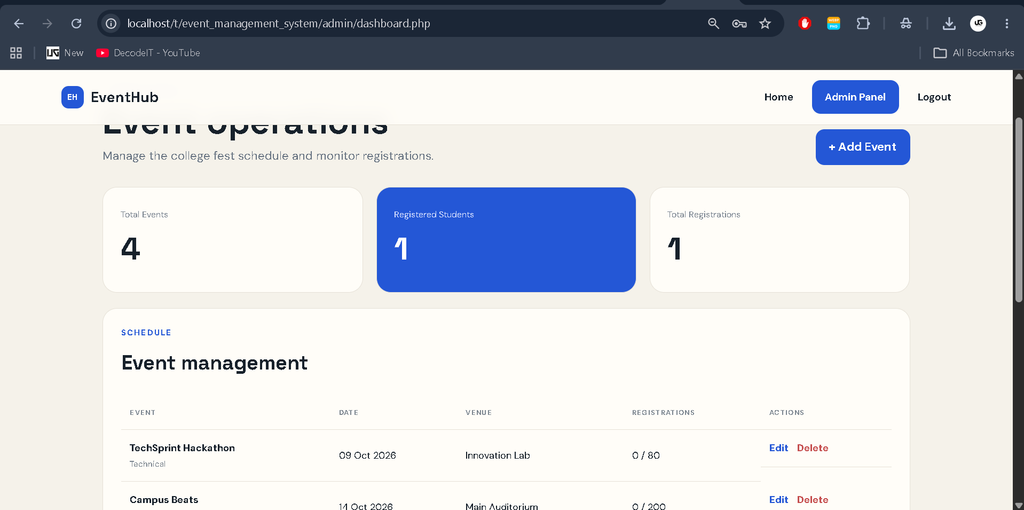
- Admin Panel: Administrators receive a dedicated dashboard for managing events and reviewing recent participants.
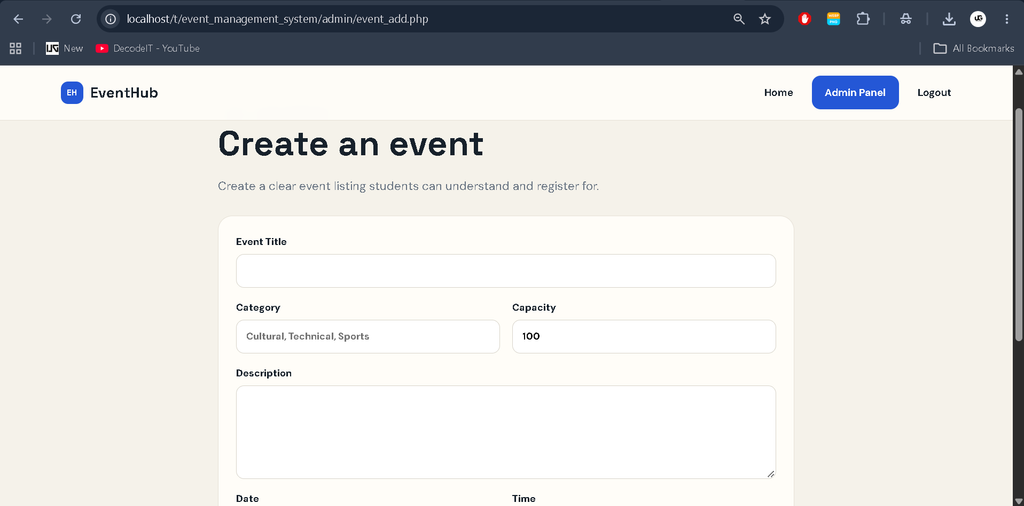
- Event CRUD: Administrators can create, edit, and delete event records.
- Capacity Checking: Registration is blocked when the confirmed participant count reaches the configured event capacity.
- Responsive Interface: The interface adapts to smaller screens while maintaining a clean college-fest dashboard style.
User Roles
Student
The student role is designed for event participants. A student can register an account, log in, browse the event catalogue, open event details, register for available events, and review registrations from the personal dashboard. Protected pages require an authenticated student session.
Administrator
The administrator role manages the operational side of the application. The admin dashboard displays event counts, registered students, total registrations, event schedules, and recent participants. Administrators can also add new events, update existing events, and delete events that are no longer required.
Project Modules
- Authentication Module: Handles student registration, login, logout, password hashing, sessions, and role checks.
- Event Module: Displays event information and provides administrators with event creation, editing, and deletion controls.
- Registration Module: Connects users with events, checks duplicate registrations, and validates event capacity.
- Student Dashboard Module: Provides a focused view of the student’s participation and recent registrations.
- Admin Dashboard Module: Provides event statistics, event management, and participant reporting.
The project also keeps the application flow intentionally clear for students who need to study the code. Shared configuration and authentication files reduce repeated logic, while separate admin pages keep administrative actions away from the student dashboard. This organization makes the project easier to trace during demonstrations and practical examinations.
Technology Stack
PHP is used for server-side application logic, authentication, database operations, form handling, and page routing. MySQL stores user accounts, events, and registration records. HTML provides the page structure, while CSS creates the modern event-focused visual design. JavaScript provides lightweight client-side interaction. XAMPP or WAMP can be used as the local development environment because the application requires Apache and MySQL.
Download complete source code
Screenshot
Installation and Setup
Step 1: Install the Required Software
Install XAMPP or WAMP on your computer. XAMPP is recommended for a straightforward PHP and MySQL development environment.
Step 2: Copy the Project
Extract the project folder into the XAMPP web directory, normally C:\xampp\htdocs\. Keep the complete folder structure intact so that the PHP pages, CSS, JavaScript, and database file remain connected.
Step 3: Start Apache and MySQL
Open the XAMPP Control Panel and start the Apache and MySQL services. Both services are required for the application to run locally.
Step 4: Create the Database
Open phpMyAdmin in your browser and import the database/events.sql file included with the project. The script creates the eventsite database, required tables, sample events, and the administrator account.
Step 5: Run the Application
Open the project through the local server in your browser. Create a student account to test the participant workflow. For administrator testing, use the credentials provided with the project: admin@gmail.com and 123456789.
Usage
Students begin from the home page, where they can explore the event catalogue. After creating an account and signing in, they can open event details and register for suitable events. The dashboard then provides a summary of their activity, while the My Registrations page displays their registered events in a structured table.
Administrators sign in through the same authentication system and are redirected to the admin dashboard according to their role. From there, they can publish new events, edit existing schedules, remove events, and review recent participant registrations. This workflow keeps student participation and event administration connected to the same MySQL database.
Frequently Asked Questions
What is the purpose of this project?
The project provides a centralized system for college fest event registration and basic event administration.
Which database is used?
The project uses MySQL with separate tables for users, events, and registrations.
Can students register for an event without logging in?
No. Students must create an account and sign in before they can register for an event.
Can an administrator manage events?
Yes. The administrator can create, edit, and delete events and can review participant registrations from the admin dashboard.
What happens when an event reaches its capacity?
The registration process checks confirmed registrations against the event capacity and prevents additional registration when the available capacity has been reached.
Future Scope
- Online event payment and receipt generation can be added for events that require fees.
- Email notifications can be introduced for registration confirmations and schedule changes.
- QR-code based attendance can be added for faster participant verification at the venue.
- Advanced reports and downloadable registration summaries can be introduced for administrators.
- Event search and category filtering can be expanded as the number of events grows.
Conclusion
The Event Management System provides a practical example of how PHP and MySQL can be combined to solve a real college event-registration problem. The project connects authentication, role-based access, event management, registration handling, capacity validation, and dashboards into one complete workflow. Its medium-level scope makes it suitable for students who want to demonstrate database connectivity, server-side programming, CRUD operations, and professional UI development in a college project. The structure is also straightforward enough to understand, test, and extend with additional event-management capabilities later.
Keywords:
Event Management System
Event Management System – Google Search
event management system project
event management system project in php
event management system project in python with source code
event management system website
event management system project github
event management system project report pdf free download
event management system images
event management system er diagram
event management system design