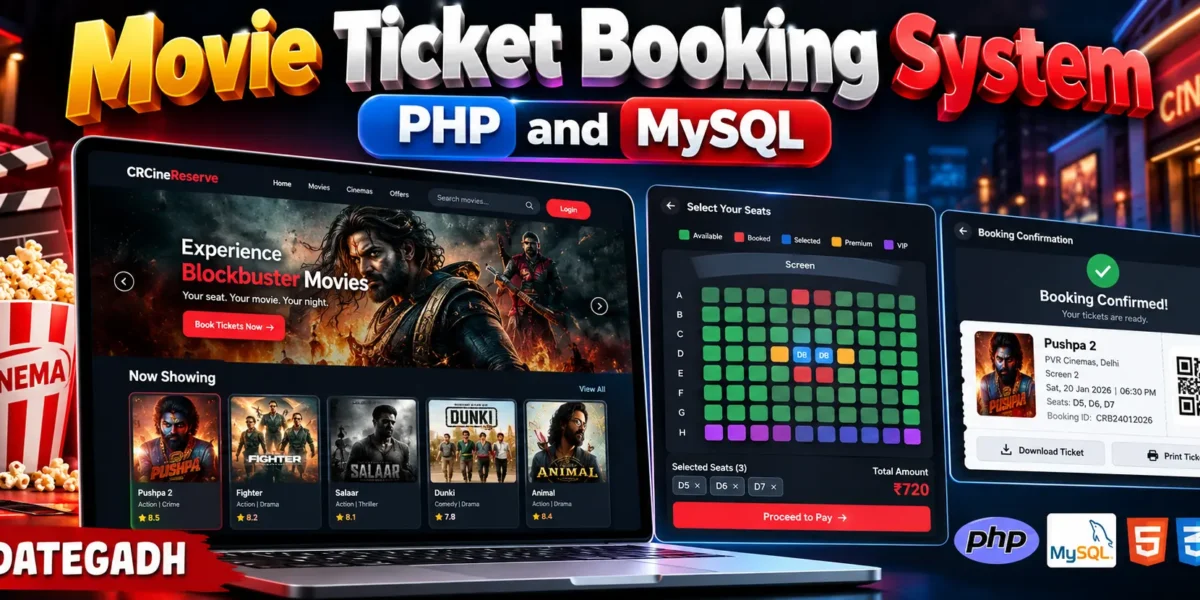
Movie Ticket Booking System PHP and MySQL
The Movie Ticket Booking System PHP and MySQL is an advanced web-based cinema booking application designed to simplify movie browsing, show scheduling, seat selection, ticket booking, payment management, and cinema administration. The system provides separate interfaces for customers, staff, and administrators with a modern cinema-style user experience.
This project is developed using PHP, MySQL, HTML, CSS, and JavaScript. It includes an interactive seat-selection system, movie management, cinema and screen management, booking history, digital tickets, QR-based ticket verification, coupons, reviews, notifications, and detailed administrative reports.
Complete Advance AI Topics: Click Here
Real Time Projects on YouTube:- DecodeIT
Project Overview
| Project Name | Movie Ticket Booking System PHP and MySQL |
|---|---|
| Frontend | HTML, CSS, JavaScript |
| Backend | PHP |
| Database | MySQL |
| Type | Web-Based Cinema Booking System |
| User Roles | Admin, Staff, Customer |
Project Introduction
The Movie Ticket Booking System allows customers to browse currently available movies, check movie information, select a cinema and show, choose seats from an interactive seat layout, apply available coupons, and complete the booking process.
Available Features
Customer Features
- Customer registration and secure login
- User profile management
- Profile image management
- Browse now-showing movies
- Coming-soon movie section
- Movie search and filtering
- Movie details and trailer information
- Movie ratings and reviews
- Cinema and show selection
- Date-based show selection
- Interactive cinema seat map
- Regular, Premium, and VIP seats
- Multiple seat selection
- Dynamic booking price calculation
- Coupon and promotional discount support
- Booking confirmation
- Unique booking ID generation
- Digital QR ticket
- Printable ticket
- Payment record management
- Booking cancellation
- Refund status tracking
- Booking history
- Upcoming booking management
- Movie watchlist
- Notifications and alerts
Admin Features
- Advanced admin dashboard
- User management
- Admin and staff management
- Movie management
- Genre management
- Cinema branch management
- Screen management
- Seat layout management
- Seat type management
- Show timing management
- Movie scheduling
- Dynamic ticket pricing
- Booking management
- Payment management
- Cancellation and refund management
- Coupon management
- Offer management
- Review and rating management
- Notification management
- Revenue analytics
- Booking reports
- Occupancy reports
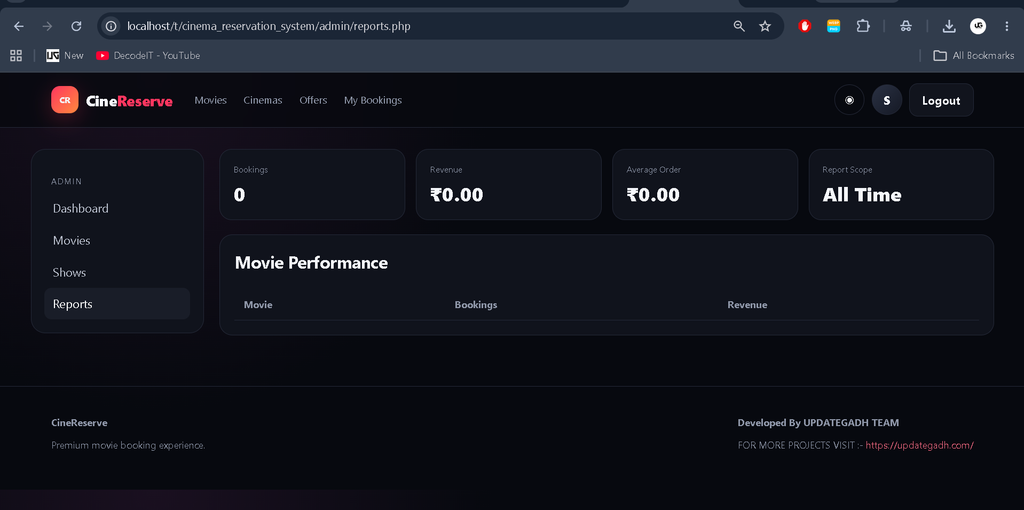
- Movie performance reports
- Activity logs
- System settings
Staff Features
- Staff dashboard
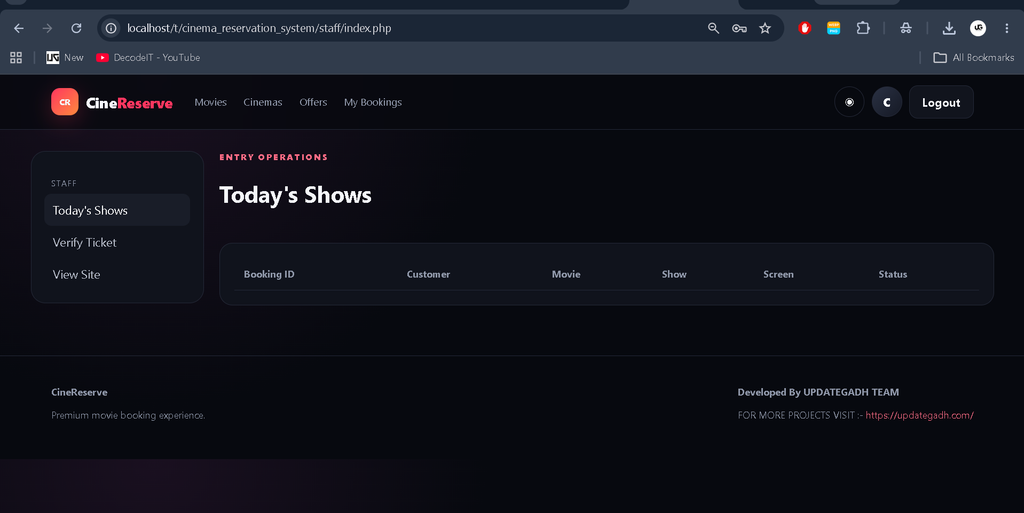
- Today’s show overview
- Booking search
- Booking ID verification
- QR ticket verification
- Customer information verification
- Seat status checking
- Entry verification
- Show occupancy monitoring
- Daily booking reports
Interactive Seat Booking
The interactive seat-booking module provides a visual cinema seat layout. Customers can identify available, selected, booked, and blocked seats before confirming their booking. Different seat categories can have different prices, allowing the system to calculate the total amount dynamically.
Movie and Cinema Management
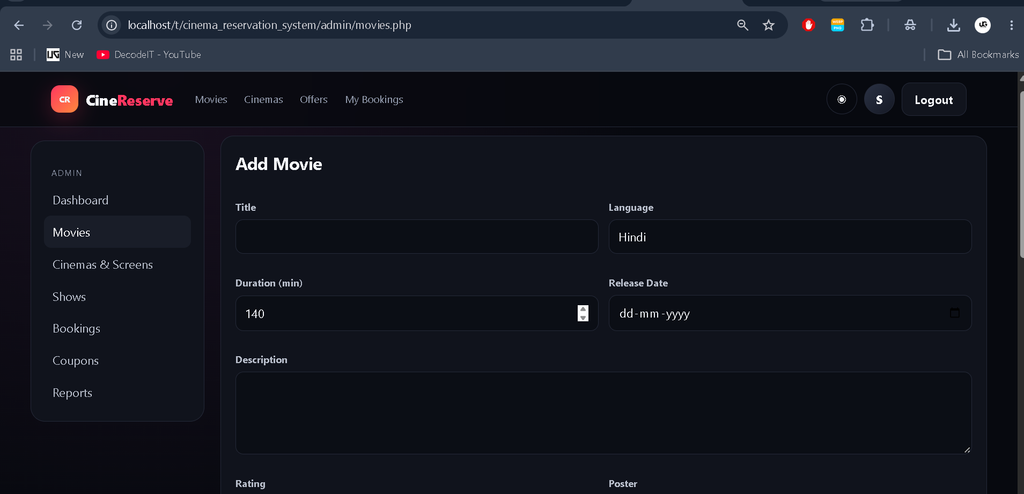
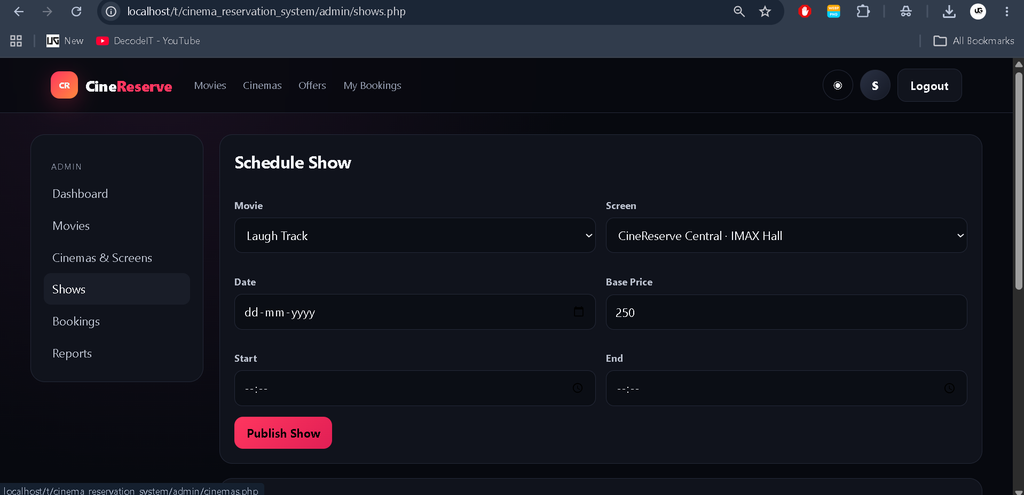
Administrators can add and manage movie information including title, description, genre, poster, banner, trailer information, duration, rating, release information, and movie status.
Booking and Payment Management
After selecting the required seats, customers receive a complete booking summary showing selected seats, ticket prices, discounts, and final payable amount. Coupon codes can be applied before completing the booking.
After successful payment processing, the system creates a unique booking ID and stores the booking and payment information in MySQL. Customers can then access their digital ticket and booking history.
Digital Ticket and QR Verification
The system generates a digital cinema ticket containing important booking information such as movie name, cinema, screen, show date, show time, selected seats, booking ID, payment status, and QR verification information.
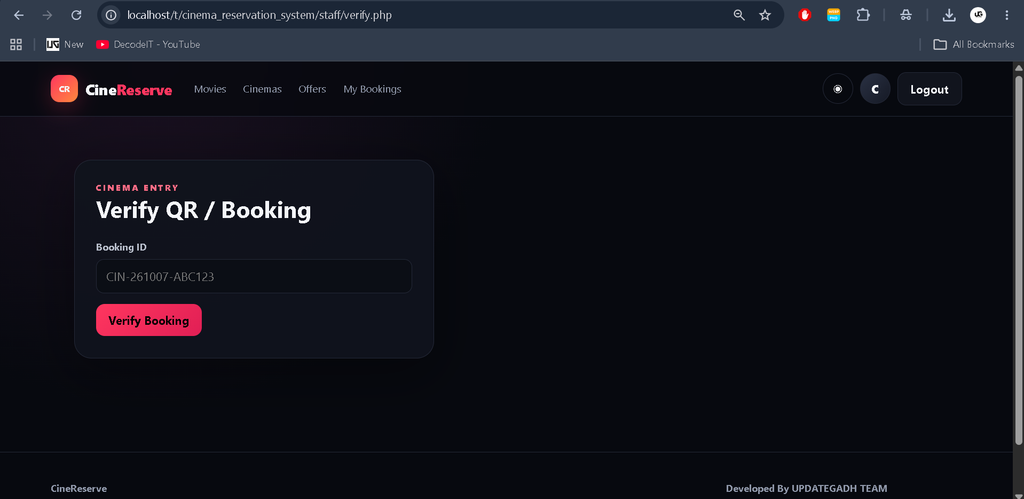
Staff members can verify tickets and booking information before allowing customers to enter the cinema.
Reports and Analytics
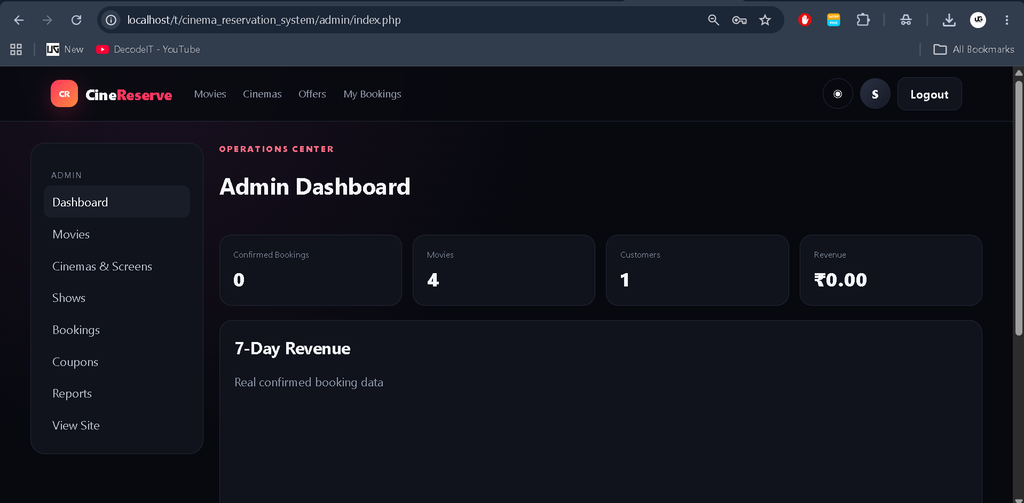
The admin dashboard uses actual database information to display cinema performance. Administrators can view booking statistics, revenue information, occupancy data, popular movies, booking trends, and daily, weekly, and monthly performance.
These statistics are connected to real booking and payment records rather than decorative or hard-coded dashboard values.
Database Structure
The MySQL database contains structured relationships for users, roles, movies, genres, reviews, cinema branches, screens, seats, seat types, shows, ticket prices, bookings, booking seats, payments, refunds, coupons, offers, notifications, watchlists, and activity logs.
Foreign keys, validation, prepared statements, constraints, and database transactions are used to maintain reliable booking information.
Technology Stack
- PHP: Backend application development
- MySQL: Database management
- HTML: Application structure
- CSS: Premium responsive interface
- JavaScript: Interactive booking functionality
- AJAX: Dynamic application interactions
Download complete source code
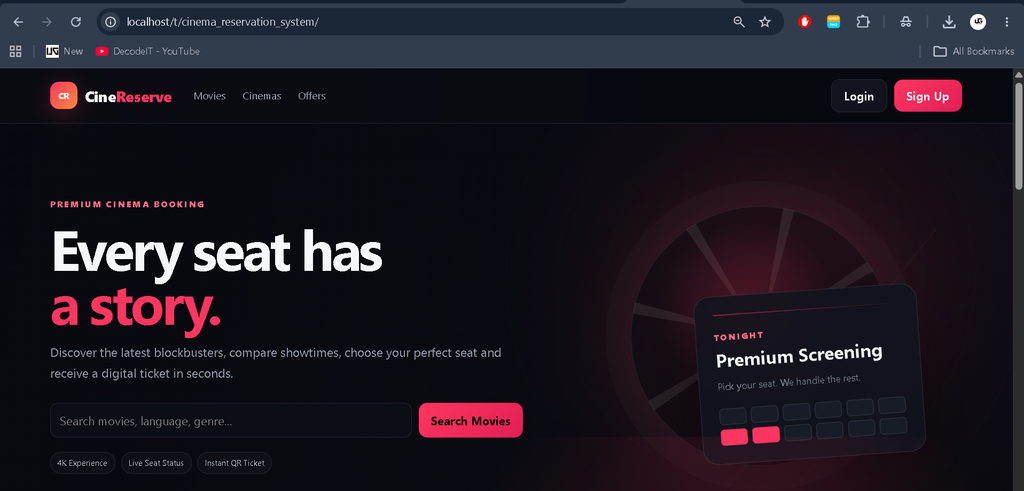
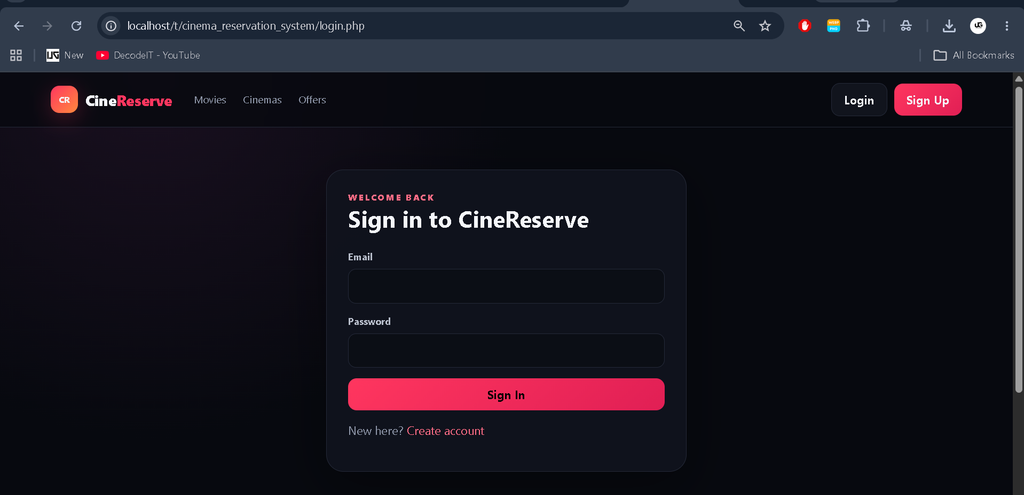
Screenshot
Installation Guide
Step 1: Install XAMPP
Install XAMPP and start the Apache and MySQL services.
Step 2: Extract the Project
Extract the project inside the XAMPP htdocs directory. For example:
C:\xampp\htdocs\t\cinema_reservation_systemStep 3: Create Database
Open phpMyAdmin and create a MySQL database for the project. Import the database file available in the project’s migrations directory.
Step 4: Configure Database
Open the project’s database configuration file and enter your local MySQL credentials:
Host: 127.0.0.1
Database: cinema_reservation
Username: root
Password:
Step 5: Run the Project
Open the following URL in your browser:
http://localhost/t/cinema_reservation_system/Usage
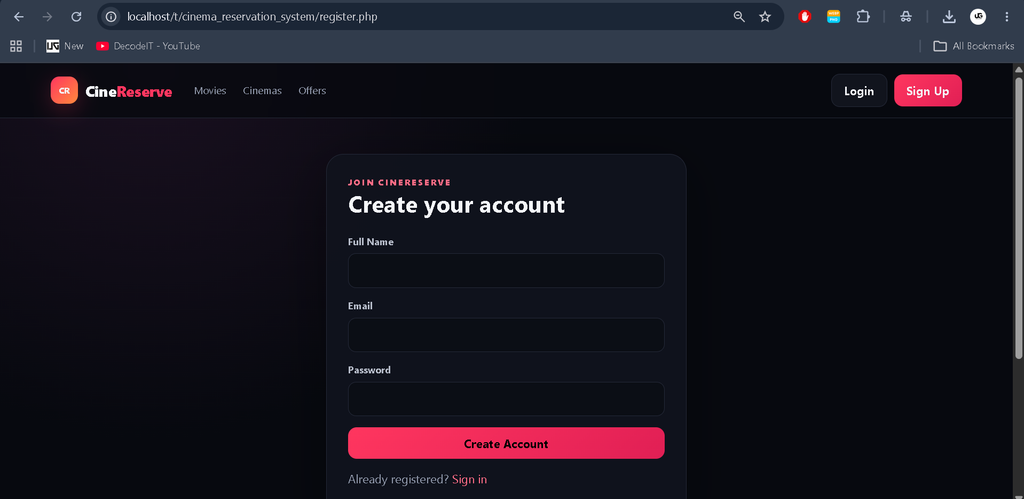
Customers can register, browse movies, select shows and seats, complete bookings, access digital tickets, cancel eligible bookings, and review movies.
Staff can verify customer bookings, check QR tickets, inspect show occupancy, and handle cinema entry verification.
Administrators can control movies, cinemas, screens, seats, shows, pricing, bookings, users, payments, coupons, reviews, notifications, and reports.
Security Features
- Secure session handling
- Password hashing
- Prepared SQL statements
- Server-side validation
- Role-based authorization
- CSRF protection
- Booking transaction handling
- Seat availability validation
- Protected administrative modules
Project Benefits
- Provides a complete online cinema booking workflow
- Reduces manual ticket-booking work
- Improves seat availability management
- Provides centralized cinema administration
- Supports multiple cinema branches and screens
- Provides digital ticket verification
- Helps administrators monitor revenue and occupancy
- Provides a professional customer booking experience
Frequently Asked Questions
1. What is a Movie Ticket Booking System?
A Movie Ticket Booking System is a web application that allows customers to browse movies, select shows and seats, make bookings, and receive digital cinema tickets online.
2. Which technologies are used in this project?
The project is developed using PHP, MySQL, HTML, CSS, and JavaScript.
3. Does the project support multiple cinema screens?
Yes. Administrators can create multiple cinema branches and screens and assign different seat layouts and movie shows to them.
4. Can customers select their seats?
Yes. The system provides an interactive cinema seat layout where customers can select available seats before booking.
5. Does the system support different seat types?
Yes. Regular, Premium, and VIP seats can be configured with different prices.
6. Does it generate a digital ticket?
Yes. After successful booking, the system generates a digital ticket containing booking information and QR verification details.
7. Can staff verify customer tickets?
Yes. Staff members can search booking IDs and verify QR ticket information before cinema entry.
8. Does the project have an admin panel?
Yes. The advanced admin panel allows administrators to manage movies, cinemas, screens, seats, shows, bookings, payments, coupons, users, reviews, notifications, and reports.
9. Can customers cancel their bookings?
Yes. Eligible bookings can be cancelled according to the configured cancellation rules, and the system can record the related refund status.
10. Does the project support coupons?
Yes. Customers can apply valid coupon codes during checkout, while administrators can create and manage promotional coupons.
Final Thoughts
From a student perspective, the Movie Ticket Booking System PHP and MySQL is a strong full-stack project because it covers authentication, database relationships, role-based access, cinema management, interactive seat selection, booking transactions, payments, QR tickets, notifications, and analytics in one application.
Movie Ticket Booking System Movie Ticket Booking System – Google Search movie ticket booking system project movie ticket booking system project in python with source code movie ticket booking system project in java movie ticket booking system project in python class 12 movie ticket booking system design movie ticket booking system Ild movie ticket booking system github movie ticket booking system use case diagram movie ticket booking system uml diagram