

E-Commerce Platform with PHP
The E-Commerce Platform with PHP is a web-based online shopping system developed using PHP, CSS, JavaScript, MySQL, HTML, and Bootstrap. The project provides both customer and admin areas, allowing customers to browse and purchase products while administrators can manage products, monitor sales, and handle customer-related activities.
Creating an e-commerce website requires a combination of frontend and backend technologies. The frontend provides the interface through which customers interact with the website, while the backend manages application functionality and database operations. This project combines these components to create a basic e-commerce platform with a structured and modular file organization.
The system uses PHP for backend functionality, MySQL for storing and retrieving information, and HTML, CSS, and JavaScript for creating the website interface. Bootstrap can also be used to create a responsive and mobile-friendly layout.
E-Commerce Platform with PHP
The E-Commerce Platform with PHP provides an online shopping environment where users can browse products, manage their accounts, purchase products, and view their order histories.
At the same time, the administrator has access to a dedicated admin area for managing products, monitoring sales, and handling customer queries. This separation between the customer area and admin area helps keep the different functions of the e-commerce website organized.
The database is managed using MySQL. Product details, user information, and transaction records are stored in the database so that the website can access and manage the required information.
The frontend is created using HTML, CSS, and JavaScript. These technologies provide the structure, styling, and interactive elements of the website. PHP connects the frontend with the backend and database.
Project Overview
This e-commerce project follows a modular structure where different parts of the website are organized into separate folders and files. The admin functionality is kept inside the admin area, while customer-related functionality is maintained inside the customer area.
The project also contains reusable PHP functions and a separate database connection file. This structure helps keep the code organized and allows commonly required functions to be reused across different sections of the website.
Product images and customer profile images are also stored in their respective directories. This keeps uploaded images separate from the main PHP files and provides a clear structure for managing the project resources.
Admin Area
The Admin Area is the section of the e-commerce platform reserved for administrator functionality. It contains the files that are accessible for managing the online store.
The administrator can insert new products, monitor sales, and handle customer queries from the admin section. The admin area therefore provides the management functionality required for maintaining the e-commerce website.
Product Insertion
The insert_products.php file is used for inserting new products into the system. It contains the required server and database connection logic for handling product information.
The file also includes file upload functionality and product data validation. This allows product information and product images to be added through the admin panel.
Product Images
The product_images directory is used for storing product images. Product images can be uploaded directly through the admin panel and are stored in this directory.
Keeping product images inside a dedicated folder provides an organized way to manage the visual files associated with products.
Customer Area
The Customer Area contains the files and functionality related to customer account management. Customers can manage their accounts, browse products, purchase products, and view their order histories.
The customer section provides different files for handling specific account-related operations. These files are organized inside the customer directory.
Customer Password Management
The change_pass.php file allows customers to change their passwords. This functionality provides customers with an option to update their account password when required.
The password change functionality is part of the customer account management section and is available through the customer area.
Delete Account
The delete_account.php file provides functionality for customers to delete their accounts.
This option allows customers to manage their own account information through the customer section of the e-commerce platform.
Edit Account
The edit_account.php file enables customers to edit their personal information. Customers can use this section to update the information associated with their accounts.
This keeps customer account details manageable through the online platform instead of requiring changes to be handled separately.
My Account
The my_account.php file displays the user’s profile and account details. The information is shown under the My Account section.
This provides customers with a dedicated area where they can access their account information and manage their profile-related details.
Customer Images
The customer_images directory is used for storing customer profile images. Customers can upload or update their profile images through the customer account section.
Keeping these images in a separate directory helps maintain an organized project structure and keeps customer profile images separate from product images.
Core Functionality and Database Connectivity
The project contains separate files for reusable functionality and database connectivity. This structure helps keep the PHP code organized and makes it easier to use common functions across different parts of the website.
functions.php
The functions.php file contains reusable PHP functions. These functions are modular and can be called whenever they are required across different sections of the website.
Using a separate functions file prevents the same functionality from having to be written repeatedly in multiple PHP files. It provides a central location for reusable PHP functions used throughout the e-commerce platform.
db.php
The db.php file is responsible for establishing the connection to the MySQL database. Database connectivity is an important part of the dynamic e-commerce website because product information, user information, and transaction records need to be accessed and managed through the database.
The database connection file provides the connection required by the PHP application to communicate with MySQL.
Styling
The project contains a styles directory for the CSS files required for the visual elements of the website.
style.css
The style.css file manages the overall design, typography, and layout styling of the website. It helps maintain a consistent appearance across the different pages of the e-commerce platform.
CSS is responsible for controlling the visual presentation of the website, while HTML provides the basic structure of the webpages.
Customer Shopping Experience
The customer side of the e-commerce platform allows users to browse products and interact with the shopping system. Customers can manage their accounts and purchase products through the website.
The platform also provides a streamlined cart through which users can interact with their selected products. This forms an important part of the online shopping experience provided by the project.
Customers can also view their order histories. This allows users to access information about their previous orders through their account section.
Database Structure
The project uses MySQL as its database system. The database is responsible for storing and retrieving the information required by the e-commerce platform.
Product details, user data, and transaction records are managed through the MySQL database. PHP communicates with the database so that the application can access and manipulate the required information.
The project database is named:
boltThe database can be created using phpMyAdmin, after which the provided SQL file can be imported into the database.
Technologies Used
The E-Commerce Platform uses a combination of frontend and backend technologies to provide its functionality.
- HTML: Used to create the basic structure and layout of the webpages.
- CSS: Used for styling, colors, typography, and layout adjustments.
- JavaScript: Used to enhance user interaction and provide functionality such as dynamic carts and user forms.
- PHP: Used for backend functionality, server interactions, and database connectivity.
- MySQL: Used for storing and retrieving product, user, and transaction information.
- Bootstrap: Used as an optional framework for creating a responsive and mobile-friendly layout.
PHP MySQL File Structure
A properly organized file structure is an important part of this e-commerce project. The different files and folders are separated according to their responsibilities, which makes the project easier to understand and manage.
The main structure contains the following sections:
- admin_area: Contains files that can only be accessed by the administrator.
- insert_products.php: Handles insertion of new products.
- product_images: Stores product images uploaded through the admin panel.
- customer: Contains customer account-related files.
- change_pass.php: Allows customers to change passwords.
- delete_account.php: Provides account deletion functionality.
- edit_account.php: Allows customers to edit personal information.
- my_account.php: Displays user profile and account information.
- customer_images: Stores customer profile images.
- functions.php: Contains reusable PHP functions.
- db.php: Establishes the MySQL database connection.
- styles: Contains CSS files.
- style.css: Controls the overall visual design and layout.
Setting Up the Database
Before running the e-commerce platform, the MySQL database needs to be created and the provided database structure needs to be imported.
The database used by the project is named bolt.
Follow these steps to set up the database:
- Launch XAMPP.
- Start the Apache service.
- Start the MySQL service.
- Open phpMyAdmin in your browser.
- Create a new database named bolt.
- Select the newly created database.
- Open the Import tab.
- Select the bolt.sql file located in the project folder.
- Click Go to import the database.
After the SQL file has been imported successfully, the database structure required by the e-commerce platform will be available.
How to Run the Project Locally
To run the E-Commerce Platform locally, you need a local web server such as XAMPP. Once XAMPP is installed, follow the setup process below.
Step 1: Download and Extract
Download the project files and extract the downloaded package on your computer. After extraction, locate the main project folder.
Step 2: Copy the Project Folder
Copy the extracted project folder and move it into the XAMPP htdocs directory:
xampp/htdocs/Placing the project inside htdocs allows Apache to access the PHP files through the local server.
Step 3: Start XAMPP
Open the XAMPP Control Panel and activate both Apache and MySQL.
Apache is required to run the PHP application, while MySQL is required for the project’s database operations.
Step 4: Set Up the Database
Open phpMyAdmin and create a database named:
boltAfter creating the database, import the bolt.sql file from the project folder.
Step 5: Run the Project
Once the project files and database have been configured, open your browser and navigate to the local address of the project.
The e-commerce website will then be available locally, allowing you to explore both the customer and admin functionalities.
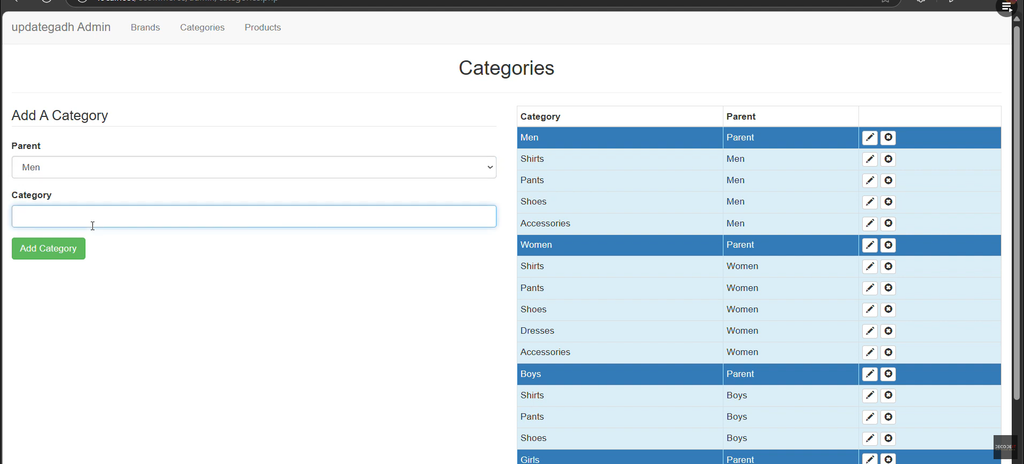
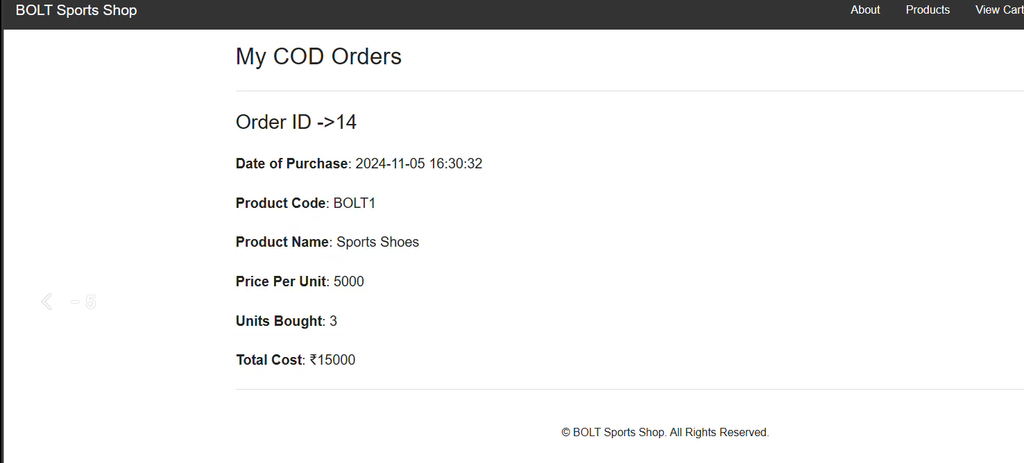
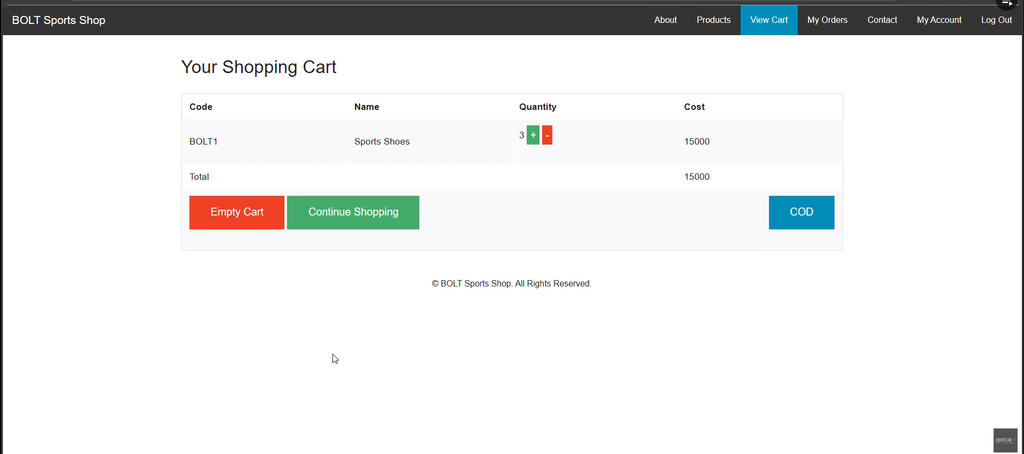
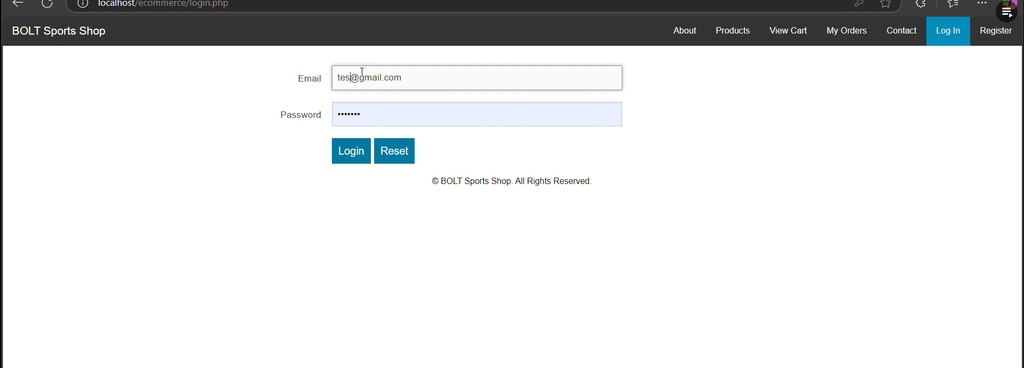
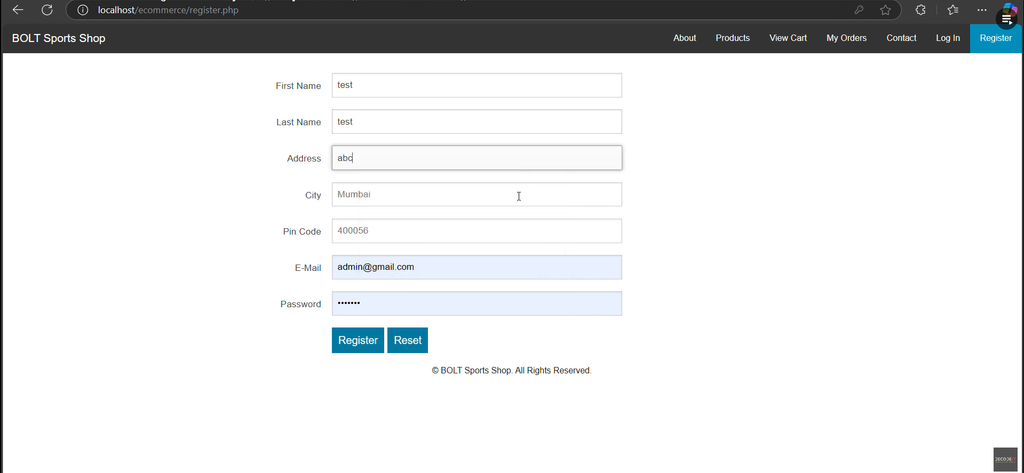
Screenshot:-

How to Download
Get This Project
The complete package is available so you can run, study, and submit it with confidence. It includes:
- Full Source Code
- Project Report
- Synopsis
- PPT Presentation
For any queries or a quick response, reach out on WhatsApp: +91 79834 34684
Keywords:-
- e commerce platform with php github
- e commerce platform with php free
- e commerce website in php with source code
- e commerce platform with php and mysql
- e commerce platform with php code
- best e commerce platform with php
- php ecommerce project github
- php ecommerce open source
- e commerce platform using php github
- e commerce platform using php and mysql
- e commerce platform using php code
- e commerce website in php with source code
- php ecommerce project github
- e commerce website php source code free-download github
- php ecommerce open source
- php ecommerce website


[…] E-commerce Platform with PHP, CSS, JavaScript :- Click Here […]
[…] E-commerce Platform with PHP, CSS, JavaScript :- Click Here […]