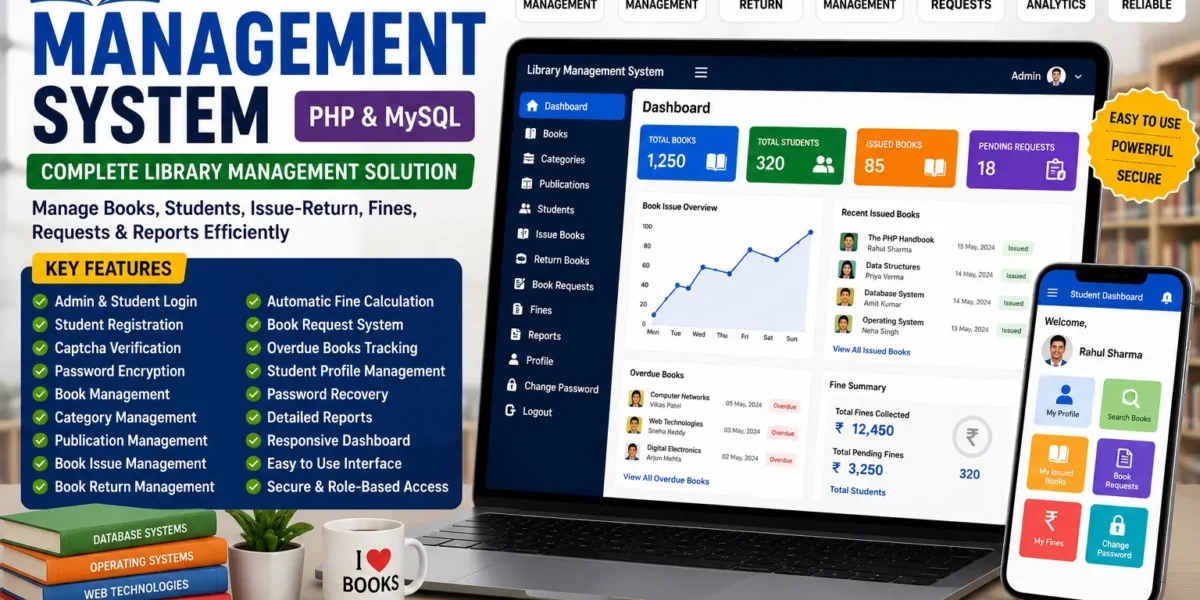
Library Management System Using PHP
Anyone who has run a library the traditional way knows the drill — index cards or spreadsheets for tracking who has which book, manual fine calculations, and no easy way to see what’s overdue without flipping through paper records. A Library Management System (LMS) takes that entire workflow and puts it online, giving librarians and members a shared, searchable system instead of a filing cabinet.
This post covers what a library management system typically includes, how admin and student roles are usually separated, and what a basic setup looks like.
What Is a Library Management System?
A Library Management System is a web application that automates the core operations of running a library — cataloging books, tracking who has borrowed what, calculating overdue fines, and generating usage reports. Instead of relying on manual registers, everything is stored in a database that both library staff and members can interact with through role-specific dashboards.
Beyond convenience, systems like this also introduce security practices — like encrypted passwords and captcha verification on login — that a paper-based system simply can’t offer.
Core Features to Expect
A well-built LMS generally covers the full lifecycle of managing a library’s catalog and its members:
Admin Login with Security
Secure authentication backed by password encryption and captcha verification, reducing the risk of unauthorized access.
Student Registration & Login
Members can register their own accounts and log in to access a personalized profile and borrowing history.
Manage Books
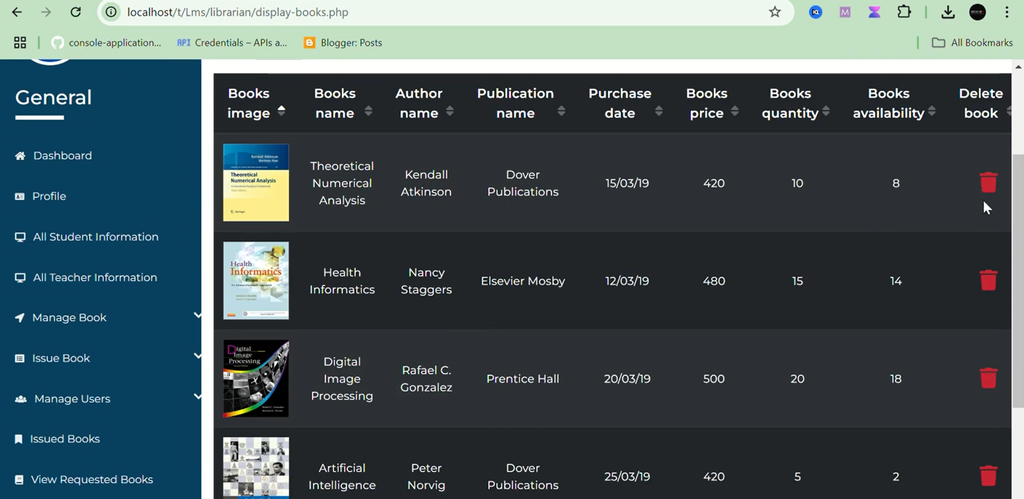
Admins can add, edit, view, or remove book records, keeping the catalog accurate and current.
Manage Categories
Books can be organized into categories, making browsing and searching easier for both staff and members.
Manage Publications
Publisher details are tracked and linked to book records for more complete cataloging.
Issue Books
Admins can issue books directly to members, with due dates recorded automatically for tracking.
Returns and Fine Calculation
Overdue fines are calculated automatically on return, removing the need for manual tracking or arithmetic.
Book Requests
Members can request titles that aren’t currently in the catalog, giving librarians visibility into demand.
Report Generation
Admins can pull reports on overdue books and overall circulation activity.
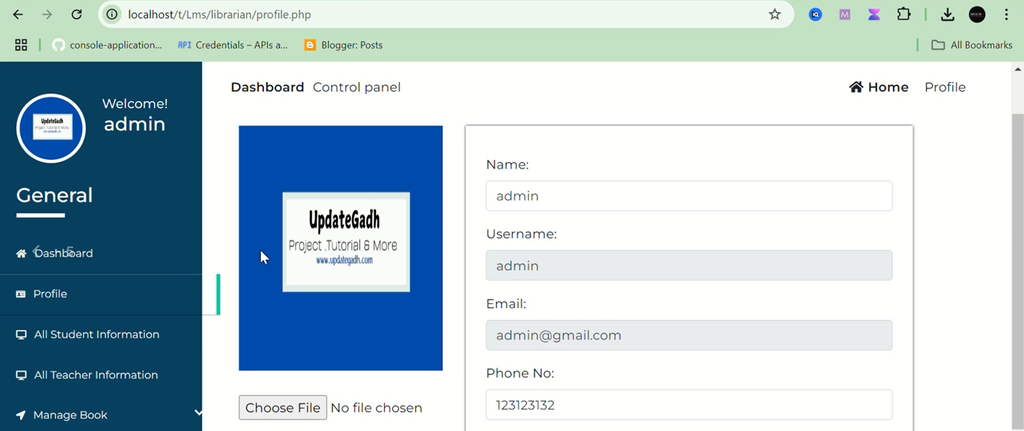
Profile Management & Password Recovery
Members can update their own profile details and securely recover a forgotten password without staff intervention.
How Roles Are Typically Divided
An LMS usually separates responsibilities clearly between two roles:
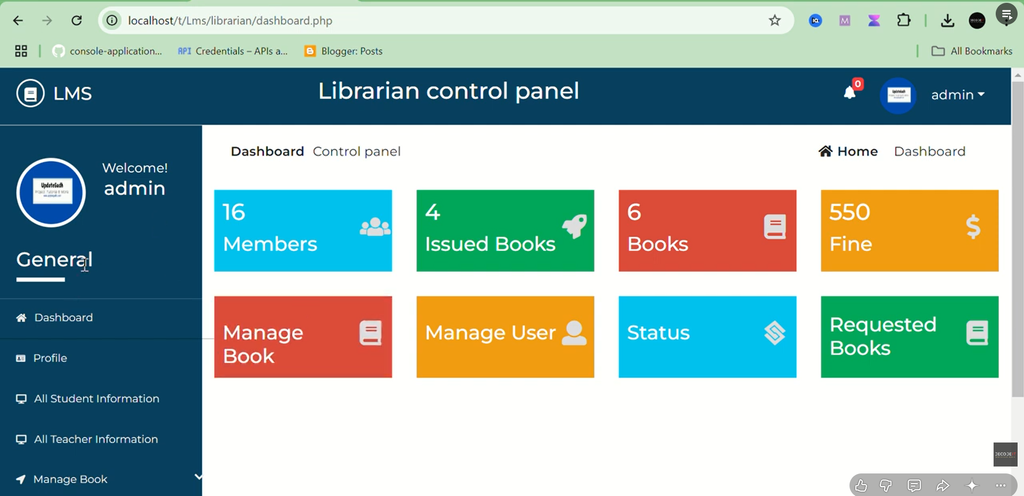
Admins manage the book catalog, categories, and publishers; issue and process returns; calculate fines; approve or reject book requests; and generate circulation reports.
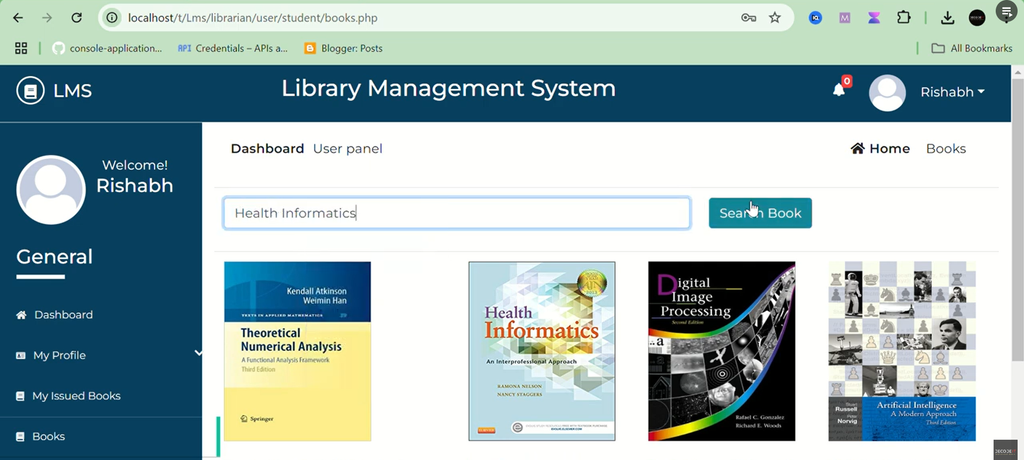
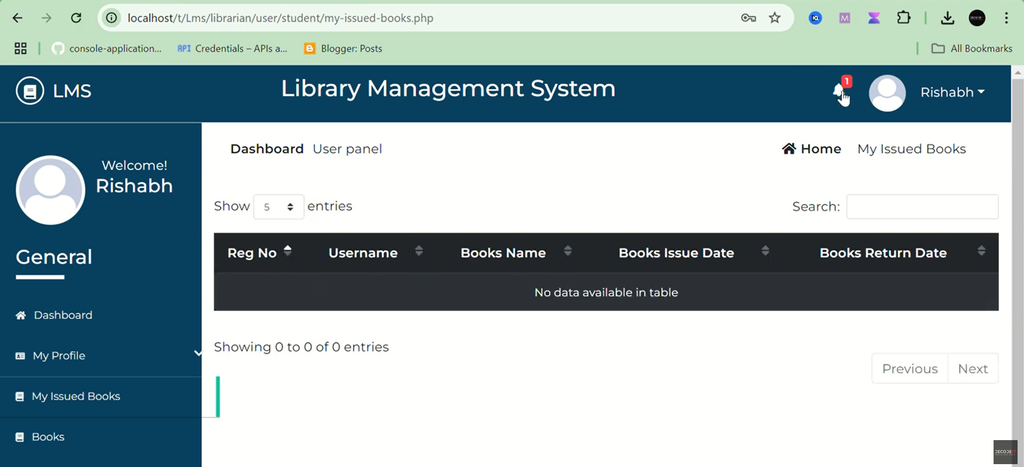
Members (Students) register and log in, browse the catalog, request unavailable titles, track their own issued books and due dates, and manage their profile and password.
This separation keeps day-to-day borrowing self-service for members while leaving cataloging and fine management under staff control.
Typical Technology Stack
| Layer | Common Choice |
|---|---|
| Backend language | PHP |
| Database | MySQL |
| Frontend | HTML, CSS |
| Local development environment | XAMPP |
This stack keeps the system approachable to build and cheap to host, while still supporting the CRUD operations (create, read, update, delete) that a catalog and lending system depend on.
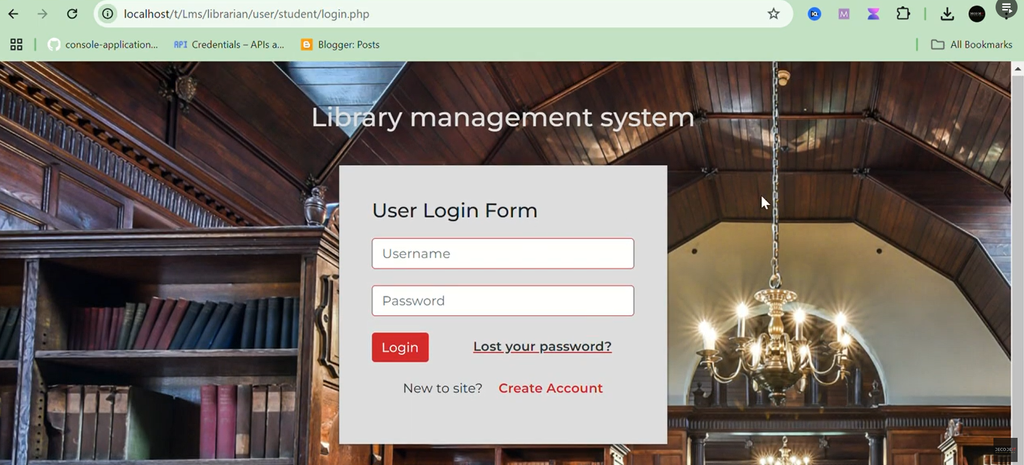
Screenshot:
How to Download
Get This Project
The complete package is available so you can run, study, and submit it with confidence. It includes:
- Full Source Code
- Project Report
- Synopsis
- PPT Presentation
For any queries or a quick response, reach out on WhatsApp: +91 79834 34684
A Typical Setup Process
- Install XAMPP and start the Apache and MySQL services
- Place the project folder into the
htdocsdirectory of your XAMPP installation - Create a new database and import the provided
.sqlfile to set up the required tables - Update the database connection details in the project’s configuration file if needed
- Launch the application in a browser — the login page should load, ready for admin or member sign-in
Why Libraries Move to a Digital System
- Fewer errors — book records, issue dates, and fines are tracked automatically rather than by hand
- Faster lookups — categorized, searchable catalogs replace flipping through physical registers
- Automatic fine calculation — overdue fines are computed consistently without manual tracking
- Better demand visibility — book requests show librarians what members actually want added to the collection
- Usable reporting — circulation and overdue reports are generated on demand instead of compiled manually
Where This Fits in the Real World
Educational institutions can use a system like this to replace manual record-keeping entirely, while smaller community libraries benefit from having an easy way to track circulation and fines without a large administrative overhead. It’s also a practical way to learn core web development concepts — database design, authentication, and role-based access — since the structure closely mirrors how real digital libraries operate.
Final Thoughts
A Library Management System won’t organize your shelves for you, but it removes nearly all the manual bookkeeping that comes with tracking a growing catalog and its borrowers. For institutions or community libraries still relying on paper registers, a PHP/MySQL-based system is an accessible way to bring structure, security, and reporting to the process — and it can always be extended later with features like online reservations or notifications as needs grow.
Keywords:
library management system using php with source code
library management system using php github
library management system using php pdf
library management system project in php github
library management system using php and mysql
library management system project in php with source code pdf
simple library management system project with source code
localhost online library management system php