Water Management System Using PHP and MySQL
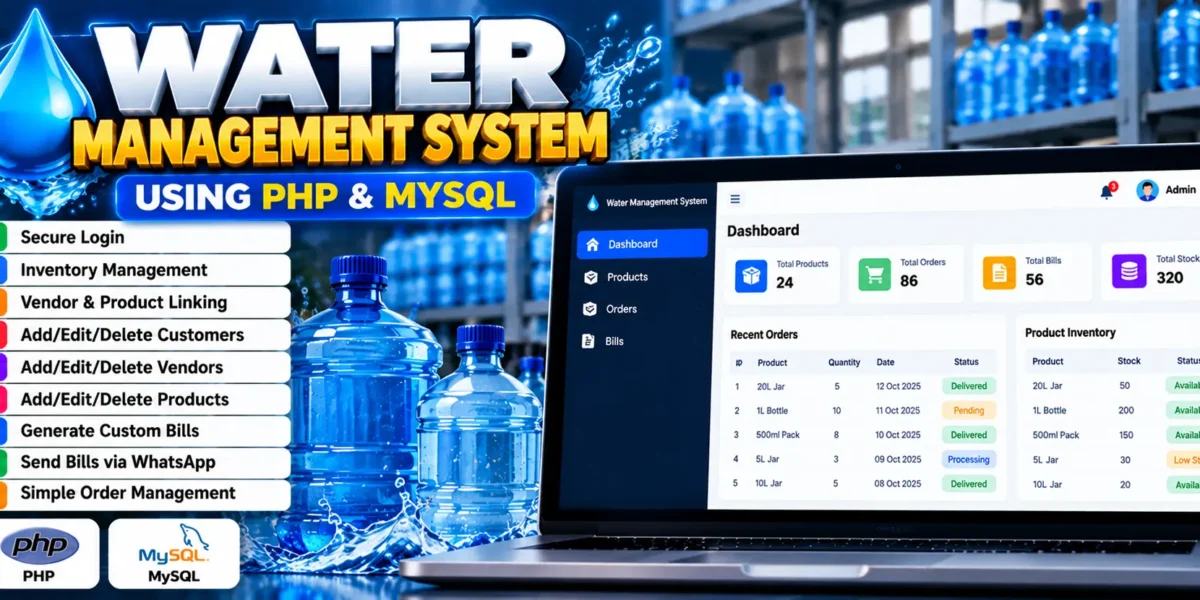
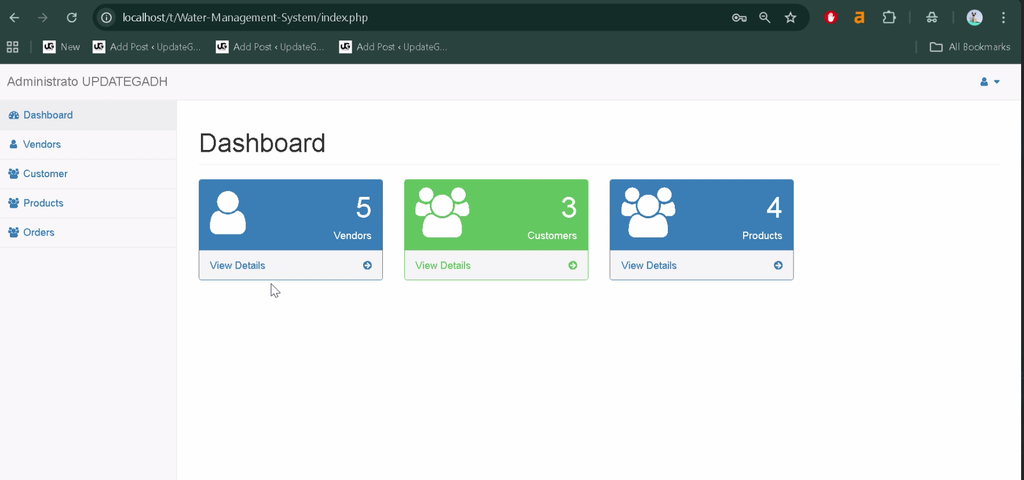
The Water Management System Using PHP and MySQL is a database-driven web application designed to simplify water supply business operations. It helps manage customers, vendors, products, inventory, orders, and billing through a centralized platform.
Water suppliers often need to maintain product records, coordinate with vendors, process customer orders, and prepare bills. This project brings these activities together in one application, helping users organize records and manage daily operations more efficiently.
The system is developed using PHP and MySQL and includes features such as inventory management, customer and vendor management, custom bill generation, and WhatsApp bill notifications. It can also serve as a practical learning project for students exploring PHP development and database integration.
Complete Advance AI Topics: Click Here
Real Time Projects on YouTube:- DecodeIT
What Is a Water Management System?
A Water Management System is a web application that helps water supply businesses manage products, vendors, customers, orders, and billing records. It provides a centralized way to maintain business information and handle routine water supply operations.
Project Overview
| Project Details | Description |
|---|---|
| Project Name | Water Management System |
| Language Used | PHP |
| Database | MySQL |
| PHP Versions Mentioned | 5.6.3, 7.4.12 (Recommended in the supplied details) |
| Type | Web Application |
Available Features
The project focuses on managing water supply products and business records, with features for inventory, billing, and customer and vendor administration.
1. Secure Login
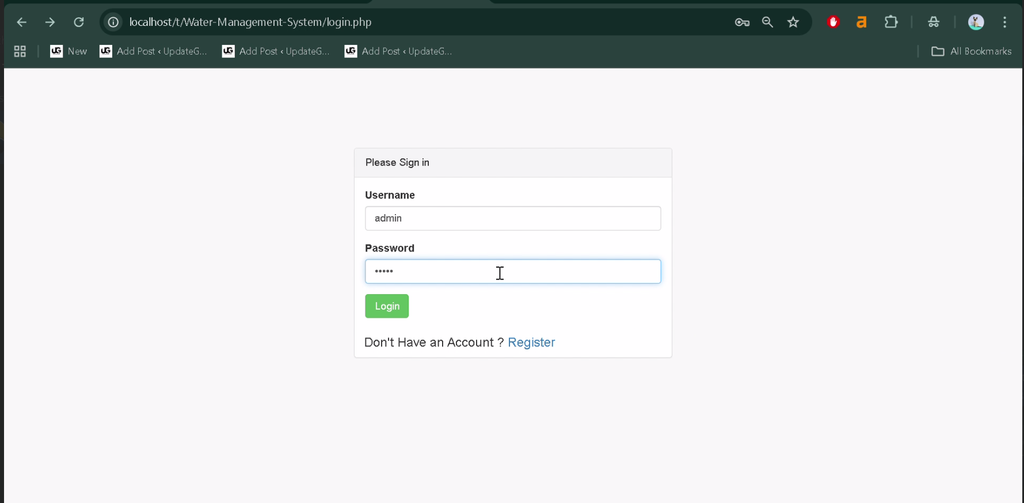
The application includes a login system with hashed credentials to help protect user authentication information.
2. Inventory Management
The system supports inventory management associated with vendors and customers, helping organize product-related records.
3. Vendor and Product Linking
Vendor and product records are connected using foreign key constraints, helping maintain relationships between related database records.
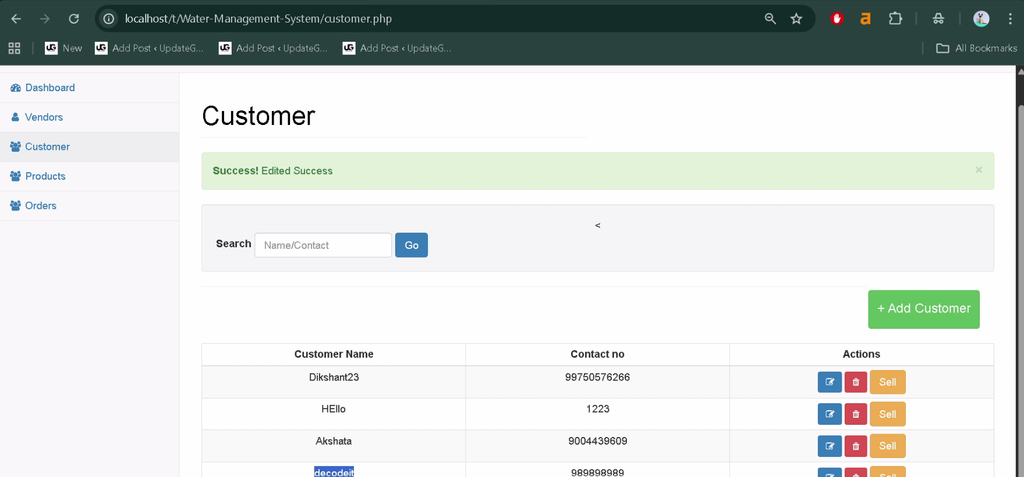
4. Customer Management
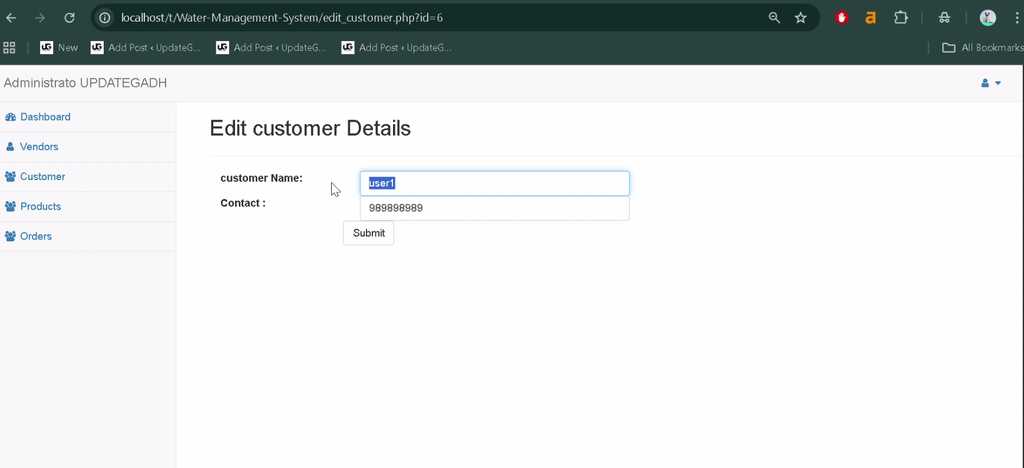
Users can add, edit, and delete customer records to keep customer information organized.
5. Vendor Management
The application allows users to add, update, and delete vendor details, supporting the management of supplier information.
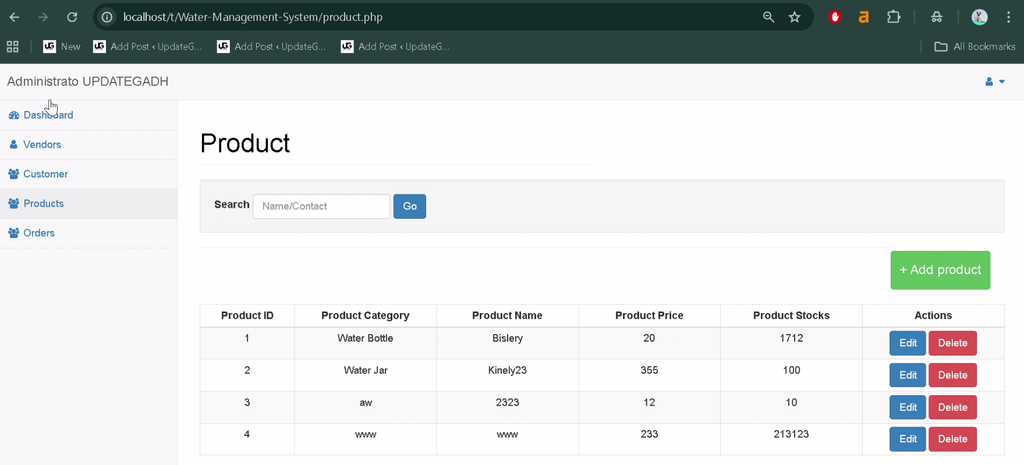
6. Product Management
Users can create, update, and remove product records as required for their water supply operations.
7. Custom Bill Generation
The system can generate custom bills for business transactions, helping organize billing information for customers.
8. WhatsApp Bill Notifications
The application provides an option to send bills through WhatsApp with a single click, making it more convenient to share billing information with customers.
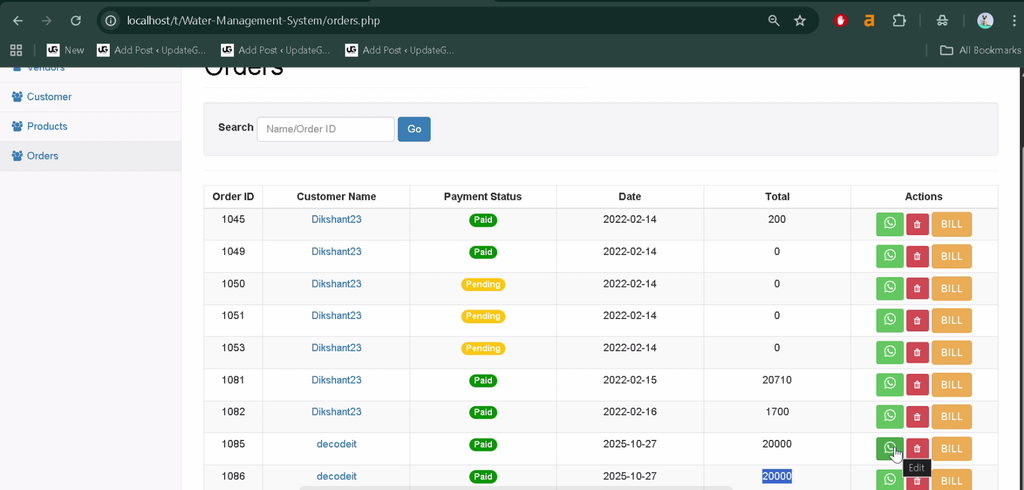
9. Order Management
The project includes a simple order management system for organizing customer orders and related business records.
Technology Stack
- PHP: Handles server-side application logic.
- MySQL: Stores customer, vendor, product, inventory, and billing information.
- HTML and CSS: Structure and style the web interface.
- JavaScript: Can support client-side interactions where included in the project.
- Apache: Can be used to run the PHP application through a local server environment such as XAMPP.
Software and Tools Required
- XAMPP
- Visual Studio Code
- Web Browser
How to Download
The complete package is available so you can run, study, and submit it with confidence. It includes:
- Full Source Code
Screenshot
How to Install the Water Management System?
Use the database and configuration files supplied with your project to set up the application locally. The exact database name, SQL filename, and configuration file were not specified in the provided project description, so use the names present in the downloaded source code.
Step 1: Extract the Project
Extract the project archive into a folder on your computer.
Step 2: Move the Project to XAMPP
Copy the extracted project folder into the XAMPP htdocs directory. For example:
C:\xampp\htdocs\water-management-systemStep 3: Start Apache and MySQL
Open the XAMPP Control Panel and start the Apache and MySQL services.
Step 4: Create and Import the Database
Open phpMyAdmin in your browser. Create the database using the name expected by the project, then import the SQL file supplied with the source code if one is included.
Step 5: Configure the Database Connection
Locate the project’s database configuration file and update the host, database name, username, and password to match your local MySQL settings.
Step 6: Open the Application
Open your browser and visit the local URL corresponding to the project folder:
http://localhost/water-management-system/If you used a different folder name, replace water-management-system with the actual folder name. Follow any additional setup instructions supplied with the project files.
How to Use the Water Management System?
1. Manage Customers
Add new customer records, update existing details, and remove records when they are no longer required.
2. Manage Vendors
Maintain vendor information and keep supplier records organized for water supply operations.
3. Manage Products and Inventory
Maintain product records and use the inventory functionality to organize product-related information associated with vendors and customers.
4. Manage Orders
Use the order management functionality to organize customer orders and their related records.
5. Generate and Send Bills
Create custom bills and use the WhatsApp notification feature to share billing information with customers.
Why Is This Project Useful for Students?
- PHP Development: Learn how server-side scripts handle application operations.
- Database Integration: Understand how PHP connects with MySQL.
- CRUD Operations: Practice adding, viewing, updating, and deleting business records.
- Database Relationships: Explore how foreign key constraints connect vendors and products.
- Billing Workflows: Learn how applications organize bills and customer orders.
- Practical Application: Understand how software can help manage routine operations in a water supply business.
Frequently Asked Questions
1. What is the Water Management System project?
It is a PHP and MySQL web application designed to manage water supply products, customers, vendors, inventory, orders, and billing.
2. Which technologies are used in this project?
The supplied details identify PHP as the backend language and MySQL as the database. The project also uses web interface technologies for its application screens.
3. Can the system manage customers and vendors?
Yes. The listed features include adding, editing, and deleting customer and vendor records.
4. Does the project support WhatsApp bill notifications?
Yes. The described features include sending bills through WhatsApp with a single click.
5. How can I run the project locally?
Place the project in the XAMPP web directory, start Apache and MySQL, configure the database using the supplied project files, and open the corresponding localhost URL.
Final Thoughts
The Water Management System is a practical PHP and MySQL project for learning database-driven web application development. It brings together customer management, vendor management, product records, inventory, order management, and billing in a single platform.
Keywords: Water Management System Using PHP and MySQL, water management system source code, water supply management system project in PHP, water billing system project report PDF, water management system project PPT, water supply management system using PHP and MySQL, water management system project documentation