Internship Management System Using PHP
The Internshop: Internship Management System is a web-based application developed with PHP and MySQL to organize internship opportunities, student applications, employer interactions, and administrative records in one place. The project is designed as a practical medium-level college project rather than a basic demonstration. It provides separate workspaces for administrators, students, and employers so that each role can complete the tasks relevant to internship management.
Complete Advance AI Topics: Click Here
Real Time Projects on YouTube:- DecodeIT
Project Introduction
Managing internship information manually can make it difficult to keep listings, applications, user accounts, and application statuses organized. Internshop provides a database-driven approach where internship records and applications can be stored and accessed through a structured web interface. Students can search available opportunities and submit applications, employers can publish opportunities and review applicants, and administrators can oversee users, listings, applications, and reports.
The application is suitable for students who need a PHP and MySQL project for academic submission or for small organizations that need a simple internship record-management platform. It can be installed on a local XAMPP or WAMP environment and can also be prepared for compatible web hosting.
Project Overview
| Project Detail | Information |
|---|---|
| Project Name | Internshop: Internship Management System |
| Language Used | PHP |
| Database | MySQL |
| Frontend | HTML5, CSS3, Bootstrap, JavaScript, jQuery |
| Server | XAMPP, WAMP, or LAMP |
| Type | Web Application |
Key Features
- User Registration and Login: Students and employers can create accounts, while authenticated users access role-specific areas.
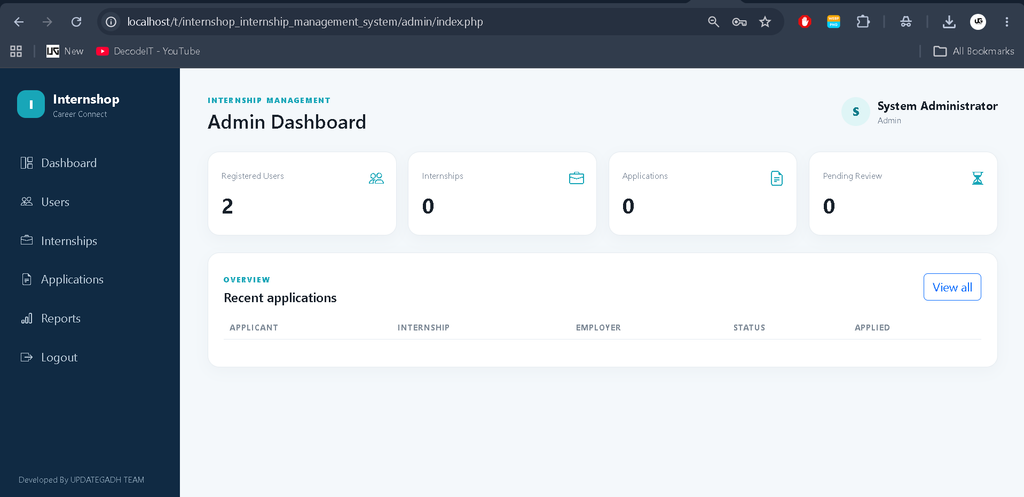
- Admin Dashboard: Administrators can monitor registered users, internships, applications, and pending application activity.
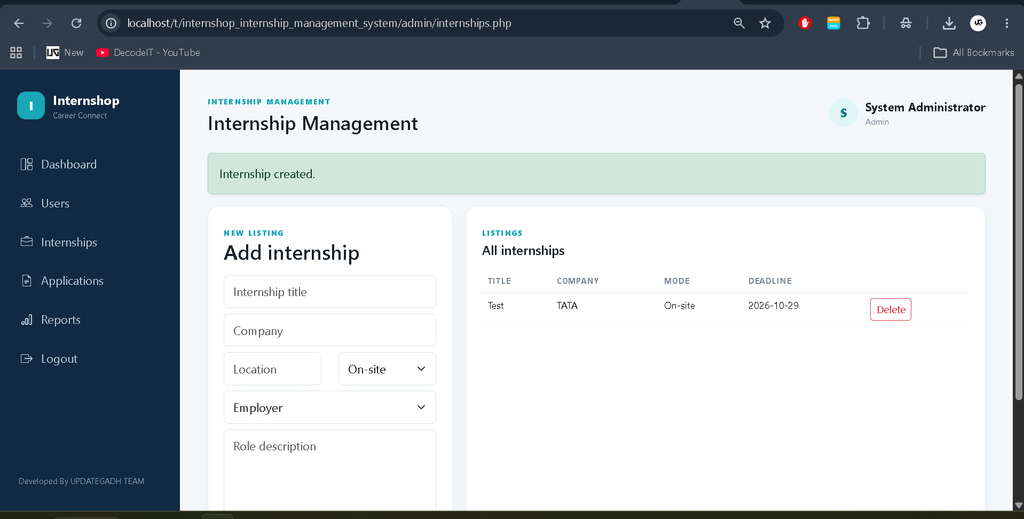
- Internship Management: Internship records can be created with title, company, location, work mode, description, and deadline information.
- Search and Filtering: Students can search internship titles or companies and filter opportunities by work mode.
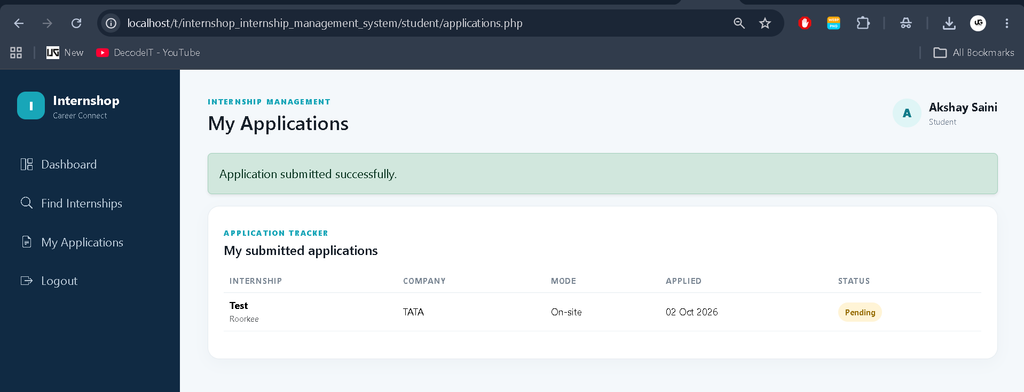
- Application Management: Students can submit applications and track their current application status.
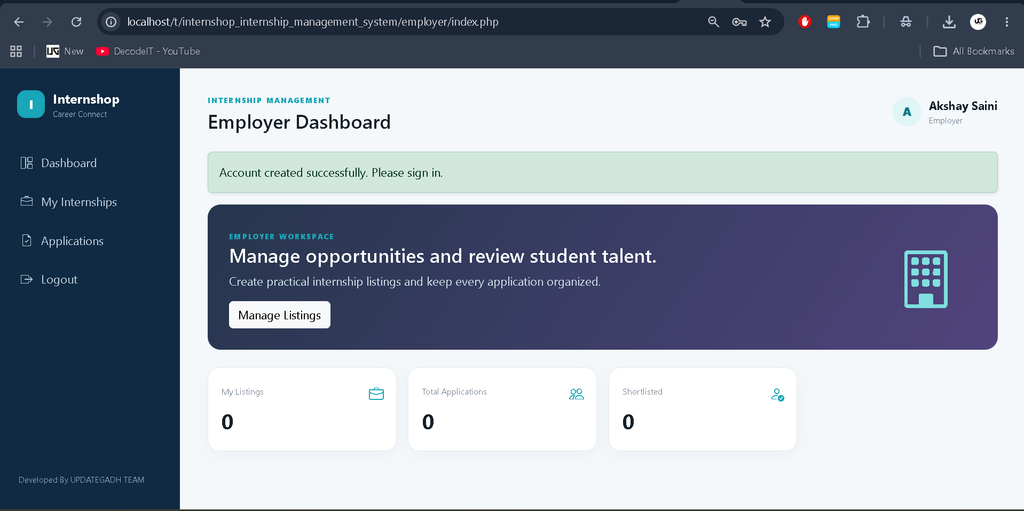
- Employer Interaction: Employers can publish internship opportunities and review submitted student applications.
- Status Tracking: Applications can be maintained with statuses such as pending, shortlisted, accepted, or rejected.
- Printable Reporting: Administrators can open an application report and use the browser print function to print or save it as PDF.
- Responsive Interface: The interface uses Bootstrap and custom responsive styling so the main screens adapt to different device sizes.
User Roles
Administrator
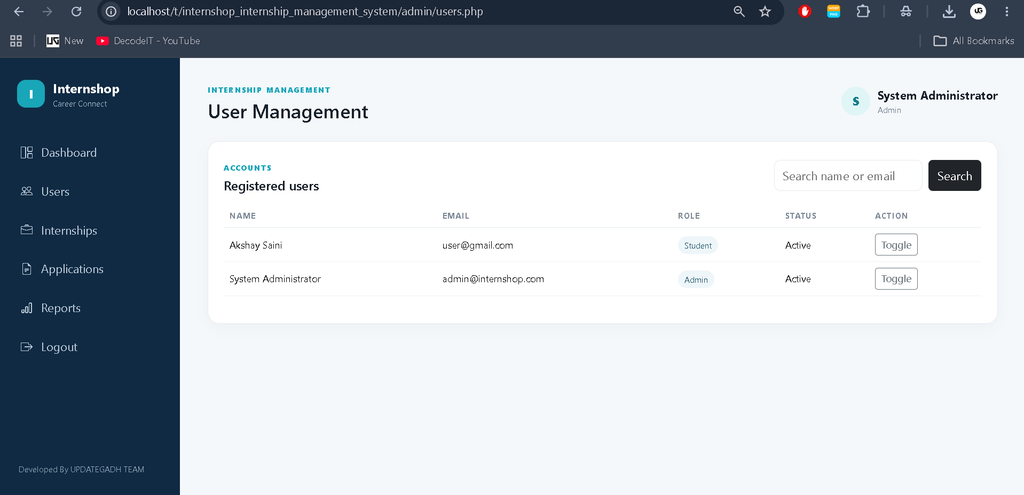
The administrator has the broadest management access. The admin dashboard provides an overview of users, internship records, applications, and pending applications. The administrator can manage registered user status, create and remove internship records, review applications, change application statuses, and access the printable application report.
Student
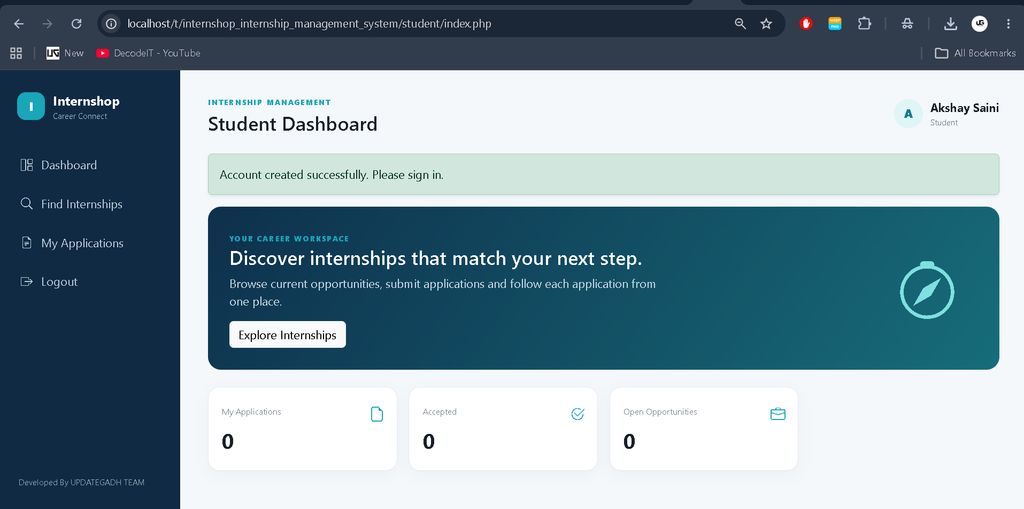
The student workspace focuses on discovering and applying for internships. Students can browse current opportunities, search by title or company, filter by work mode, open available listings, and submit applications. The application tracker provides a clear view of submitted applications and their current status.
Employer
Employers can create an account and publish internship opportunities. A listing can include company information, location, work mode, description, and application deadline. Employers can also review applications connected to their own listings and update candidate status during the review process.
Project Modules
- Authentication Module: Handles registration, login, sessions, password verification, logout, and role-based access.
- Admin Module: Provides administrative dashboards, user management, internship management, application review, and reporting.
- Student Module: Provides internship discovery, search, filtering, application submission, and application tracking.
- Employer Module: Provides internship publishing and candidate application management.
- Database Module: Stores users, internships, and applications with relationships between employers, students, and internship records.
- Report Module: Presents application data in a print-friendly report that can be saved through the browser as a PDF.
System Requirements
Internshop is designed for a standard PHP and MySQL environment. A local installation can use XAMPP or WAMP, with Apache running the PHP application and MySQL or MariaDB handling the database. The supplied specification recommends PHP 7.4 or higher, MySQL 5.7 or higher, and a modern browser such as Chrome, Firefox, or Edge. A computer with at least 2GB RAM is sufficient for local setup. The project avoids an unnecessarily complex server architecture, keeping installation manageable for college students.
Download complete source code
Screenshot
Technology Stack
The backend is developed using PHP, while MySQL is used for persistent data storage. The frontend uses HTML5 and CSS3 with Bootstrap for responsive layouts. JavaScript and jQuery support browser-side interactions. The project is intended for PHP 7.4 or higher in the supplied specification, with MySQL 5.7 or MariaDB. XAMPP, WAMP, or another compatible PHP server can be used during development.
Installation and Setup
- Install XAMPP, WAMP, or another compatible PHP and MySQL environment.
- Download and extract the Internshop project folder.
- For XAMPP, move the project folder into the htdocs directory.
- Start the Apache and MySQL services from the server control panel.
- Open phpMyAdmin and create the database named internshop_db, or import the supplied SQL file that creates it.
- Check includes/config.php and confirm the host, database name, username, and password match the local MySQL setup.
- Open the project in a browser through the local server address.
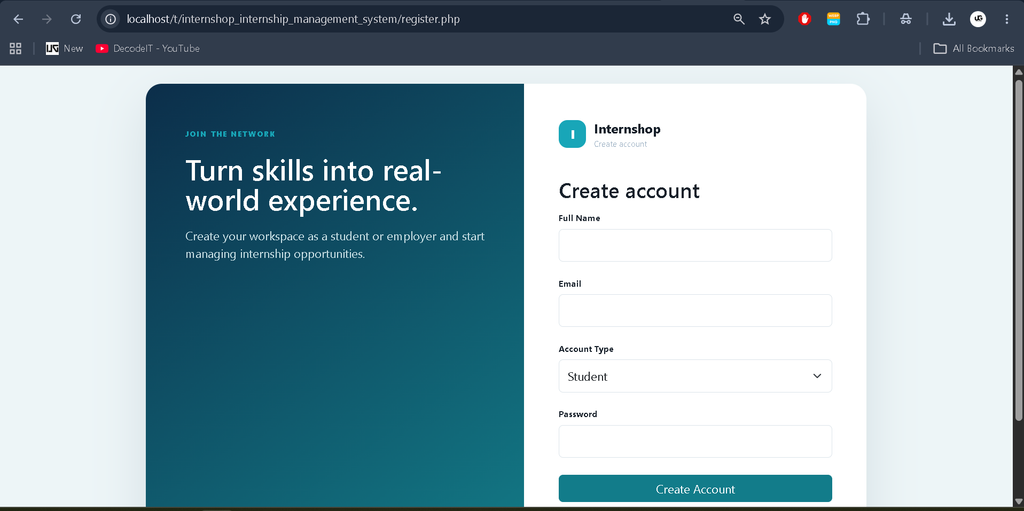
- Use the supplied administrator account for administrative access, while students and employers can register through the application.
Application Workflow
The system follows a connected workflow instead of treating each page as a separate demonstration. A new user registers as a student or employer and signs in through the authentication system. A student moves from the dashboard to internship discovery, searches or filters records, and submits an application. The application is stored against the student and internship record, allowing its status to be tracked later. An employer creates listings and receives applications for them. The administrator can review users, internship records, applications, and reports. These relationships keep the modules connected and support academic demonstration.
Usage
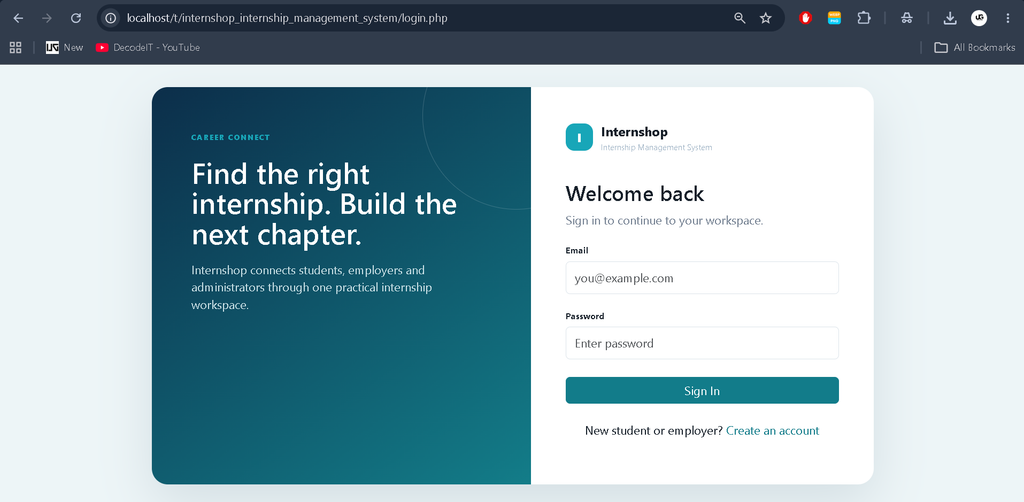
After successful installation, the user first reaches the login area. New students and employers can register, while existing users can sign in. The system checks the account role and sends the user to the appropriate dashboard. From there, students can explore available internships and apply to suitable listings. Employers can publish openings and review candidates. Administrators can manage the overall system and generate an application report. This workflow keeps the three roles connected to the same database while limiting each role to the operations it needs.
Frequently Asked Questions
Is Internshop suitable for a college project?
Yes. The project is designed as a practical medium-level PHP and MySQL application and can be used for BCA, MCA, B.Tech, B.Sc Computer Science, IT, and diploma-level academic work.
Which server can be used to run the project?
The supplied project can be run using XAMPP, WAMP, LAMP, or another local PHP server that supports the required PHP and MySQL versions.
Can students track their submitted applications?
Yes. The student application area lists submitted applications together with the internship details, application date, and current status.
Can employers update candidate status?
Yes. Employers can review applications belonging to their internship listings and update their status, including pending, shortlisted, accepted, or rejected.
Can the application report be saved as PDF?
Yes. The report page is print-friendly and can be printed or saved as a PDF using the browser’s print dialog.
Future Scope
- Add email notifications for registration, applications, and status changes.
- Provide student profile and resume-upload functionality.
- Add richer employer profiles and company verification.
- Introduce advanced internship recommendations based on student skills and interests.
- Add downloadable PDF report generation through a dedicated server-side PDF library.
- Add additional analytics for internship demand, applications, and hiring activity.
Conclusion
The Internshop: Internship Management System brings internship listings, student applications, employer activities, and administrative monitoring into a single PHP and MySQL application. Its role-based workflow makes the project practical for a college environment while keeping the structure understandable for students learning web development. With registration, authentication, internship management, search and filtering, application tracking, employer review, and reporting, the system provides a complete foundation for an internship-management workflow. It can also be extended later with profiles, notifications, resume management, and additional reporting features as project requirements grow.
Internship Management System| Internship Management System internship management system project internship management system niti aayog internship management system usjp internship management system np internship management system slt internship management system github internship management system usjp login internship management system project in php internship management system usj