Inventory Management System in PHP and MySQL
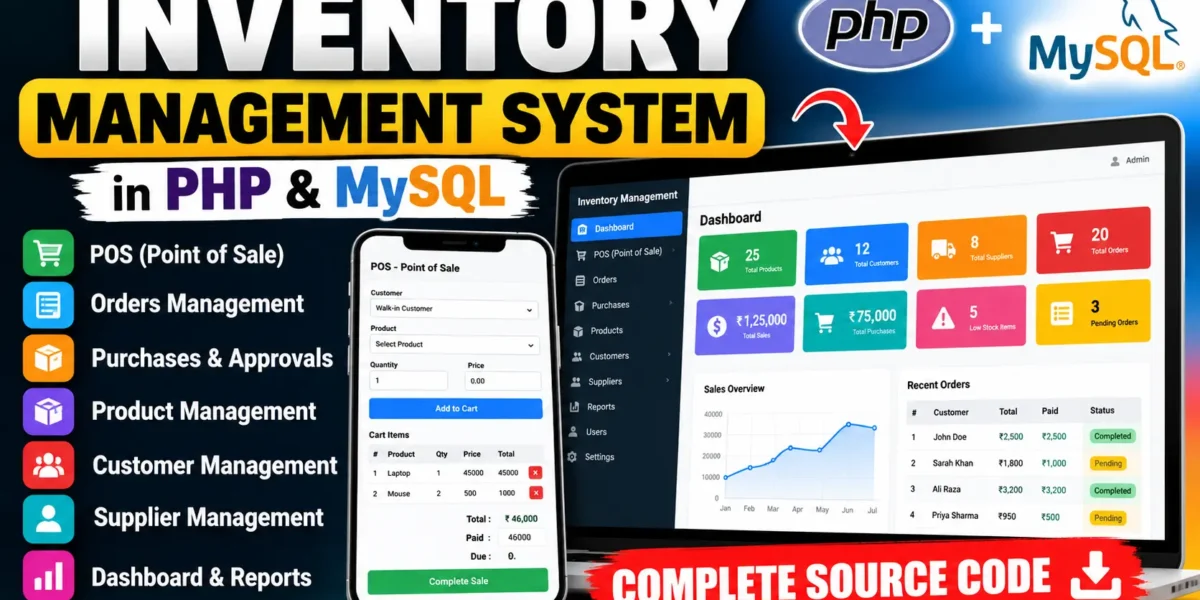
A simple project on Inventory Management System built using Core PHP, MySQL, HTML, CSS, and JavaScript. This project is designed to simplify the way businesses handle their products, suppliers, purchases, and sales within a centralized web platform.
Developed with a simple and practical structure, this system is an ideal project for students who want to learn how real-world inventory management works using PHP and MySQL. It provides a practical example of how businesses track products, manage purchases, process sales, maintain customer records, and monitor inventory efficiently.
Complete Advance AI Topics: Click Here
Real Time Projects:- DecodeIT
Overview
| Project Name | Inventory Management System |
|---|---|
| Language/s Used | PHP, HTML, CSS, JavaScript |
| Database | MySQL |
| Type | Web Application |
| Developer | UPDATEGADH |
Project Overview
The Inventory Management System is a web-based platform that helps manage daily business operations such as maintaining stock, processing orders, recording purchases, and managing suppliers and customers.
The project uses Core PHP for backend processing and MySQL for storing and managing application data. Instead of using a PHP framework, the project uses a straightforward PHP structure, making it easier for students to understand how PHP communicates with a MySQL database.
The system provides a centralized dashboard where users can monitor important business information such as products, customers, suppliers, orders, sales, purchases, and low-stock products.
The project is designed to be simple enough for small and medium businesses while also providing students with a practical example of a real-world business application.
Available Features
1. POS (Point of Sale)
The POS module allows sales staff to process product sales through a simple interface.
Users can select a customer, choose a product, enter the required quantity, and enter the paid amount. After a successful sale, the system creates an order and automatically reduces the available product quantity.
This helps keep sales and inventory records connected.
2. Orders
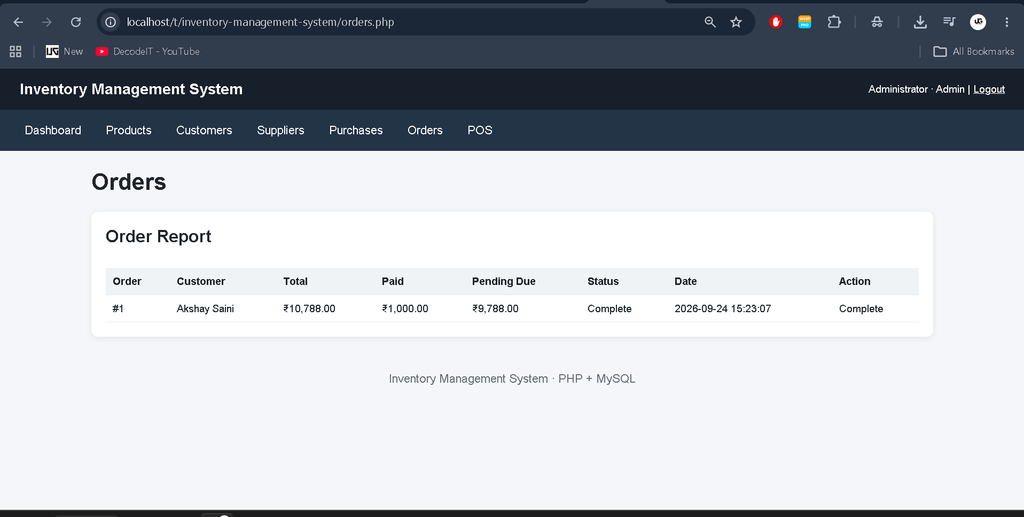
The Orders section manages sales transactions recorded through the POS system.
It provides information such as:
- Order ID
- Customer
- Total amount
- Paid amount
- Pending due
- Order status
- Order date
Orders can be marked as complete when pending payment or transaction requirements are completed.
3. Purchases
The Purchases module manages products purchased from suppliers.
- Creating purchase records
- Selecting suppliers
- Selecting products
- Entering purchase quantities
- Recording purchase costs
- Pending purchase status
- Purchase approval
- Purchase reports
When a purchase is approved, the purchased quantity is automatically added to the product’s available stock.
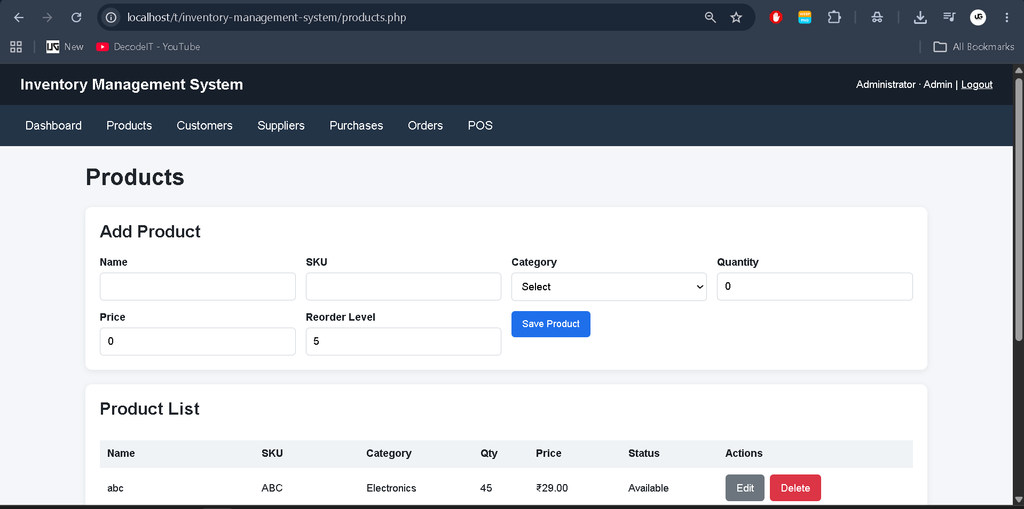
4. Products
The Products module manages inventory information.
Users can add and update product information such as:
- Product name
- SKU
- Category
- Quantity
- Price
- Reorder level
The system also identifies products that have reached or fallen below their reorder level, helping users monitor low-stock items.
5. Customers
The Customers module stores customer information and provides a centralized place to maintain customer records.
- Customer name
- Phone number
- Email address
- Address
Customer information can also be selected while processing POS sales.
6. Suppliers
The Suppliers module maintains information about businesses or individuals who provide products.
Users can store supplier details such as:
- Supplier name
- Supplier type
- Phone number
- Address
Supplier records are connected with purchase transactions so that purchasing information can be tracked properly.
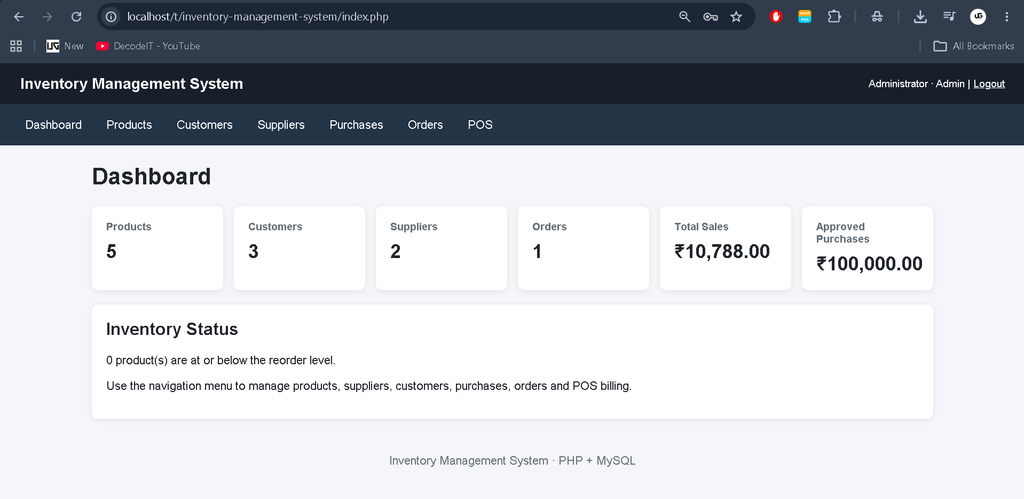
7. Dashboard
The Dashboard provides an overview of important inventory and business information.
It displays information including:
- Total products
- Total customers
- Total suppliers
- Total orders
- Total sales
- Approved purchases
- Low-stock product count
This gives users a quick view of the current state of the inventory system.
Download Complete Code
Screenshot
Why This Project Is Useful for Students
This project is a practical learning example for students pursuing BCA, MCA, B.Tech, Computer Applications, Information Technology, or related courses.
Practical PHP Knowledge
Students can understand how Core PHP handles forms, sessions, database operations, page navigation, and server-side processing without depending on a framework.
Database Interaction
The project uses MySQL for storing products, customers, suppliers, purchases, orders, and user information. Students can understand how different tables are connected through relationships.
Real-Life Application
Inventory management is used by retail stores, wholesalers, distributors, warehouses, and many other businesses. Building this project helps students understand how software can support everyday business operations.
Easy to Customize
Because the project uses a simple PHP structure, students can modify the existing modules or add new functionality according to their project requirements.
Installation Guide for VS Code
Follow these steps to run the Inventory Management System using PHP and MySQL.
Step 1: Prerequisites
Before starting, install:
- XAMPP
- PHP 8.0 or above
- MySQL
- VS Code
- Web browser
XAMPP provides Apache and MySQL required to run the project locally.
Step 2: Extract the Project
Extract the downloaded ZIP file and place the project folder inside the XAMPP htdocs directory:
C:\xampp\htdocs\inventory-management-systemStep 3: Start XAMPP
Open the XAMPP Control Panel and start:
Apache
MySQL
Both services should be running before opening the project.
Step 4: Open the Project in VS Code
Open VS Code and select:
File → Open FolderThen select:
inventory-management-systemStep 5: Create the MySQL Database
Open your browser and visit:
http://localhost/phpmyadminImport the SQL file located at:
database/inventory_db.sqlThe SQL file creates the required database, tables, categories, demo users, suppliers, customers, and sample products.
Step 6: Check Database Configuration
Open:
config.phpThe default configuration is:
$host = "localhost";
$db   = "inventory_db";
$user = "root";
$pass = "";
If your MySQL username or password is different, update these values.
Step 7: Run the Project
Open your browser and visit:
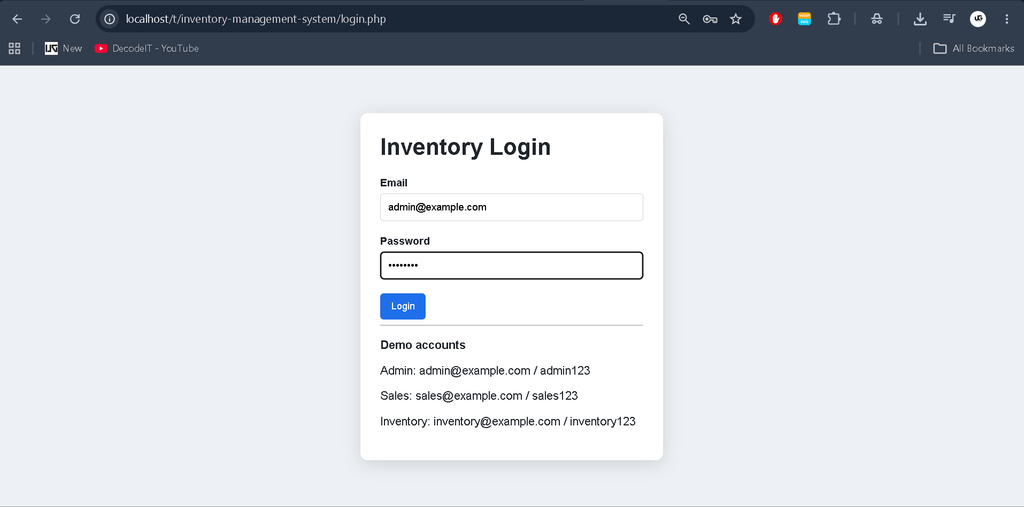
http://localhost/inventory-management-system/login.phpThe login page will appear.
Demo Login Accounts
Admin
Email: admin@example.com
Password: admin123
Sales Staff
Email: sales@example.com
Password: sales123
Inventory Manager
Email: inventory@example.com
Password: inventory123
Usage Guide
The system contains different user roles for common inventory operations.
1. Admin Role
The Admin account provides access to the main inventory operations.
- Manage products
- Manage customers
- Manage suppliers
- Approve purchases
- View orders
- Monitor sales
- Monitor stock levels
- View dashboard information
The dashboard provides an overview of business activity and inventory status.
2. Sales Staff Role
Sales staff primarily work with the POS and Orders modules.
- Select customers
- Select products
- Enter quantities
- Process sales
- Record payments
- Create orders
- Complete pending orders
When a product is sold, its inventory quantity is automatically reduced.
3. Inventory Manager Role
The Inventory Manager focuses on products and purchasing operations.
- Manage product information
- Monitor stock
- Create purchase records
- Manage supplier-related information
- Check purchase records
- Approve purchases
- Monitor low-stock products
This helps keep product availability information updated.
Real-Life Applications
The Inventory Management System represents common operations found in real business environments.
Retail stores can use similar systems to maintain product quantities and sales records. Wholesalers can use inventory systems to monitor incoming and outgoing products. Businesses can also maintain supplier and customer information in a centralized database.
The purchase approval process helps organizations maintain control over stock entering the business, while the POS module connects sales transactions with inventory updates.
Technical Insights
- Backend: Core PHP handles application logic, forms, sessions, authentication, and database operations.
- Database: MySQL stores users, products, customers, suppliers, purchases, purchase items, orders, and order items.
- Frontend: HTML and CSS provide the user interface, while JavaScript can be used for client-side interactions.
- Database Connectivity: PHP PDO is used to communicate with MySQL.
- Inventory Tracking: Product quantities are updated when purchases are approved or sales are processed.
- Authentication: Session-based login controls access to the application.
- Modular Structure: Separate PHP files handle dashboard, products, customers, suppliers, purchases, POS, and orders.
Conclusion
The Inventory Management System in PHP and MySQL is a practical web application that demonstrates how businesses can manage products, sales, purchases, customers, and suppliers through one centralized system.
For students, the project provides hands-on experience with Core PHP, MySQL, HTML, CSS, database relationships, sessions, forms, CRUD operations, and inventory logic.
Because the project does not depend on Laravel or another PHP framework, its structure is straightforward and suitable for students who want to understand the fundamentals of PHP-based web application development.
The project can also be extended with additional functionality according to project requirements.
Keywords
inventory management system php mysql, inventory management system in php, inventory management system using php and mysql, php inventory management system, inventory management system source code php, inventory management system mysql, inventory management system project in php, stock management system php mysql, inventory management system web application, inventory management project