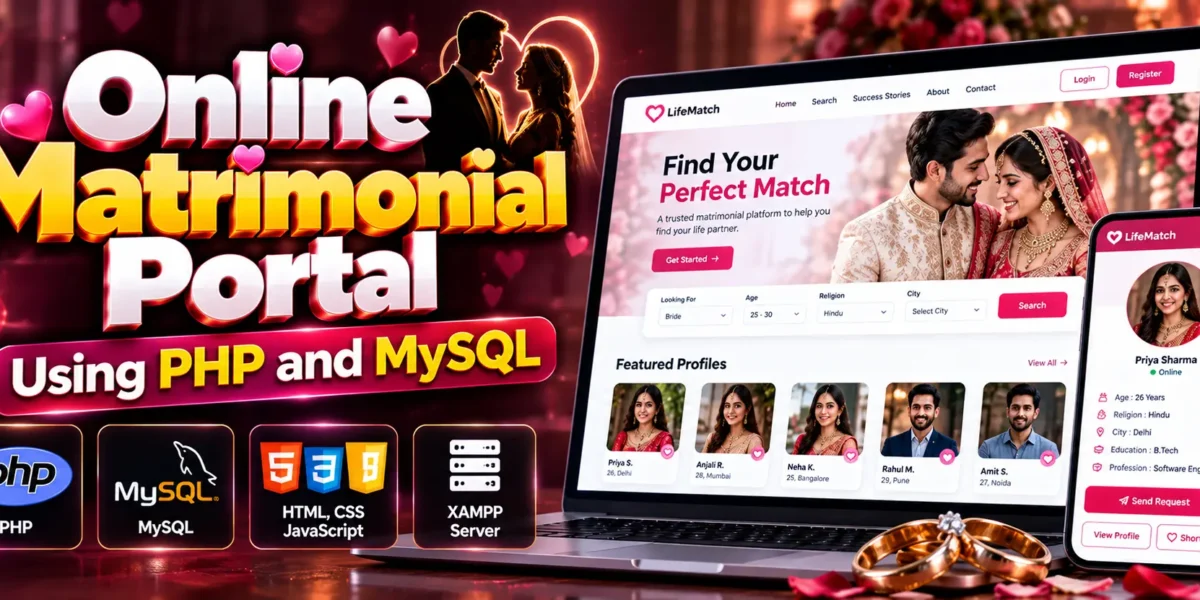
Online Matrimonial Portal Using PHP and MySQL
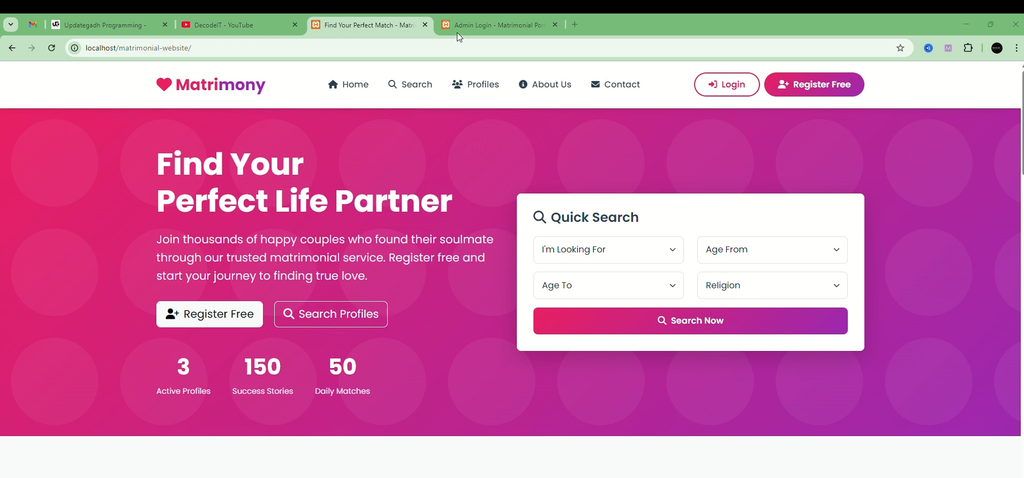
The Online Matrimonial Portal Using PHP and MySQL is a web-based application designed to simplify the process of finding compatible life partners. It provides a platform where people seeking marriage can register, create detailed profiles, share personal preferences, search for suitable matches, and send or receive match requests. The application uses PHP for backend programming and MySQL for database management.
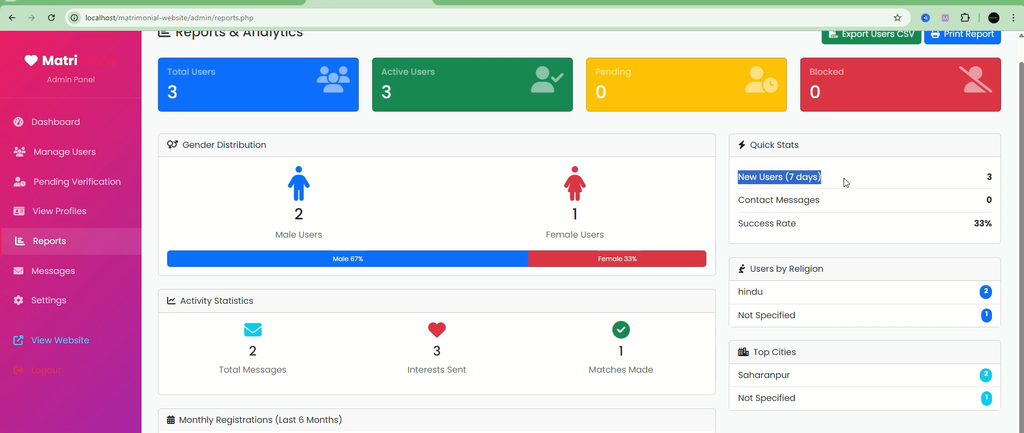
The project includes two main user roles: Administrator and Registered User. Administrators manage user accounts, approve or block profiles, monitor website activity, and maintain platform data. Registered users can manage their profiles, search for potential matches, and interact with the available matrimonial features.
Complete Advance AI Topics: Click Here
Real Time Projects on YouTube:- DecodeIT
What Is an Online Matrimonial Portal?
An Online Matrimonial Portal is a website that helps people seeking marriage find compatible life partners through profile-based searches. Users can create accounts, enter personal information and preferences, and search for profiles using available filters. The platform organizes profile information and match requests within a single application.
The administrator manages registered accounts and oversees profile approval, website activity, and platform content. This separation between administrative and user functions helps organize the application’s operations.
Why Choose PHP and MySQL for This Project?
PHP and MySQL are commonly used technologies for developing dynamic, database-driven websites. In this project, PHP handles the backend functionality, while MySQL manages the stored profile information and other application data.
- PHP Backend: Handles server-side application logic and requests.
- MySQL Database: Stores and manages information used by the application.
- Frontend Integration: HTML, CSS, and JavaScript support the website’s user interface.
- Database Operations: Supports the management of records through application functionality.
- Local Development: Apache-based environments such as XAMPP and WAMP can be used to run PHP applications locally.
Features of the Online Matrimonial Portal
The project provides separate functionality for registered users and administrators. Each module supports a different set of tasks within the matrimonial website.
1. User Module
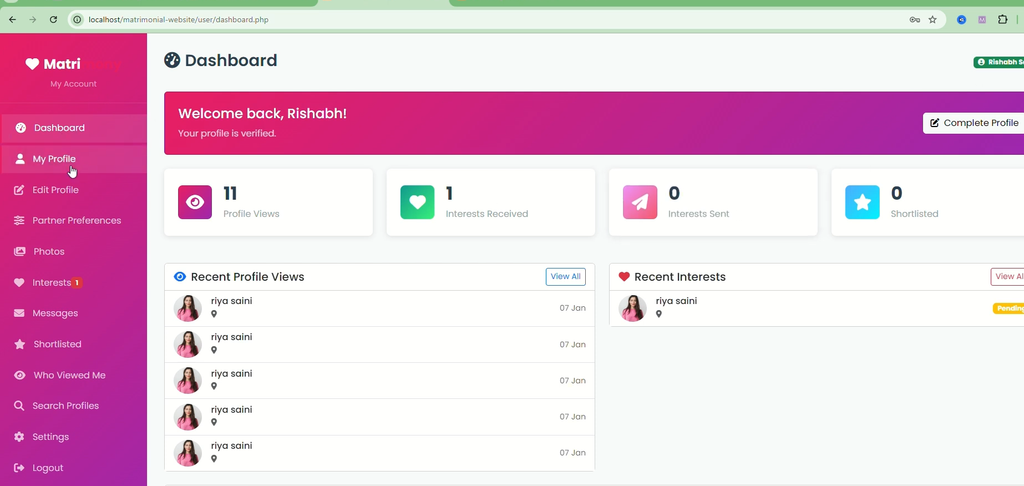
The user module allows registered members to create profiles, provide personal information, and explore potential matches through the available search functionality.
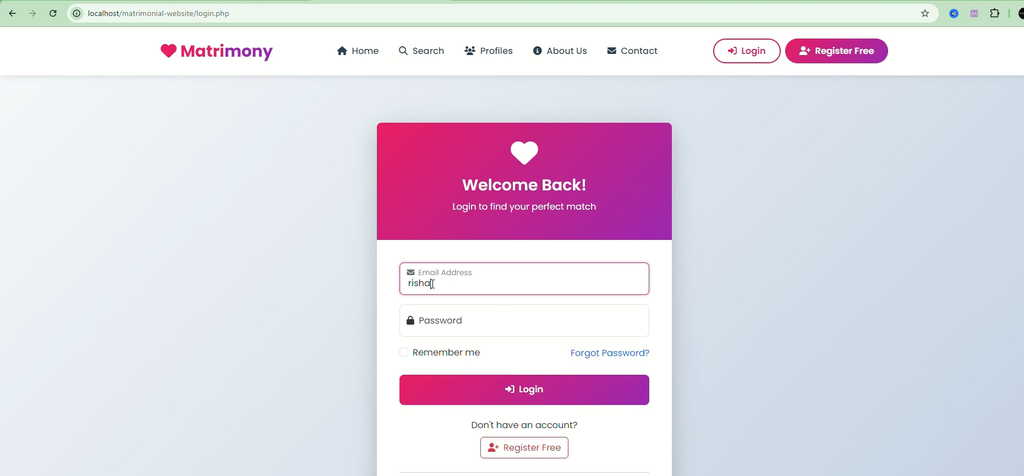
- User Registration: Users can register and create their accounts on the platform.
- Profile Creation: Registered members can create detailed personal profiles.
- Personal Information: Users can provide information required for their matrimonial profiles.
- Preference Management: Users can enter their preferences to help identify suitable matches.
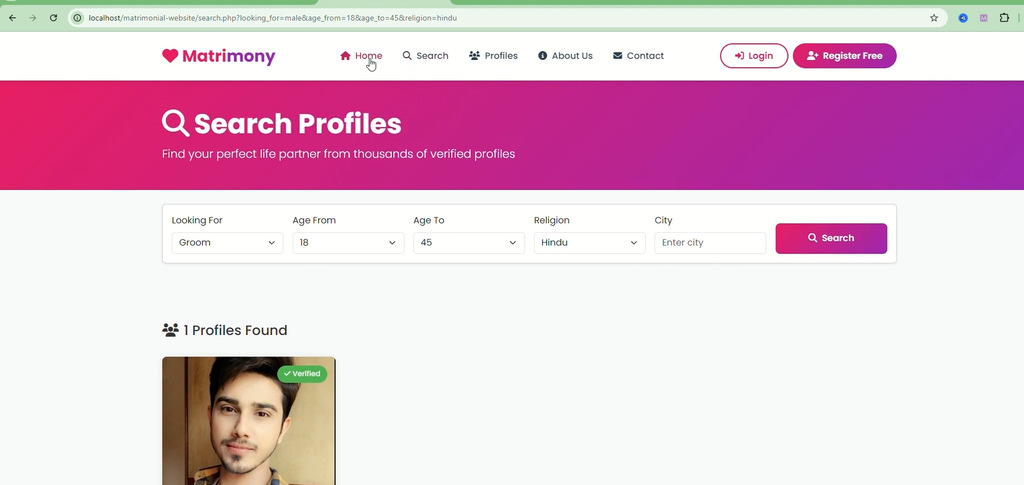
- Profile Search: Search for potential matches using available filters.
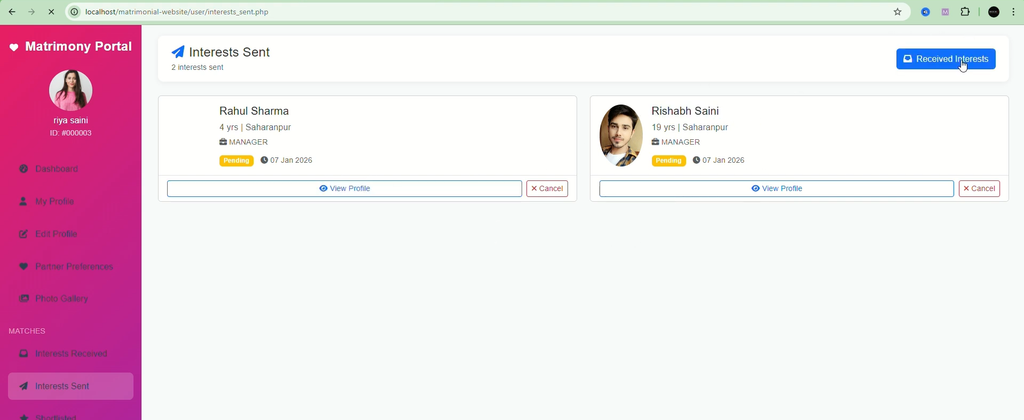
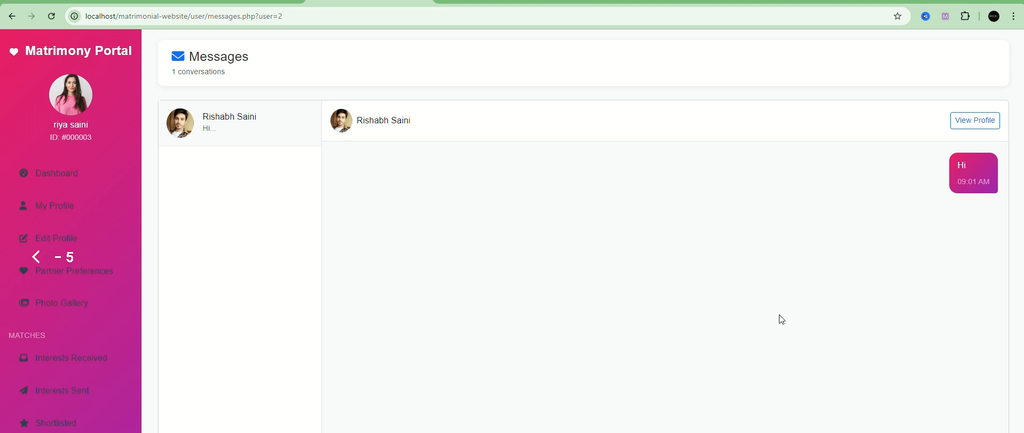
- Match Requests: Send and receive requests related to potential matches.
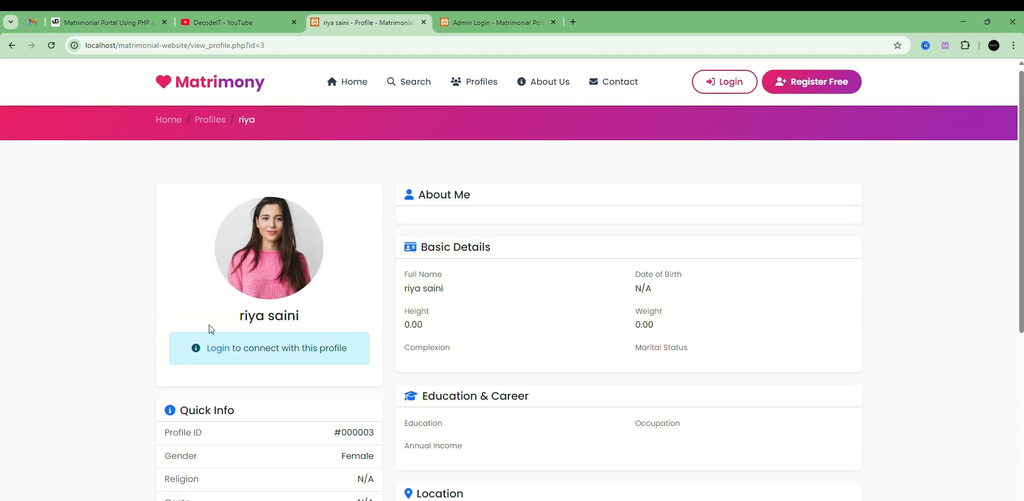
- Profile Viewing: View profile details through the application.
These features allow users to maintain their profile information and explore other profiles through the matrimonial portal.
2. Admin Module
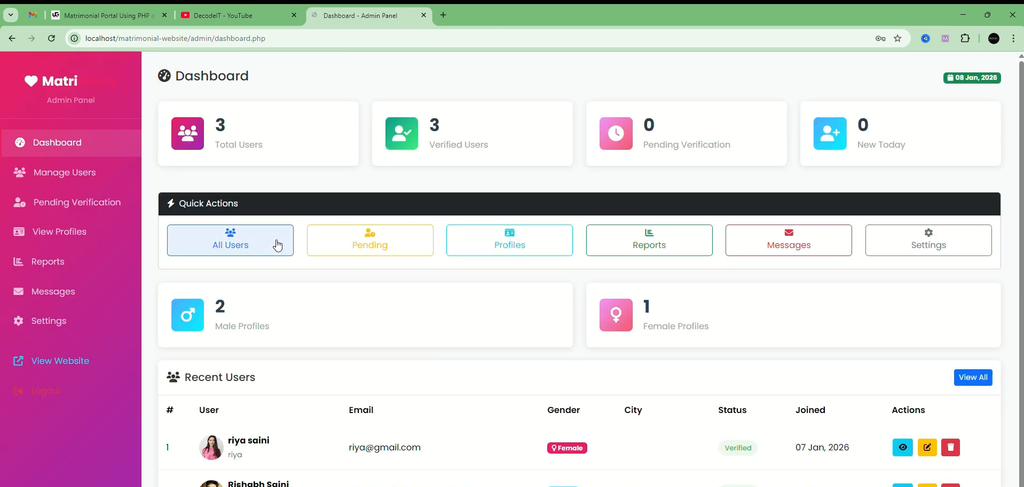
The admin module provides management functionality for overseeing registered users, profile activity, and website data.
- User Account Management: Manage registered user accounts.
- Profile Approval: Approve profiles according to the platform’s management process.
- Profile Blocking: Block profiles when required.
- Activity Monitoring: Monitor activity on the website.
- Content Management: Manage the content and data maintained by the platform.
- System Administration: Maintain overall control of the matrimonial portal.
The administrator’s functions help manage the platform, while registered users focus on their profiles and match searches.
Technologies Used
| Component | Technology |
|---|---|
| Frontend | HTML, CSS, JavaScript |
| Backend | PHP |
| Database | MySQL |
| Web Server | Apache |
| Local Development Environment | XAMPP or WAMP |
How to Download
The complete package is available so you can run, study, and submit it with confidence. It includes:
- Full Source Code
- Project Report
- Synopsis
- PPT Presentation
Demo Video
Screenshot
How to Run the Matrimonial Portal in VS Code
Follow these steps to run the PHP and MySQL project locally. The exact database name, SQL filename, and configuration file depend on the supplied project files.
Step 1: Install the Required Software
Install Visual Studio Code and a PHP development environment such as XAMPP or WAMP. These environments provide the components required to run PHP applications and connect them to MySQL.
Step 2: Extract the Project
Extract the project ZIP file into a folder on your computer. Open Visual Studio Code, select File → Open Folder, and choose the extracted project folder.
Step 3: Start Apache and MySQL
Open the XAMPP Control Panel and start the Apache and MySQL services. Both services should be running before you access the application through localhost.
Step 4: Move the Project Folder
Place the project folder inside the XAMPP web directory, which is usually:
C:\xampp\htdocs\Step 5: Create the Database
Open phpMyAdmin in your browser using the following address:
http://localhost/phpmyadmin/Create the database required by the project. If the project includes an SQL database file, select the database and import that file through phpMyAdmin.
Step 6: Configure the Database Connection
Locate the database configuration file in the project folder. Check the database host, database name, username, and password. Update the settings to match your local MySQL configuration.
Step 7: Run the Application
Open your browser and enter the project folder’s localhost address. For example, if the project folder is named matrimonial-portal, use:
http://localhost/matrimonial-portal/Replace matrimonial-portal with the actual folder name if it is different. The application should open when the project files, database, and configuration are set up correctly.
Who Can Use This Project?
The Online Matrimonial Portal is suitable for students and developers who want to practise PHP-based web application development.
- Computer Science Students: Understand a database-driven web application through a practical example.
- Final-Year Students: Study the structure of a PHP and MySQL project for academic work.
- PHP Learners: Practise backend programming and database integration.
- Backend Development Beginners: Learn how application logic connects with stored information.
- Freelancers: Explore the structure of a matrimonial website for portfolio development.
How Does This Project Help Students?
Working with this project helps students understand several important concepts used in web development.
- User Authentication: Understand registration and account-based access workflows.
- Database Design: Learn how structured information is managed through a database.
- CRUD Operations: Practise creating, viewing, updating, and managing application records.
- Profile Management: Understand how personal profile information is handled in a web application.
- Admin Management: Explore administrative tasks such as account management and profile approval.
- Role-Based Functionality: Understand the different responsibilities of administrators and registered users.
Frequently Asked Questions (FAQs)
1. What is an Online Matrimonial Portal Using PHP and MySQL?
It is a web-based application that helps users create matrimonial profiles, search for potential matches, and send or receive match requests. PHP handles backend functionality, while MySQL manages application data.
2. Which technologies are used in this project?
The project uses PHP for backend programming, MySQL for database management, HTML and CSS for page structure and styling, and JavaScript for frontend functionality.
3. What are the main modules of the matrimonial portal?
The project has two main modules: the User Module and the Admin Module. Users manage profiles and search for matches, while administrators manage accounts, approve or block profiles, monitor activity, and manage content.
4. Can I run this project on localhost?
Yes. You can use an Apache-based local development environment such as XAMPP or WAMP, configure the MySQL database, and open the application through its localhost folder address.
5. Is this project suitable for students?
Yes. It provides practical exposure to PHP, MySQL, profile management, database operations, and separate administrator and user functionality.
Conclusion
The Online Matrimonial Portal Using PHP and MySQL demonstrates how a web application can organize matrimonial profiles, profile searches, preferences, and match requests. Its user and admin modules provide separate functions for registered members and administrators. By working with PHP, MySQL, HTML, CSS, and JavaScript, students can develop a practical understanding of database-driven web development.