
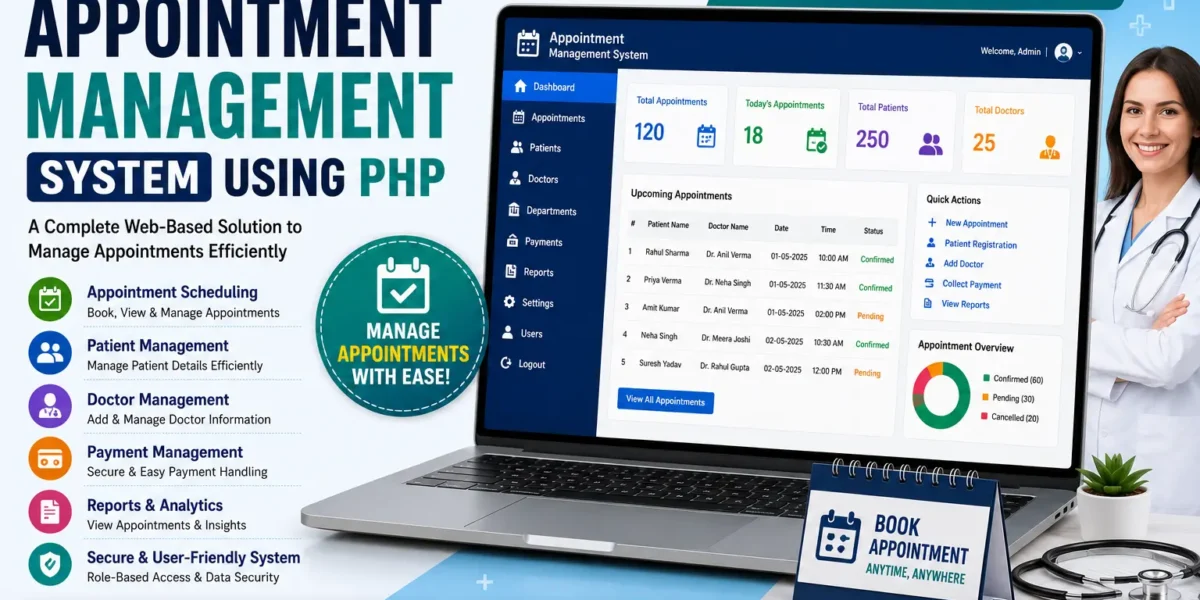
The Appointment Management System Using PHP is a web-based healthcare application designed to make patient and doctor interactions easier through an online platform. The system provides users with a simple way to manage healthcare-related activities from their homes, including booking appointments with selected specialists and finding hospitals located nearby.
This project is developed using PHP and MySQL and provides a user-friendly platform for accessing different healthcare services. The system focuses on online patient care and provides users with access to specialized doctors, hospital information, and appointment scheduling through a single website.
The application is designed to make healthcare services more accessible by bringing important information together in one place. Users can explore available doctors according to their specialization, search for nearby hospitals, and book appointments with their chosen specialists.
The Appointment Management System in PHP provides a straightforward interface so that users can access the available healthcare services without unnecessary complexity. The system also provides administrator contact information for users who require additional support or assistance.
Appointment Management System in PHP
The Appointment Management System is designed to simplify the process of connecting patients with doctors and healthcare services. Instead of requiring users to manage appointments through a traditional process, the system provides an online platform where appointments can be booked.
Users can access the system through the user-side interface and explore the available healthcare information. The main functionality of the system is focused on online appointment scheduling, locating hospitals, and accessing information about specialized doctors.
The project uses PHP for handling the backend functionality and MySQL for storing user, appointment, and hospital information. The frontend is created using HTML, CSS, JavaScript, and Bootstrap to provide a responsive and user-friendly interface.
The system is intended to make healthcare access more convenient by allowing users to find relevant information and manage appointments from a single online platform.
Overview of the System
The Appointment Management System Using PHP provides a digital healthcare environment focused on online patient care. The system brings patients and doctors together through an online interface and provides users with access to different healthcare-related services.
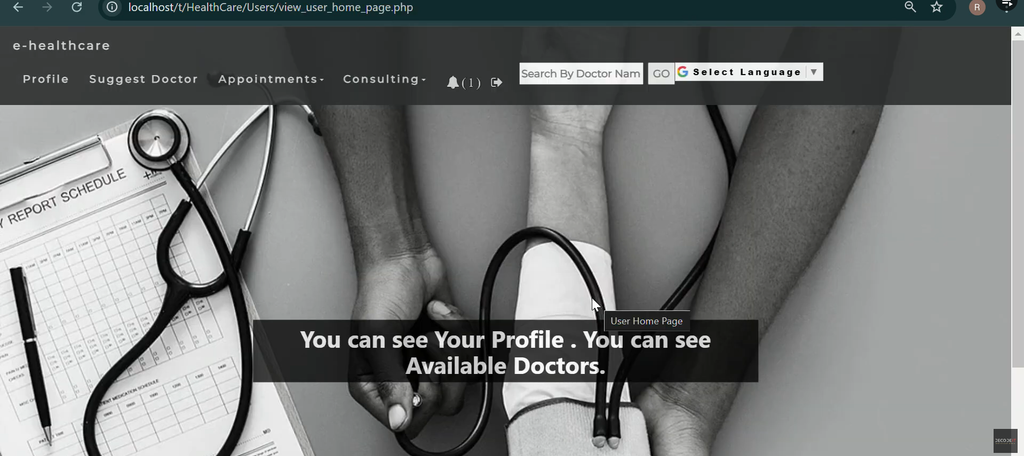
The user-side interface is the primary part of the application. Through this interface, patients can book appointments, access medical information, and explore healthcare facilities around them.
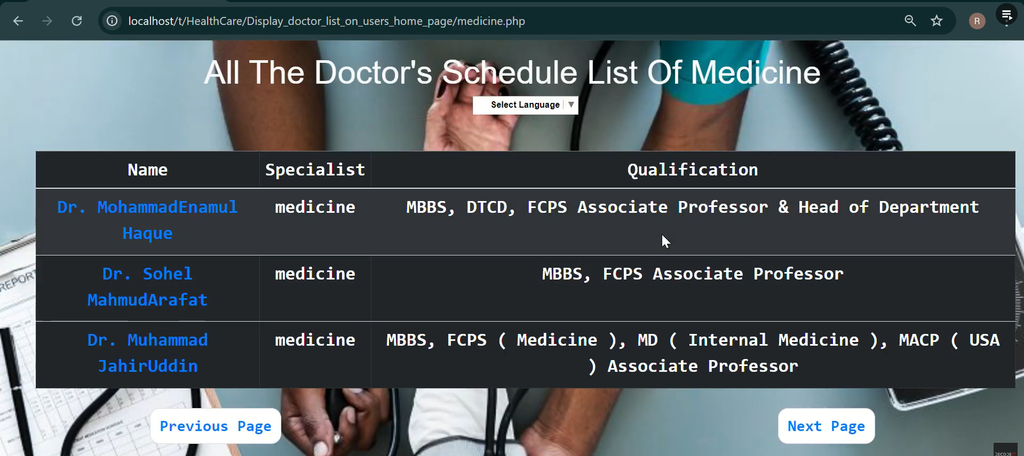
The system is also designed to provide information about specialized doctors. Doctors are categorized according to their specializations, allowing users to find a healthcare professional according to their specific requirements.
Another important part of the application is the hospital location functionality. The home page provides a map and a list of hospital names and their locations, allowing users to identify healthcare centers in their vicinity.
Key Features of Appointment Management System
1. Easy Appointment Scheduling
The Easy Appointment Scheduling feature allows users to book appointments with their selected specialists through the online system.
Users can choose the doctor or specialist they require and proceed with the appointment booking process. This provides a convenient way for patients to manage their appointments without having to use a separate offline process.
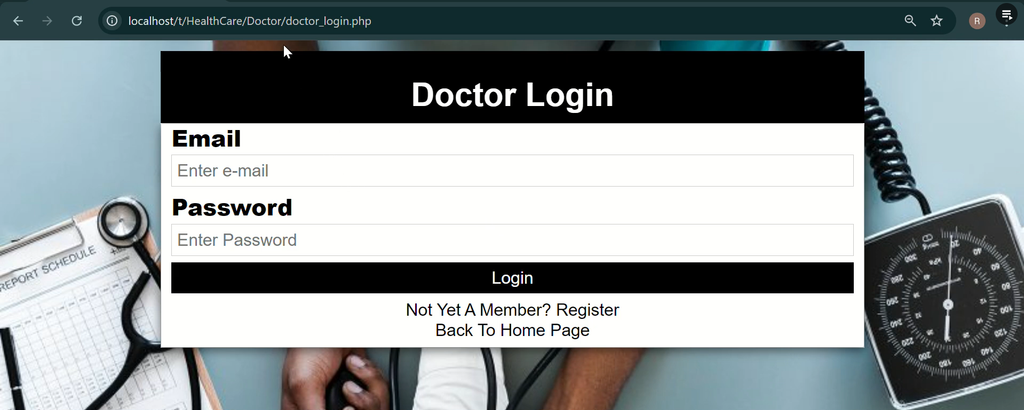
To access the appointment booking functionality, the user needs to log in to the system. If the user does not already have an account, the system provides an option to register.
The registration process allows new users to create an account and then use the appointment scheduling functionality available on the platform.
The appointment scheduling functionality provides users with a simple method for connecting with their selected specialists through the online healthcare system.
2. Locate Nearest Hospitals
The Locate Nearest Hospitals feature allows users to find hospitals located in their vicinity.
The home page provides a comprehensive map along with a list of hospital names and their locations. This makes it easier for users to identify nearby healthcare centers.
By providing hospital information and locations through the online platform, the system gives users a convenient way to explore healthcare facilities around them.
The hospital location functionality is an important part of the system because users can access healthcare center information directly from the website.
3. Access to Specialized Doctors
The Access to Specialized Doctors feature provides users with detailed information about doctors according to their specializations.
Doctors are categorized based on their respective specializations, making it easier for users to find the appropriate healthcare professional according to their requirements.
Instead of searching through unrelated information, users can explore doctors based on their specialization and select the relevant specialist for their healthcare needs.
This feature supports the appointment scheduling functionality because users can first find the appropriate specialist and then book an appointment through the system.
4. Admin Contact Information
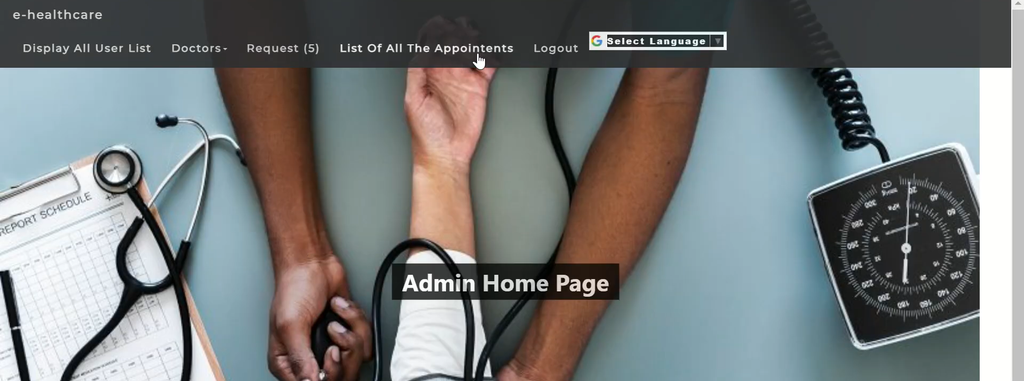
The system also provides Admin Contact Information for users who require additional assistance or support.
Users can access the contact list of system administrators through the platform. This provides an additional communication option for users who need help while using the system.
The availability of administrator contact information adds another level of accessibility to the healthcare platform and allows users to find the appropriate contact when assistance is required.
User-Side Interface
The User-Side Interface is the primary interface of the Appointment Management System. It is designed to provide patients with access to the healthcare services available through the application.
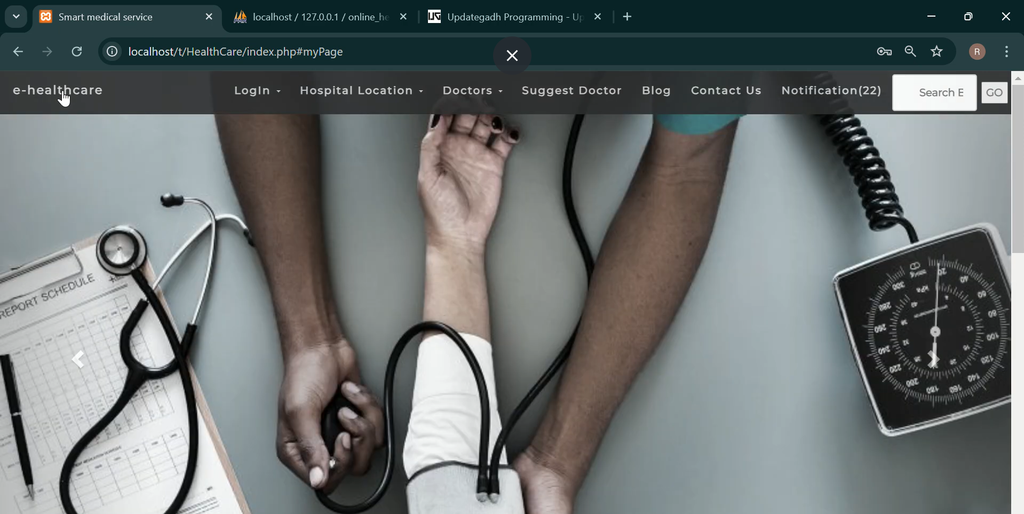
Users can access the homepage and explore hospital information, doctor details, and appointment-related functionality.
The interface is designed to provide a straightforward experience. Patients can move between the available sections and access the information they require without dealing with a complicated process.
The user side provides the main interaction point between patients and the healthcare services available through the system.
User Registration and Login
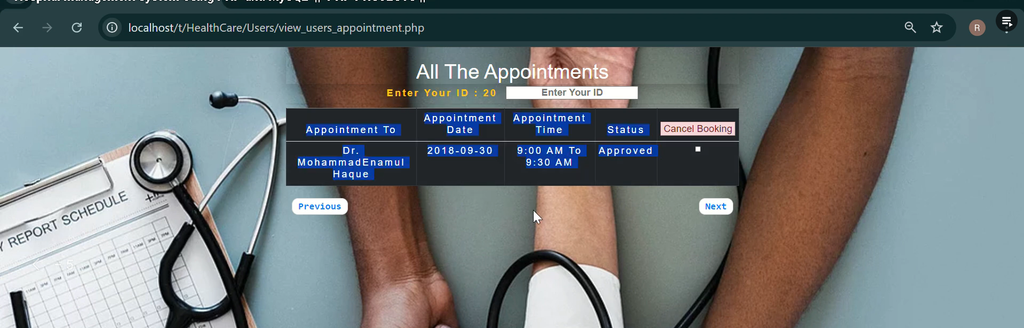
Appointment scheduling requires the user to be logged in. Users who already have an account can log in and access the appointment booking functionality.
For new users, the system provides a registration option. Users can create an account through the registration process and then use their account to access the available appointment functionality.
This login-based approach keeps appointment booking connected with the user’s account and provides a dedicated environment for accessing the system.
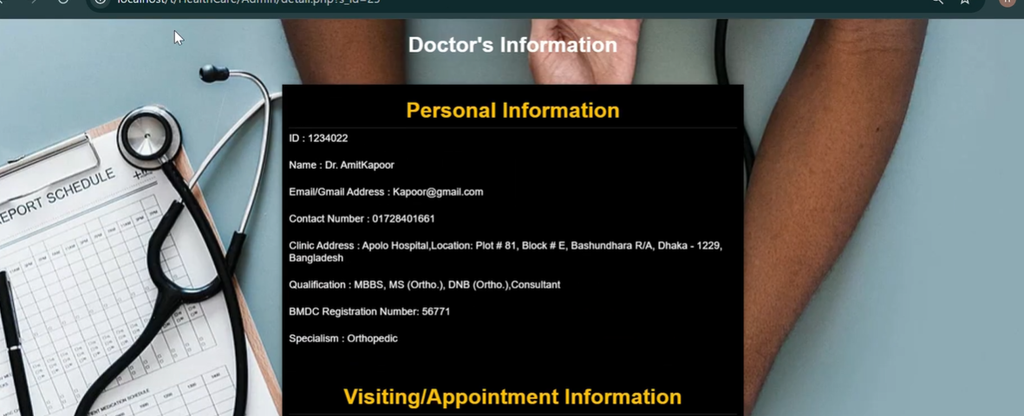
Finding Specialized Doctors
The system provides detailed information about doctors and organizes them according to their specializations. This helps users identify the right healthcare professional for their specific requirements.
Users can explore the available doctor information and find specialists based on their area of specialization.
The categorization of doctors makes the search process more straightforward because users can focus on the specialization that matches their healthcare requirement.
Hospital Location Information
The Appointment Management System also provides information about hospitals and their locations.
The homepage contains a map and a list of hospital names along with their locations. Users can use this information to identify healthcare facilities around them.
This functionality provides users with a convenient way to explore nearby hospitals through the same healthcare platform.
Technologies Used
The Appointment Management System uses a combination of frontend and backend technologies to create a responsive and functional healthcare platform.
- HTML: Used for structuring the web pages and organizing the content of the system.
- CSS: Used for designing the interface, including styles, colors, and layout.
- JavaScript: Used to enhance user interaction and provide a more dynamic frontend experience.
- PHP: Used for backend functionality, user authentication, database queries, and appointment scheduling.
- MySQL: Used for storing user, appointment, and hospital information.
- Bootstrap: Used for creating a responsive and mobile-friendly design.
The combination of these technologies provides the foundation required for the web-based Appointment Management System.
PHP and MySQL Appointment Management System
The project uses PHP and MySQL as the primary backend technologies. PHP handles the server-side operations of the application, while MySQL is used to store the information required by the system.
The database contains information related to users, appointments, and hospitals. PHP communicates with the MySQL database to retrieve and manage the required information.
The system also uses Bootstrap to create a responsive interface, while HTML, CSS, and JavaScript are used for the frontend structure, styling, and interaction.
Setting Up the Database
Before running the Appointment Management System, the required MySQL database needs to be created and the provided SQL file needs to be imported.
The database used by the project is named:
medicalThe database stores the user, appointment, and hospital information required by the system.
Step 1: Open phpMyAdmin
First, open your browser and access phpMyAdmin through your local XAMPP installation.
http://localhost/phpmyadmin/phpMyAdmin provides the interface required to create the database and import the SQL file.
Step 2: Create the Database
In phpMyAdmin, open the Databases section and create a new database named:
medicalThe database name should match the database used by the project.
Step 3: Import the Database File
After creating the medical database, select it from the phpMyAdmin interface and open the Import section.
Select the provided SQL file:
medical.sqlAfter selecting the SQL file, start the import process. The SQL file contains the database structure and information required for the Appointment Management System.
How to Run Appointment Management System in PHP
To run the project on your computer, you need to install a virtual server such as XAMPP. XAMPP provides Apache and MySQL, which are required to execute the PHP project and connect it with the database.
Step 1: Install XAMPP
Download and install XAMPP on your computer. After the installation is completed, open the XAMPP Control Panel.
Start the Apache and MySQL services before running the project.
Step 2: Extract the Project Files
Download the Appointment Management System project and extract the contents of the ZIP file.
After extraction, locate the main project folder containing the PHP project files.
Step 3: Copy the Main Project Folder
Copy the extracted project folder and paste it inside the XAMPP htdocs directory.
xampp/htdocs/Placing the project inside the htdocs directory allows Apache to access and execute the PHP files.
Step 4: Create and Import the Database
Open phpMyAdmin and create the medical database. After creating the database, import the provided medical.sql file.
Once the SQL file has been imported successfully, the database required by the project will be ready.
Step 5: Run the Project
After completing the project and database setup, open the project through your local browser address.
The Appointment Management System will then be available through the local server. Users can access the healthcare interface, register or log in, find specialized doctors, locate hospitals, and book appointments.
Appointment Booking Process
The appointment booking process begins with the user accessing the healthcare platform. If the user already has an account, they can log in using their credentials.
New users can register through the available registration option. After logging in, users can explore the specialized doctors available through the system.
Doctors are organized according to their specializations, making it easier for users to identify the appropriate specialist.
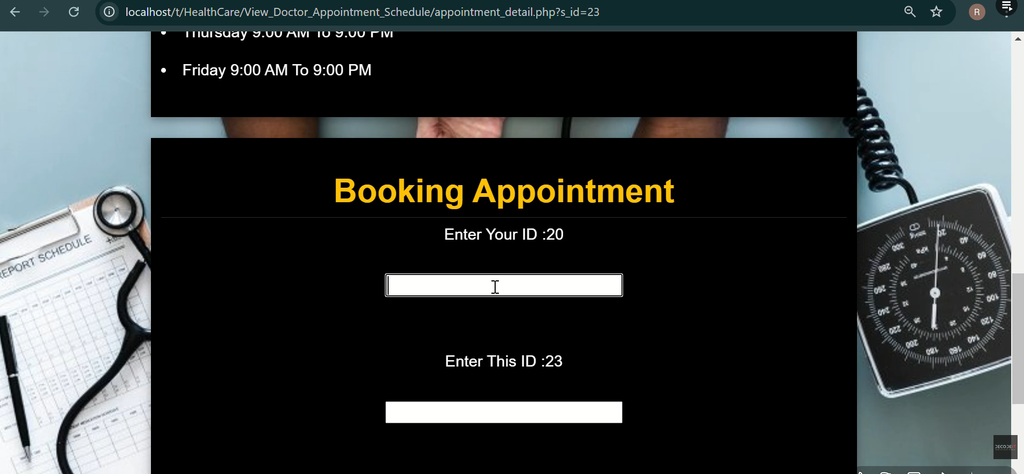
After selecting the required specialist, the user can access the appointment scheduling functionality and book an appointment through the system.
Finding Hospitals Through the System
Users can also use the system to locate hospitals in their vicinity. The homepage provides a map along with a list of hospital names and their locations.
This allows users to view the available healthcare facilities around them and access the hospital information provided by the system.
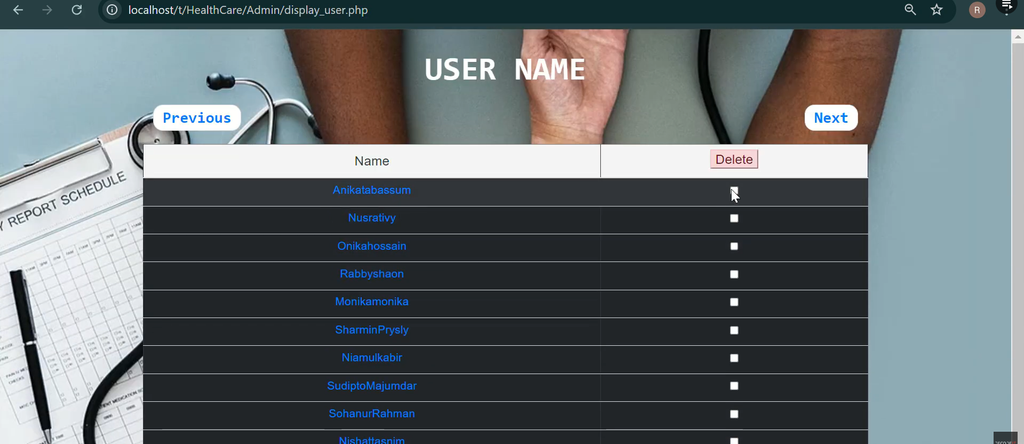
Screenshot:-
How to Download
Get This Project
The complete package is available so you can run, study, and submit it with confidence. It includes:
- Full Source Code
- Project Report
- Synopsis
- PPT Presentation
For any queries or a quick response, reach out on WhatsApp: +91 79834 34684
Appointment Management System for Students
The project can also be useful for students who want to learn how a PHP and MySQL-based healthcare application is developed.
It demonstrates several important concepts, including user authentication, database connectivity, appointment scheduling, doctor information, hospital information, and responsive web design.
Students can study how PHP handles backend operations and database queries while Bootstrap, HTML, CSS, and JavaScript are used to create the frontend interface.
Conclusion
The Appointment Management System Using PHP provides a web-based platform focused on online healthcare services and appointment scheduling. Users can register and log in, book appointments with selected specialists, find nearby hospitals, and access information about doctors according to their specializations.
The system also provides administrator contact information for users who require additional support. Hospital names and locations are displayed through the homepage along with a map, making it easier for users to explore healthcare facilities around them.
Developed using PHP, MySQL, HTML, CSS, JavaScript, and Bootstrap, the project provides a responsive and user-friendly healthcare platform. The database uses the name medical, and the provided medical.sql file can be imported through phpMyAdmin during setup.
For students and developers interested in PHP and MySQL projects, this Appointment Management System provides a practical example of how online appointment scheduling and healthcare information can be organized within a web application.
Keywords:-
appointment management system using php github
doctor appointment management system using php
appointment management system using php and mysql
online doctor appointment system project in php github
online doctor appointment system project source code in php
doctor appointment system project report pdf
doctor appointment management system project
online doctor appointment system project in html
![Online Education System [Video Course like Udemy] Project with Source Code in PHP and MySQL](https://updategadh.com/wp-content/uploads/2024/04/Online-Education-System-Video-Course-like-Udemy-Project-with-Source-Code-in-PHP-and-MySQL.png)


[…] Appointment Management System Using PHP :- Click here […]