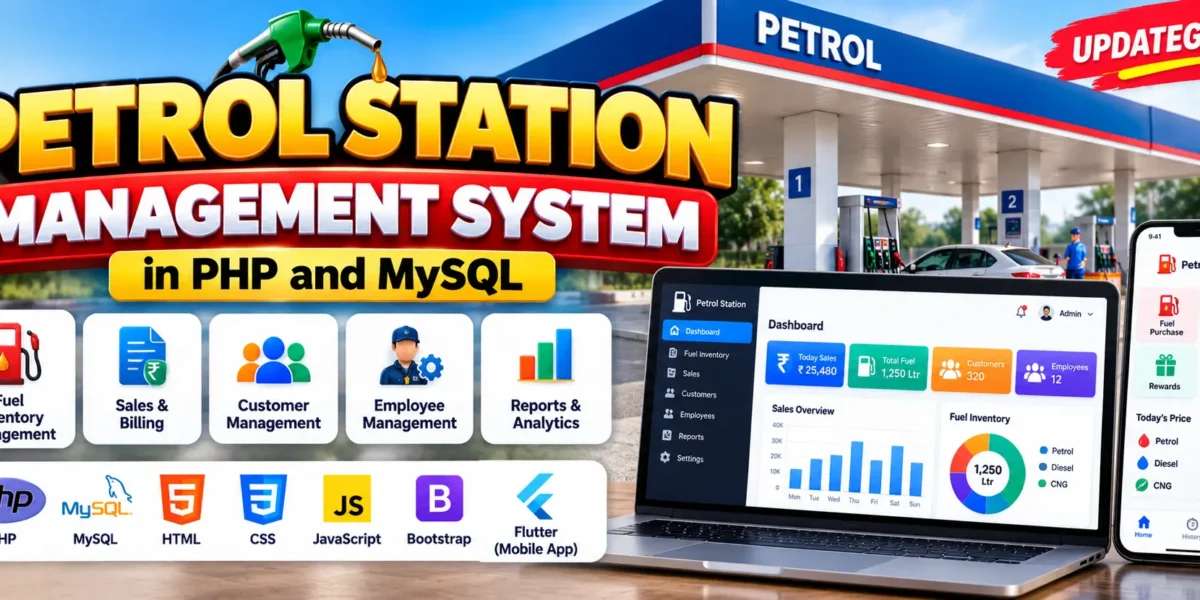
Petrol Station Management System
Petrol Station Management System is a web and mobile-based application designed to simplify petrol station operations, including fuel inventory management, sales and billing, customer management, and employee monitoring. Developed using PHP, MySQL, Flutter, and Firebase technologies, the system aims to provide centralized management and cross-platform accessibility through web and mobile applications.
Real Time Projects on YouTube:- DecodeIT
Project Overview
The Petrol Station Management System provides a web interface and a mobile application for managing and monitoring petrol station activities. The web application uses PHP and MySQL, while the mobile application is developed using Flutter. Firebase Firestore is planned as a shared backend database to synchronize information between both platforms.
| Project Details | Description |
|---|---|
| Project Name | Petrol Station Management System |
| Frontend | HTML, CSS, Bootstrap, JavaScript, jQuery, AJAX |
| Backend | PHP |
| Web Database | MySQL |
| Mobile Framework | Flutter |
| Cloud Database | Firebase Firestore (planned integration) |
| Authentication | Firebase Authentication |
| Developer | UPDATEGADH |
What Are the Main Features of Petrol Station Management System?
The system focuses on managing fuel inventory, sales, customers, employees, and information synchronization across web and mobile platforms.
Smart Fuel Station Management System in PHP and MySQL :- Click Here
1. Real-Time Fuel Inventory Monitoring
- Track available fuel quantities.
- Receive alerts when fuel levels become low.
- Manage stock ordering based on fuel usage trends.
- Monitor fuel inventory efficiently.
2. Sales and Billing Management
- Manage the billing process for fuel sales.
- Support multiple payment methods.
- Maintain secure payment history.
- Allow customers to view their previous purchases.
3. Customer and Employee Management
- Maintain customer information.
- Manage customer reward programs.
- Organize employee shifts.
- Monitor employee performance.
- Manage employee payroll processing.
4. Cross-Platform Data Synchronization
- Connect web and mobile applications with a shared backend.
- Synchronize information related to orders, sales, and fuel inventory.
- Use Firebase Firestore for planned real-time data synchronization.
5. Enhanced Accessibility
- Access the web application through desktop and mobile browsers.
- Use the Flutter mobile application on Android and iOS devices.
- Provide a consistent mobile experience through a single Flutter codebase.
Which Technologies Are Used in This Project?
The project combines web development technologies with mobile application development tools to provide a cross-platform petrol station management solution.
Online Gas Booking System Using MERN Stack :- Click Here
Web Application Technologies
- HTML and CSS: Used to structure and style web pages.
- Bootstrap: Supports responsive web interface design.
- JavaScript and jQuery: Provide interactive functionality.
- AJAX: Supports dynamic updates.
- PHP: Handles backend business logic and CRUD operations.
- MySQL: Stores web application data.
Mobile Application Technologies
- Flutter: Used to develop mobile applications for Android and iOS using a single codebase.
- Firebase Firestore: Planned as a cloud database for real-time synchronization between web and mobile applications.
- Firebase Authentication: Provides user authentication with support for multiple sign-in methods.
How Does the System Architecture Work?
The system uses different technologies for its web and mobile applications, with the objective of connecting both platforms through a shared backend.
- Web Frontend: HTML, CSS, Bootstrap, JavaScript, jQuery, and AJAX provide the web interface.
- Web Backend: PHP handles business logic and database operations.
- Mobile Application: Flutter provides the mobile interface for Android and iOS.
- Current Web Database: MySQL stores petrol station data in the web application.
- Planned Shared Backend: Firebase Firestore is intended to connect both applications and synchronize their data.
How to Download
The complete package is available so you can run, study, and submit it with confidence.
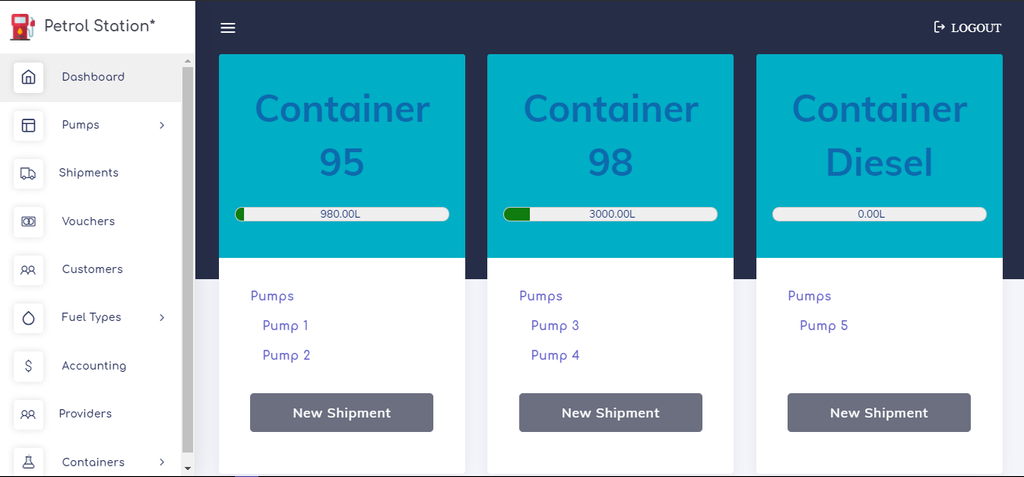
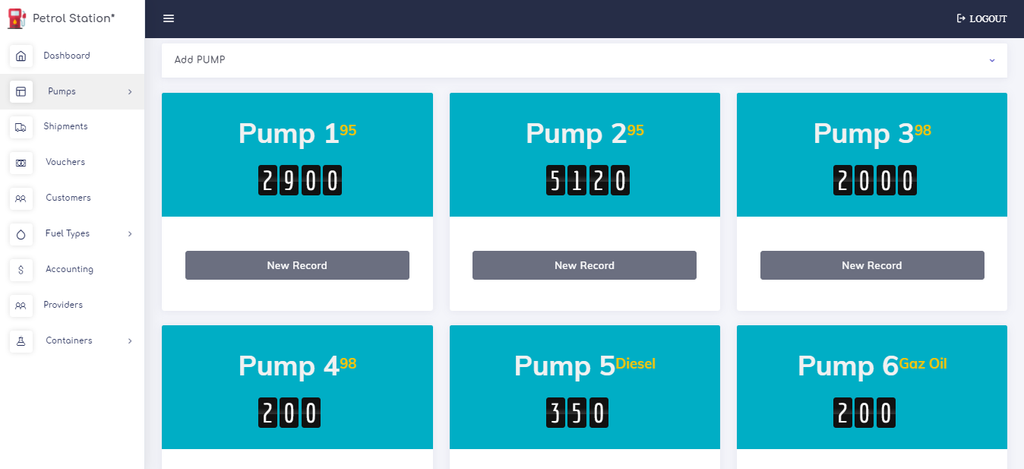
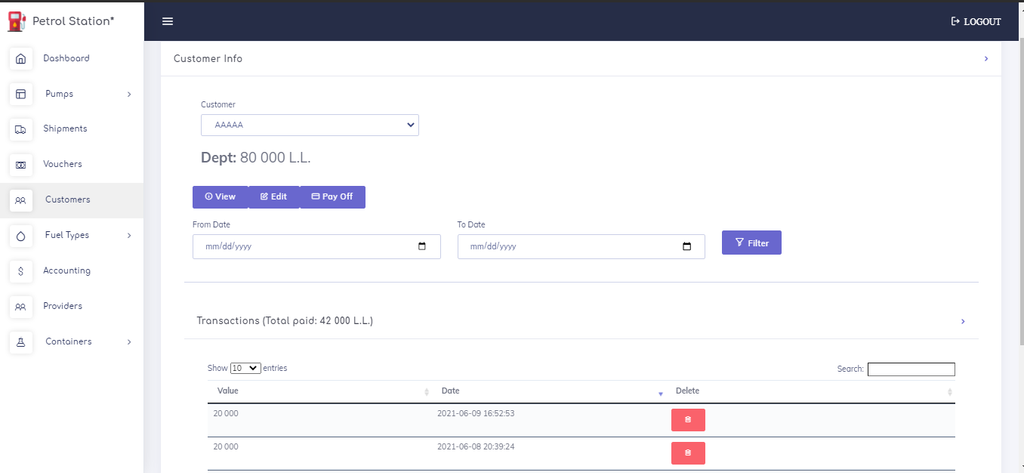
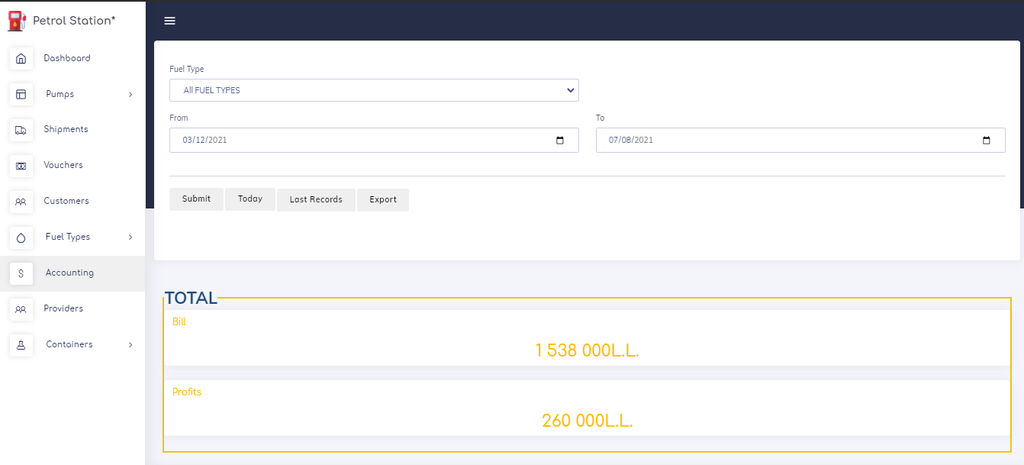
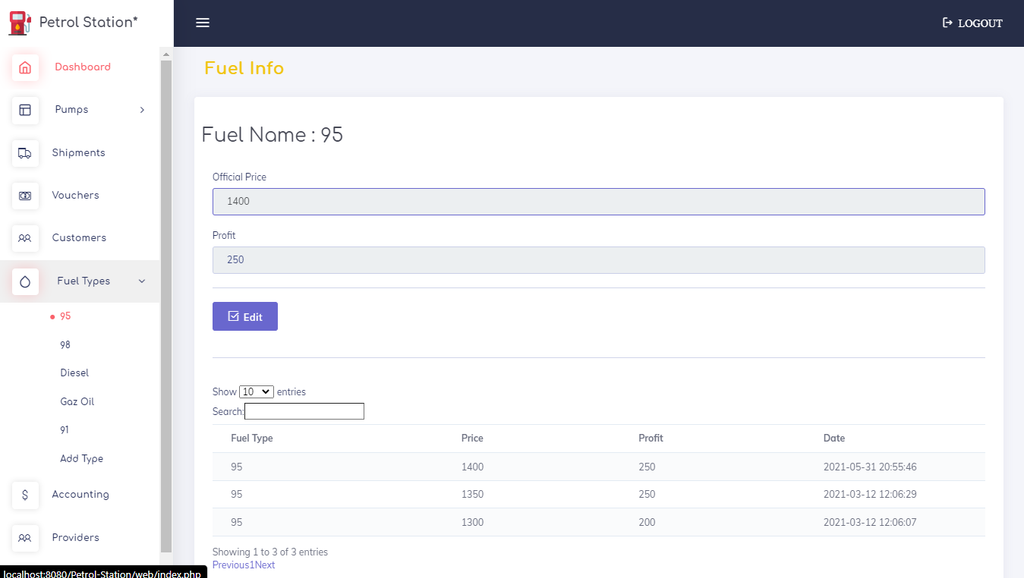
Screenshot
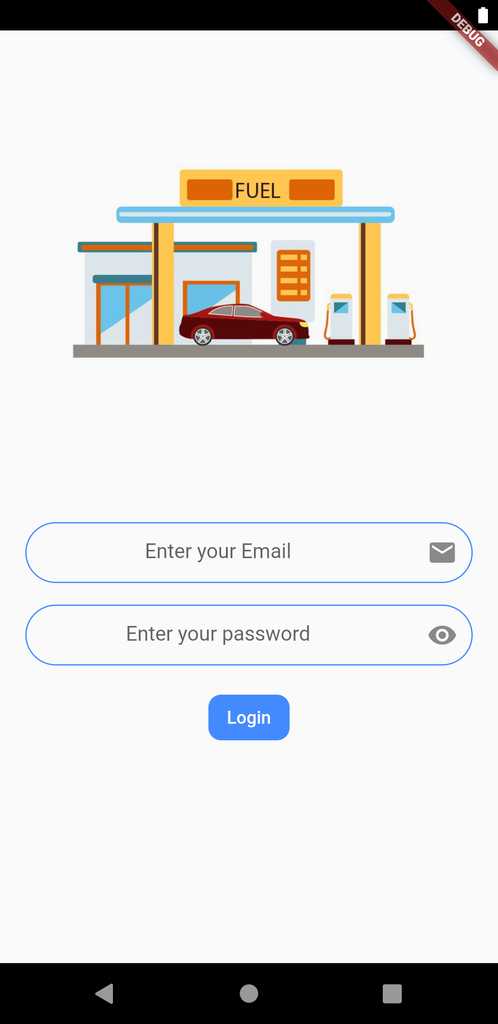
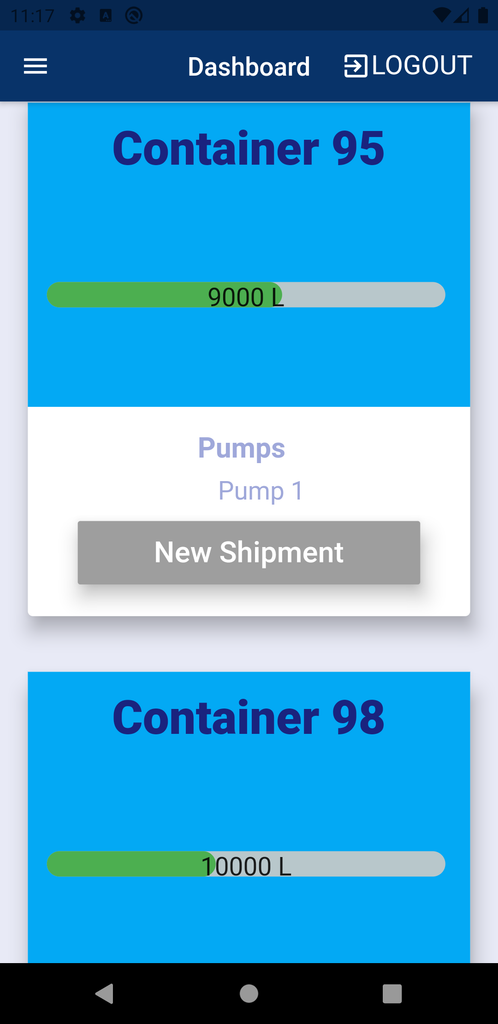
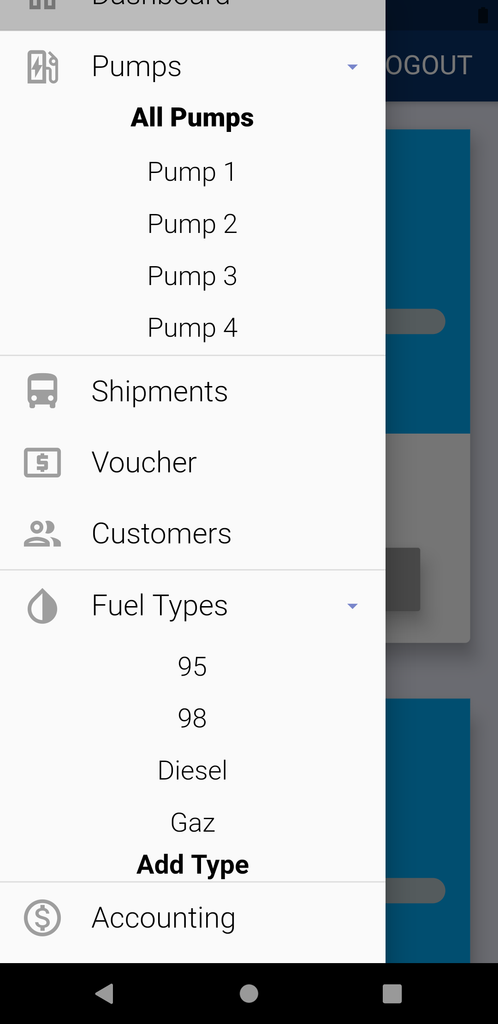
Complete Setup and Run Guide – Petrol Station Management System
The project has two parts: a PHP and MySQL web application and a Flutter mobile application. Follow the steps below to prepare and run them.
Best Online Gas Booking System Using PHP and MySQL :- Click Here
1. Install Required Software
Install these tools on your Windows computer:
- XAMPP – Apache, PHP and MySQL.
- Visual Studio Code – Code editor.
- Flutter SDK – For mobile application development.
- Android Studio – Android SDK and emulator.
- Git – Optional.
2. Extract the Project
- Extract the project ZIP file.
- Open the extracted project folder.
- Identify the PHP web application folder and Flutter mobile application folder.
- Open the PHP project folder in VS Code.
3. Run the PHP Web Application
Step 1: Move the project
Copy the PHP project folder into:
C:\xampp\htdocs\Step 2: Start XAMPP
Open XAMPP Control Panel and start:
- Apache
- MySQL
Step 3: Configure the database
- Open your browser.
- Visit
http://localhost/phpmyadmin/. - Create a new MySQL database.
- Open
dbConnection.phpin VS Code. - Check the database connection settings.
- Update the database name, username and password according to your local MySQL configuration.
- Import the SQL script provided with the project, following its database setup instructions.
Important: The supplied project description says SQL code is maintained in dbConnection.php, but it does not provide the exact database name or a separate SQL file. Check the actual project files before importing anything.
Step 4: Run the website
Open your browser and visit:
http://localhost/PROJECT_FOLDER_NAME/Replace PROJECT_FOLDER_NAME with the actual folder name.
4. Configure Email Notifications
The project uses PHPMailer.
- Open
success.php. - Find the following settings:
$mail->Username
$mail->Password- Configure them with the appropriate email credentials.
- Save the changes.
5. Configure SSL Commerz Payment Gateway
The project uses the SSL Commerz sandbox.
- Open
_checkout.php. - Configure the sandbox payment settings.
- Check
success.phpfor the corresponding payment configuration. - Use sandbox credentials for testing.
6. Run the Flutter Mobile Application
If the project includes a separate Flutter source folder:
- Open the Flutter project folder in VS Code.
- Open the terminal.
- Check Flutter installation:
flutter doctor4. Install project dependencies:
flutter pub get- Connect an Android device or start an emulator.
- Run the application:
flutter run7. Configure Firebase
The project description mentions Firebase Firestore and Firebase Authentication.
- Configure Firebase Authentication for the required sign-in methods.
- Configure Firebase Firestore according to the application’s data structure.
- Check the existing Firebase configuration files.
- Configure the web and mobile applications according to their existing integration.
What Are the Benefits of Petrol Station Management System?
- Centralized Management: Manage fuel inventory, sales, customer information, and employee schedules through one system.
- Real-Time Data Synchronization: The planned Firebase integration aims to keep information consistent across platforms.
- Cross-Platform Flexibility: Support access through web browsers and Android and iOS applications.
- Improved Customer Experience: Provide access to purchase information and reward-related features.
Frequently Asked Questions
1. What is Petrol Station Management System?
It is a web and mobile-based application designed to manage petrol station operations, including fuel inventory, sales, customers, and employees.
2. Which programming language is used?
The web application uses PHP, while the mobile application is developed using Flutter.
3. Which database is used in the project?
The current web application uses MySQL. Firebase Firestore is planned as a shared backend database for web and mobile applications.
4. Does the project include a mobile application?
Yes, the project includes a Flutter-based mobile application designed for Android and iOS.
5. What is Firebase Authentication used for?
Firebase Authentication is used to provide user authentication with support for multiple sign-in methods.
6. Does the system support fuel inventory monitoring?
Yes, the described features include fuel level tracking, low-quantity alerts, and stock management based on usage trends.
Final Thoughts
Petrol Station Management System is a web and mobile application project that focuses on improving petrol station operations through digital management. It combines PHP and MySQL for the web application with Flutter and Firebase technologies for mobile development and planned cross-platform synchronization. This project can be useful for understanding web development, mobile application development, database management, and cross-platform system architecture.