Placement Management System in PHP and MySQL
The Placement Management System is a practical web-based application developed with PHP and MySQL to organize important campus placement activities in one centralized platform. Educational institutions regularly work with recruiter information, placement drives, job opportunities and student queries. Managing these details manually can make it difficult to keep records consistent and updated. This project provides a structured solution for maintaining those placement-related records through a simple administration area and a responsive public portal.
The application is suitable for colleges, universities and training institutes that want a manageable placement workflow without introducing an unnecessarily complex architecture. It focuses on the core activities described for the project: administrator access, placement drive management, recruiter records, job posts, contact queries and useful public pages. The interface uses Bootstrap along with custom CSS to provide a clean and professional experience.
Complete Advance AI Topics: Click Here
Real Time Projects on YouTube:- DecodeIT
Project Overview
| Project Name | Placement Management System |
|---|---|
| Language Used | PHP |
| Database | MySQL |
| Frontend | HTML5, CSS3, Bootstrap, JavaScript |
Project Introduction
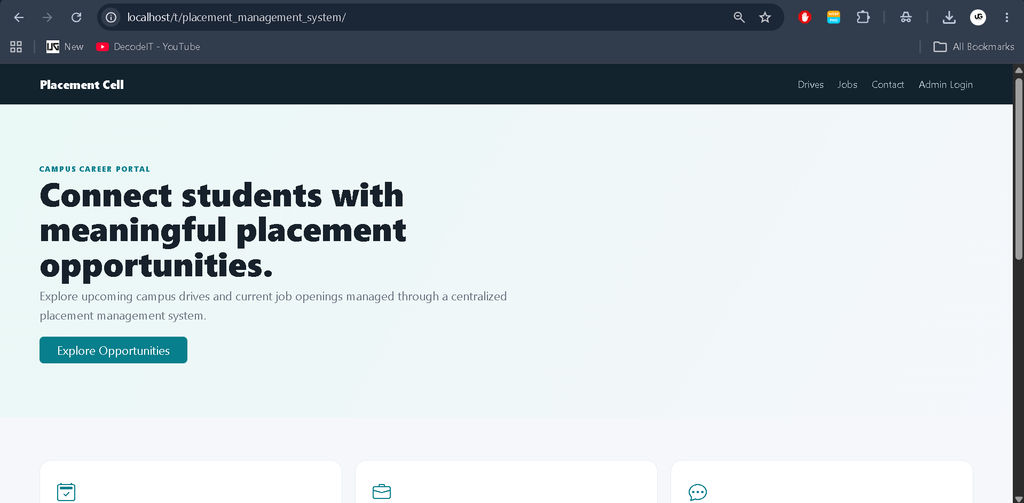
The main purpose of this system is to make placement information easier to maintain and access. An administrator can sign in to a protected dashboard and manage recruiter details, create placement drives, publish job posts and process incoming queries. The public portal presents current placement opportunities in a clear format so that users can review available information without accessing the administration area.
The system follows a connected workflow instead of presenting unrelated demonstration pages. Recruiter records are used by placement drives and job posts, while the contact section stores queries in the database for administrator review. This creates a practical database-driven college project that demonstrates authentication, CRUD operations, relational data, forms, validation and responsive interface design.
Key Features
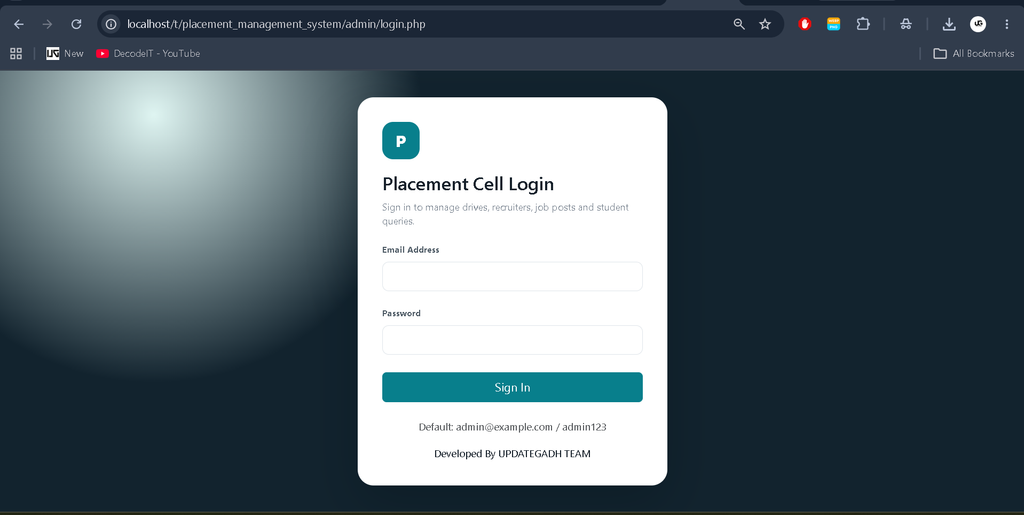
- Admin Login: A dedicated administrator login protects the management dashboard.
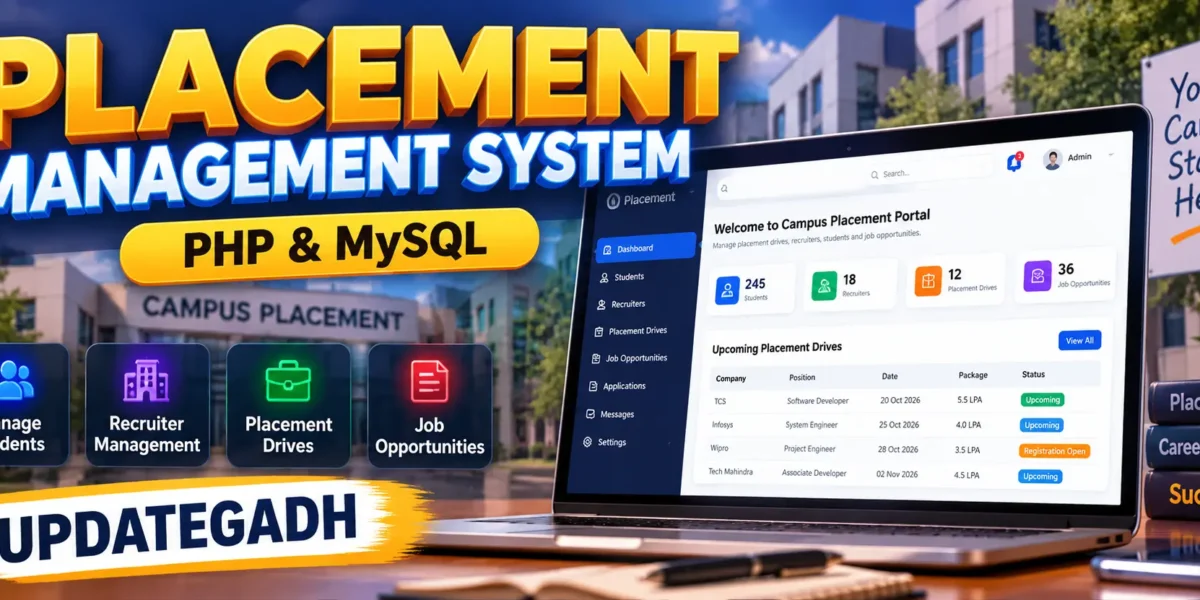
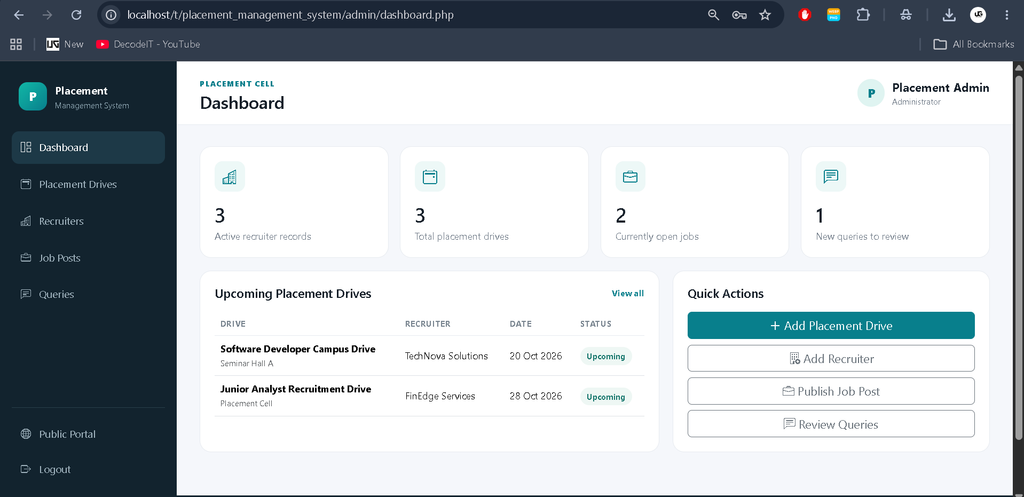
- Dashboard: The dashboard summarizes recruiter records, placement drives, open jobs and new queries.
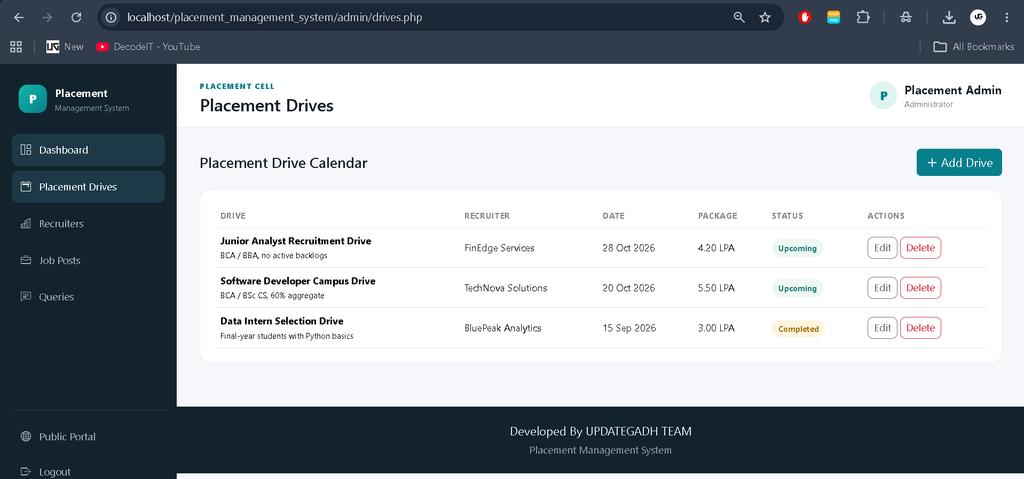
- Placement Drive Management: Administrators can add, edit, view and delete placement drives.
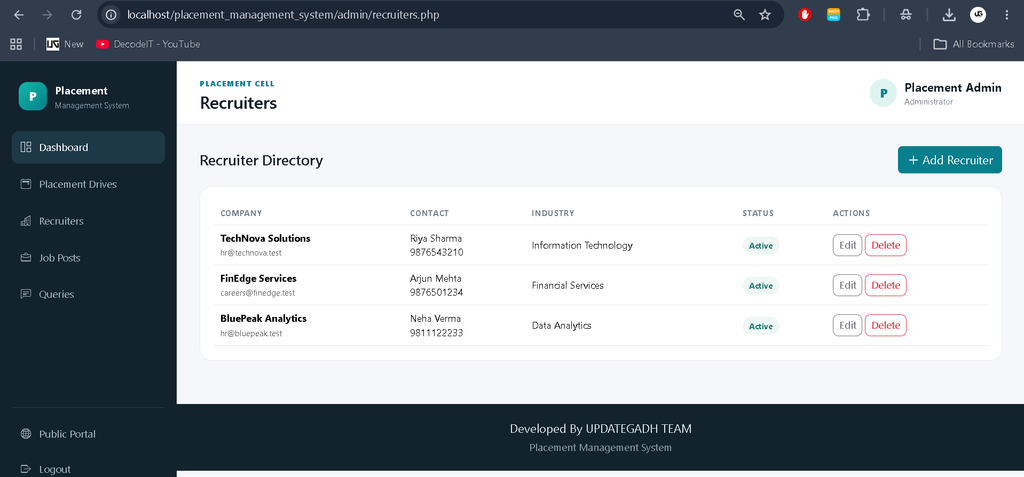
- Recruiter Management: Company name, contact person, email, phone, industry, website and status can be maintained.
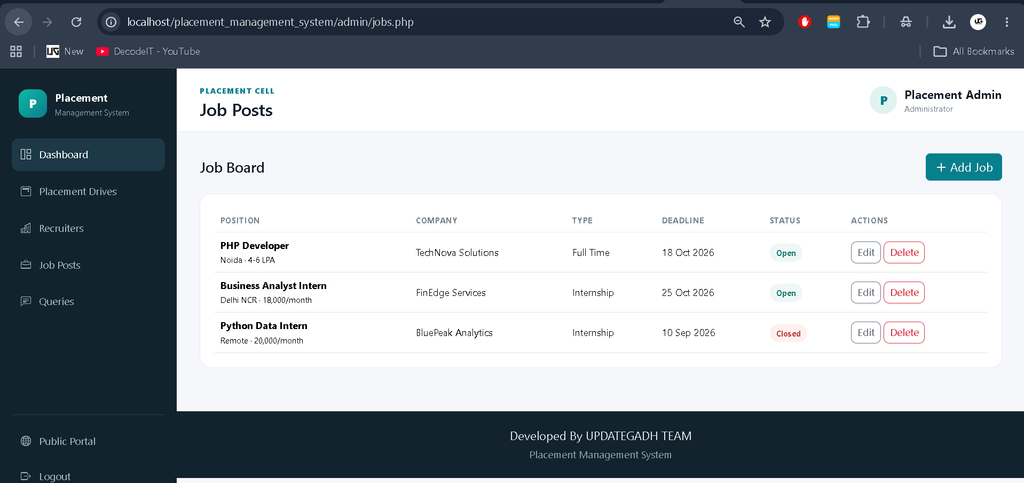
- Job Posts: Job title, company, location, type, salary, skills, deadline, description and status are managed from one module.
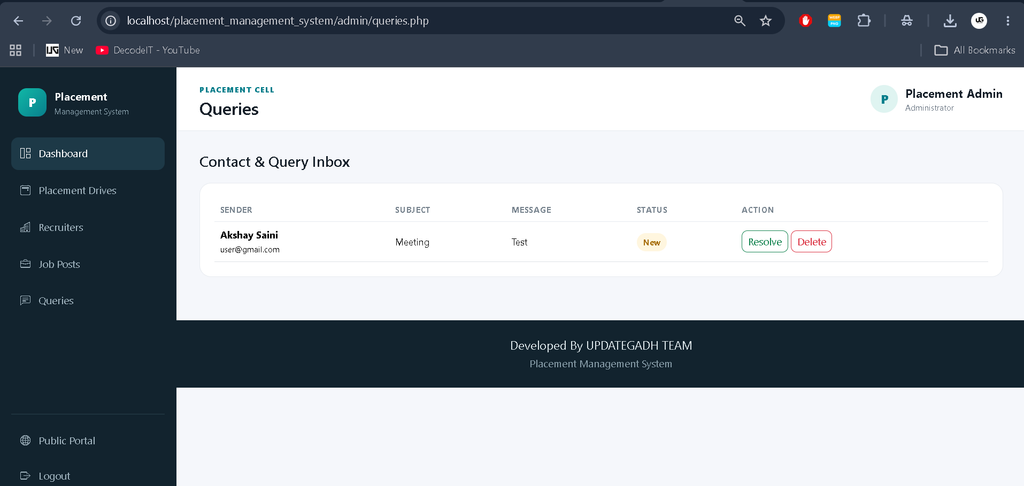
- Query Management: Messages submitted through the contact form are stored and can be marked as resolved.
- Responsive Frontend: Bootstrap and custom CSS provide layouts suitable for desktop and smaller screens.
- Static Pages: About, Blog and Products pages are included as supporting public pages.
- Custom 404 Page: Invalid routes can display a dedicated not-found page.
User Roles
Administrator
The administrator is the primary management user. After authentication, the administrator can maintain recruiter records, schedule placement drives, publish job opportunities and process queries. The dashboard provides a quick view of the current placement data and shortcuts to the main modules.
Public User
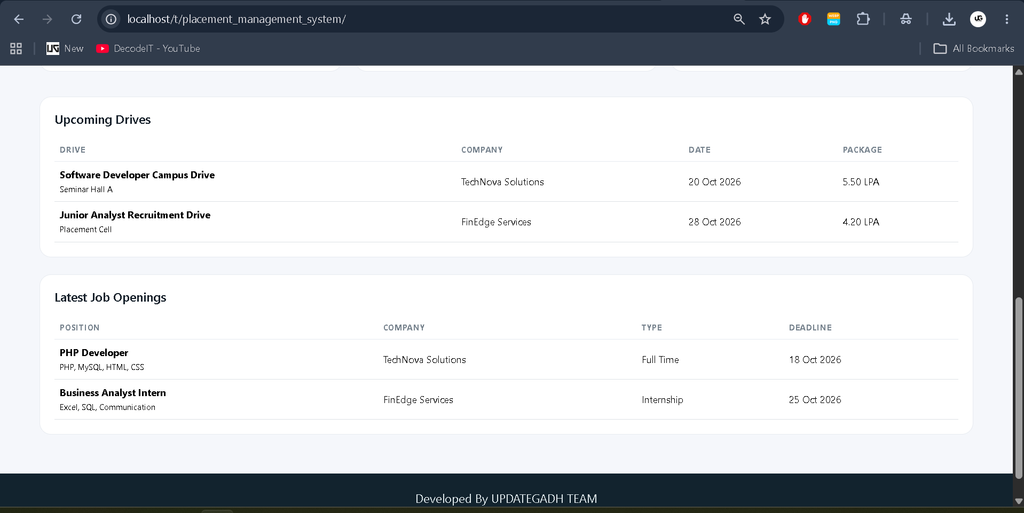
The public-facing user can view upcoming placement drives and open job opportunities. A public user does not receive access to the administration dashboard. The contact form provides a controlled way to send questions to the placement cell.
Project Modules
1. Admin Authentication and Dashboard
The login page provides administrator authentication. After a successful login, the dashboard displays useful counts and upcoming placement drives. The session-based access check prevents unauthenticated users from directly opening protected administration pages.
2. Recruiter Management
This module maintains the organizations participating in campus recruitment. Administrators can add new recruiter records, update existing details, change status and remove records when they are no longer required. Recruiter information is linked with drives and jobs through database relationships.
3. Placement Drive Management
The placement drive module stores the recruiter, drive title, date, venue, eligibility, package, status and description. Administrators can update the drive lifecycle using Upcoming, Completed or Cancelled statuses. The public portal displays upcoming drives to make current opportunities easier to find.
4. Job Management
The job module is used for current vacancies and internship opportunities. Each post is connected to a recruiter and can include location, job type, salary, skills, deadline and description. Open and Closed statuses help the administrator keep the public job board relevant.
5. Query Management
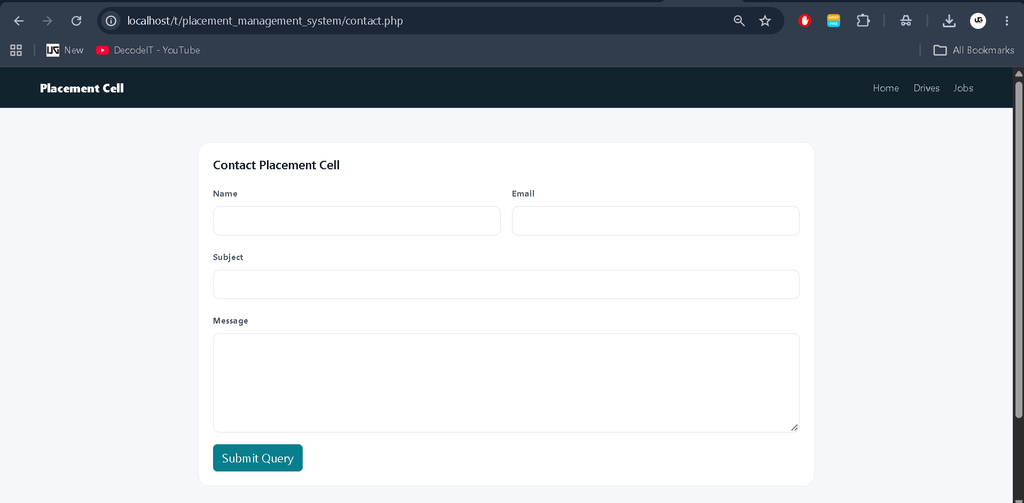
The contact form collects a sender name, email address, subject and message. Submitted records are stored in MySQL and displayed in the administrator inbox. A query can be marked as resolved or deleted when appropriate.
Technology Stack
The backend is developed using PHP, while MySQL stores application data. HTML5 and CSS3 provide the page structure and styling. Bootstrap is used for responsive components, forms and layout support, while JavaScript provides small client-side interactions such as delete confirmations. Database access uses PHP PDO prepared statements for the core CRUD operations.
Database Design
The database contains dedicated tables for administrators, recruiters, placement drives, jobs and queries. The placement drives and jobs reference recruiter records using foreign keys. This structure avoids unnecessary duplication and keeps related information connected. Status fields are used where the application needs to distinguish active, upcoming, completed, cancelled, open or resolved records.
Download complete source code
Screenshot
Installation and Setup
- Install XAMPP or another PHP and MySQL development environment.
- Copy the project folder into the web server directory, such as htdocs.
- Start Apache and MySQL from the local server control panel.
- Open phpMyAdmin and import the supplied database/placement_management.sql file.
- Check the database name, username and password in config/config.php.
- Open the project in a browser through the local server address.
- Use the administrator credentials supplied with the database to access the dashboard.
The project is organized into configuration, database, administration, public pages, shared includes and assets. This structure makes the code easier for a college student to understand and maintain.
Usage
After installation, open the public home page to review upcoming drives and open job opportunities. To manage records, open the administrator login and sign in. From the dashboard, choose the required module. Recruiters should be created before adding drives or job posts because both modules use recruiter relationships. After adding information, administrators can return to the listing pages to edit or remove records. Queries submitted from the public contact page appear in the query inbox for review.
Frequently Asked Questions
Is this project based on PHP and MySQL?
Yes. PHP is used for the server-side application logic and MySQL is used for the database.
What can the administrator manage?
The administrator can manage recruiter details, placement drives, job posts and submitted queries through the protected dashboard.
Can public users access the admin dashboard?
No. The administration pages require a valid administrator session.
Does the project include a contact form?
Yes. The public contact page accepts queries and stores them in the database for administrator review.
Is the interface responsive?
Yes. The interface uses Bootstrap and custom responsive CSS so the main pages can adapt to different screen sizes.
Future Scope
- Student registration and profile management can be added as a separate module.
- Placement applications can be linked with students and job posts.
- Email notifications can be introduced for important drive and deadline updates.
- Additional placement reports can be generated from stored records.
- Role-based access can be expanded if separate placement officers are required.
These are possible future improvements and are not presented as current features of the project.
Conclusion
The Placement Management System provides a focused and practical solution for organizing campus placement information. Its PHP and MySQL architecture keeps the project approachable for college-level development while still demonstrating meaningful database relationships, authentication, CRUD operations, forms and responsive UI design. Recruiter records, placement drives, job opportunities and queries are connected through a clear workflow, making the project suitable for academic demonstration and further customization. The included public pages and administrator dashboard also provide a complete application flow rather than a collection of disconnected screens.
Keyword:
Placement Management System
Placement Management System – Google Search
placement management system project
placement management system project with source code
placement management system project github
placement management system er diagram
placement management system website
placement management system github
placement management system cdac
placement management system project report pdf
placement management system project in java