Online Hotel Booking in PHP
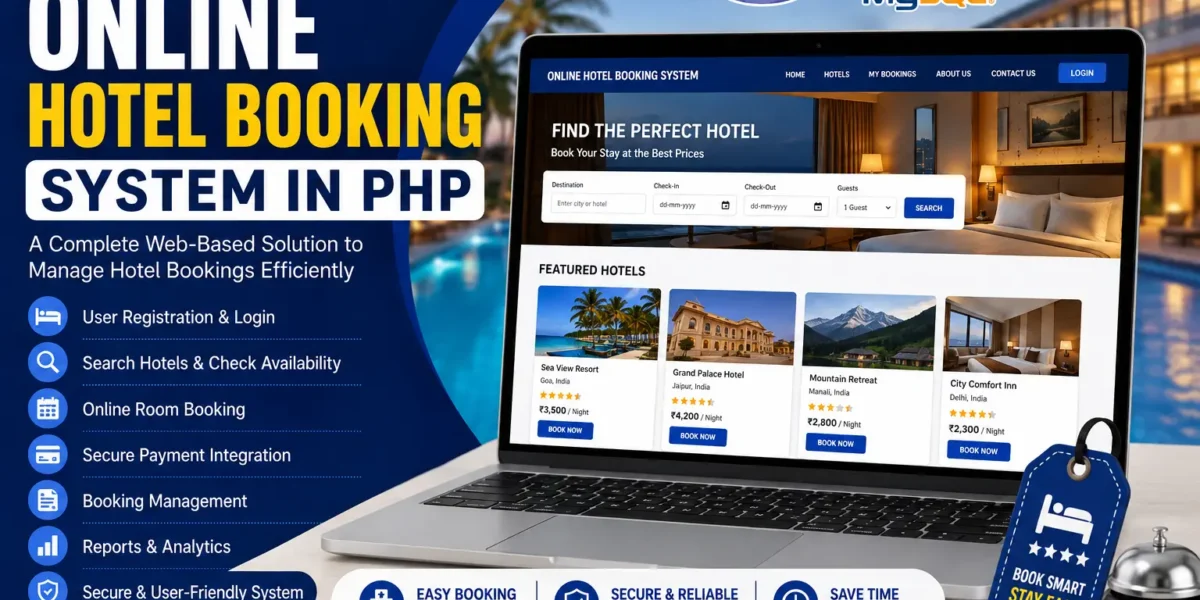
The Online Hotel Booking in PHP is a web-based Hotel and Tourism Reservation System designed to make hotel room bookings and tourism reservations easier to manage. The system provides separate sections for users and administrators, allowing both sides to perform their respective activities through a simple and user-friendly interface.
In today’s fast-paced environment, online reservation systems provide a convenient way for customers to search for available rooms, select their preferred rooms, and make reservations according to their selected dates. This Hotel and Tourism Reservation System in PHP provides these basic reservation facilities along with options for booking tours and managing hotel-related information.
The project is developed using PHP, CSS, JavaScript, and Bootstrap. The application has two major parts: the User Side and the Admin Side. Users can search and book rooms and reserve tour packages, while administrators can manage reservations, rooms, tours, and event details.
Online Hotel Booking System in PHP
The Online Hotel Booking System provides a centralized platform for managing hotel and tourism reservations. The user side allows visitors to search for available rooms and select the room they prefer based on their chosen dates.
Along with room booking, the system also provides a tour reservation facility. Users can browse the available tour or travel packages and make reservations according to their interests and requirements.
The administrator has a separate management section where hotel reservations and tourism-related information can be managed. Admin users can view bookings, manage reservations, and track the status of each booking.
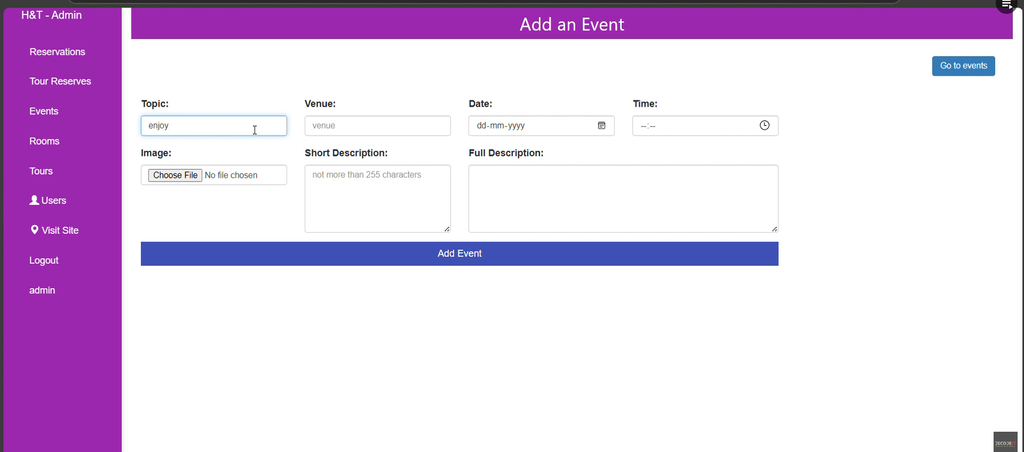
The admin can also add, modify, or delete rooms, tours, and event details as required. Reporting tools are available for viewing information about bookings and monitoring the performance of the hotel or tourism business.
About the Hotel and Tourism Reservation System
This project is designed to provide a simple yet effective solution for online hotel and tourism reservations. The system focuses on making the reservation process easy for users while providing administrators with the necessary management options.
The application uses PHP for development, along with CSS, JavaScript, and Bootstrap. Bootstrap is used to create a responsive and mobile-friendly layout so that users can interact with the system on different screen sizes.
The system design is minimalistic and user-centric. The available features are organized in a straightforward manner, allowing users to make reservations without dealing with a complicated interface.
On the administrative side, the available management functions are organized so that hotel staff can handle reservations and manage rooms, tours, and event details from the admin section.
Key Features of Online Hotel Booking System
User Side
The user side of the system is designed for customers who want to make hotel room or tourism reservations. It provides the main booking-related functionality required by users.
1. Room Booking
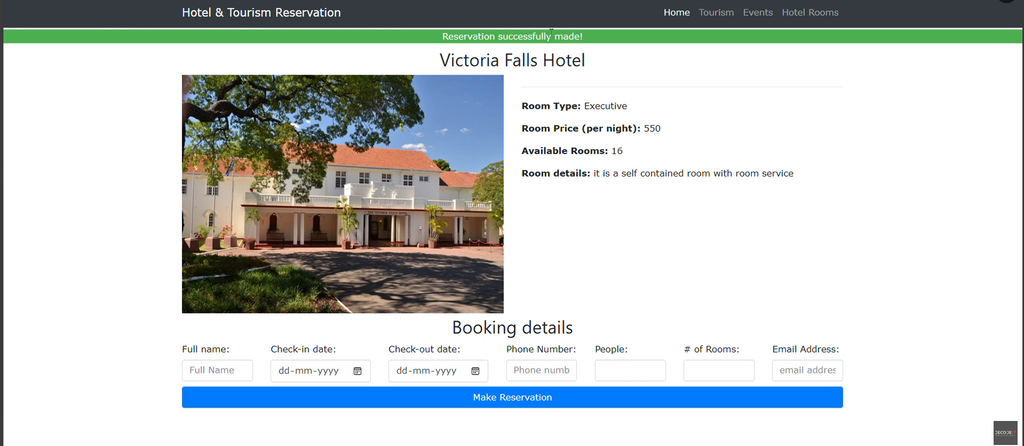
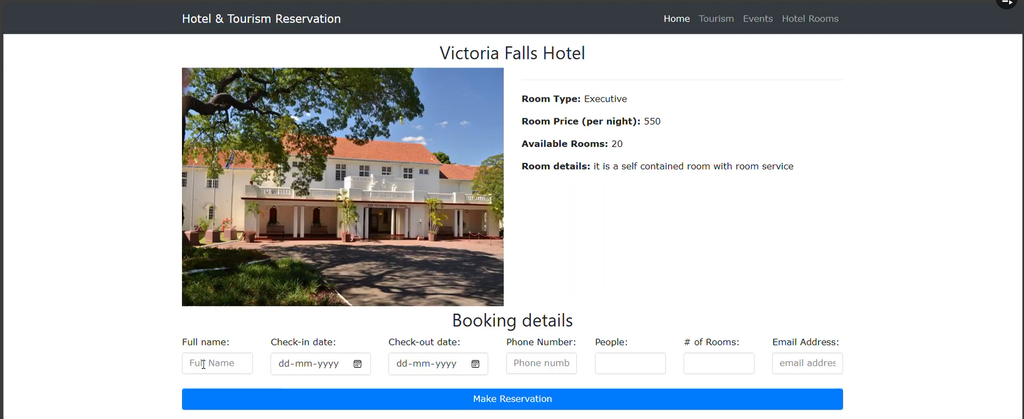
The Room Booking feature allows users to search for available rooms and select their preferred room. Users can choose rooms according to their selected dates and make reservations through the system.
The room booking process provides users with a simple way to interact with the available hotel rooms. Instead of handling the reservation process separately, users can search for rooms and make their booking through the online system.
The room booking functionality includes:
- Search for available rooms.
- Select a preferred room.
- Choose the required dates.
- Make a room reservation.
2. Tour Reservations
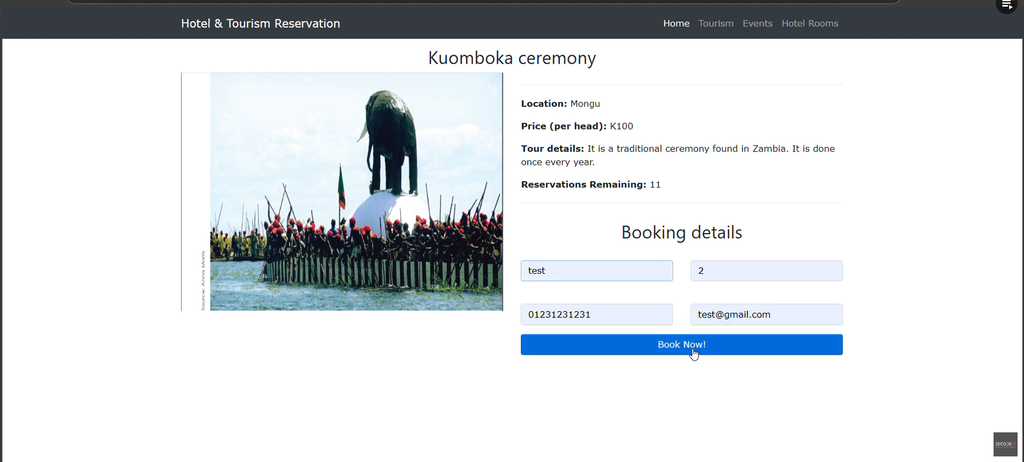
The system also provides a Tour Reservation facility. Users can reserve tours or travel packages according to their interests and requirements.
This feature extends the system beyond room reservations by allowing users to make tourism-related reservations through the same platform.
Users can select the available tour or travel package that suits their requirements and make a reservation through the system.
3. Easy Navigation
The user interface has been designed to provide easy navigation. The clean and simple layout allows users to move through the available sections without unnecessary complexity.
The system is designed so that even first-time users can understand how to navigate through the application and use the available booking functionality.
Admin Side
The Admin Side provides the management functionality of the Online Hotel Booking System. Administrators can manage reservations and maintain information related to rooms, tours, and events.
1. Reservation Management
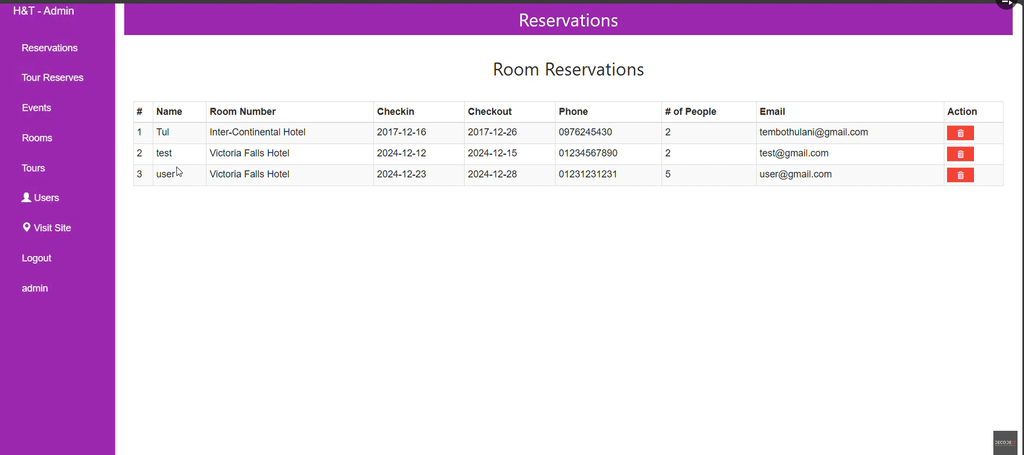
The Reservation Management feature allows administrators to view all user bookings. Admin users can manage reservations and track the status of each booking through the administrative interface.
This provides hotel staff with a centralized location for handling booking information. Instead of managing reservations separately, administrators can access the available booking records through the system.
The reservation management functionality allows admins to:
- View user bookings.
- Manage reservations.
- Track booking status.
2. Room and Tour Management
The Room & Tour Management section allows the administrator to manage the rooms and tours available in the system.
Administrators can add new rooms and tours whenever required. Existing rooms and tours can also be modified according to the requirements of the hotel or tourism business.
If a room, tour, or event detail is no longer required, the administrator can delete the corresponding information from the system.
The room and tour management section provides options to:
- Add rooms.
- Modify rooms.
- Delete rooms.
- Add tours.
- Modify tours.
- Delete tours.
- Manage event details.
3. Reporting Tools
The Reporting Tools allow administrators to access reports related to bookings. These reports help administrators monitor the bookings recorded through the system.
Booking reports provide useful information for reviewing the reservations handled by the hotel or tourism business. Administrators can use these reports to monitor the available booking information and make informed decisions based on the recorded data.
Technologies Used
The Online Hotel Booking and Tourism Reservation System is developed using the following technologies:
- PHP – Used for developing the web-based application.
- CSS – Used for styling and designing the interface.
- JavaScript – Used as part of the application’s interactive functionality.
- Bootstrap – Used for creating the responsive and mobile-friendly layout.
The combination of these technologies provides the basic structure and interface required for the hotel and tourism reservation system.
How to Run Online Hotel Booking System in PHP
To run the Hotel and Tourism Reservation System on your local machine, you need to have XAMPP or a similar local server installed. After installing the local server, follow the project setup steps.
Step 1: Download and Extract the Project
First, download the source code of the Online Hotel Booking System. The project is provided as a ZIP file.
After downloading the project, extract the ZIP file on your computer. Once extraction is completed, locate the main project folder.
Step 2: Move Project Files to XAMPP
Copy the extracted project folder and place it inside the XAMPP htdocs directory.
xampp/htdocs/The htdocs directory is used for storing PHP projects that need to be accessed through the local Apache server.
After copying the project folder into htdocs, the project files will be available through the local server.
Step 3: Set Up the Database
After placing the project files in the XAMPP directory, the next step is to create and import the project database.
Open your browser and access phpMyAdmin. From the phpMyAdmin interface, open the Databases tab.
Create a new database named:
hotel_dbAfter creating the database, select the newly created hotel_db database and open the Import tab.
Inside the extracted project folder, locate the database file:
hotel_db (1).sqlThe SQL file is located inside the ht folder of the extracted project. Select this SQL file from the Import section and click Go to import the database.
After the import process is completed, the database required by the project will be available.
Step 4: Access the Project
Once the project files have been moved to the XAMPP htdocs directory and the database has been imported, the system can be accessed through the local server.
The User Side of the system can be opened through the project’s local address. The Admin Page can also be accessed through its respective project address.
After accessing the system, users can use the hotel and tourism reservation functionality, while administrators can access the available management functions.
Screenshot:-
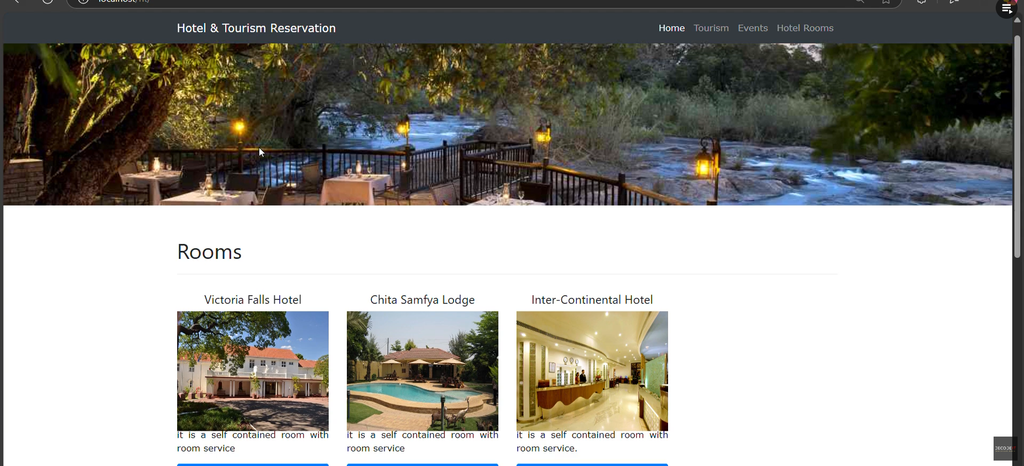
How to Download
Get This Project
The complete package is available so you can run, study, and submit it with confidence. It includes:
- Full Source Code
- Project Report
- Synopsis
- PPT Presentation
For any queries or a quick response, reach out on WhatsApp: +91 79834 34684
System Design
The system design is minimalistic and user-centric. The application uses Bootstrap to provide a responsive and mobile-friendly layout.
The responsive design allows users to interact with the system on both desktop and mobile devices. The interface focuses on keeping the booking and management process simple rather than making the application unnecessarily complicated.
Users can access the available room booking and tour reservation functionality through the user side, while administrators can use the admin side to manage reservations, rooms, tours, and event details.
The simple design makes the system easier to navigate and allows users to make reservations without being overwhelmed by complicated features.
Online Hotel Booking in PHP and MySQL
The project is also suitable for users searching for an online hotel booking system in PHP and MySQL. It demonstrates how hotel room reservations, tour reservations, booking management, room management, tour management, event details, and booking reports can be organized within a web-based application.
The user side focuses on making reservations, while the admin side focuses on managing the information and bookings handled by the system. This separation keeps the different activities organized within their respective sections.
Keywords:-
- online hotel booking in php github
- free online hotel booking in php
- online hotel booking in php pdf
- online hotel booking in php example
- hotel booking system project in php
- localhost hotel booking index php
- online hotel reservation system project report pdf
- hotel booking website php
- online hotel booking system in php with source code
- online hotel booking system in php github
- free online hotel booking system in php
- online hotel booking system in php example
- hotel management system project in php
- hotel management system project in php pdf
- online hotel booking project in asp net with c#
- php hotel management system source code