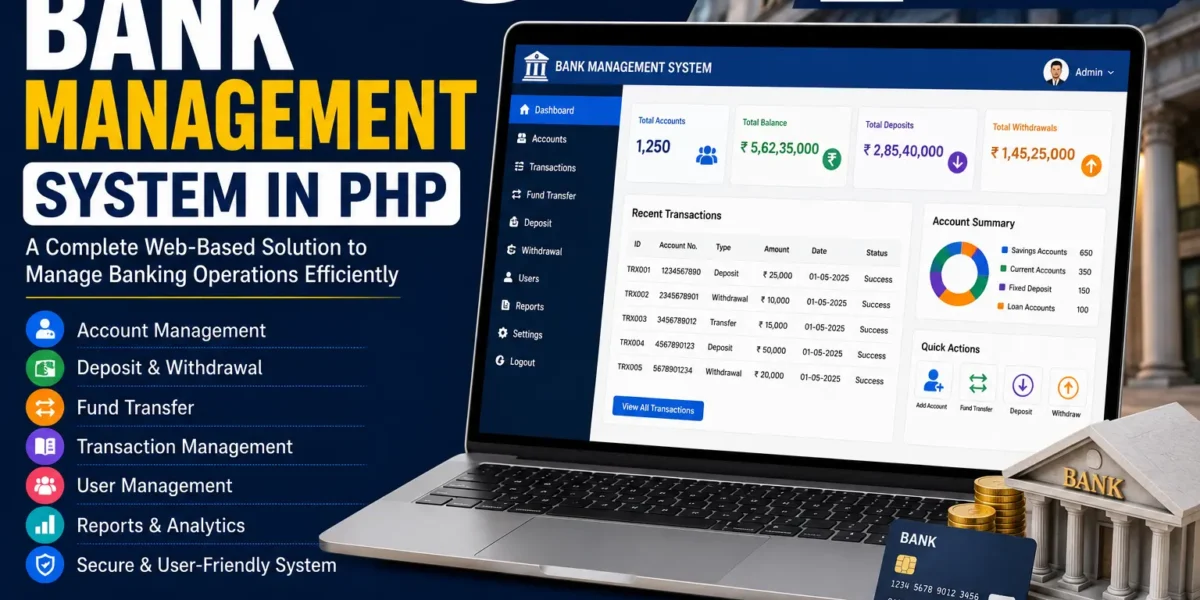
Bank Management System Using PHP
The Bank Management System Using PHP and MySQL is a web-based application designed to make banking activities easier to manage through an online platform. As banking services continue to move toward digital platforms, customers expect convenient access to their accounts and banking activities without having to visit the bank physically for every task.
This Online Bank Management System in PHP provides a web-based environment where account holders and bank staff can manage different banking activities through a centralized application. The project is developed using PHP and MySQL and uses Bootstrap Framework v4 to provide a responsive and user-friendly interface.
The system is divided into three main modules: the User Module, Manager Module, and Cashier Module. Each module is designed according to the responsibilities associated with that banking role.
The User Module focuses on account holders and provides account information, account statements, fund transfers, balance information, notifications, profile editing, and password changing. The Manager Module focuses on account and staff management, while the Cashier Module handles deposits and withdrawals.
Bank Management System in PHP
The Bank Management System in PHP provides a digital platform for handling banking-related activities. The system is designed to simplify the interaction between customers and bank staff by providing separate modules for users, managers, and cashiers.
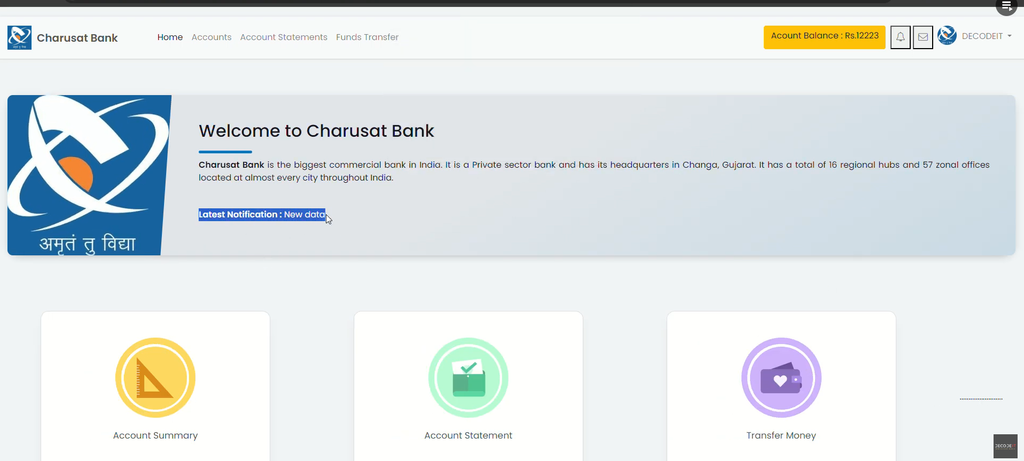
Customers can access their account information through the User Module. They can view account details, check their balance, review transaction history, transfer funds, receive notifications, and edit their profile information.
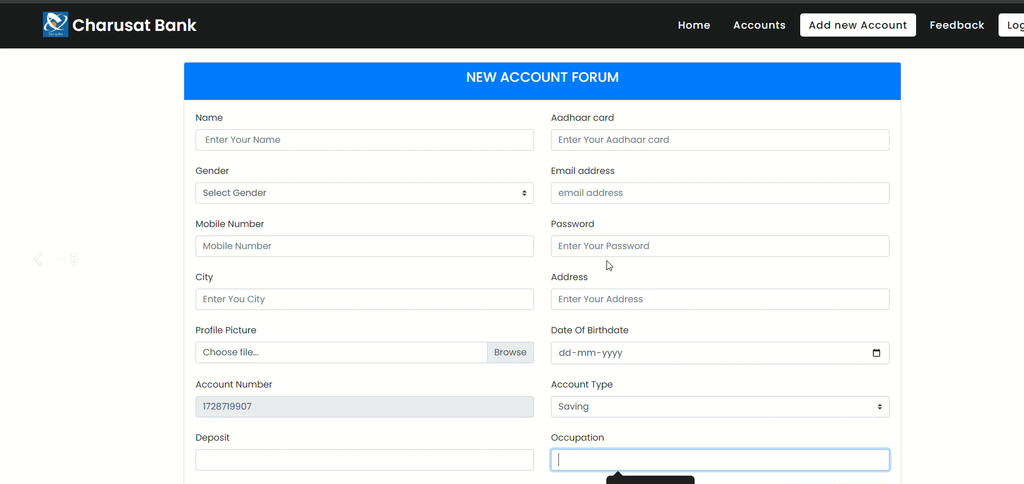
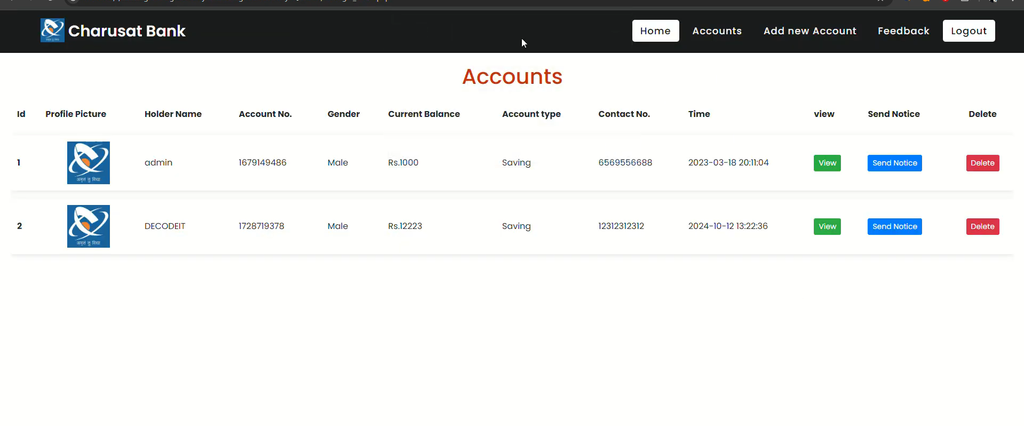
The Manager Module provides managers with tools for managing customer accounts and cashier-related activities. Managers can create new user accounts, manage existing accounts, send notices, receive feedback, and manage cashier access.
The Cashier Module focuses on direct banking transactions. Cashiers can assist users with depositing or withdrawing money from their accounts.
By separating these activities into three modules, the system provides each type of user with the functionality required for their respective role.
Overview of the Online Bank Management System
The Online Bank Management System is designed to provide a simple and convenient banking environment through the web. The project uses PHP for the application functionality and MySQL for database management.
The interface is enhanced using Bootstrap Framework v4, which helps provide an aesthetically pleasing and responsive design. The user-friendly interface makes it easier for account holders and bank staff to navigate through the available options.
The system contains three important modules. The User Module provides account holders with access to their banking information. The Manager Module provides management functionality for customer accounts and cashiers. The Cashier Module provides functionality for deposits and withdrawals.
Each module works as a separate part of the overall banking application while contributing to the complete management system.
Key Features of Bank Management System
User Module
The User Module is designed for bank account holders. It provides users with access to their account information and different banking activities through the online system.
1. Secure Login
The Secure Login feature provides users with access to their accounts through the login system. The project is designed to protect user information by using secure credentials and sessions.
Users can log in to the system and access the banking functionality available within their account. This provides a dedicated area for account holders to manage and view their banking information.
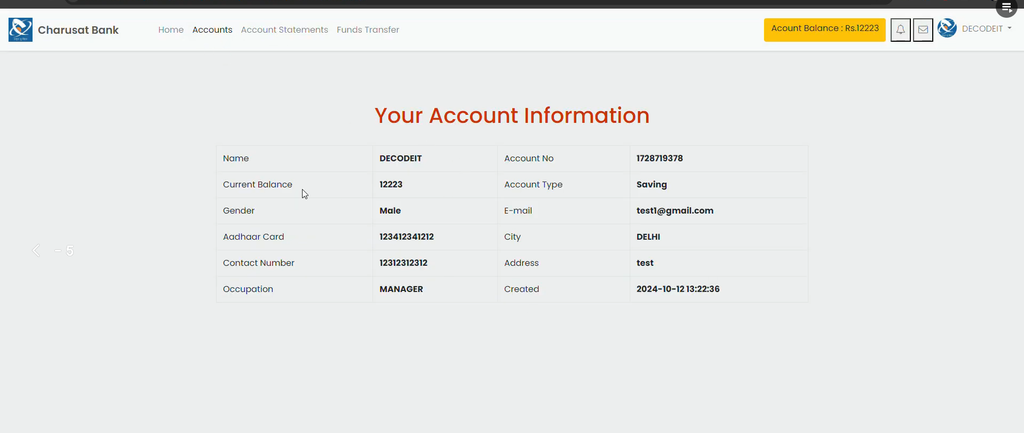
2. Account Information
The Account Information section displays important information related to the user’s bank account. Users can view details such as their account type, balance, and personal information.
This gives account holders a convenient way to access their account information from the online banking interface.
3. Account Statement
The Account Statement feature allows users to view their transaction history. Users can access their previous transaction information for monitoring and record-keeping purposes.
The statement provides account holders with a convenient way to review their banking transactions through the system.
4. Funds Transfer
The Funds Transfer feature allows users to transfer funds to other accounts through the online banking system.
This provides account holders with an online method for transferring money without requiring them to visit the bank physically for the transaction.
5. Account Balance
The Account Balance feature allows users to view their current account balance. The balance information is updated after transactions so that users can access their available balance through the system.
This provides account holders with quick access to their account balance whenever they need to check it.
6. Notification
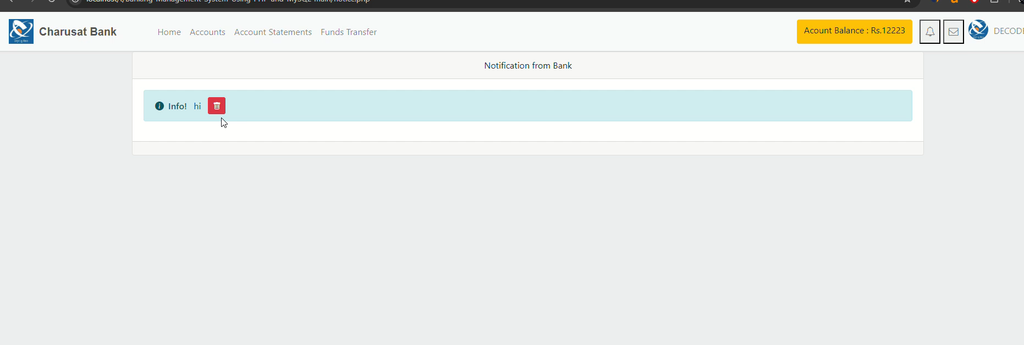
The Notification feature allows the bank to send important notifications or messages to users. These messages can include transaction alerts and other information from the bank.
Notifications provide a way for important banking information to be communicated to account holders through the system.
7. Edit Profile
The Edit Profile feature allows users to update their personal information. Account holders can edit details such as their email, phone number, or address.
This allows users to keep their personal account information updated through the online banking interface.
8. Change Password
The Change Password feature provides users with an option to update their login password. This functionality is included as an optional account management feature for improving the security of the user’s login credentials.
Users can use the available option to change their password when required.
Manager Module
The Manager Module is designed for bank managers and provides functionality for managing customer accounts and cashier-related activities.
Managers can access the management section through the manager login and perform the available account and staff management operations.
1. Manager Login
The Manager Login feature provides secure access for bank managers. Managers can log in to the system and access the administrative functionality available to their role.
This keeps the manager-related functions within the dedicated management section of the application.
2. Add User Account
The Add User Account feature allows managers to create new accounts for customers. Managers can enter the required customer information while creating a new user account.
This provides the bank manager with a centralized way to create customer accounts and maintain the required details within the system.
3. Manage User Account
The Manage User Account feature allows managers to update or deactivate user accounts when necessary.
Managers can use this section to maintain existing customer accounts and make the required changes to account information.
4. Send Notice to User Account
The Send Notice to User Account feature allows managers to communicate with customers through notices, announcements, updates, or reminders.
This provides a dedicated method for managers to send important information to users through the banking system.
5. Get Feedback from User Account
The Get Feedback from User Account feature allows managers to collect feedback from customers.
Customer feedback can provide information about the banking service and user experience. Managers can access the feedback provided through the system.
6. Manage Cashier and Add Account
The Manage Cashier and Add Account functionality allows managers to manage cashier roles and their access.
Managers can use the available tools to manage cashier-related access and assign or deactivate cashier access when required.
Cashier Module
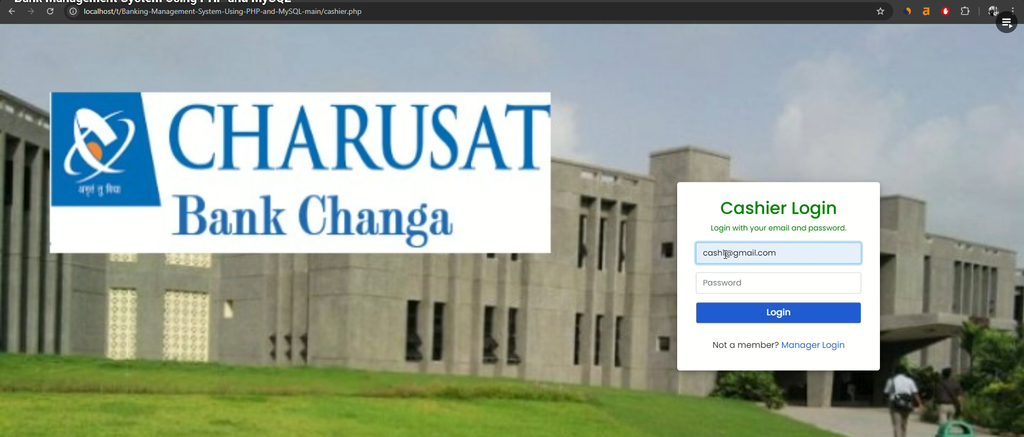
The Cashier Module is designed for cashiers who handle banking transactions directly at the bank.
The module focuses on deposit and withdrawal activities, allowing cashiers to assist users with their physical banking transactions.
1. Deposit or Withdraw Money
The Deposit or Withdraw Money feature allows cashiers to handle deposits and withdrawals for users.
Cashiers can assist account holders with depositing money into their accounts or withdrawing money from their accounts. This provides the transaction functionality available through the Cashier Module.
The cashier section therefore focuses specifically on handling these direct banking transactions for account holders.
Three Main Modules
The Bank Management System is organized into three main modules, each with a specific purpose.
- User Module: Designed for account holders to access account information and perform available online banking activities.
- Manager Module: Designed for managers to manage user accounts, notices, feedback, and cashier-related activities.
- Cashier Module: Designed for cashiers to handle deposits and withdrawals.
This module-based structure makes the application easier to understand because each role has its own dedicated functionality.
Responsive and User-Friendly Interface
The Bank Management System provides an easy-to-navigate and user-friendly interface. The project uses Bootstrap Framework v4 to enhance the design and provide a responsive layout.
The responsive design helps the application adapt to different screen sizes, while the clean interface makes the available banking functions easier to access.
Users can navigate through account information, statements, transfers, balance information, notifications, and profile settings from the User Module. Managers and cashiers can access their respective functions through their dedicated modules.
PHP and MySQL Bank Management System
The project is developed using PHP and MySQL. PHP provides the application functionality, while MySQL is used for managing the database information required by the banking system.
The combination of PHP and MySQL makes the project a practical example of a database-driven web application. The system demonstrates how different user roles can interact with a centralized banking application.
The Bootstrap Framework v4 is also used to improve the interface and provide responsive design.
Installation and Setup Guide
To run the Online Bank Management System locally, you need a local server environment such as XAMPP or WAMP. Follow the available setup steps to configure the project.
Step 1: Start Your Server
First, open your XAMPP or WAMP control panel. Start both the Apache and MySQL services.
These services are required to run the PHP application and connect the project with the MySQL database.
Step 2: Extract the Source Code
Download the source code ZIP file and extract it on your computer.
After extracting the files, locate the main project folder that contains the Bank Management System source code.
Step 3: Move Files to the Correct Directory
If you are using XAMPP, copy the extracted project folder and paste it inside the:
htdocsdirectory.
The usual XAMPP location is:
C:\xampp\htdocsIf you are using WAMP, paste the project folder inside the:
wwwdirectory.
The usual WAMP location is:
C:\wamp64\wwwAfter moving the project files to the appropriate directory, the application can be accessed through the local server.
Screenshot:-
How to Download
Get This Project
The complete package is available so you can run, study, and submit it with confidence. It includes:
- Full Source Code
- Project Report
- Synopsis
- PPT Presentation
For any queries or a quick response, reach out on WhatsApp: +91 79834 34684
Conclusion
The Bank Management System Using PHP and MySQL provides a web-based platform for managing banking activities through three dedicated modules: User, Manager, and Cashier.
The User Module allows account holders to access account information, view statements, transfer funds, check balances, receive notifications, edit profiles, and change passwords. The Manager Module provides functionality for creating and managing user accounts, sending notices, collecting feedback, and managing cashier access.
The Cashier Module provides the functionality required for handling deposits and withdrawals. Together, these modules create a structured banking management application.
Developed using PHP, MySQL, and Bootstrap Framework v4, the project provides a responsive and user-friendly interface. It can also serve as a useful learning resource for students and developers who want to understand how a web-based banking management system can be organized.
Keywords:-
- bank management system using php with source code
- bank management system using php github
- bank management system using php pdf
- bank management system using php and mysql
- bank management system project in php github
- bank loan management system project in php github
- online banking system project with source code
- grocery management system project in php