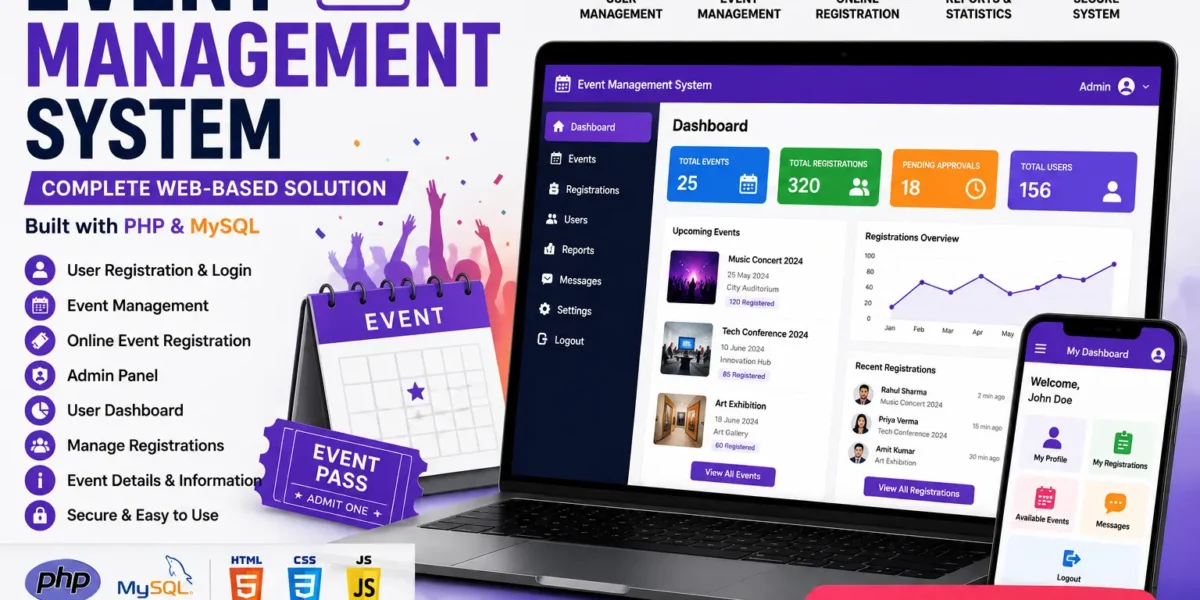
Looking for a complete, real-world final year project that actually impresses examiners? The Event Management System in PHP is one of the most practical, placement-ready projects you can submit this year. Named Eventra, this campus event booking platform lets students discover events, reserve seats, and receive a scannable QR ticket, while administrators manage events, venues, users, and bookings from a dedicated dashboard.
In this post you will learn exactly what this project does, the technologies behind it, how it works end to end, how to run it on your own machine, and how to get the full source code with report, synopsis, and PPT. Whether you are a BCA, MCA, B.Tech CS/IT, M.Tech, or MBA student, this project is built to be viva-ready and resume-worthy.
| Detail | Description |
|---|---|
| Project Name | Eventra – Campus Event Management System |
| Language | PHP 8.1 (plain PHP, no framework) |
| Database | MySQL |
| Project Type | Web Application |
| Category | Event Booking & Management |
| Difficulty | Intermediate to Advanced |
| Platform | Runs offline on XAMPP / WAMP (Apache + MySQL) |
| Best For | BCA, MCA, B.Tech CS/IT, M.Tech, MBA final year students |
| Developer | Updategadh |
About the Event Management System Project
Managing campus events manually is messy and error-prone. Registration sheets get lost, seats are double-booked, no one knows how many tickets remain, and there is no clean way to hand out or verify tickets. Colleges, fests, seminars, and workshops all struggle with the same problem: there is no single system that lets students book a seat and lets organisers track everything in real time.
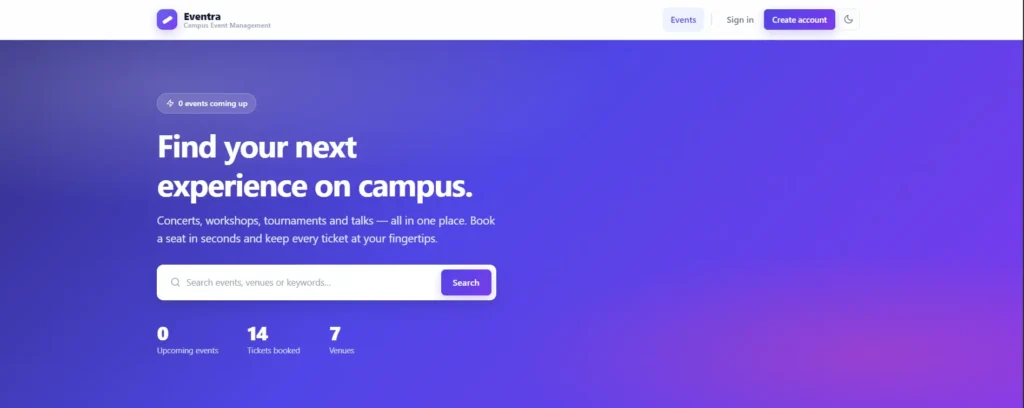
This Event Management System in PHP solves that problem end to end. Students browse and search events, filter by category, date, or price, and reserve a seat with a single click, backed by capacity that is enforced at the database level so the last seat can never be oversold. Each successful booking generates a unique QR ticket that an administrator can scan and verify. On the other side, admins get a full dashboard with booking trends, revenue analytics, venue control, user management, and review moderation, turning a chaotic manual process into a smooth digital workflow.
Key Features of the Event Management System
Student Module
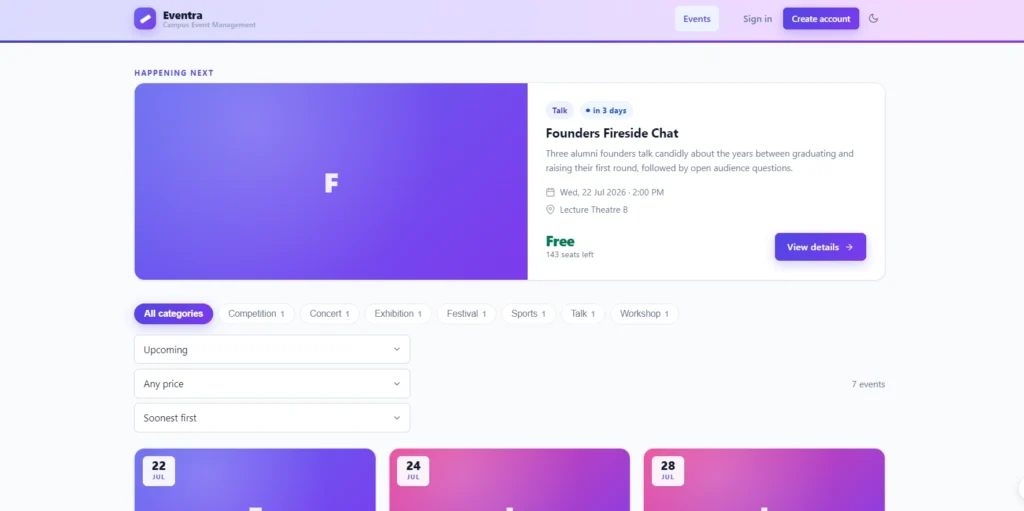
- Event Discovery: Search by name, venue, or keyword and filter by category, date range, and price, with sorting by date, popularity, or price.
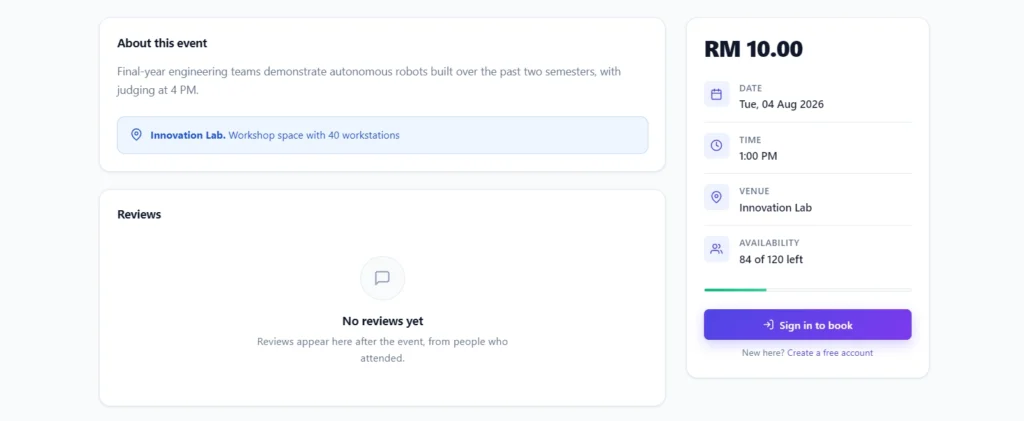
- Detailed Event Pages: Full event details with live seat availability, venue information, and related event suggestions.
- One-Click Booking: Reserve a seat instantly, with seat capacity enforced safely at the database level.
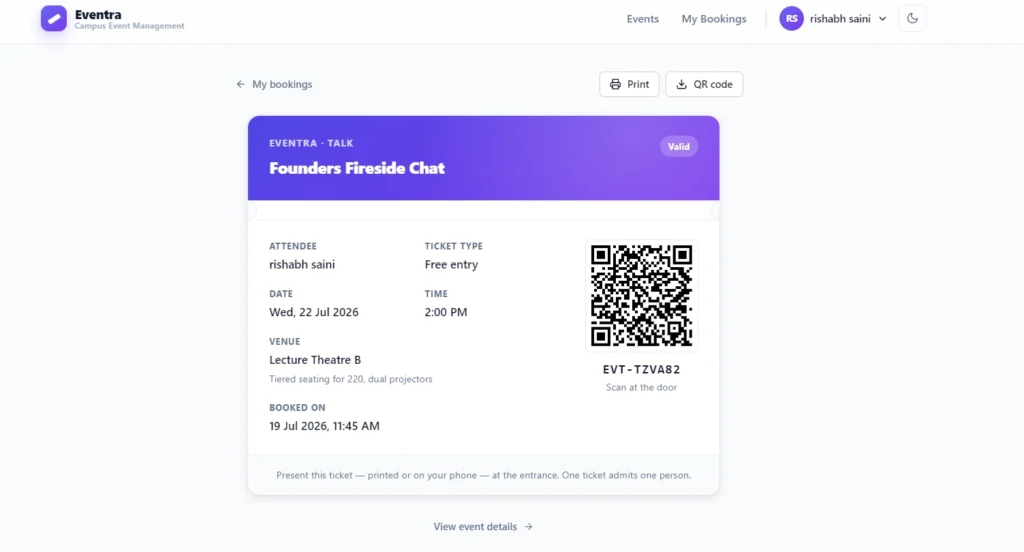
- QR Tickets: A printable ticket with a unique reference and scannable QR code generated entirely offline.
- Booking Management: View upcoming, attended, and cancelled bookings, and cancel any time before the event starts.
- Reviews & Ratings: Rate and review events you actually attended, from one to five stars.
- Email Confirmations: Booking and cancellation notices, logged locally when no mail server is present.
- Profile Control: Edit name, email, and phone, and change the account password.
Administrator Module
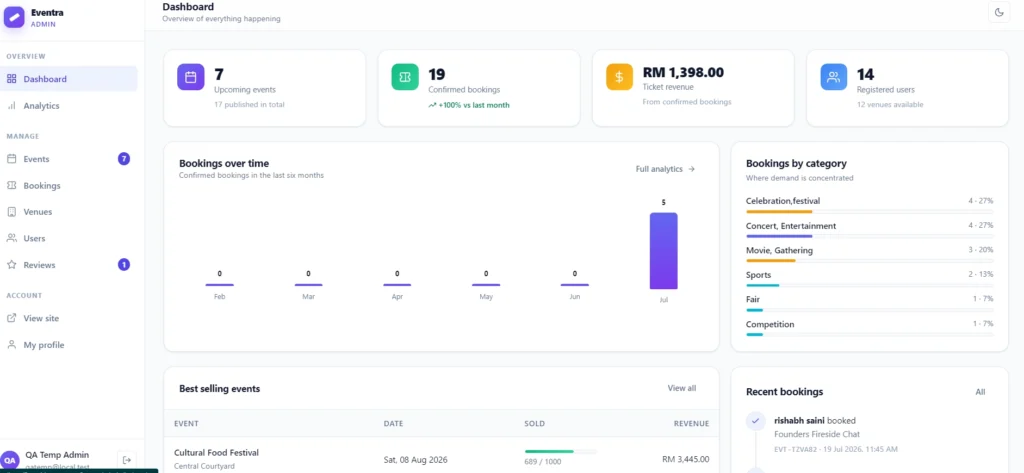
- Analytics Dashboard: Headline stats, a six-month booking trend, category breakdown, recent activity, and a “selling slowly” watchlist.
- Reporting: Bookings and revenue per month, breakdowns by category and venue, and the most active attendees.
- Event Management: Create, edit, archive, and delete events with poster upload and draft or published status.
- Venue Management: Add, edit, and delete venues, with deletion blocked while events still reference them.
- User Management: Create accounts, change roles, and suspend or delete users.
- Booking Oversight: Search every booking, view any ticket, and cancel on a user’s behalf.
- Review Moderation: Browse, filter, and remove reviews.
Interface & Accessibility
- Modern Design System: Light and dark themes that follow the operating system with a manual toggle.
- Fully Responsive: Works cleanly from 390px phones to wide desktop screens.
- Accessible: Keyboard navigable, focus-visible outlines, ARIA labels, and reduced-motion support.
- Print-Ready: A dedicated print stylesheet so tickets print cleanly.
Technologies Used in This Event Management System
| Layer | Technology | Purpose |
|---|---|---|
| Frontend | HTML5, custom CSS design system, vanilla JavaScript | Responsive UI, themes, and interactive behaviour with no external CDN |
| Backend | PHP 8.1 | Application logic, routing, sessions, and security |
| Database | MySQL | Stores users, events, venues, bookings, and reviews with foreign keys |
| Data Access | PDO with prepared statements | Safe, injection-proof database queries |
| Server | Apache (XAMPP / WAMP) | Hosts the application locally or on a live server |
| Extras | Custom QR encoder, local mail logger, GD image handling | Offline QR tickets, email fallback, and poster uploads |
How the Event Management System Works
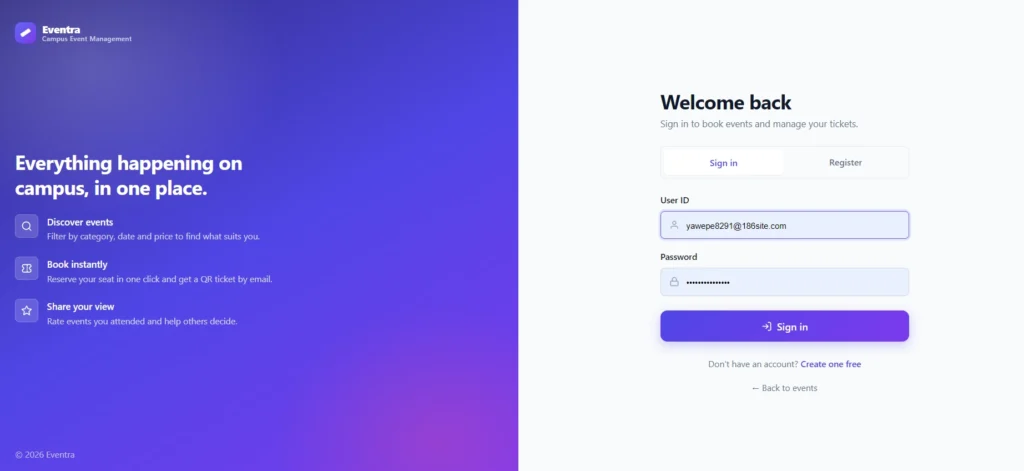
- Registration & Login: A student registers, then logs in through a secure session-based authentication system.
- Browse & Search: The student explores published events, applying filters for category, date, and price to find the right one.
- Booking a Seat: On the event page, the student books a seat. The system runs the booking inside a transaction so the seat count stays accurate even under heavy load.
- QR Ticket: A unique booking reference and QR ticket are generated instantly, ready to print or show at the venue.
- Ticket Verification: An administrator can open the QR verification link to confirm a ticket is genuine.
- Admin Control: Admins manage events, venues, users, bookings, and reviews, and track everything through the analytics dashboard.
- Reviews: After attending, the student leaves a rating and review, which admins can moderate.
How to Run This Event Management System Project
Step 1: Prerequisites
Make sure you have PHP 8.1 or newer with the pdo_mysql, gd, and mbstring extensions, MySQL 5.7+ or MariaDB 10.4+, and Apache. A standard XAMPP install ships with all of these enabled by default.
Step 2: Place the Project
Copy the project folder into your web root so it sits directly under htdocs, then start Apache and MySQL from the XAMPP control panel.
C:\xampp\htdocs\EventManagementSystemStep 3: Create the Database
Open phpMyAdmin, create a database named ems, and import the provided SQL file. You can also do it from the command line.
cd C:\xampp\htdocs\EventManagementSystem
C:\xampp\mysql\bin\mysql.exe -u root < Db\ems.sql
Step 4: Configure Credentials
If your MySQL username or password differs from the default, edit config/config.php.
define('DB_HOST', 'localhost');
define('DB_NAME', 'ems');
define('DB_USER', 'root');
define('DB_PASS', '');
Step 5: Open the Application
Launch the site in your browser and log in with the demo accounts included in the package.
EventManagementSystem/
Demo Video
Screenshots
Why This Is a Great Final Year Project
- Real-World Relevance: Every college runs events, so examiners instantly understand the problem and the value of the solution.
- Security You Can Defend: Prepared statements, bcrypt password hashing, CSRF protection, and role guards give you strong talking points for your viva.
- Full CRUD & Roles: Two distinct user roles with complete create, read, update, and delete operations show real application design skill.
- Impressive Extras: An offline QR encoder and a transaction-safe booking flow set this project apart from basic CRUD submissions.
- Placement-Relevant: PHP, MySQL, and secure web development are practical skills that recruiters actively look for.
- Resume-Worthy: A polished, responsive interface with light and dark themes makes your project look professional and complete.
How to Download This Event Management System Project
The complete package is available from Updategadh and includes everything you need to submit with confidence:
- Full Source Code (PHP + MySQL)
- Project Report (documentation)
- Synopsis
- PPT Presentation
For quick help or custom requirements, reach out on WhatsApp: +91 79834 34684
Possible Extensions and Future Enhancements
- Online payment gateway integration for paid events
- Live QR scanning through a mobile check-in app at the venue entrance
- SMS and WhatsApp notifications for booking confirmations and reminders
- Waiting list and automatic seat allocation when a booking is cancelled
- Organiser role separate from admin, so event hosts manage only their own events
- Calendar view with export to Google Calendar
- Advanced analytics with downloadable PDF and Excel reports
- Multi-language support for a wider audience
Want a full walkthrough and more free project tutorials? Subscribe to our channel for step-by-step demos and source code explanations.
Subscribe to DecodeIT2 on YouTube
Frequently Asked Questions
What technologies are used in this Event Management System?
The project is built with plain PHP 8.1 and MySQL/MariaDB, using PDO prepared statements, a custom CSS design system, and vanilla JavaScript. It runs on any standard XAMPP or WAMP setup with no frameworks or external dependencies.
Is this project suitable for BCA, MCA, and B.Tech students?
Yes. This Event Management System in PHP is ideal for BCA, MCA, B.Tech CS/IT, M.Tech, and MBA final year students. It covers authentication, CRUD, roles, security, and reporting, which makes it strong material for both submission and viva.
How difficult is this project?
It sits at an intermediate to advanced level. The core booking and admin features are easy to understand, while extras like the offline QR encoder and transaction-safe booking give you plenty of depth to explain and extend.
Does the package include the report, synopsis, and PPT?
Yes. The download package includes full source code, a project report, a synopsis, and a PPT presentation, so you get everything needed for a complete submission in one place.