Loan Management System Using PHP and MySQL
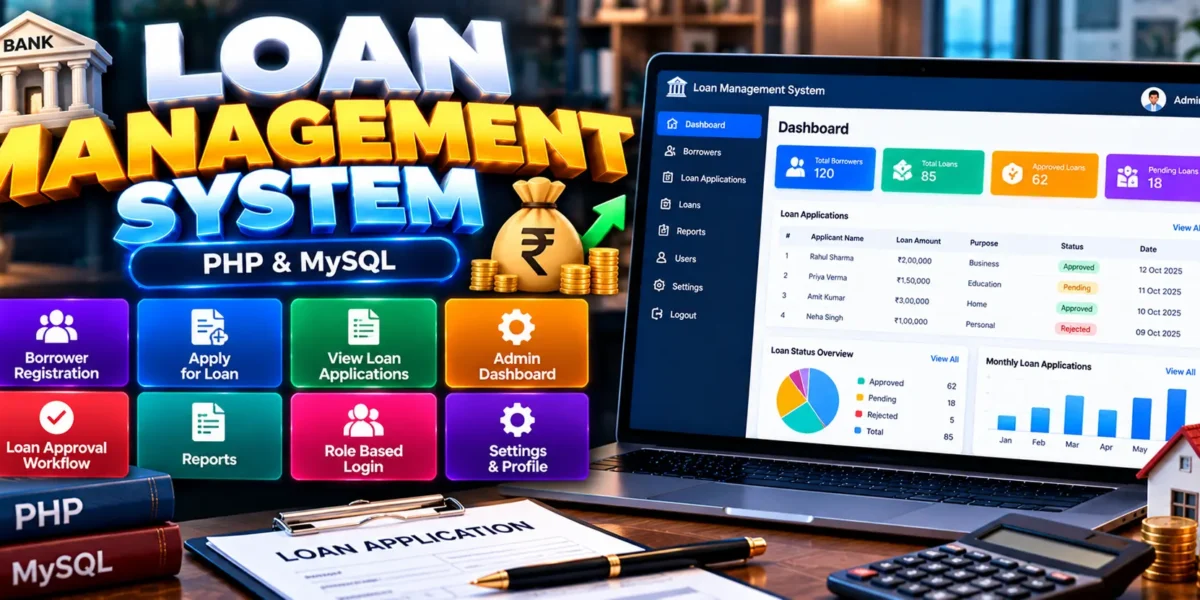
The Loan Management System Using PHP and MySQL is a web-based application designed to organize loan-related activities, including borrower registration, loan applications, application tracking, and basic loan approval workflows. Developed using PHP and MySQL, the project provides an administrative dashboard and a collection of forms, tables, and interface components for managing loan information.
The system demonstrates how a database-driven web application can support loan administration for banks, microfinance organizations, and cooperative groups. It is also a practical academic project for students who want to learn PHP programming, database connectivity, form handling, and web application development.
Complete Advance AI Topics: Click Here
Real Time Projects on YouTube:- DecodeIT
What Is a Loan Management System?
A Loan Management System is an application that helps organize borrower information and loan application records. It allows borrowers to register and submit loan applications while administrators can view applications and manage the basic approval workflow.
This project provides a foundation for understanding how loan-related information can be handled through a PHP and MySQL web application.
Loan Management System Project Overview
| Project Details | Description |
|---|---|
| Project Name | Loan Management System |
| Language/s Used | PHP |
| Database | MySQL |
| Recommended PHP Versions | 5.6.3 or 7.4.12 |
| Type | Web Application |
What Are the Available Features?
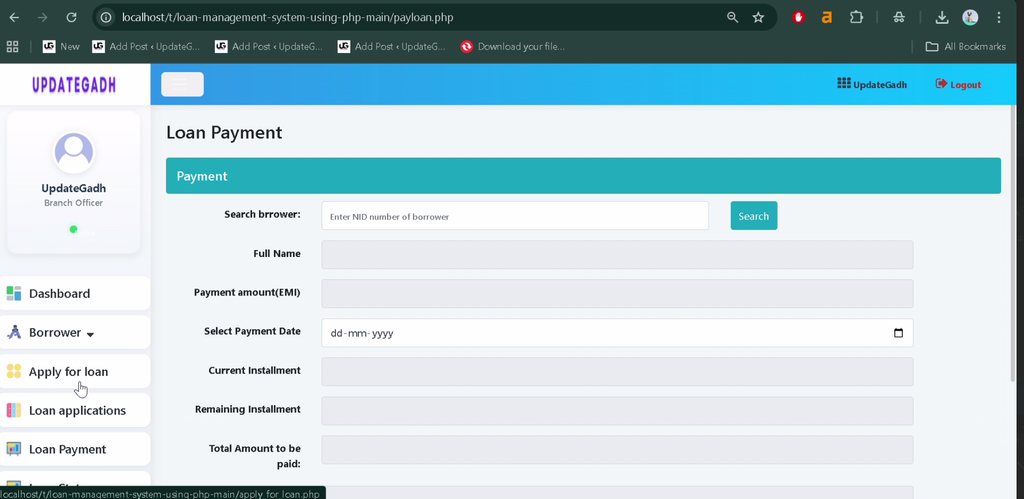
The project includes essential borrower and loan application functions, an admin dashboard, a basic approval workflow, and reusable interface components.
1. Borrower Registration
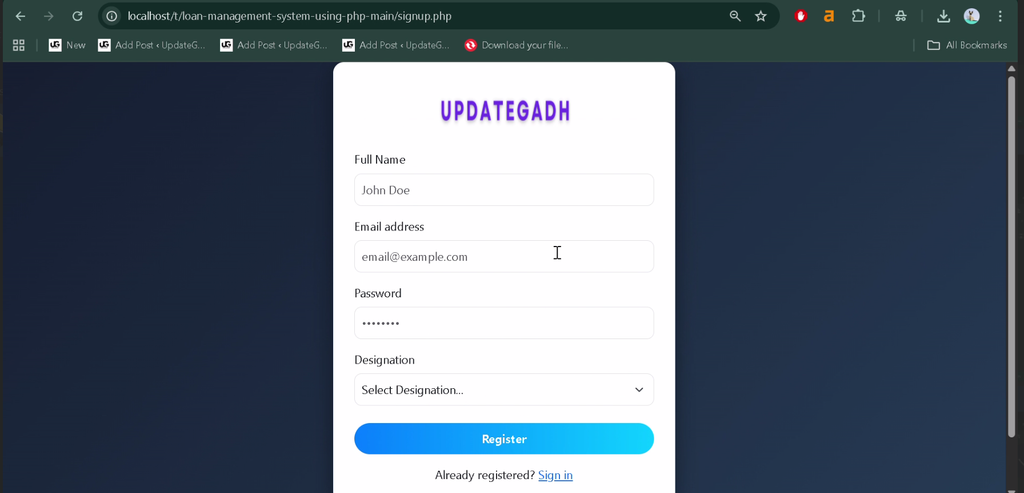
The borrower registration module allows users to enter their information and create borrower records within the system.
2. Loan Application
The application includes a loan application form through which borrowers can submit loan-related information for administrative review.
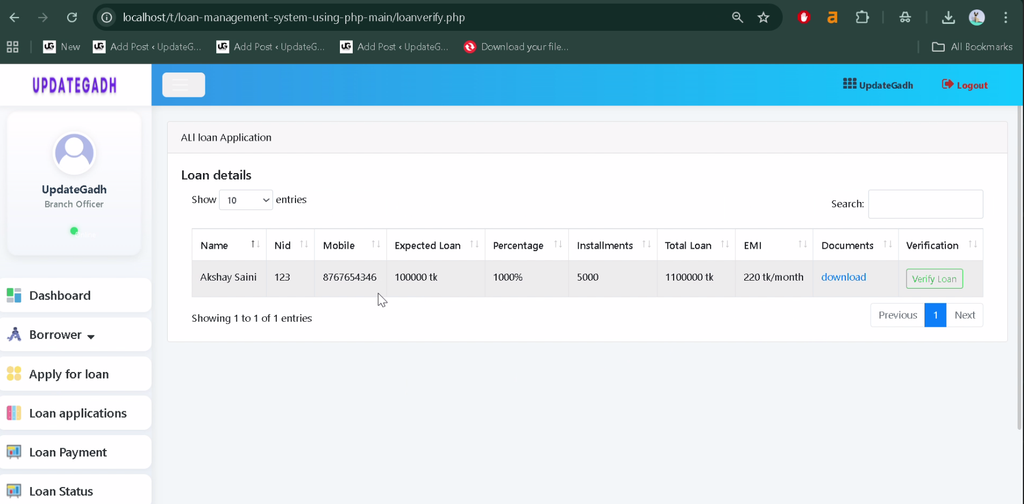
3. View Loan Applications
The system provides functionality for viewing loan application records, helping administrators review submitted applications.
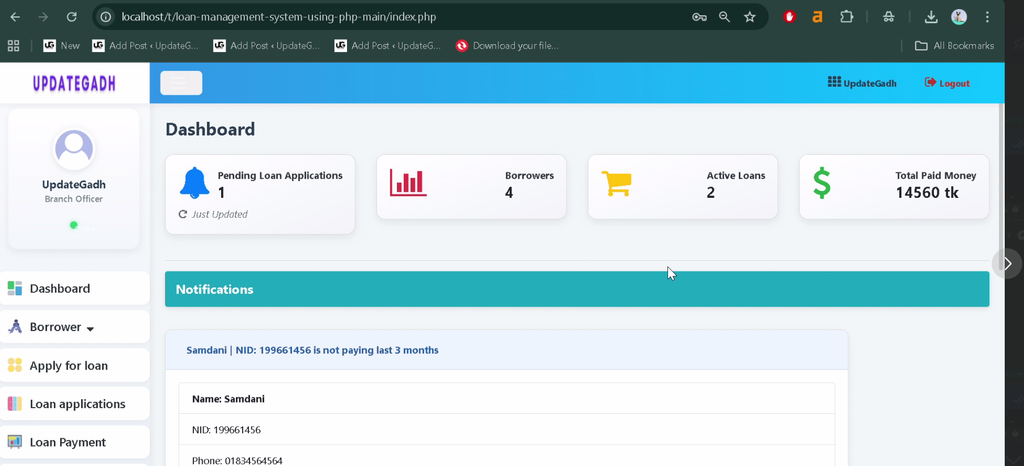
4. Admin Dashboard
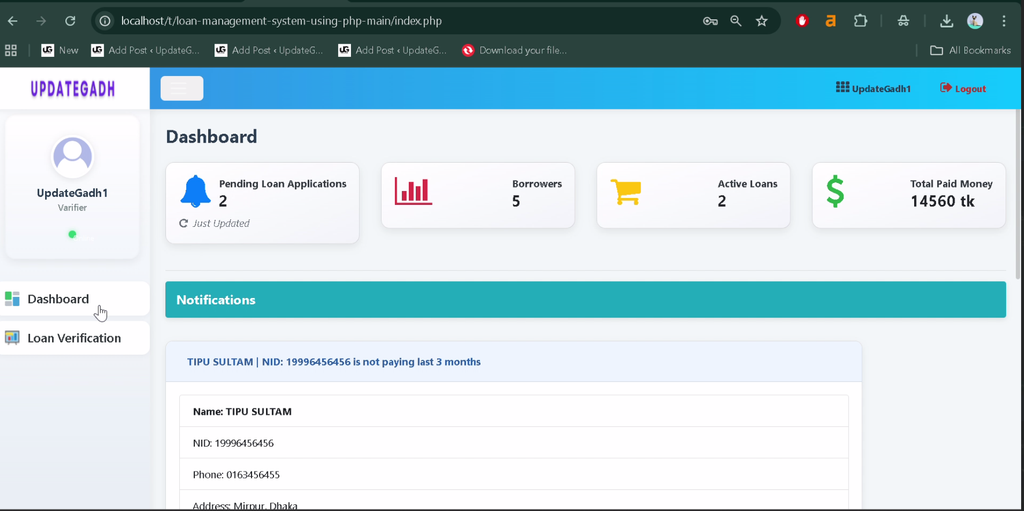
The administrative dashboard provides access to the system’s main loan management pages and related interface components.
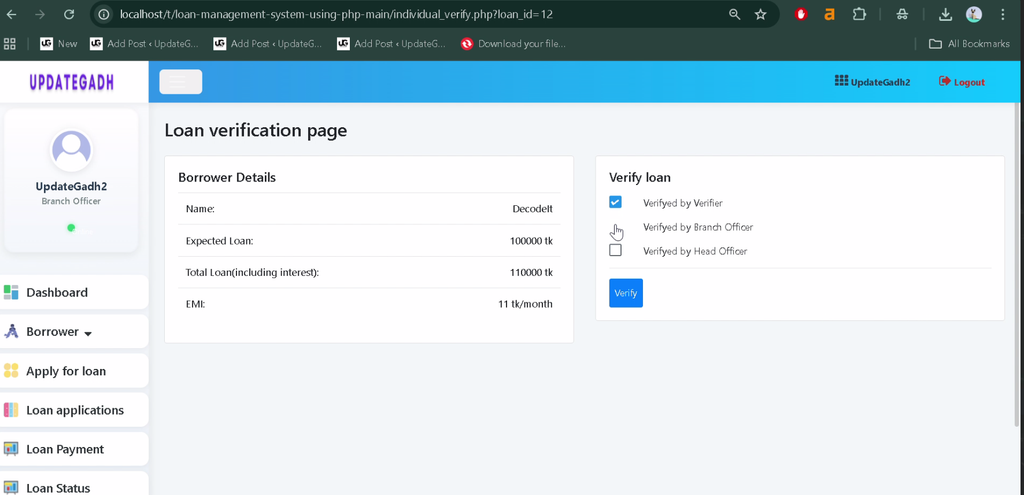
5. Basic Loan Approval Workflow
The project includes a basic loan approval workflow for managing the application review process.
6. Form Interface Pages
The application contains form pages for entering information and interacting with the available modules.
7. Role-Based Login System
The project includes a role-based login system to support access through the appropriate user roles.
8. Interface Components
The interface includes reusable components such as buttons, charts, and tables to present information and support navigation across the application.
What Is Included in the Project Structure?
The project uses procedural PHP with embedded HTML and includes separate pages for borrower management, loan applications, charts, forms, and tables.
addborrower.php: Borrower-related page.apply_for_loan.php: Loan application page.charts.php: Chart interface page.forms.php: Form interface page.tables.php: Table interface page.admin_template/: Directory containing the admin template components.
Which Technologies Are Used?
- PHP: Handles server-side functionality and application logic.
- MySQL: Stores application data.
- HTML: Structures the web pages.
- CSS: Styles the user interface.
What Software Is Required?
- XAMPP: Provides Apache and MySQL for local development.
- Visual Studio Code: Used to view and edit project files.
- Web Browser: Used to access the application.
How to Download
The complete package is available so you can run, study, and submit it with confidence. It includes:
- Full Source Code
- Project Report
- Synopsis
- PPT Presentation
Screenshot
How to Install the Loan Management System in VS Code
Follow these general steps to configure the PHP and MySQL project locally. The exact database name and SQL file should be confirmed from the supplied project files.
- Install XAMPP: Install XAMPP and open its Control Panel.
- Start Services: Start Apache and MySQL.
- Extract the Project: Copy the extracted project folder into the XAMPP
htdocsdirectory. For example:C:\xampp\htdocs\LoanManagementSystem. - Open in VS Code: Open the project folder in Visual Studio Code.
- Configure the Database: Open
http://localhost/phpmyadmin/and create the database required by the project’s configuration. - Import Database Data: If the project includes an SQL file, import it into the created database.
- Check the Connection: Verify that the PHP database connection settings match your MySQL credentials and database name.
- Run the Application: Open the project URL in your browser, replacing the folder name with the actual directory name.
Why Is This Project Useful for Students?
This project helps students understand PHP programming, MySQL connectivity, borrower record management, form processing, and basic loan application workflows. It also provides practical experience with procedural PHP and the organization of pages within a database-driven web application.
Students can explore the existing modules to understand how forms and tables support administrative tasks and how application data can be managed through a web interface.
Final Thoughts
The Loan Management System Using PHP and MySQL is a useful academic project for learning the fundamentals of loan application management and PHP web development. Its borrower registration, loan application, administrative dashboard, and basic approval workflow provide a foundation for understanding financial record management applications.
From a student’s perspective, the project offers practical experience with backend programming, database operations, and interface development. The available modules can also help learners understand how a web application organizes loan-related information.
Frequently Asked Questions
1. What is a Loan Management System?
It is a web application designed to organize borrower information, loan applications, and basic loan approval activities.
2. Which programming language is used in this project?
The project is developed using PHP, with MySQL as its database.
3. What are the main features of the project?
The main features include borrower registration, loan applications, viewing application records, an admin dashboard, a basic approval workflow, and a role-based login system.
4. Which database does the project use?
The project uses MySQL to store application information.
5. Is this project suitable for students?
Yes. It is suitable for students learning PHP, MySQL, form processing, database connectivity, and web application development.
Keywords: Loan Management System Using PHP and MySQL, Loan Management System PHP Project, PHP MySQL Loan Application System, Borrower Management System, Online Loan Management Project, Loan Management System Source Code