Hospital Management System is a PHP and MySQL
The Hospital Management System is a PHP and MySQL web application designed as a practical final year project for students who want to understand how software can organize hospital activities. A hospital handles information about patients, doctors, nurses, employees, appointments, prescriptions, payments, departments, and diagnosis records. Managing these details manually can become difficult when the amount of information grows. This project brings the specified operations into one database-driven application.
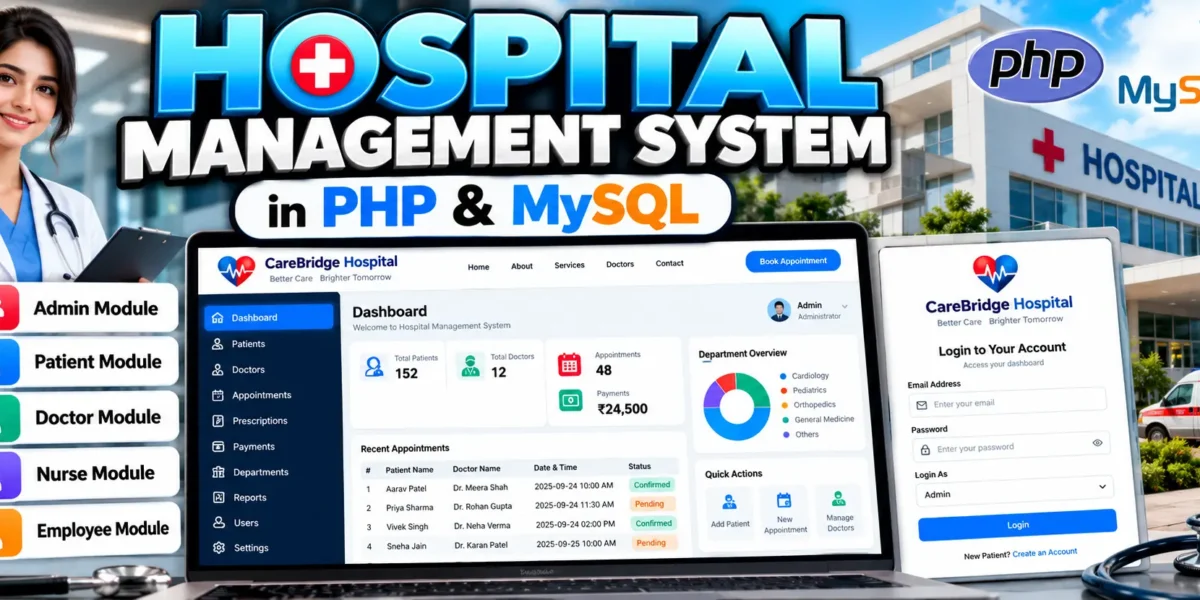
The system is divided into five role-based modules: Admin, Patient, Doctor, Nurse, and Employee. Each role has a separate purpose and protected access. This structure gives students a practical example of how one web application can serve different users while keeping administrative and role-specific operations separated.
Complete Advance AI Topics: Click Here
Real Time Projects:- DecodeIT
Project Overview
| Project Name | Hospital Management System PHP Project |
|---|---|
| Language/s Used | PHP, HTML, CSS, JavaScript |
| Database | MySQL |
| Type | Web Application |
| Developer | UPDATEGADH |
Available Features
1. Admin Module
- Manage Hospital Departments: The administrator can add and remove hospital departments and maintain their descriptions.
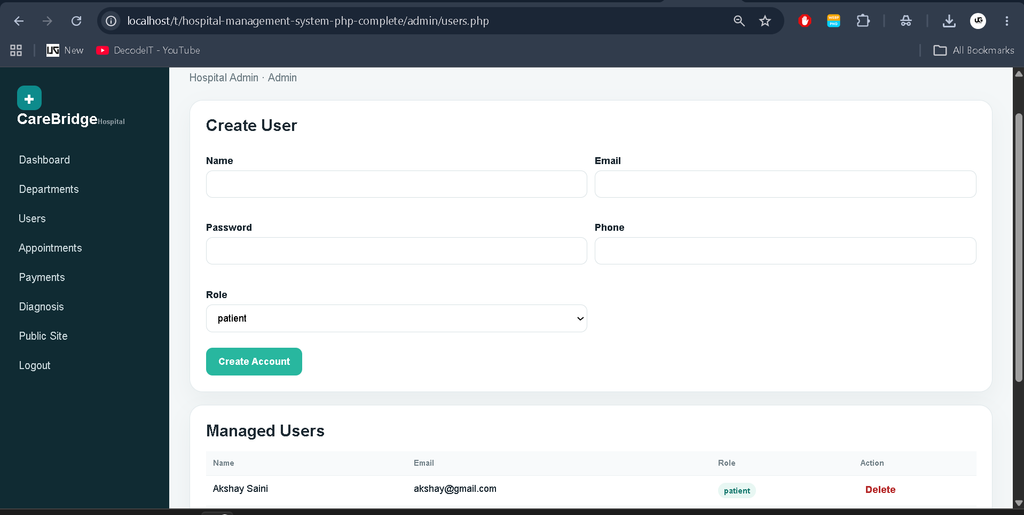
- Manage Users: The administrator can create and remove accounts for patients, doctors, nurses, and employees. Each account receives the correct role.
- Account Activities: Administrative account controls are available from the user management area.
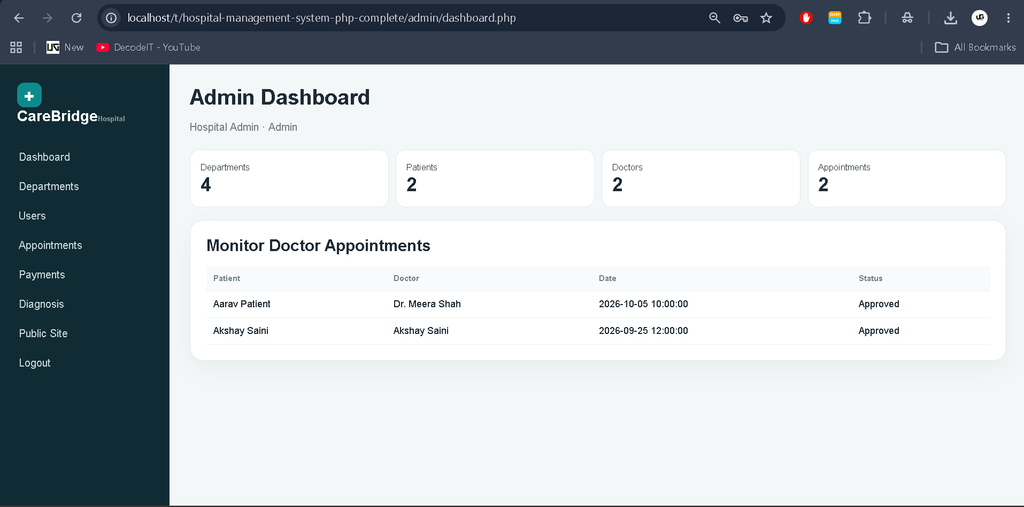
- Monitor Doctor Appointments: The administrator can review doctor appointments and update appointment status.
- Patient Payment Transactions: A transaction report shows patient payments, payment methods, payment status, references, dates, and the total paid amount.
- Diagnosis Reports: The administrator can view diagnosis information recorded for patients.
2. User Module — Patient
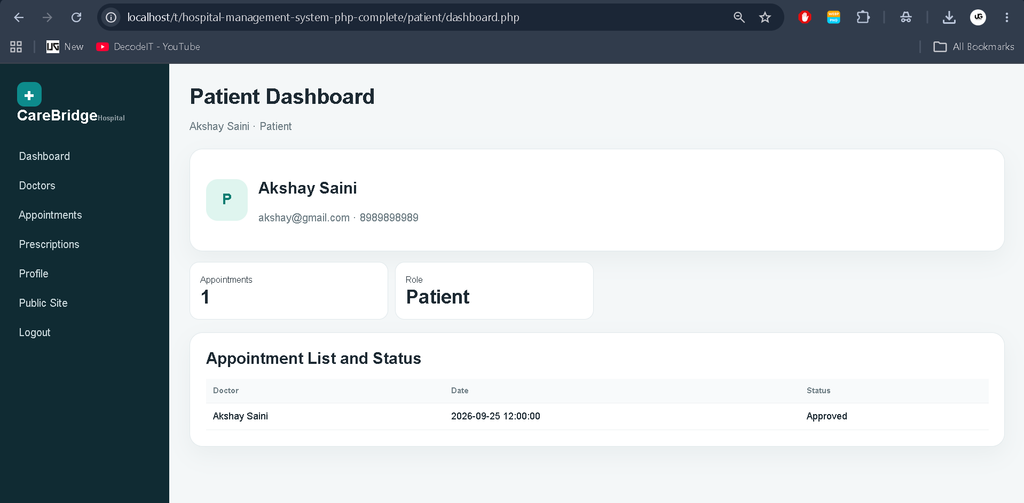
- Appointment List and Status: Patients can view their doctor appointments and their current status.
- Doctor List: Patients can view doctor names, departments, specializations, and profile information.
- Personal Profile: Patients can maintain their name, phone, address, date of birth, and gender.
- Book an Appointment: Patients can select a doctor, date, time, and reason to create an appointment.
- Doctor Prescriptions: Patients can access prescriptions provided by their doctors.
- Delete Scheduled Appointments: Patients can cancel appointments that are still pending or approved.
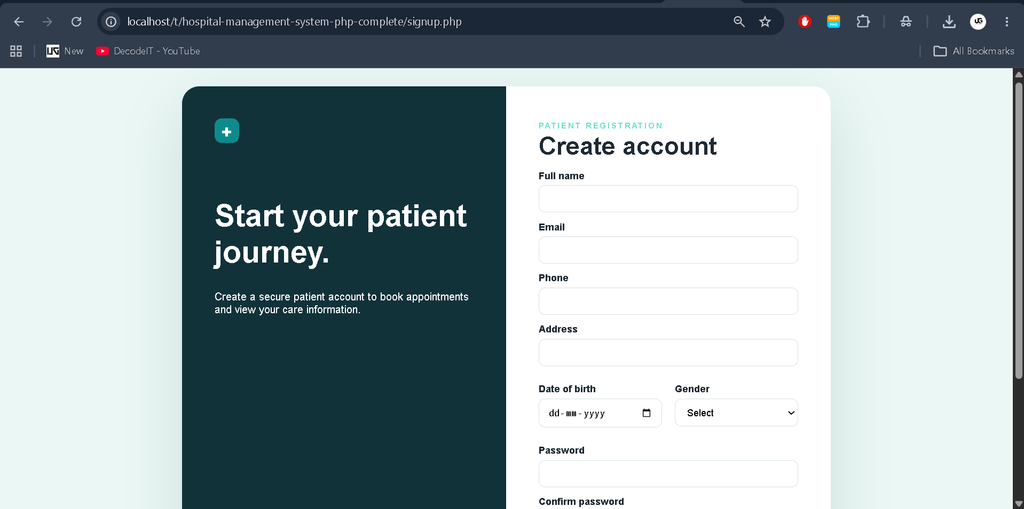
- Patient Registration and Login: Patients can create their own accounts and securely log in to access their appointments, profile, and prescriptions.
3. Doctor Module
- Manage Patient Details and Accounts: Doctors can review patient records and update the available patient details.
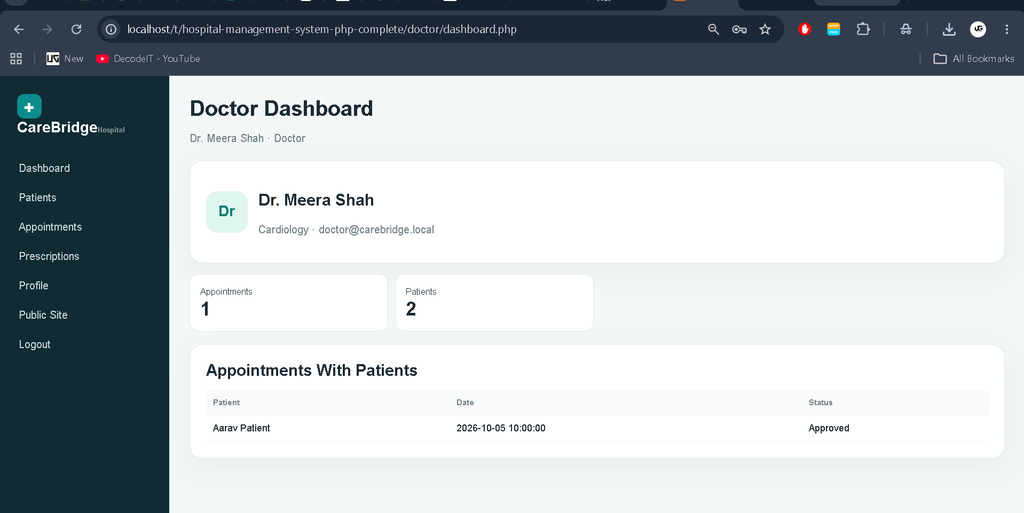
- Manage Appointments: Doctors can update the date, time, reason, and status of their appointments with patients.
- Personal Profile: Doctors can maintain their own profile, phone number, specialization, and profile description.
- Prescriptions: Doctors can add prescriptions for patients and associate them with an appointment when required.
4. Nurse Module
- Patient-Related Details: Nurses can review patient records and update patient phone and address information.
- Collaborate With Doctors: Nurses and doctors use the same patient information, allowing the nurse module to support the doctor-facing workflow without providing administrator access.
5. Employee Module
- General Employee Management: Employees can view general employee records used for hospital staff activities.
- Departmental Support: Employees can view hospital department information needed for general staff support.
How to Download
The complete package is available so you can run, study, and submit it with confidence. It includes:
- Full Source Code
Screenshot
Installation Guide in VS Code
Step 1: Install Required Software
Install XAMPP or another PHP development server that provides Apache and MySQL. Also install Visual Studio Code for opening and editing the project.
Step 2: Extract the Project
Extract the project into the XAMPP htdocs directory:
C:\xampp\htdocs\Hospital-Management-System-php-project
Step 3: Create the Database
Start Apache and MySQL in XAMPP. Open phpMyAdmin and import the supplied database/hospital_db.sql file. The SQL file creates the hospital database, tables, sample records, and demo accounts.
Step 4: Configure Database Connection
Open config.php and verify the local settings:
DB_HOST = localhost
DB_NAME = hospital_db
DB_USER = root
DB_PASS = empty
BASE_URL = /Hospital-Management-System-php-project
If your folder name or MySQL password is different, change the corresponding configuration value.
Step 5: Run the Project
Open the following address in your browser:
http://localhost/Hospital-Management-System-php-project/
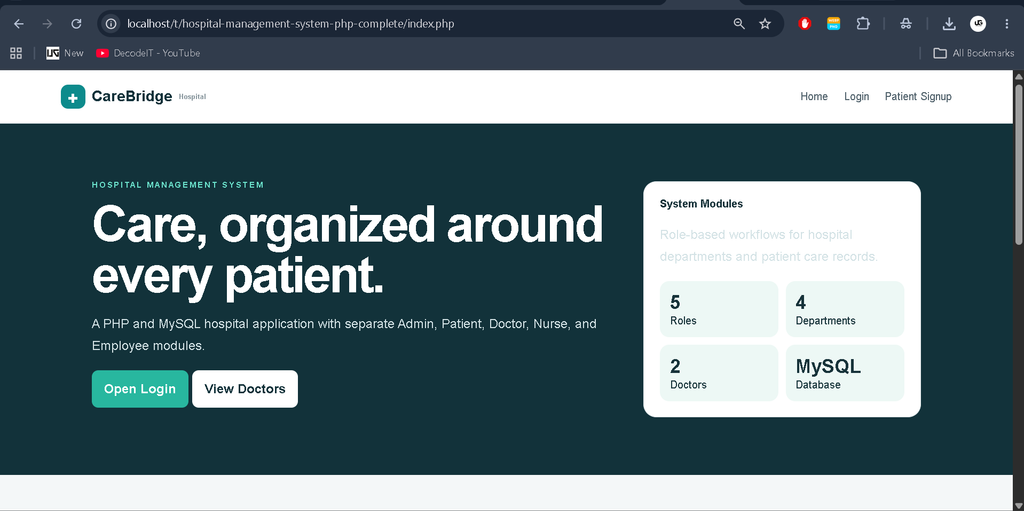
The Hospital Management System home page will appear. Use the Login page to enter the required role.
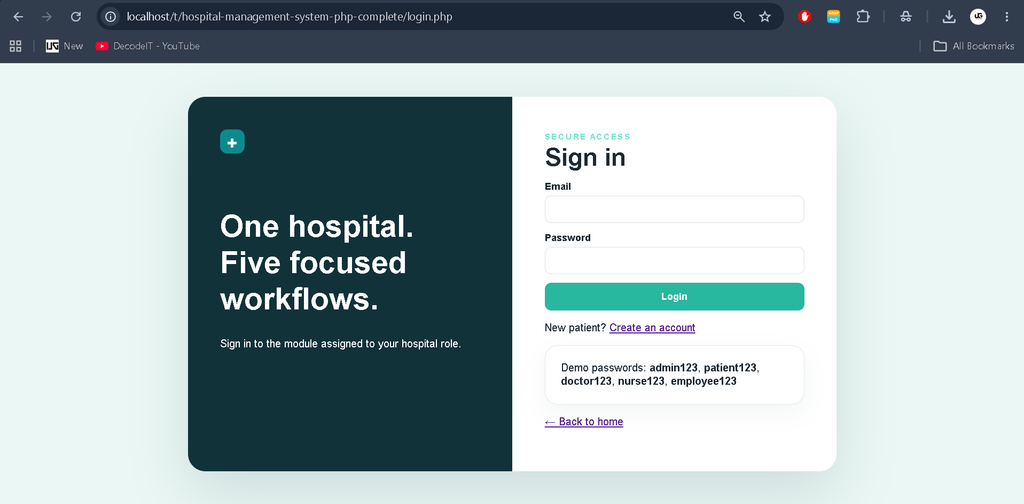
Demo Accounts
Admin: admin@carebridge.local / admin123
Patient: patient@carebridge.local / patient123
Doctor: doctor@carebridge.local / doctor123
Nurse: nurse@carebridge.local / nurse123
Employee: employee@carebridge.local / employee123
Usage Guide
Admin
The administrator oversees the specified hospital operations. The admin module provides department management, user management for patients, doctors, nurses and employees, appointment monitoring, patient payment transaction reports, and diagnosis reports.
Patient
Patients can maintain their own profile, view doctors, book appointments, view appointment status, cancel eligible appointments, and access prescriptions issued by doctors. Patient access is restricted to the patient module.
Doctor
Doctors can manage patient details, manage their appointments, maintain their profiles, and add prescriptions for patients. Doctor operations are linked to the signed-in doctor account.
Nurse
Nurses support patient-related information by reviewing and updating the patient contact details available to their role. The shared patient record allows the nurse workflow to collaborate with doctors without exposing administrator functions.
Employee
Employees use their dedicated module for general employee records and departmental information. The employee role remains separate from the administrative, doctor, nurse, and patient dashboards.
Role-Based Access
The project checks the logged-in role on the server before protected pages are displayed. A patient cannot open a doctor or administrator dashboard simply by changing the URL. The same rule applies to doctor, nurse, and employee routes. This keeps the specified functions separated between roles.
Final Thoughts
From a student perspective, this Hospital Management System is useful because it connects PHP and MySQL concepts with a realistic hospital workflow. The application does not treat every page as an isolated example. Instead, patients, doctors, nurses, employees, departments, appointments, prescriptions, payments, and diagnosis records are connected through related database tables.
The role-based structure also gives students practical experience with sessions and access control. It demonstrates how one application can provide different functionality to different users while keeping administrative operations restricted. The project therefore provides a clear academic example of CRUD operations, appointment management, prescription handling, transaction reporting, diagnosis reporting, and database-driven web development.
When running the project in VS Code and XAMPP, the database should be imported before attempting to sign in. The folder name should also match the BASE_URL value in config.php. The supplied demo records make it possible to open each role and study its workflow immediately after installation.
Keywords
hospital management system PHP, hospital management system PHP project, hospital management system PHP MySQL, hospital management system source code, hospital management system project in PHP source code, hospital management system project with source code, hospital management system project PHP MySQL, hospital management system project for students, hospital management system web application, hospital management system MySQL project