Pharmacy Management System in PHP
The Pharmacy Management System in PHP is a web-based project developed using PHP, JavaScript, Bootstrap, and CSS. The system is designed to provide a simple and efficient way to manage the main activities of a pharmacy through a centralized admin dashboard.
This Pharmacy Management System in PHP and MySQL focuses on managing important pharmacy-related records such as customers, medicines, suppliers, sales, and purchases. Instead of handling these records separately, the system brings them together in one place and provides an easy interface for managing the available information.
The project has been designed with simplicity and efficiency in mind. Its straightforward interface makes navigation easier, while the different management sections allow the administrator to perform the required operations on pharmacy records.
Pharmacy Management System in PHP
Managing pharmacy information requires maintaining different types of records. Customer details, medicine information, supplier records, sales entries, and purchase entries all need to be handled properly. The Pharmacy Management System provides a single platform for managing these records.
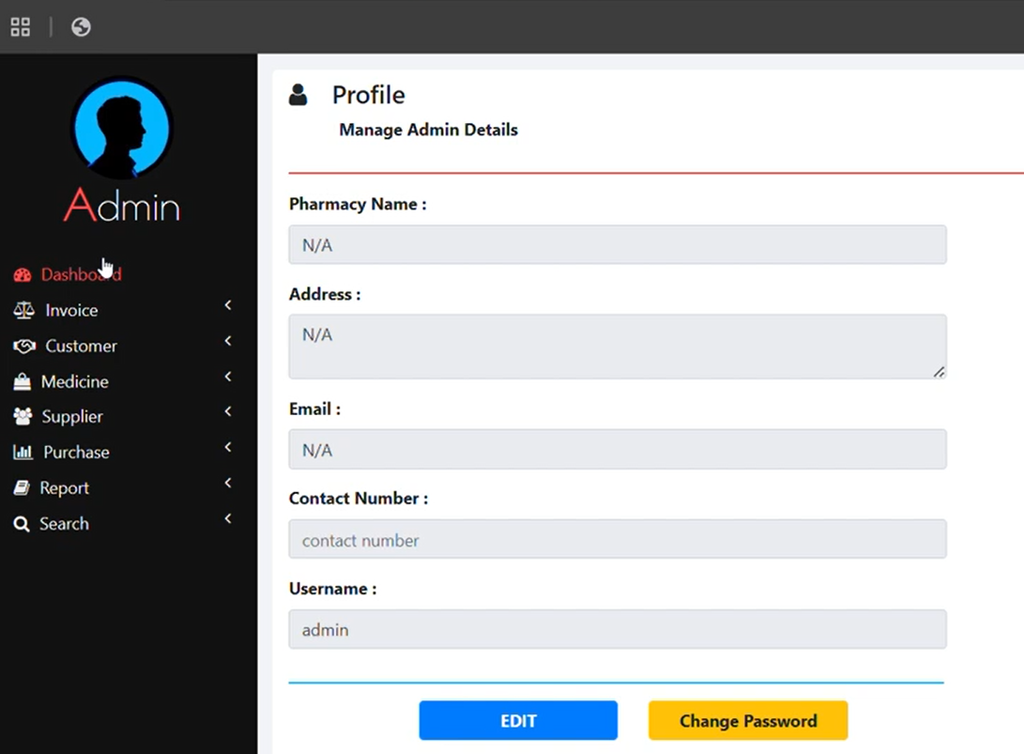
The system contains an admin dashboard that acts as the main control area. From the dashboard, the administrator can access the different sections of the application and manage the available records.
The project supports CRUD operations, which means the administrator can create, read, update, and delete records. These operations are available for the major components of the pharmacy management system.
The application is developed using PHP, JavaScript, Bootstrap, and CSS. These technologies are used to create the system interface and provide the required functionality for managing the pharmacy-related information.
Overview of the System
The main purpose of this project is to automate the core functionalities involved in pharmacy management. The system includes separate sections for customers, medicines, suppliers, sales, and purchases.
The admin dashboard provides access to these sections and works as the central point for managing the system. The administrator can perform different operations on the records according to the requirements.
The user interface has been designed to remain simple and easy to understand. Because of its straightforward design, users can navigate through the system without requiring a complicated learning process.
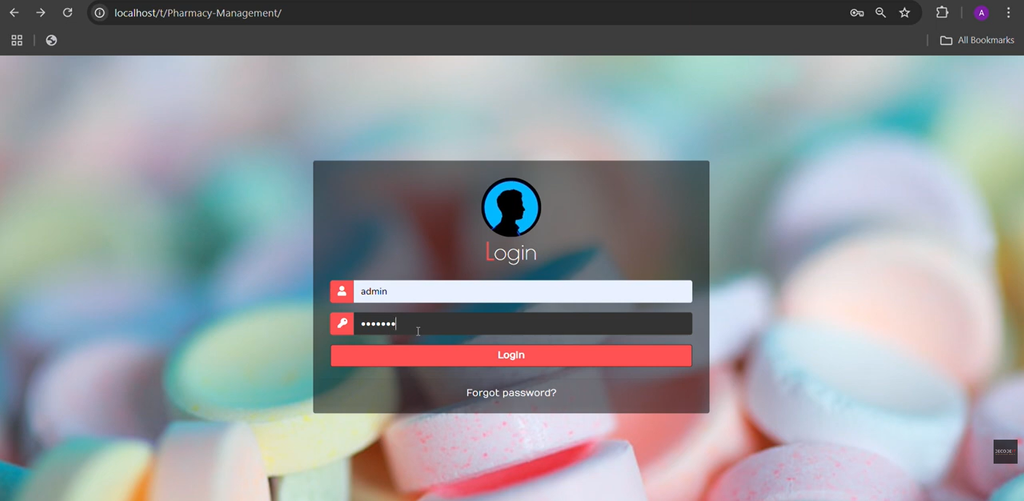
The system also requires the user to sign up before accessing the admin dashboard. This provides the required login-based access to the main management section of the application.
Features of Pharmacy Management System
The Pharmacy Management System provides several features for handling the main pharmacy operations. Each section is focused on a particular type of information and allows the administrator to manage the related records.
Admin Dashboard
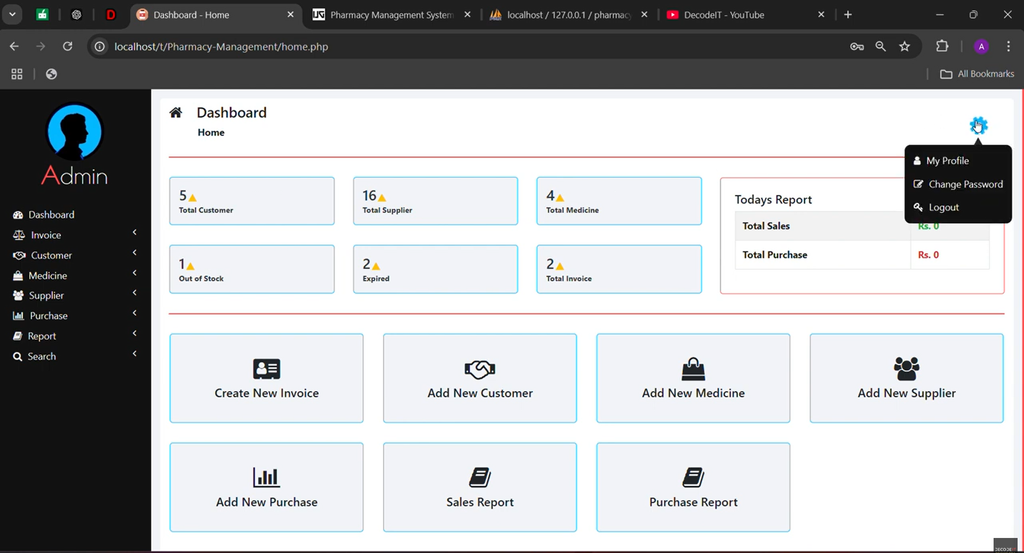
The Admin Dashboard is the central section of the Pharmacy Management System. It provides an overview of the pharmacy activities and gives the administrator access to the different management sections.
Through the dashboard, the administrator can move between customer management, medicine management, supplier management, sales and purchases, and reports. This makes the dashboard the main control center of the application.
Customer Management
The Customer Management section is used for managing customer records in the system. The administrator can view the customers available in the application and perform different operations on their details.
New customer information can be added to the system whenever required. Existing customer details can also be edited if any changes are necessary. Records that are no longer required can be deleted from the system.
- View all customers
- Add customer details
- Edit customer details
- Delete customer details
This section keeps customer information organized and allows the administrator to manage the available records from the dashboard.
Medicine Management
The Medicine Management section is used for managing medicine records. Medicines can be added to the system and their information can be viewed whenever required.
The administrator can also update existing medicine records. If a particular medicine record needs to be removed, it can be deleted from the system.
- View medicines
- Add medicines
- Update medicine records
- Delete medicines
This provides a dedicated section for handling medicine-related information within the Pharmacy Management System.
Supplier Management
The Supplier Management section allows the administrator to manage supplier records. Supplier information can be maintained through the available options in the system.
The administrator can add new supplier information, view existing supplier records, edit the available information, and delete supplier records when required.
- Add supplier information
- View supplier records
- Edit supplier information
- Delete supplier records
By keeping supplier information in a separate section, the system makes supplier record management more organized and accessible.
Sales and Purchases Management
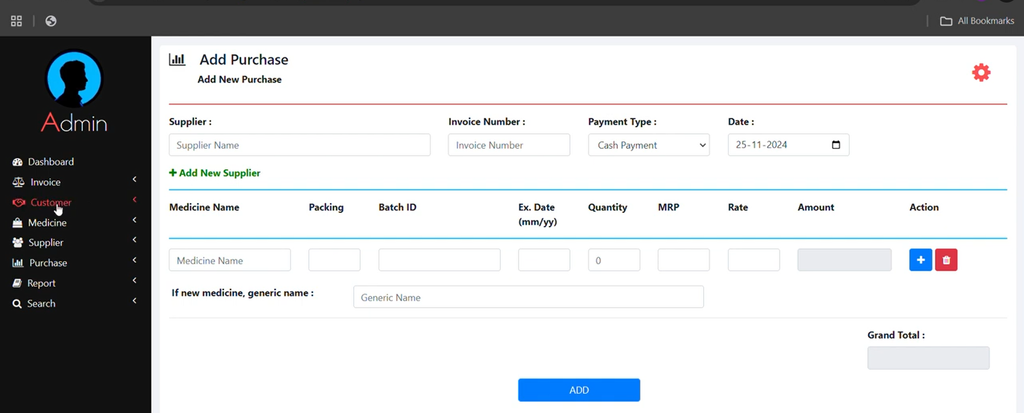
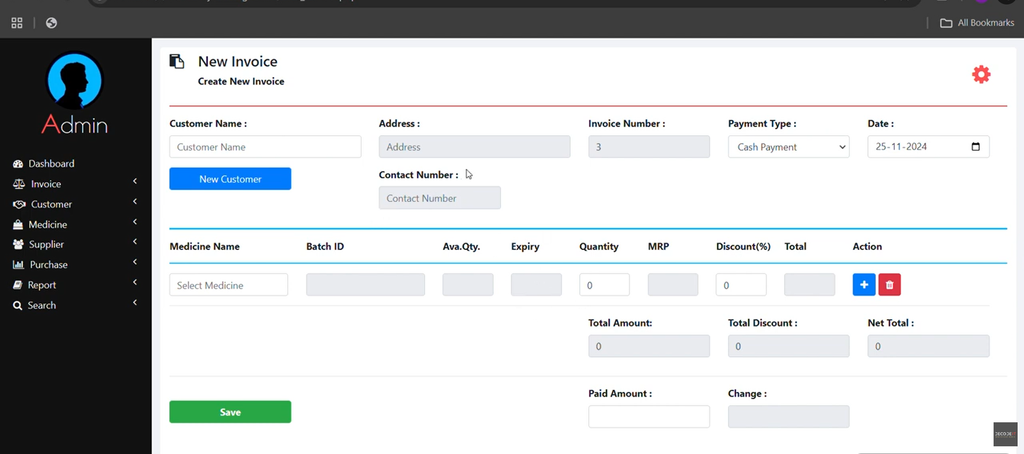
The Sales and Purchases Management section is used to record and manage sales and purchase information. These records can be maintained through the system instead of keeping them separately.
The administrator can record sales and purchases and track the available entries. Existing entries can also be edited or deleted whenever required.
- Record sales
- Track sales entries
- Record purchases
- Track purchase entries
- Edit sales and purchase entries
- Delete sales and purchase entries
This section provides the required functionality for managing the sales and purchase records available in the pharmacy system.
Reports
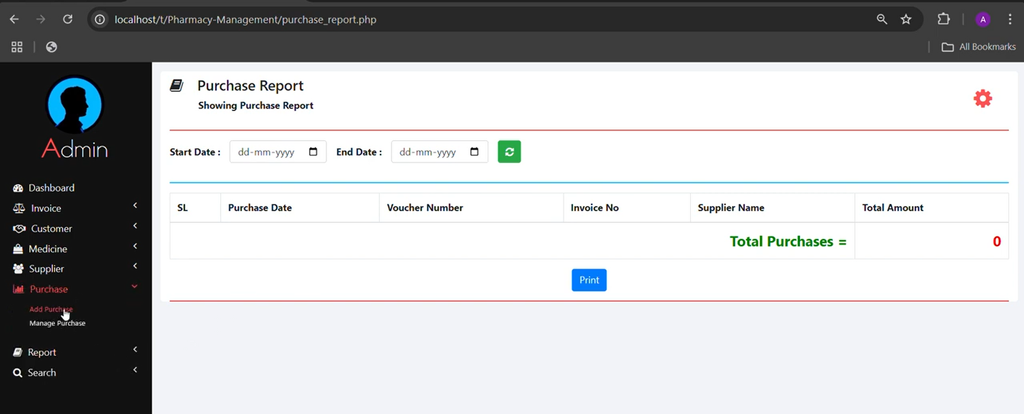
The Reports section allows the administrator to view detailed sales and purchase reports. These reports provide access to the information recorded through the sales and purchase management section.
Having sales and purchase information available in report form makes it easier for the administrator to review the recorded activities and use the available information for decision-making.
- View sales reports
- View purchase reports
- Review detailed sales information
- Review detailed purchase information
Technology Used
The Pharmacy Management System is developed using a combination of commonly used web technologies. PHP is used for the project development, while JavaScript, Bootstrap, and CSS are used as part of the application’s interface and functionality.
- PHP – Used for developing the main application.
- JavaScript – Used as part of the web application’s functionality.
- Bootstrap – Used for the user interface and design.
- CSS – Used for styling the application.
How to Run the Pharmacy Management System
To run the Pharmacy Management System on a local computer, you need a virtual server such as XAMPP. The project can be placed inside the XAMPP htdocs directory and the required MySQL database can then be imported.
Step 1: Install XAMPP
First, make sure that XAMPP is installed on your computer. After installing XAMPP, open the XAMPP Control Panel and start the Apache and MySQL services.
Both services should be running before continuing with the project setup.
Step 2: Set Up the Project
After downloading the Pharmacy Management System project, extract the downloaded ZIP file.
- Extract the downloaded ZIP file.
- Copy the main project folder.
- Paste the project folder into the xampp/htdocs/ directory.
After placing the project folder inside the htdocs directory, the project files will be available through the local XAMPP server.
Step 3: Connect the Database
The project uses a MySQL database named pharmacy. The database needs to be created and the provided SQL file needs to be imported before accessing the system.
- Open your browser and navigate to phpMyAdmin.
- Open the Databases tab.
- Create a new database named pharmacy.
- Open the Import tab.
- Select the pharmacy.sql file from the project folder.
- Click Go to import the database.
After the database import is completed, the required database information will be available for the project.
Step 4: Access the System
Once the project files have been placed inside the htdocs directory and the database has been imported, open the project through your browser using the local project URL.
After opening the system, log in using the provided credentials to access the admin dashboard.
System Requirements
The Pharmacy Management System requires a basic local development environment for running the project. Before starting the setup, make sure that the required environment is available on your computer.
- A system with XAMPP installed.
- A modern web browser for running the project.
- Basic knowledge of PHP and MySQL for customization.
Screenshot:-
How to Download
Get This Project
The complete package is available so you can run, study, and submit it with confidence. It includes:
- Full Source Code
- Project Report
- Synopsis
- PPT Presentation
For any queries or a quick response, reach out on WhatsApp: +91 79834 34684
Keywords:-
- pharmacy management system in php and mysql with source code
- pharmacy management system project in php github
- pharmacy management system in php and mysql ppt
- pharmacy management system in php and mysql github
- pharmacy management system in php and mysql pdf
- pharmacy management system in php and mysql example
- pharmacy management system project source code in html
- localhost pharmacy management system