Room Rent Management System Using PHP and MySQL
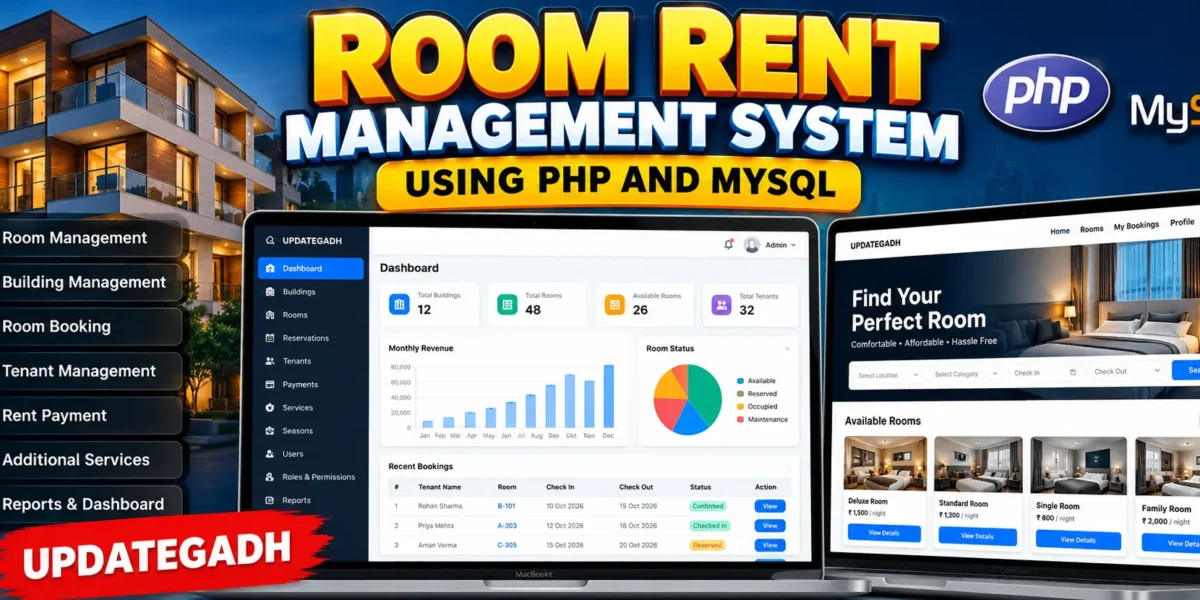
The Room Rent Management System Using PHP and MySQL is a web-based management application designed to simplify the complete process of managing rental rooms, buildings, tenants, reservations, rental periods, payments, and additional services. The system provides separate interfaces for administrators and users, making it suitable for rental businesses, hostels, property managers, and room-rental organizations.
This project is developed using Core PHP, MySQL, HTML, CSS, JavaScript, AJAX, and Bootstrap. It provides a professional responsive interface and uses a real MySQL database for storing users, rooms, reservations, payments, and other management information.
Complete Advance AI Topics: Click Here
Real Time Projects on YouTube:- DecodeIT
Project Overview
| Project Details | Information |
|---|---|
| Project Name | Room Rent Management System |
| Language/s Used | PHP, HTML, CSS, JavaScript |
| Database | MySQL |
| Framework | Bootstrap |
| Technology | AJAX |
| Type | Web-Based Management System |
Project Overview
The Room Rent Management System helps administrators manage rental properties from a centralized dashboard. Admin users can create buildings, add room categories, manage rooms, register tenants, process reservations, manage additional services, maintain seasonal rental rates, record payments, and generate reports.
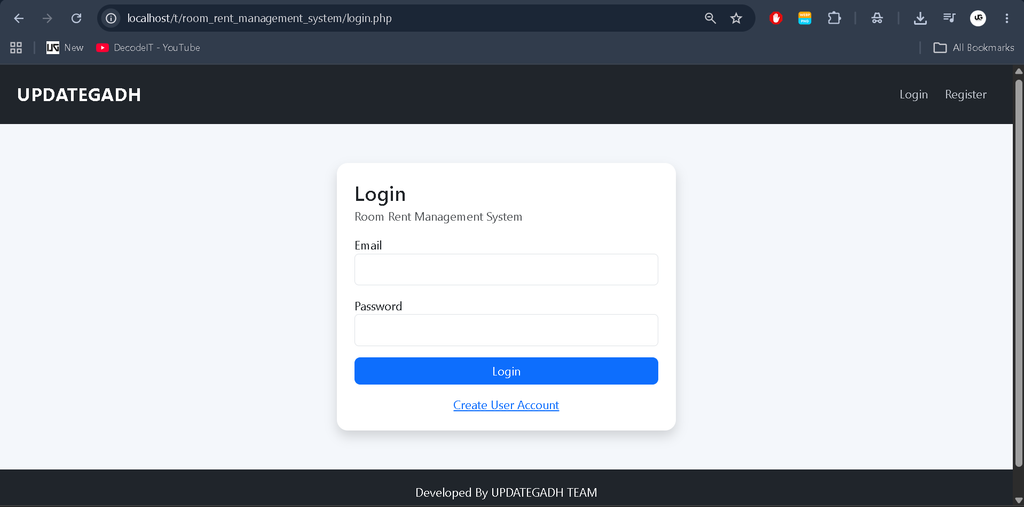
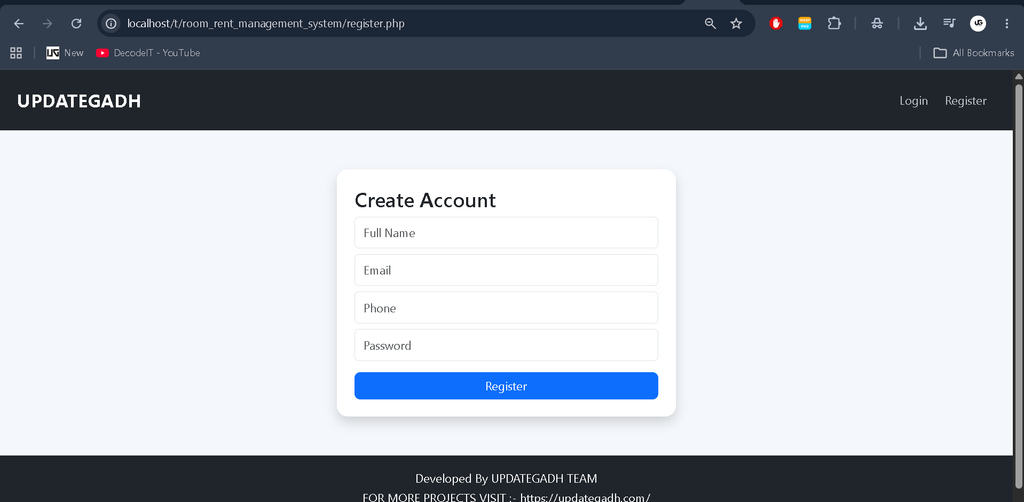
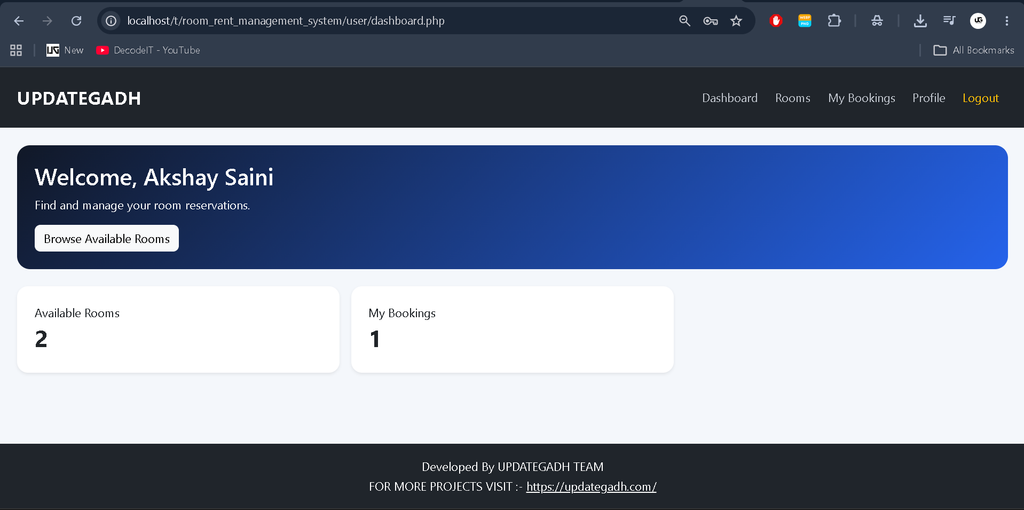
Users can create their own accounts, log in to the system, browse available rooms, search and filter rooms, view room information, select additional services, submit reservations, check booking status, view payment information, and manage their profiles.
User Roles
Admin
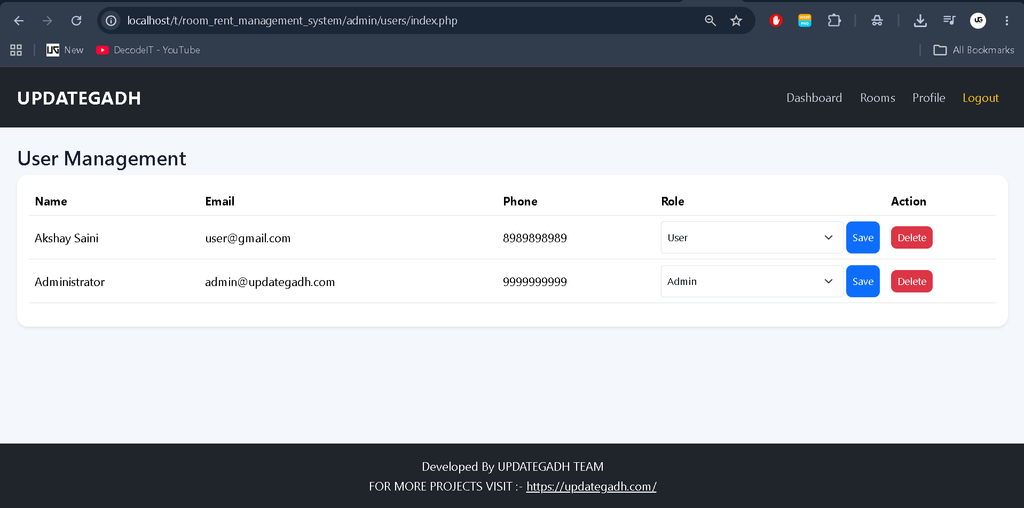
The administrator has access to the complete management system. Admin can manage rooms, buildings, tenants, reservations, services, payments, users, roles, permissions, seasons, and reports.
User
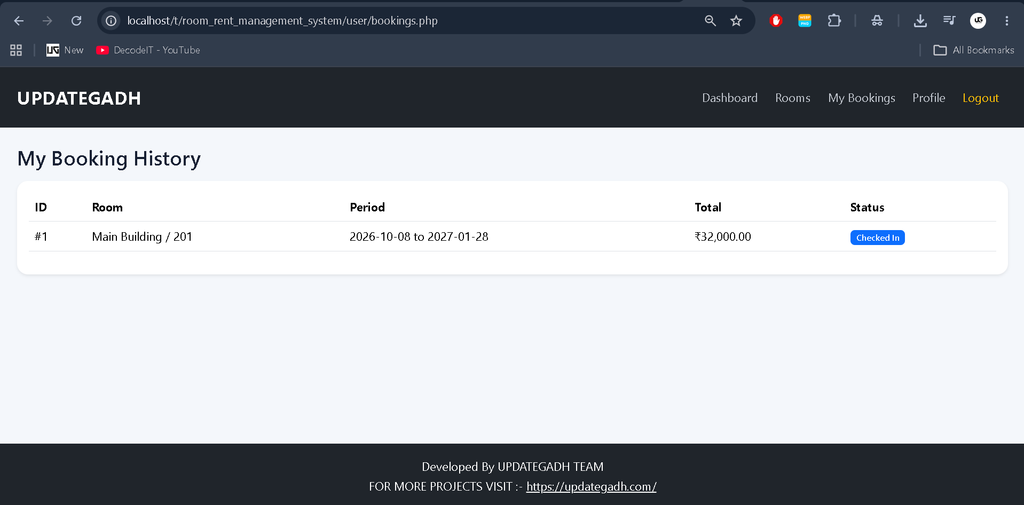
Registered users can browse available rooms, search rooms, view rental information, make reservations, select additional services, view their booking history, check reservation status, and manage their profile.
Available Features
- Admin Login and Logout
- Admin Dashboard
- User Registration and Login
- User Management
- Role Management
- Permission Management
- Building Management
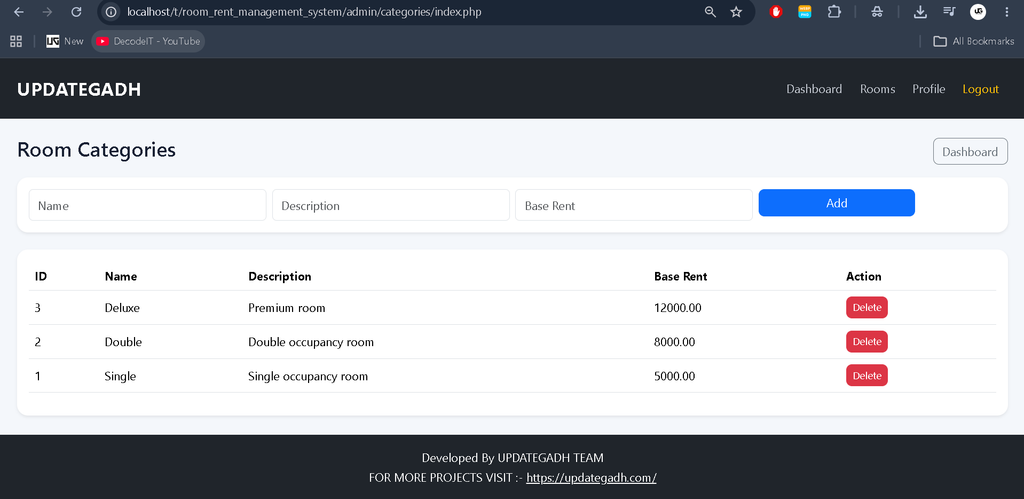
- Room Category Management
- Room Management
- Room Availability Status
- Tenant Management
- Room Booking and Reservation
- Check-In and Check-Out Management
- Rental Period Management
- Rent Payment Management
- Additional Services
- Reservation Status Management
- Seasonal Rent Management
- Booking History
- Payment Records
- Search and Filtering
- Dashboard Statistics
- Reports and Analytics
- Profile Management
- Responsive Bootstrap Interface
Admin Dashboard
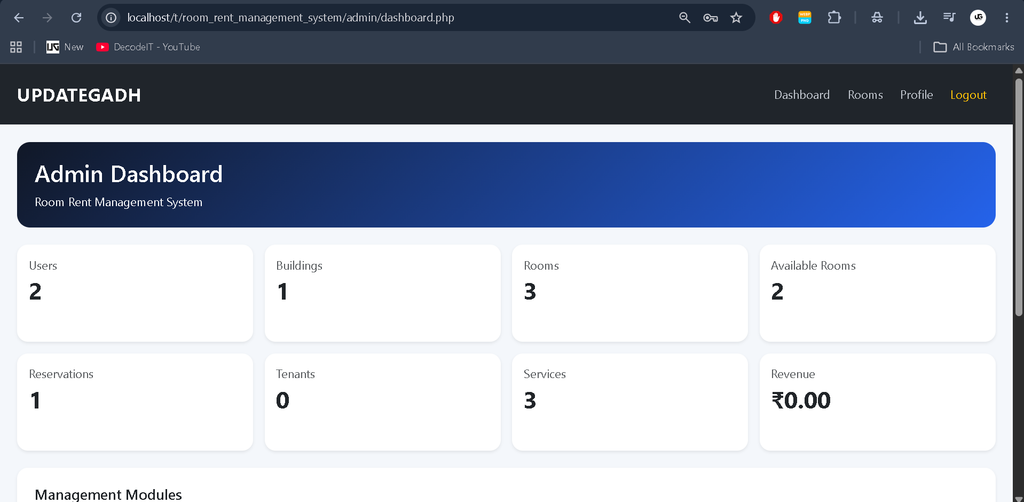
The admin dashboard provides an overview of the complete rental operation. Important statistics such as total users, buildings, rooms, available rooms, reservations, tenants, services, and collected revenue can be displayed using real database records.
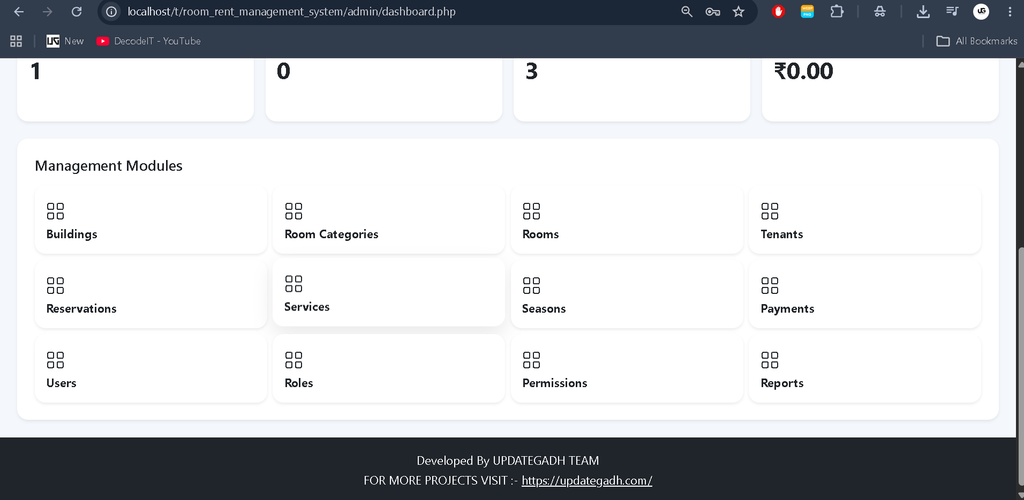
The dashboard also provides quick access to important management modules, allowing administrators to move between different sections without manually searching through the system.
Building and Room Management
Administrators can create and manage multiple buildings. Each building can contain multiple rooms and can store information such as building name, address, description, and status.
Room management allows the administrator to define room numbers, floors, capacity, categories, rental prices, descriptions, and availability status. Room statuses can include Available, Reserved, Occupied, and Maintenance.
Room Categories
The system allows administrators to create different room categories such as Single, Double, Deluxe, or other categories according to the rental business requirements. Each category can have a description and base rental amount.
Tenant Management
Tenant management helps administrators maintain important tenant information. The system can store tenant identity information, address, emergency contact details, and associated user accounts.
Room Booking and Reservation
Users can browse available rooms and use search and filtering options to find suitable rooms. After selecting a room, users can enter their check-in date, check-out date, rental period, and additional services.
The system calculates the estimated rental amount based on the selected room, rental duration, and additional services. After submitting a booking request, the reservation is stored in the database and its status can be managed by the administrator.
Check-In and Check-Out
Administrators can update reservation statuses throughout the rental process. Confirmed reservations can be marked as checked in when the tenant occupies the room. After the rental period is completed, the reservation can be marked as checked out and the room can become available again.
Additional Services
The system supports additional services that can be selected during room booking. Examples include Wi-Fi, laundry, cleaning, and other services offered by the rental property. Each service can have its own price and status.
Seasonal Rent Management
Seasonal rent management can be used to maintain different rental periods and pricing adjustments. Administrators can define seasons with start dates, end dates, and rental multipliers according to their business requirements.
Payment Management
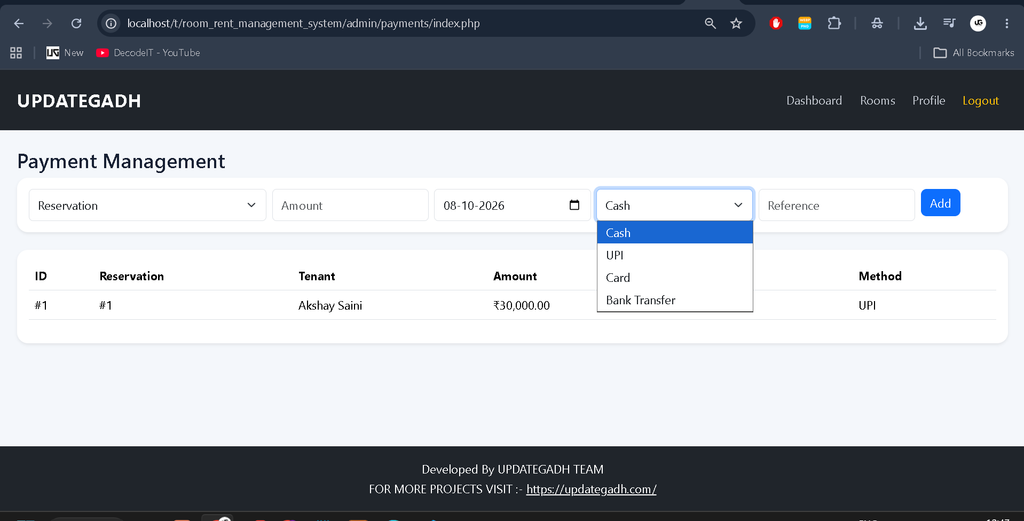
Administrators can record rental payments against reservations. The system supports payment methods such as Cash, UPI, Card, and Bank Transfer. Payment records include payment amount, date, method, reference number, and payment status.
Reports and Dashboard Statistics
The reporting section provides useful information about reservations and payments. Administrators can view reservation statistics based on status and review monthly payment revenue. These reports help administrators understand the overall performance of the rental operation.
Search and Filtering
Users can search available rooms using room numbers, buildings, and room categories. Category-based filtering makes it easier to find rooms according to specific requirements.
Profile Management
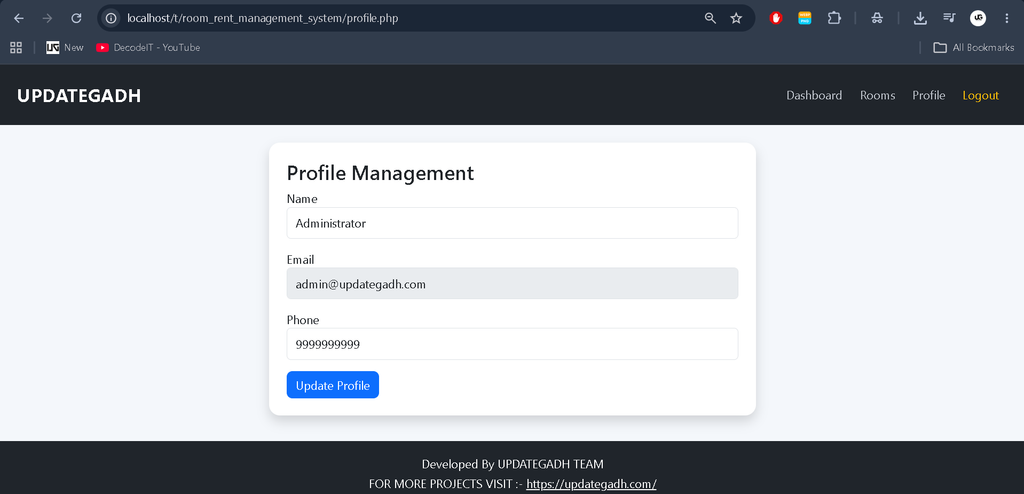
Both applicable users can manage their profile information. Users can view and update their name and phone number while their account email remains associated with the registered account.
Technology Stack
- Frontend: HTML5, CSS3, Bootstrap, JavaScript
- Backend: Core PHP
- Database: MySQL
- Client-Side Interaction: JavaScript and AJAX
- Authentication: PHP Sessions
- Database Access: PDO
Software and Tools Required
- XAMPP
- PHP
- MySQL
- phpMyAdmin
- Visual Studio Code
- Modern Web Browser
How to Download
The complete package is available so you can run, study, and submit it with confidence. It includes:
- Full Source Code
Screenshot
Installation Guide
Step 1: Install XAMPP
Install XAMPP on your computer and start the Apache and MySQL services.
Step 2: Extract the Project
Extract the Room Rent Management System project inside the XAMPP htdocs directory.
C:\xampp\htdocs\Room_Rent_Management_System_FIXEDStep 3: Create the Database
Open phpMyAdmin and import the following SQL file:
database/schema.sqlThe SQL file automatically creates the required database and tables.
Step 4: Configure Database
Open:
config/database.phpCheck the MySQL hostname, database name, username, and password according to your local XAMPP configuration.
Step 5: Run the Project
Open the project in your browser:
http://localhost/Room_Rent_Management_System_FIXED/Admin Login
Email: admin@updategadh.com
Password: Admin@123
Project Benefits
- Centralized rental management
- Easy room availability tracking
- Faster reservation processing
- Organized tenant information
- Digital payment record management
- Additional service management
- Real database-driven dashboard
- Search and filtering functionality
- Role-based access control
- Responsive interface for different screen sizes
Final Thoughts
The Room Rent Management System Using PHP and MySQL is a practical project for students who want to understand how a real-world management application works. It combines authentication, role-based access, CRUD operations, database relationships, reservations, payments, room management, and reporting into one complete application.
Room Rent Management System Using PHP and MySQL Room Rent Management System Using PHP and MySQL, Room Rent Management System, Room Rental Management System, Room Booking System Using PHP, Room Booking System PHP MySQL, Rental Management System, Room Reservation System, Tenant Management System, Property Management System, Room Management System, Rent Payment Management System, Core PHP Project, PHP MySQL Project, PHP Management System, MySQL Management System, Room Booking Project, Rental Property Management, PHP College Project, Web Based Room Rental System, UPDATEGADH,Room Rent Management System Using PHP and MySQL ,Room Rent Management System ,Room Rent Management System Using PHP