NGO Management System Using PHP and MySQL
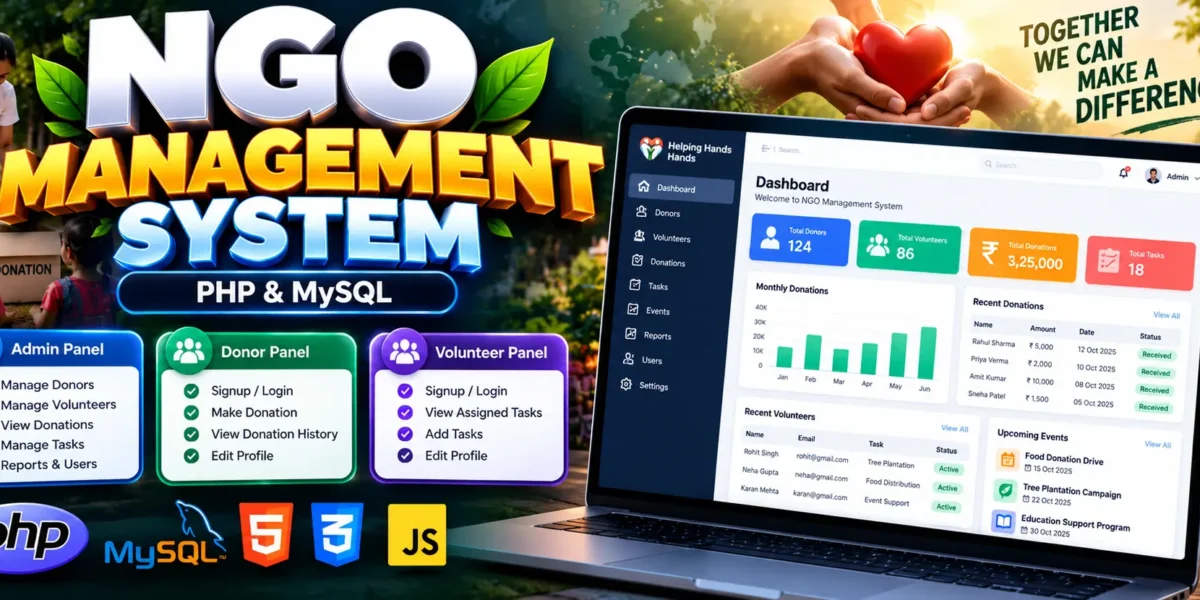
The NGO Management System Using PHP and MySQL is a web-based application designed to manage donors, volunteers, donation transactions, and volunteer tasks. Built with PHP, MySQL, JavaScript, and Bootstrap, it provides separate interfaces for Admin, Donor, and Volunteer users.
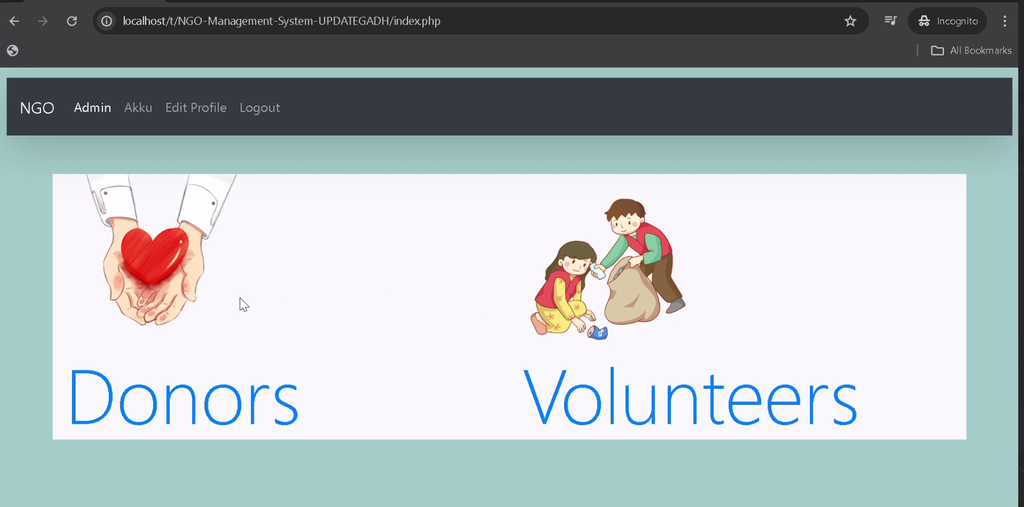
This project helps nonprofit organizations organize essential records and provides students with practical experience in database-driven web development. Administrators can manage donor and volunteer records, donors can make contributions, and volunteers can manage their tasks through the application.
Complete Advance AI Topics: Click Here
Real Time Projects on YouTube:- DecodeIT
What Is an NGO Management System?
An NGO Management System is a web application that helps nonprofit organizations manage donor information, donation records, volunteer activities, and administrative operations. This project provides a centralized platform for these activities through three user roles: Admin, Donor, and Volunteer.
Project Overview
| Project Details | Description |
|---|---|
| Project Name | NGO Management System |
| Language/s Used | PHP, JavaScript, Bootstrap |
| Database | MySQL |
| Type | Web Application |
What Are the Available Features of the NGO Management System?
The project includes account management, donor management, donation transactions, volunteer management, and task management. The following features are based on the supplied project details.
1. Login and Registration
The system provides login, signup, and profile-editing functionality with separate signup flows for Admin, Donor, and Volunteer accounts.
2. Admin Dashboard and User Management
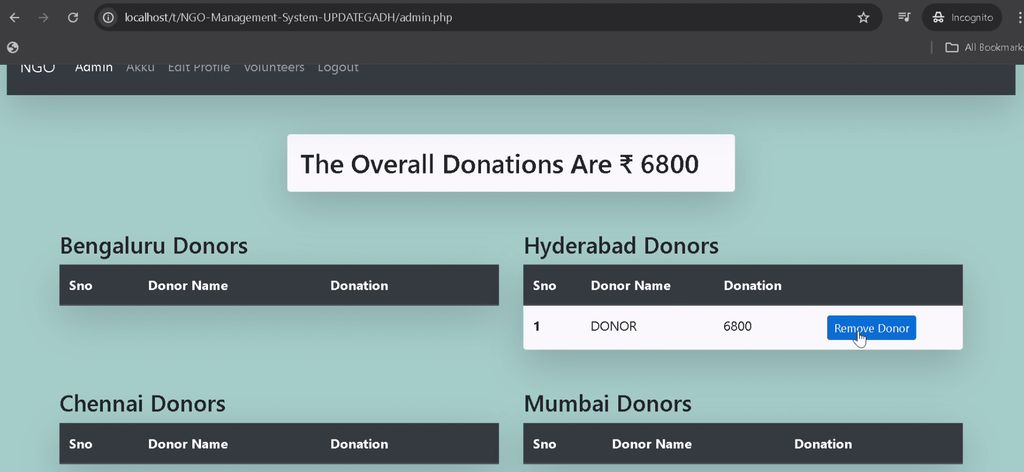
Administrators can manage donor records, volunteer records, and user roles. The dashboard provides an overview of important NGO information and activities.
3. Donor Management
The application allows administrators to manage donor information and maintain organized records of registered contributors.
4. Donation Management
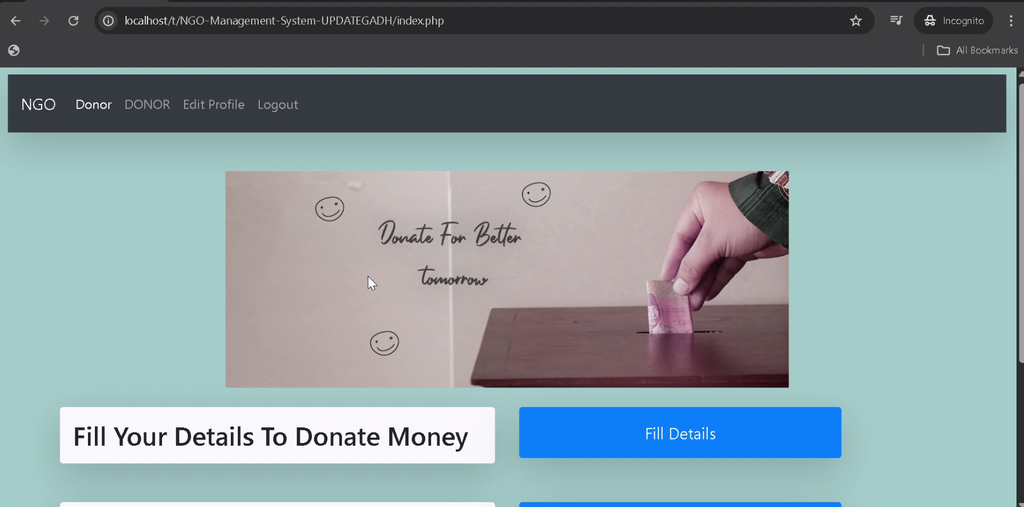
Donors can make donations using the available donation functionality, including monetary or item donations. The system also supports recording donated-money transactions.
5. Donation Transaction Records
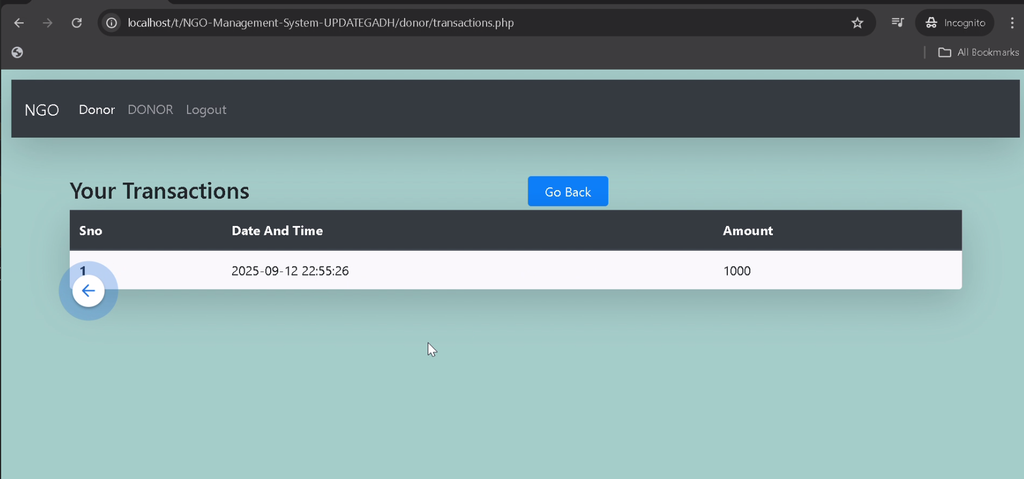
Donation transactions are stored in the database so relevant users can review contribution records and maintain organized donation information.
6. Volunteer Management
Administrators can manage volunteer records and their assigned roles, helping organize volunteer participation within the NGO.
7. Volunteer Task Management
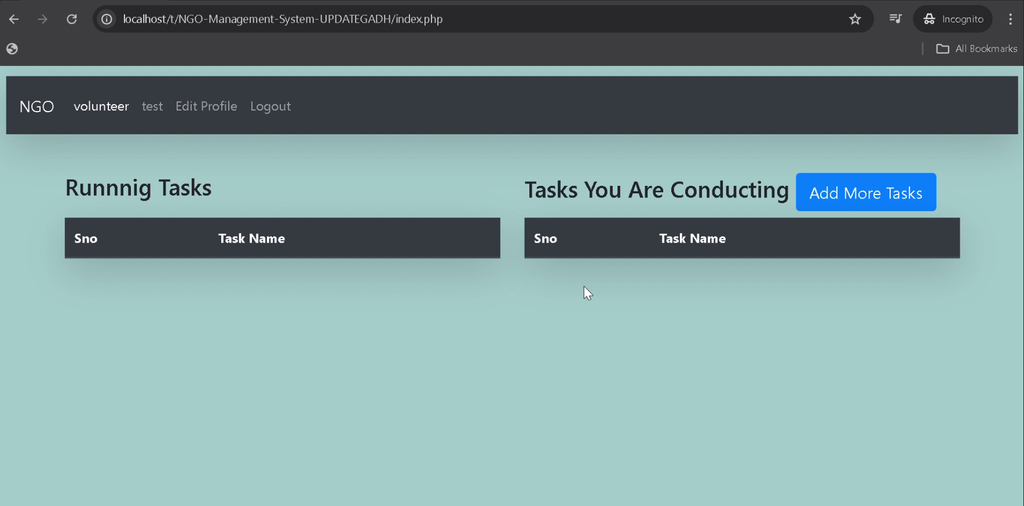
Volunteers can add tasks and view tasks assigned to them. This helps organize responsibilities associated with NGO activities.
8. Role-Based Access
The system separates Admin, Donor, and Volunteer functionality so users can access the pages and operations intended for their roles.
9. Bootstrap Interface
Bootstrap is used to provide a structured, responsive interface for the application’s web pages.
How Does Each User Role Work?
The application supports three user roles, each with different responsibilities and available operations.
Admin Role
- Manage donor and volunteer records.
- Manage user roles.
- Review donation transactions and organizational activities.
- Access the administrative dashboard.
Donor Role
- Register and log in.
- Make donations using available features.
- Review donation and transaction records.
- Edit account information.
Volunteer Role
- Log in to the application.
- Add tasks using the available functionality.
- View assigned tasks.
- Manage volunteer-related work.
Which Technologies Are Used in This Project?
The project combines PHP for backend processing, MySQL for data storage, and frontend technologies for the user interface.
| Technology | Purpose |
|---|---|
| PHP | Backend processing |
| MySQL | Database management |
| JavaScript | Client-side interactions |
| Bootstrap | Responsive interface |
| HTML and CSS | Webpage structure and styling |
| XAMPP | Local development environment |
What Software Is Required to Run the Project?
You need a PHP and MySQL environment, a code editor, and a web browser to run the project locally.
- XAMPP with Apache, PHP, and MySQL
- Visual Studio Code
- Web Browser
How to Download
The complete package is available so you can run, study, and submit it with confidence. It includes:
- Full Source Code
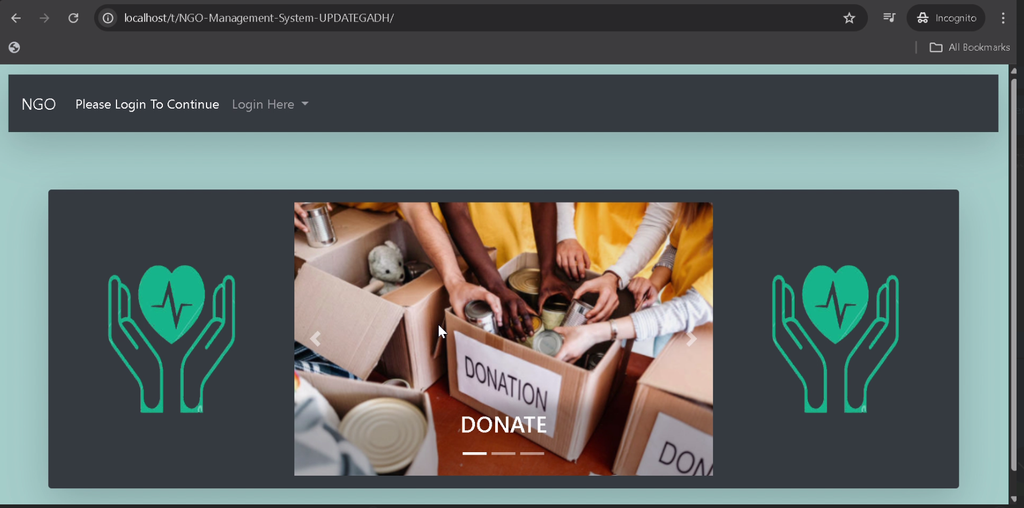
Screenshot
How to Install the NGO Management System in VS Code?
Follow these steps to configure the project using XAMPP and Visual Studio Code.
Step 1: Install and Start XAMPP
Install XAMPP, open the XAMPP Control Panel, and start Apache and MySQL.
Step 2: Extract the Project
Extract the project files into the XAMPP htdocs directory.
C:\xampp\htdocs\NGO-Management-SystemStep 3: Open the Project in VS Code
Open Visual Studio Code and select the extracted NGO-Management-System folder.
Step 4: Create and Import the Database
Open phpMyAdmin, create a database named ngo, and import the supplied sql/ngo.sql file. This file contains the database schema and initial data required by the project.
Step 5: Configure the Database Connection
Open pdo.php in the project root and verify that the connection settings match your local MySQL configuration.
$pdo = new PDO(
    'mysql:host=127.0.0.1;port=3306;dbname=ngo',
    'root',
    ''
);
Update the username or password if your MySQL setup uses different credentials.
Step 6: Run the Application
Ensure Apache and MySQL are running, then open the project through its local XAMPP URL using the extracted folder name. Follow the available login or signup options to access the application.
Step 7: Test the User Roles
- Create Donor and Volunteer accounts using the signup pages.
- Access the Admin panel to manage users and roles.
- Log in as a Donor to test donations and transaction records.
- Log in as a Volunteer to add tasks and view assigned work.
Why Is This Project Useful for Students?
This project gives students practical experience with PHP and MySQL integration, database operations, authentication, CRUD functionality, and role-based interfaces. It also demonstrates how donation records and volunteer tasks can be managed through a single web application.
BCA, MCA, and computer science students can use this project to understand the fundamentals of backend development and database-driven applications.
Frequently Asked Questions
1. Which programming language is used in the NGO Management System?
The project uses PHP for backend processing, JavaScript for client-side interactions, and Bootstrap for the interface.
2. Which database does the project use?
The application uses MySQL, with the provided ngo.sql file containing the database structure and initial data.
3. What user roles are available?
The project supports Admin, Donor, and Volunteer roles.
4. Can donors make donations and review transactions?
Yes. The available donor functionality supports donations and access to transaction records.
5. Can volunteers manage tasks?
Yes. Volunteers can add tasks and view assigned tasks through the available functionality.
Final Thoughts
The NGO Management System Using PHP and MySQL provides a practical example of managing donor information, donation transactions, volunteer records, and tasks in a centralized application.
NGO Management System, NGO Management System in PHP, PHP MySQL Project, Donation Management System, Volunteer Management System, NGO Website Project, BCA Project, MCA Project, UPDATEGADH