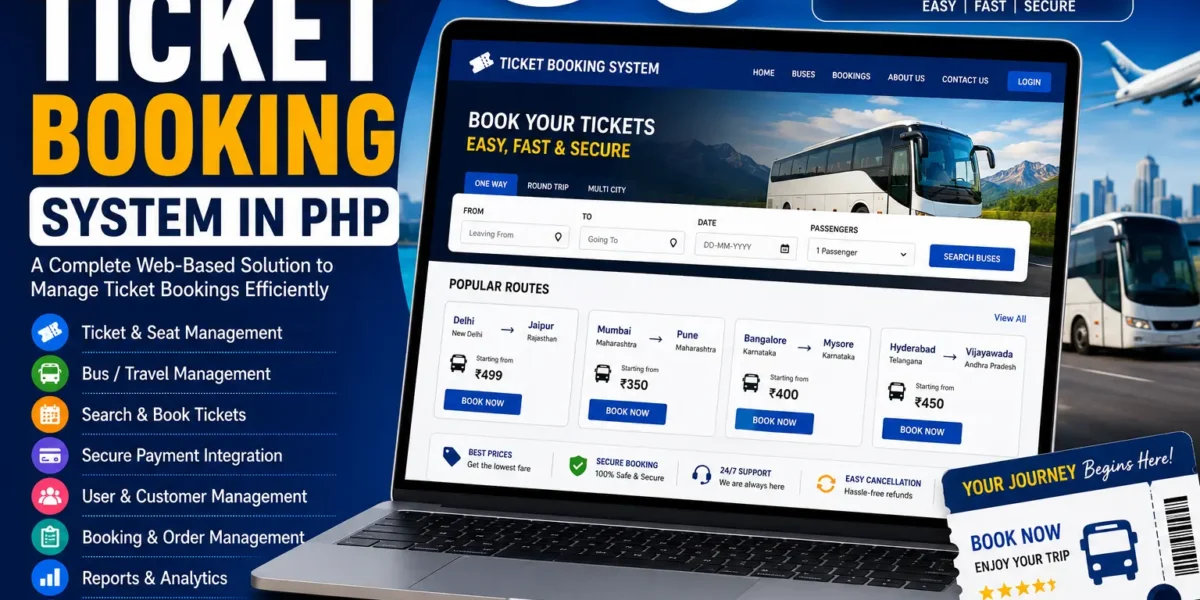
Ticket Booking System in PHP
The Ticket Booking System in PHP is a web-based reservation application designed to provide a simple and efficient way to book tickets for buses and trains. The system is developed to improve the booking experience for both travelers and travel companies by providing an online platform for managing schedules and reservations.
This Ticket Booking System in PHP is developed using PHP, CSS, JavaScript, and Bootstrap. The application contains two main sections: the Admin Section and the User Section. Each section provides functionality according to the role of the user.
Through the user interface, travelers can search for available tickets between different city pairs and book tickets according to their preferred class. The system supports ticket booking for buses and trains and provides options such as economy class and first class.
The admin section is used for managing bus and train schedules, viewing user bookings, and monitoring reservation history. This allows the administrator to keep the available schedules updated and manage the reservations made through the system.
Ticket Booking System in PHP
The Ticket Booking System provides an online reservation platform for travelers who want to book bus or train tickets. Instead of depending entirely on a manual reservation process, users can use the web-based system to search for tickets and make their reservations online.
The system is designed to provide a straightforward booking experience. Users can search for tickets between available city pairs and select the class they prefer for their journey.
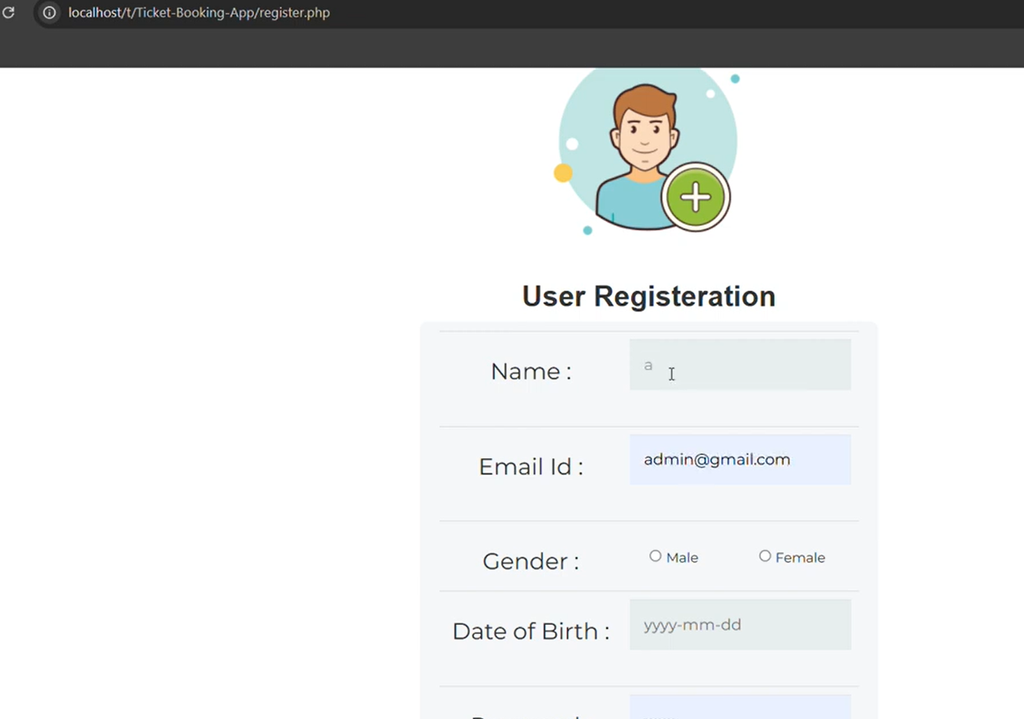
The application also includes a login and registration facility. Users need to register and log in before they can book tickets through the system. This provides a dedicated user account structure for the booking process.
On the administrative side, the system provides functionality for managing schedules and viewing booking information. The administrator can keep bus and train schedules updated and monitor the reservation history available in the system.
Project Overview
The Ticket Booking System is divided into two main sections: the Admin Section and the User Section.
The Admin Section focuses on managing bus and train schedules and handling booking-related information. Administrators can view all user bookings and monitor reservation history through the management interface.
The User Section is designed for travelers. Users can search for tickets between city pairs, select their preferred class, and book available tickets after completing the login and registration process.
This separation makes the system easier to manage because administrative functions and customer booking functions are kept within their respective sections.
Admin Section
The Admin Section provides the management functionality of the Ticket Booking System. Administrators can manage schedules and access booking information from this section.
1. Bus and Train Schedule Management
The administrator can manage bus and train schedules through the admin section. Keeping schedule information updated is an important part of the reservation system because users need access to the available schedules when searching for tickets.
The admin can maintain the available schedule information so that the booking system can provide users with the relevant options.
The schedule management functionality helps keep the reservation information organized and supports a smoother booking experience for travelers.
2. View User Bookings
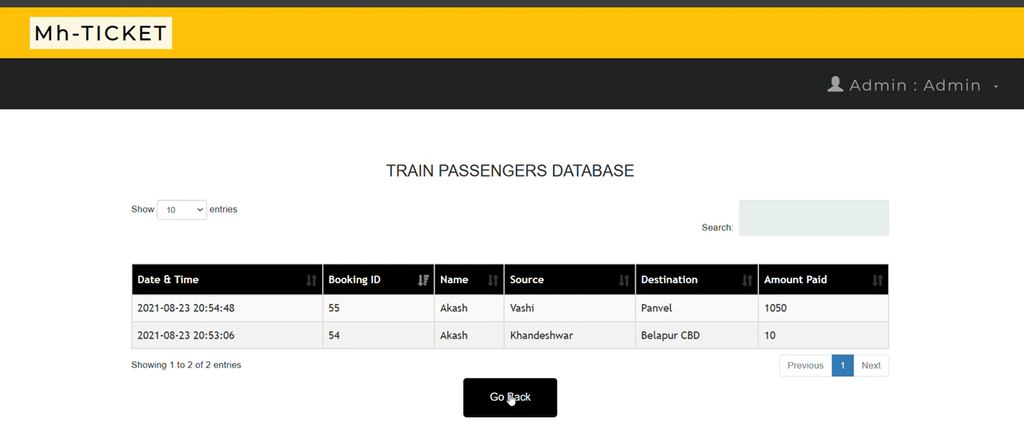
The administrator can view all user bookings through the admin interface. This allows the admin to access information about the reservations made by users.
Having all user bookings available in the administrative section provides a centralized location for monitoring reservations.
3. Reservation History
The system allows the administrator to monitor reservation history. Reservation history provides access to the booking information recorded through the system.
This helps the admin review previous reservations and keep track of the booking activity handled through the ticket booking platform.
4. Updated Schedules
The admin is responsible for keeping the bus and train schedule information updated. Maintaining current schedule information helps provide users with a smoother ticket booking experience.
By managing schedules from the admin section, the administrator can maintain the information that is used during the ticket search and reservation process.
User Section
The User Section is designed for travelers who want to search and book tickets online. The user interface provides access to the ticket search and booking functionality.
1. Search for Tickets
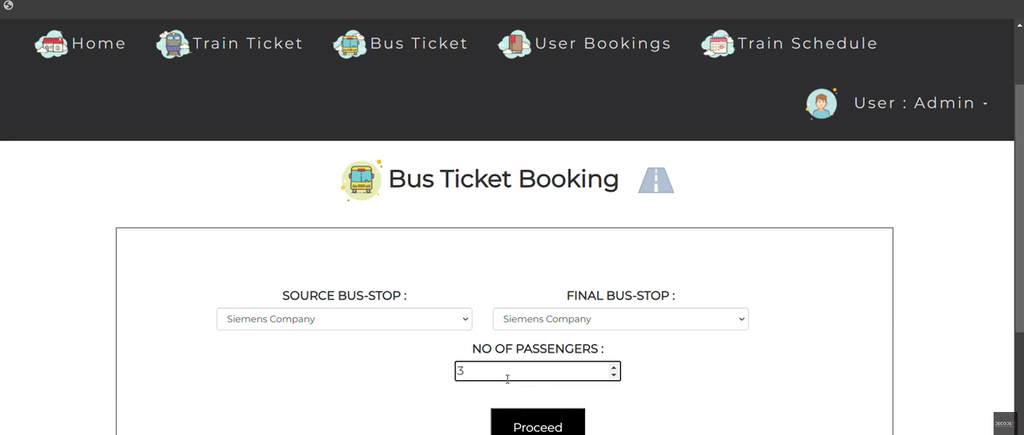
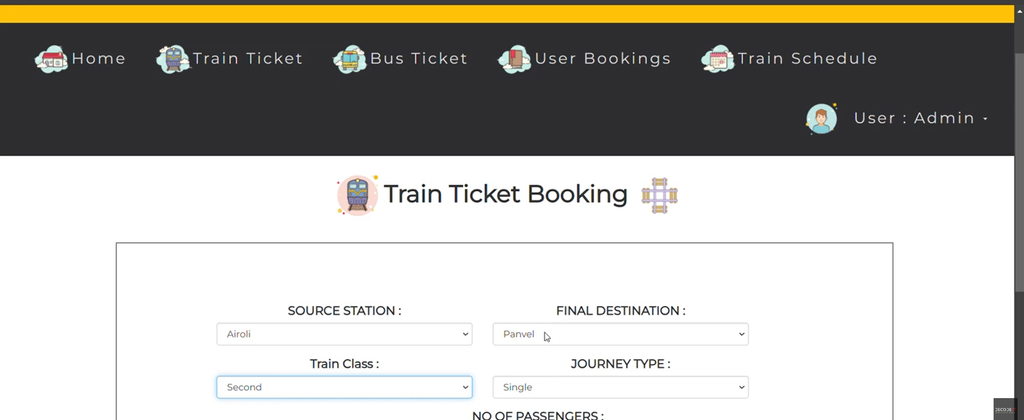
Users can search for available tickets between city pairs. This allows travelers to specify the cities between which they want to travel and find the available ticket options.
The ticket search functionality provides users with a straightforward way to find available travel options through the online system.
2. Select Ticket Class
The system supports ticket booking according to the user’s preferred class. Users can select from the available ticket classes, including Economy and First Class.
This gives travelers the option to choose the class that matches their preference when making a reservation.
3. Ticket Booking
After searching for the required route and selecting the preferred class, users can proceed with the ticket booking process.
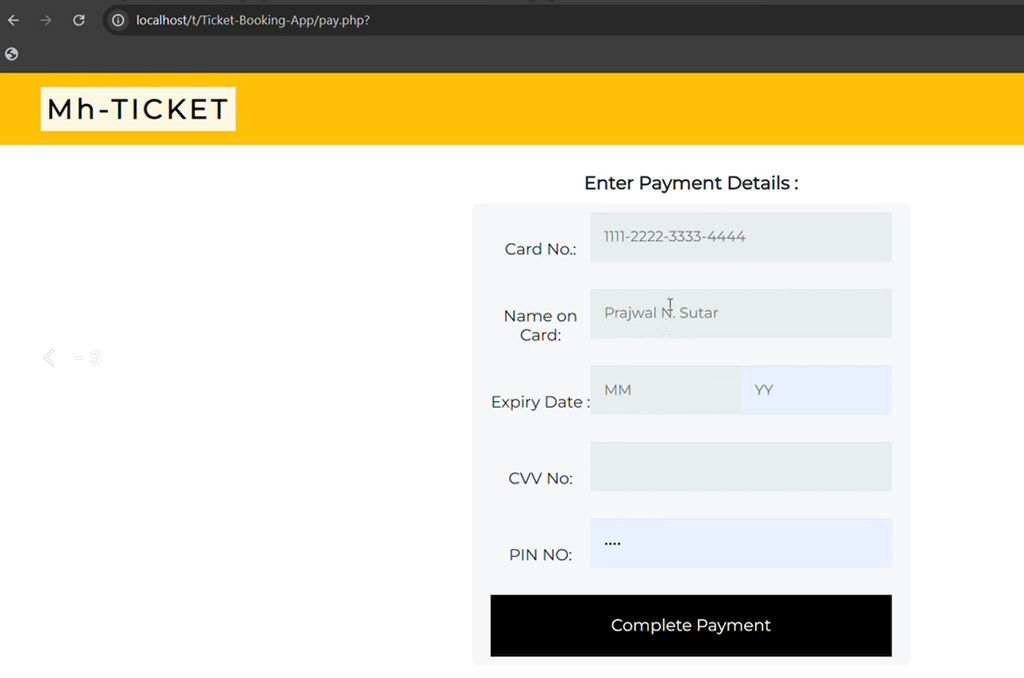
The system provides an online reservation method that reduces the need for users to wait for manual ticket booking. The online process makes ticket purchasing more convenient for travelers.
4. Login and Registration
The Ticket Booking System provides login and registration functionality for users. Users need to register and log in before they can book tickets through the system.
The registration functionality allows new users to create an account, while the login facility allows registered users to access the booking section.
This ensures that the ticket booking functionality is available to registered users through their accounts.
Ticket Booking Process
The ticket booking process is designed to be straightforward. A traveler first needs to access the user section and complete the required registration and login process.
After logging in, the user can search for tickets between the required city pair. The system provides the available ticket options based on the search.
The user can then select the preferred class, such as Economy or First Class, and proceed with the ticket booking.
This process provides travelers with an organized method of searching for and reserving bus or train tickets through the online platform.
Benefits of Ticket Booking System
Convenient Ticket Booking
The system provides an online method for booking tickets, allowing travelers to make reservations through the website instead of depending entirely on a manual booking process.
Users can search for available tickets and make reservations according to their preferred routes and classes.
Reduced Waiting Time
The online booking process helps reduce waiting time for travelers. Users can search for tickets and complete their reservation through the system without requiring a separate manual booking process.
This makes the overall ticket purchasing experience more convenient for users.
Organized Reservation Management
The administrator can access user bookings and reservation history through the admin section. This provides a centralized method for monitoring the reservations made through the system.
The availability of booking information in one place makes reservation management easier for the administrator.
Updated Travel Schedules
The admin section provides functionality for managing bus and train schedules. Keeping the schedule information updated helps ensure that users have access to the available travel information when searching for tickets.
Technologies Used
The Ticket Booking System uses a combination of backend and frontend technologies to create the application.
- PHP: Used for backend processing and application functionality.
- CSS: Used for styling the website and creating the visual layout.
- JavaScript: Used for dynamic user interaction within the application.
- Bootstrap: Used for responsive styling and creating a clean user interface.
The combination of these technologies provides the basic structure required for the ticket reservation platform.
User-Friendly Interface
The system provides an intuitive layout for both administrators and users. The user interface is designed to make ticket searching and booking straightforward.
Users can access the booking functionality through the user section, while administrators can manage schedules and reservations through the admin interface.
Bootstrap is used as part of the technology stack to support responsive styling and help the application work across different screen sizes.
How to Run Ticket Booking System in PHP
To run the Ticket Booking System in PHP on a local computer, you need to install XAMPP or a similar virtual server environment. The project can then be configured using the provided project files and database.
Step 1: Install XAMPP
First, install XAMPP for Windows on your computer. XAMPP provides the local server environment required to run the PHP application.
After installation, open the XAMPP Control Panel to configure the required services.
Step 2: Extract the Project Files
After downloading the Ticket Booking System, extract the downloaded project package.
Once the files have been extracted, locate the main project folder.
Step 3: Copy the Project Folder
Copy the main project folder and paste it inside the XAMPP htdocs directory.
xampp/htdocs/The htdocs directory is used to store PHP projects that need to be accessed through the Apache server.
Step 4: Open phpMyAdmin
Open your web browser and access phpMyAdmin through the local XAMPP installation.
phpMyAdmin is used to create the database and import the SQL file included with the Ticket Booking System.
Step 5: Create the Database
In phpMyAdmin, open the Databases tab and create a new database named:
trainThe project uses the train database for storing the required information.
Step 6: Import the SQL File
After creating the train database, select it and open the Import tab.
Select the database file included with the project:
train.sqlAfter selecting the SQL file, click Go to complete the database setup.
The SQL file contains the database information required by the Ticket Booking System.
Step 7: Start Apache and MySQL
Open the XAMPP Control Panel and start both the Apache and MySQL modules.
Apache is required to run the PHP application, while MySQL is required for database operations.
Step 8: Launch the Project
After completing the project and database configuration, open the application through your browser using the local project address.
The Ticket Booking System will then be available through the local server, allowing you to access the user and admin sections of the application.
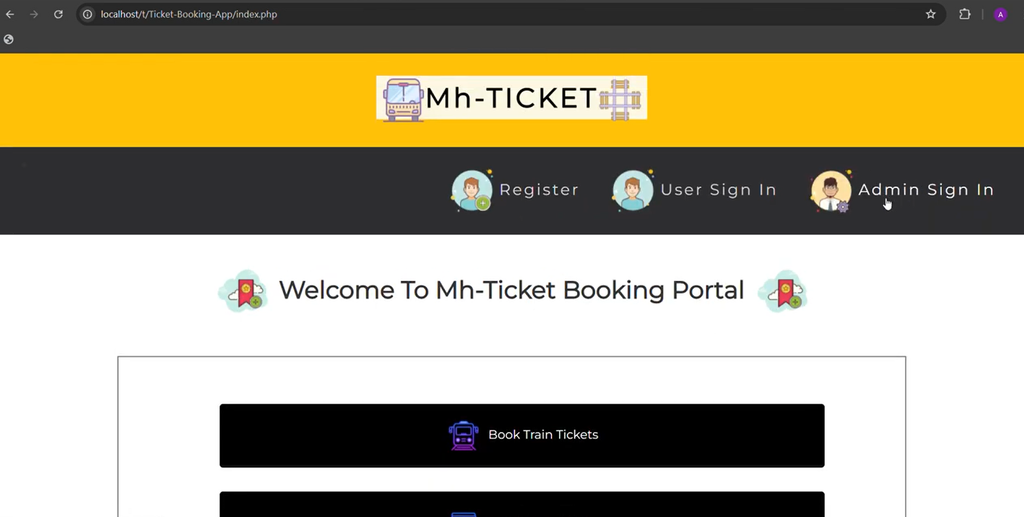
Screenshot:-
How to Download
Get This Project
The complete package is available so you can run, study, and submit it with confidence. It includes:
- Full Source Code
For any queries or a quick response, reach out on WhatsApp: +91 79834 34684
Ticket Booking System for Learning
This project can be useful for students and beginners who want to understand how a PHP-based reservation system works. It demonstrates the basic structure of an online ticket booking platform with separate admin and user sections.
Students can study how users search for tickets, select their preferred class, register and log in, and make reservations. They can also understand how administrators manage schedules and monitor booking information.
The project provides a practical example of combining PHP, CSS, JavaScript, Bootstrap, and a database into a web-based booking application.
Conclusion
The Ticket Booking System in PHP provides a simple online reservation platform for buses and trains. It allows travelers to search for available tickets between city pairs, select their preferred class, and book tickets through the user section.
The admin section provides functionality for managing bus and train schedules, viewing user bookings, and monitoring reservation history. This separation between user and administrator functions keeps the system organized and makes the booking process easier to manage.
Built using PHP, CSS, JavaScript, and Bootstrap, the project provides a straightforward example of a web-based ticket reservation system. The system can be installed locally using XAMPP and the provided train.sql database file.
Keywords:-
ticket booking system in php with source code
ticket booking system in php github
online movie ticket booking system project source code github
airline reservation system project in php with source code
online flight booking system php source code
online movie ticket booking system project report pdf in php
online movie ticket booking system project documentation pdf
cinema booking system project
bus ticket booking system project in php with source code
bus ticket booking system project in php github
online bus ticket reservation system project in php github
bus ticket booking system project in php pdf
online bus ticket booking system project report pdf
online bus ticket booking project in html with source code
bus ticket booking-system github
online bus reservation system project
train ticket booking system project in php with source code
train ticket booking system project in php github
train ticket booking system project in php pdf
train ticket booking system project in php using github
railway reservation system project with source code
railway-reservation-system project in php github
railway reservation system project report pdf
railway ticket booking system project