Cycle Store Project with Admin Panel Using PHP and MySQL
Introduction
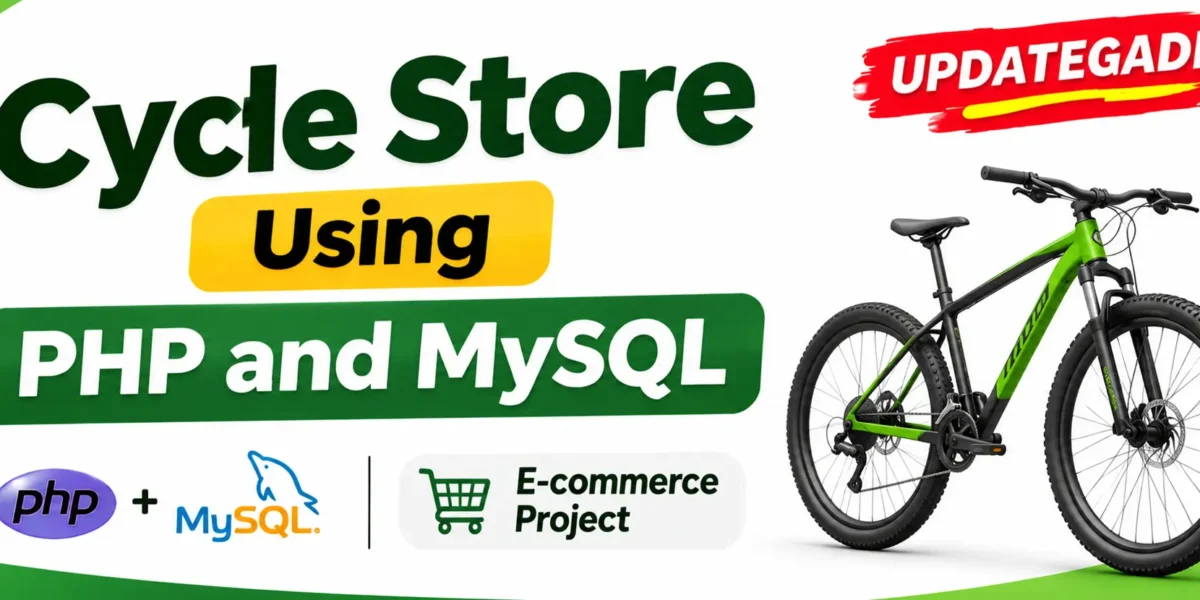
Cycle Store Project with Admin Panel Using PHP and MySQL is a web-based shopping application designed to manage an online cycle store. The project allows customers to browse cycles, search for products, add items to their shopping cart, and place orders. It also includes an admin panel for managing products, customer information, and orders.
The application uses HTML, CSS, and JavaScript for frontend development, while PHP handles backend operations and MySQL manages the database. It provides a practical example of how frontend and backend technologies work together to develop an online shopping website.
Real Time Projects on YouTube:- DecodeIT
Project Overview
| Project Details | Information |
|---|---|
| Project Name | Cycle Store Project with Admin Panel |
| Programming Language | PHP |
| Frontend | HTML, CSS, JavaScript |
| Database | MySQL |
| Database Management | phpMyAdmin |
| Local Server | XAMPP / WAMP |
| Code Editor | Visual Studio Code / Sublime Text |
| Project Type | Web-Based E-commerce Website |
What Are the Main Features of the Cycle Store Project?
The Cycle Store Project includes important shopping and administration functionalities to manage an online cycle store.
E-commerce Website Using MERN Stack :- Click Here
1. User Authentication
- Customer registration and login functionality.
- Separate admin login with elevated privileges.
- Account-based access to the website.
2. Product Management
- Admin can add new products.
- Admin can edit existing product information.
- Admin can delete products.
- Customers can browse available products.
- Customers can search for products.
3. Order Processing
- Customers can add products to their shopping cart.
- Customers can place orders.
- Admin can view customer orders.
- Admin can manage orders through the admin panel.
4. Responsive Design
The website is designed to be responsive and mobile-friendly, allowing customers and administrators to access the application from different devices.
5. Basic Security
The project includes basic security considerations such as input validation and SQL injection prevention to support safer application operations.
What Are the Admin Panel Features?
The admin panel provides management functionality for the main operations of the cycle store.
- Product Management: Add, edit, and delete cycle products.
- Order Management: View and manage customer orders.
- User Management: Manage customer information.
- Admin Login: Access the administration panel through admin authentication.
How Does the Cycle Store Website Work?
The website connects customers with the online store and provides administrators with tools to manage its main operations.
Customer Workflow
- Customers register or log in to the website.
- They browse the available cycle products.
- They search for products they want to purchase.
- They add selected products to the shopping cart.
- They place their orders.
Advanced E-Commerce Management System Using Django :- Click Here
Admin Workflow
- The administrator logs in through the admin login page.
- The admin accesses the administration panel.
- The admin adds, edits, or deletes products.
- The admin views and manages customer orders.
- The admin manages user information.
How to Develop the Cycle Store Project?
The project development process involves organizing files, designing the database, creating the frontend, and implementing backend functionality.
Step 1: Create the Project Structure
Create the main project directory and organize the application files into separate folders.
cycle-store/
│
├── index.html
├── admin.html
├── styles/
├── scripts/
├── php/
└── db/
- index.html: Homepage of the cycle store.
- admin.html: Admin panel login page.
- styles/: Contains CSS files.
- scripts/: Contains JavaScript files.
- php/: Contains PHP scripts.
- db/: Contains SQL scripts.
Step 2: Database Setup
Create a MySQL database using phpMyAdmin. Prepare the required database tables for users, products, and orders.
Step 3: Frontend Development
Use HTML and CSS to create the website interface. Make the customer website and admin panel responsive and easy to navigate.
Step 4: Backend Development
Use PHP to implement authentication, product management, and order processing. Connect the PHP scripts to MySQL for retrieving and storing application data.
Step 5: JavaScript Functionality
Use JavaScript to improve website interactivity. Implement form validation, dynamic content updates, and AJAX requests for smoother user interactions.
Which Software and Tools Are Required?
The following tools are required to develop and run the Cycle Store Project locally.
| Software or Tool | Purpose |
|---|---|
| Visual Studio Code | Writing and editing project code. |
| Sublime Text | Code editing. |
| Google Chrome | Website testing. |
| Firefox | Website testing. |
| XAMPP | Local PHP and MySQL server environment. |
| WAMP | Alternative local server environment. |
| phpMyAdmin | Managing the MySQL database. |
| PHP | Backend development. |
| MySQL | Database management. |
E-commerce Platform with PHP, CSS, JavaScript :- Click Here
How to Download
The complete package is available so you can run, study, and submit it with confidence.
Screenshot
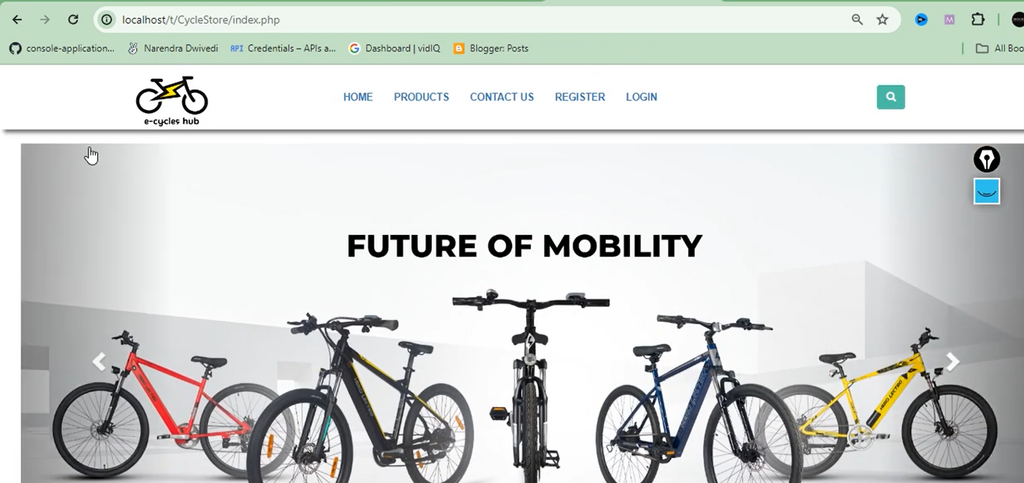


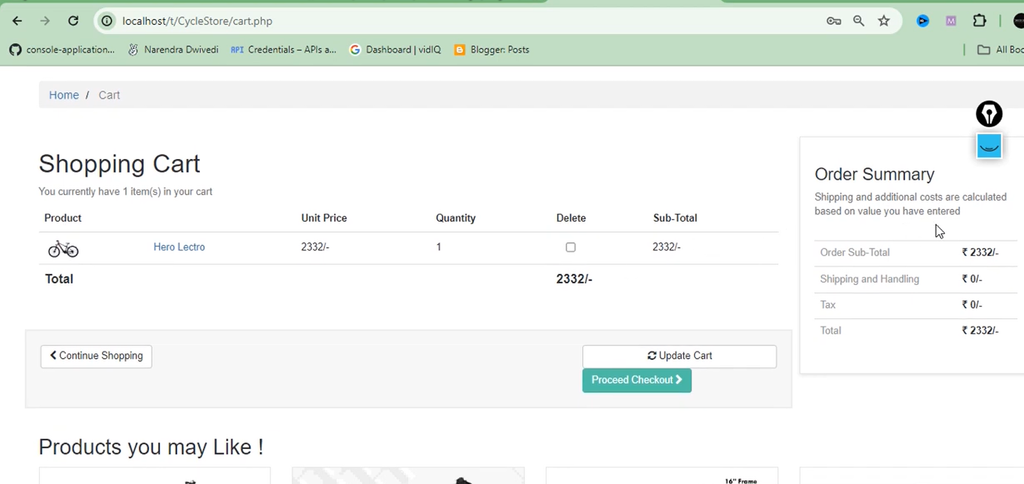
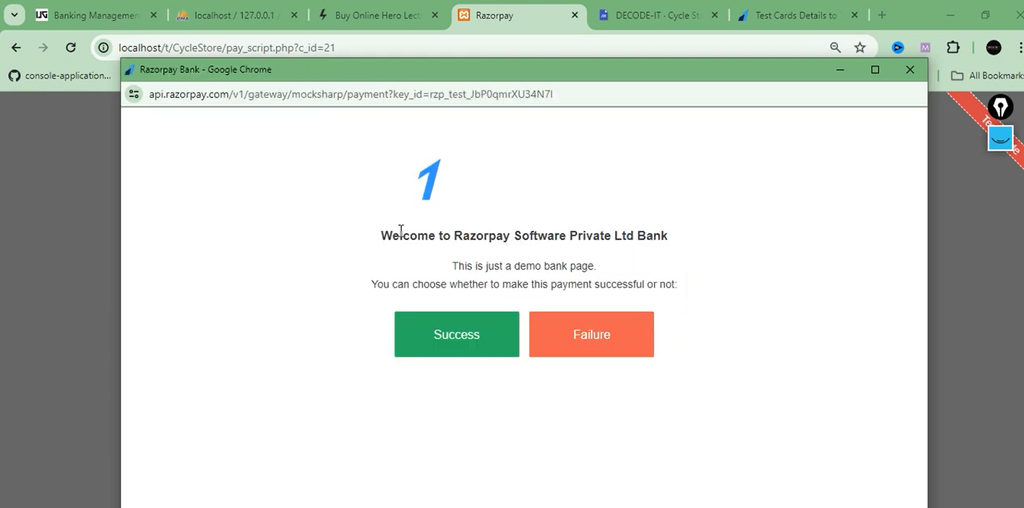

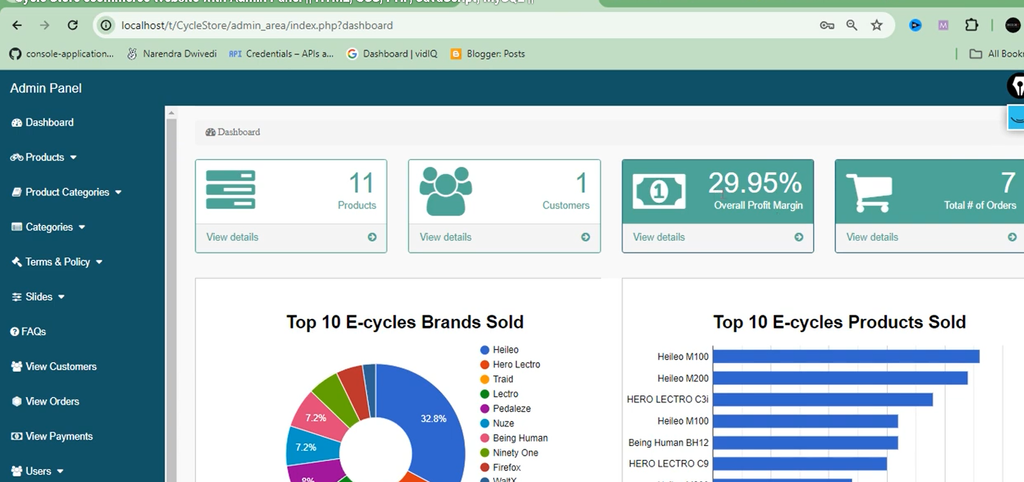

How to Install and Run the Cycle Store Project in XAMPP?
Follow these steps to configure and run the Cycle Store Project on your Windows computer using XAMPP.
Step 1: Install XAMPP
Download and install XAMPP on your computer. XAMPP provides the Apache and MySQL services required to run the PHP project locally.
Step 2: Start Apache and MySQL
- Open the XAMPP Control Panel.
- Click the Start button next to Apache.
- Click the Start button next to MySQL.
- Make sure both services are running.
Step 3: Extract the Project
Extract the Cycle Store project ZIP file and copy the project folder into the XAMPP htdocs directory.
C:\xampp\htdocs\cycle-store
Replace cycle-store with the actual extracted project folder name if it is different.
Step 4: Create the MySQL Database
- Open your browser.
- Visit
http://localhost/phpmyadmin/. - Create a new MySQL database.
- Open the project’s
db/folder. - If an SQL file is provided, import it into the database you created.
Important: Use the database name and SQL file specified by the project files. Do not create a different database name if the PHP configuration expects a specific one.
Step 5: Configure the Database Connection
Open the PHP database connection file in Visual Studio Code. Update the database host, database name, username, and password according to your local MySQL configuration.
Step 6: Run the Website
Open your browser and enter the following address:
http://localhost/cycle-store/
If your extracted folder has a different name, replace cycle-store with that folder name.
Step 7: Open the Admin Panel
Open the admin login page using the admin page filename and path provided in the project. The admin can log in and access the available product, order, and user management functionality.
Frequently Asked Questions
1. What is a Cycle Store Project with Admin Panel?
It is a web-based shopping application that allows customers to browse cycles and place orders, while administrators manage products, users, and orders.
2. Which programming language is used?
PHP is used for backend development, while HTML, CSS, and JavaScript are used for frontend development.
3. Which database is used?
MySQL is used to store and manage application data.
4. Can the admin manage products?
Yes, the admin can add, edit, and delete products.
5. Can customers place orders?
Yes, customers can add products to their shopping carts and place orders.
6. Which software is required to run the project?
XAMPP or WAMP can be used as the local server environment. A code editor and web browser are also included in the required tools.
Final Thoughts
Cycle Store Project with Admin Panel Using PHP and MySQL is a practical web development project for understanding online shopping applications. It covers customer authentication, product browsing, shopping cart functionality, order processing, and admin-side management.