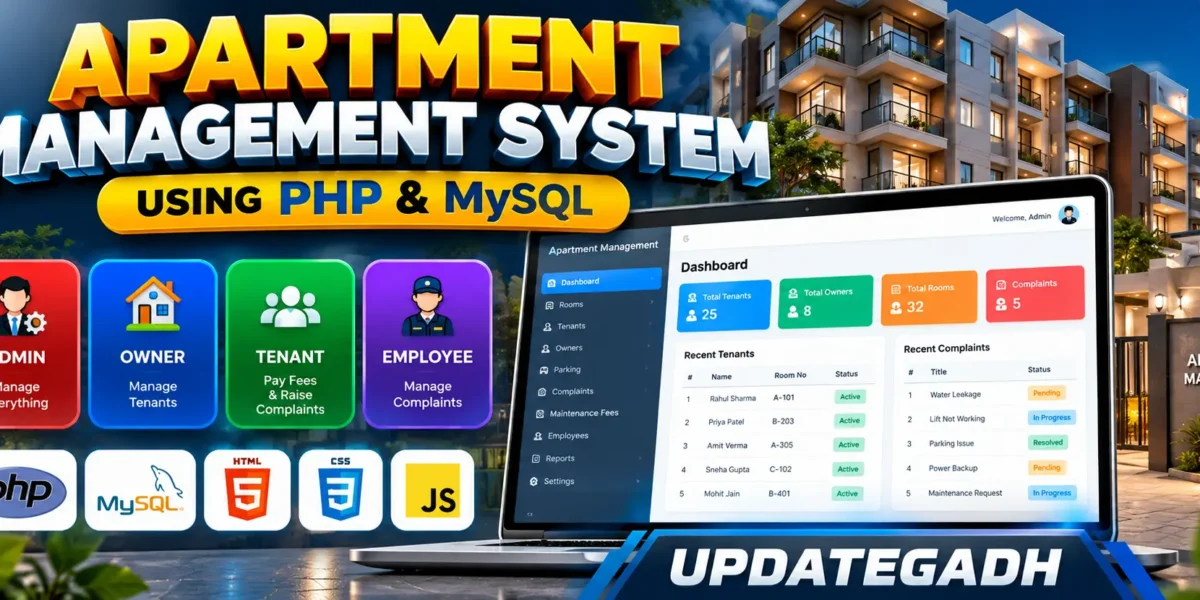
Apartment Management System Using PHP and MySQL
The Apartment Management System is a practical web application designed to organize everyday activities inside a residential community. Apartment administration normally involves several connected tasks, including maintaining owner and tenant records, assigning parking spaces, tracking maintenance fees, handling complaints, and supporting staff operations. This project brings those activities into one role-based system built with PHP, MySQL, HTML, CSS, and JavaScript.
The project is designed at a medium college-project level. It is more useful than a basic CRUD demonstration while remaining understandable and maintainable for students. Different users receive separate workspaces so that an administrator can manage community records, owners can view residents associated with their rooms, tenants can manage their own services, and employees can work with complaints.
Complete Advance AI Topics: Click Here
Real Time Projects on YouTube:- DecodeIT
Project Overview
| Feature | Details |
|---|---|
| Project Name | Apartment Management System |
| Languages | PHP, HTML, CSS, JavaScript |
| Database | MySQL |
| Type | Web Application |
| User Roles | Admin, Owner, Tenant, Employee |
Key Features
The system provides separate functions according to the responsibilities of each user. Authentication controls access to the appropriate dashboard, while the shared database keeps apartment information connected across modules.
- Role-based login: Users sign in through a common authentication page and are directed to the workspace associated with their role.
- Tenant and owner records: The administrator can review resident information, while owner accounts can view tenants connected to their rooms.
- Parking management: Available parking slots can be allocated to tenants and residents can view their assigned parking.
- Complaint management: Tenants can submit complaints, while owners, administrators, and employees can review relevant requests and update their status.
- Maintenance fees: Fee records contain the month, amount, due date, payment status, and payment date.
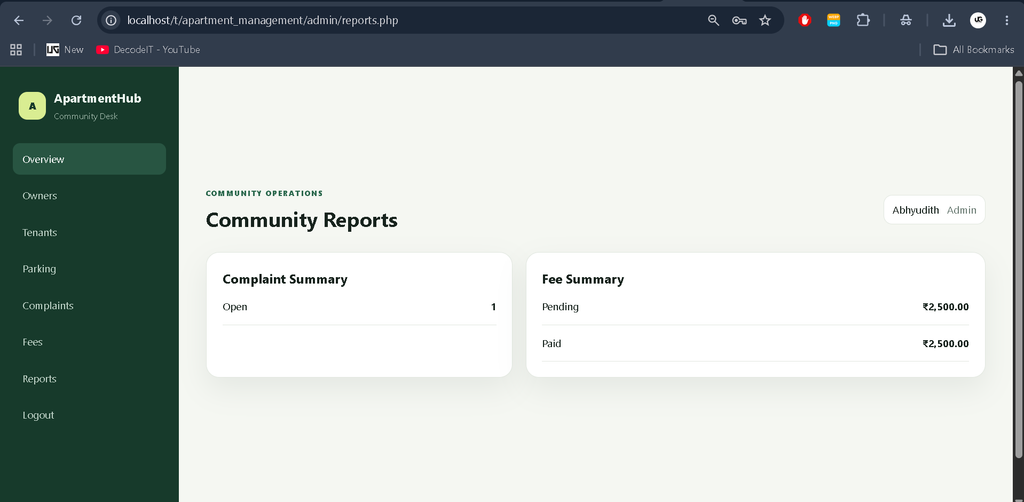
- Reports: The administrator can review complaint and fee summaries to understand the current state of community operations.
User Roles
Admin
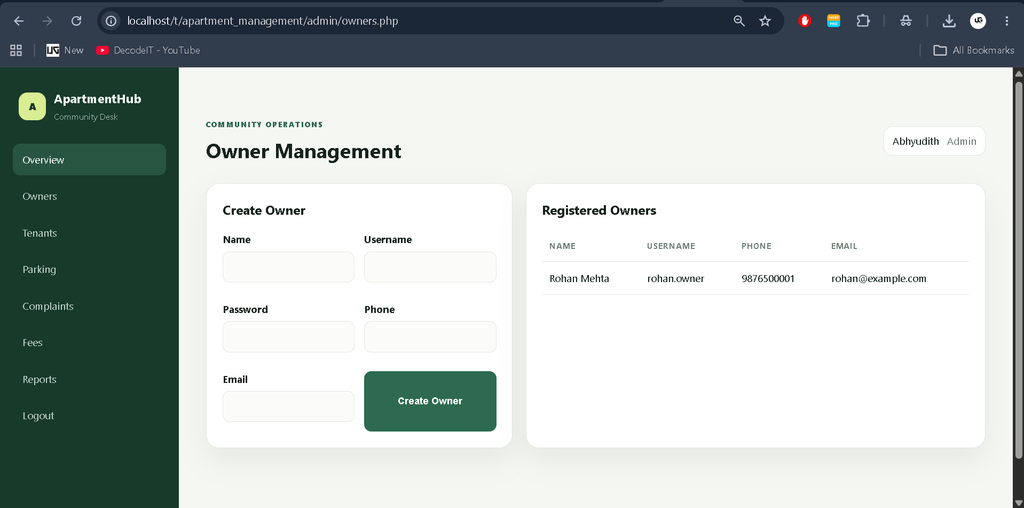
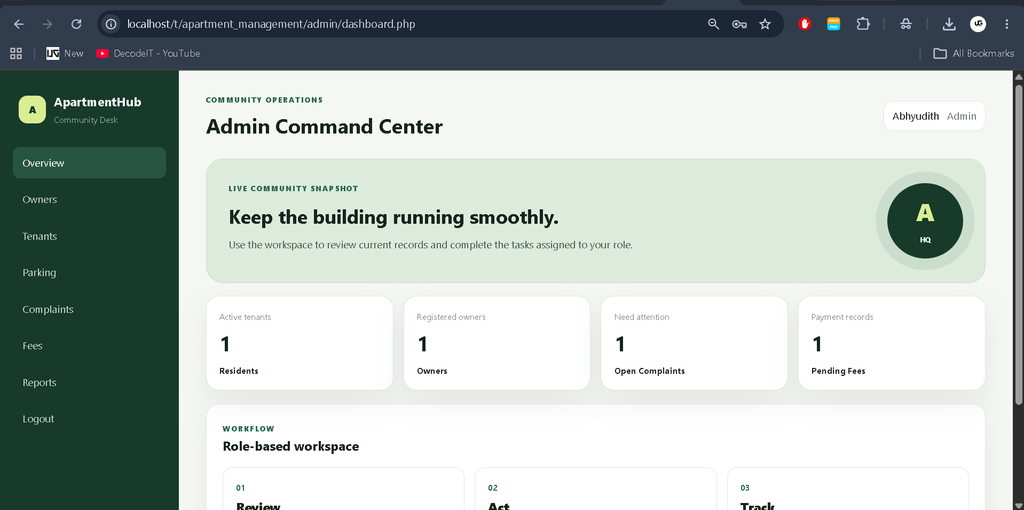
The Admin has the broadest operational access. The dashboard provides a snapshot of residents, owners, open complaints, and pending fee records. Admin users can create owner accounts, review tenants, allocate parking, update complaint statuses, review maintenance payments, and view summary reports.
Owner
The Owner workspace focuses on rooms under the owner’s responsibility. Owners can view their tenants and inspect complaints raised from those rooms. This keeps owner activity focused without exposing unrelated administration functions.
Tenant
Tenants receive a personal workspace for day-to-day services. They can see their parking assignment, review maintenance fee records, mark pending fees as paid through the project workflow, submit complaints, and view their profile and room details.
Employee
The Employee panel works as a complaint desk. Staff can view service requests from tenants and change complaint status between Open, In Progress, and Resolved.
Project Modules
The main modules are authentication, dashboard management, owner management, tenant directory, parking allocation, complaint desk, maintenance fees, reports, owner tenant records, tenant services, and employee complaint handling. These modules share the same MySQL database rather than operating as disconnected demonstration pages.
Technology Stack
PHP handles server-side logic, sessions, validation, database operations, and page workflows. MySQL stores users, rooms, tenants, parking, complaints, and fee records. HTML and CSS create the responsive interface, while JavaScript provides small client-side interactions such as form processing feedback.
Installation and Setup
- Install XAMPP or another PHP/MySQL local server.
- Copy the project folder into the web root, such as htdocs in XAMPP.
- Create the database by importing sql/apartment_management.sql through phpMyAdmin.
- Open config/config.php and confirm the MySQL host, database name, username, and password match your local environment.
- Start Apache and MySQL from the server control panel.
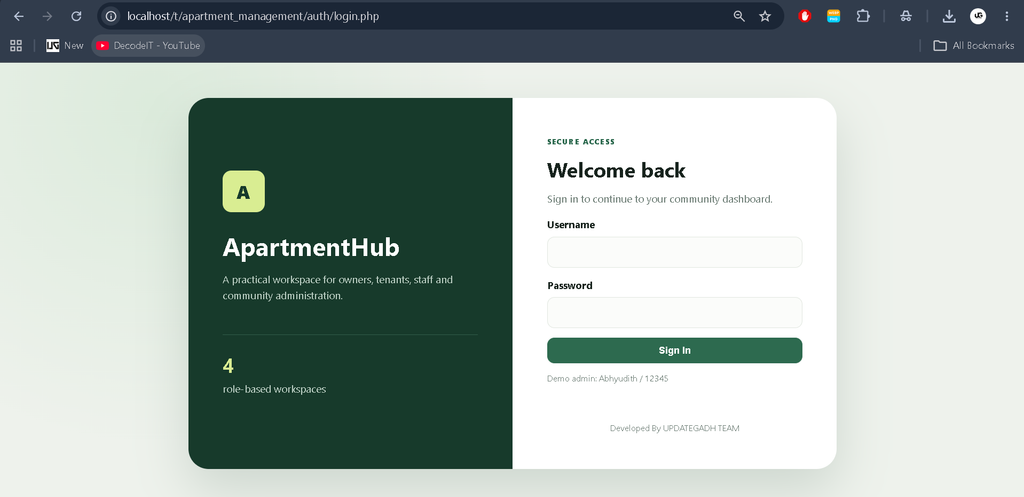
- Open the project login page in a browser and use the supplied administrator credentials.
How to Use
After login, the application identifies the user’s role and redirects to the corresponding dashboard. The administrator can begin by reviewing owners, tenants, parking, complaints, fees, and reports. An owner can inspect residents and room complaints. A tenant can review their parking and fee records or submit a service request. Employees can use the complaint desk to process requests and keep statuses updated.
Database Structure
The database uses separate tables for users, rooms, tenants, parking, complaints, and fees. The tenant record connects a user to an owner and room. Parking connects an available slot with a tenant when allocated. Complaints and fees also reference tenants and, where applicable, rooms. These relationships allow the dashboards to display connected information without duplicating the complete resident record in every module.
Download complete source code
Screenshot
Daily Management Workflow
The application follows a simple workflow that keeps records connected. The administrator first maintains the basic community records, including owner accounts, rooms, residents, and parking slots. Tenant activity then flows into the service modules: maintenance fees provide a payment record, while complaints create a trackable service request. Owners can see complaints associated with their residents, and employees can process those requests until they are resolved. This arrangement gives each role enough information to complete its normal responsibility without turning every dashboard into a large administration screen.
Authentication and Validation
Access is protected through session-based authentication and role checks. Passwords are stored using PHP password hashing rather than plain-text values in the application database. Database operations use prepared statements where user input is processed, while visible values are escaped before being placed into the HTML interface. Forms also use required fields and appropriate input types for common values such as email addresses. These measures keep the project suitable for demonstrating basic web application security practices in a college environment while keeping the implementation easy to follow and maintain for students in practice.
Known Limitations
The supplied project scope intentionally remains focused. It does not attempt to become a full enterprise property-management platform. Email and SMS notifications are not configured as part of the working workflow, and the current payment action is a project-level status update rather than an external payment-gateway transaction. The database structure is suitable for a college project but can be further normalized as the application grows.
Frequently Asked Questions
Which technologies are used?
The project uses PHP, MySQL, HTML, CSS, and JavaScript.
Which users can access the system?
The implemented roles are Admin, Owner, Tenant, and Employee.
Can tenants submit complaints?
Yes. Tenants can submit a title, description, and priority, and then track the request status from their dashboard.
Can parking be assigned to tenants?
Yes. Administrators can allocate an available parking slot, and the assigned tenant can view it from the parking module.
Where are maintenance records stored?
Maintenance fee records are stored in the MySQL fees table and include amount, month, due date, status, and payment date.
Future Scope
- Add configurable email and SMS notifications for complaints and fee reminders.
- Connect the maintenance module with a real online payment gateway.
- Expand reporting with downloadable PDF and spreadsheet reports.
- Add richer owner and employee permissions for larger communities.
- Further normalize the database and introduce audit logs for important administrative changes.
Conclusion
The Apartment Management System provides a focused solution for organizing common residential administration tasks in one web application. Its role-based structure makes the workflow easy to understand, while the connected MySQL database gives the project enough depth for a medium-level college submission. By combining resident records, parking allocation, complaints, maintenance fees, and reports, the project demonstrates practical use of PHP and MySQL in a real-world management scenario.
Keywords:
Apartment Management System
Apartment Management System – Google Search
apartment management system project
apartment management system github
apartment management system project source code
property management system
property management system pms
property management system in hotel
property management systems inc
property management system examples
housing management systems