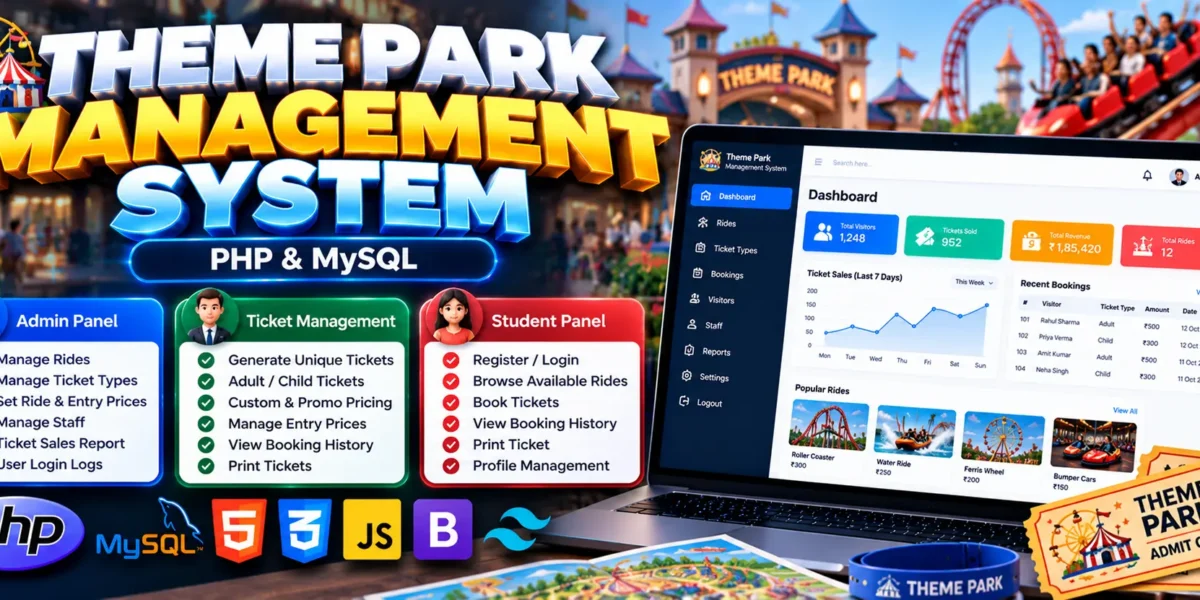
Theme Park Management System Using PHP and MySQL
The Theme Park Management System Using PHP and MySQL is a web-based application designed to simplify ticket booking, ticket generation, ride pricing, and visitor management for theme parks and amusement parks. It provides an administrative interface for managing ticket categories, rides, staff records, and ticket sales reports.
Developed using PHP, MySQL, HTML, CSS, JavaScript, jQuery, Ajax, Bootstrap, and Tailwind CSS, this project demonstrates how web technologies can organize ticketing operations and pricing information. It is a useful academic project for students who want practical experience with PHP development, database management, and administrative web applications.
Complete Advance AI Topics: Click Here
Real Time Projects on YouTube:- DecodeIT
What Is a Theme Park Management System?
A Theme Park Management System is an application that helps administrators manage ticket sales and ride pricing through a centralized platform. It supports different ticket categories, unique ticket numbers, ride and entry prices, staff records, and date-filtered ticket sales reports.
The system helps organize essential ticketing activities and provides a foundation for managing theme park operations digitally.
Theme Park Management System Project Overview
| Project Details | Description |
|---|---|
| Project Name | Theme Park Management System |
| Language/s Used | PHP, HTML, CSS, JavaScript, jQuery, Ajax, Bootstrap, Tailwind CSS |
| PHP Version (Recommended) | 5.6.3 / 7.4.12 |
| Database | MySQL |
| Type | Web Application |
What Are the Available Features?
The project includes an admin panel for managing ticket categories, ticket generation, ride pricing, staff records, and sales reports.
1. Admin Login
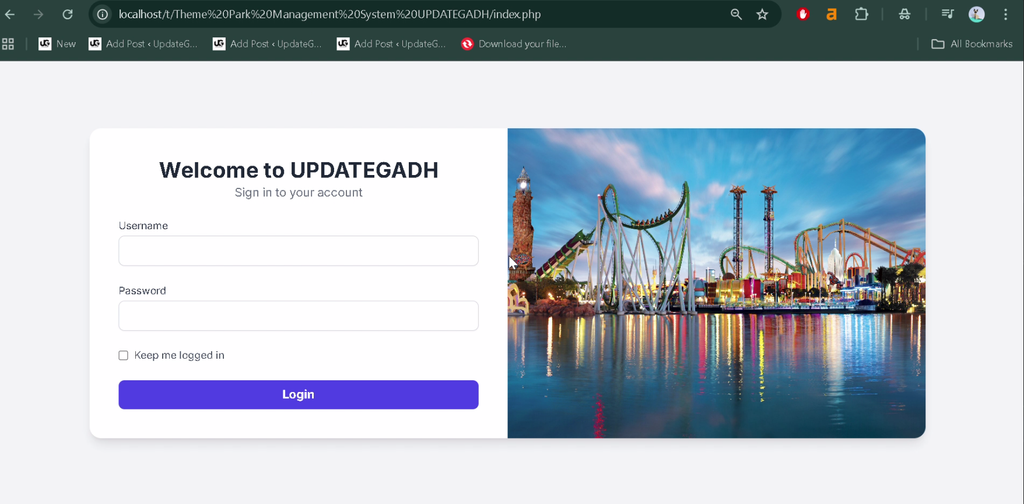
The system includes an admin login facility that allows authorized administrators to access ticketing and management functions.
2. Ticket Generation
- Generate tickets with unique ticket numbers.
- Manage different ticket categories, including adult and child tickets.
- Organize ticket information for theme park entry.
3. Ticket Category Management
Administrators can configure ticket types according to visitor categories, such as adults and children, to support different ticketing requirements.
4. Ride and Entry Pricing Management
- Manage ride prices.
- Configure theme park entry prices.
- Set promotional pricing and custom prices according to park rules.
5. Ride Management
The system provides ride list management functionality, allowing administrators to maintain information about the rides available in the park.
6. Staff Management
Administrators can manage staff records through the administrative interface, helping organize staff information within the application.
7. Ticket Sales Reports
The application includes ticket sales reporting with a date filter. Administrators can review sales information for selected dates to help monitor ticketing activity.
8. Responsive User Interface
The project uses Bootstrap and Tailwind CSS to support a responsive interface. Its PHP and MySQL codebase is organized to make installation, configuration, and future customization easier.
Which Technologies Are Used in This Project?
- PHP: Handles server-side application functionality.
- MySQL: Stores ticketing and management information.
- HTML: Structures the web pages.
- CSS: Styles the application interface.
- JavaScript: Supports client-side interactions.
- jQuery and Ajax: Support interactive web functionality.
- Bootstrap and Tailwind CSS: Support responsive interface design.
What Software Is Required?
- PHP: Required to run the application’s backend.
- MySQL: Required for database storage.
- Composer: Required to install the project’s PHP dependencies.
- XAMPP: Provides Apache and MySQL for local development.
- Web Browser: Used to access the running application.
- Visual Studio Code: Recommended for viewing and editing project files.
How to Download
The complete package is available so you can run, study, and submit it with confidence. It includes:
- Full Source Code
- Project Report
- Synopsis
- PPT Presentation
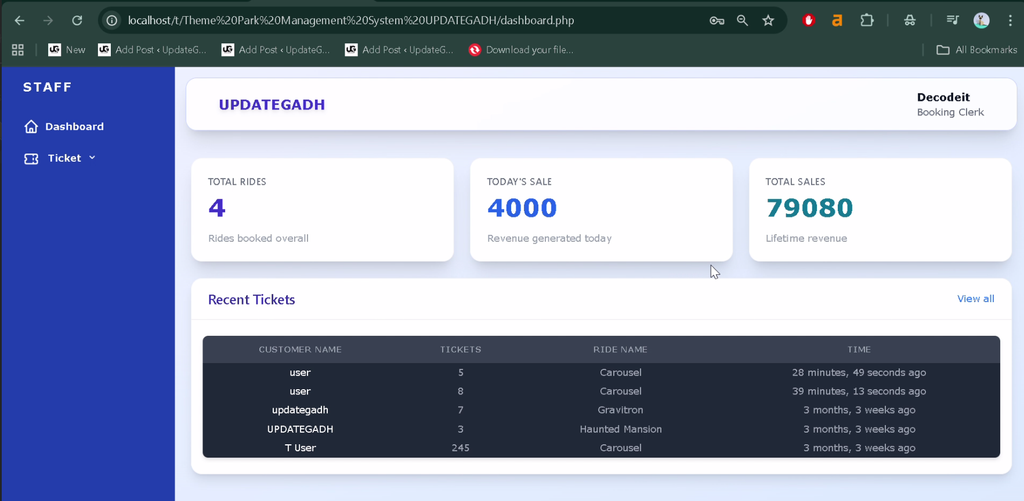
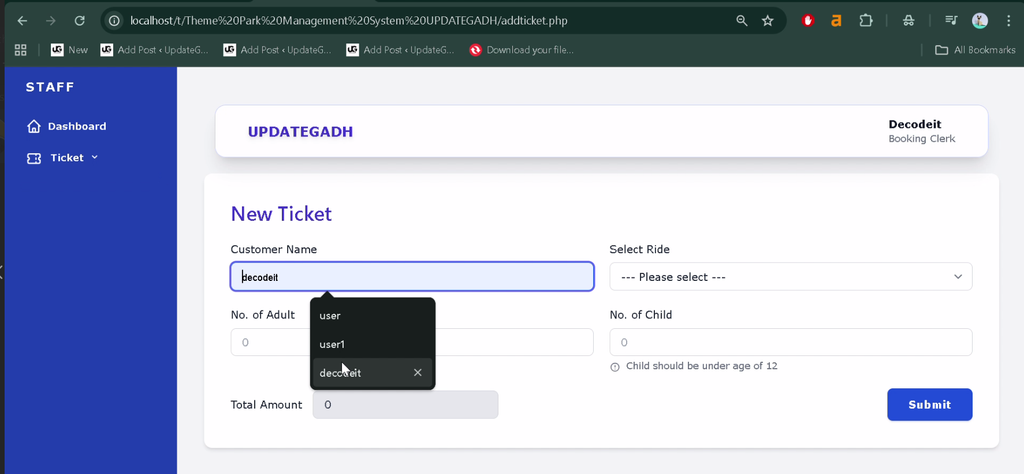
Screenshot
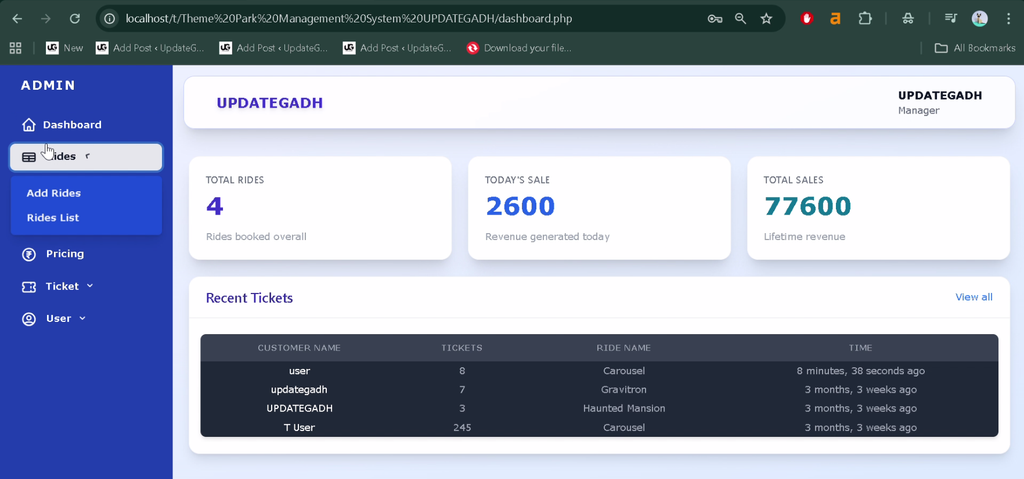
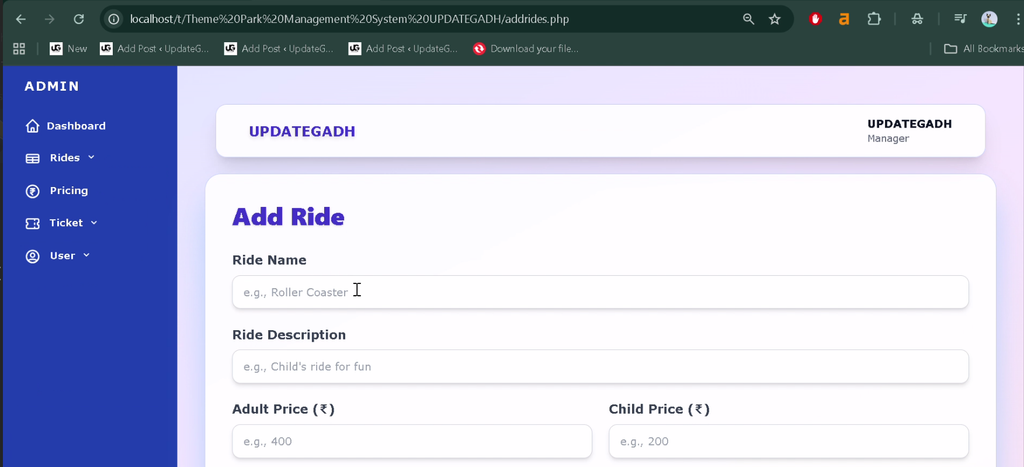
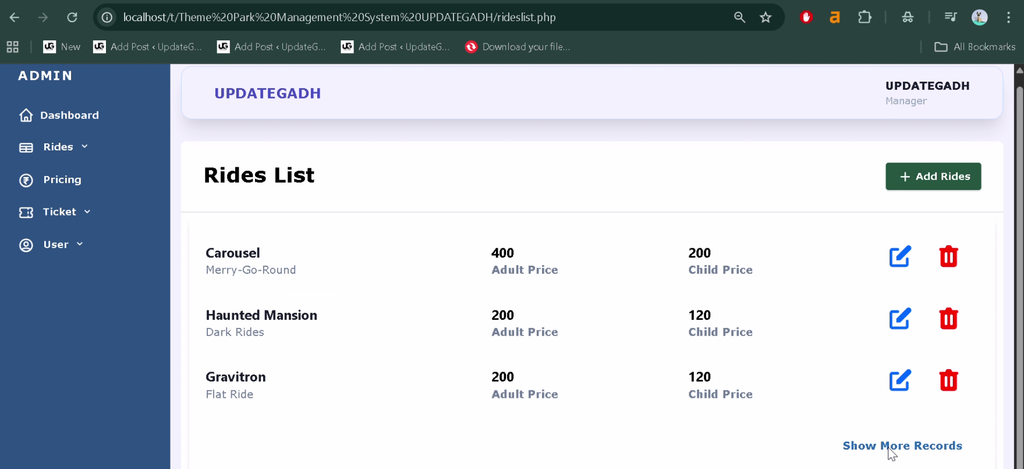
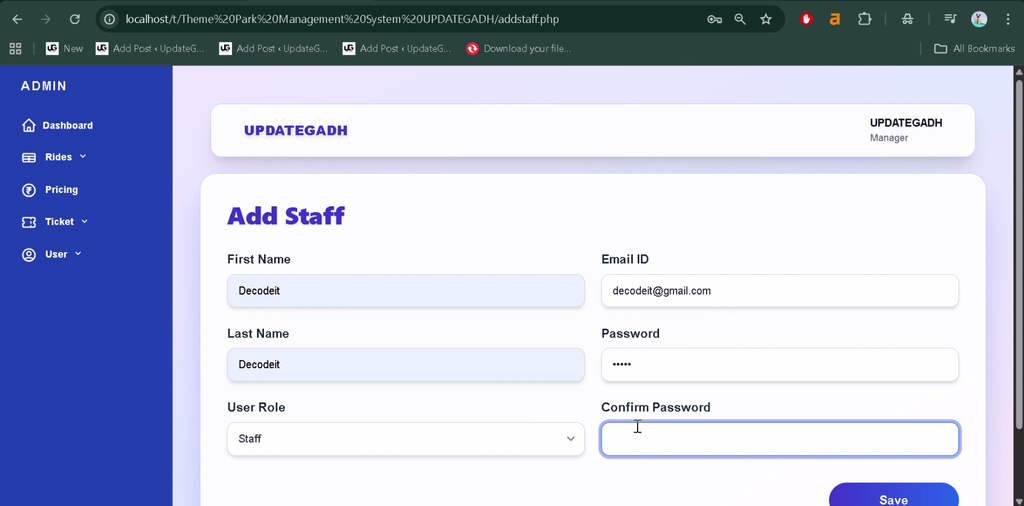
How to Install the Theme Park Management System in VS Code
Follow these steps to configure and run the project locally using XAMPP and Composer.
- Extract the Project: Extract the project ZIP file into your XAMPP
htdocsdirectory. - Open the Project: Open the extracted project folder in Visual Studio Code.
- Install Dependencies: Open a terminal in the project root and run:
composer install- Create the Database: Open
http://localhost/phpmyadmin/and create a MySQL database namedThemePark. - Import the SQL File: Import
ThemePark.sqlfrom the project root into the database. - Start the Services: Start Apache and MySQL from the XAMPP Control Panel.
- Check Database Configuration: Verify that the application’s database connection settings match the database name and your local MySQL credentials.
- Run the Project: Open the project through its local URL, using the actual folder name. For example, if the folder is named
ThemePark, visithttp://localhost/ThemePark/.
Note: The exact local URL may vary depending on the project folder and its entry point. Confirm the database configuration if the application does not connect successfully.
Why Is This Project Useful for Students?
This project provides practical experience with PHP programming, MySQL database connectivity, ticket generation, pricing management, and CRUD operations. Students can explore how an administrative interface manages ticket categories, rides, staff information, and sales records.
It is suitable for academic projects involving database-driven web applications and can help learners strengthen their backend development and interface design skills.
Final Thoughts
The Theme Park Management System Using PHP and MySQL is a practical project for understanding how ticketing and pricing activities can be managed through a web application. Its features include unique ticket generation, adult and child ticket categories, ride pricing, staff management, and date-filtered sales reports.
From a student’s perspective, this project offers a useful opportunity to practice PHP, MySQL, and responsive web design while developing an application based on theme park management requirements.
Frequently Asked Questions
1. What is a Theme Park Management System?
It is a web application that helps manage theme park tickets, ride pricing, staff records, and ticket sales reports.
2. Which technologies are used in this project?
The project uses PHP, MySQL, HTML, CSS, JavaScript, jQuery, Ajax, Bootstrap, and Tailwind CSS.
3. Which database does the project use?
The application uses MySQL, and the supplied database file is named ThemePark.sql.
4. Can administrators manage ticket prices?
Yes. Administrators can manage ticket categories, ride prices, entry prices, promotional pricing, and custom pricing.
5. How can I run the project locally?
Extract the project into the XAMPP htdocs directory, install dependencies using Composer, create the ThemePark database, import ThemePark.sql, and start Apache and MySQL.
Keywords: Theme Park Management System Using PHP and MySQL, Theme Park Management System PHP Project, Park Ticketing Management System, Theme Park Ticket Booking System, PHP MySQL Ticket Management, Amusement Park Management System