E-commerce Website Using PHP and MySQL
Introduction
E-commerce Website Using PHP and MySQL is a web-based shopping platform designed for selling electronic products online. It allows customers to explore products, view product information, add items to their shopping carts, and complete purchases through an online checkout process. An electronic products shopping website provides customers with a convenient way to browse available items without visiting a physical store.
PHP and MySQL are used to develop the website’s backend and manage its database. The project focuses on essential e-commerce functionalities, including user authentication, product catalogs, shopping carts, checkout, order management, and product search. It also includes a responsive design so customers can access the website using different devices.
E-commerce Platform with PHP, CSS, JavaScript :- Click Here
Real Time Projects on YouTube:- DecodeIT
Project Overview
The E-commerce Website Using PHP and MySQL provides an online platform dedicated to selling electronic products. Customers can browse product listings, check product descriptions and prices, manage their shopping carts, and proceed through the checkout process.
| Project Details | Information |
|---|---|
| Project Name | E-commerce Website |
| Programming Language | PHP |
| Database | MySQL |
| Web Server | Apache or Nginx |
| PHP Version | PHP 7.x or higher |
| MySQL Version | MySQL 5.x or higher |
| Project Type | Web-Based E-commerce Website |
What Are the Main Features of the E-commerce Website?
An e-commerce website requires several important features to make online shopping convenient. This project includes essential functionalities that help customers browse products, manage their selections, and complete their shopping activities.
1. User Authentication
User authentication provides registration and login functionality. Customers can create an account and log in to access their accounts. This feature helps organize user access and provides an account-based shopping experience.
2. Product Catalog
The product catalog displays electronic products available on the website. Each product can be presented with its image, description, and price. Customers can explore the available products and view the information needed before making a purchase decision.
3. Shopping Cart
The shopping cart allows customers to add products they want to purchase. Users can manage the products in their cart before proceeding to checkout. It provides an organized way to review selected items during the shopping process.
4. Checkout Process
The checkout process allows customers to continue with their purchases by providing the required information. It includes customer information fields and payment gateway integration to support the online purchasing process.
5. Order Management
Order management helps track orders from placement to delivery. It provides an organized way to follow the progress of customer orders throughout the purchasing process.
6. Search Functionality
The search functionality helps customers find products easily. Instead of browsing the entire product catalog, users can search for the products they are interested in.
7. Responsive Design
Responsive design makes the website mobile-friendly. It helps users access the e-commerce platform from different devices and provides a convenient browsing experience across screen sizes.
How to Develop an E-commerce Website Using PHP?
Developing an e-commerce website involves multiple stages. Each stage contributes to building a functional online shopping platform, from planning the website to making it available to users.
Step 1: Project Planning
The first stage is project planning. Define the project scope, identify the target audience, and decide which functionalities the website should provide. Planning helps organize the development process and identify the essential components of the e-commerce platform.
Step 2: Website Design
After planning, create wireframes and design the user interface. The design should organize the different website pages and make it convenient for customers to explore products, view product information, manage their shopping carts, and proceed to checkout.
Step 3: Development
Set up the development environment and prepare the database schema. Develop the frontend and backend components required for the website. PHP is used for server-side development, while MySQL is used for database management.
Step 4: Testing
Testing is an important part of development. Check the website’s features to ensure they work correctly. Test the main shopping functionalities, including user authentication, product browsing, shopping cart management, checkout, and order management.
Step 5: Deployment
After completing development and testing, host the website on a server. Deployment makes the e-commerce website available to users so they can access the online shopping platform.
Advanced E-Commerce Management System Using Django :- Click Here
How to Download
The complete package is available so you can run, study, and submit it with confidence.
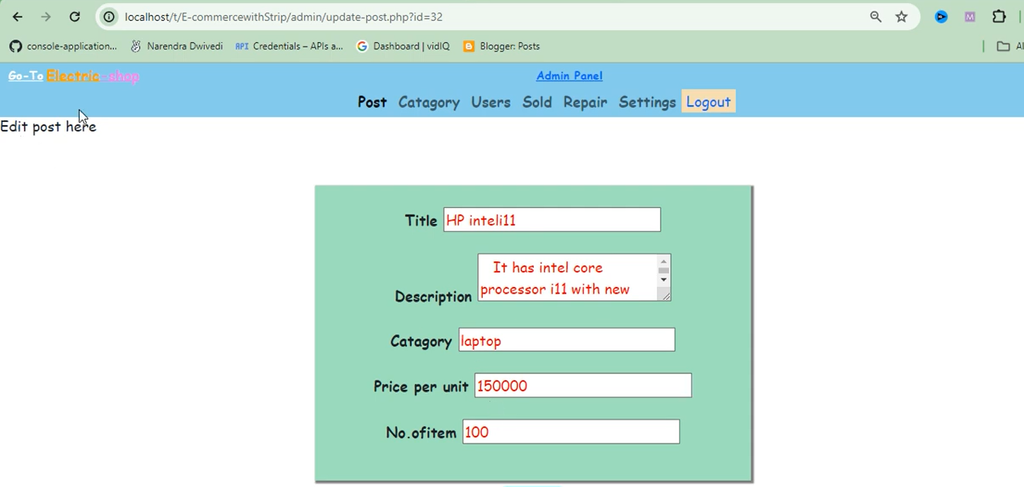
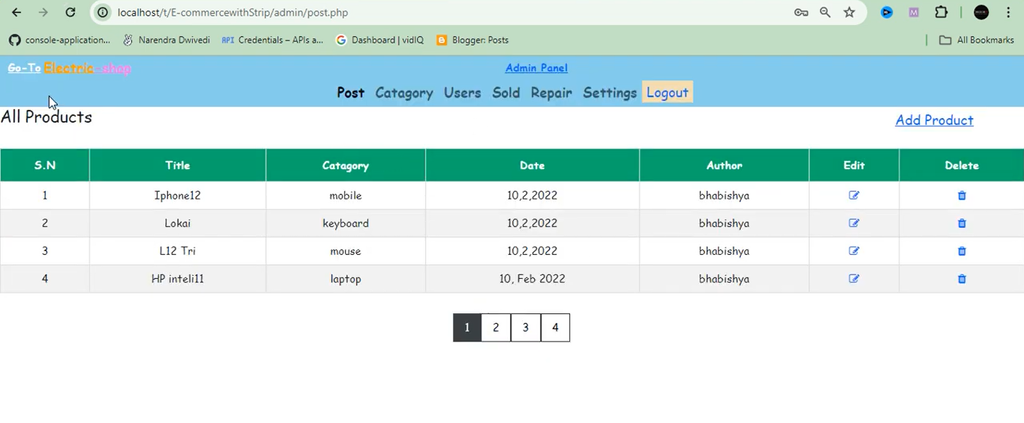
Screenshot
Which Software and Tools Are Required?
Different software and development tools are required to build, manage, test, and deploy an e-commerce website using PHP and MySQL.
| Software or Tool | Purpose |
|---|---|
| Apache or Nginx | Provides the web server environment. |
| PHP 7.x or higher | Used for server-side development. |
| MySQL 5.x or higher | Used for database management. |
| Visual Studio Code | Code editing and project development. |
| Sublime Text | Code editing. |
| PHP Storm | PHP development environment. |
| Git | Managing code versions. |
| Web Browser | Testing and debugging the website. |
| PayPal or Stripe | Payment gateway services. |
How to Run the Project?
E-commerce Website using Python :- Click Here
- Install XAMPP and start Apache and MySQL.
- Extract the project ZIP file into
C:\xampp\htdocs\. - Open
http://localhost/phpmyadmin/and create a new database. - Import the project’s SQL file into the database.
- Update database credentials in the project’s PHP connection file.
- Open
http://localhost/PROJECT_FOLDER_NAME/in your browser.
What Screenshots Are Included in the Project?
Project screenshots help demonstrate the website’s interface, design, and main functionalities. They provide a visual understanding of how customers interact with the online shopping platform.
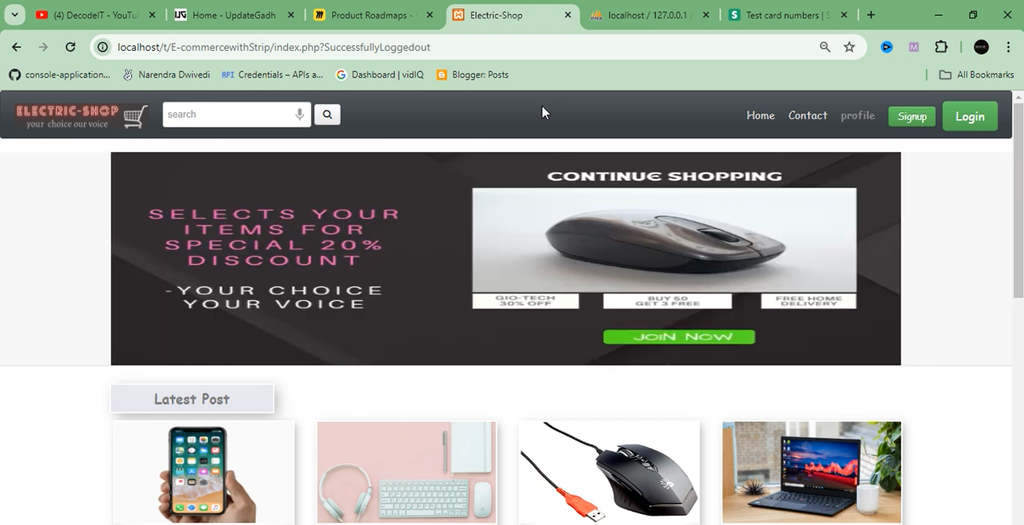
1. Home Page
The home page displays featured products and product categories. It provides customers with an entry point for exploring the electronic products available on the website.
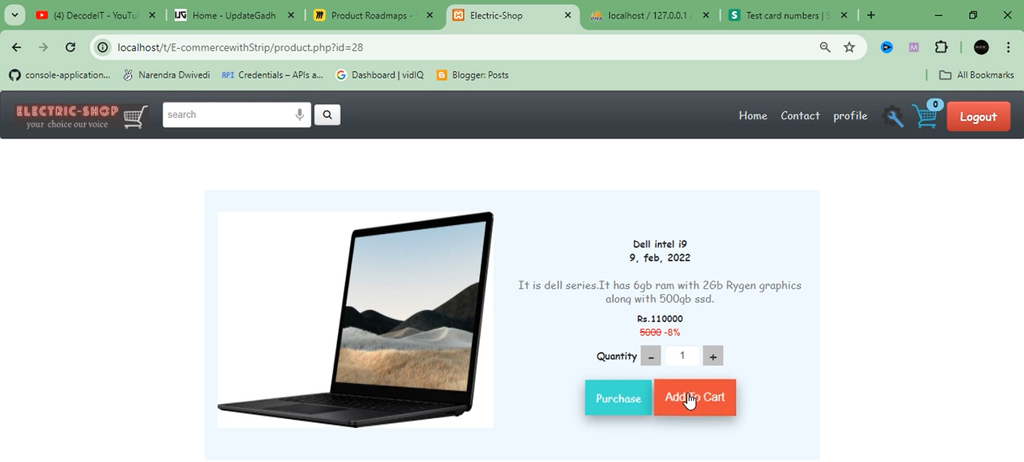
2. Product Page
The product page displays detailed information about an individual product, including its image, description, and price.
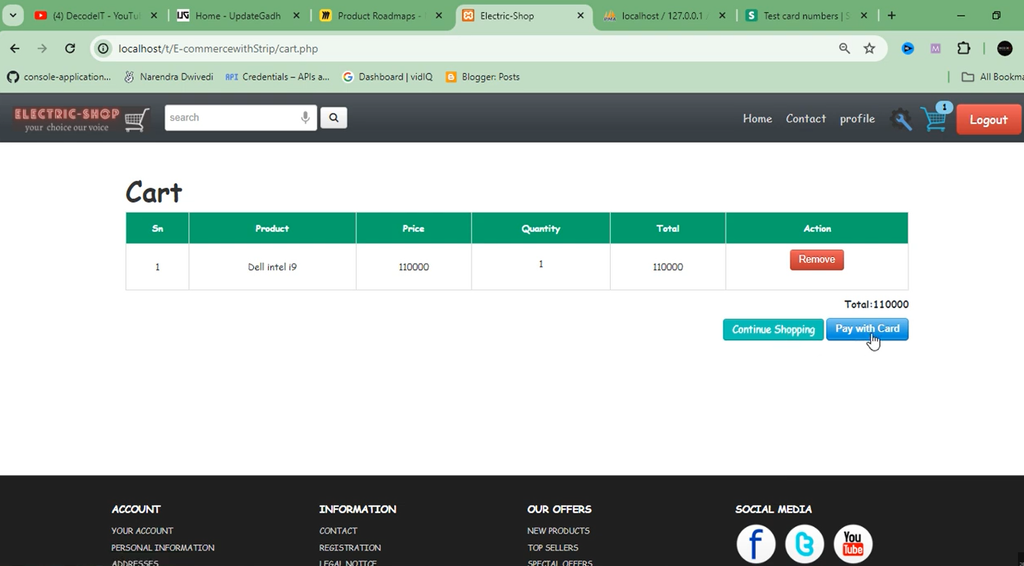
3. Shopping Cart
The shopping cart screenshot demonstrates how selected products are displayed after customers add items to their cart.
4. Checkout Page
The checkout page displays the form fields used to collect customer information and payment details during the purchasing process.
5. User Account Page
The user account page displays customer details and order history, helping users access their account-related information.
Frequently Asked Questions
1. What is an E-commerce Website Using PHP and MySQL?
It is an online shopping platform developed using PHP and MySQL for selling electronic products and managing shopping activities.
2. Which programming language is used in this project?
PHP is used for server-side development.
3. Which database is used?
MySQL is used for database management.
4. What are the main features of this project?
The main features include user authentication, product catalog, shopping cart, checkout process, order management, search functionality, and responsive design.
5. Does the project include a shopping cart?
Yes, customers can add products to their shopping carts and manage their selected items.
6. Does the website support online payments?
The project description includes payment gateway integration as part of the checkout process and mentions services such as PayPal and Stripe.