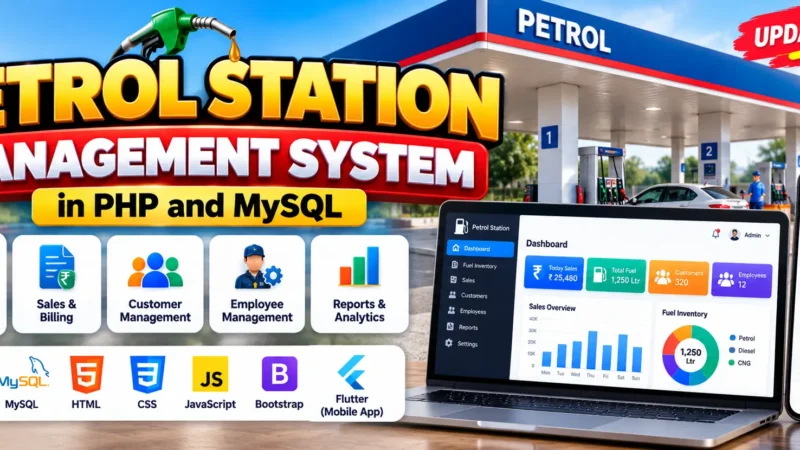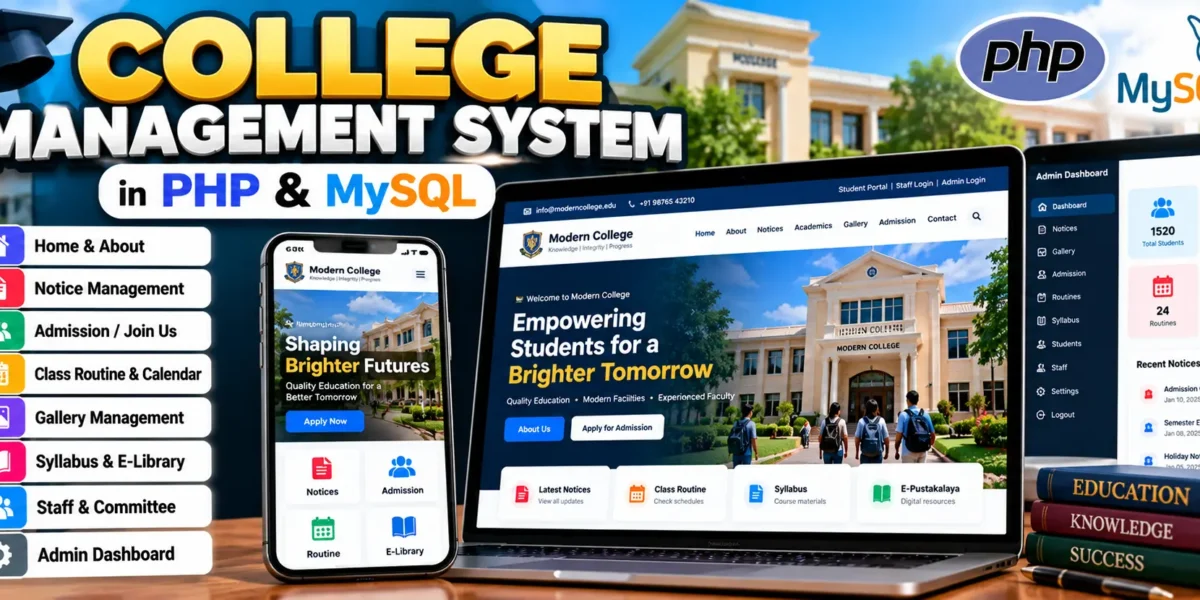
College Management System in PHP and MySQL
The College Management System is a complete database-driven college website built with PHP, MySQL, HTML, CSS, JavaScript, Tailwind CSS, and Flowbite. The project brings common academic and institutional information into one organized platform. Students and visitors can browse public information, prospective students can submit an admission form, and authorized staff members can access academic information through protected accounts.
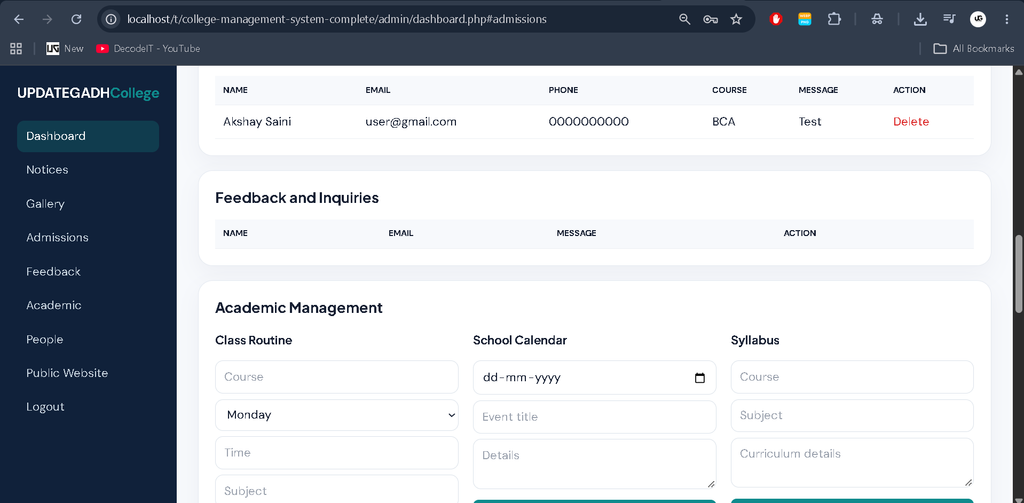
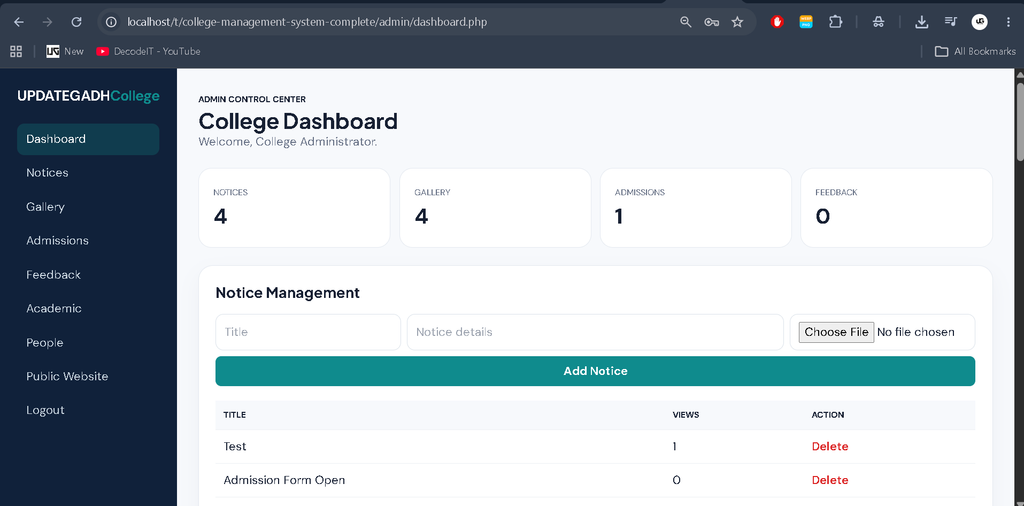
The project also includes a separate administrator workspace for maintaining the website. Notices, gallery images, admission submissions, feedback, routines, calendar events, syllabus records, library resources, staff information, committee information, and developer details are connected with MySQL. This makes the project more practical than a simple static college website and gives students an opportunity to study both frontend and backend development.
Complete Advance AI Topics: Click Here
Real Time Projects:- DecodeIT
Project Overview
| Project Name | College Website |
|---|---|
| Language/s Used | HTML, CSS, JavaScript, PHP, Tailwind CSS, Flowbite |
| Database | MySQL |
| Type | Web Application |
| Developer | UPDATEGADH |
Available Features
Home Page
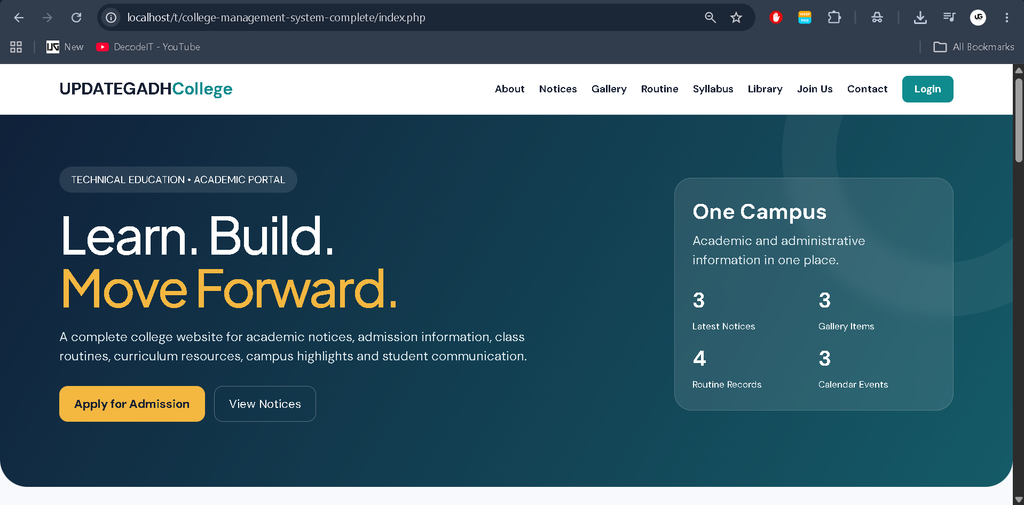
The home page provides a welcoming landing area with current notices, academic highlights, class information, calendar information, and a gallery preview. The responsive layout is designed to remain readable on desktop and mobile screens.
About Page
The About section provides general information about the college, including institutional information and basic rules. It gives visitors a starting point for understanding the purpose of the institution before they move to academic or admission sections.
Notice Page
Notices are stored in MySQL and displayed dynamically. Visitors can open an individual notice, read the complete information, and open an available document attachment. The system also maintains a view counter for each notice.
Extras Page
The Extras section provides quick access to the photo gallery, class routine, and developer information. It keeps related secondary resources together without making the main navigation crowded.
Join Us Page
The Join Us page contains a digital admission form. Prospective students can submit their name, email, phone number, course, and message. The submitted information is saved in the admissions table for administrator review.
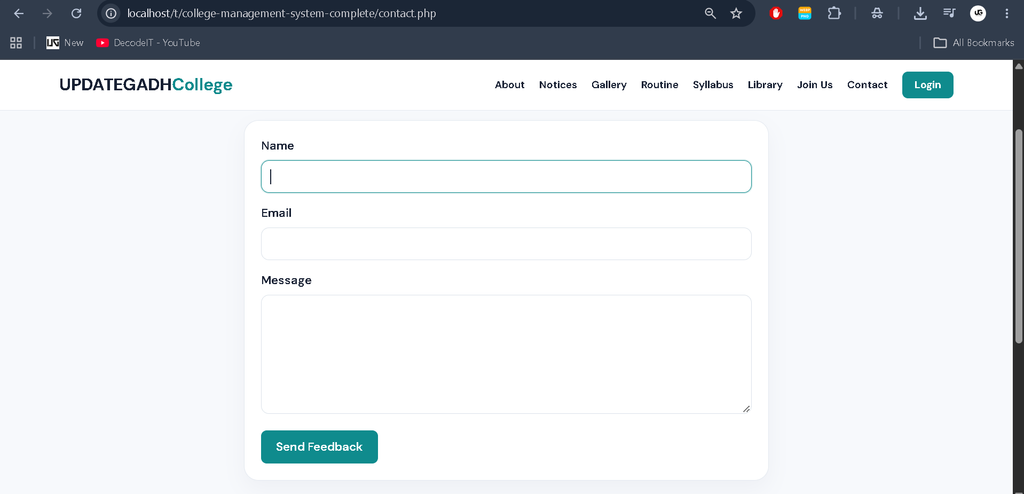
Contact Us Page
The contact form allows students and visitors to send an inquiry or feedback message. Name, email, and message information is stored in MySQL so the administrator can review the submitted records.
Gallery
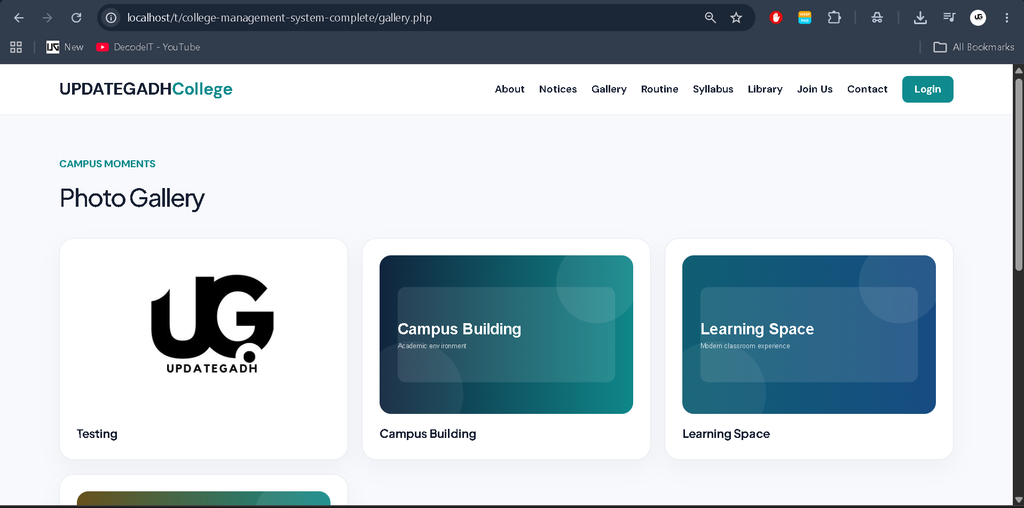
The gallery presents campus and activity images. The administrator can upload supported image formats through the protected dashboard, and uploaded files are stored in the gallery upload directory.
Class Routine
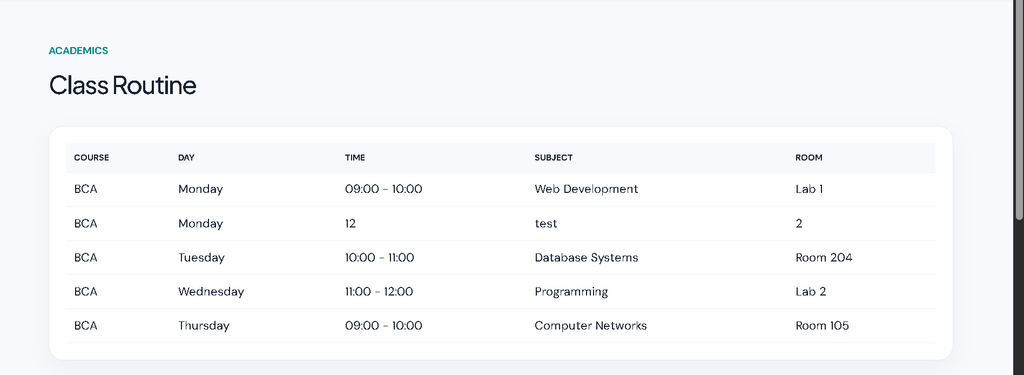
The routine section displays the course, day, time, subject, and room. The information is stored in MySQL and can be maintained by the administrator. Students can use the public routine page to check their schedules.
School Calendar
The calendar contains important academic dates, event titles, and supporting details. Administrators can add calendar entries, while visitors can view the published schedule through the public calendar page.
Ministry of Education
A dedicated Ministry of Education section is included for educational resources and institutional references. The page provides a clear place for this type of information within the college website.
Syllabus
The syllabus section displays course, subject, and curriculum details. Administrators can add syllabus records from the academic management area, and visitors can read the published information from the public page.
Online Library — E-Pustakalaya
The online library provides digital learning resources. Administrators can upload supported document files with titles and descriptions. Visitors can download available resources from the library page.
Staff Information
The staff page presents faculty information such as name, designation, department, and email where available. These records are managed from the administrator area and displayed publicly in a structured format.
Management Committee
The management committee page presents member names, roles, and departments. This gives visitors a clear view of the administrative structure maintained by the college.
About Developers
The developer section identifies the project team and provides a short description of their role. It is useful when the website is demonstrated as a college project or portfolio application.
Role-Based Access
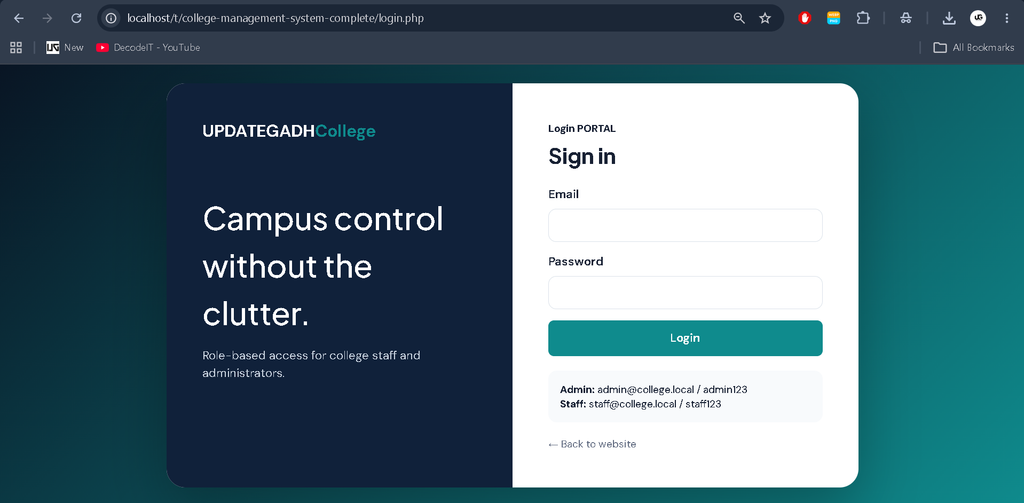
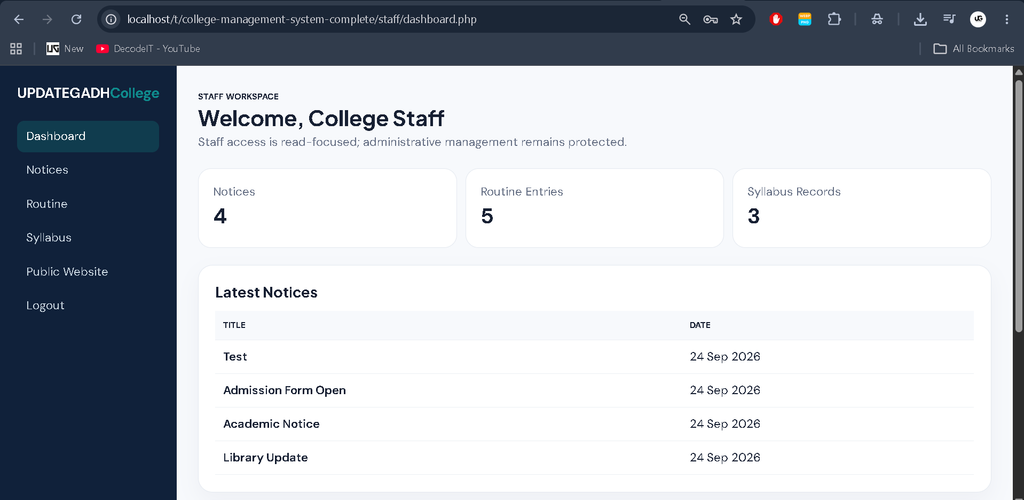
The project uses separate access levels. Students and visitors use the public pages and forms. Staff members can log in to view notices and academic information. Administrators have the protected content-management controls. Staff accounts cannot open the administrator dashboard, which keeps administrative operations restricted to the correct role.
How to Download
The complete package is available so you can run, study, and submit it with confidence. It includes:
- Full Source Code
Screenshot
Installation Guide in VS Code
Step 1: Install Prerequisites
Install Visual Studio Code and XAMPP on Windows. XAMPP provides Apache, PHP, MySQL, and phpMyAdmin for local development. Start Apache and MySQL from the XAMPP Control Panel.
Step 2: Place the Project
Extract the project into the XAMPP htdocs directory:
C:\xampp\htdocs\college-management
Step 3: Import MySQL Database
Open http://localhost/phpmyadmin, choose the Import option, and select database/technicalpashupati.sql. The SQL file creates the database, tables, demo records, and login accounts.
Step 4: Check Configuration
Open config.php in VS Code. The default local configuration uses:
DB_HOST = localhost
DB_NAME = technicalpashupati
DB_USER = root
DB_PASS = empty
BASE_URL = /college-management
If you use another database password or folder name, update these values.
Step 5: Run the Website
Open the browser and visit:
http://localhost/college-management/
The public college website should appear. Open the Staff Login link for protected accounts.
Demo Accounts
Admin:
Email: admin@college.local
Password: admin123

Staff:
Email: staff@college.local
Password: staff123
Usage Guide
Students and Visitors
- Open the Home page for current college information.
- Read and open published notices.
- Browse the gallery and institutional information.
- Check the class routine and school calendar.
- Read available syllabus information.
- Access digital learning files through E-Pustakalaya.
- Submit admission details through Join Us.
- Send questions through Contact Us.
Staff and Faculty
- Log in with the staff account.
- View current notices.
- Review class routine information.
- Review syllabus information.
- Use the public website when student-facing pages are required.
Admin
- Log in through the administrator account.
- Add and delete notices and document attachments.
- Upload and delete gallery images.
- Review and delete admission submissions.
- Review and delete feedback records.
- Add and delete class routine entries.
- Add and delete school calendar events.
- Add and delete syllabus records.
- Upload and delete online library resources.
- Add and delete staff, committee, and developer records.
Final Thoughts
From a student’s perspective, the College Management System is a useful full-stack learning project because it combines a public college website with database-backed administration. It demonstrates how notices, admission forms, feedback, routines, syllabus records, gallery content, staff information, committee details, and digital learning resources can work together in one application.
Building or studying this project helps connect PHP programming, MySQL database design, HTML, CSS, JavaScript, responsive UI development, file handling, sessions, and access control. It can therefore serve as a practical foundation for students who want to understand how a real educational web application is organized.
Keywords
college management system project in PHP, college management system project in PHP source code, college management system in PHP MySQL, college website project, college management system with source code, college website using HTML CSS JavaScript PHP, college management project using PHP MySQL, school management website project, college website source code, PHP MySQL college project