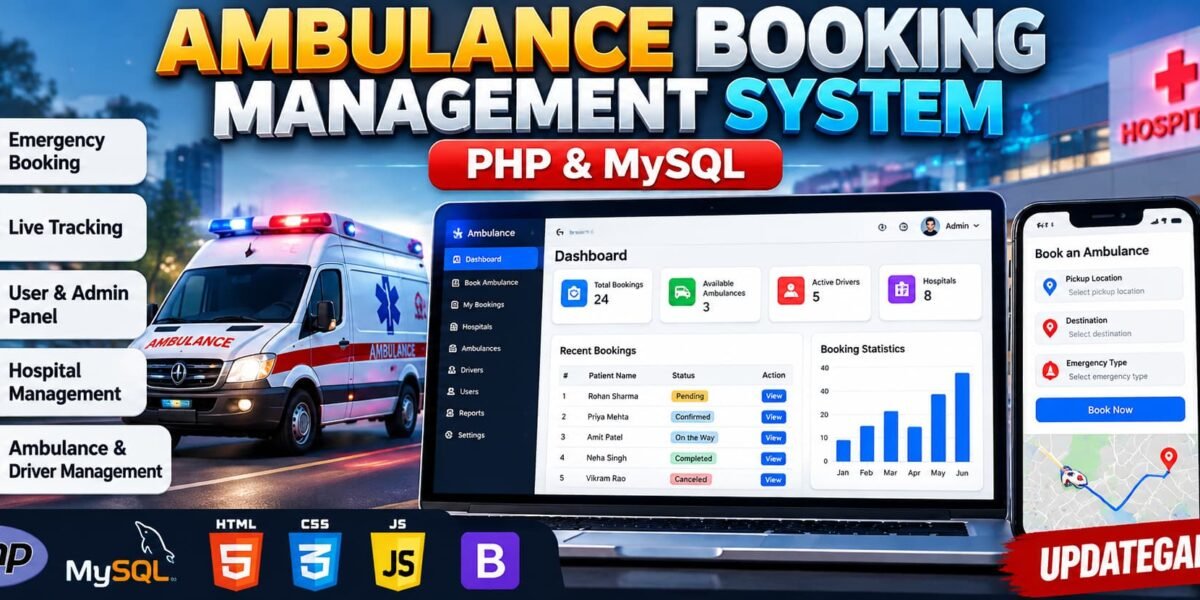
Ambulance Booking Management System Using PHP
The Ambulance Booking and Management System Using PHP and MySQL is a web-based application designed to manage emergency ambulance bookings, patient information, drivers, hospitals, and ambulance availability. It provides a centralized platform where users can submit ambulance requests and administrators can manage bookings through a dedicated dashboard.
This project is developed using PHP, MySQL, HTML, CSS, JavaScript, AJAX, and Bootstrap. It includes user authentication, emergency booking, ambulance and driver assignment, booking status tracking, maintenance records, and administrative reports. The application is suitable for students who want to learn how database-driven management systems work.
Complete Advance AI Topics: Click Here
Real Time Projects on YouTube:- DecodeIT
Project Details
| Project Information | Details |
|---|---|
| Project Name | Advanced Ambulance Booking and Management System |
| Language/s Used | PHP, JavaScript, HTML, CSS |
| Database | MySQL |
| Type | Web Application |
Project Overview
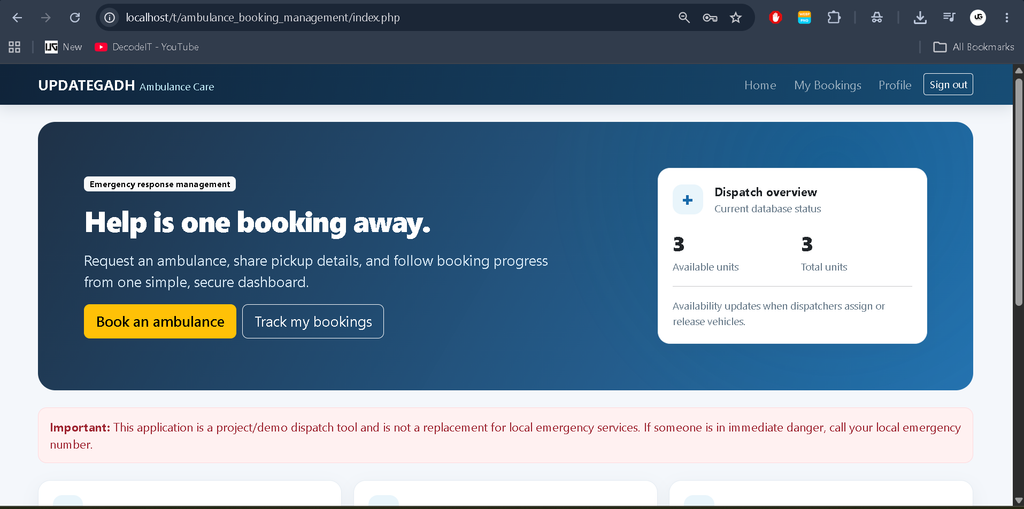
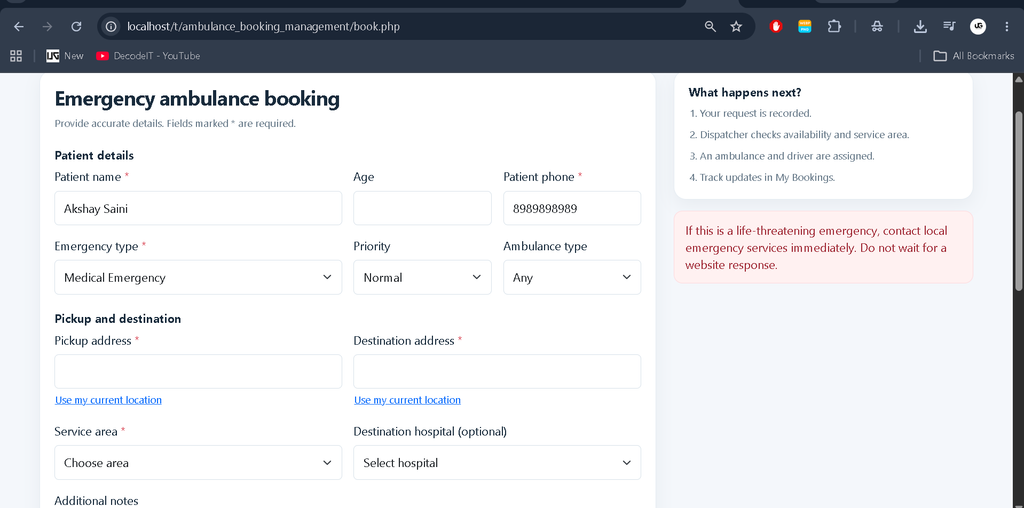
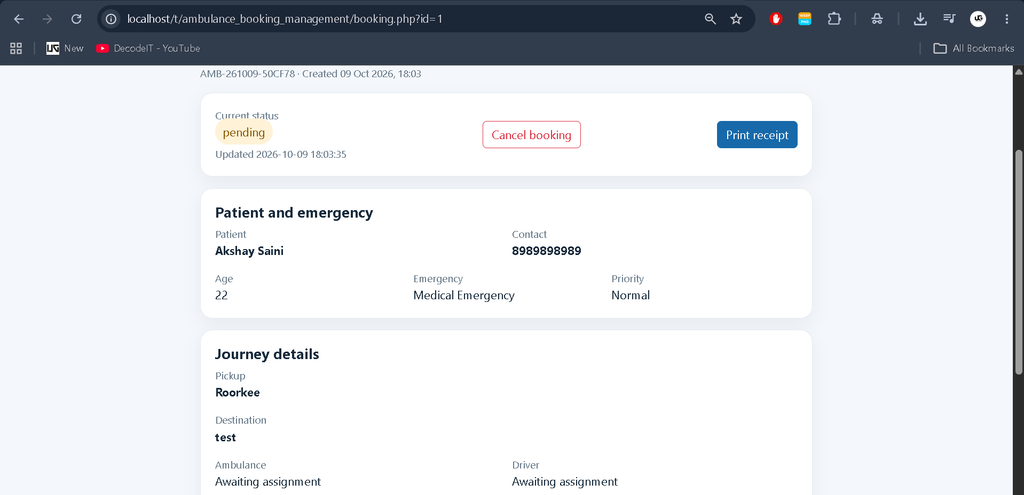
The system allows registered users to book an ambulance by entering patient details, emergency type, pickup location, destination, and service area. Users can view booking history, track booking status, and cancel eligible requests.
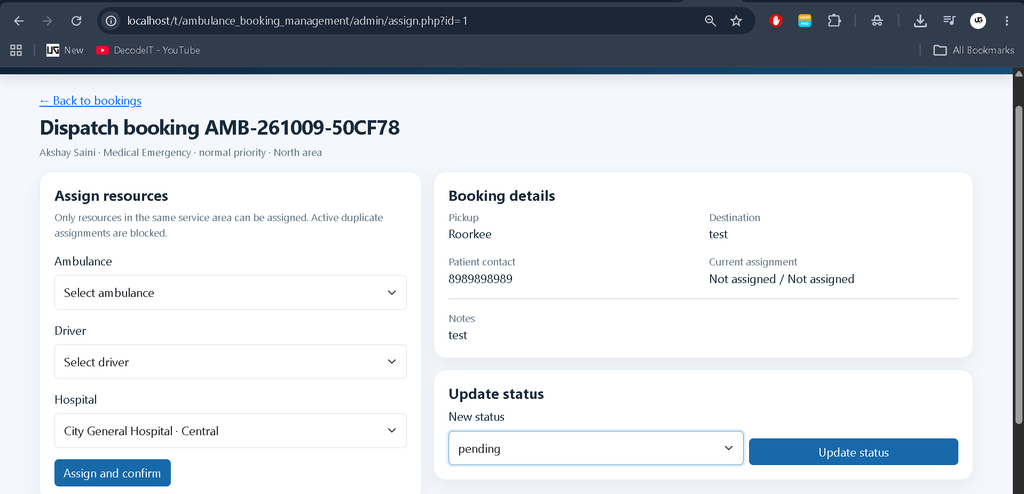
The administrator manages users, ambulance vehicles, drivers, hospitals, and emergency requests. The assignment workflow checks resource availability and service-area compatibility to help prevent duplicate active assignments.
Available Features
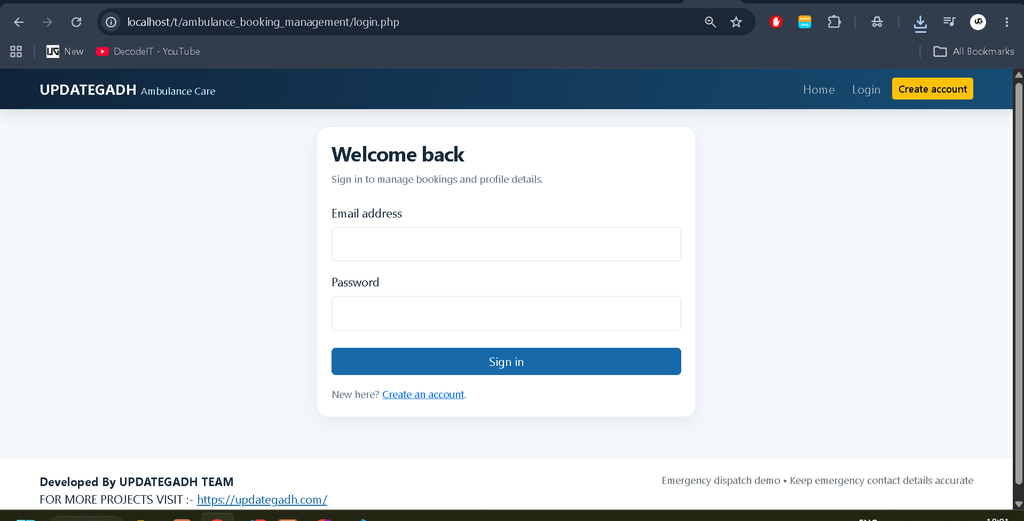
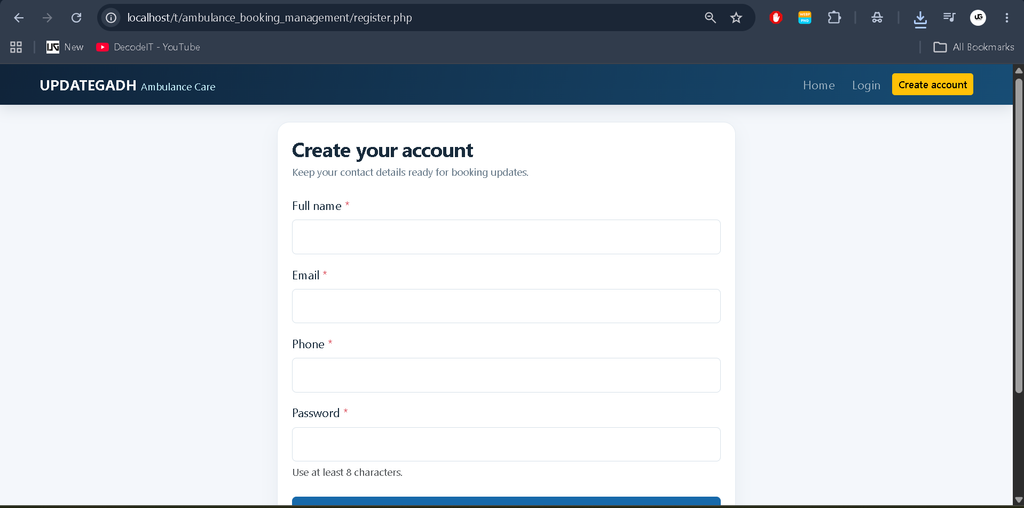
- User Registration and Login: Secure account creation, login, and session management.
- Profile Management: View and update personal information.
- Emergency Booking: Enter patient details, emergency type, priority, pickup address, and destination.
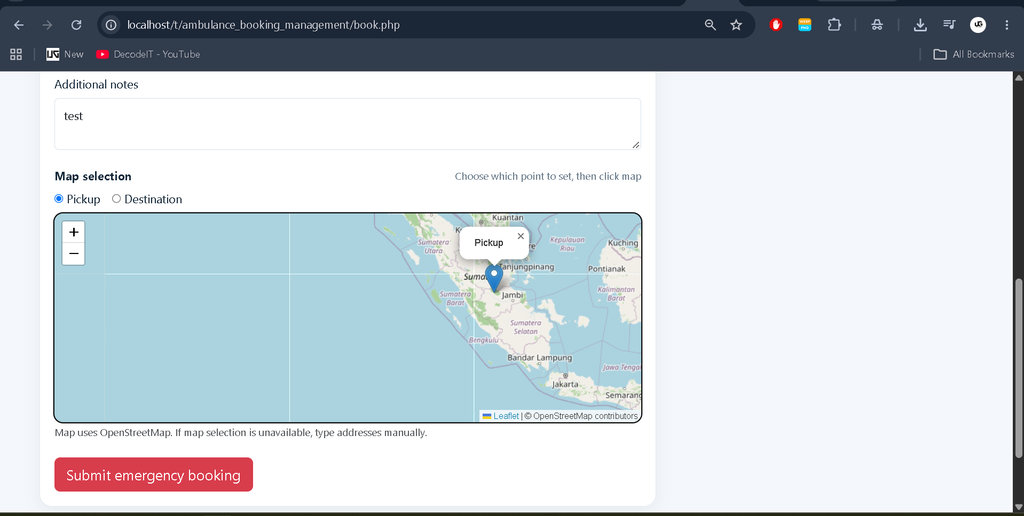
- Map-Based Location Selection: Select pickup and destination coordinates using an interactive map.
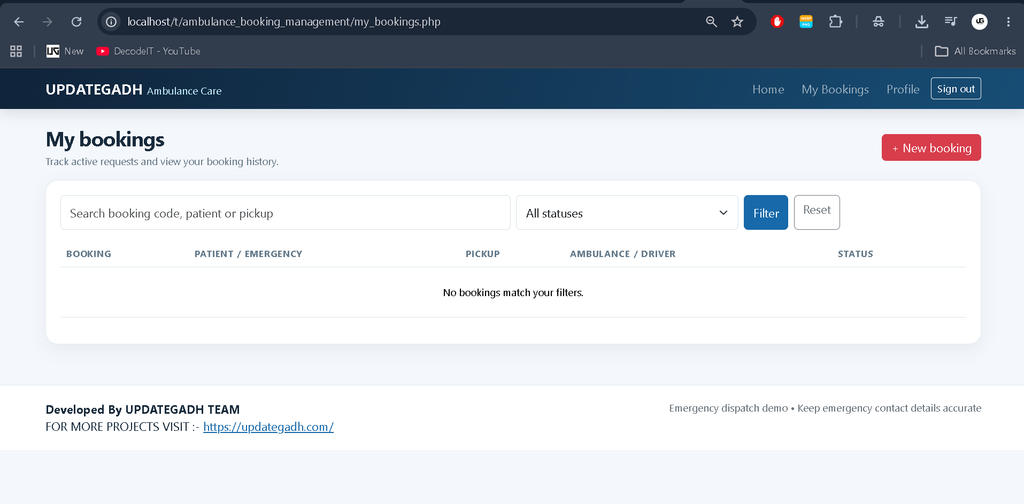
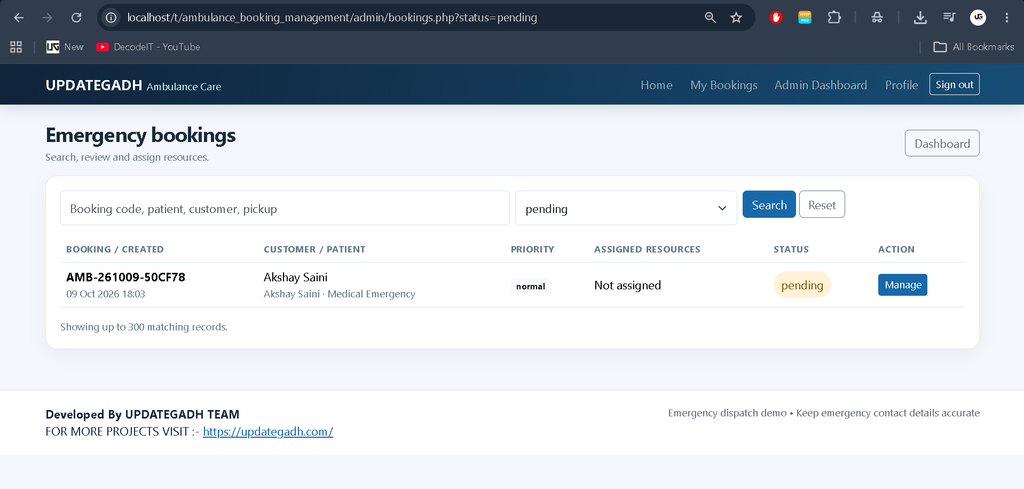
- Booking History: View previous bookings and filter records by status or search terms.
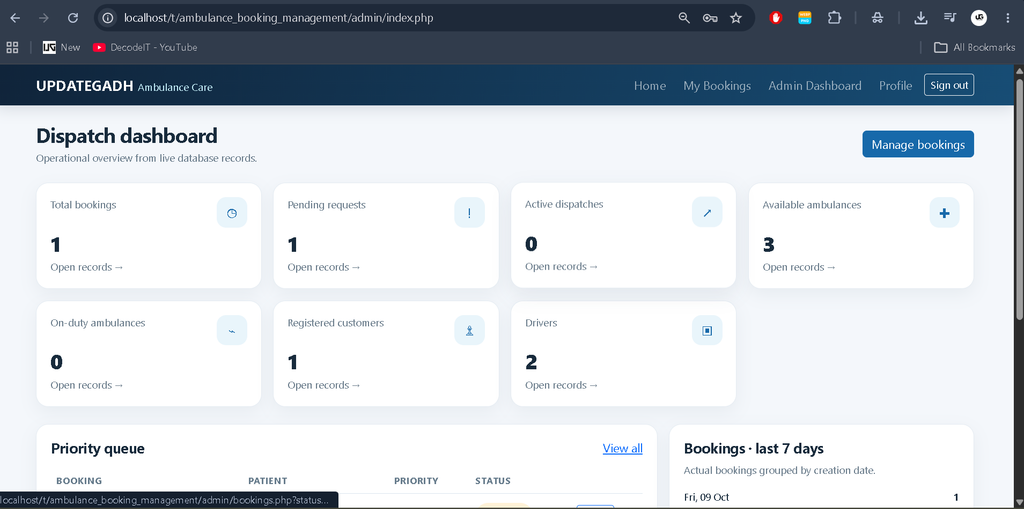
- Admin Dashboard: Display actual database statistics for bookings, customers, drivers, and ambulance availability.
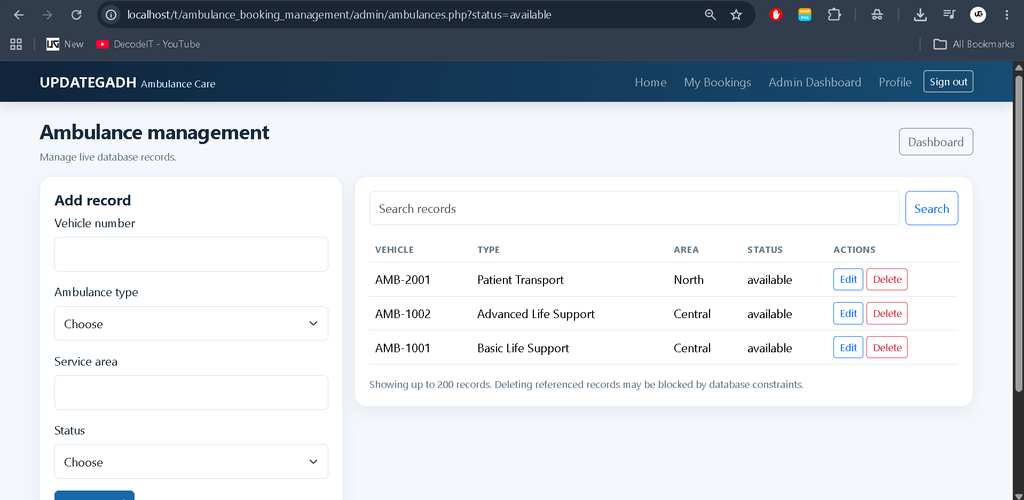
- Ambulance Management: Maintain vehicle numbers, ambulance types, service areas, and availability statuses.
- Driver Management: Manage driver information, licence numbers, service areas, and duty status.
- Ambulance Assignment: Assign available ambulances and drivers to bookings with duplicate-assignment checks.
- Hospital Management: Maintain hospital names, addresses, contact information, and service areas.
- AJAX Status Updates: Refresh booking status periodically without reloading the complete page.
- Maintenance Records: Record ambulance servicing dates, descriptions, costs, and maintenance status.
- Reports and Analytics: Review booking statistics, emergency categories, service areas, and completion-duration reports.
- Printable Booking Receipts: Print individual booking details.
- Notifications: Record notification events and support email delivery when the server’s mail functionality is configured.
Technology Stack
- Frontend: HTML, CSS, JavaScript, Bootstrap
- Backend: PHP
- Database: MySQL
- AJAX: Dynamic booking status updates
- Map Library: Leaflet with OpenStreetMap
- Development Environment: Visual Studio Code and XAMPP
Software and Tools Required
- Visual Studio Code
- XAMPP Server
- PHP 8.1 or later
- MySQL or MariaDB
- Modern web browser
Installation Guide for VS Code
Step 1: Extract the Project
Extract the project ZIP file into the XAMPP htdocs directory.
C:\xampp\htdocs\ambulance_booking_managementStep 2: Start XAMPP
Open the XAMPP Control Panel and start Apache and MySQL.
Step 3: Import the Database
Open phpMyAdmin in your browser.
http://localhost/phpmyadmin/Select the Import option and import the following SQL file from the extracted project:
database/ambulance_booking.sqlStep 4: Configure Database Connection
Open config/config.php in VS Code and verify the database credentials.
$dbHost = '127.0.0.1';
$dbName = 'ambulance_booking';
$dbUser = 'root';
$dbPass = '';
Update the username and password if your local MySQL configuration is different.
Step 5: Run the Project
Open the application in your browser using the following URL:
http://localhost/ambulance_booking_management/Step 6: Create an Administrator Account
Register an account through the website. To grant administrator access, execute the following query in phpMyAdmin, replacing the email with your registered email address.
USE ambulance_booking;

UPDATE users
SET role = 'admin'
WHERE email = 'admin@example.com';
Sign in again to access the admin dashboard.
How to Use the Project
User Panel
Users can register, log in, update their profiles, submit ambulance booking requests, enter patient and location details, check booking status, view booking history, and cancel eligible bookings.
Admin Panel
Administrators can view dashboard statistics, manage users, drivers, ambulances, hospitals, and maintenance records. They can review emergency requests, assign available resources, update booking statuses, and generate reports.
Booking Workflow
A booking is initially marked as pending. The administrator reviews the request, assigns a compatible ambulance and driver, confirms the booking, and updates its status as the response progresses.
Security Features
- Password hashing and verification.
- Prepared statements for database queries.
- CSRF token validation for protected forms.
- Server-side input validation and output escaping.
- Role-based access restrictions for administrative pages.
- Database transactions and assignment availability checks.
How to Download
The complete package is available so you can run, study, and submit it with confidence. It includes:
- Full Source Code
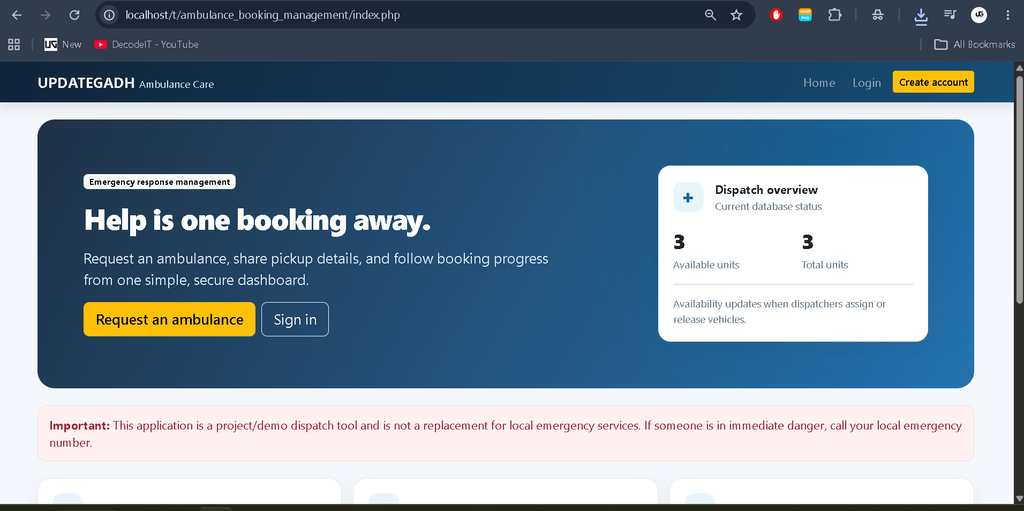
Screenshot
Project Limitations
Email delivery requires a working mail configuration. SMS notifications require an external provider integration. The map supports coordinate selection, but continuous ambulance GPS tracking requires a compatible location-data source. The application is intended for academic and development purposes and is not a substitute for certified emergency dispatch services.
Frequently Asked Questions
1. Which technologies are used in the Ambulance Booking and Management System?
The project uses PHP, MySQL, HTML, CSS, JavaScript, AJAX, and Bootstrap.
2. Can users track their booking status?
Yes. Users can view booking status updates through their account, with periodic AJAX refreshes on the booking details page.
3. Can administrators assign ambulances and drivers?
Yes. Administrators can assign resources according to availability and service-area compatibility. The system also checks for duplicate active assignments.
4. Does the project support live ambulance GPS tracking?
The booking form supports map-based coordinate selection. Continuous ambulance tracking requires a separate GPS device or location-data integration.
5. Can this project run on XAMPP?
Yes. Import the supplied database, configure the database connection, start Apache and MySQL, and open the project through localhost.
Final Thoughts
The Advanced Ambulance Booking and Management System is a practical PHP and MySQL project for students who want to develop a database-driven web application. It combines emergency booking, resource assignment, hospital management, status tracking, and administrative reporting in one platform.
Ambulance Booking system Ambulance Booking system – Google Search ambulance booking system using python ambulance booking system project ambulance booking system project source code ambulance booking system project report pdfambulance booking system website ambulance booking system github ambulance booking system using python project ambulance booking system app ambulance booking system ppt