Real Estate Management System in PHP
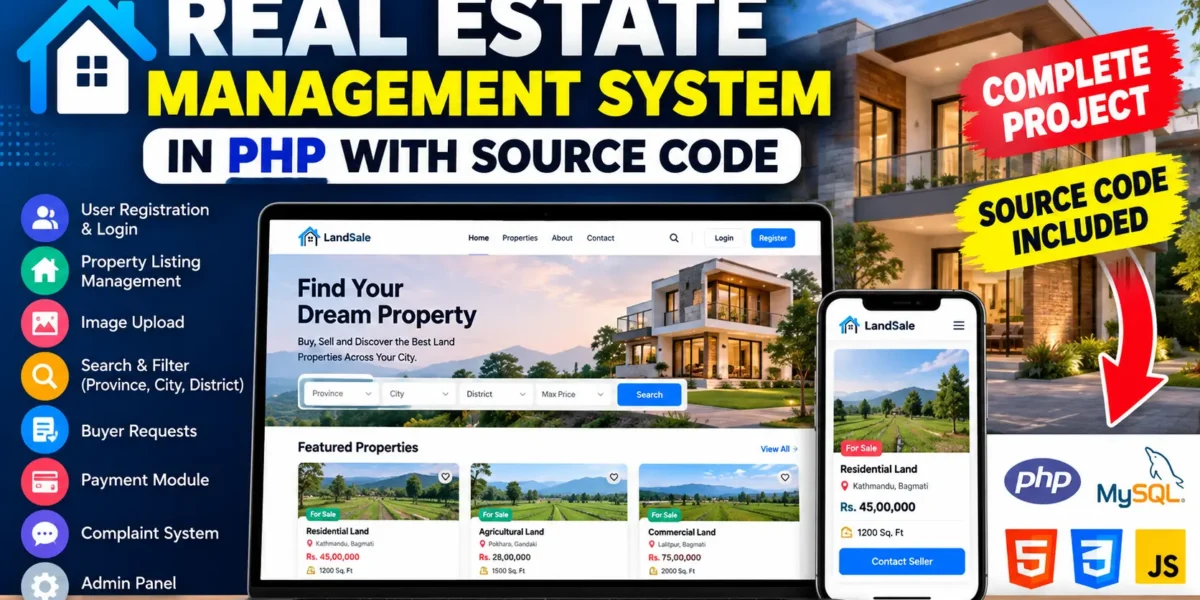
The Real Estate Management System is a practical PHP and MySQL web application designed to organize land-property listings, buyer requests, seller activities, complaints, and basic payment records in one place. The project is suitable for a medium-level college project because it combines authentication, CRUD operations, search, filtering, image uploads, role-based access, and database-driven dashboards without introducing unnecessarily complicated architecture.
Complete Advance AI Topics: Click Here
Real Time Projects on YouTube:- DecodeIT
Project Introduction
Managing property information through scattered records can make it difficult to find listings, communicate with buyers, and keep track of requests. This project provides a structured web interface where registered users can create and manage land listings while other users can search available properties and submit purchase requests. An administrator can access a separate management area for reviewing complaints and maintaining control over the platform.
The application is built with PHP for server-side processing, MySQL for storing application data, HTML5 and CSS3 for the interface, and JavaScript for basic browser-side interactions. The project follows a straightforward workflow so that students can understand how authentication, database operations, forms, and user roles work together.
Project Overview
| Project Detail | Description |
|---|---|
| Project Name | Real Estate Management System |
| Programming Language | PHP |
| Frontend | HTML5, CSS3, JavaScript |
| Database | MySQL |
Key Features
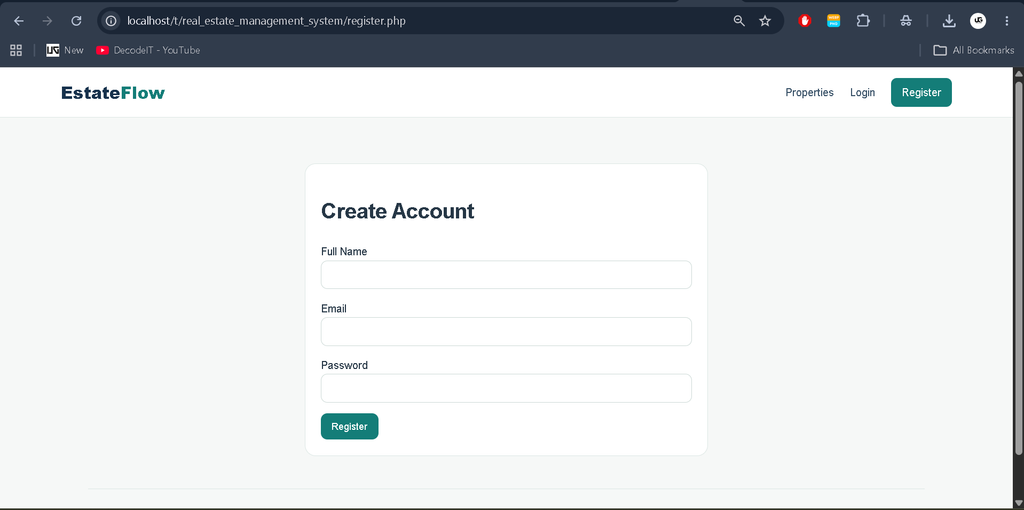
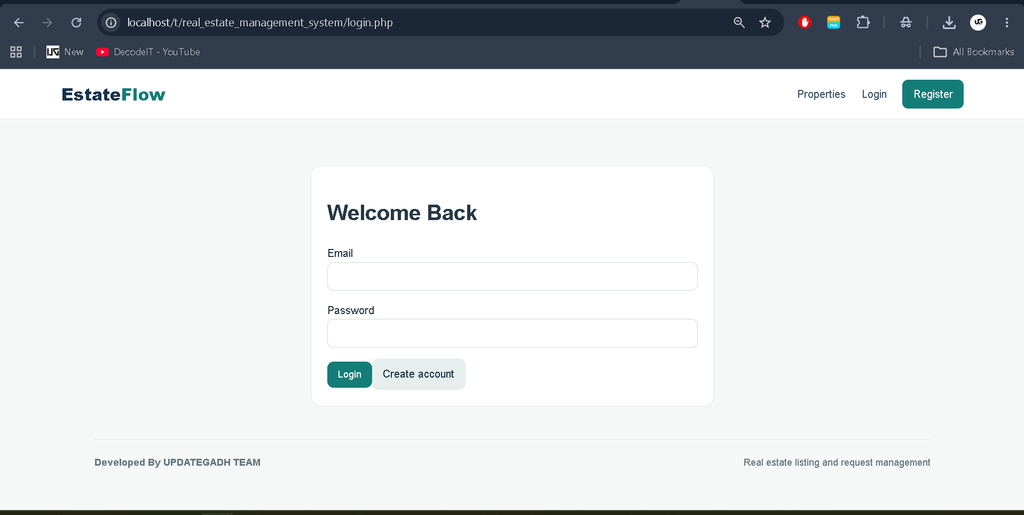
- User Registration and Login: Users can create accounts and sign in before using protected property-management functions.
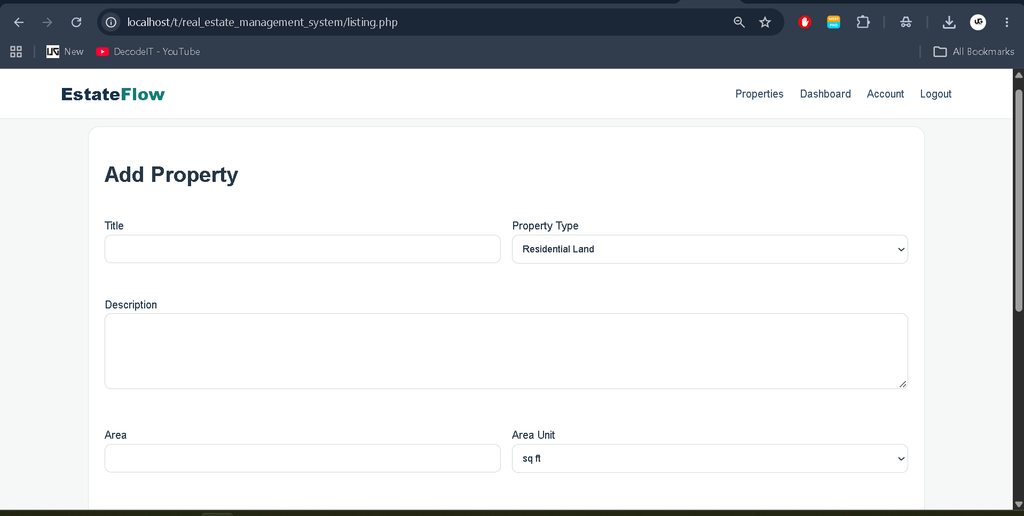
- Property Listing Management: Registered users can add land listings with title, description, property type, area, price, and location information.
- Image Upload: A property image can be attached to a listing to make the property record easier to identify.
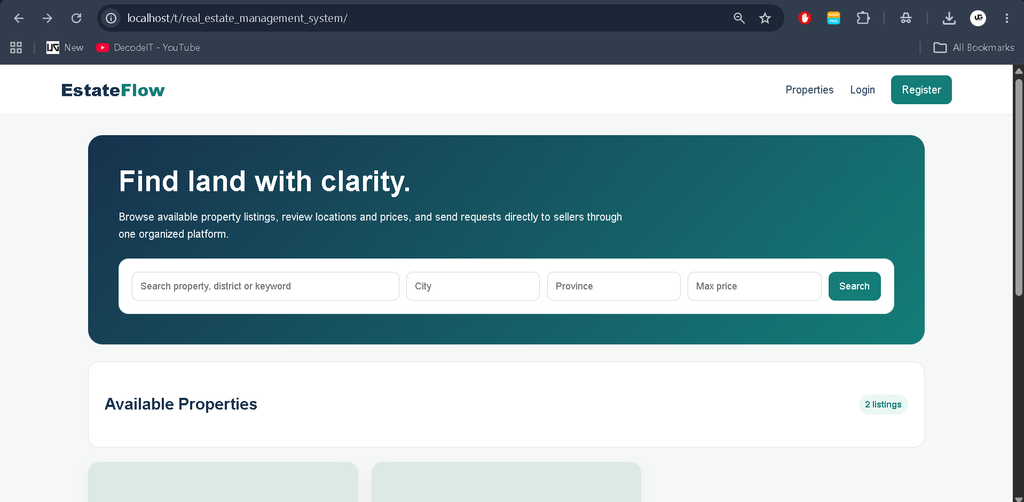
- Search and Filtering: Visitors can search by keywords and narrow available properties using city, province, and maximum price.
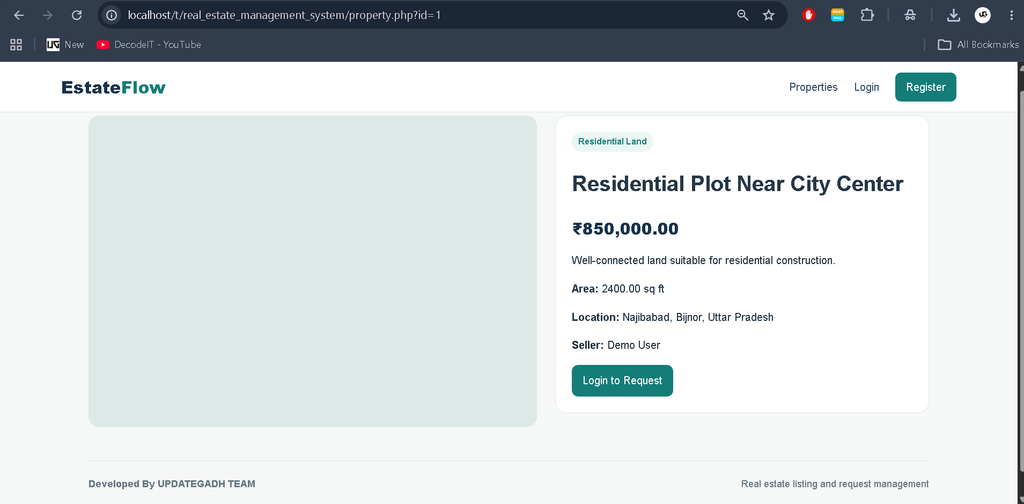
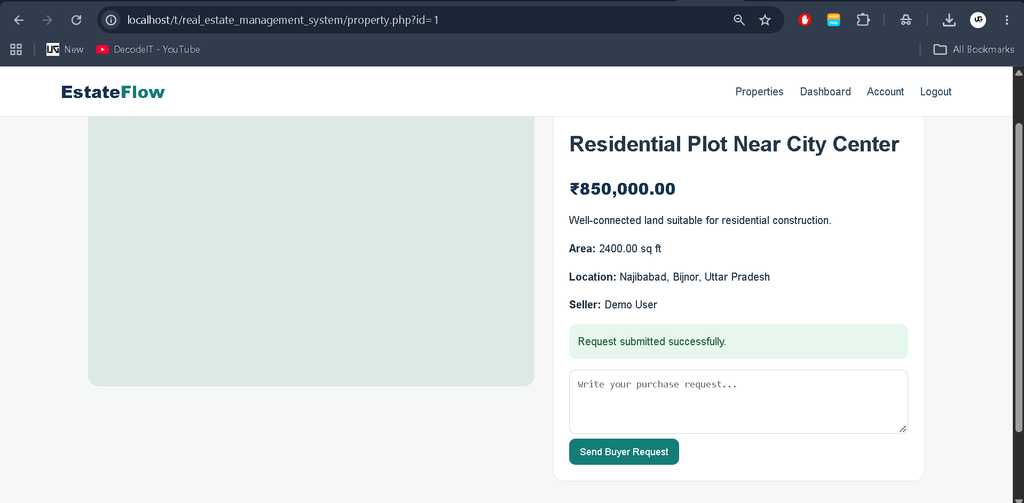
- Property Details: Each listing has a dedicated details page showing its important information and seller details.
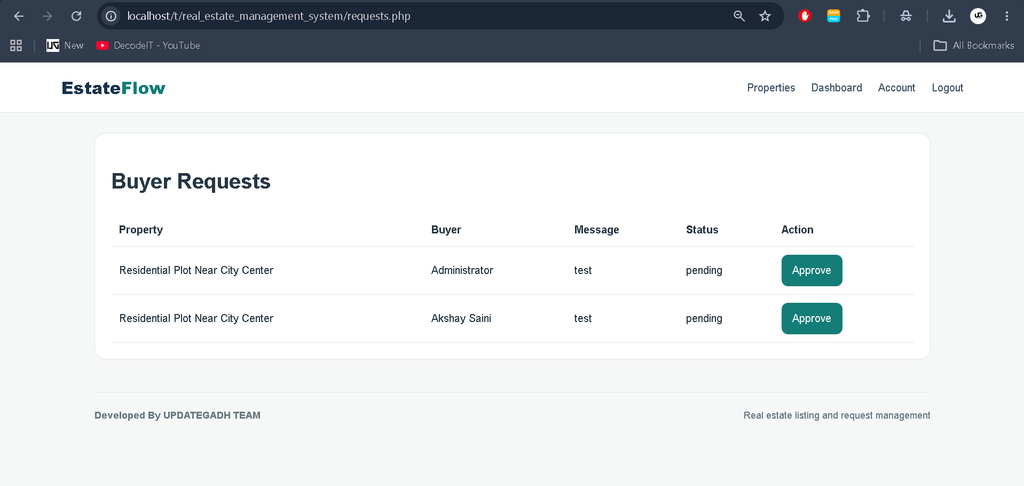
- Buyer Requests: Logged-in buyers can submit a message requesting a property, while sellers can review and approve requests.
- Complaint Management: Users can submit complaints and administrators can review and resolve them.
- Account Management: Users can update their name, email, and password from the account section.
- Payment Record Module: Approved requests can proceed to a basic payment-record workflow suitable for a college demonstration.
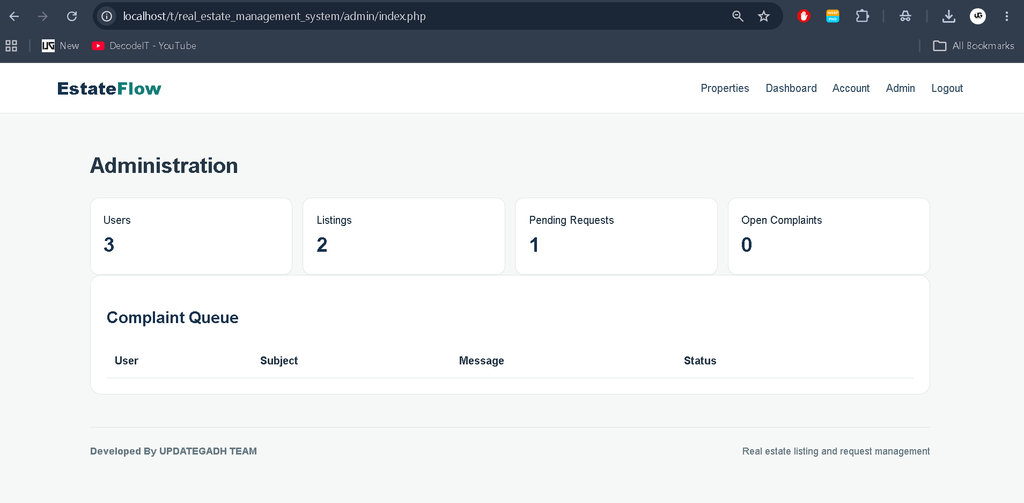
- Admin Dashboard: Administrators can view counts for users, listings, pending requests, and open complaints.
User Roles
Registered User
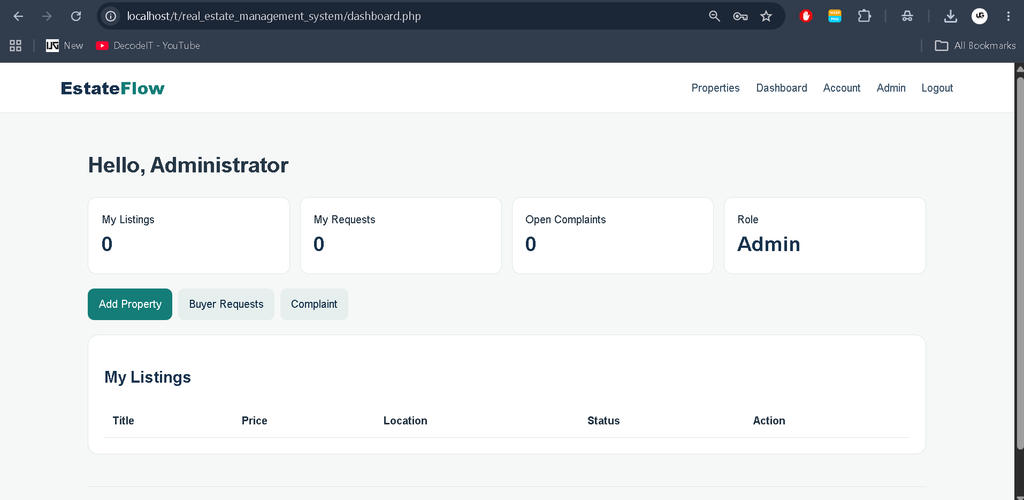
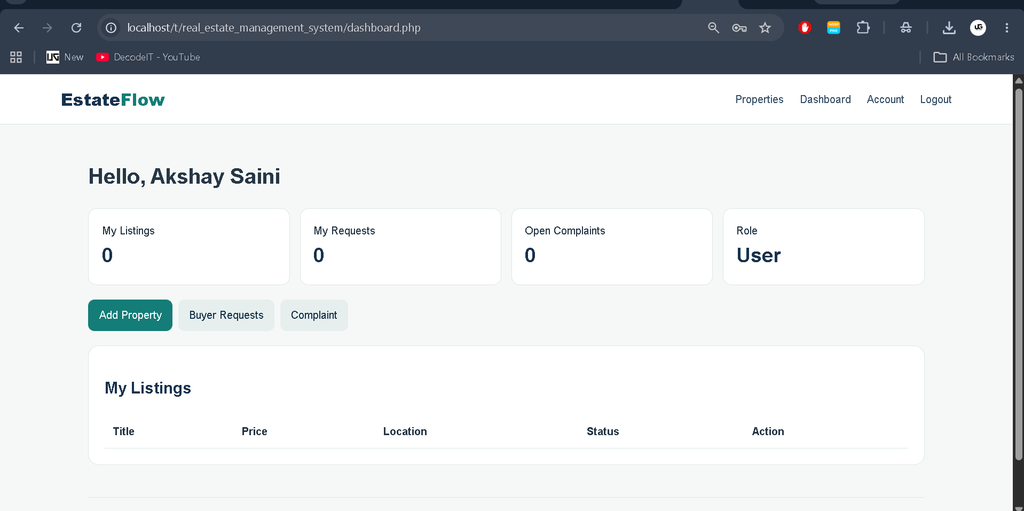
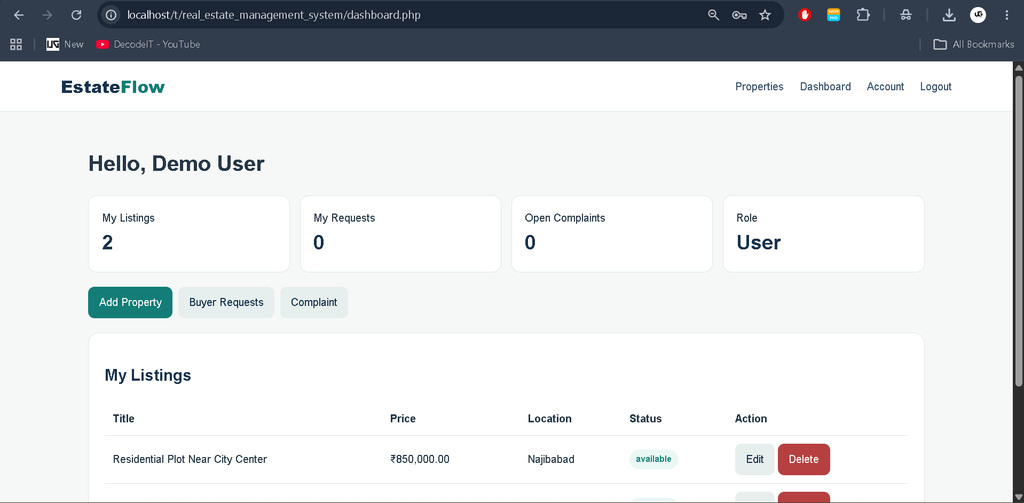
A registered user can maintain an account, create property listings, edit or delete their own listings, receive buyer requests for their properties, submit complaints, and request properties listed by other users. The dashboard brings these activities together so the user does not need to navigate unrelated pages.
Administrator
The administrator has access to the admin dashboard and complaint queue. The dashboard provides a quick view of users, property listings, pending buyer requests, and open complaints. Complaint records can be marked as resolved after review.
Visitor
A visitor can browse available property listings and use the search interface. Authentication is required before submitting a buyer request or accessing protected account and dashboard features.
Download complete source code
Screenshot
Project Modules
The project is divided into connected modules rather than disconnected demonstration pages. The Authentication Module handles registration, login, logout, session management, and role checks. The Property Module manages listing creation, editing, deletion, image uploads, property status, and public details. The Search Module reads filter values and retrieves matching available listings from MySQL.
The Request Module connects buyers with sellers through database records. A buyer submits a request against a listing, and the listing owner can approve it. The Complaint Module allows users to report issues while the administrator reviews the complaint queue. The Payment Module records a selected payment method and amount after an approved request. It is intended as a project-level demonstration rather than a connection to a live financial gateway.
Technology Stack
- PHP: Handles authentication, forms, CRUD operations, sessions, filtering, requests, and server-side validation.
- MySQL: Stores users, listings, requests, complaints, and payment records with relational links.
- HTML5: Defines the structure of forms, dashboards, property pages, tables, and navigation.
- CSS3: Provides the responsive professional interface, cards, tables, forms, badges, and dashboard layouts.
- JavaScript: Provides small client-side interactions such as confirmation prompts.
Installation and Setup
- Install XAMPP or WAMP with PHP and MySQL support.
- Copy the project folder into the server root, such as htdocs in XAMPP.
- Start Apache and MySQL from the control panel.
- Open phpMyAdmin and create or import the database using the supplied database.sql file.
- Open config.php and verify the MySQL host, username, password, and database name.
- Make sure the uploads directory is writable so property images can be stored.
- Open the project through the local Apache URL in a browser.
The included database structure creates related tables for users, listings, requests, complaints, and payments. Demo accounts are also included for testing the main user and administrator workflows.
Usage Guide
Start by registering a user account or signing in with an existing account. After login, open the dashboard to add a property. Enter the property title, description, type, area, price, province, city, and district, then optionally upload an image. Saved listings can be reviewed, edited, or deleted by their owner.
From the public property area, users can search listings using keywords, city, province, or maximum price. Opening a property displays its full information and provides a buyer-request form when the visitor is authenticated. The seller can then open the requests section and approve a pending request. After approval, the buyer can use the payment-record page to record the selected demonstration payment method.
Users can also open their account settings to update profile information. If a platform issue needs attention, the complaint page provides a structured form for submitting a subject and message. Administrators can sign in to the admin panel, review complaint records, and resolve complaints after checking them.
Frequently Asked Questions
Can visitors search properties without registering?
Yes. The public property listing and search pages can be accessed without an account. Login is required for protected actions such as submitting a buyer request.
Can a user edit another user’s property?
No. Listing edit and delete operations are restricted to the authenticated owner of the listing.
Does the project use MySQL?
Yes. MySQL stores the main application records, including users, listings, requests, complaints, and payment records.
Is the payment module a live payment gateway?
No. The included payment workflow records a payment method and amount for project demonstration purposes. It does not represent a production financial gateway.
Future Scope
- Integrate Google Maps or another mapping service for property locations.
- Add email verification and OTP-based authentication.
- Connect a secure production payment gateway after implementing the required security and compliance measures.
- Add richer property filters and advanced reporting for administrators.
- Introduce localization support for multiple interface languages.
Conclusion
The Real Estate Management System in PHP provides a complete medium-level workflow for managing land-property information through a database-driven web application. Its combination of user authentication, property CRUD operations, image uploads, search and filtering, buyer requests, complaints, account management, and administrative controls makes it suitable for academic demonstration and practical learning.
Keyword:
Real Estate Management System
Real Estate Management System – Google Search
real estate management system project
real estate management system project in php
real estate management system project pdf
real estate management system project in php github
real estate management system github
real estate management system codecanyon
real estate management system project github
real estate management system website
real estate management system project documentation pdf