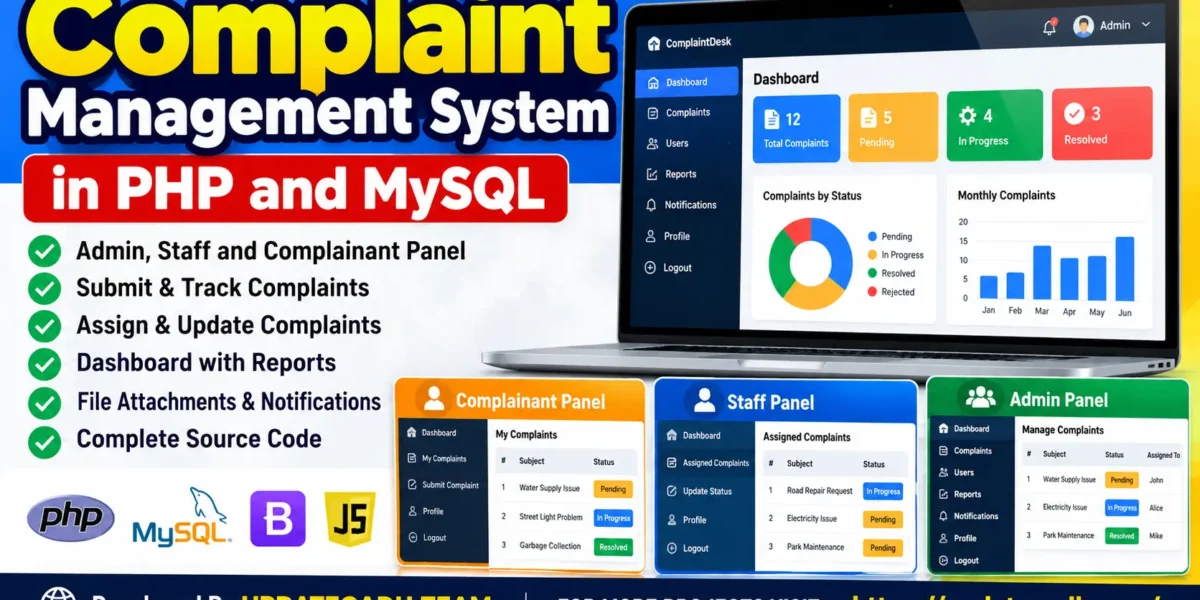
The Complaint Management System in PHP and MySQL is a web-based application designed to simplify complaint registration, assignment, tracking, and resolution. It provides a centralized platform where complainants can submit complaints, staff members can handle assigned cases, and administrators can monitor the complaint management process.
The project includes three main user roles: Admin, Staff, and Complainant. PHP handles server-side processing, while MySQL stores and manages application data. The system helps organize complaint records, track progress, and maintain complaint history through a structured workflow.
Complete Advance AI Topics: Click Here
Real Time Projects on YouTube:- DecodeIT
Project Overview
| Project Details | Information |
|---|---|
| Project Name | Complaint Management System |
| Languages Used | PHP, HTML, CSS, JavaScript |
| Database | MySQL |
| Frontend Libraries | Bootstrap, jQuery, Chart.js |
| Development Environment | VS Code, XAMPP |
| User Roles | Admin, Staff, Complainant |
About the Complaint Management System
The primary objective of this project is to manage complaints systematically instead of relying on manual records. Users can submit complaints online and follow their progress. Administrators can assign complaints to staff members, while staff can update the status of assigned cases and add notes or responses.
The system also supports complaint history, in-app notifications, complaint deadlines, and feedback after resolution. It is useful for students learning PHP, MySQL, database operations, and role-based web application development.
Available Features
1. Admin Panel
- View, search, and filter complaint records.
- Filter complaints by status, category, and priority.
- Assign complaints to staff members.
- Monitor complaint progress and update statuses.
- Create and deactivate user accounts.
- Review available workload and performance reports.
- Manage complaint activities from a centralized interface.
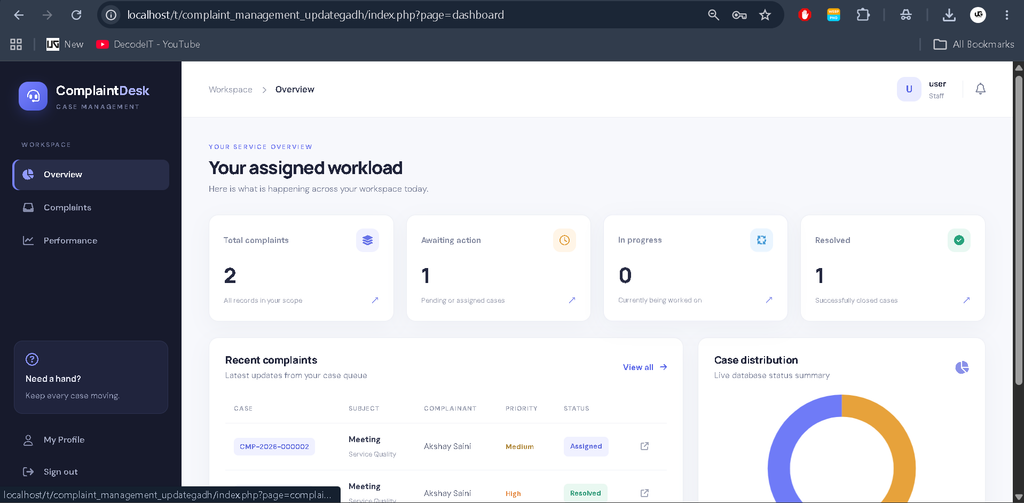
2. Staff Panel
- View complaints assigned to the staff account.
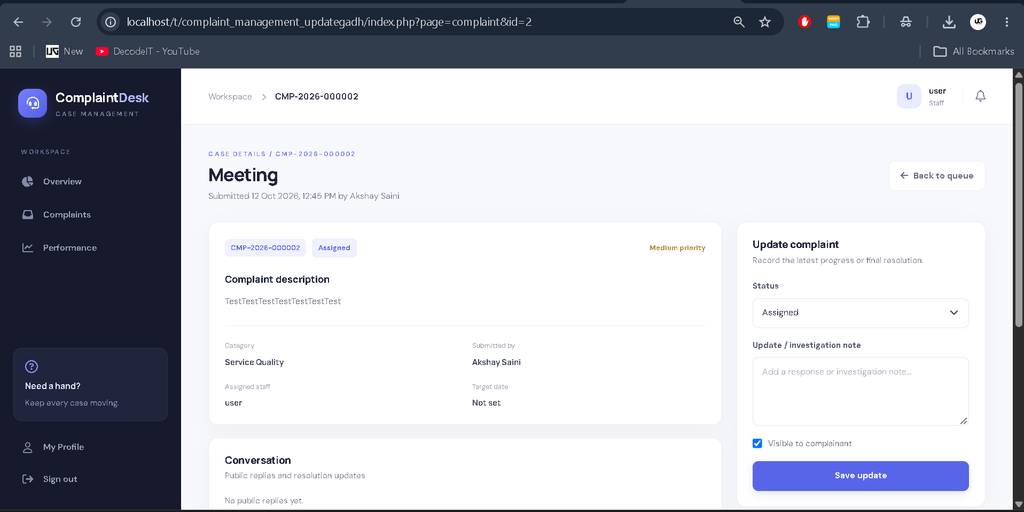
- Update the status of assigned complaints.
- Add public responses and internal notes.
- Review workload and available reports.
- Track complaint progress through the available workflow.
3. Complainant Panel
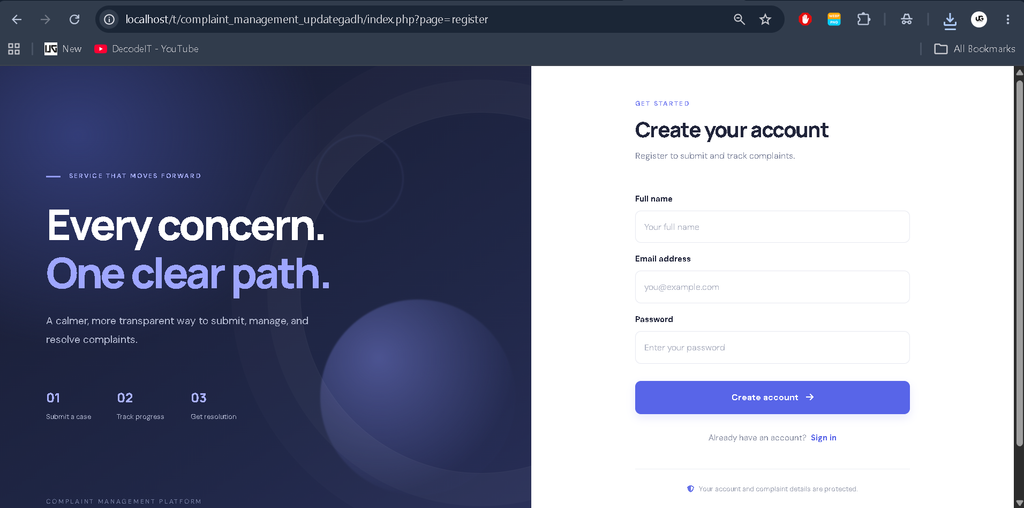
- Register and log in to the application.
- View and edit profile information.
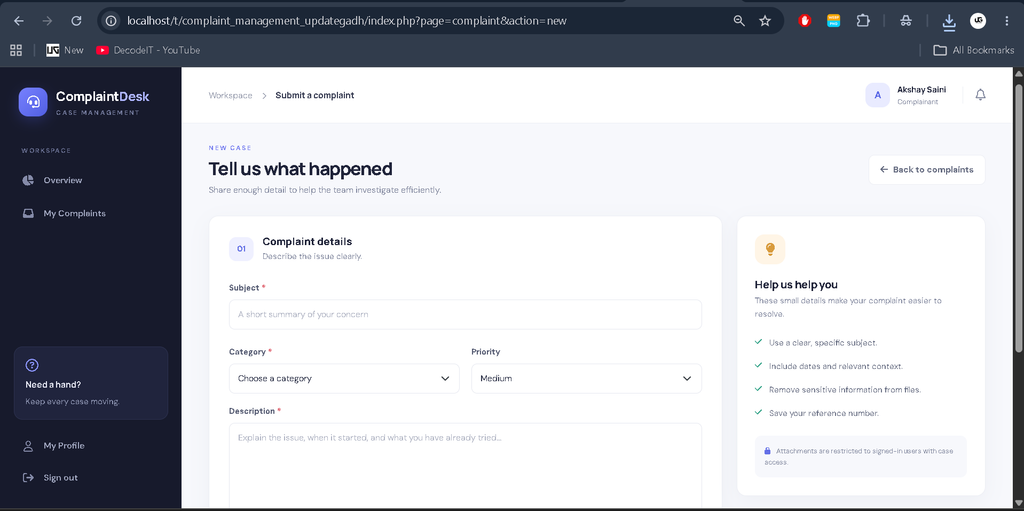
- Submit complaints with a subject, description, category, and priority.
- Attach supported files to complaints.
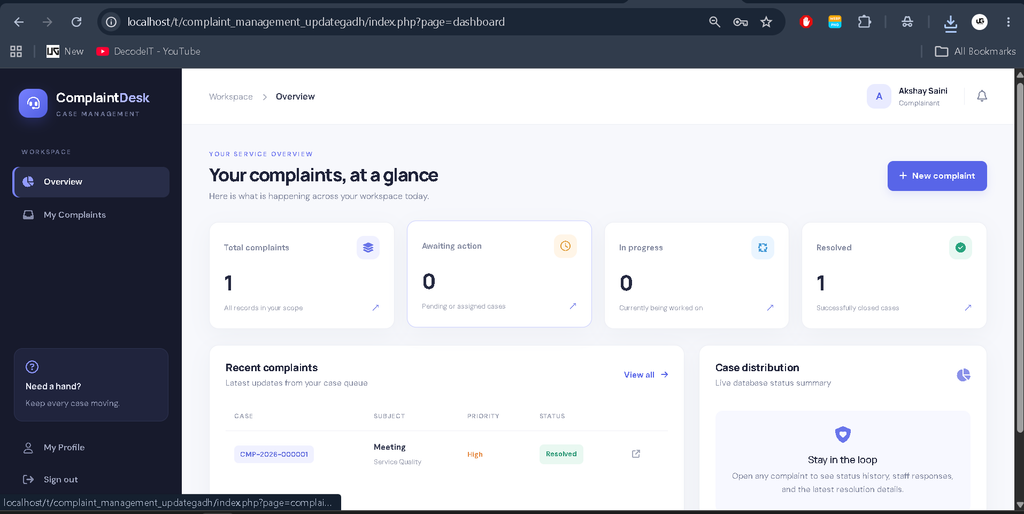
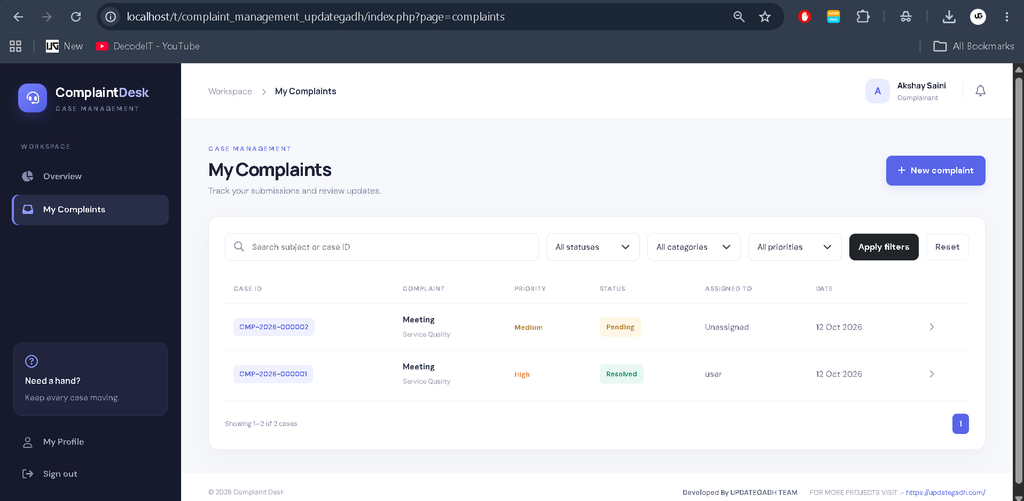
- Track complaint status and timeline.
- View public responses and messages.
- Reopen resolved complaints where permitted.
- Submit feedback and ratings.
4. Additional Features
- Complaint history tracking.
- In-app notifications.
- Complaint deadlines and overdue-case records.
- Database-backed complaint management.
- Responsive user interface.
- Role-based access control and protected form submissions.
Technology Stack
- PHP: Handles application logic, authentication, and complaint operations.
- MySQL: Stores user accounts, complaints, messages, notifications, history, and feedback.
- HTML and CSS: Create the structure and styling of the interface.
- JavaScript and jQuery: Support interactive frontend behavior.
- Bootstrap: Helps create responsive layouts.
- Chart.js: Supports report visualizations.
- XAMPP: Provides a local Apache and MySQL environment.
Software and Tools Required
- Windows, Linux, or another compatible operating system
- PHP 8.1 or later
- XAMPP with Apache and MySQL/MariaDB
- Visual Studio Code
- A web browser
- Internet connection for frontend libraries loaded from CDNs
How to Download
The complete package is available so you can run, study, and submit it with confidence. It includes:
- Full Source Code
Screenshot
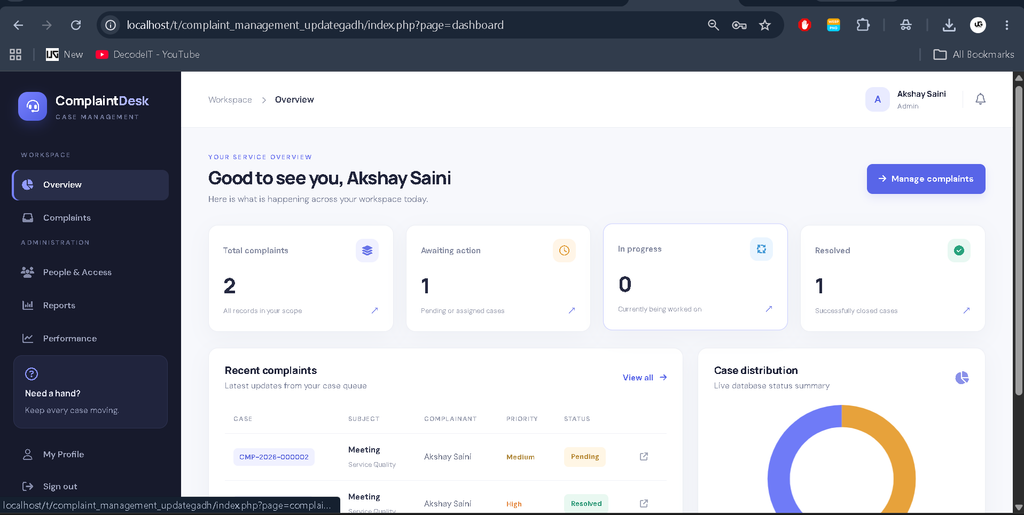
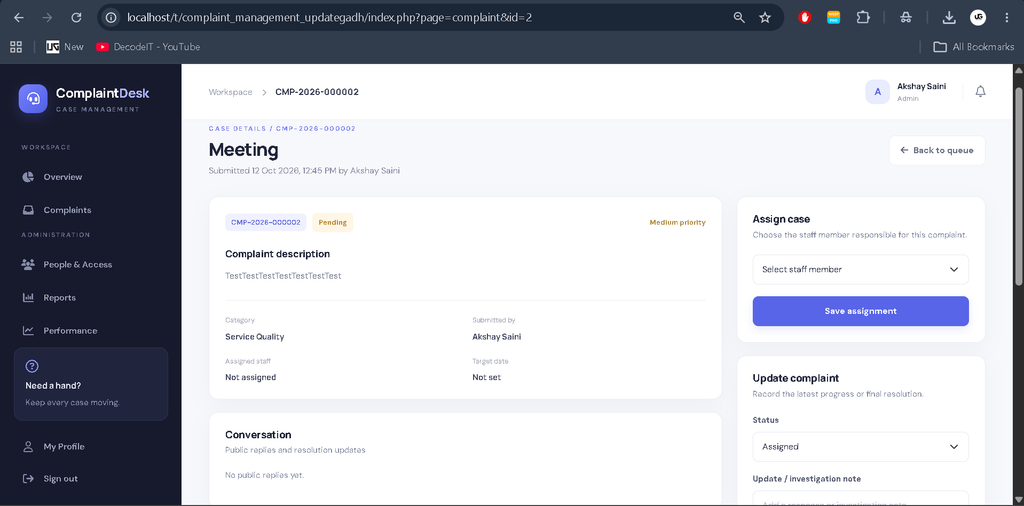
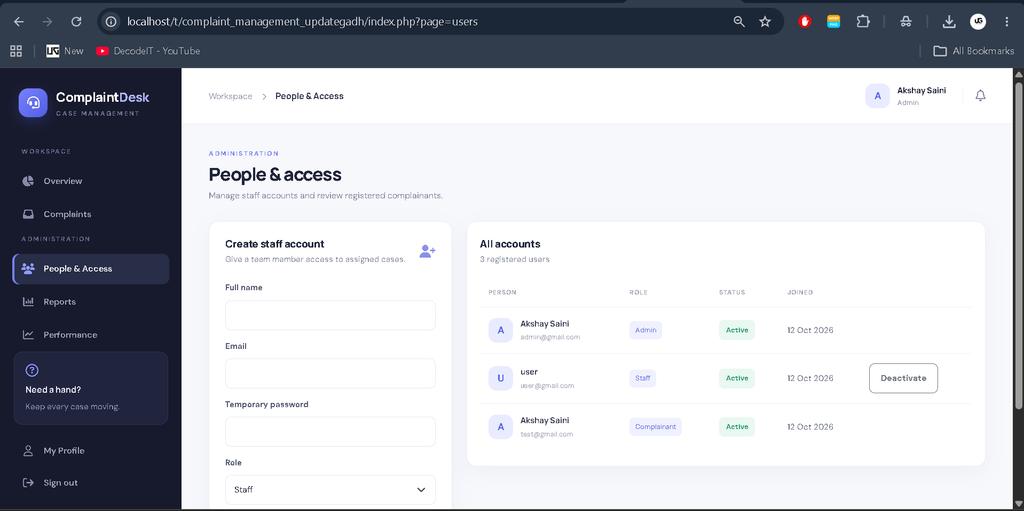
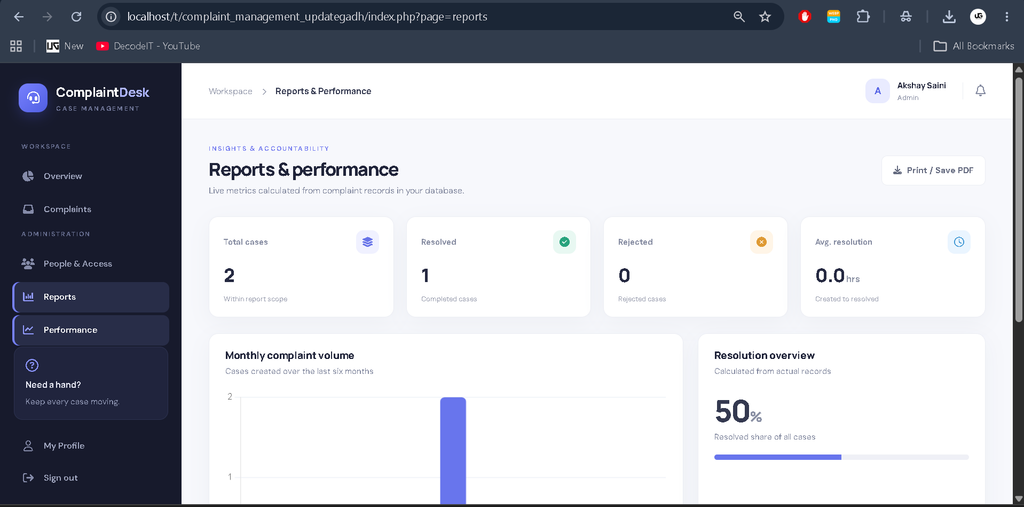
Installation Guide
Follow these steps to install and run the Complaint Management System locally.
Step 1: Install XAMPP
Install XAMPP with a PHP version compatible with the project. Open the XAMPP Control Panel and start Apache and MySQL.
Step 2: Extract the Project
Extract the project folder named complaint_management_updategadh into the XAMPP htdocs directory.
C:\xampp\htdocs\complaint_management_updategadh\Step 3: Import the Database
Open phpMyAdmin in your browser:
http://localhost/phpmyadminSelect the Import option, choose the project’s database.sql file, and click Go. The SQL file should create the required complaint_management database and tables.
Step 4: Configure the Database
Open the config/config.php file in VS Code. Check the database host, database name, username, and password. Update the settings if your local MySQL configuration differs.
Step 5: Create the Administrator Account
Open the following URL in your browser:
http://localhost/complaint_management_updategadh/setup_admin.phpEnter the administrator’s name, email address, and a strong password of at least 12 characters. After successfully creating the administrator account, delete setup_admin.php immediately.
Step 6: Run the Application
Open the login page:
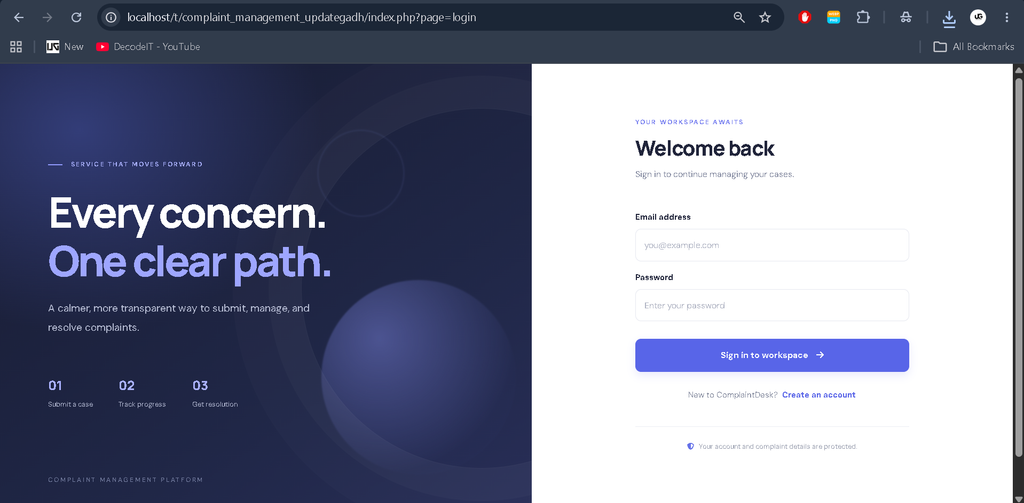
http://localhost/complaint_management_updategadh/index.php?page=loginLog in as the administrator, create staff accounts using the available access-management section, and allow complainants to register through the login interface.
How to Use the System
Admin
The administrator can review complaints, assign cases to staff members, manage user accounts, update complaint statuses, and view available reports.
Staff
Staff members can view assigned complaints, update their progress, add notes or responses, and review workload information.
Complainant
Complainants can register an account, submit a complaint, monitor its status, view public messages, and provide feedback when applicable.
Project Architecture
The application uses a web-based architecture. Users access the interface through a browser, PHP processes requests and applies access controls, and MySQL stores and retrieves application records. Complaint history, messages, and notifications help maintain records of complaint-related activities.
The application uses prepared database statements, password hashing, session protections, form security tokens, output escaping, and checks for uploaded files to support safer application processing.
Project Benefits
- Reduces dependence on manual complaint records.
- Organizes complaints in a centralized database.
- Helps administrators assign work to staff members.
- Improves complaint tracking and status visibility.
- Maintains complaint history and feedback records.
- Provides practical experience with PHP and MySQL development.
Final Thoughts
The Complaint Management System in PHP and MySQL is a useful academic project for understanding how a web application manages users, complaints, assignments, and status updates. Its separate Admin, Staff, and Complainant panels demonstrate how role-based access and database operations can be combined in one application.
Keywords: Complaint Management System in PHP and MySQL, Complaint Management System PHP Project, PHP MySQL Project, Online Complaint Management System, Complaint Tracking System, Complaint Registration System, PHP Project for Students, MySQL Database Project, Admin Staff Complainant System, UPDATEGADH,Complaint Management System Complaint Management System complaint management system (cms) portal complaint management system rbi complaint management system project complaint management system parivahan complaint management system sbi complaint management system vahan complaint management system portal complaint management system (cms) complaint management system website