

Examination Management System in PHP and MySQL
Examination Management System in PHP and MySQL is a web-based application designed to simplify the examination registration process for students. The system allows students to register for semester-end examinations, select subjects, and view their registered exams. Administrators can manage student information, examination subjects, and student participation through a centralized platform.
Developed using PHP, MySQL, CSS, JavaScript, and Bootstrap, this project provides separate sections for administrators and students. It is designed to reduce manual administrative work and make examination registration easier through a user-friendly web interface.
AI-Powered Online Examination System with Face Detection Using PHP & MySQL :- Click Here
Real Time Projects on YouTube:- DecodeIT
Project Overview
The Examination Management System provides two main modules: Admin and Student. Administrators manage student records and examination subjects, while students can create accounts, log in, select examinations, and view their registrations.
| Project Details | Description |
|---|---|
| Project Name | Examination Management System |
| Programming Language | PHP |
| Frontend | CSS, JavaScript, Bootstrap |
| Database | MySQL |
| Server Environment | XAMPP or WAMP |
| Project Type | Web-Based Application |
What Are the Main Features of Examination Management System?
The system provides separate functionalities for administrators and students to manage examination-related activities, student records, and exam registrations.
1. Admin Module
The Admin section provides functionality for managing student information, examination subjects, and student participation.
- Student Management: Administrators can view and manage student information maintained in the system.
- Subject Management: Admins can manage subjects available for examinations.
- Exam Registration Monitoring: Administrators can monitor student participation in examinations.
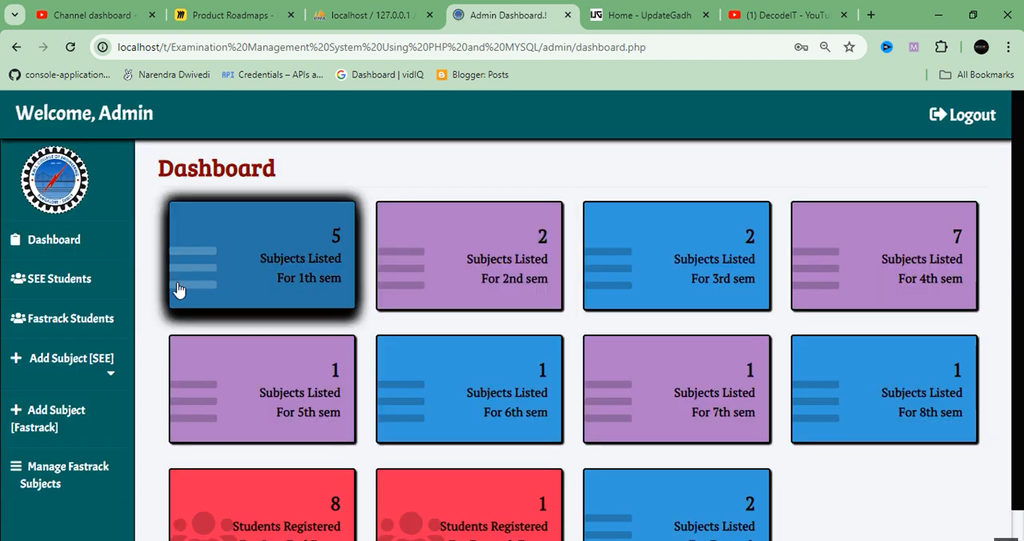
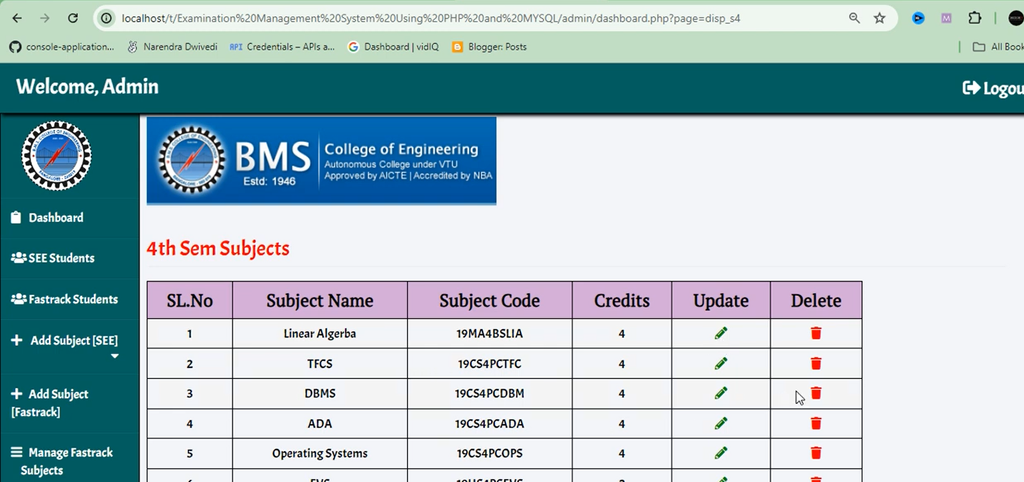
- Admin Dashboard: Provides an interface for managing students, subjects, and examination registrations.
2. Student Module
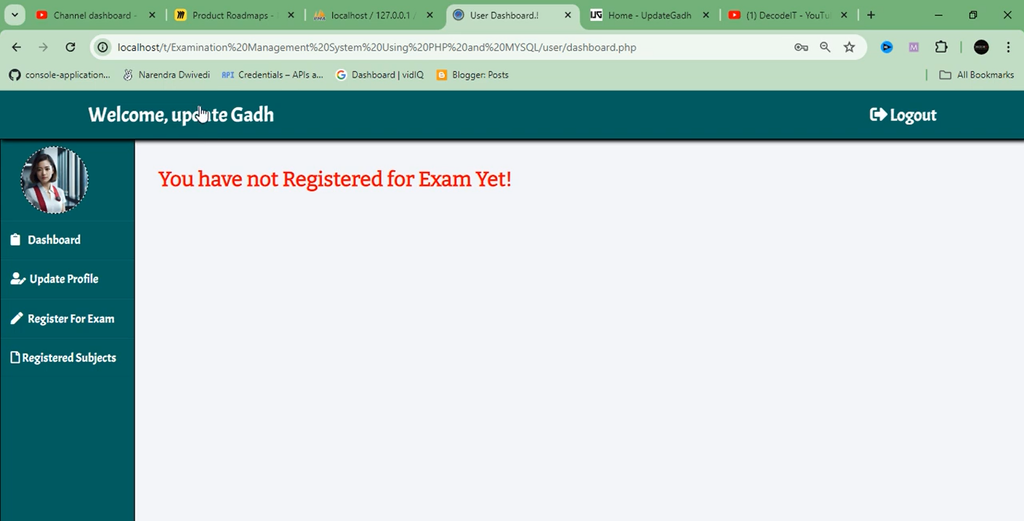
The Student section allows students to access the application and complete their examination registration process.
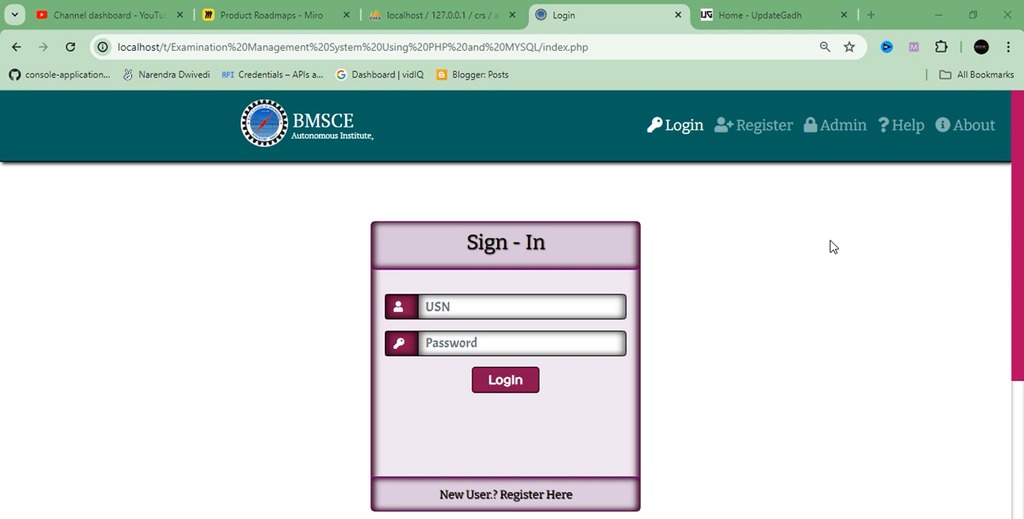
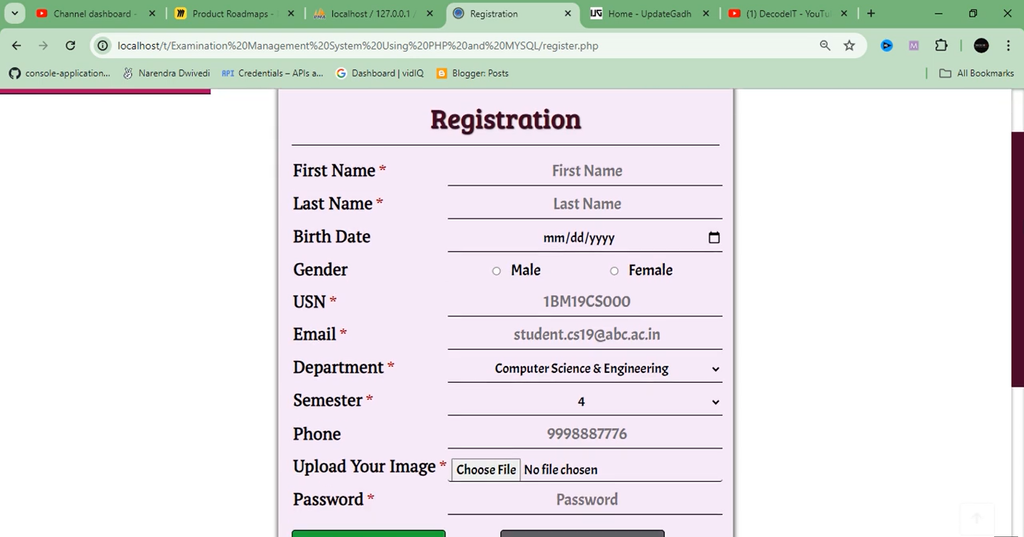
- Student Registration: New students can register for an account through the application.
- Student Login: Registered students can log in to access examination-related functionality.
- Exam Selection: Students can select the examinations they want to register for.
- Exam Registration: Students can complete their examination registration through the system.
- Registered Exams: Students can view the examinations for which they have registered.
How Does the Examination Management System Work?
The application manages examination registration through student accounts, subject management, and examination selection. Administrators maintain student and subject information, while students use their accounts to register for examinations.
1. Student Registration and Login
Students can create accounts and log in to access the examination registration system.
2. Student Information Management
Administrators can view and manage student information through the Admin section.
3. Examination Subject Management
Administrators manage the subjects available for examinations so that students can select the required examinations.
4. Exam Selection and Registration
Students can select their examinations and complete the registration process through the application.
5. Registration Monitoring
Administrators can monitor student participation and view examination registration information.
Which Technologies Are Used in This Project?
The project uses PHP for backend development, MySQL for database management, and frontend technologies to create the application interface.
| Technology | Purpose |
|---|---|
| PHP | Backend development |
| MySQL | Database management |
| CSS | Interface styling |
| JavaScript | Frontend functionality |
| Bootstrap | Interface design |
What Are the Required Software and Tools?
Before running the Examination Management System, prepare the required local development environment.
- XAMPP or WAMP: For running PHP scripts and the MySQL database.
- PHP: Backend programming language.
- MySQL: Database management system.
- Web Browser: For accessing the application.
- Visual Studio Code or Sublime Text: For viewing and modifying project files.
Online Examination System in PHP with Source Code :- Click Here
How to Download
The complete package is available so you can run, study, and submit it with confidence.
Screenshot
How to Install and Run the Examination Management System?
The supplied project description mentions remote installation and setup assistance. It does not provide exact database import commands, project folder names, or local configuration details.
Remote Project Setup
- Remote Access: Project setup can be performed remotely using Zoom, AnyDesk, or Google Meet.
- Complete Setup: The complete project can be configured on your computer.
- Project Assistance: Support is provided during the setup process to help resolve installation issues.
- Personal Guidance: Assistance is available throughout the project setup process.
What Are the Main Screens of the Project?
The project description identifies the following important application screens:
- Admin Dashboard: Manage students and examination subjects and view exam registrations.
- Student Registration: Provides a form for students to register for examinations.
- User Login: Provides login functionality for students and administrators.
- Exam Selection: Allows students to choose examinations for registration.
Online Examination System Using Python with AI Chatbot :- Click Here
Frequently Asked Questions
1. What is Examination Management System in PHP and MySQL?
It is a web-based application designed to manage student examination registration, subjects, and examination participation.
2. Which programming language is used in this project?
The project uses PHP for backend development, along with CSS, JavaScript, and Bootstrap for the interface.
3. Which database is used?
MySQL is used for database management.
4. What are the main modules?
The application provides two main modules: Admin and Student.
5. Can students register for examinations online?
Yes, students can select examinations and complete their registration through the application.
6. Can administrators manage examination subjects?
Yes, administrators can manage subjects available for examinations.
7. Can students view their registered examinations?
Yes, students can view the examinations for which they have registered.
Final Thoughts
Examination Management System in PHP and MySQL is a practical academic project for understanding student management, examination subject management, and online exam registration. Its separate Admin and Student modules provide an organized approach to managing examination-related activities. This project is also useful for students learning PHP, MySQL, Bootstrap, and database-driven web application development.



[…] Examination Management System Using PHP and MYSQL :- Click Here […]