Vehicle Parking Management System Using PHP and MySQL
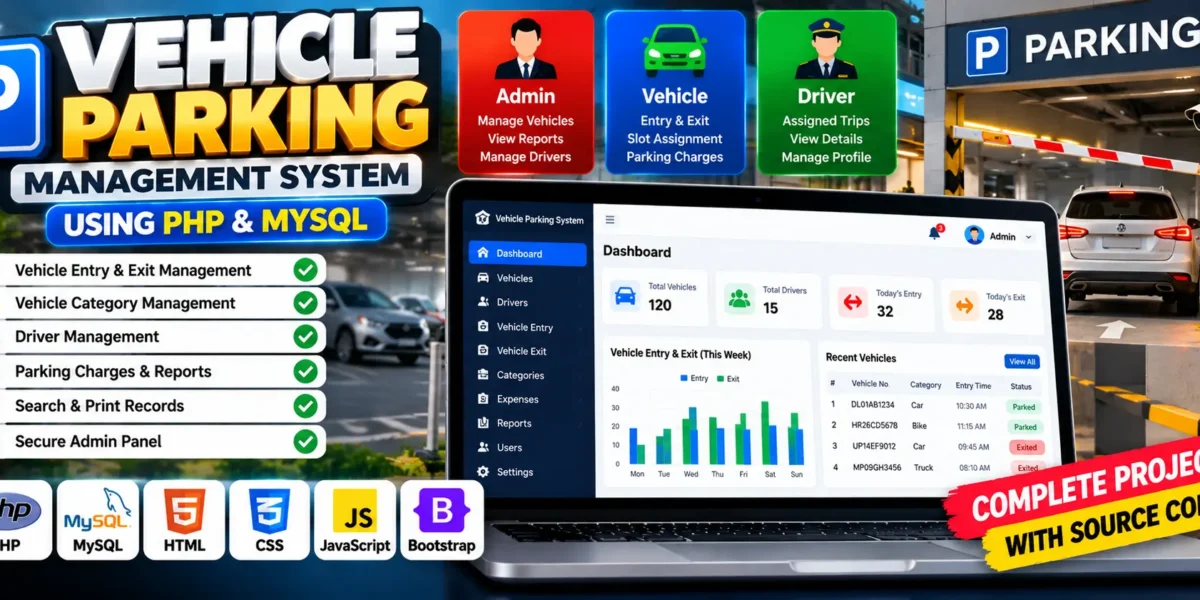
The Vehicle Parking Management System is a web-based application developed using PHP, MySQL, HTML, CSS, and JavaScript. It is designed to simplify parking operations by helping administrators manage vehicle entries, exits, categories, parking charges, and reports through a centralized platform.
Traditional parking facilities often depend on manual registers to record vehicle details and calculate parking charges. This project digitizes these operations, making it easier to maintain records, search for vehicles, and monitor parking activity. It also provides an administrative dashboard to review incoming and outgoing vehicles.
For students, this project offers practical experience in PHP development, MySQL database integration, authentication, CRUD operations, form validation, and report generation. It demonstrates how web technologies can be combined to organize everyday parking operations.
What Is a Vehicle Parking Management System?
A Vehicle Parking Management System is a web application that helps administrators record and manage vehicles entering and leaving a parking facility. It maintains vehicle records, calculates parking duration and charges, and generates reports for reviewing parking activity.
Complete Advance AI Topics: Click Here
Real Time Projects on YouTube:- DecodeIT
Project Overview
| Project Details | Description |
|---|---|
| Project Name | Vehicle Parking Management System |
| Languages Used | PHP, HTML, CSS, JavaScript |
| Database | MySQL |
| Type | Web Application |
Available Features
The project provides an administrator-focused interface for managing parking operations, vehicle records, and reports.
1. User Authentication
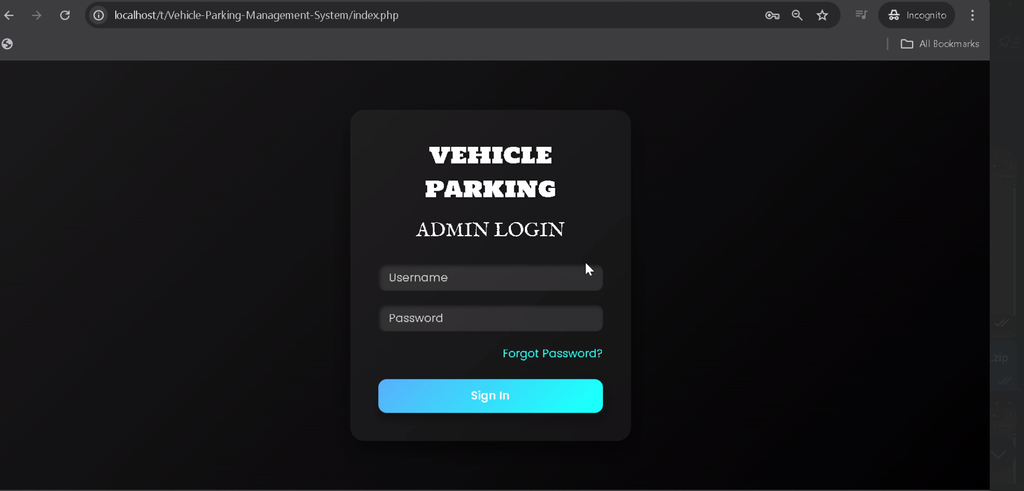
The system includes an administrator login mechanism to restrict access to management functions. It also supports password reset or password change functionality, as described in the project features.
2. Admin Dashboard
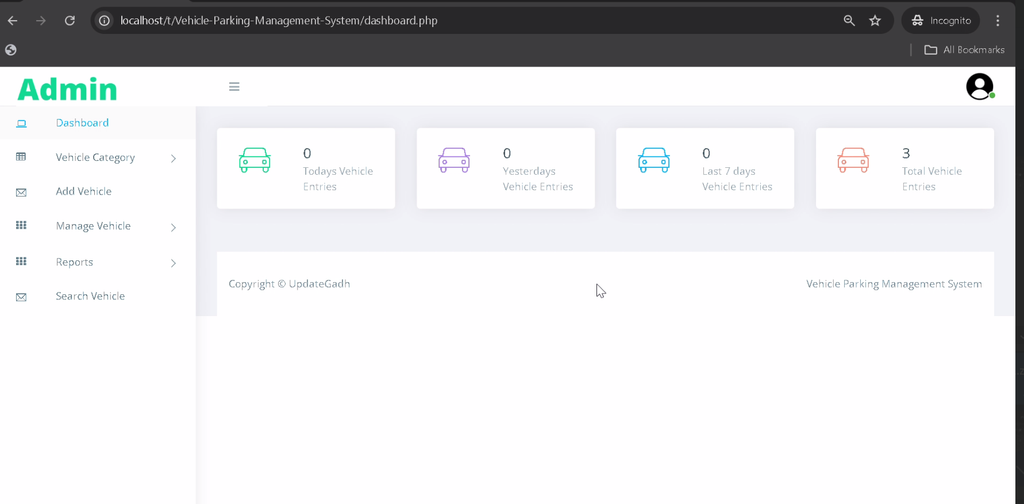
The dashboard provides an overview of incoming and outgoing vehicles and shortcuts to important management sections, helping administrators monitor parking activity.
3. Category Management
Administrators can add, edit, and delete vehicle categories such as cars, bikes, and trucks. Categorization helps organize vehicle records according to their type.
4. Vehicle Entry Management
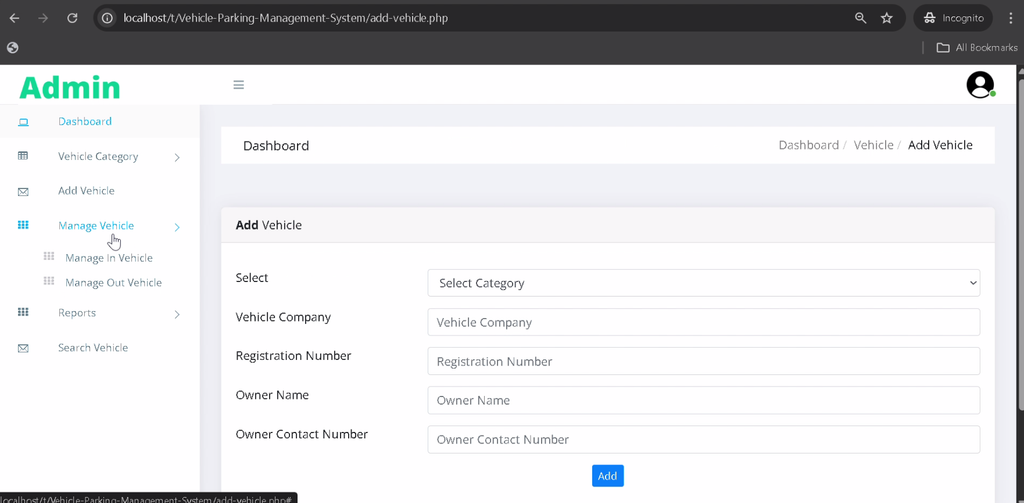
The system records incoming vehicle information, including the registration number, vehicle category, and entry time. These records help administrators track vehicles entering the facility.
5. Vehicle Exit Management
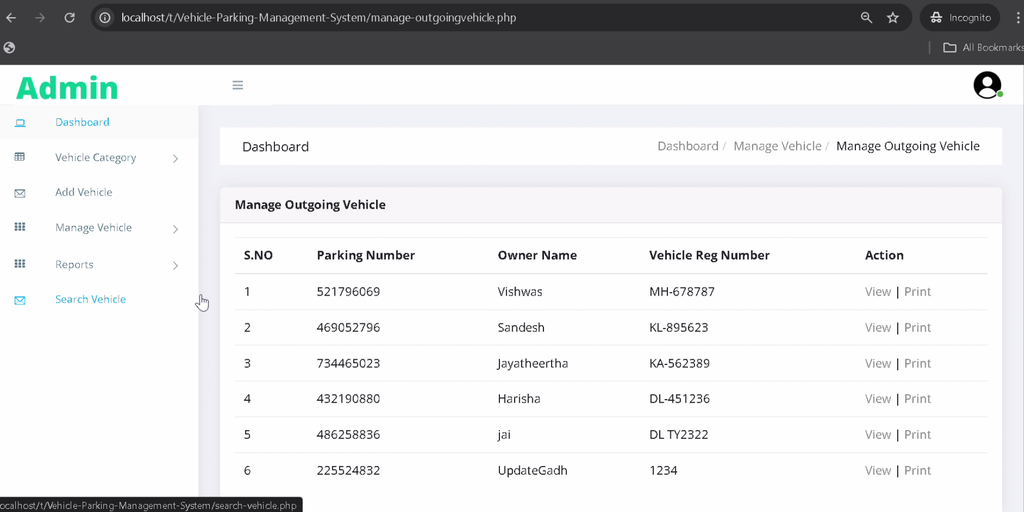
Administrators can record vehicle departures and calculate parking duration and applicable charges. This helps maintain consistent parking records and supports transparent billing.
6. Search Functionality
The search feature helps administrators locate vehicle records using registration numbers or categories, making it easier to retrieve information from existing records.
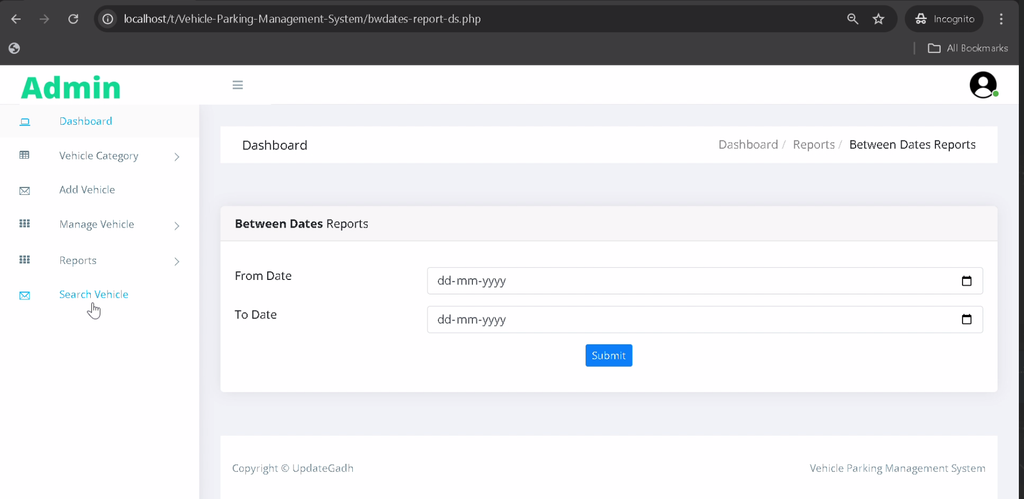
7. Report Generation
The application can generate reports for a selected date range, allowing administrators to review daily, weekly, or monthly parking transactions and revenue information.
8. Print Records
Vehicle details and generated reports can be printed for documentation and offline record-keeping.
9. Admin Profile Management
Administrators can update their profile information and account credentials to keep their details current.
Technology Stack
- PHP: Handles server-side processing and parking management operations.
- MySQL: Stores vehicle records, categories, and transaction information.
- HTML: Structures the application’s web pages.
- CSS: Styles the user interface.
- JavaScript: Supports client-side interactivity.
- XAMPP: Provides the local Apache and MySQL environment.
Software and Tools Required
- XAMPP
- Visual Studio Code
- Web Browser
How to Download
The complete package is available so you can run, study, and submit it with confidence. It includes:
- Full Source Code
- Project Report
- Synopsis
- PPT Presentation
Screenshot
How to Install and Run the Vehicle Parking Management System in VS Code?
Follow these steps to configure the database and run the project locally using PHP, MySQL, and XAMPP.
Step 1: Install the Required Software
Install XAMPP and Visual Studio Code on your computer.
Step 2: Extract the Project
Extract the project archive and copy the Vehicle-Parking-Management-System folder into the XAMPP htdocs directory. You can optionally rename the folder to Vehicle Parking Management System Using PHP and MySQL
.
C:\xampp\htdocs\Vehicle Parking Management System Using PHP and MySQLStep 3: Start Apache and MySQL
Open the XAMPP Control Panel and start the Apache and MySQL services.
Step 4: Create the Database
Open phpMyAdmin in your browser and create a database named vpmsdb. You can also create it using SQL:
CREATE DATABASE vpmsdb;Import the supplied vpmsdb.sql file into this database to create the required tables and load any included sample data.
Step 5: Configure the Database Connection
Open the includes folder and locate the database connection file, commonly named dbconnection.php. Update the credentials to match your local MySQL configuration. For example:
<?php
$con = mysqli_connect(
    "localhost",
    "root",
    "",
    "vpmsdb"
);

if (mysqli_connect_errno()) {
    echo "Connection Fail" . mysqli_connect_error();
}
?>
If your MySQL installation uses a password, replace the empty password with your actual database password. Make sure the configuration matches the connection method used by the supplied project.
Step 6: Run the Project
Open your browser and visit the URL corresponding to your project folder:
http://localhost/Vehicle Parking Management System Using PHP and MySQL/If you kept the original folder name, replace Vehicle Parking Management System Using PHP and MySQL
with that name. The application should display its entry or login page if the configuration is correct. Use the credentials supplied with the project or configured during setup.
How to Use the Vehicle Parking Management System?
The project primarily uses an administrator role to manage parking activities through a centralized interface.
1. Admin Login
Log in using the administrator credentials to access the dashboard and available management modules.
2. Manage Vehicle Categories
Add, update, or remove vehicle categories to organize parking records by vehicle type.
3. Record Vehicle Entries
When a vehicle arrives, enter its registration number, category, and entry details to maintain a record of the parking session.
4. Record Vehicle Exits
When a vehicle leaves, update its exit details and review the calculated parking duration and applicable charges.
5. Search for Vehicles
Use the search functionality to locate vehicle records by registration number or category.
6. Generate and Print Reports
Select a date range to review parking transactions and available revenue information. Print the generated records when physical documentation is needed.
7. Manage the Admin Profile
Update profile details and change the account password through the available profile or account options.
Why Is This Project Useful for Students?
- PHP Development: Learn how server-side scripts handle application requests.
- MySQL Integration: Understand how a relational database stores and retrieves parking records.
- CRUD Operations: Practice creating, viewing, updating, and deleting records.
- Authentication: Explore login and account management workflows.
- Reporting: Learn how date-based reports help summarize business activity.
- Real-World Relevance: Understand how software can reduce manual work in parking facilities.
Frequently Asked Questions
1. What is the Vehicle Parking Management System?
It is a web application that helps administrators manage vehicle entries, exits, categories, parking charges, and reports.
2. Which technologies are used in this project?
The project uses PHP, MySQL, HTML, CSS, and JavaScript.
3. Which database is required?
The installation instructions use MySQL with a database named vpmsdb.
4. How can I run the project in VS Code?
Place the project folder in XAMPP’s htdocs directory, start Apache and MySQL, import the SQL file, configure the database connection, and open the local project URL.
5. Can the system generate parking reports?
Yes. The described features include date-range reports and printable vehicle records for reviewing parking transactions and revenue.
Final Thoughts
The Vehicle Parking Management System is a practical academic project for students learning PHP and MySQL. It combines vehicle entry and exit tracking, category management, parking charge calculation, search functionality, and report generation in one web application.
Keywords: Vehicle Parking Management System, vehicle parking management system project report PDF, parking management system project in PHP with source code, vehicle parking management system source code, vehicle parking management system using PHP and MySQL, vehicle parking management system project PPT, vehicle parking management system ER diagram, parking lot management system using HTML CSS and JavaScript