Expense Management System Using PHP and MySQL
The Expense Management System is a web application designed to organize everyday income and expense records in a structured form. Developed with PHP and MySQL, the project provides a suitable college-level example of how a financial record system can connect authentication, database operations, categories, filters, and reporting into one application. Instead of maintaining separate notes for spending and earnings, users can keep their transactions inside a centralized workspace.
Complete Advance AI Topics: Click Here
Real Time Projects on YouTube:- DecodeIT
Project Introduction
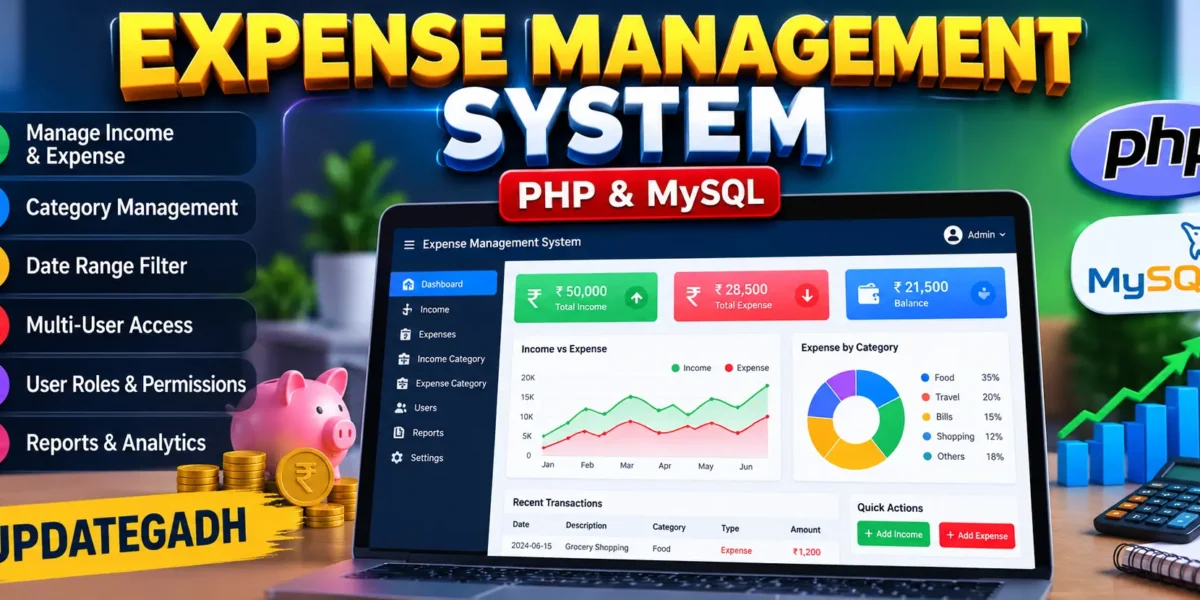
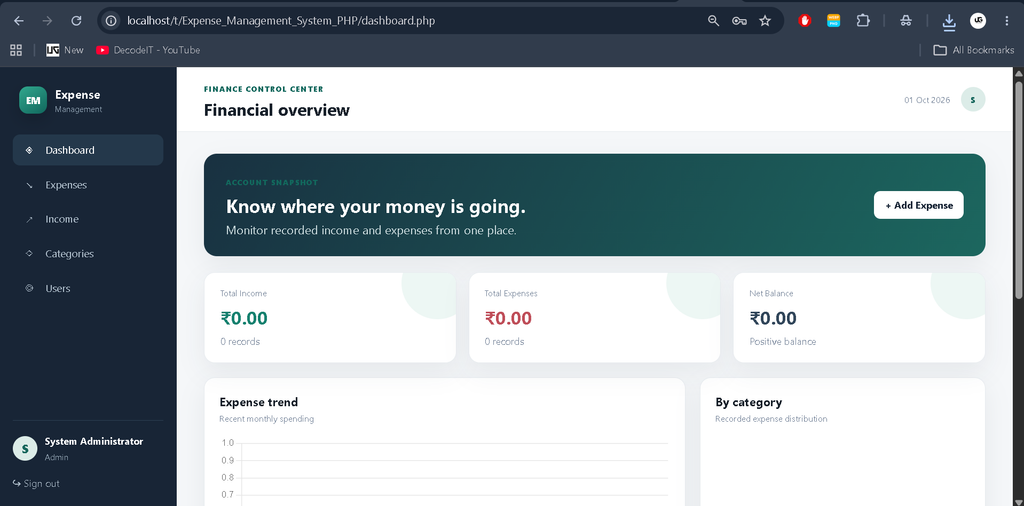
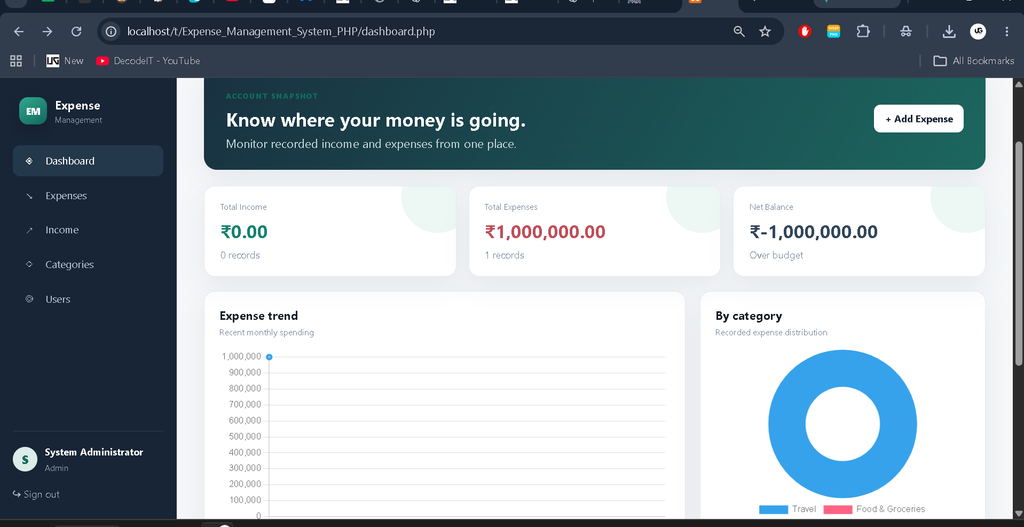
Managing daily financial activity becomes difficult when records are scattered across notebooks, spreadsheets, or different applications. This project addresses that problem with a focused system where income and expenses can be recorded with a title, amount, date, category, and optional notes. The dashboard gives a quick view of total income, total expenses, and the resulting balance, while charts provide a simple visual summary of spending.
The project is designed at a medium level. It is more functional than a basic CRUD demonstration but avoids unnecessary enterprise architecture. Its structure is understandable for students learning PHP, MySQL, sessions, forms, SQL relationships, and responsive interfaces.
Project Overview
| Project Name | Expense Management System |
|---|---|
| Language | PHP |
| PHP Version | PHP 7.4 or later recommended |
| Database | MySQL |
| Interface | HTML, CSS, JavaScript and Bootstrap-style responsive design |
Key Features
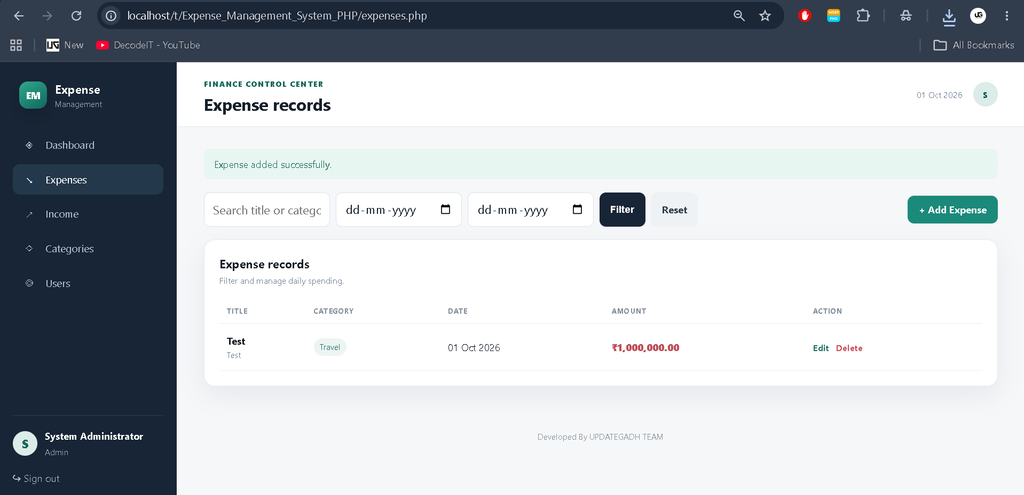
- Expense Management: Users with appropriate permissions can add, edit, filter, and delete expense records. Every record stores an amount, date, title, category, and notes.
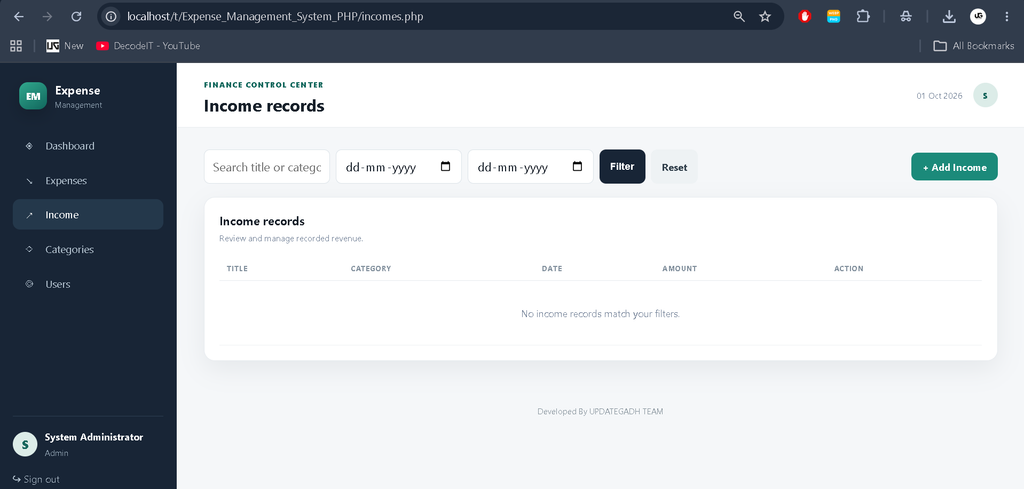
- Income Management: Income records can be maintained separately from expenses. Categories such as salary, freelance work, business, and investment can be used to organize revenue.
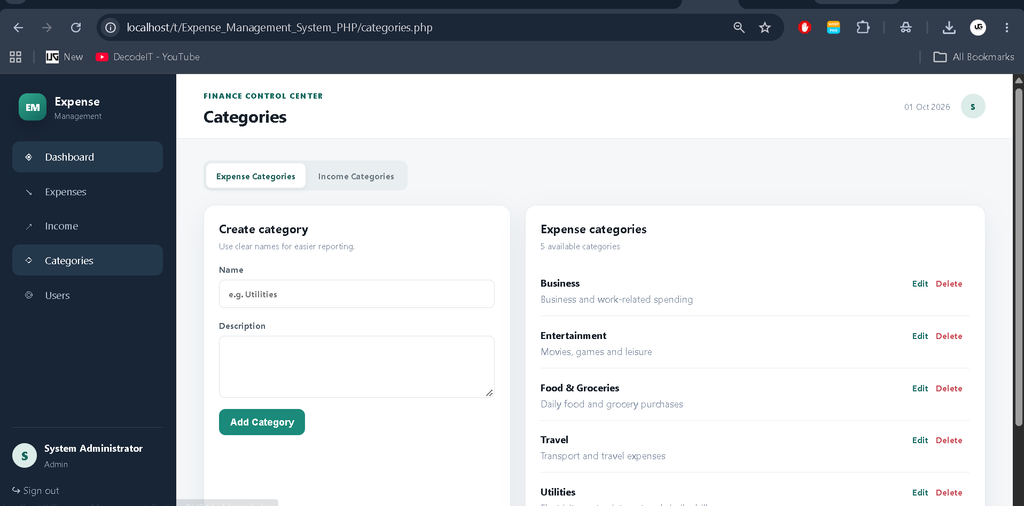
- Expense Categories: Administrators and permitted users can maintain categories such as food, utilities, travel, entertainment, and business.
- Income Categories: Income categories can be created and updated independently so revenue records remain organized.
- Date and Search Filters: Expense and income lists support keyword and date-range filtering, making it easier to review a selected period.
- Dashboard: The dashboard displays total income, total expenses, net balance, recent expenses, an expense trend, and category distribution.
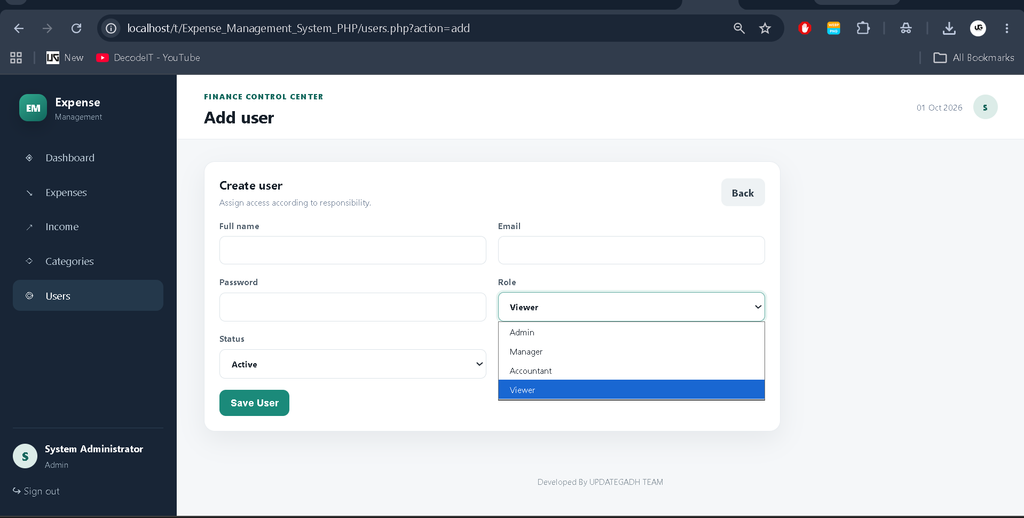
- Role-Based Access: Admin, manager, accountant, and viewer roles provide different levels of access.
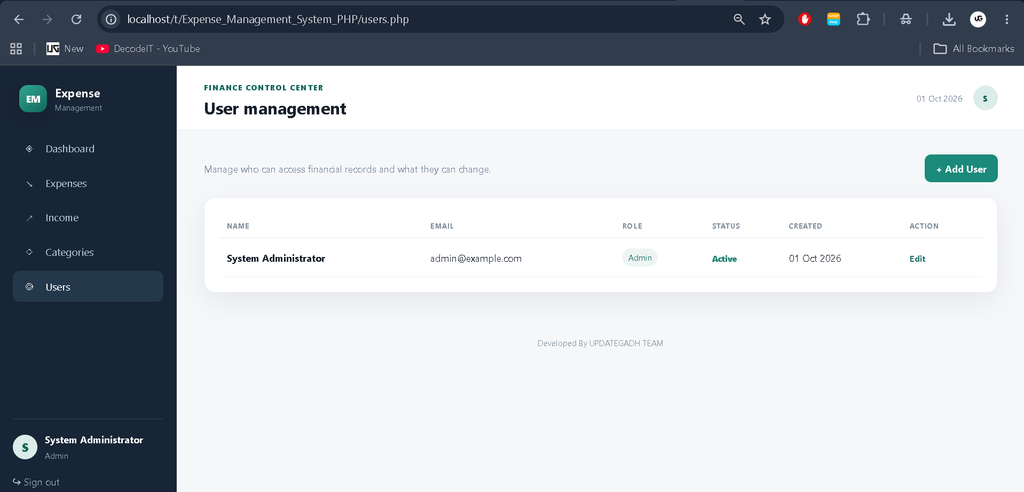
- User Management: Administrators can create, update, activate, deactivate, and remove user accounts.
User Roles
The project uses four user levels. An Admin can manage users as well as financial records and categories. A Manager can work with transaction and category data. An Accountant is intended for maintaining income and expense records. A Viewer can access the application for review without transaction-management privileges. This separation demonstrates how authorization can be applied to a PHP application.
Project Modules
Authentication Module
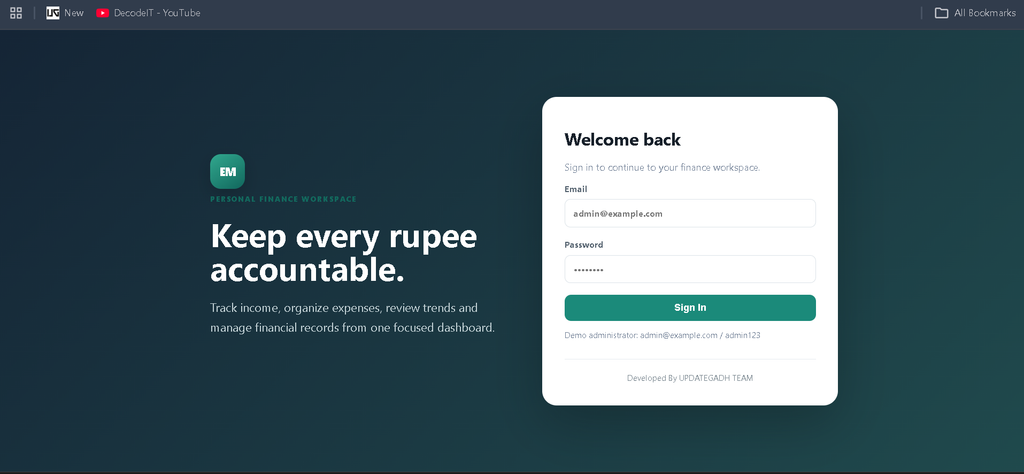
The login module verifies an active user’s email and password before creating a PHP session. Passwords are stored using PHP password hashing rather than plain text. Logout clears the active session and returns the user to the sign-in screen.
Expense Module
The expense module provides a form for recording spending and a table for reviewing saved transactions. Users can filter records by title, category, start date, and end date. Authorized users can edit or delete entries, while viewers can review the available information.
Income Module
The income module follows the same organized approach for revenue records. Each entry is associated with an income category and the user who created it. Separate records make it possible to calculate total income and compare it with recorded expenses.
Category Module
Expense and income categories are managed separately. Categories include a name and optional description. This structure keeps transaction data organized and also demonstrates foreign-key relationships between transaction tables and category tables.
User Module
User management is restricted to administrators. New accounts can be created with a name, email, password, role, and active status. Existing accounts can be updated, and administrators can remove other accounts when necessary.
System Workflow
The application follows a straightforward workflow. An authorized user first signs in. After successful verification, the user reaches the dashboard, where the current financial summary is displayed. From there, the user can open the income or expense module and record a transaction with its category, amount, date, title, and optional notes. Saved records are stored in MySQL and immediately become available for later review and filtering.
The list pages can be narrowed by a keyword or date range. This helps review purchases or income during a selected period. Authorized roles can also update incorrect records or remove entries when necessary. The category module supports the same workflow for maintaining the labels used by transactions. Administrators have an additional user-management workflow for creating accounts and assigning appropriate permissions.
Database Structure
The database is organized into separate tables for users, expense categories, income categories, expenses, and incomes. Transaction tables store references to both the user and the relevant category. These relationships help keep the database structured and prevent every transaction from storing repeated category information. Foreign-key constraints also protect category records from being removed while they are still referenced by transactions.
The project uses prepared statements for database operations, keeping submitted values separate from SQL instructions. User passwords are stored through PHP password hashing functions, giving students a practical introduction to safer database and authentication practices.
Project Benefits
- Provides a practical example of PHP and MySQL working together.
- Demonstrates authentication and role-based authorization in a college-friendly structure.
- Shows how related tables can organize financial transactions and categories.
- Gives students experience with CRUD forms, filters, validation, and dashboard summaries.
- Uses a responsive interface that can be viewed on desktop and smaller screens.
- Can be extended gradually without requiring a complicated application architecture.
Download complete source code
Screenshot
Technology Stack
| Technology | Purpose |
|---|---|
| PHP | Server-side application logic, authentication and CRUD operations |
| MySQL | Persistent storage for users, categories, income and expenses |
| HTML/CSS | Responsive page structure and visual interface |
| JavaScript | Confirmation actions and dashboard charts |
| Chart.js | Expense trend and category visualization |
Installation and Setup
- Install XAMPP or WAMP and make sure Apache and MySQL are available.
- Copy the project folder into the server directory, such as htdocs in XAMPP.
- Start Apache and MySQL from the server control panel.
- Open install.php in the browser using your local project URL.
- Run the database installer to create the database, tables, default categories, and administrator account.
- Sign in with the displayed administrator credentials.
- After setup, remove or rename the installer file.
Usage
After login, the dashboard acts as the main starting point. Users can move to the Expense or Income section to record transactions. Categories should be created before adding records so every transaction has an appropriate classification. The dashboard uses saved records to calculate totals and visual summaries. Administrators can use the Users section to create accounts and assign access levels.
Frequently Asked Questions
Which database does the project use?
The project uses MySQL and includes an SQL file containing the required tables and starter categories.
Can multiple users access the system?
Yes. The application supports multiple accounts with admin, manager, accountant, and viewer roles.
Can transactions be filtered?
Yes. Income and expense pages support keyword and date-range filters.
Can categories be changed?
Authorized users can create, edit, and remove categories when they are not being used by existing transaction records.
What are the default administrator credentials?
The installation process creates an administrator account using admin@example.com and admin123. The password should be changed for any real deployment.
Future Scope
- Add downloadable PDF or spreadsheet reports for selected date ranges.
- Add recurring income and recurring expense scheduling.
- Add monthly budget limits with warning notifications.
- Add richer financial trend reports and export options.
- Add email-based password recovery and stronger account-security controls.
Conclusion
The Expense Management System demonstrates how PHP and MySQL can be combined to solve a realistic financial record-keeping problem. Its modules cover authentication, role-based access, transaction CRUD, category management, search, date filtering, and dashboard reporting. Because the application is organized around practical workflows, it provides a strong medium-level college project for students studying PHP, MySQL, web development, and database management.
Keywords:
Expense Management System
Expense Management System – Google Search
expense management system project
expense management system github
expense management system project github
expense management system project documentation
expense management system kec
expense management system for small business
expense management system excel
expense management system icici lombard
expense management system website