Skip to content
  • SiteMap
  • Our Services
  • Frequently Asked Questions (FAQ)
  • Support
  • About Us

UpdateGadh

Update Your Skills.

  • Home
  • Projects
    •  Blockchain projects
    • Python Project
    • Data Science
    •  Ai projects
    • Machine Learning
    • PHP Project
    • React Projects
    • Java Project
    • SpringBoot
    • JSP Projects
    • Java Script Projects
    • Code Snippet
    • Free Projects
  • Tutorials
    • Ai
    • Machine Learning
    • Advance Python
    • Advance SQL
    • DBMS Tutorial
    • Data Analyst
    • Deep Learning Tutorial
    • Data Science
    • Nodejs Tutorial
  • Blog
  • Contact us
  • Toggle search form
Personnel Property Equipment System in PHP - Personnel Property Equipment System in PHP

Personnel Property Equipment System in PHP

Posted on November 9, 2024January 15, 2026 By Rishabh saini No Comments on Personnel Property Equipment System in PHP

Personnel Property Equipment System in PHP

Introduction

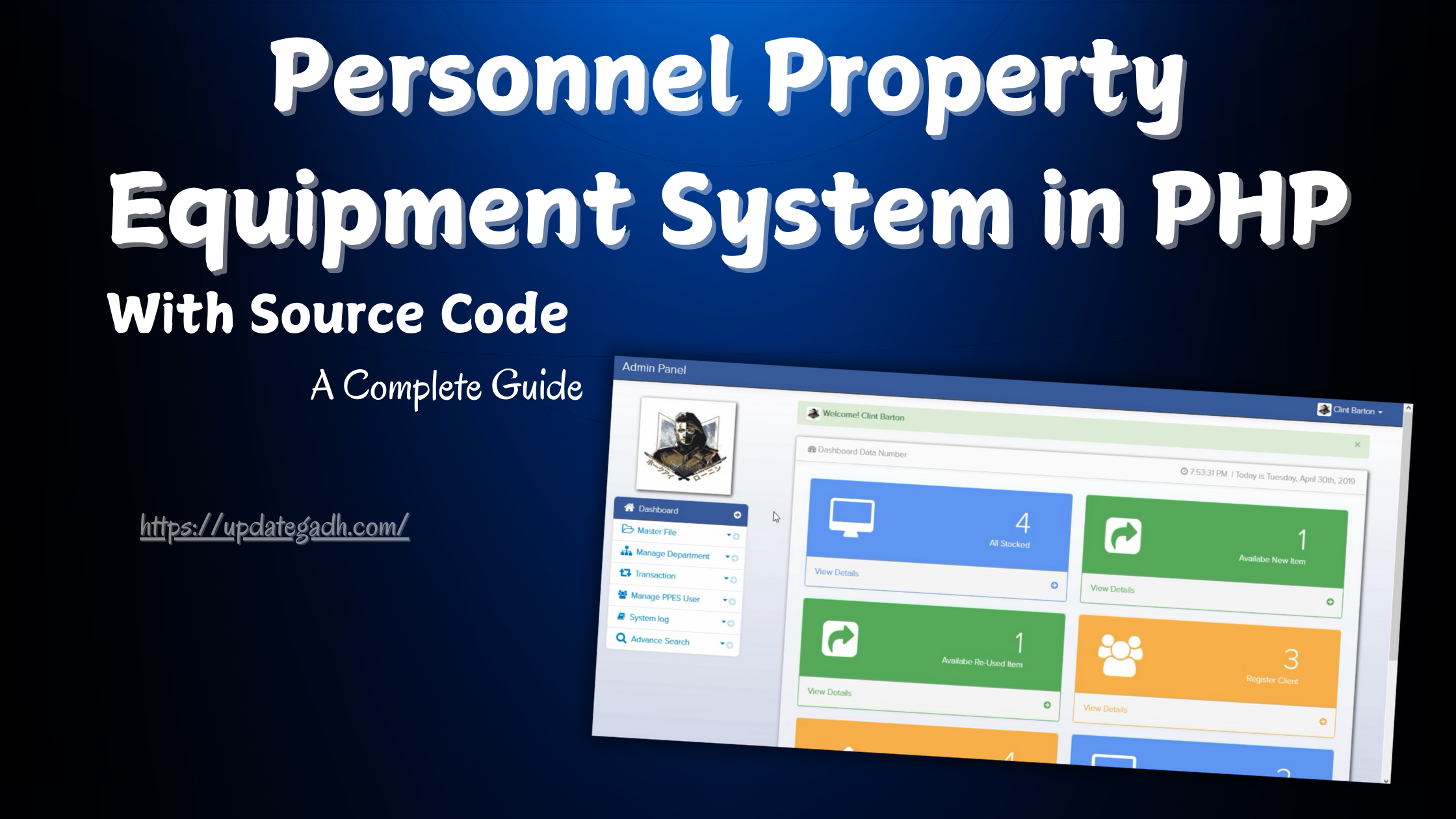
The Personnel Property Equipment System is a comprehensive management tool developed using PHP, CSS, Bootstrap, and JavaScript, designed to streamline the process of managing equipment, employees, departments, transactions, and more. Built with a simple yet effective user interface, this system centralizes all essential functionalities in an admin panel, allowing for smooth navigation and easy management of various operational aspects.

About the Project

The Personnel Property Equipment System focuses on an Admin Panel, enabling administrators to perform key operations like managing items, employees, and departments. The system provides the following primary functions:

  1. Item Management: Admins can add items with details such as item name, brand, inventory code, and description.
  2. Employee Registration: Registering employees in the system and assigning equipment to them for better tracking.
  3. Department Management: Organizing departments and associating them with employees and equipment.
  4. Transaction Management: Tracking transactions, including releasing and returning items.
  5. System Logs: Viewing logs of activities for easy tracking and audit.
  6. Advanced Search: Searching for items, employees, or transactions to access data instantly.
  7. User Management: Managing users who have access to the system, including creating and updating user roles and permissions.
  8. Admin Settings: Changing admin details, including the password for secure access.

With these features, the Personnel Property Equipment System allows businesses to manage their resources effectively, minimizing loss and improving accountability.

Download New Real Time Projects :-Click here

System Features

1. Login System

  • A secure login system ensures that only authorized users can access the admin panel. It adds a layer of security by verifying credentials before granting access to the system.

2. Manage Items

  • The admin can create, update, and delete items in the inventory. Each item entry includes specific details like the item name, brand, inventory code, and description, allowing for easy identification and categorization of assets.

3. Register Employees

  • The admin can register employees in the system, associating them with specific equipment and departments. This feature is essential for maintaining clear records of equipment assignments.

4. Department Management

  • This feature allows for the management of various departments, enabling admins to structure equipment and employee assignments based on departmental needs.

5. Transaction Management

  • Transactions involving equipment, such as the release and return of items, are carefully tracked within the system. This ensures accountability and helps prevent the misuse or misplacement of resources.

6. User Management

  • Admins are in charge of creating and overseeing user accounts. This feature also allows assigning roles to users, which is beneficial for defining levels of access within the system.

7. System Log

  • Every activity performed in the system is recorded in a log. This log helps monitor changes, track user activities, and conduct audits whenever necessary.

8. Advanced Search

  • The advanced search functionality allows users to quickly locate specific items, employees, or transactions. This feature is particularly useful for larger databases.

9. Admin Settings

  • The settings section allows the admin to update their profile information and password, ensuring that account information is always up-to-date and secure.

https://updategadh.com/category/php-project

How to Run the Project

To run the Personnel Property Equipment System, ensure that you have XAMPP installed on your PC, as it provides the necessary Apache and MySQL services.

To install the project on your local computer, take the following actions:

  1. Extract the ZIP File: Download the project files and extract them.
  2. Copy Project Folder: Copy the entire project folder after extraction.
  3. Paste in XAMPP Folder: Paste the copied folder into the xampp/htdocs/ directory.
  4. Database Setup:

  • Go to http://localhost/phpmyadmin/ with a web browser.
  • Create a new database named ppes.
  • Go to the Import tab and upload the ppes.sql file from the DATABASE folder within the project files.
  • Click Go to complete the database import.

  1. Launch the System:

  • Open a browser and enter http://localhost/ppes/ to access the system.

The Personnel Property Equipment System will now be accessible from your local server.

ScreenShot

Personnel Property Equipment System in PHP

Personnel Property Equipment System in PHP

Personnel Property Equipment System in PHP

Personnel Property Equipment System in PHP

Personnel Property Equipment System in PHP

If you need the source code for the Personnel Property Equipment System in PHP, feel free to reach out through any of the provided contact methods.

Download

  • what are the 4 types of personal property
  • personal property examples
  • personal property rights
  • personal property definition
  • property, plant and equipment examples
  • personal property vs real property
  • is money personal property
  • is a car personal property
  • personal property equipment list
  • personal property equipment pdf
  • personal property equipment examples

Post Views: 1,212
PHP Project Tags:collection management system in php source code, equipment management system source code, gym management system in php, gym management system project in php, library management system in php with source code, market stock management system in php, personal property equipment system php with source code, personnel property equipment system source code, php management system, property management system php, stock management system in php

Post navigation

Previous Post: Top 15 Swift Interview Questions for 2025
Next Post: QR Code Attendance System using Python Free Code

More Related Articles

Society Management System using PHP and MySQL Advance Society Management System using PHP and MySQL with Source Code PHP Project
Online Banking Management System PHP Project - Online Banking Management System Online Banking Management System PHP Project PHP Project
E-Commerce Website with Product Recommendation System E-Commerce Website with Product Recommendation PHP Project

Leave a Reply Cancel reply

Your email address will not be published. Required fields are marked *

You may also like

  1. E-Learning Project in PHP MySQL with Source Code
  2. Courier Management System in PHP and MySQL Complete with Source Code and Free Setup Guide
  3. Top Best Project :Cycle Store Project with Admin Panel using PHP and MySQL
  4. Developing an Online Shopping System Using PHP
  5. Best Daily Expense Tracker Using PHP and MySQL | Web-Based Expense Management System
  6. Advance Society Management System using PHP and MySQL with Source Code

Most Viewed Posts

  1. Top Large Language Models in 2025
  2. Online Shopping System using PHP, MySQL with Free Source Code
  3. login form in php and mysql , Step-by-Step with Free Source Code
  4. Flipkart Clone using PHP And MYSQL Free Source Code
  5. News Portal Project in PHP and MySql Free Source Code
  6. User Login & Registration System Using PHP and MySQL Free Code
  7. Top 10 Final Year Project Ideas in Python
  8. Blog Site In PHP And MYSQL With Source Code || Best Project
  9. Online Bike Rental Management System Using PHP and MySQL
  10. E learning Website in php with Free source code
  • AI
  • ASP.NET
  • Blockchain
  • ChatCPT
  • code Snippets
  • Collage Projects
  • Data Science Project
  • Data Science Tutorial
  • DBMS Tutorial
  • Deep Learning Tutorial
  • Final Year Projects
  • Free Projects
  • How to
  • html
  • Interview Question
  • Java Notes
  • Java Project
  • Java Script Notes
  • JAVASCRIPT
  • Javascript Project
  • JSP JAVA(J2EE)
  • Machine Learning Project
  • Machine Learning Tutorial
  • MySQL Tutorial
  • Node.js Tutorial
  • PHP Project
  • Portfolio
  • Python
  • Python Interview Question
  • Python Projects
  • PythonFreeProject
  • React Free Project
  • React Projects
  • Spring boot
  • SQL Tutorial
  • TOP 10
  • Uncategorized
  • Agentic RAG AI System Using Python – Complete Final Year Project Guide
  • AI-Powered Online Examination System with Face Detection Using PHP & MySQL
  • Real-Time Medical Queue & Appointment System with Django
  • Online Examination System in PHP with Source Code
  • AI Chatbot for College and Hospital

Most Viewed Posts

  • Top Large Language Models in 2025 (8,630)
  • Online Shopping System using PHP, MySQL with Free Source Code (5,248)
  • login form in php and mysql , Step-by-Step with Free Source Code (4,911)

Copyright © 2026 UpdateGadh.

Powered by PressBook Green WordPress theme