
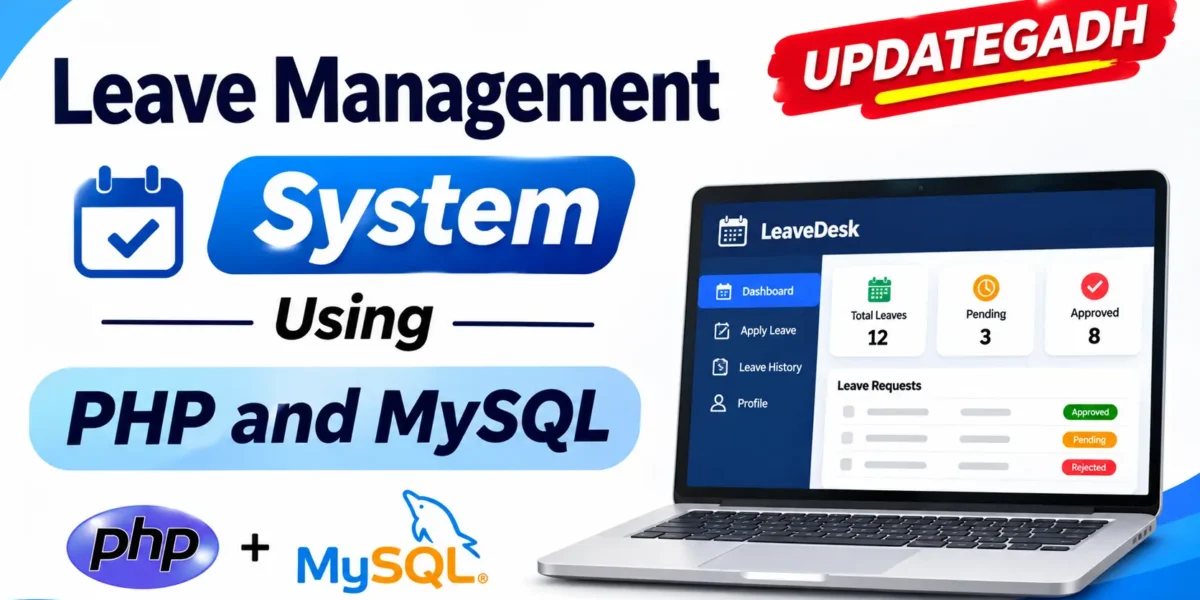
Leave Management System in PHP and MySQL
The Leave Management System Using PHP and MySQL – LeaveDesk is a web-based application designed to manage employee leave requests and administrative approvals. It provides separate dashboards for administrators and employees, helping organize leave applications, employee information, leave types, and approval records.
Developed using PHP 8.0+, MySQL, PDO, HTML, CSS, and JavaScript, LeaveDesk runs locally through XAMPP. Its leave rules help maintain accurate leave balances by calculating leave duration, checking overlapping requests, and deducting leave only after approval.
Real Time Projects on YouTube:- DecodeIT
Project Overview
| Project Details | Information |
|---|---|
| Project Name | Leave Management System |
| Language | PHP |
| Database | MySQL |
| Frontend | HTML, CSS, JavaScript |
| Backend | PHP 8.0+ |
| Database Connection | PDO |
| Server | XAMPP |
| Project Type | Web-Based Application |
What Are the Main Features of Leave Management System?
Leave Management System Using MERN Stack :- Click Here
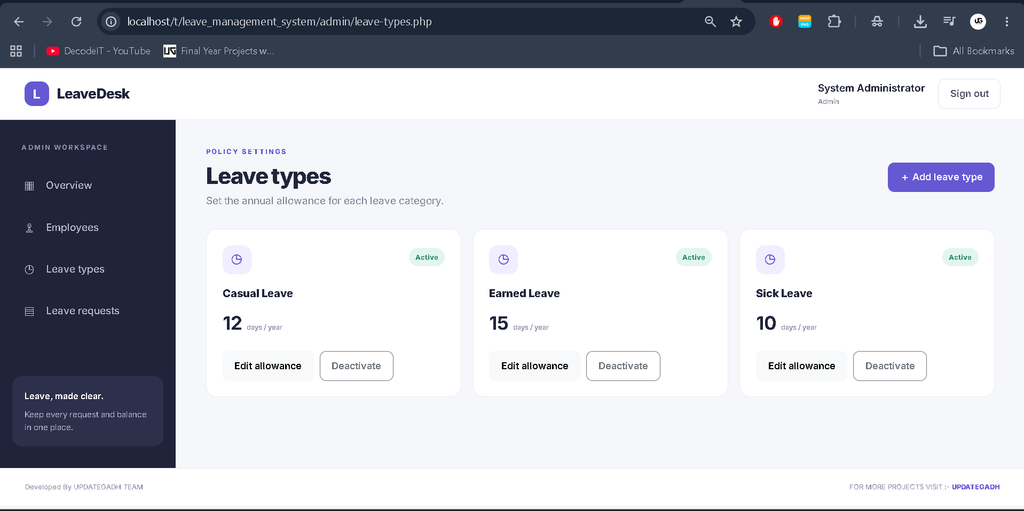
LeaveDesk includes separate administrator and employee sections for managing leave-related activities.
1. Admin Dashboard
- Administrator dashboard
- Employee management
- Leave type management
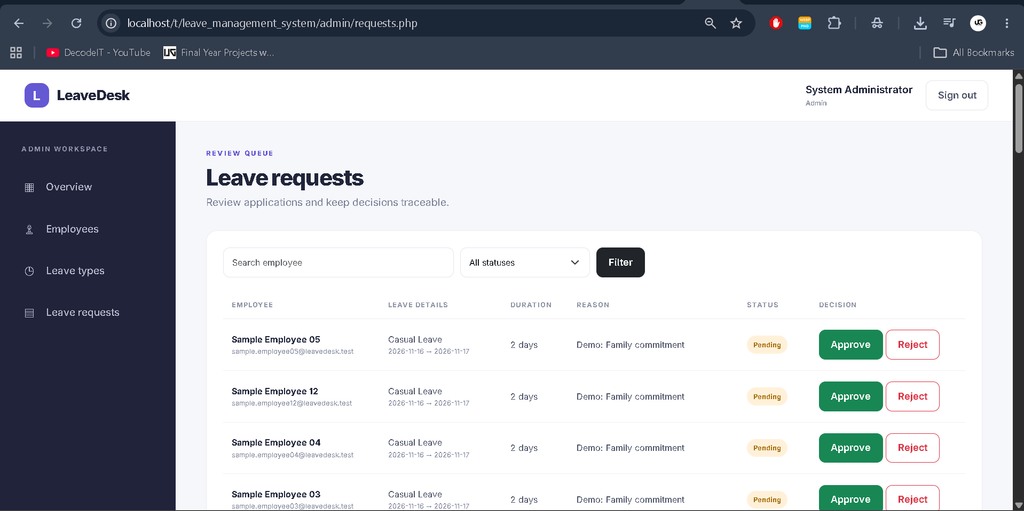
- Leave request approvals
- Configurable leave types
- Account creation with temporary passwords
2. Employee Dashboard
- Employee dashboard
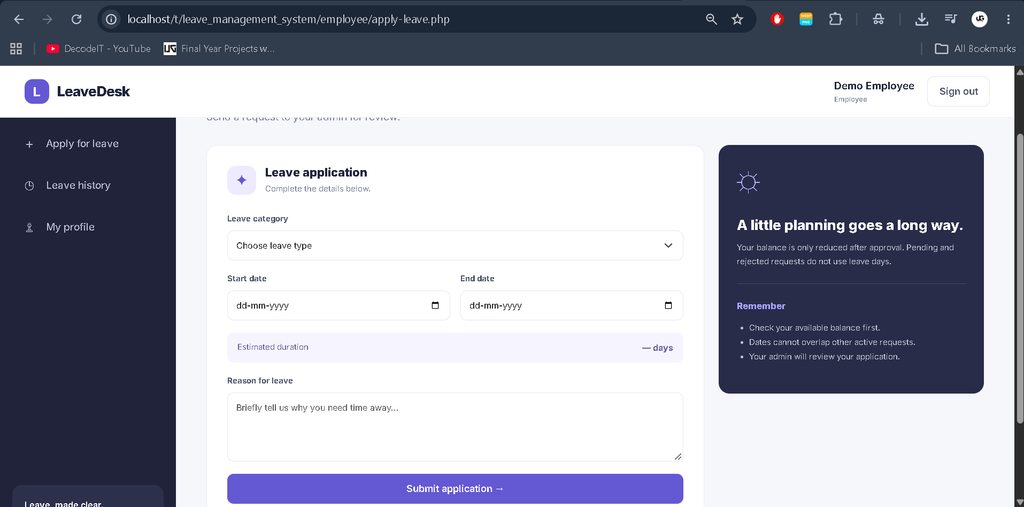
- Apply for leave
- View leave history
- Manage employee profile
- Update employee name and department
- View leave-related information
3. Leave Management Rules
- Leave duration is calculated inclusively, counting both start and end dates.
- Employees cannot submit leave requests for past dates.
- Pending or approved requests cannot overlap another pending or approved request for the same employee.
- Pending and rejected requests do not consume leave balance.
- Only approved requests consume the current calendar year’s leave balance.
- Leave balance is checked again during approval to prevent approval beyond the available allowance.
4. Responsive Interface
The project includes a responsive interface with CSS and JavaScript assets for its user interface and interactions.
User Roles
Administrator
- Access the administrator dashboard.
- Manage employee accounts.
- Configure leave types.
- Review and approve leave requests.
- Create employee accounts with temporary passwords.
Employee
- Access the employee dashboard.
- Apply for leave.
- View leave history.
- Update their name and department through the profile page.
Technology Stack
| Technology | Purpose |
|---|---|
| PHP 8.0+ | Backend development |
| MySQL | Database management |
| PDO | Database connectivity |
| HTML | Page structure |
| CSS | Interface styling |
| JavaScript | Frontend interactions |
| XAMPP | Local development environment |
| Visual Studio Code | Optional code editing |
Software Requirements
- XAMPP with Apache and MySQL
- PHP 8.0 or later
- PDO MySQL extension enabled
- Visual Studio Code (optional)
- A web browser
Employee Leave Management System in PHP and MySQL :- Click Here
How to Download
The complete package is available so you can run, study, and submit it with confidence. It includes:
- Full Source Code
For PPT and Project Report Content, Contact Us: Rishabh saini
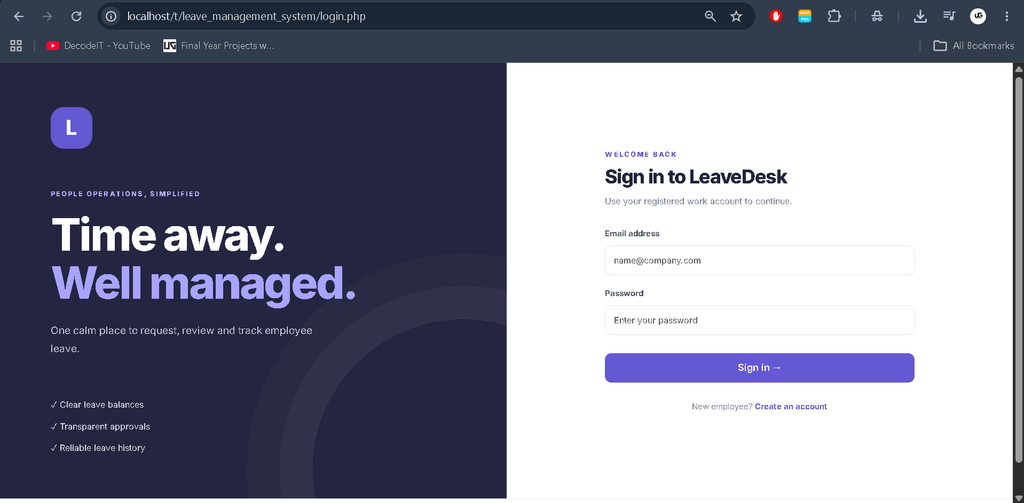
Screenshot



How to Install Leave Management System in XAMPP?
Step 1: Extract the Project
Extract LeaveManagementSystem.zip on your computer.
Step 2: Copy to htdocs
Copy the leave_management_system folder into:
C:\xampp\htdocs\Step 3: Start XAMPP
Open the XAMPP Control Panel and start Apache and MySQL.
Step 4: Import the Database
Open phpMyAdmin:
localhost/phpmyadmin/
Select the Import option, choose database/phpdb.sql, and click Import. The SQL script creates or uses the phpdb database.
Step 5: Configure Database Connection
If your MySQL root account has a password, open config/config.php and update the DB_USER and DB_PASS values according to your MySQL configuration.
Step 6: Run the Setup File
Open the following URL once:
localhost/leave_management_system/setup.php
The setup script creates demo accounts with securely hashed passwords and adds 48 sample leave requests across 12 sample employees. Running setup again does not duplicate the sample records.
Step 7: Login to the Application
Open:
localhost/leave_management_system/login.php
Use the demo credentials below to access the application.
Step 8: Remove the Setup File
After successful setup, delete setup.php from the project folder.
Demo Login Credentials
Admin Login
- Email:
admin@leavedesk.test - Password:
Admin@12345
Employee Login
- Email:
employee@leavedesk.test - Password:
Employee@12345
Sample Employee Accounts
- Email range:
sample.employee01@leavedesk.testthroughsample.employee12@leavedesk.test - Password:
Employee@12345
Change the demo passwords after the first login.
How to Open the Project in Visual Studio Code?
- Open Visual Studio Code.
- Select File → Open Folder.
- Choose
C:\xampp\htdocs\leave_management_system. - Edit PHP, CSS, JavaScript, or SQL files as required.
- Run the application through Apache using its localhost URL.
Important: Do not open PHP files directly using the browser’s file:// URL. Run the project through the XAMPP Apache server.
Project Folder Structure
| Folder | Description |
|---|---|
admin/ | Administrator dashboard, employees, leave types, and approvals |
employee/ | Employee dashboard, leave application, history, and profile |
config/ | PDO connection, authentication helpers, and shared layout |
database/ | Database schema |
assets/css/ | Responsive interface styling |
assets/js/ | JavaScript interactions |
Important Leave Management Notes
LeaveDesk uses calendar-day calculations. Weekends and holidays are included in the leave duration. The application does not implement a holiday calendar or half-day leave.
The annual leave allowance is maintained per employee and per leave type. It is evaluated against approved requests whose start date falls in the current calendar year.
For production deployment, enable HTTPS, configure secure cookie settings, remove demo accounts, change passwords, and add scheduled database backups.
Final Thoughts
The Leave Management System Using PHP and MySQL – LeaveDesk is a practical project for understanding employee leave management through a web application. Its separate administrator and employee panels provide an organized way to submit, review, and approve leave requests.
Frequently Asked Questions (FAQs)
1. What is Leave Management System – LeaveDesk?
LeaveDesk is a web-based application developed using PHP and MySQL to manage employee leave applications, leave approvals, employee accounts, and leave balances.
2. Which technologies are used in LeaveDesk?
LeaveDesk uses PHP 8.0+, MySQL, PDO, HTML, CSS, and JavaScript. XAMPP is used as the local development environment.
3. Does LeaveDesk provide separate Admin and Employee panels?
Yes. The system provides separate administrator and employee sections for managing employee accounts, leave types, leave applications, approvals, and leave history.
4. How can employees apply for leave?
Employees can sign in to their dashboard and use the leave application functionality to submit leave requests.
5. Can administrators manage leave types?
Yes. Administrators can configure leave types through the administrator section.
6. How is leave duration calculated?
Leave duration is calculated inclusively, meaning both the start date and end date are counted. Weekends and holidays are also included.
7. Do pending or rejected leave requests reduce the leave balance?
No. Only approved leave requests consume the current calendar year’s leave balance. Pending and rejected requests do not reduce it.
8. Which database is used in LeaveDesk?
LeaveDesk uses MySQL. The supplied SQL file is database/phpdb.sql, which creates or uses the phpdb database.
9. What are the default admin login credentials?
Email: admin@leavedesk.test
Password: Admin@12345
10. Does LeaveDesk support half-day leave and holiday management?
No. This implementation calculates calendar days, including weekends and holidays. It does not implement a holiday calendar or half-day leave.

Ahaa, its good dialogue concerning this paragraph here
at this webpage, I have read all that, so now
me also commenting here.
Exceptional post but I was wanting to know if you could write a litte more on this topic?
I’d be very grateful if you could elaborate
a little bit more. Cheers!