Lawyer Management System in PHP and MySQL
The Lawyer Management System is a web-based case management project designed to help a lawyer keep client information, case records, courts, and hearing details in one organized workspace. The project uses HTML, CSS, Bootstrap, jQuery, PHP, PDO, MySQL, and AJAX to demonstrate how a real professional workflow can be converted into a practical web application.
While studying this project from a student perspective, I found that it is more useful than a basic CRUD example because the modules are connected. A client can be linked with a case, a case can be connected with a court, and hearings can be recorded against that case. This makes the project a good example of database relationships, authentication, CRUD operations, server-side validation, and responsive interface design.
Complete Advance AI Topics: Click Here
Real Time Projects:- DecodeIT
Project Overview
| Project Name | Lawyer Case Management System |
|---|---|
| Language/s Used | HTML, CSS, Bootstrap, jQuery, PHP, AJAX |
| Database | MySQL using PHP PDO |
| Type | Web Application |
| Developer | UPDATEGADH |
Introduction
Legal work involves maintaining many pieces of information at the same time. A lawyer may need to remember client contact information, case numbers, court names, case categories, current status, hearing dates, remarks, and judgments. Keeping these records in separate notebooks or unstructured files can make retrieval difficult. A database-backed management system provides a structured alternative.
This project provides a focused workspace for one main user role: the lawyer. After registration or login, the lawyer reaches a dashboard showing client and case totals. From there, the lawyer can maintain client records, create and update cases, organize courts, record hearings, and print hearing information when required. Access is restricted to the authenticated lawyer account, and database queries are tied to the logged-in user’s ID.
Available Features
1. Account Registration and Login
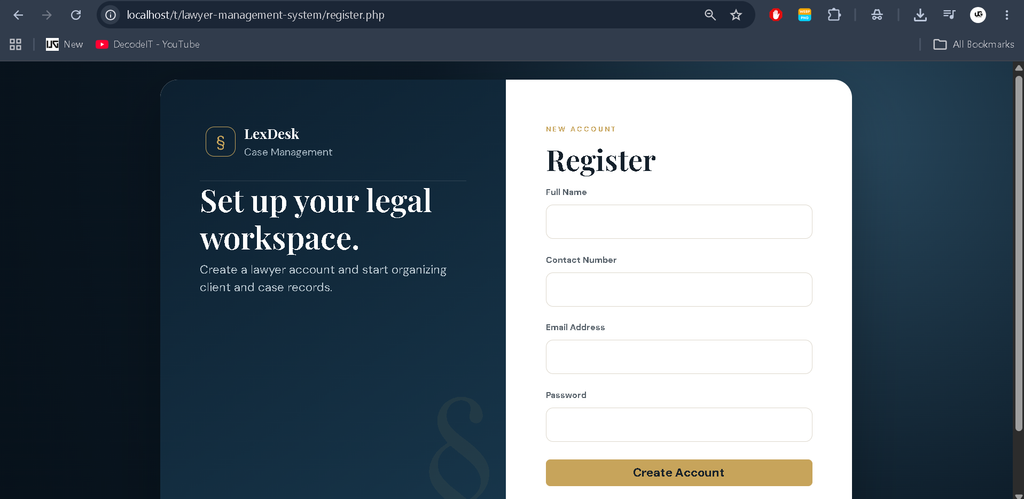
Lawyers can create an account using their name, contact number, email address, and password. The login screen validates the credentials before creating a session. Passwords are stored using PHP password hashing rather than plain text.
2. Dashboard Overview
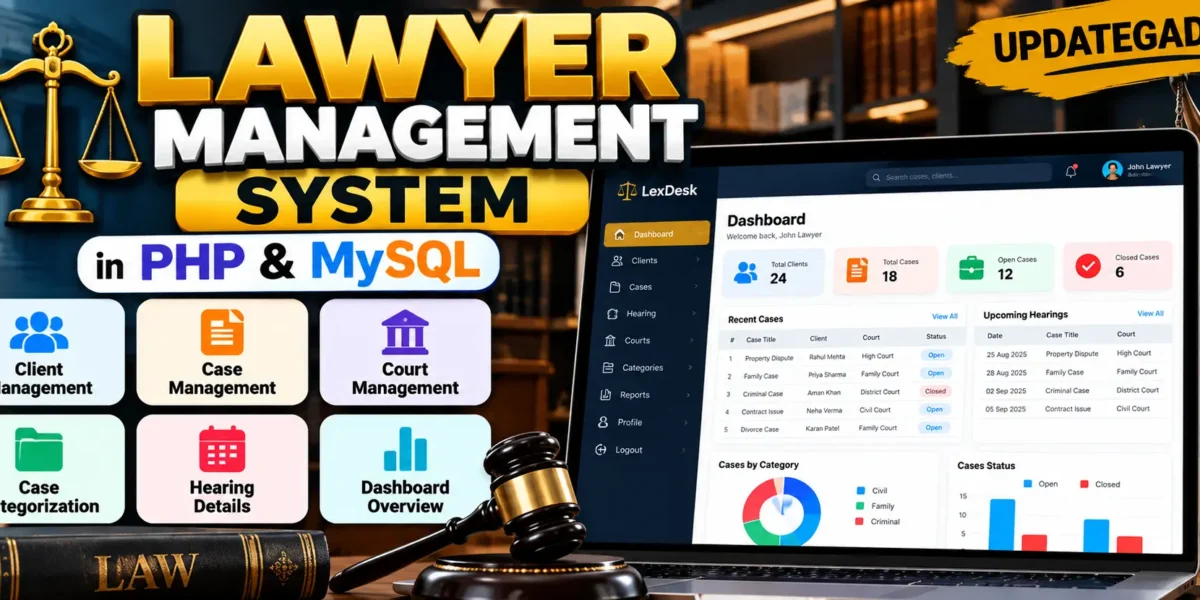
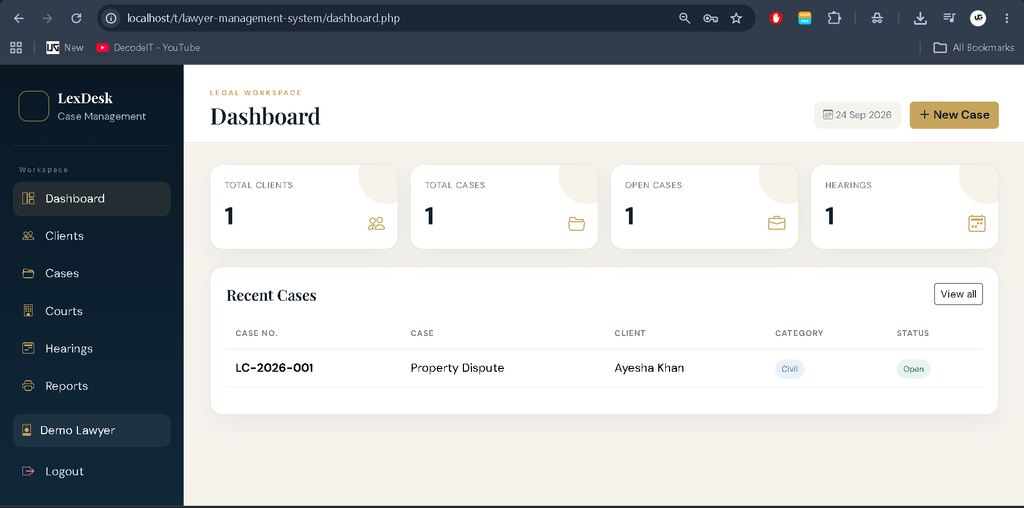
The dashboard provides a quick view of the total number of clients, total cases, open cases, and hearing records. A recent-case table also gives the lawyer a compact view of recently updated matters.
3. Client Management
The client module supports creating, viewing, editing, and deleting client records. Information includes the client’s name, contact number, email, address, and notes. Client records are linked to the authenticated lawyer so one account cannot access another lawyer’s clients.
4. Case Management
Cases can be added with a case number, title, client, court, category, description, and status. Existing cases can be edited or removed. The system supports Open and Closed statuses and keeps the case connected with the selected client and court.
5. Case Categorization
For easier organization, every case can be classified as Civil, Family, or Criminal. The case list provides filtering options so the lawyer can quickly narrow the displayed records by category.
6. Court Management
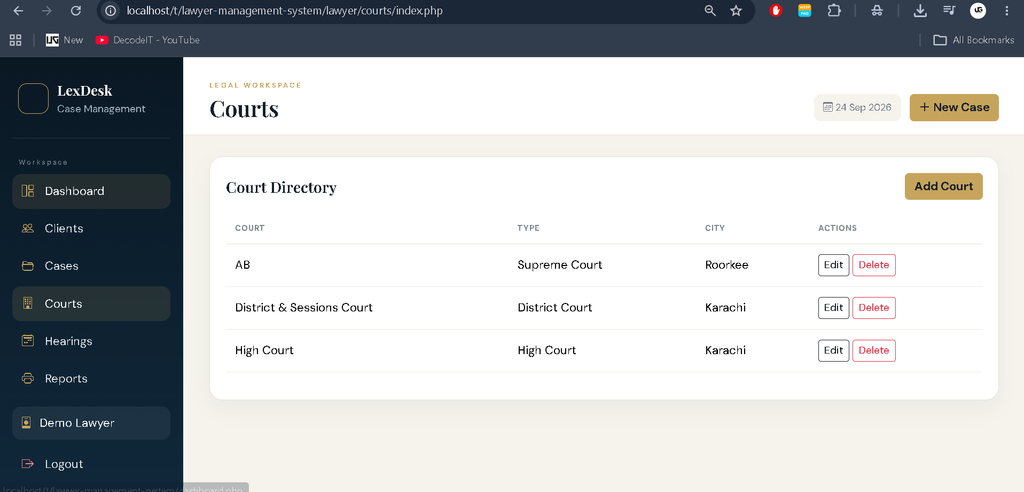
The court module allows the lawyer to maintain court information such as court name, court type, and city. Court records can be created, edited, or deleted and may be assigned to cases.
7. Hearing Details
Hearing records are stored against individual cases. A hearing contains a date, remarks, and judgment information. The hearing history can be viewed from a case and the dedicated hearing section provides a printable record for a selected hearing.
8. AJAX-Based Actions
jQuery and AJAX are used for selected delete operations. The browser sends the record ID to a PHP endpoint and receives a JSON response. This demonstrates asynchronous communication without requiring the entire page to be submitted as a normal form.
How to Download
The complete package is available so you can run, study, and submit it with confidence. It includes:
- Full Source Code
Screenshot
Installation Guide for VS Code
Step 1: Install the Required Software
Install XAMPP, Visual Studio Code, and a modern browser such as Chrome, Edge, or Firefox. Apache and MySQL from XAMPP are required to run the application locally.
Step 2: Place the Project
Extract the project into the XAMPP web directory:
C:\xampp\htdocs\case_management
Step 3: Create the Database
Start Apache and MySQL in XAMPP. Open phpMyAdmin and import the SQL file located at database/case_management_system.sql. The SQL file creates the required database, tables, relationships, and demo records.
Step 4: Check the Database Configuration
Open config.php in VS Code. The default local configuration uses database name case_management_system, username root, and an empty password. If your XAMPP MySQL configuration is different, update these values.
Step 5: Open the Application
Visit:
http://localhost/case_management/
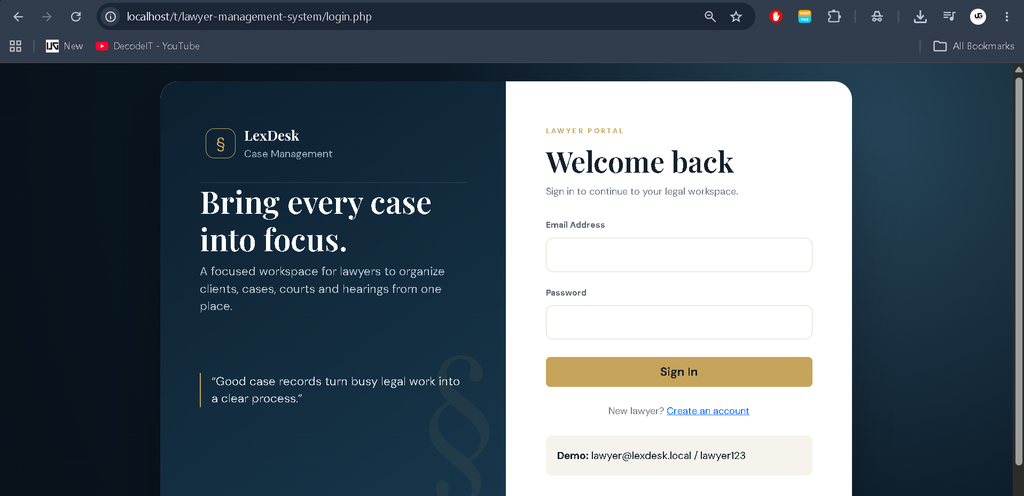
The login page will appear. A demo account is included for testing:
Email: lawyer@lexdesk.local
Password: lawyer123
Usage Guide
Lawyer Role
- Register and sign in to the system.
- Review dashboard totals for clients, cases, open cases, and hearings.
- Add, update, and delete client information.
- Create cases and connect them with clients and courts.
- Classify cases as Civil, Family, or Criminal.
- Maintain court names and court types.
- Record hearing dates, remarks, and judgments.
- Open a case to review its hearing history.
- Print an individual hearing record or the case-category report.
The interface also uses a distinct legal-office visual style with a deep navy workspace, warm gold accents, compact case cards, and clear navigation. This keeps the project visually different from a generic student CRUD dashboard while remaining practical for everyday case administration.
Security and Data Handling
The application uses PHP sessions to protect internal pages. Passwords are stored using password_hash() and checked with password_verify(). Database operations use PDO prepared statements to reduce SQL injection risk. Output is escaped before being placed into HTML, and queries for private records include the authenticated lawyer ID.
Why This Project Is Useful for Students
This project gives students practical exposure to a complete web application rather than isolated examples. On the frontend, students can study HTML, CSS, Bootstrap, responsive layouts, and jQuery. On the backend, they can understand PHP sessions, validation, prepared statements, CRUD operations, and relationships between database tables. The AJAX endpoints also demonstrate how a browser can communicate with a server asynchronously.
From a database perspective, the project is useful because lawyers, clients, courts, cases, and hearings are represented as related entities. A student can see how primary keys and foreign keys connect these records. The case-to-hearing relationship is especially helpful for understanding one-to-many database relationships.
Real-Life Application
A small legal practice could use the same basic structure to keep case information organized. The current project intentionally stays within the listed modules, but its architecture also provides a clear base for future development. Any production deployment would require additional requirements such as stronger account recovery, audit logging, backup procedures, access policies, document security, and legal-data compliance.
Conclusion
Building this Lawyer Management System helped me understand how frontend components, PHP backend logic, database design, authentication, CRUD operations, and AJAX can work together in one application. Instead of treating clients, cases, courts, and hearings as unrelated screens, the project connects them through a database structure that reflects a practical legal workflow.
For a final-year project or academic demonstration, it provides a clear example of how classroom concepts can be converted into a functional web application. The most important learning outcome is not only creating forms and tables, but understanding how authenticated users, related records, validation, and database operations work together to solve a real organizational problem.
Keywords
lawyer management system, lawyer management system in PHP, lawyer case management system, case management system in PHP and MySQL, legal case management system, advocate office management system, lawyer management project, PHP MySQL case management, lawyer management system using PHP and MySQL, case management project for studentsLawyer Management System in PHP and MySQL,Lawyer Management System in PHP