Hospital Management System in PHP and MySQL
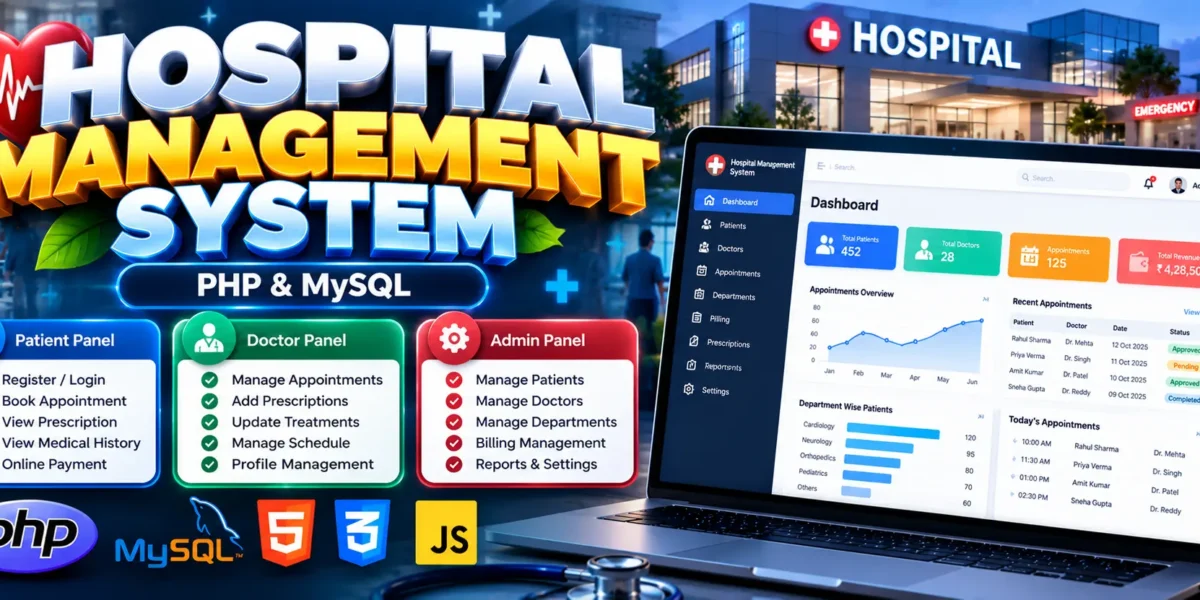
The Hospital Management System in PHP and MySQL is a web-based application designed to simplify hospital operations and organize healthcare information digitally. It provides separate dashboards for patients, doctors, and administrators to manage appointments, prescriptions, treatments, patient records, and billing.
Developed using PHP, MySQL, HTML5, CSS3, JavaScript, and Bootstrap, this project demonstrates how web technologies can reduce manual paperwork and improve the organization of hospital activities. It is suitable for students learning web development and database management.
Complete Advance AI Topics: Click Here
Real Time Projects on YouTube:- DecodeIT
What Is a Hospital Management System?
A Hospital Management System is software that helps manage daily hospital activities through a centralized application. Patients can book appointments and view medical records, doctors can manage consultations and prescriptions, and administrators can manage doctors, patients, departments, and billing information.
Hospital Management System Project Overview
| Project Details | Description |
|---|---|
| Project Name | Hospital Management System |
| Language/s Used | PHP, HTML5, CSS3, JavaScript, Bootstrap |
| Database | MySQL |
| Type | Web Application |
What Are the Available Features?
The system includes separate patient, doctor, and administrator modules, along with appointment scheduling, treatment records, prescription management, and billing functionality.
1. Patient Management
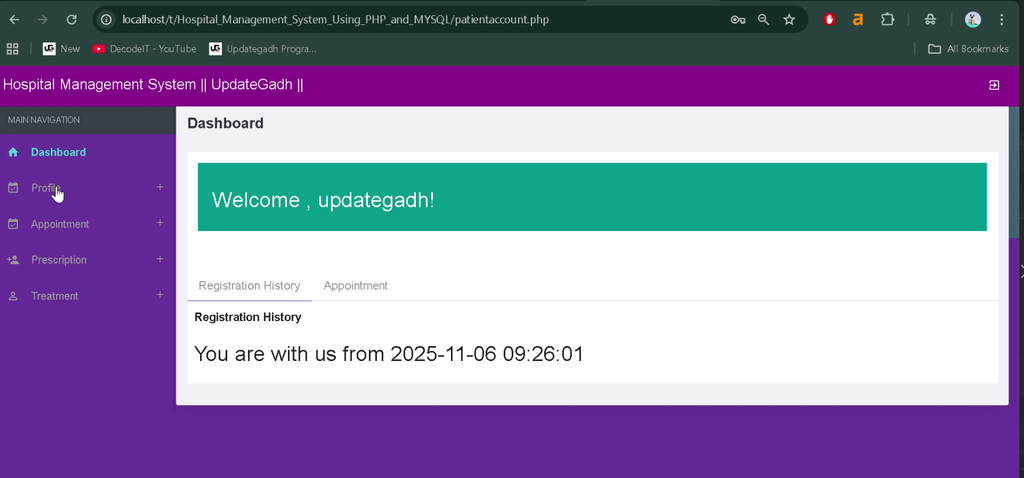
- Registration and Login: Patients can register and access their accounts.
- Profile Management: Update personal details, contact information, and medical information.
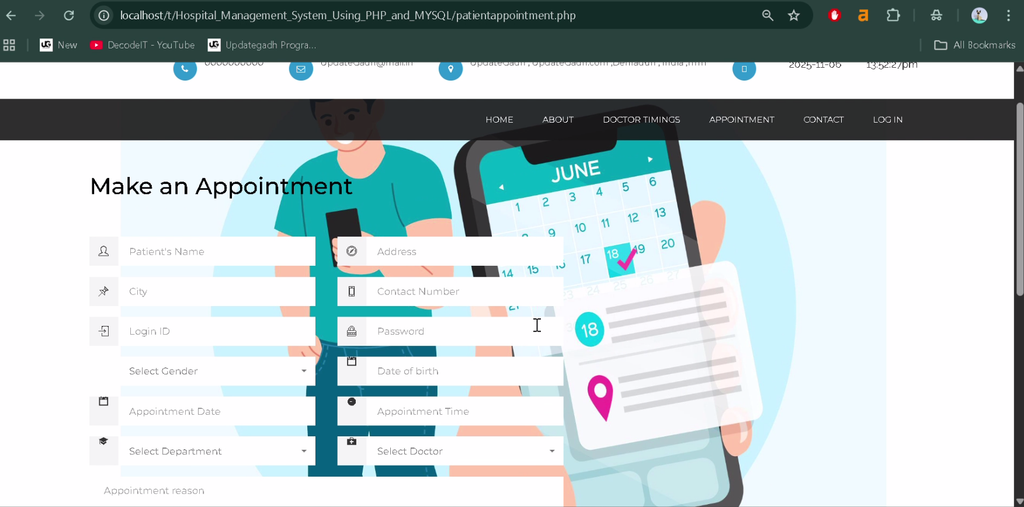
- Appointment Booking: Request appointments by selecting a doctor, date, time, and department.
- Prescription Access: View prescriptions and treatment details.
- Medical History: Access previous appointments, diagnoses, treatments, and reports.
- Billing: View hospital bills and access the available online payment option.
2. Doctor Management
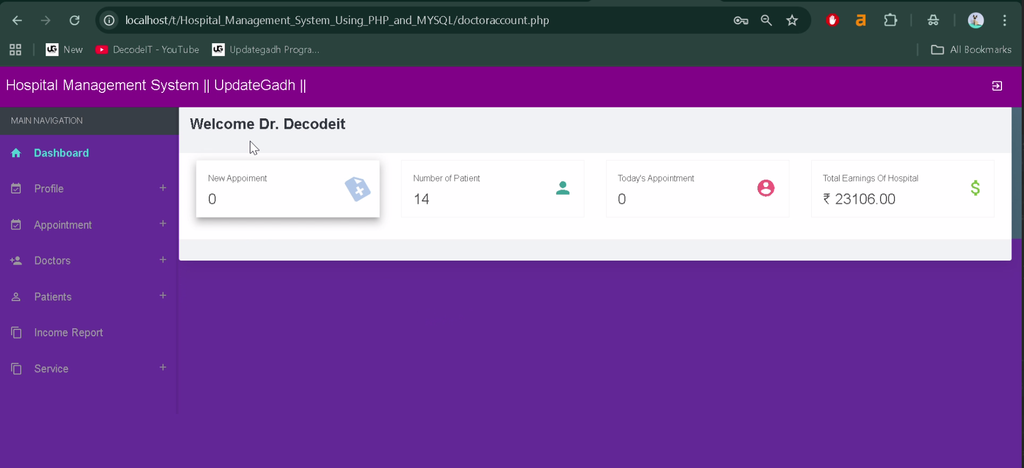
- Secure doctor login and dashboard access.
- Approve or reject appointment requests.
- Record diagnoses and treatment details.
- Prescribe medicines and maintain prescription records.
- Manage professional profiles and availability schedules.
3. Admin Management
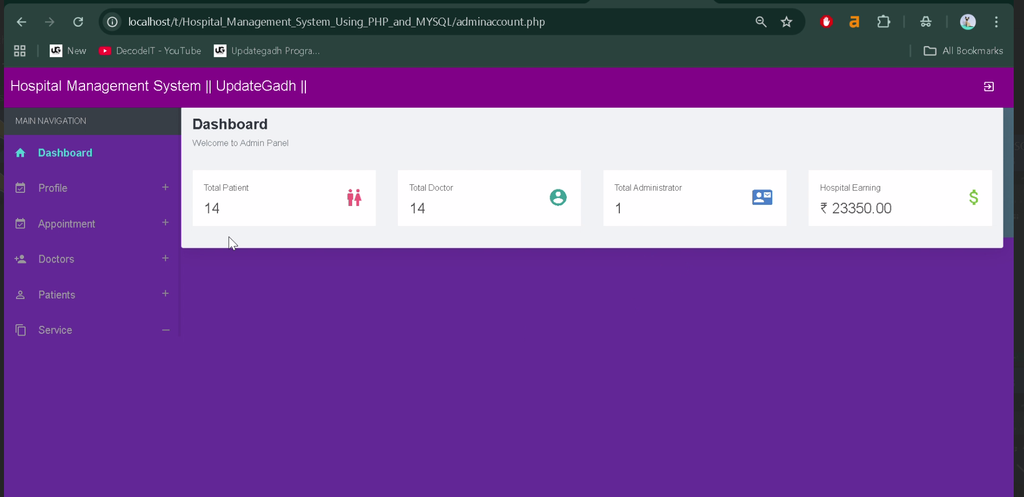
- View an overview of hospital activities.
- Add, update, or delete doctor profiles.
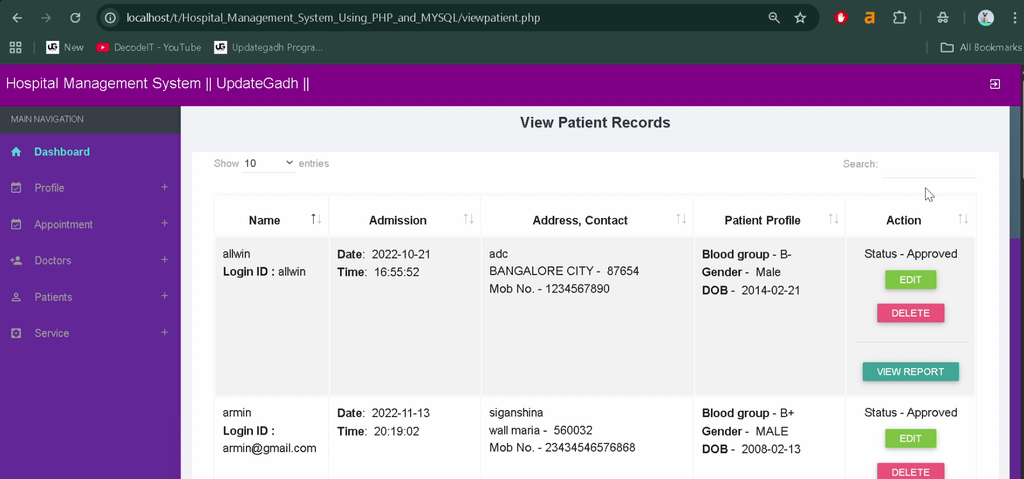
- Manage patient records and hospital departments.
- Assign doctors to departments.
- Manage treatments and medicines.
- Generate bills and monitor payment statuses.
- Manage accounts and security-related settings.
4. Appointment Management
Patients can submit appointment requests, while doctors can approve or reject them. Appointment statuses indicate whether requests are pending, approved, or rejected, helping both parties track appointment details.
5. Prescription and Treatment Management
Doctors can record diagnoses, prescribed medicines, and treatment details digitally. Patients can access available prescriptions, treatment history, and medical reports. The system also supports prescription and treatment report generation.
6. Billing and Payment Management
The billing module supports bill generation, online payment options, payment-status tracking, and access to previous bills, receipts, and payment details.
7. Additional Features
- Contact form for communicating with hospital administration.
- About section displaying general hospital or system information.
- Account recovery and password-changing options for patients, doctors, and administrators.
Which Technologies Are Used?
- PHP: Handles server-side application functionality.
- MySQL: Stores hospital and user-related information.
- HTML5: Structures application pages.
- CSS3: Styles the interface.
- JavaScript: Supports client-side interactions.
- Bootstrap: Helps create responsive layouts.
What Software Is Required?
- XAMPP: Provides the Apache web server and MySQL database environment.
- Visual Studio Code: Used to view and edit project files.
- Web Browser: Used to access the running application.
How to Download
The complete package is available so you can run, study, and submit it with confidence. It includes:
- Full Source Code
- Project Report
- Synopsis
- PPT Presentation
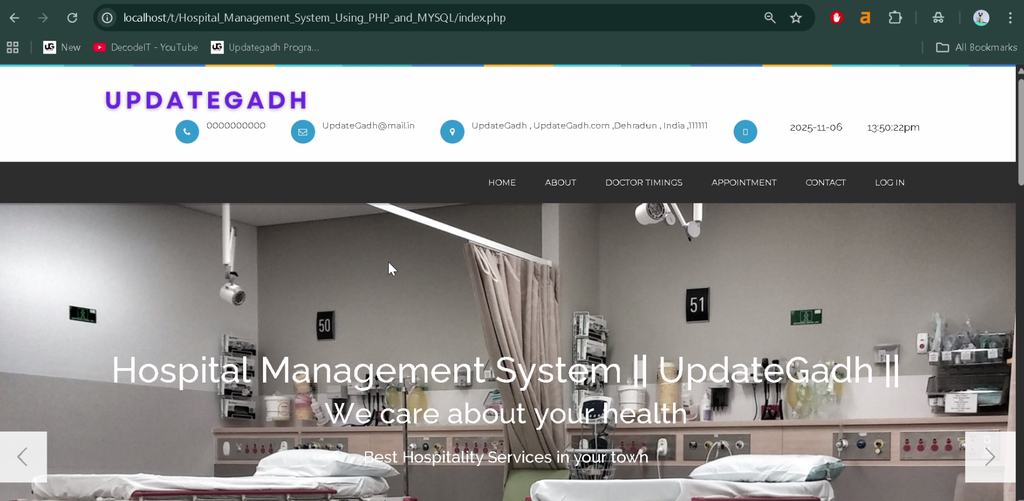
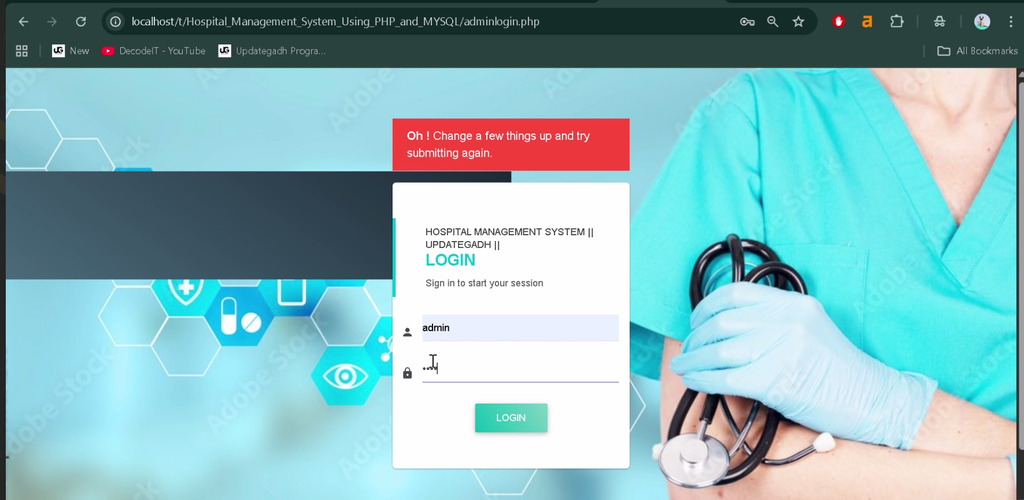
Screenshot
How to Install the Hospital Management System in VS Code
Follow these steps to configure the project locally using XAMPP and Visual Studio Code.
- Install XAMPP: Install XAMPP and open its Control Panel.
- Extract the Project: Copy the extracted project folder into the XAMPP
htdocsdirectory. For example:C:\xampp\htdocs\Hospital_Management_System. - Start Services: Start Apache and MySQL from the XAMPP Control Panel.
- Create the Database: Open
http://localhost/phpmyadmin/and create a database namedohmsphp. - Import the SQL File: Select the database and import
ohmsphp.sqlfrom the project’sDATABASE FILEfolder. - Open in VS Code: Open the extracted project folder in Visual Studio Code.
- Run the Project: Open your browser and visit
http://localhost/Hospital_Management_System/. If the project uses a different entry file or folder name, adjust the URL accordingly.
How to Use the Hospital Management System
Patients
Register or log in to book appointments, view prescriptions and treatment history, access medical records, and check bills.
Doctors
Log in to manage appointment requests, record diagnoses, add prescriptions, update treatment details, and maintain profile and schedule information.
Administrators
Access the admin dashboard to manage doctors, patients, departments, treatments, medicines, billing, and account settings.
Why Is This Project Useful for Students?
This project provides practical experience with PHP programming, MySQL database operations, web interface development, and role-based application workflows. Students can learn how multiple user roles interact with shared records and how database-driven applications organize real-world administrative tasks.
Final Thoughts
From a student’s perspective, the Hospital Management System in PHP and MySQL is a useful project for understanding full-stack web development concepts. It combines database management, user interfaces, appointment workflows, medical record handling, and billing in one application.
Frequently Asked Questions
1. What is a Hospital Management System in PHP and MySQL?
It is a web application that manages hospital activities such as appointments, patient records, prescriptions, treatments, and billing using PHP and MySQL.
2. Which programming languages are used in this project?
The project uses PHP, HTML5, CSS3, JavaScript, and Bootstrap, with MySQL as its database.
3. Which database is required?
MySQL is used to store application data. The supplied project instructions specify a database named ohmsphp.
4. Can patients book appointments online?
Yes. Patients can request appointments by selecting a doctor, date, time, and department.
5. Can doctors and administrators access separate modules?
Yes. Doctors can manage appointments and treatment records, while administrators can manage doctors, patients, departments, treatments, medicines, and billing.
Keywords: Hospital Management System in PHP and MySQL, Hospital Management System PHP Project, Hospital Management System Using PHP, Hospital Management System MySQL Database, PHP Hospital Project, Hospital Management Project for Students