Online Product Rating System in PHP and MySQL
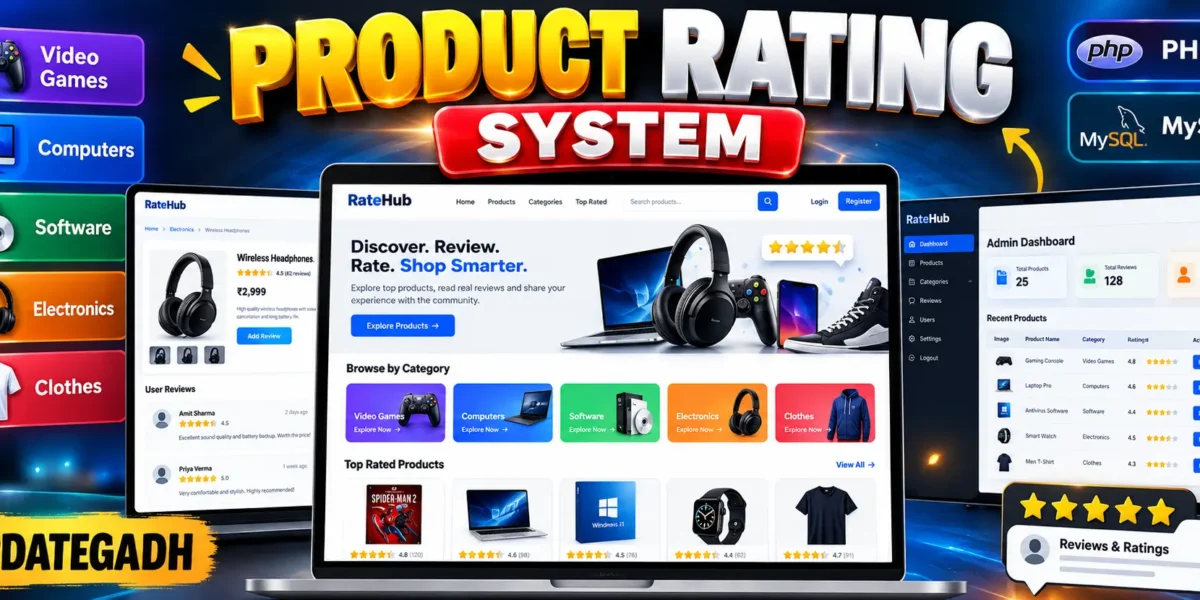
The Online Product Rating System is a medium-level web application developed with PHP, MySQL, HTML, CSS, Bootstrap-style responsive design principles, and JavaScript. The project provides a practical environment where users can explore products, check community ratings, read reviews, and submit their own opinions. Instead of treating product feedback as simple text, the system organizes ratings and reviews into a searchable product catalog that is easier to understand and manage.
The application focuses on five product categories: Video Games, Computers, Software, Electronics, and Clothes. This structure gives the project a realistic product-review workflow while keeping the scope appropriate for a college project. Users can create accounts, sign in, browse products, filter the catalog, open a product page, and contribute a rating with a written review.
Complete Advance AI Topics: Click Here
Real Time Projects on YouTube:- DecodeIT
Project Overview
| Project Detail | Information |
|---|---|
| Project Name | Online Product Rating System |
| Language(s) Used | PHP, HTML, CSS, JavaScript |
| Database | MySQL |
| Type | Web Application |
| Categories | Video Games, Computers, Software, Electronics, Clothes |
Project Introduction
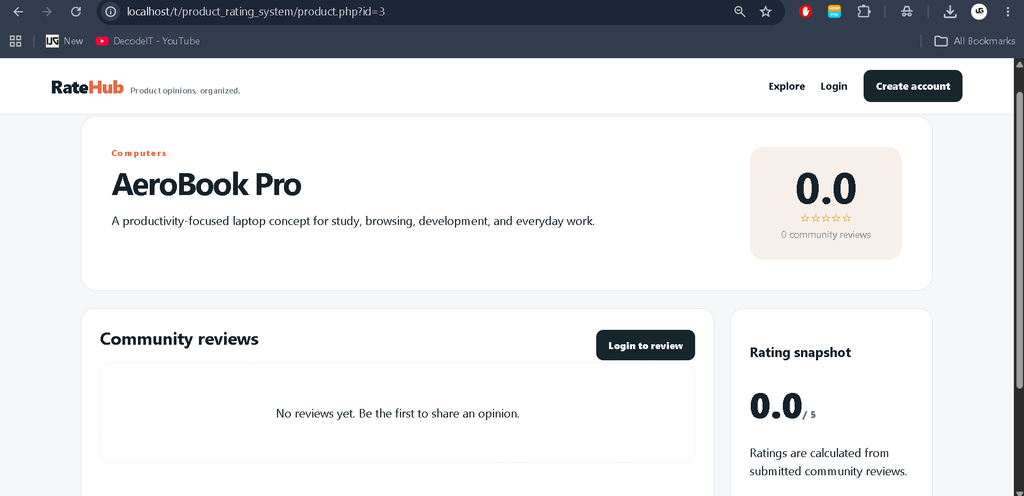
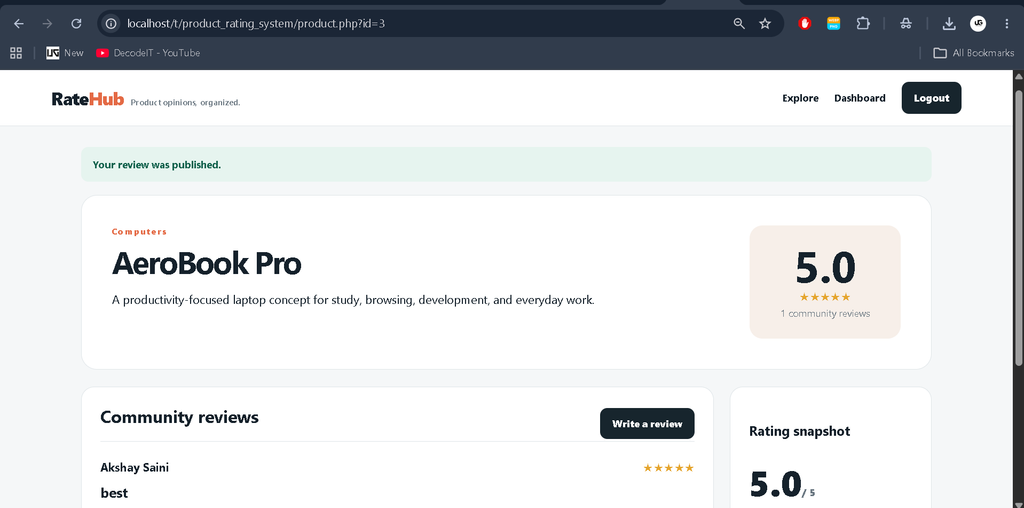
Product feedback is useful when people can quickly compare opinions before making a decision. The purpose of this project is to provide a focused platform for that process. Each product belongs to a defined category and has its own detail page. The detail page presents the calculated average rating and the reviews submitted by registered users.
The system also introduces separate user and administrator workflows. Regular users can create accounts and publish reviews, while the administrator can manage the product catalog. This separation makes the project more practical than a basic review form and gives students experience with authentication, role-based access, database relationships, CRUD operations, search, filtering, and calculated data.
Key Features
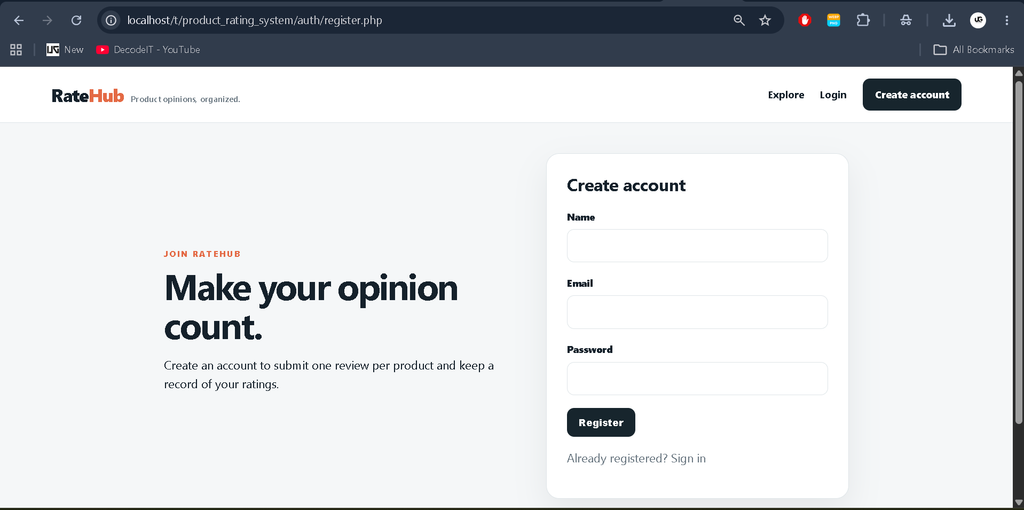
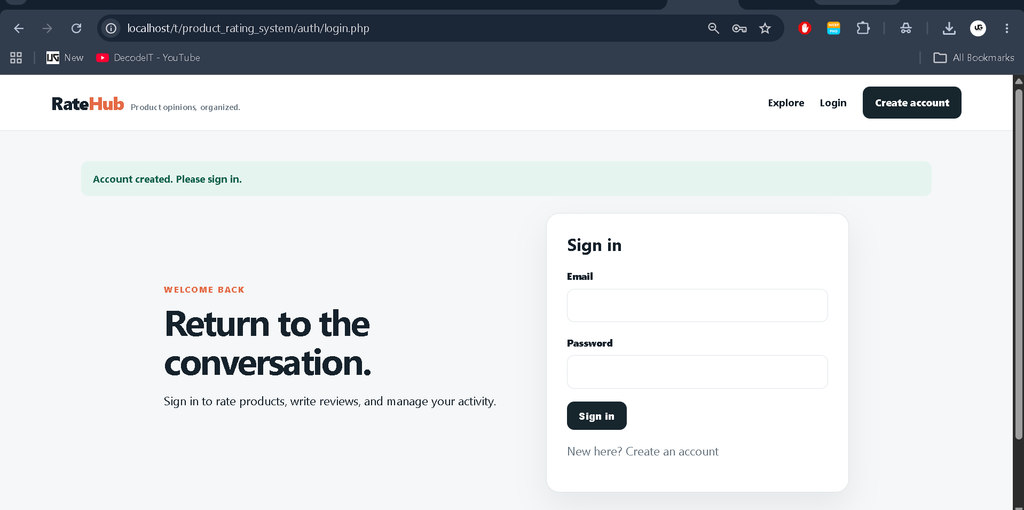
- User Registration and Login: Users can create accounts and securely sign in before submitting reviews.
- Product Categories: Products are organized into five relevant categories for easier browsing.
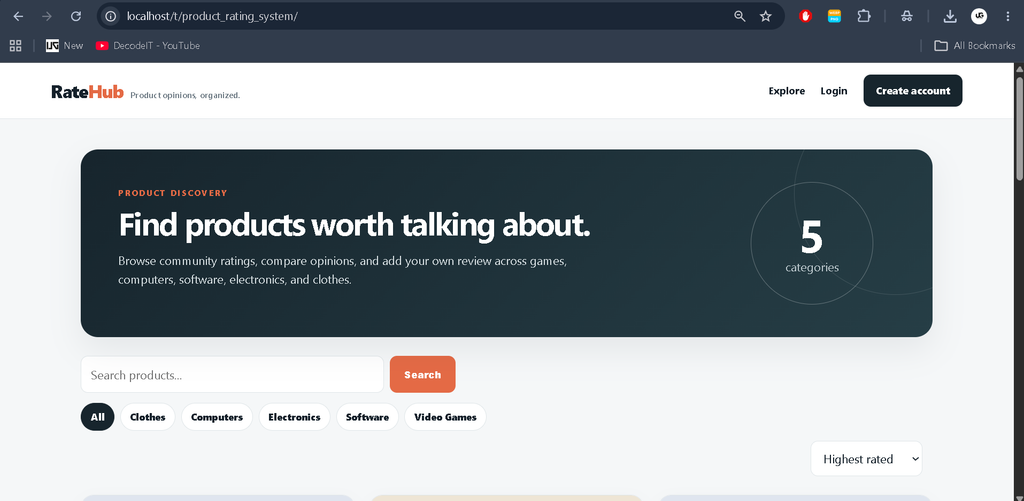
- Product Search: Visitors can search product names and descriptions from the main catalog.
- Category Filtering: The catalog can be narrowed to a selected product category.
- Rating Sorting: Products can be ordered by average rating, review count, or name.
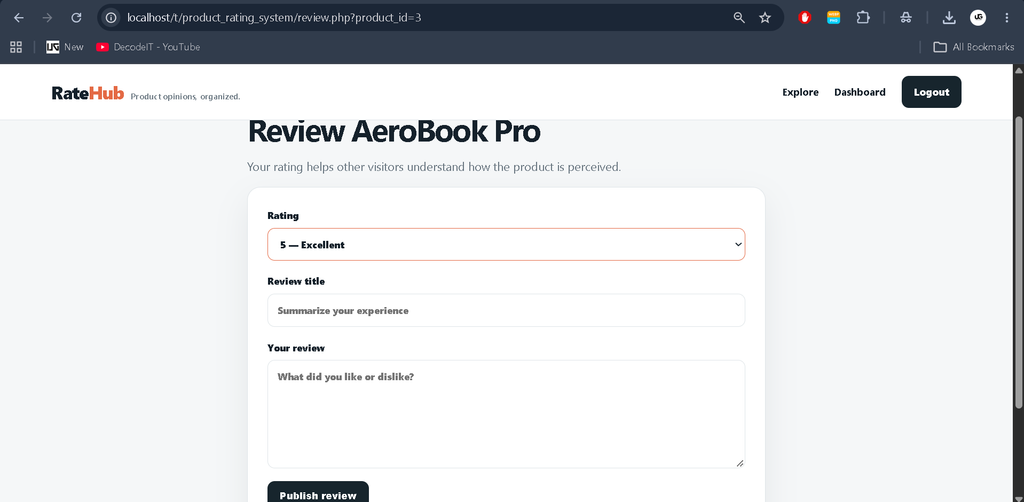
- Review and Rating Submission: Logged-in users can submit a numeric rating and written review.
- One Review Per Product: The database prevents the same account from repeatedly reviewing the same product.
- Rating Summary: Product pages calculate an average score from submitted reviews.
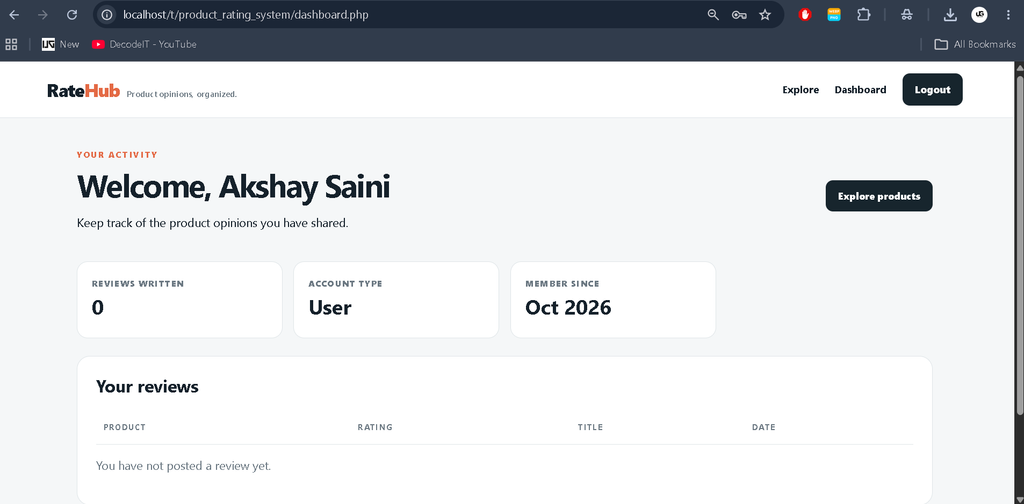
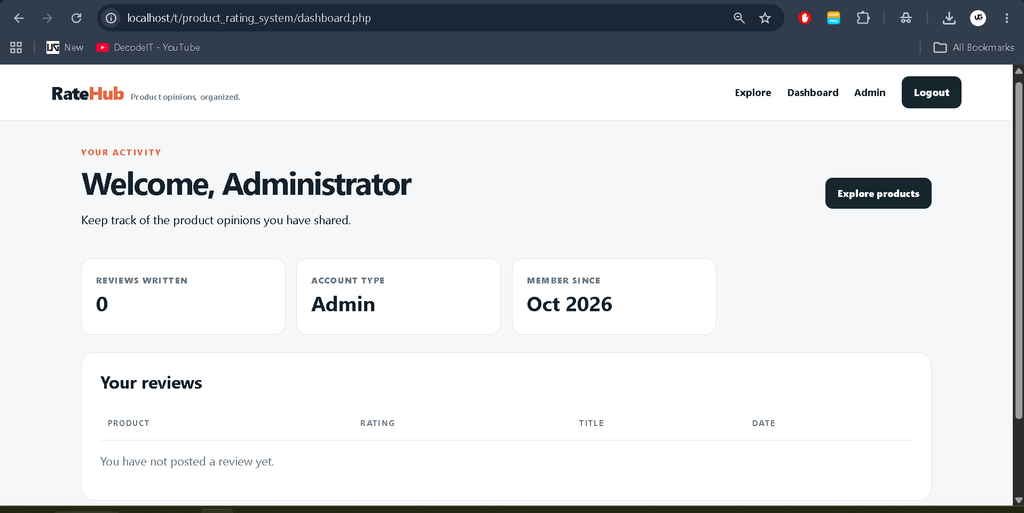
- User Dashboard: Users can see the reviews they have posted.
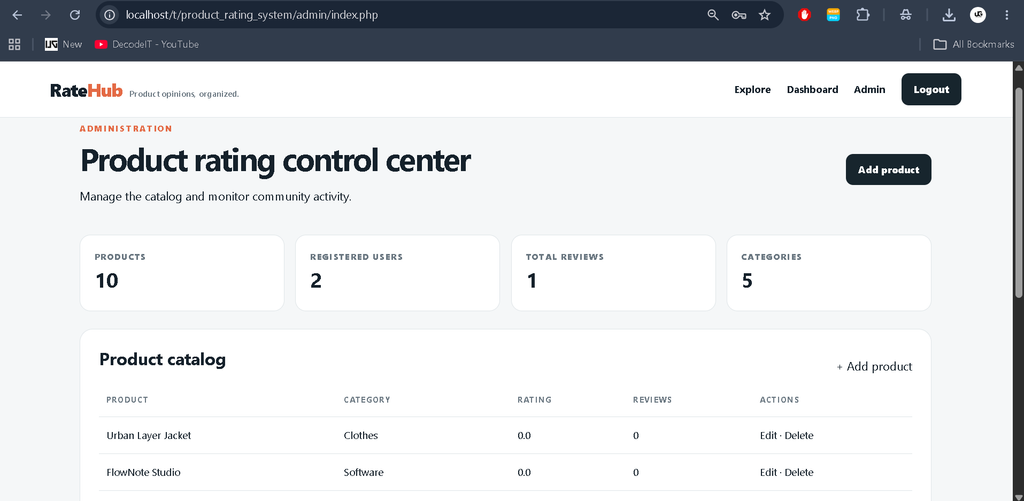
- Admin Product Management: Administrators can add, edit, and delete products from the management area.
User Roles
Registered User
A registered user can log in, browse the catalog, open product details, submit a rating, write a review, and view personal review activity from the dashboard. The review workflow is intentionally simple so students can understand how authentication connects with database records.
Administrator
The administrator has access to the product management area. From the admin dashboard, products can be added, updated, or removed. The dashboard also presents basic counts for products, users, reviews, and categories so the administrator can understand the current state of the system.
Project Modules
- Product Discovery Module: Displays the catalog with search, filters, sorting, category labels, and rating summaries.
- Product Detail Module: Shows product information and the complete community review list.
- Authentication Module: Handles registration, login, password verification, sessions, and logout.
- Review Module: Validates review information and stores ratings linked to both users and products.
- User Dashboard Module: Displays personal activity and previously submitted reviews.
- Admin Module: Provides product CRUD operations and basic catalog statistics.
Technology Stack
PHP handles server-side processing, sessions, authentication, validation, database operations, and page routing. MySQL stores users, categories, products, and reviews using relational links. HTML and CSS provide the responsive interface, while JavaScript adds small interface behavior such as dismissing alerts. The interface follows a modern product-review visual style with cards, rating indicators, filters, tables, and responsive layouts.
Database Structure
The database contains four primary tables: users, categories, products, and reviews. The products table connects each product to a category. The reviews table connects a product with the user who submitted the review. A unique database constraint ensures that one user cannot create multiple reviews for the same product. Ratings are restricted to values from one to five.
This relational structure demonstrates an important DBMS concept for students: related information should be separated into appropriate tables instead of being stored repeatedly in one large table. Foreign keys maintain the relationship between products, users, categories, and reviews.
Download complete source code
Screenshot
Installation and Setup
- Install XAMPP or another local PHP and MySQL environment.
- Copy the project folder into the server’s htdocs directory.
- Start Apache and MySQL from the local server control panel.
- Open phpMyAdmin and create or import the database using the supplied database.sql file.
- Open config.php and confirm the MySQL host, database name, username, and password.
- Open the project URL in a browser and register a user account.
- Use the supplied administrator account to access the product management section.
Usage
After opening the application, visitors can immediately explore products without logging in. Search can be used to find a product, while category chips and sorting options make the catalog easier to navigate. Selecting a product opens its rating summary and reviews. To publish a review, the visitor must create an account or sign in. The review form accepts a one-to-five rating, a short title, and a written comment.
Administrators follow a separate workflow. After administrator authentication, the dashboard displays catalog statistics and the current product list. The administrator can create a product by selecting one of the five categories, entering a name, and adding a description. Existing products can be edited when information changes or deleted when they are no longer needed.
Frequently Asked Questions
Can users submit reviews without an account?
No. Authentication is required before a review can be submitted.
How many reviews can one user submit for a product?
The current database design allows one review per user for each product.
Which product categories are included?
The project includes Video Games, Computers, Software, Electronics, and Clothes.
Can the administrator manage products?
Yes. The administrator can add, edit, and delete products from the admin dashboard.
How is the product rating calculated?
The displayed score is calculated from the average of the ratings submitted for that product.
Future Scope
- Add product images and richer product descriptions.
- Add moderation controls for administrator review approval.
- Introduce rating distribution charts for each product.
- Add pagination for large product and review collections.
- Provide additional reporting and export options for administrators.
From a college-project perspective, the application also demonstrates how a complete user journey can be connected across multiple pages. A visitor starts from the catalog, searches or filters products, opens a detail page, signs in when participation is required, and then returns to the product context after publishing feedback. The administrator follows a separate route for maintaining catalog records. This connected flow makes the project easier to demonstrate during a practical presentation because each module has a clear purpose and relationship with the database.
Conclusion
The Online Product Rating System is a practical PHP and MySQL college project that demonstrates how authentication, relational database design, product management, search, filtering, ratings, and user-generated reviews can work together in one application. Its scope is large enough to demonstrate meaningful development skills without becoming unnecessarily complex. For students, it provides a clear example of how a real-world product feedback workflow can be translated into database tables, server-side logic, and a professional web interface.
Keywords
- Online Product Rating System in PHP
- Product Rating System in PHP
- Product Review System in PHP
- Product Rating System PHP MySQL
- Product Review and Rating System
- Product Rating Project in PHP
- Product Rating System Source Code
- PHP MySQL Product Rating System
- Product Review Management System
- Online Product Review System
- Product Rating Website in PHP
- Product Rating Management System
- Product Review System Source Code
- Star Rating System in PHP
- PHP Product Review Project
- MySQL Product Rating Project
- Product Management System in PHP
- User Review System in PHP
- Online Review Management System
- Product Rating Web Application