Blood Bank Management System Using Python
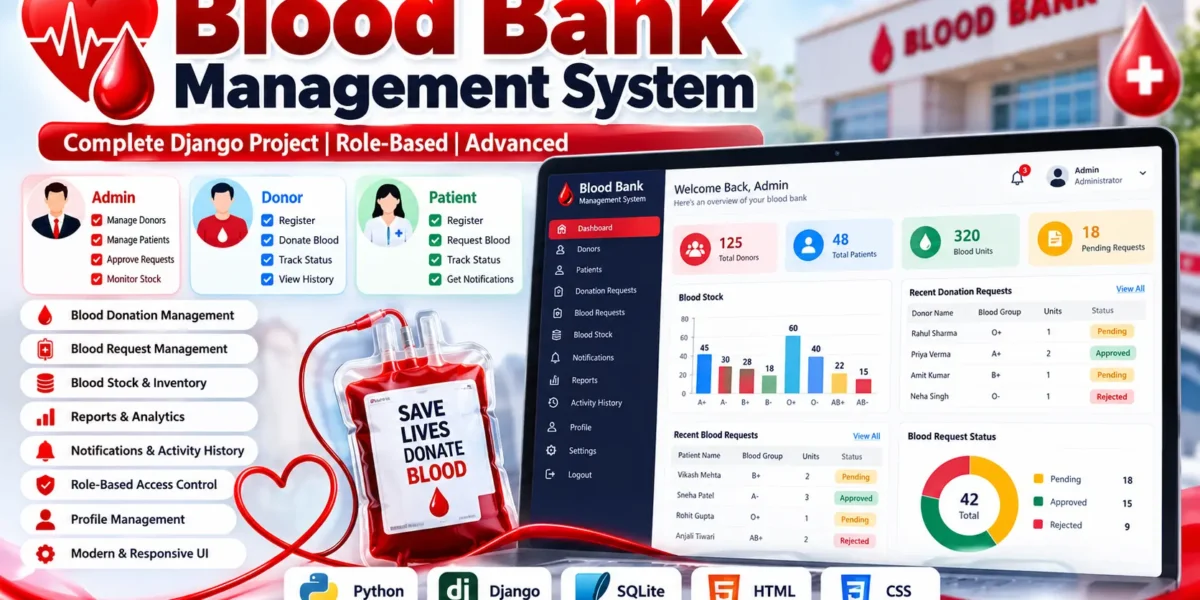
The Blood Bank Management System is a Django and SQLite web application designed to organize blood donation, blood requests, inventory, approvals, and user activity through one connected platform. The original project brief describes a system that replaces manual blood-bank records with a digital workflow for donor details, patient requests, stock availability, and request decisions. This enhanced implementation keeps that core purpose while turning it into a more complete role-based application with a custom management panel.
Table of Contents
Complete Advance AI Topics: Click Here
Real Time Projects on YouTube:- DecodeIT
Project Overview
The application is built with Python and Django on the backend, HTML and CSS for the interface, and SQLite for persistent data. The source material identifies three primary roles: Admin, Donor, and Patient. The final application keeps these roles because they represent the main responsibilities of the domain. Administrators coordinate operations, donors manage donation activity, and patients submit and track blood requirements.
| Project Name | Technology | Database | Type | Developer |
|---|---|---|---|---|
| Blood Bank Management System | Python, Django, HTML, CSS | SQLite | Role-Based Web Application | UPDATEGADH |
User Roles
Administrator
The administrator operates the main control center. The role can review donor and patient records, process donation requests, approve or reject blood requests, adjust inventory when an operational correction is required, review reports, and inspect activity history. Administrative actions are protected on the server, so restricted pages cannot be accessed simply by entering their URLs.
Donor
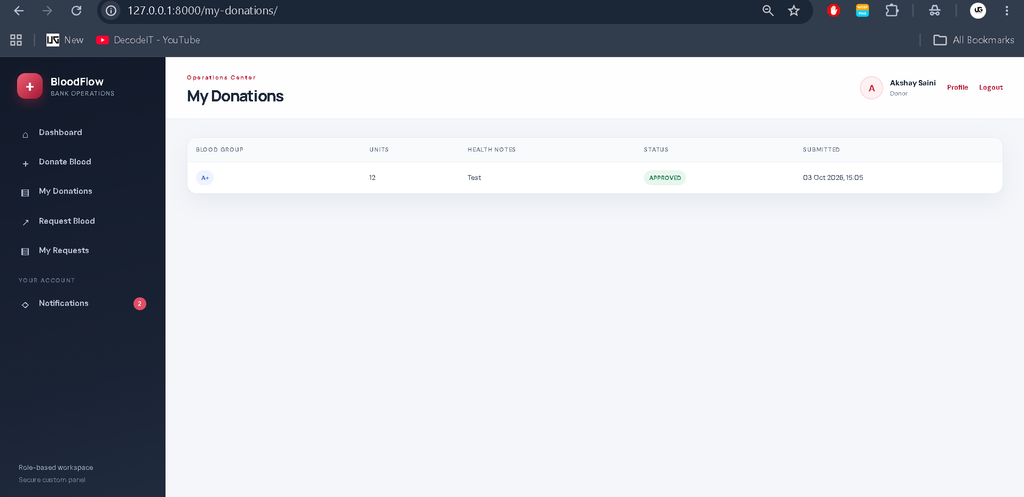
Donors can create an account, maintain their personal information, submit a blood donation request, provide health notes, follow the request status, and review their donation history. The donor workspace also allows a donor to submit a blood request when a personal requirement exists.
Patient
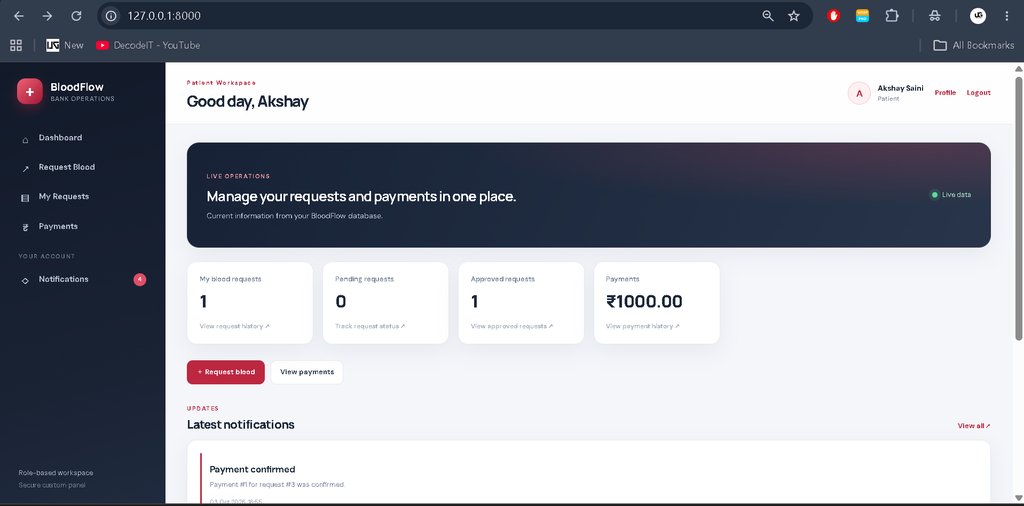
Patients can register directly, maintain their profile, submit blood requests with group, quantity, reason, and urgency, and follow the status of their requests. Their dashboard focuses on their own activity instead of exposing administrative information.
Key Features
- Secure login, logout, registration, password hashing, and protected sessions.
- True role-based access control at the view level, with role-specific navigation.
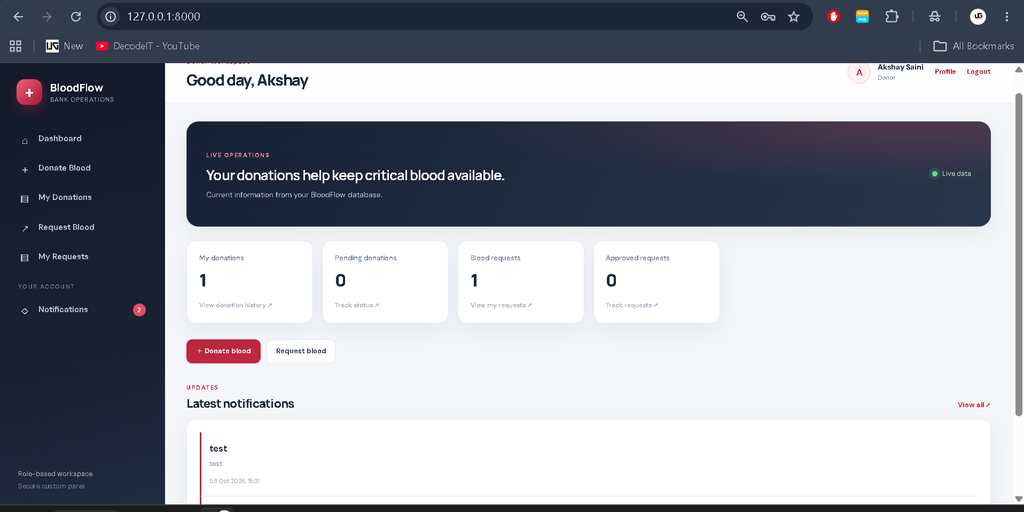
- Separate dashboards for Admin, Donor, and Patient users.
- Donation request approval and rejection workflow.
- Blood request approval and rejection workflow.
- Automatic stock increase after an approved donation.
- Automatic stock deduction after an approved blood request when sufficient units exist.
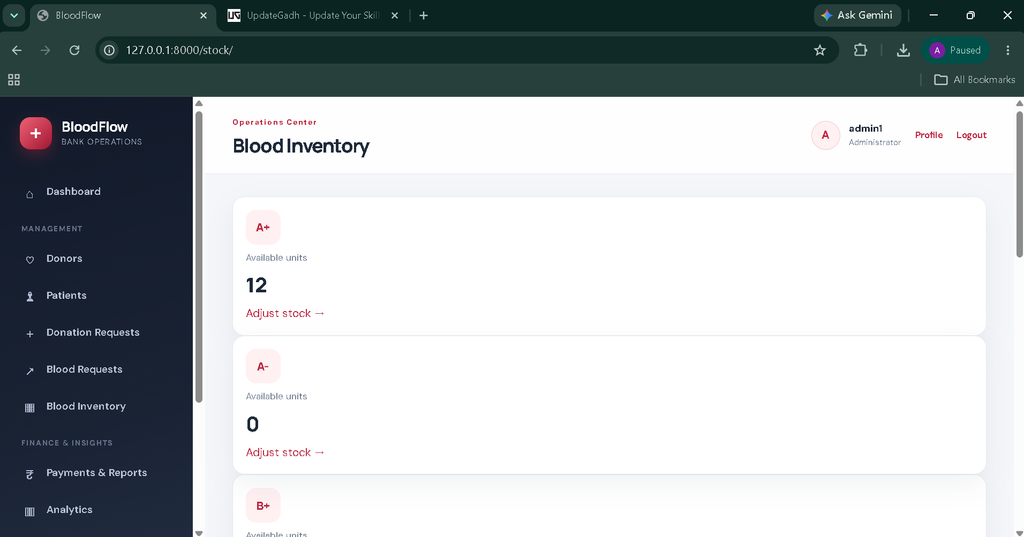
- Manual inventory adjustment for administrators.
- Searchable donor, patient, donation, and request records.
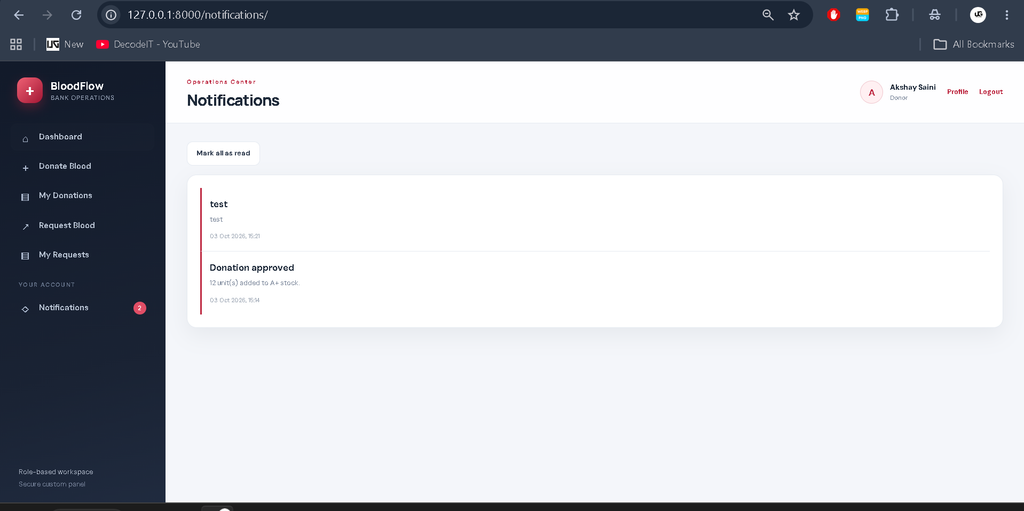
- Role-specific notifications after important decisions.
- Activity history for meaningful operational actions.
- Reports based on stored request, donation, and inventory data.
- Patient payment management and payment processing.
- Payment history with transaction details and payment status.
- Payment records automatically available in the Admin panel.
- Admin payment management and payment monitoring.
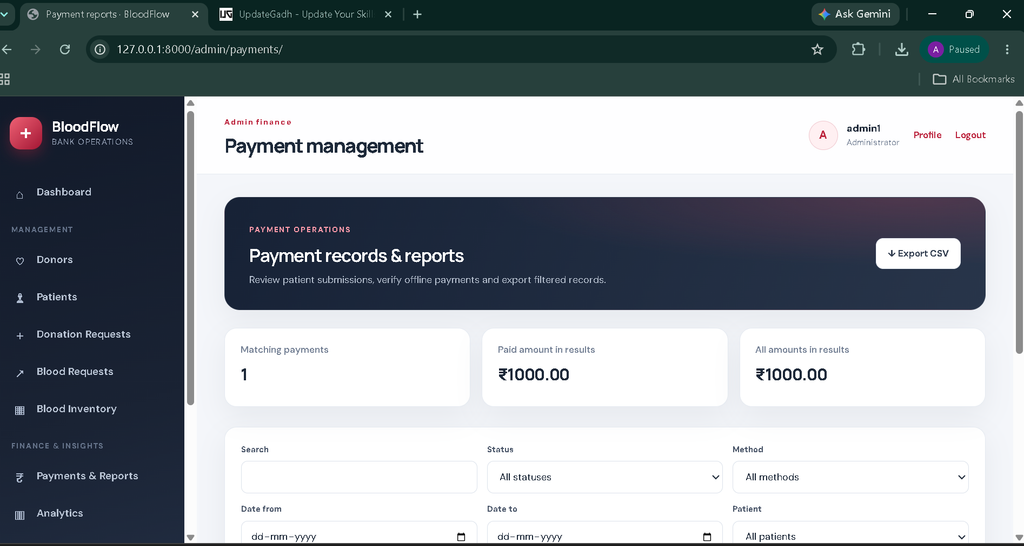
- Payment reports with search, filters, and date-based filtering.
- CSV download and export for payment records and reports.
- Digital payment receipt and transaction tracking.
- Clickable dashboard KPI cards for quick navigation.
- Real-time database-based charts and graphs.
- Blood stock, donation, request, and payment analytics.
- Database-connected profile editing and password change.
- Responsive interface for desktop, tablet, and mobile screens.
How to Download
The complete package is available so you can run, study, and submit it with confidence. It includes:
- Full Source Code
- Project Report
- Synopsis
- PPT Presentation
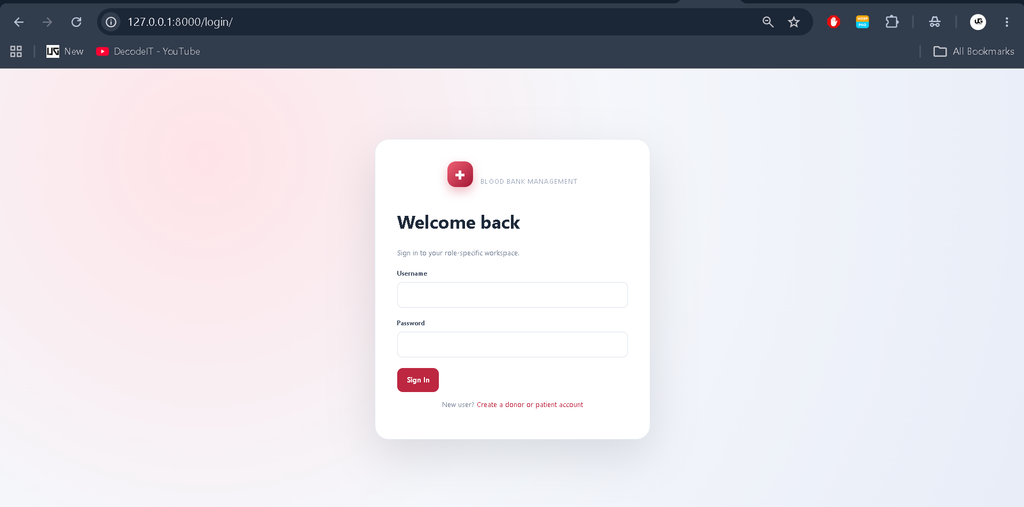
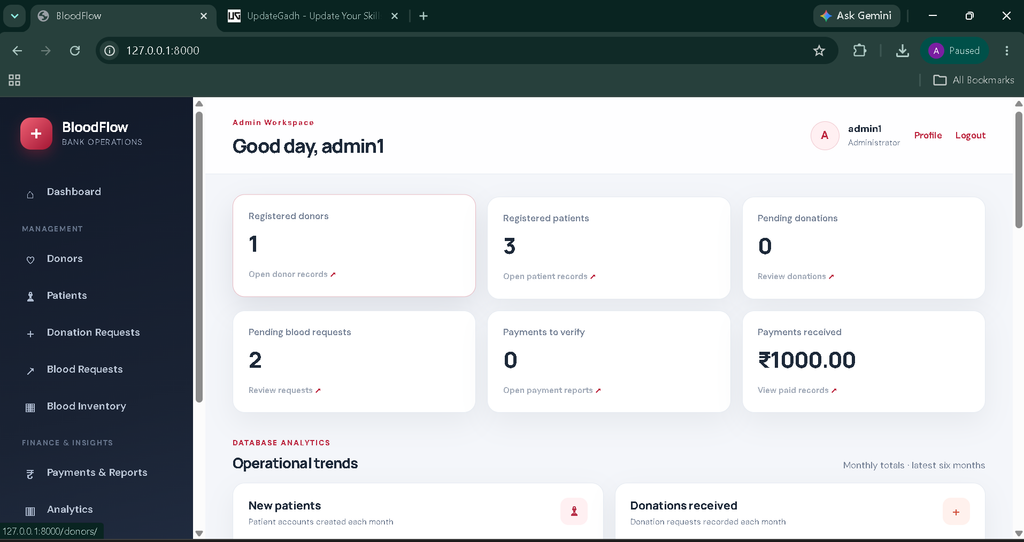
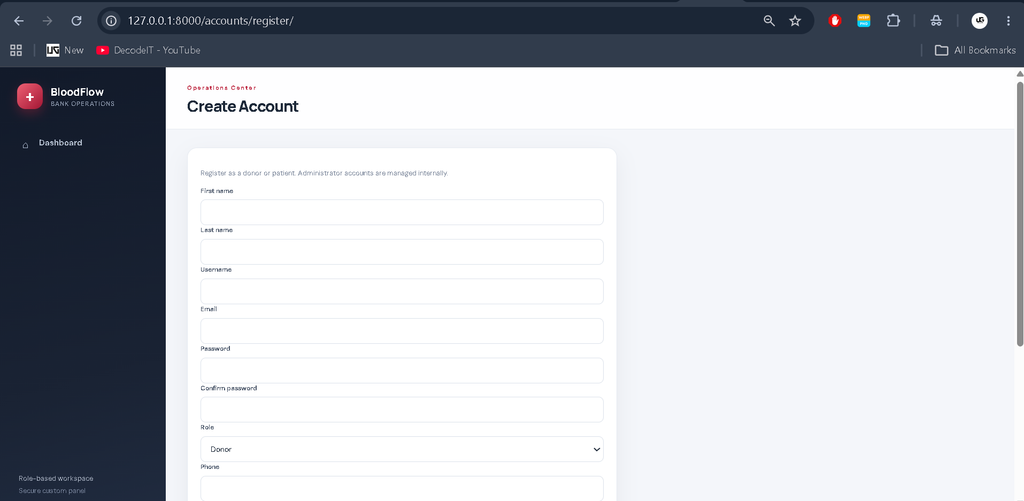
Screenshot:
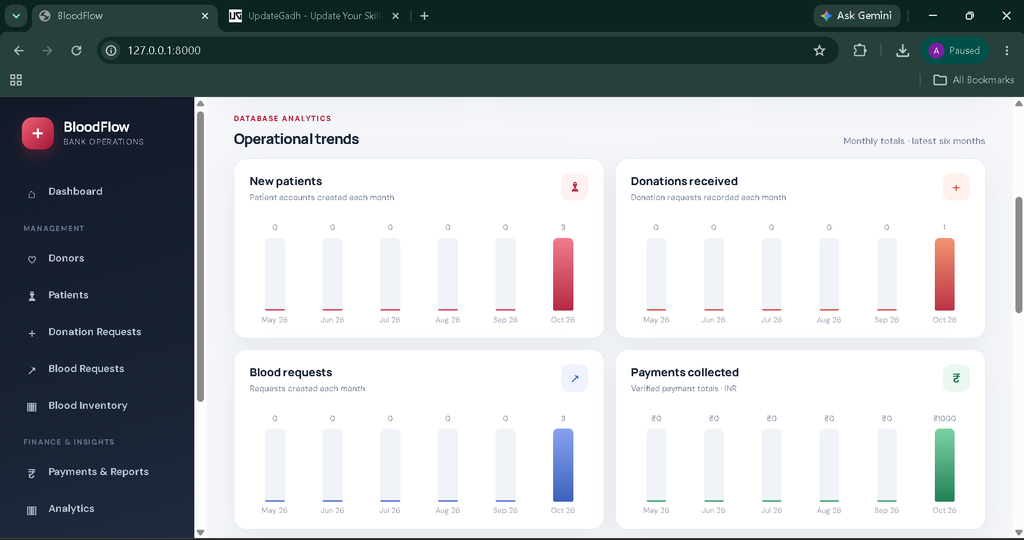
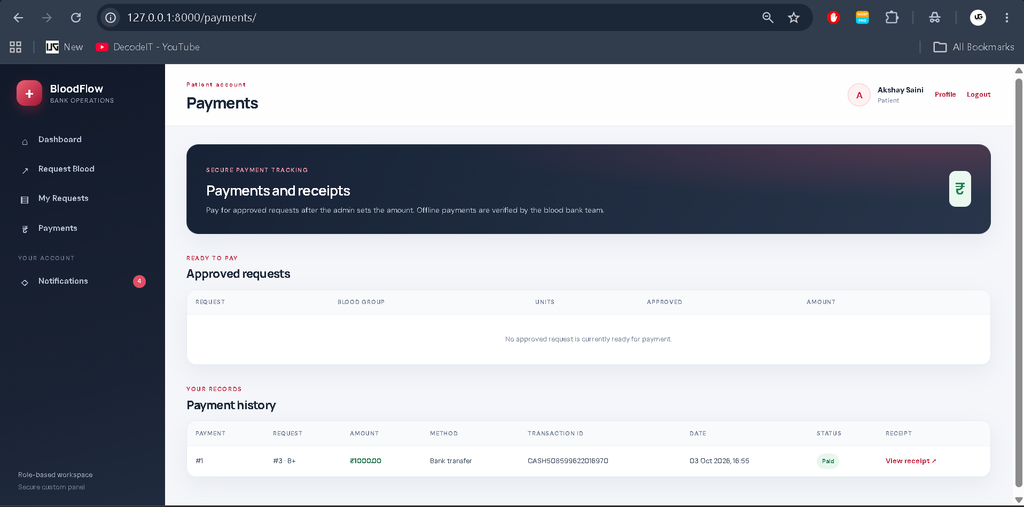
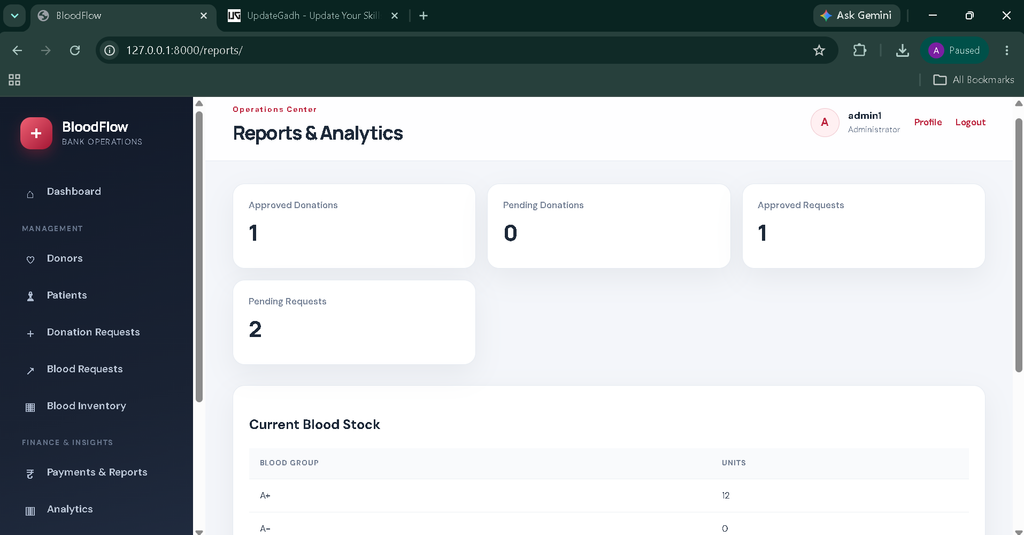
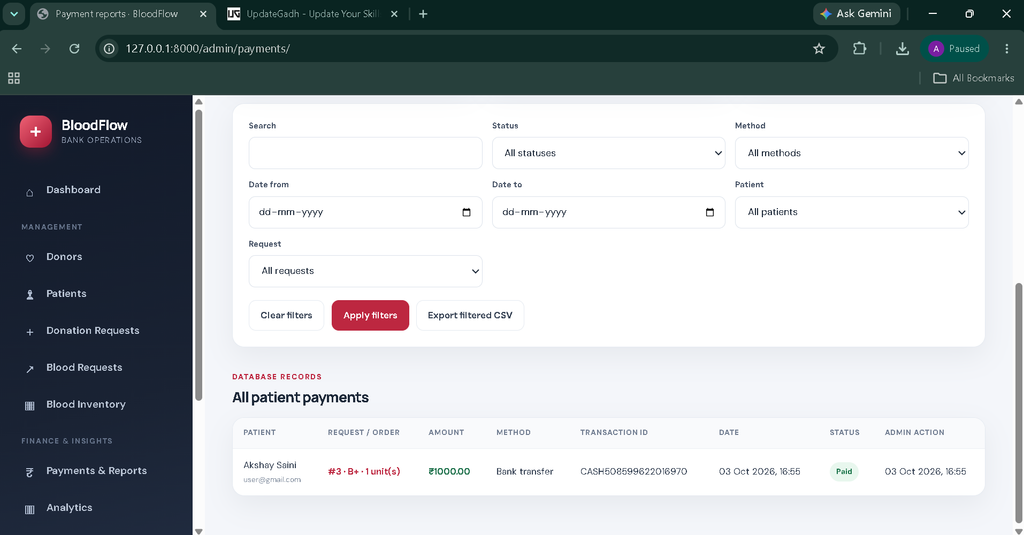
Project Modules
The authentication module handles account access and identifies the logged-in user’s role. The profile module stores contact information, blood group, address, date of birth, and other permitted personal details. The donation module manages donor submissions and administrative review. The blood request module handles patient and donor requirements, including urgency. The inventory module maintains stock by blood group. Notifications communicate decisions to the affected user, while activity history records important operations. Reporting brings together current stock and workflow counts for administrators.
Dashboard and Workflow
After authentication, the system identifies the user’s role and sends the account to the correct dashboard. Administrators receive operational KPIs, stock information, pending work, and recent activity. Donors receive donation and request statistics with shortcuts for their main tasks. Patients receive request counts, pending items, approved items, and visibility of critical pending requests.
A donation begins when a donor submits a request with a blood group, unit count, and health notes. The administrator reviews it. If approved, the system increases the matching stock record and notifies the donor. A blood request follows the opposite operational direction: the requester submits the required group, quantity, reason, and urgency; the administrator reviews availability; and approval deducts the requested units from inventory. If the available quantity is insufficient, approval is blocked instead of creating an invalid stock balance.
Database
The database uses related Django models rather than disconnected records. User profiles connect roles and personal information to Django authentication. BloodStock stores one inventory record per blood group. DonationRequest connects a donor with a requested donation and its review information. BloodRequest connects a requester with the required blood group, quantity, urgency, and decision. Notification and ActivityLog preserve communication and operational history. Created and updated timestamps support traceability.
Installation and Setup
Install a compatible Python version, open the project folder in Visual Studio Code, and create a virtual environment. Activate the environment and install the packages from requirements.txt. Run the Django migrations to create the SQLite database tables. The included seed_demo command initializes blood groups and creates demonstration accounts for Admin, Donor, and Patient roles. Finally, start the development server with the standard Django runserver command and open the local application address in a browser.
The project does not require Django Admin for normal operation. All important management tasks are exposed through the custom application interface. For deployment, change the development secret key, configure production settings, use an appropriate production database, and run the application behind a suitable production server.
Usage
Administrators begin by checking the dashboard for pending donations, pending blood requests, and current stock. They can review records and make decisions from the corresponding modules. Donors use their dashboard to submit donations or blood requests and monitor outcomes. Patients use their dashboard to create and follow blood requests. Every role can open its profile, edit permitted personal information, and change its password. Notifications provide a direct way to see important status updates without exposing records belonging to other users.
Frequently Asked Questions
What technology is used?
The project uses Python with Django, HTML and CSS for the web interface, and SQLite for database storage.
Does the project require Django Admin?
No. The application uses a custom management panel for normal operations, while role restrictions are enforced by backend views.
Can donors and patients register themselves?
Yes. The registration flow permits Donor and Patient accounts. Administrator access is intentionally managed separately.
How is blood stock updated?
Approved donations add units to the matching blood group. Approved blood requests subtract units only when enough stock is available. Administrators can also correct inventory through the stock module.
Can users edit their profiles?
Yes. Authenticated users have a database-connected profile section and can change permitted personal information and their password.
Future Scope
- Add donor eligibility scheduling and donation appointment management.
- Introduce hospital or branch-level inventory for multi-location blood banks.
- Add controlled email or SMS notifications for urgent decisions.
- Provide downloadable operational reports in additional formats.
- Add configurable blood compatibility rules and advanced stock alerts.
The interface also keeps operational information focused: users see only the records and actions that match their responsibilities, while administrators receive broader system visibility. This separation makes the application easier to understand, safer to operate, and closer to a realistic blood-bank workflow.
Conclusion
The Blood Bank Management System provides a practical example of how Django can support a real operational workflow rather than a simple collection of CRUD pages. It connects authentication, role-based access, donor activity, patient requests, approvals, inventory, notifications, reports, profiles, and history in one application. From a student perspective, the project offers useful experience with relational database design, server-side authorization, form validation, workflow logic, responsive UI design, and maintainable Django structure. Its focus remains the core blood-bank domain described in the source material, while the custom panel and connected workflows make the system more suitable for an advanced academic project.
Blood Bank Management System Blood Bank Management System – Google Search blood bank management system project blood bank management system project with source code pdf blood bank management system project github blood bank management system mini project blood bank management system project in python blood bank management system project report pdf blood bank management system project research paper blood bank management system github blood bank management system website