Zoom Clone Using Python and Flask
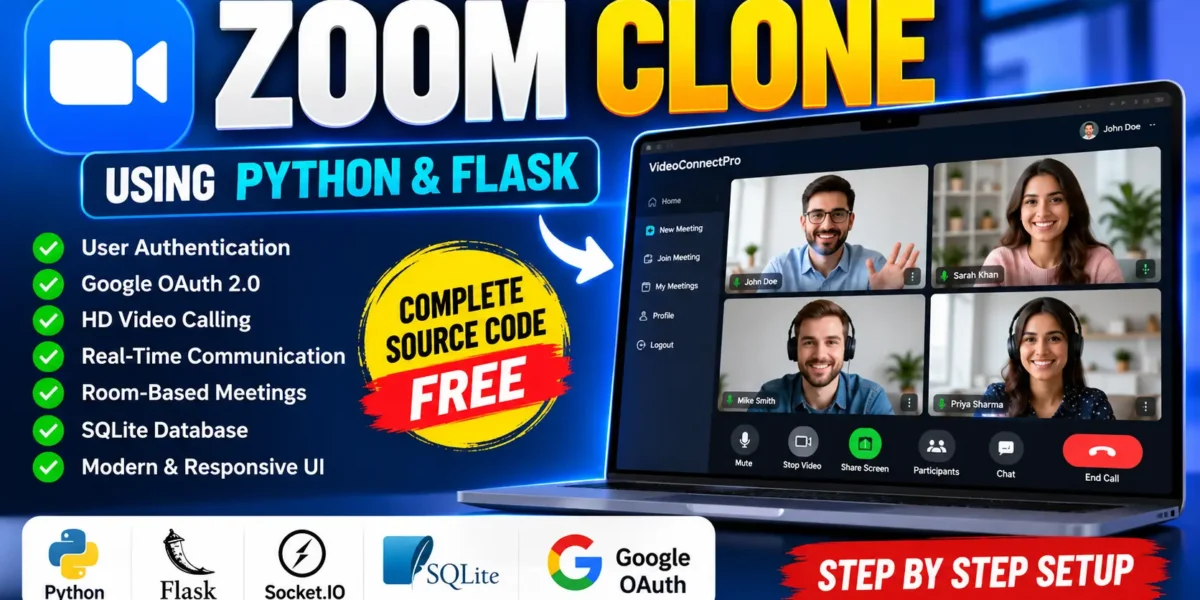
Zoom Clone Using Python & Flask is a professional web-based video conferencing project developed with Python Flask and real-time communication technology. The project provides a foundation for creating online meeting applications where users can securely log in, join video rooms, communicate in real time, and manage meeting sessions through a browser.
The application is designed as a medium-level college project and demonstrates how modern web technologies can be combined to build a practical video conferencing platform. It uses Flask for backend development, Flask-SocketIO for real-time communication, Flask-Login for authentication, Google OAuth 2.0 for social login, and SQLAlchemy for database interaction.
Complete Advance AI Topics: Click Here
Real Time Projects on YouTube:- DecodeIT
Project Introduction
Video conferencing has become an important part of remote education, teamwork, customer communication, and online collaboration. Applications such as Zoom provide users with convenient ways to communicate through online meeting rooms. Building a simplified Zoom-like application is also a useful way for students to understand web authentication, real-time communication, database integration, and room-based application workflows.
This project, named VideoConnectPro, provides the basic foundation required for a video conferencing application. Users can authenticate themselves, access video communication functionality, and participate in room-based meetings. The backend is handled by Python Flask, while Socket.IO enables real-time communication between connected users.
Project Overview
| Project Information | Details |
|---|---|
| Project Name | VideoConnectPro |
| Project Title | Zoom Clone Using Python & Flask |
| Language | Python |
| Framework | Flask |
| Frontend | HTML5, CSS3, JavaScript |
| Real-Time Technology | Flask-SocketIO |
| Authentication | Flask-Login and Google OAuth 2.0 |
| Database | SQLite |
| Application Type | Web Application |
Key Features
The Zoom Clone includes several important features that make it suitable for a practical college-level web application.
- User Authentication: Users can securely log in and log out of the application.
- Google OAuth 2.0: The application supports Google-based authentication for convenient user access.
- HD Video Calling: The project provides video calling functionality for online communication.
- Real-Time Communication: Flask-SocketIO enables communication between connected users in real time.
- Room-Based Meetings: Users can participate in separate video communication rooms.
- Database Integration: SQLAlchemy provides structured database interaction for application data.
- Session Management: User sessions are managed to maintain authenticated access throughout the application.
User Roles
The project primarily focuses on authenticated users who access the video conferencing system. A user can log into the application, access the available meeting functionality, and participate in room-based video communication. The authentication system helps ensure that application functionality is accessed through a managed user session.
Project Modules
1. Authentication Module
The authentication module handles user login and logout functionality. Flask-Login is used to manage authenticated sessions, while Google OAuth 2.0 provides an additional authentication method. This module forms the entry point for users before they access protected application functionality.
2. Video Calling Module
The video calling module provides the central functionality of the project. Users can participate in video communication through the web application. The module demonstrates how a Flask application can be extended beyond traditional request-and-response functionality to support real-time communication.
3. Meeting Room Module
The room-based structure allows video calls to be organized into individual communication spaces. Users can access a particular room and communicate with other participants connected to that room. This provides a practical foundation for creating online classrooms, team meetings, or support sessions.
4. Real-Time Communication Module
Flask-SocketIO is used to handle real-time communication. Unlike traditional web requests, Socket.IO allows connected clients to communicate with the server without repeatedly refreshing the browser. This technology is particularly useful for applications where information needs to be exchanged while users are actively connected.
5. Database Module
SQLAlchemy is used for database interaction, while SQLite provides a lightweight database environment for the project. This combination makes the application easier to configure for college development and testing while still demonstrating structured database access.
Technology Stack
| Technology | Purpose |
|---|---|
| Python 3.11+ | Backend programming |
| Flask | Web application framework |
| HTML5 | Web page structure |
| CSS3 | User interface styling |
| JavaScript | Client-side functionality |
| Flask-SocketIO | Real-time communication |
| Flask-Login | User session and authentication management |
| Google OAuth 2.0 | Google authentication |
| SQLAlchemy | Database interaction |
| SQLite | Application database |
Download complete source code
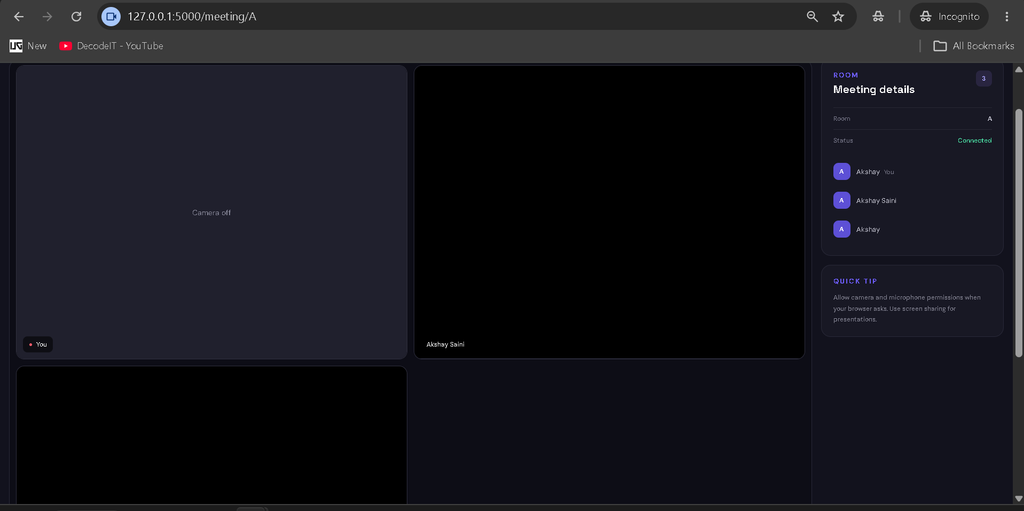
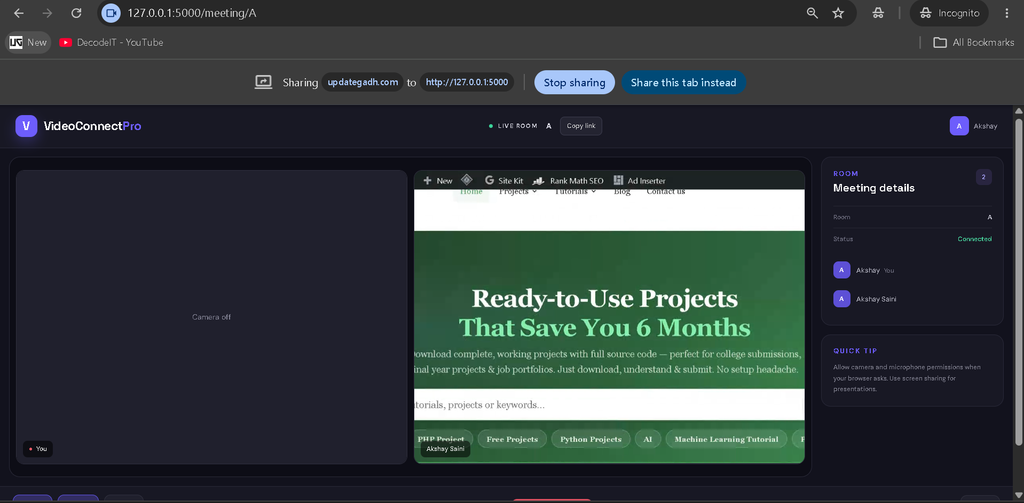
Screenshot
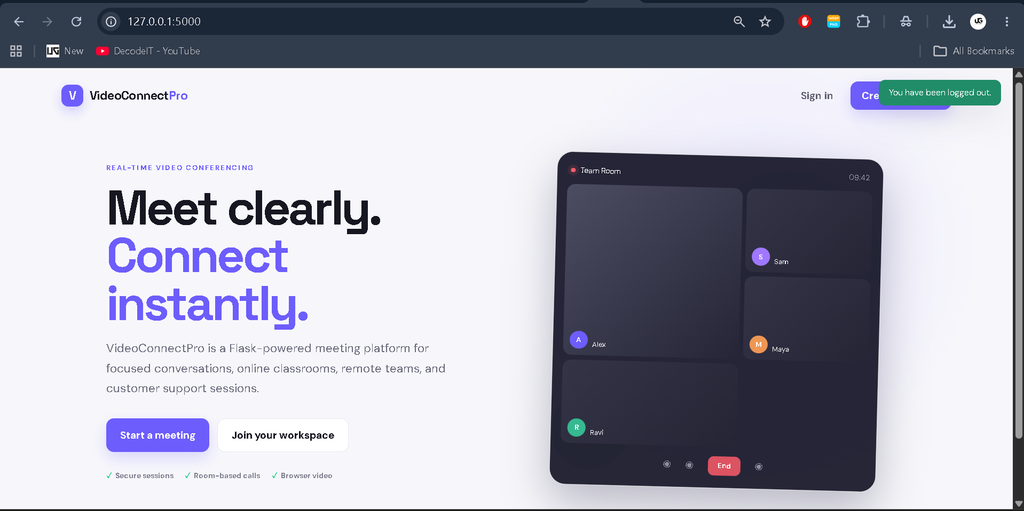
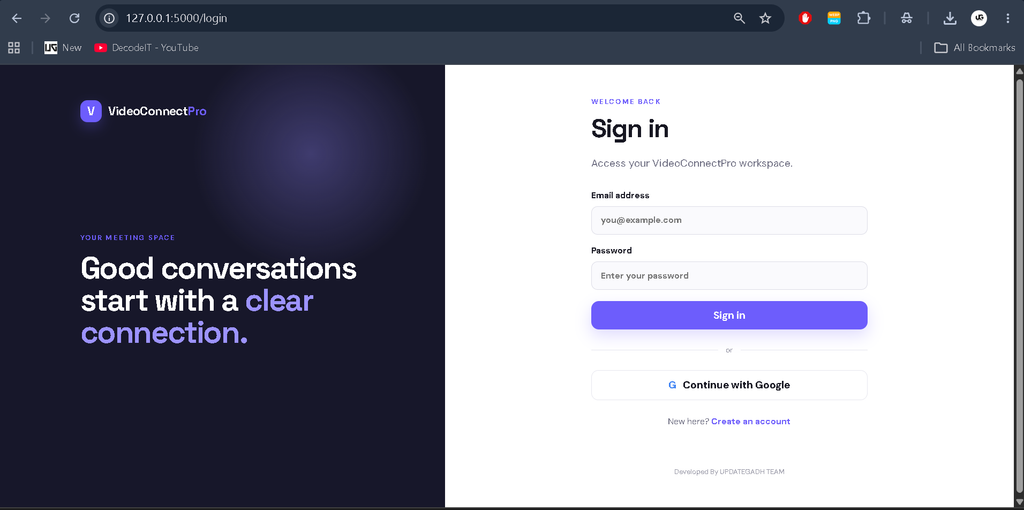
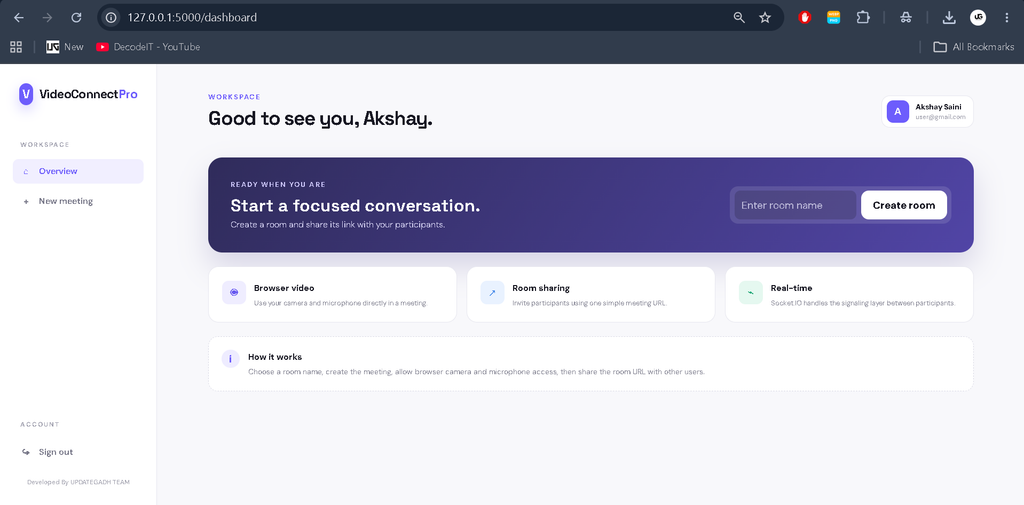
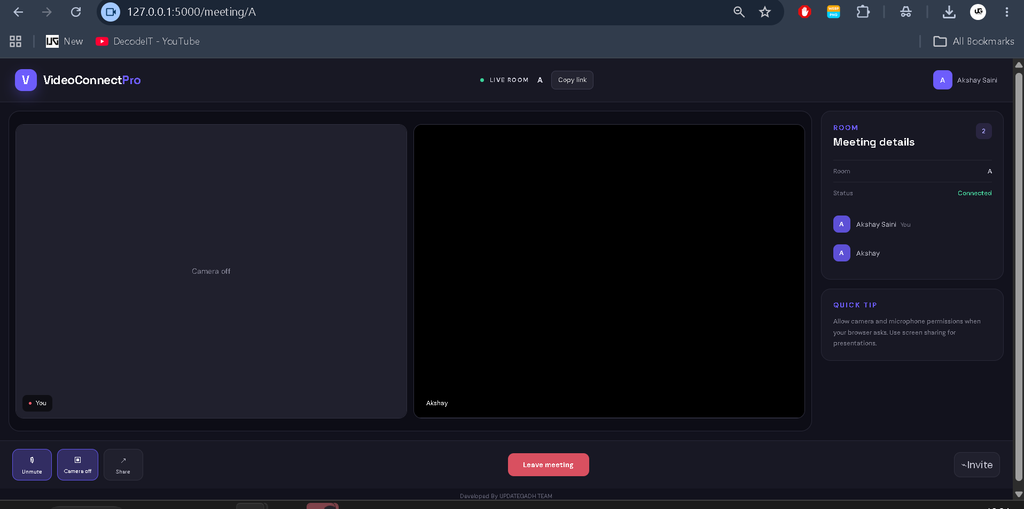
Installation and Setup
To run the project locally, first make sure Python 3.11 or a compatible version is installed on the computer. Open the project folder in Visual Studio Code or another suitable Python development environment.
Create a virtual environment using the following command:
python -m venv venvActivate the virtual environment on Windows:
venv\Scripts\activateInstall the required Python packages using the project’s dependency file:
pip install -r requirements.txtAfter installing the dependencies, configure the required application settings, including database and authentication configuration where necessary. Google OAuth requires the appropriate Google authentication credentials to be configured before using Google login.
Finally, start the Flask application using the project’s configured entry point. Once the server is running, open the local application address in a web browser and use the authentication interface to access the video conferencing features.
Usage
After launching the application, users can begin by accessing the login interface. They can authenticate through the available login mechanism, including Google OAuth where configured. After successful authentication, the user can access the application’s video conferencing functionality.
The room-based system allows users to participate in a specific video communication room. Once users are connected to the same room, the real-time communication layer helps coordinate interaction between connected clients. This workflow demonstrates a practical structure for an online meeting application.
Frequently Asked Questions
What is Zoom Clone Using Python & Flask?
It is a web-based video conferencing application developed with Python Flask, Flask-SocketIO, authentication technologies, and a database.
Which programming language is used?
The project uses Python as its primary programming language with the Flask framework.
Does the project support real-time communication?
Yes. Flask-SocketIO is used to provide real-time communication functionality.
Does the project include authentication?
Yes. The application includes user authentication with Flask-Login and Google OAuth 2.0 integration.
Which database is used?
The project uses SQLite with SQLAlchemy for database interaction.
Can this project be used for college purposes?
Yes. Its combination of authentication, database integration, room management, real-time communication, and video calling makes it suitable for a medium-level college project.
Future Scope
- Additional meeting management options can be introduced.
- More participant management functionality can be added to video rooms.
- Additional communication features can be integrated into meetings.
- The database configuration can be extended for larger deployment environments.
- More advanced meeting controls can be introduced as the application grows.
- Deployment can be optimized for production hosting environments.
Conclusion
The Zoom Clone Using Python & Flask project provides a practical demonstration of how a modern video conferencing web application can be developed using Python technologies. By combining Flask, Flask-SocketIO, Flask-Login, Google OAuth 2.0, SQLAlchemy, SQLite, HTML, CSS, and JavaScript, the project brings together several important concepts of web development in one application.
From a student’s perspective, this project is useful for understanding authentication, session management, database connectivity, real-time communication, and room-based application design. It also provides a strong foundation that can be expanded with additional meeting and communication functionality as development requirements increase.
Keywords
zoom clone using python & flask, zoom clone using python, zoom clone python, zoom clone flask, zoom clone project, zoom clone source code, zoom clone using flask, video conferencing project in python, video calling project in python, video conferencing using flask, flask video calling project, python video conferencing project, python flask project, flask socketio project, real time communication python, real time video calling, WebRTC video calling project, WebRTC Python Flask, video meeting project, online meeting system python, room based video calling, Google OAuth Flask, Flask Login authentication, SQLite Flask project, SQLAlchemy Flask project, Python college project, Flask college project, video conferencing college project, Zoom clone source code, build Zoom clone using Python, Zoom clone tutorial, Zoom like video conferencing app, VideoConnectPro