Order Management System Using Django
The Order Management System is a medium-level Django web application created to organize the complete flow of customers, products, and orders from one professional workspace. Instead of depending on the default Django Admin interface, the project provides its own custom dashboard so that common management tasks can be performed through a clear and responsive user interface. The system uses Python, Django, HTML, CSS, JavaScript-ready templates, and SQLite for local data storage.
Complete Advance AI Topics: Click Here
Real Time Projects on YouTube:- DecodeIT
Project Overview
| Project Name | Order Management System |
|---|---|
| Language/s Used | Python, HTML, CSS, JavaScript |
| Framework | Django |
| Database | SQLite |
| Type | Web Application |
Key Features
- Custom Login: Users can sign in through a dedicated application login page rather than the Django Admin panel.
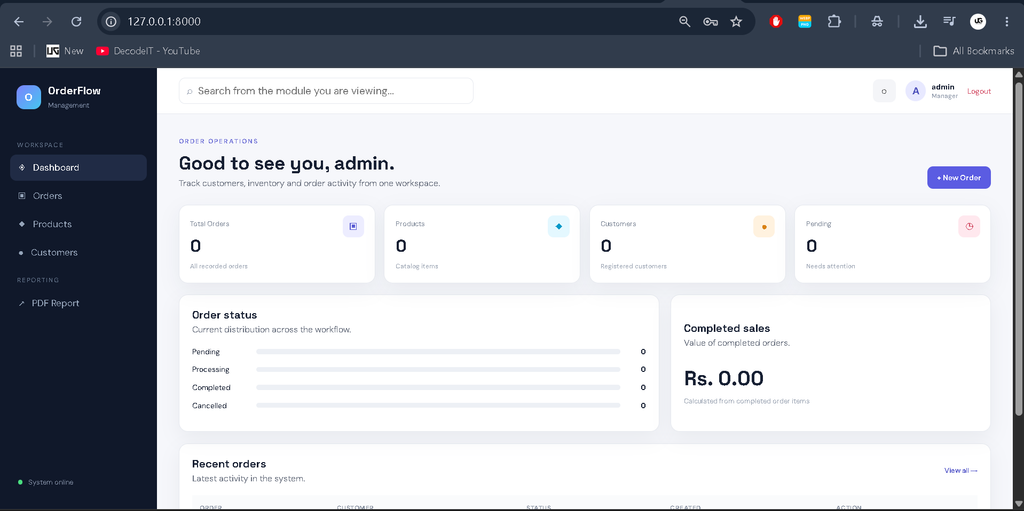
- Dashboard: The main dashboard displays order, product, customer, pending-order, and completed-sales information.
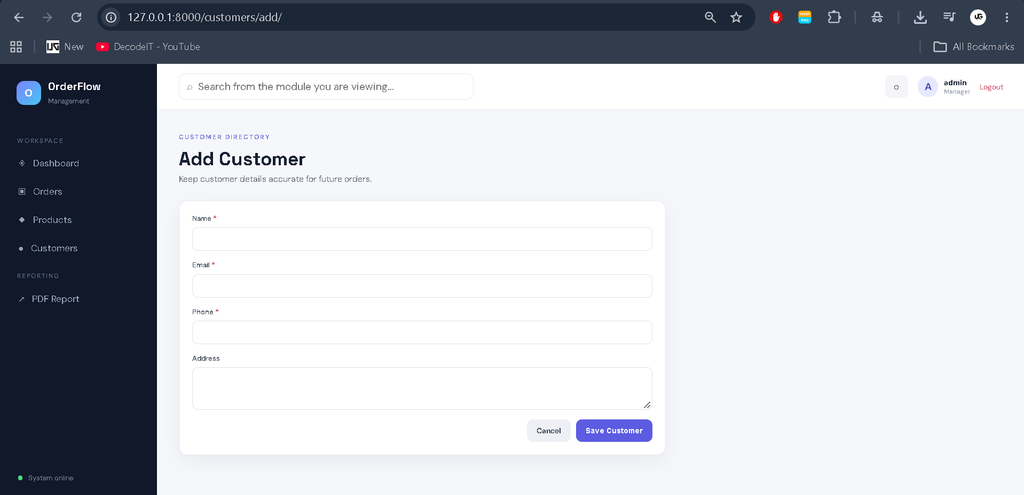
- Customer Management: Customer records can be added, edited, searched, reviewed, and deleted.
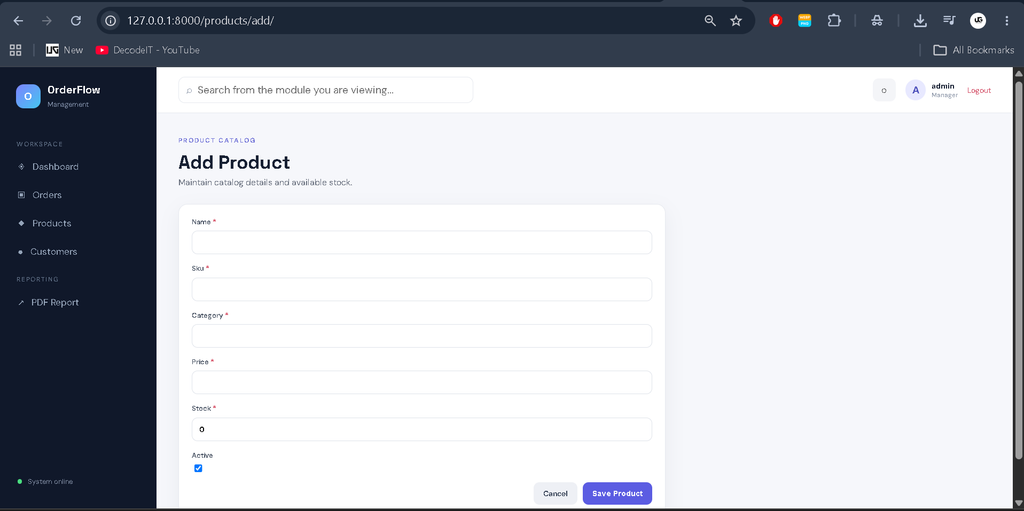
- Product Management: Product names, SKUs, categories, prices, stock quantities, and active status can be maintained.
- Order Management: Users can create orders, select customers, update order status, add products, and review order totals.
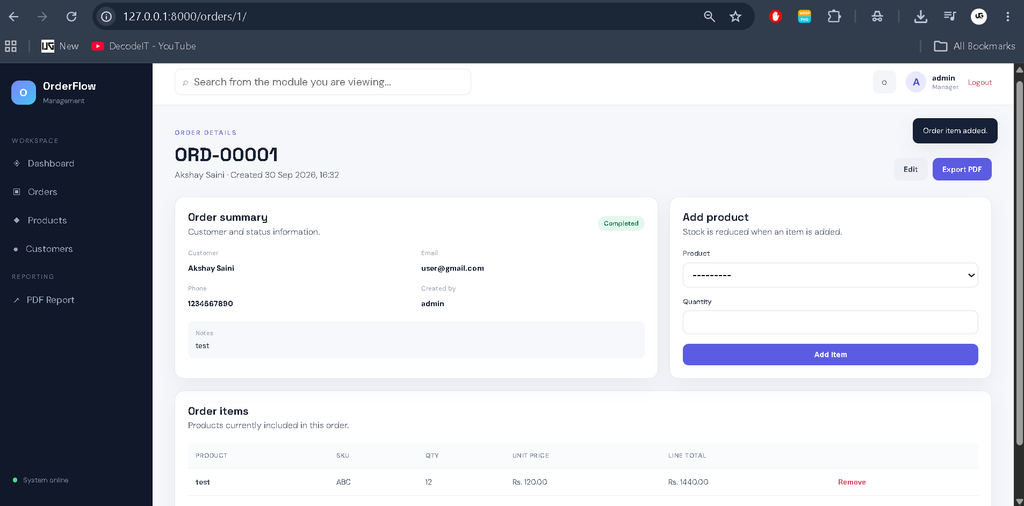
- Stock Tracking: Product stock is reduced when an item is added to an order and restored when an order item is removed.
- Search and Filters: Customers, products, and orders include practical search or filtering controls.
- PDF Reporting: Order information can be exported into a structured PDF report for simple reporting and record keeping.
User Roles
The project keeps access control straightforward for a college-level application. Authenticated users can access the custom management dashboard and its modules. The Django authentication system provides the account foundation, while the interface is designed around a manager-style operational workflow. A project owner can create appropriate users with Django’s standard management command and then use the custom login screen. This approach keeps authentication understandable without introducing a complicated enterprise permission architecture.
Technologies Used
Python is used for application logic and data processing. Django manages URL routing, authentication, forms, database operations, templates, and request handling. SQLite provides a lightweight relational database suitable for local college projects. HTML and CSS build the responsive interface, while the templates are structured so JavaScript can be extended later if additional client-side interactions are required. ReportLab is used for generating the PDF order report.
Project Modules
1. Dashboard
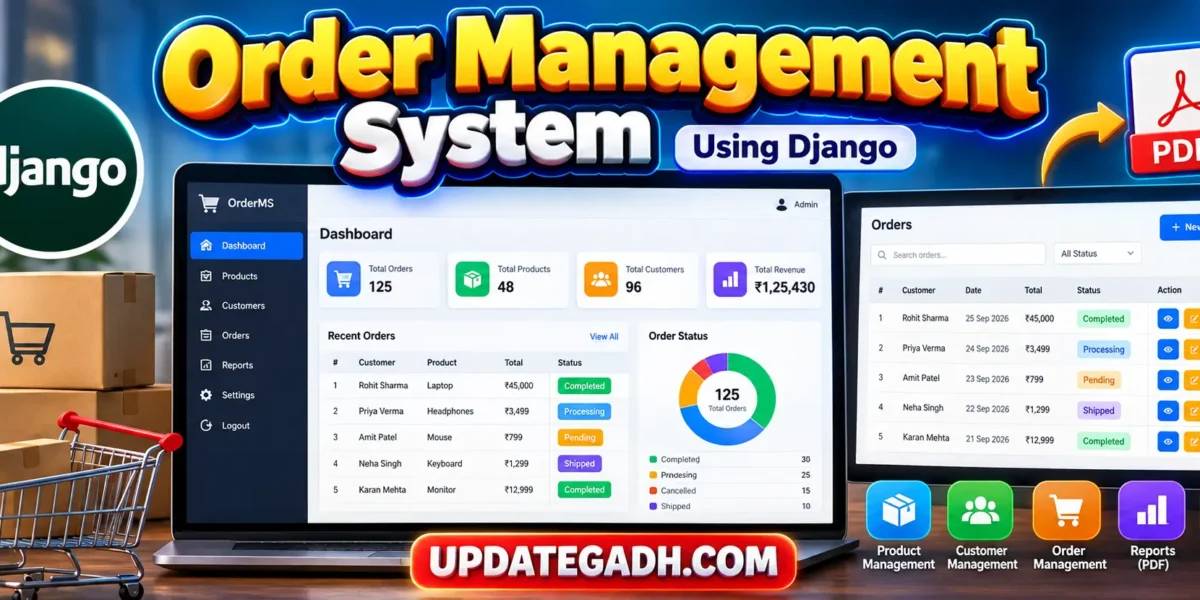
The dashboard gives users a quick operational view. KPI cards show the total number of orders, products, customers, and pending orders. A status section summarizes pending, processing, completed, and cancelled orders. Completed sales are calculated from the items belonging to completed orders. A recent-orders table provides a direct route to individual order records.
2. Customer Management
The customer module stores names, email addresses, phone numbers, addresses, and creation dates. A searchable table makes it easier to locate records. Separate forms are provided for adding and editing customers, while delete confirmation prevents accidental removal through an immediate action.
3. Product Management
The product module maintains the catalog used by orders. Each product contains a name, unique SKU, category, price, stock quantity, active state, and timestamps. Search and category filtering help users work with larger lists without making the module unnecessarily complex.
4. Order Management
An order is linked to a customer and receives a generated order number. Users can maintain statuses such as Pending, Processing, Completed, and Cancelled. After an order is created, products can be added from the order detail page. Each item stores its quantity and unit price, allowing the application to calculate line totals and the final order total.
Download complete source code
Screenshot
How the System Works
The typical workflow begins with user login and moves to the dashboard. The user can create customer and product records before creating an order. During order creation, a customer is selected and an initial status is assigned. Products are then added to the order. The application checks available stock before saving each item and reduces stock accordingly. If an item is removed, its quantity is returned to the product stock. The order can later be updated, reviewed, filtered from the order list, or included in a PDF report.
Professional Dashboard UI
The interface uses a dedicated management-system visual identity rather than a basic student form layout. A dark sidebar provides access to Dashboard, Orders, Products, Customers, and PDF Reporting. The top navigation contains search, notification styling, profile information, and logout access. KPI cards, status bars, responsive tables, badges, filters, action buttons, and clean forms make the application suitable for demonstration during a college project review. The layout adapts to desktop, laptop, tablet, and mobile screen sizes.
Installation and Setup
Install Python on the computer and open the project folder in VS Code. Create and activate a virtual environment if desired, then install the dependencies with the following command:
pip install -r requirements.txt
python manage.py migrate
python manage.py createsuperuser
python manage.py runserver
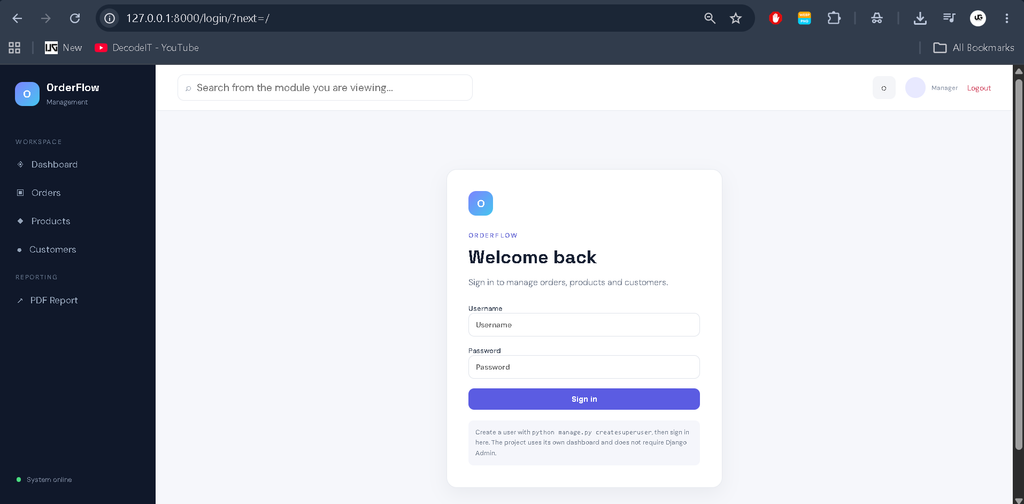
After starting the server, open http://127.0.0.1:8000/login/ in a browser. Sign in using the account created with the management command. The application then opens its custom dashboard. The project does not require users to operate through Django Admin.
Usage
Begin by adding customers and products. Enter realistic stock quantities and product prices so that order calculations can be demonstrated. Create an order, choose its customer, and add one or more available products. Review the calculated total and change the status as the order progresses. Use the list-page search and filters to locate records. Finally, use the PDF report action when a printable order summary is needed.
Frequently Asked Questions
What is the purpose of this project?
It provides a practical web-based workflow for managing customers, products, stock-aware orders, and simple reports in one application.
Does the project use Django Admin?
No. The project uses a custom login page and custom dashboard. Django’s authentication components are used for account management.
Which database is used?
SQLite is used because it is lightweight, easy to configure, and appropriate for a local college project.
Can products and customers be edited?
Yes. Both modules provide create, search, edit, and delete workflows.
How is stock handled?
The application checks stock before an order item is added, decreases the available quantity after a successful addition, and restores the quantity when an item is removed.
Can reports be exported?
Yes. The application generates a PDF order report using the ReportLab library.
How do I create a login account?
After installing dependencies and running migrations, execute python manage.py createsuperuser and use the created credentials on the custom login page.
Future Scope
- Add printable individual invoices with customer and item details.
- Introduce more granular staff permissions if the application is expanded.
- Add date-range reporting for order and sales analysis.
- Provide optional email notifications for important order-status changes.
- Add database backup and restore utilities for larger deployments.
The database relationships keep customers, products, orders, and order items connected, which makes the workflow suitable for demonstrating relational database concepts in a practical academic setting.
Conclusion
The Order Management System provides a complete, understandable, and practical Django workflow for a college-level full-stack project. It connects authentication, customer records, product inventory, order processing, stock updates, search, filtering, and PDF reporting without introducing unnecessary enterprise complexity. Its custom dashboard and responsive interface also make the project easier to demonstrate and understand. The structure can be extended gradually as project requirements grow while keeping the core implementation approachable for students.
Keywords:
Order Management System
Order Management System – Google Search
order management system design
order management system (oms)
order management system salesforce
order management system open source
order management system Ild
order management system ui
order management system hld
order management system logo
order management system github