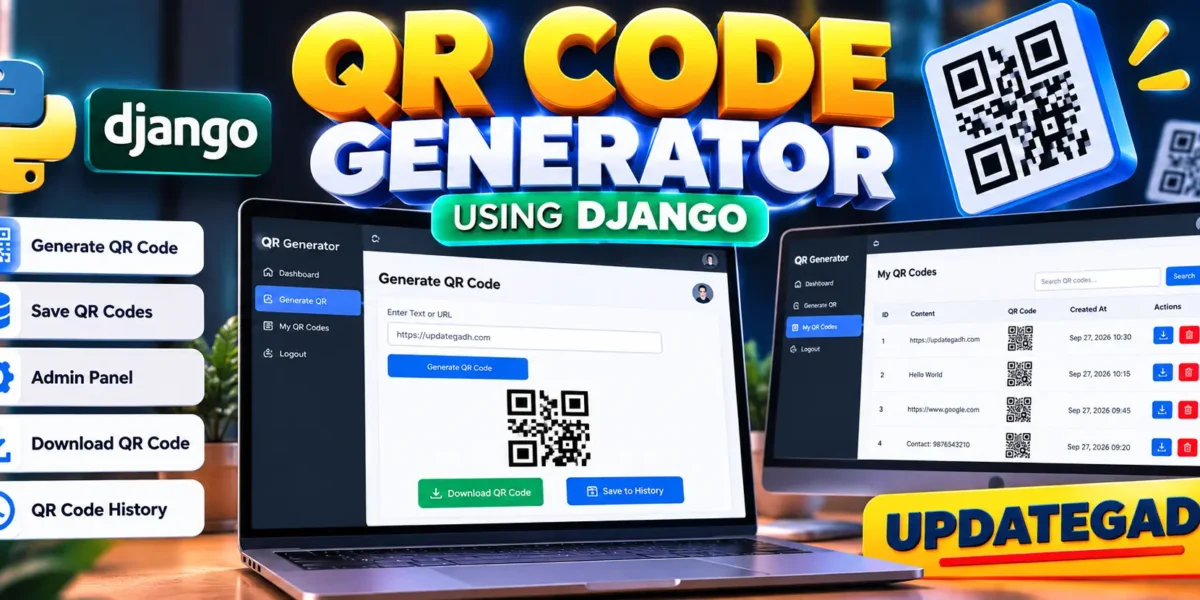
QR Code Generator Using Python
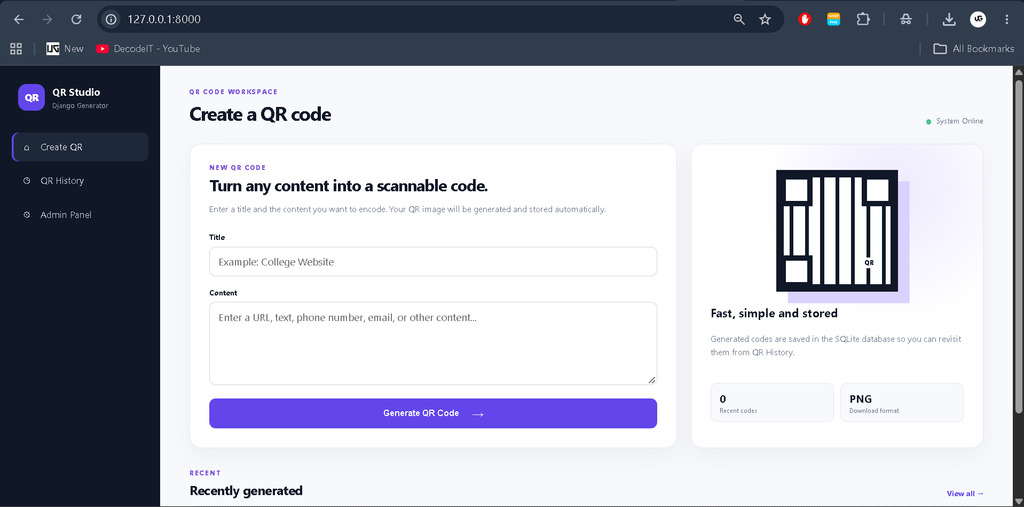
The Django QR Code Generator is a practical web application developed with Python and the Django framework for creating QR codes from user-provided information. The project provides a simple workspace where a user can enter a title and content, generate a QR code image, view the generated result, and download it as a PNG file. Generated records are also stored in an SQLite database, making the application useful as a complete college-level web project rather than a single-page QR utility.
The application is designed around a clear workflow. A user opens the generator, enters the required information, submits the form, and receives a generated QR image. The saved record can then be opened again through the QR history section. A Django Admin panel is included for administrative management of stored QR records. This combination of generation, storage, search, download, and administration makes the project suitable for students who want to understand how a Django application connects forms, models, views, templates, static files, media files, and an SQLite database.
Complete Advance AI Topics: Click Here
Real Time Projects on YouTube:- DecodeIT
Project Overview
| Project Detail | Information |
|---|---|
| Project Name | Django QR Code Generator |
| Language Used | Python |
| Framework | Django |
| Database | SQLite |
| QR Image Format | PNG |
Project Introduction
QR codes are widely used for sharing information in a compact and scannable format. A QR code can represent a website address, text, contact information, or other content that can be encoded into a two-dimensional pattern. This project demonstrates how the QR generation process can be integrated into a Django website with persistent database storage.
Instead of generating an image and immediately losing the record, the application stores the title, original content, generated image, and creation time. This allows previously generated codes to remain available through the history page. The design is intentionally focused on the project requirements, keeping the interface professional while avoiding unrelated modules.
Key Features
- QR Code Generation: Users can enter a title and content and generate a QR code through the web interface.
- Automatic Image Creation: The application creates a PNG QR image using the QR code library configured in the Django project.
- Database Storage: Each generated QR record is stored in SQLite together with its title, content, image reference, and creation time.
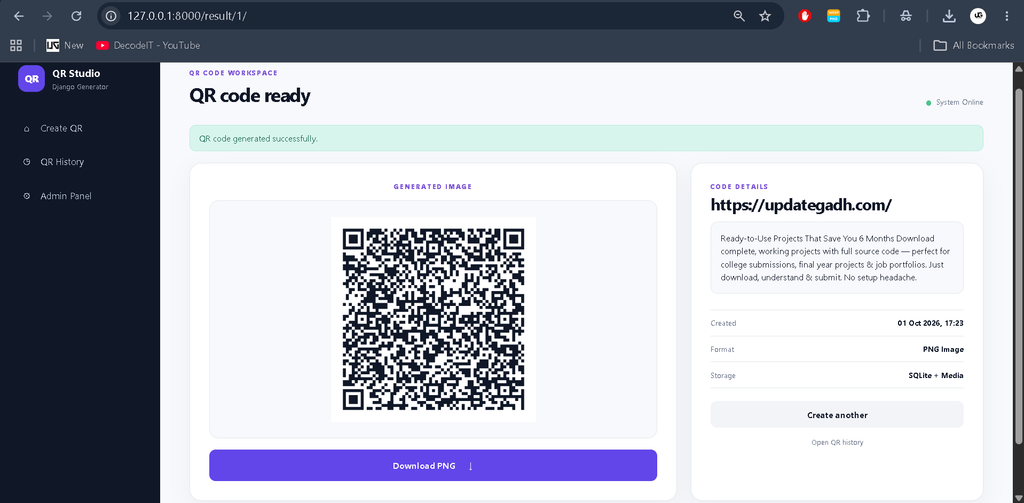
- Result Page: After generation, users receive a dedicated result page where the QR image and stored information are displayed.
- Download Option: Generated QR images can be downloaded directly as PNG files.
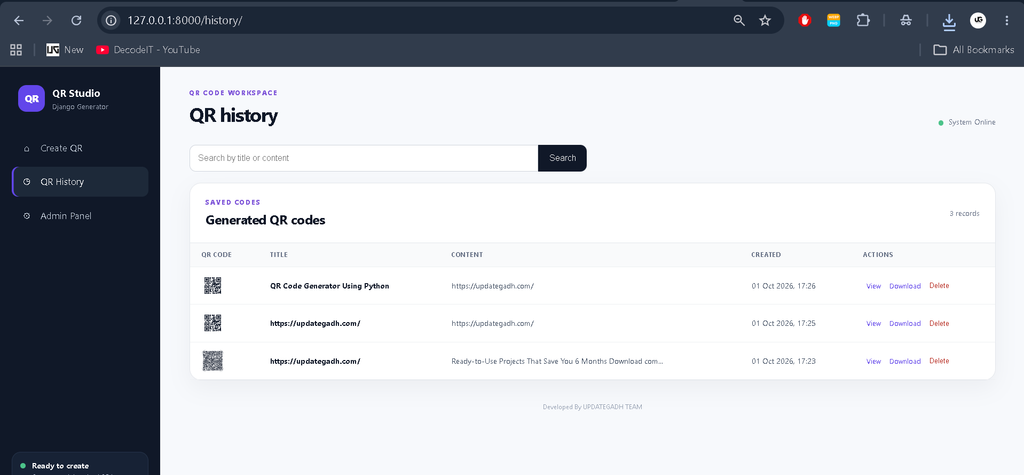
- QR History: A separate history page lists previously generated codes and provides access to saved records.
- Search: Users can search saved records by title or content.
- Delete Action: Saved QR records can be removed from the history page.
- Django Admin: Administrators can manage QR records using the built-in Django Admin interface.
- Responsive Interface: The custom layout adapts to smaller screens while keeping the main workflow accessible.
User Roles
The project uses two practical access levels. The normal application user works with the QR generator, result page, history, search, download, and delete functions provided by the website interface. Administrative management is handled through Django Admin. A superuser created with the Django management command can open the admin panel and manage the stored QR records using the database-backed administration interface.
Project Modules
QR Generation Module
This is the central module of the application. The generation form accepts a title and content. Django validates the submitted information before the QR library creates the image. The generated PNG is connected to the database record and saved inside the project’s media storage.
QR Result Module
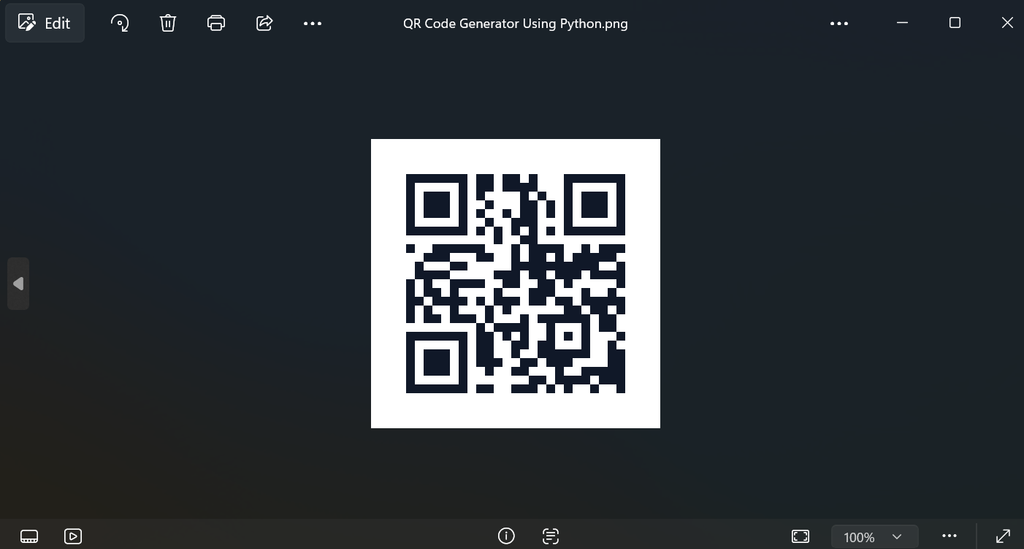
The result page presents the newly generated QR code in a focused layout. It shows the QR image, title, encoded content, creation time, image format, and storage information. A download button allows the user to obtain the generated PNG image, while additional navigation links make it easy to create another code or open the history page.
History and Search Module
The history module provides a table-based view of saved QR codes. Each record displays a small image preview, title, content preview, creation date, and available actions. The search field can filter records using either their title or content. This is useful when multiple QR codes have been generated over time.
Administration Module
The Django Admin integration provides a standard administrative workspace for QR records. Administrators can search records, filter them by creation date, inspect stored information, and manage database entries without requiring a separate custom administration system.
Download complete source code
Screenshot
Technology Stack
| Technology | Purpose |
|---|---|
| Python | Core programming language |
| Django | Web framework, routing, models, forms, templates, and administration |
| SQLite | Database for QR records |
| qrcode | QR image generation |
| HTML | Page structure |
| CSS | Responsive professional interface |
| JavaScript | Small client-side confirmation interaction |
Installation and Setup
First, make sure Python is installed on the computer. Open the project folder in Visual Studio Code or another preferred editor. Create and activate a virtual environment so the project’s packages remain separated from other Python applications.
python -m venv venvOn Windows, activate the environment with:
venv\Scripts\activateOn macOS or Linux, use:
source venv/bin/activateInstall the dependencies listed in the requirements file:
pip install -r requirements.txtApply the database migrations:
python manage.py migrateCreate an administrator account for the Django Admin panel:
python manage.py createsuperuserFinally, start the development server:
python manage.py runserverOpen the local development address in a browser. The main page provides the QR generator, while the Django Admin interface is available through the administrator route created by Django.
Usage
- Open the QR Studio home page.
- Enter a meaningful title for the QR record.
- Enter the content that should be encoded.
- Submit the form to generate the QR code.
- Review the generated image on the result page.
- Download the PNG image when required.
- Open QR History to review previously generated records.
- Use search when a particular title or content needs to be located.
- Use the delete action when a saved QR record is no longer required.
- Administrators can use Django Admin for database-level management.
Frequently Asked Questions
What can be entered into the QR generator?
The project accepts text-based content through the generation form. A URL, plain text, or other information that can be represented as QR data can be entered.
Where are generated QR codes stored?
The QR record is stored in the SQLite database, while the generated PNG image is stored through Django media storage.
Can a generated QR code be downloaded?
Yes. The result page includes a download action that returns the saved QR image as a PNG file.
Is an admin panel included?
Yes. The project uses Django Admin so an authorized superuser can manage QR records.
Future Scope
- Add selectable QR image styles and additional visual customization options.
- Provide optional color and size controls for generated codes.
- Add user accounts so each user can maintain a separate QR history.
- Introduce additional export formats if required by the application.
- Add reporting features for tracking QR records over a longer period.
Conclusion
The Django QR Code Generator is a useful medium-level college project that demonstrates a complete Django workflow without introducing unnecessary complexity. It combines a validated form, database model, QR image generation, media storage, result display, download functionality, searchable history, delete operations, and Django Admin management in one connected application. For students, the project provides practical exposure to how a Python web application is structured and how individual Django components work together.
Keywords:
QR Code Generator Using Python
QR Code Generator Using Python – Google Search
qr code generator using python project report pdf
qr code generator using python project report pdf free download
qr code generator using python project
qr code generator using python ppt
qr code generator in python
qr code generator in python mini project
qr code generator python with logo
qr code maker in python
qr code generator program in python