Online Banking System Using Python and Django
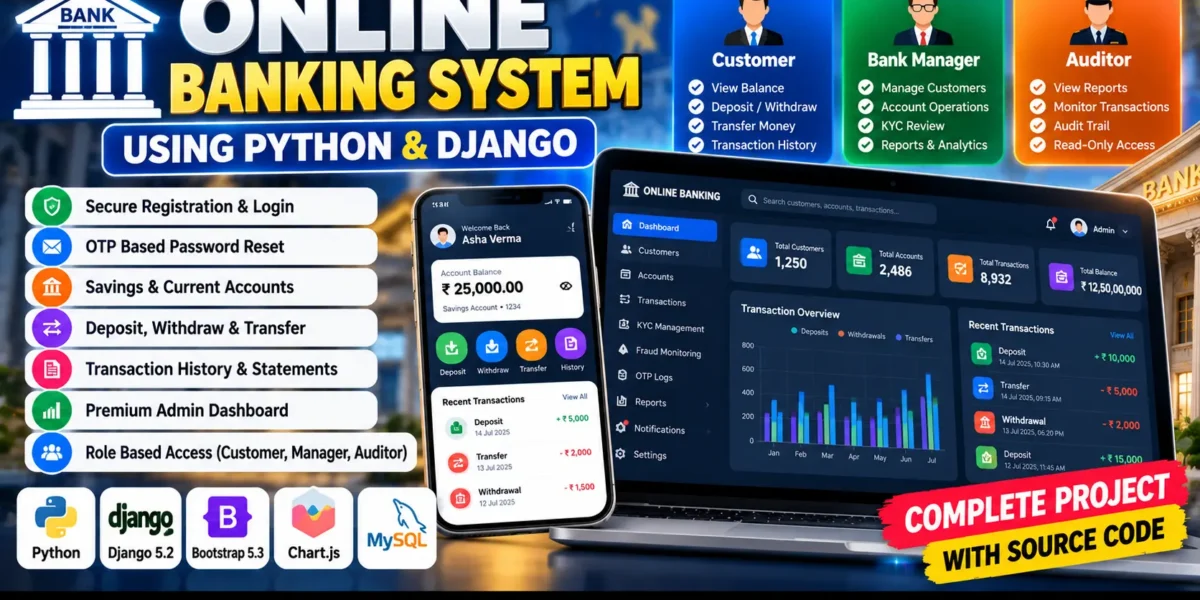
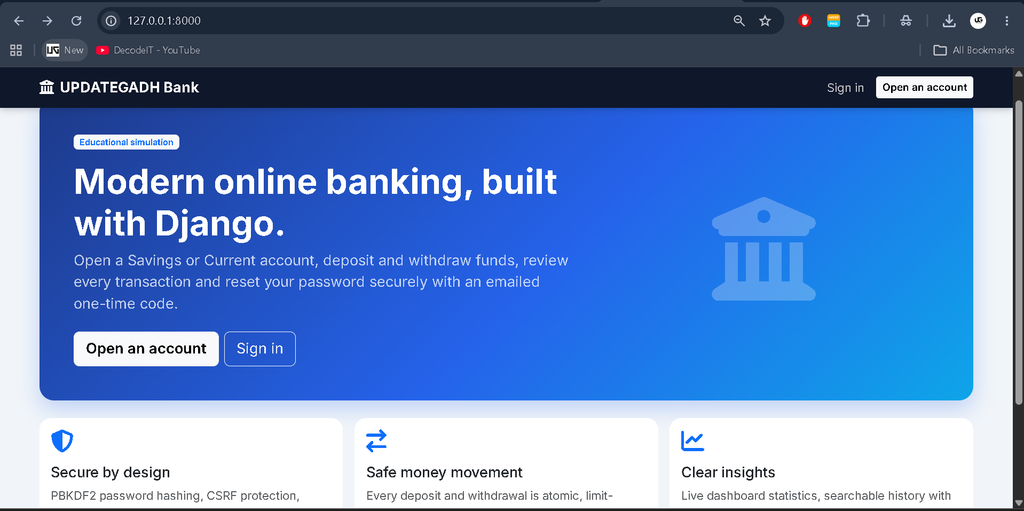
The Online Banking System Using Django is a web-based banking simulation developed with Python, Django 5.2, Django Templates, Bootstrap 5.3, Font Awesome, and Chart.js. It provides a digital banking environment where customers can manage accounts, perform deposits and withdrawals, transfer demo funds, and review transaction history.
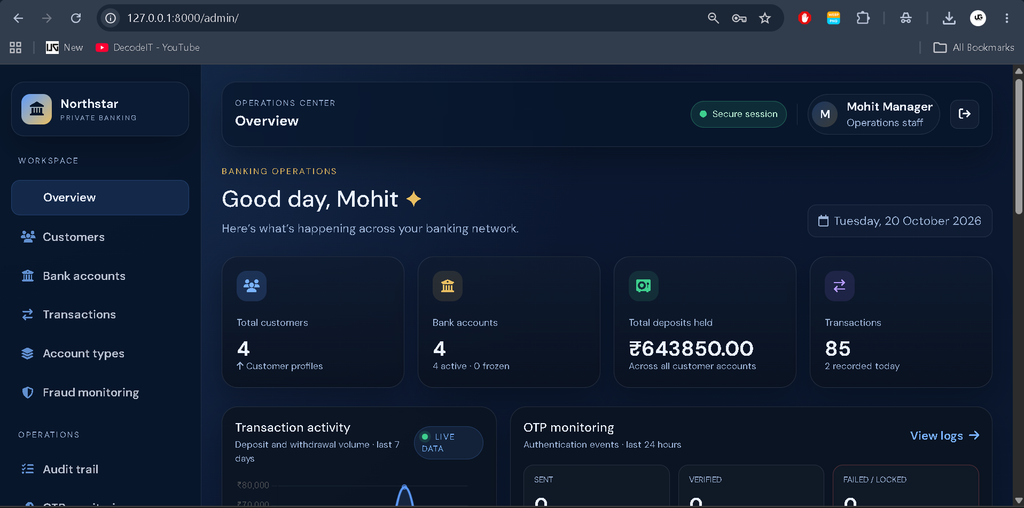
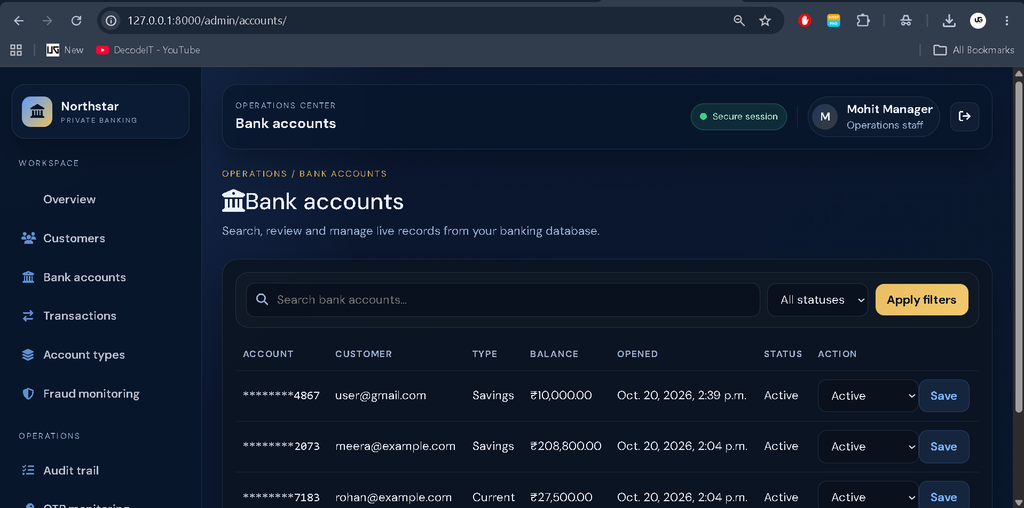
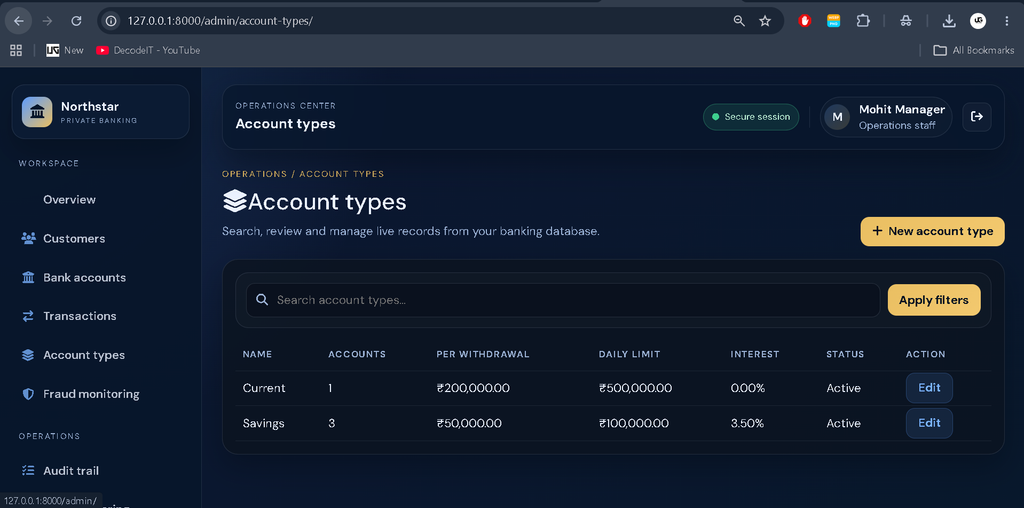
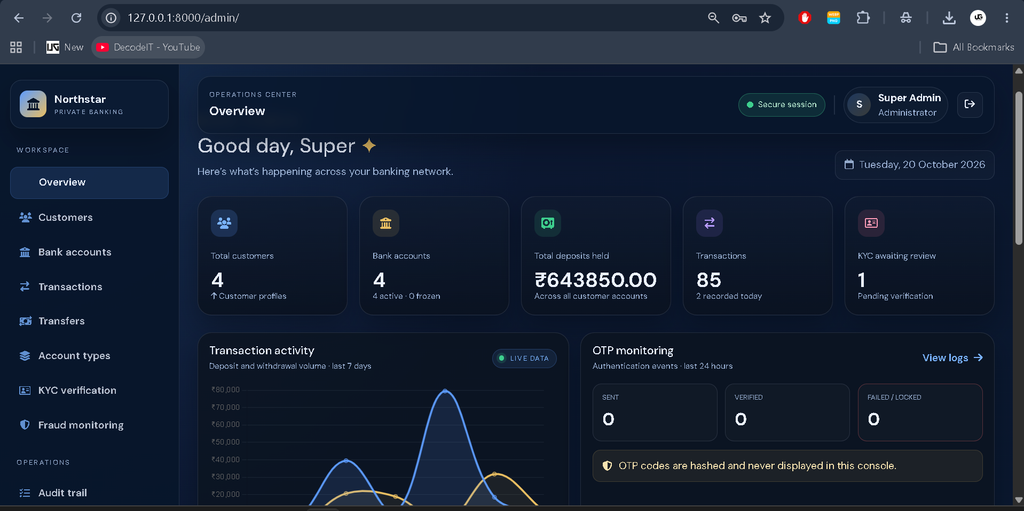
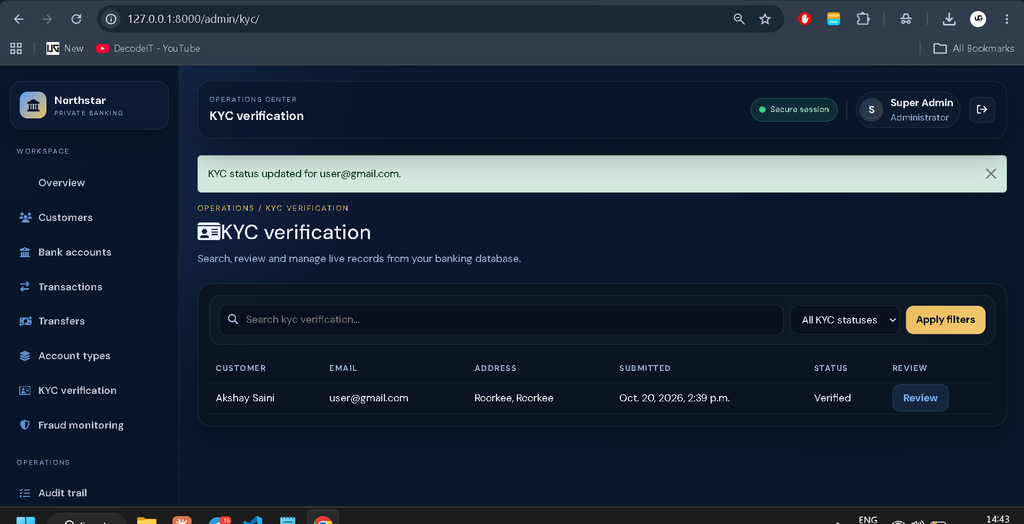
The project includes a premium custom banking operations dashboard with a dark navy theme and blue and gold accents. Instead of using Django Jazzmin, it provides a custom administrative interface for customer management, account operations, KYC reviews, fraud monitoring, audit logs, notifications, and reports.
Complete Advance AI Topics: Click Here
Real Time Projects on YouTube:- DecodeIT
What Is an Online Banking System Using Django?
An Online Banking System Using Django is a web application that demonstrates common banking operations through a browser. It combines user authentication, account management, transaction processing, reporting, and administrative controls in a single platform.
Project Overview
| Project Details | Description |
|---|---|
| Project Name | Online Banking System |
| Language | Python |
| Framework | Django 5.2 |
| Frontend | Django Templates, Bootstrap 5.3, HTML, CSS, JavaScript |
| Database | SQLite by default, with production database configuration as required |
| Additional Libraries | Font Awesome, Chart.js |
| Type | Full-Stack Web Application |
Available Features
1. User Registration and Authentication
The system supports email-based registration and login through a custom user model. It uses password hashing, CSRF protection, secure sessions, and a 30-minute idle timeout to support secure account access.
2. Password Reset Using OTP
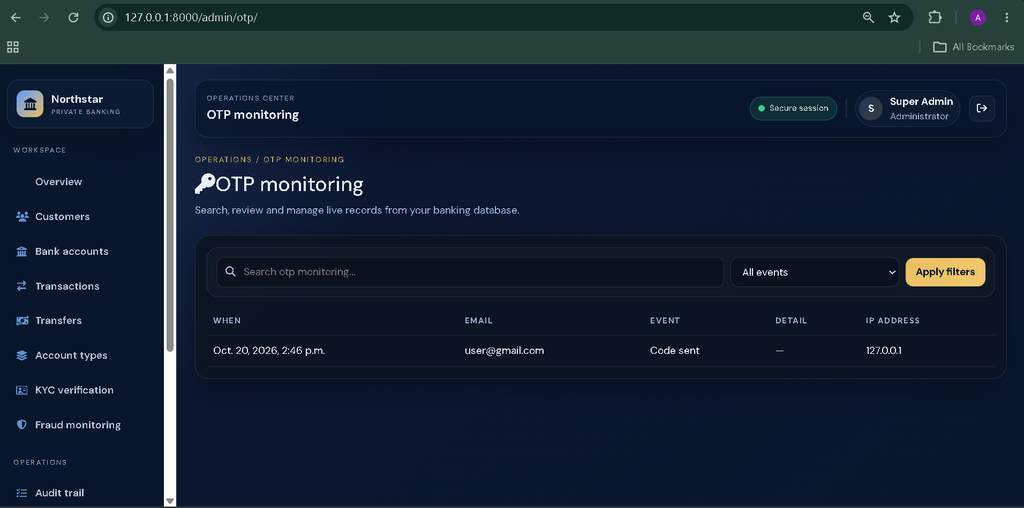
Users can reset their passwords through a three-step process involving email verification, a six-digit OTP, and password replacement. OTPs expire after 10 minutes, with attempt limits, resend cooldowns, and hourly sending limits. Gmail SMTP can deliver the emails, while development mode prints OTP emails to the terminal when SMTP settings are left blank.
3. Customer Dashboard
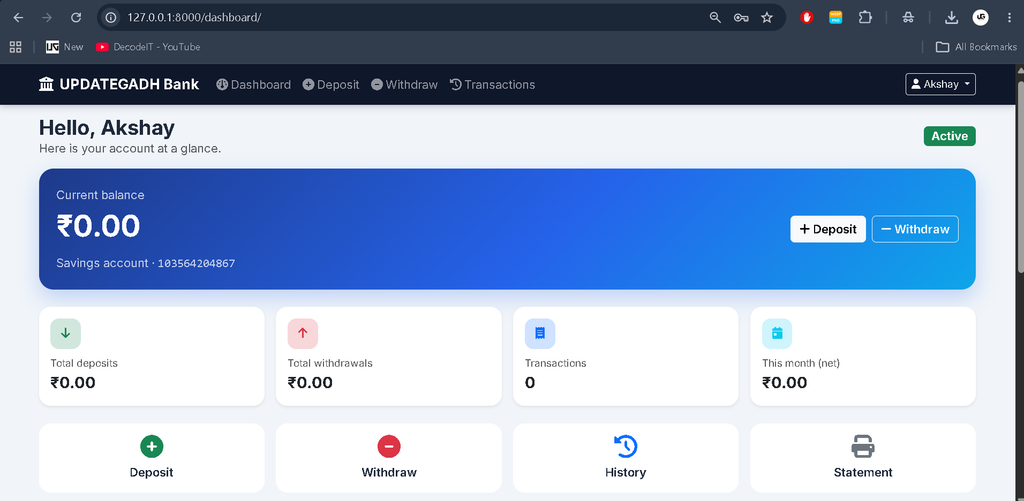
The customer dashboard displays account balance, deposits, withdrawals, monthly net activity, recent transactions, transaction limits, estimated interest, and a seven-day chart.
4. Savings and Current Accounts
The application supports Savings and Current account types. Per-withdrawal limits, daily limits, and interest rates can be configured through the operations dashboard.
5. Banking Transactions
Customers can perform demo deposits, withdrawals, and transfers. The system validates amounts, checks account limits and available balances, generates unique transaction references, and maintains running balances.
6. Transaction History and Statements
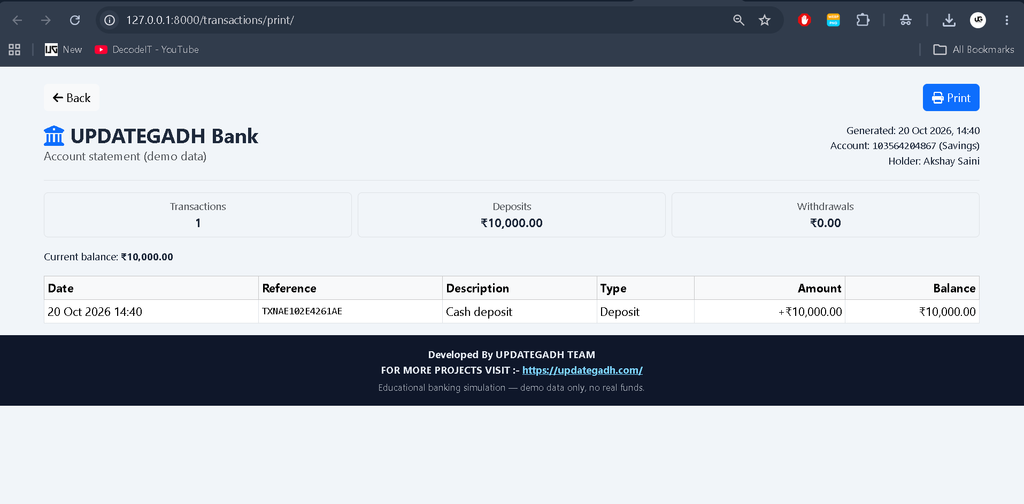
Users can search, filter, and paginate transaction records. They can also generate printable account statements for reviewing their banking activity.
7. Custom Admin Dashboard
The administrative dashboard provides overview statistics, customer management, account operations, KYC reviews, fraud monitoring, OTP logs, audit trails, notifications, and reports.
8. Role-Based Access Control
The system separates customer access from administrative operations. Customers cannot access the administration area, and staff members can access only the functions permitted by their assigned permissions. The seeded roles include Bank Manager and Auditor groups.
9. Transaction Safety
Deposits, withdrawals, and transfers use database transactions and row locking where supported. The application also validates balances and limits before processing operations to reduce the risk of inconsistent account records.
Technology Stack
- Python: Main programming language.
- Django 5.2: Backend framework, authentication, routing, and application logic.
- Django Templates: Dynamic page rendering.
- Bootstrap 5.3: Responsive interface components.
- Font Awesome: Icons for the banking interface.
- Chart.js: Dashboard charts and transaction statistics.
- Database: Stores users, accounts, and transaction information.
Software and Tools Required
- Python
- Visual Studio Code
- Web Browser
How to Download
The complete package is available so you can run, study, and submit it with confidence. It includes:
- PPT PresentationScreenshot
- Full Source Code
- Project Report
- Synopsis
Screenshot
How to Install and Run the Online Banking System in VS Code?
Follow these steps to create a virtual environment, install the dependencies, initialize the database, and start the Django development server.
Step 1: Open the Project
Extract the project folder and open the online_banking folder in Visual Studio Code. Open the integrated terminal using Terminal → New Terminal.
Step 2: Create a Virtual Environment
On Windows PowerShell, run:
python -m venv .venv
.venv\Scripts\Activate.ps1
If PowerShell blocks activation, run the following command in the current terminal and activate the environment again:
Set-ExecutionPolicy -Scope Process BypassStep 3: Install Dependencies
Install the required Python packages:
python -m pip install --upgrade pip
pip install -r requirements.txt
Step 4: Configure Environment Variables
Copy .env.example to .env and set a strong, random DJANGO_SECRET_KEY. On Windows PowerShell, use:
Copy-Item .env.example .envOpen the .env file and configure the secret key and any other required environment variables.
Step 5: Apply Database Migrations
Run the following commands to prepare the database:
python manage.py makemigrations
python manage.py migrate
Step 6: Create Demo Data
Run the custom management command to create demo users, account records, and sample data:
python manage.py seed_demoYou can optionally create your own Django superuser:
python manage.py createsuperuserStep 7: Start the Development Server
Run the application:
python manage.py runserverOpen the following addresses in your browser:
- Customer website: http://127.0.0.1:8000/
In VS Code, select the virtual environment through Ctrl + Shift + P → Python: Select Interpreter, then choose the interpreter inside .venv.
Demo Login Credentials
Run python manage.py seed_demo before using these demo accounts. The supplied demo password for all listed accounts is Demo@12345.
| Role | Password | |
|---|---|---|
| Superuser | admin@example.com | Demo@12345 |
| Bank Manager | manager@example.com | Demo@12345 |
| Auditor | auditor@example.com | Demo@12345 |
| Customer | asha@example.com | Demo@12345 |
| Customer | rohan@example.com | Demo@12345 |
| Customer | meera@example.com | Demo@12345 |
Security note: These credentials are intended only for local demonstration. Change the passwords or remove the demo accounts before deploying the application to any shared or production environment.
How to Configure Gmail SMTP for OTP Emails?
Gmail SMTP can be configured to send password-reset OTPs to users’ email addresses.
- Enable two-step verification on the Google account.
- Create an app password through Google Account security settings.
- Set
EMAIL_HOST_USERto your Gmail address in.env. - Set
EMAIL_HOST_PASSWORDto the generated app password.
Keep email credentials in environment variables rather than hard-coding them into Python files. If the SMTP settings are left blank, the project prints OTP emails to the development terminal.
How to Run the Project Tests?
The project includes tests for registration, authentication, password-reset OTPs, banking transactions, limits, account balances, transaction history, dashboard statistics, and administrative permissions.
Run the test suite using:
python manage.py testSecurity Considerations
- Keep the Django secret key and email credentials in environment variables.
- Set
DEBUG=Falseand configure appropriateALLOWED_HOSTSbefore production deployment. - Enable HTTPS and secure cookies for production.
- Run
collectstaticand configure a production-ready database. - Use PostgreSQL or MySQL when reliable row locking is required for concurrent transactions; SQLite serializes database writers.
- OTP values are stored as HMAC hashes and compared in constant time.
Troubleshooting
- DJANGO_SECRET_KEY is not set: Create the
.envfile from.env.exampleand configure the secret key. - Pages appear unstyled: Bootstrap, Font Awesome, Chart.js, and fonts load from CDNs, so an internet connection may be required.
- ModuleNotFoundError: jazzmin: Activate the project’s virtual environment and install dependencies using
pip install -r requirements.txt.
Frequently Asked Questions
1. What is the Online Banking System project?
It is an educational Django application that simulates banking operations such as deposits, withdrawals, transfers, and account history using a local database.
2. Which technologies are used?
The project uses Python, Django 5.2, Django Templates, Bootstrap 5.3, Font Awesome, Chart.js, and a database configured for the application.
3. What is the default demo password?
The supplied demo accounts use Demo@12345 after running the seed_demo command.
4. How does the password-reset process work?
The system sends or displays a six-digit OTP, validates it within the expiry period, and then allows the user to set a new password.
5. Does this project connect to real banks?
No. It is an educational simulation, and all transactions affect only the local demo database. No real funds or banking networks are involved.
Final Thoughts
The Online Banking System Using Django is a practical project for students who want to explore authentication, transaction processing, account management, reporting, and administrative dashboards. Its role-based permissions, OTP password reset, and transaction validation demonstrate important concepts used in web application development.
Keywords: Online Banking System Using Django, online banking system project in Python, Django banking project, online banking management system, Python Django project with source code, banking system project documentation, Django transaction management, online banking system project report,Online Banking System Using Django