E-commerce Website Using Python
Developing an E-commerce Website using Python & Django is an excellent way for students and beginners to understand how real-world web applications work. This project demonstrates the complete flow of an online shopping website, including user authentication, product management, product search, shopping cart functionality, checkout, and order processing.
The project is developed using Python and Django for the backend along with HTML, CSS, and JavaScript for the web interface. It provides a practical environment for understanding how different components of an e-commerce application work together.
This Django-based e-commerce project is designed to provide hands-on experience with important concepts such as authentication, product listing, categories, cart management, order placement, and administration. It is suitable for students and developers who want to understand the basic working flow of an online shopping platform.
Project Overview
The E-commerce Website using Django is a web application that allows customers to register, log in, browse products, search for products, add products to their shopping cart, and place orders through the checkout process.
The project also includes an administrative section where the administrator can manage product listings, users, and customer orders. This makes the application a practical example of how customers and administrators interact with an e-commerce system.
| Project Detail | Information |
|---|---|
| Project Name | E-commerce Website using Django |
| Languages Used | Python, HTML, CSS, JavaScript |
| Database | SQLite |
| Project Type | Web Application |
Available Features
This Django-based E-commerce Website contains several important features required for an online shopping system. These features provide customers with a simple shopping experience while allowing administrators to manage the main components of the website.
1. User Authentication
The system provides user authentication with sign-up, login, and logout functionality. Customers can create an account and securely log in to use the shopping features of the website.
Authentication also allows the system to identify customers during the shopping and order placement process.
2. Product Listing
The website provides a product listing section where customers can browse available products. Products are organized using categories and product details, making it easier for customers to explore the available items.
The product listing provides the basic structure required for an online shopping website and allows customers to view products before adding them to their cart.
3. Product Search
The project includes a product search feature that helps customers find products more easily. Instead of manually browsing through all available products, users can search for the products they are interested in.
This feature improves navigation and makes browsing the e-commerce website more convenient.
4. Add to Cart
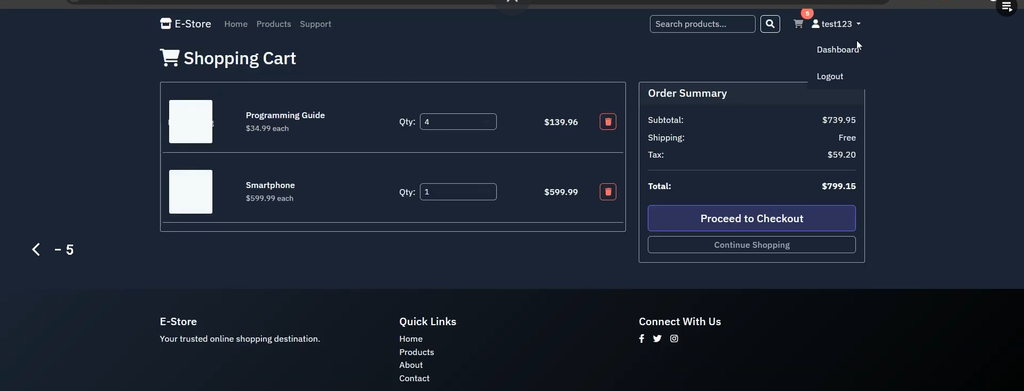
Customers can use the Add to Cart functionality to select products they want to purchase. Products can be added to the shopping cart before completing the order.
The cart provides customers with a place to review their selected products before proceeding with the checkout process.
5. Cart Management
The system provides cart management functionality that allows customers to update or remove items from their shopping cart.
This means customers can modify their selected products before placing an order. If a customer no longer wants a particular product, it can also be removed from the cart.
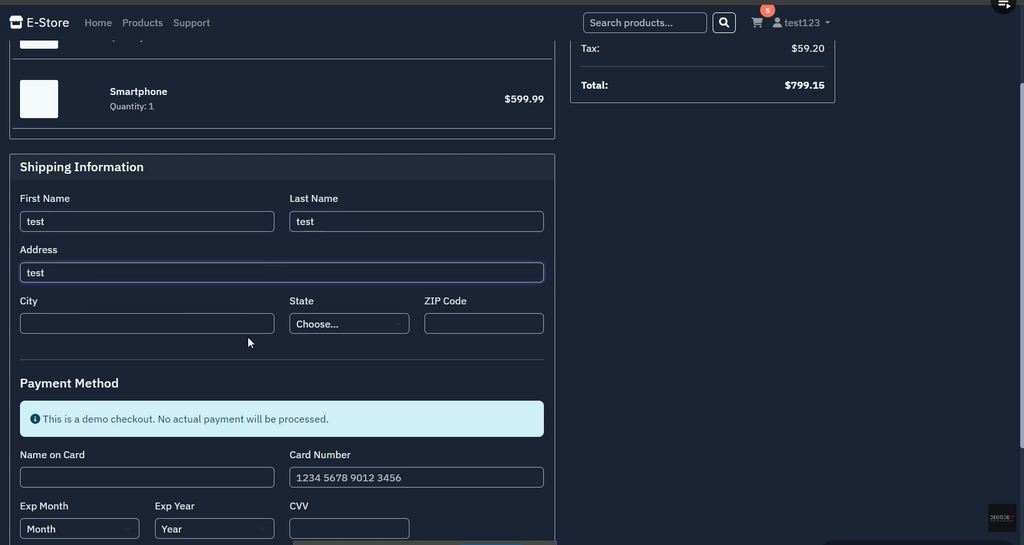
6. Order Placement and Checkout
After selecting the required products, customers can proceed to the checkout process and place their order.
The order placement functionality represents an important part of the e-commerce workflow, connecting the customer’s shopping cart with the final order processing stage.
7. Admin Panel
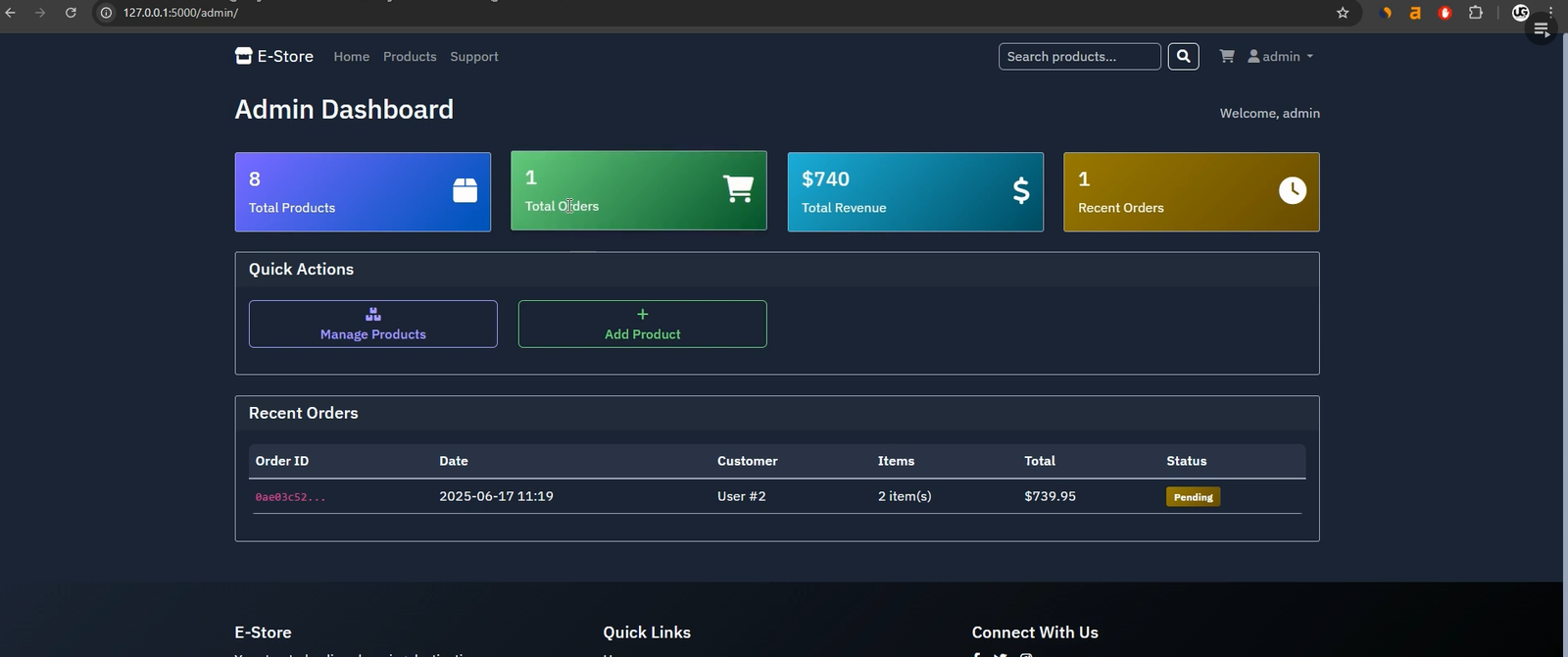
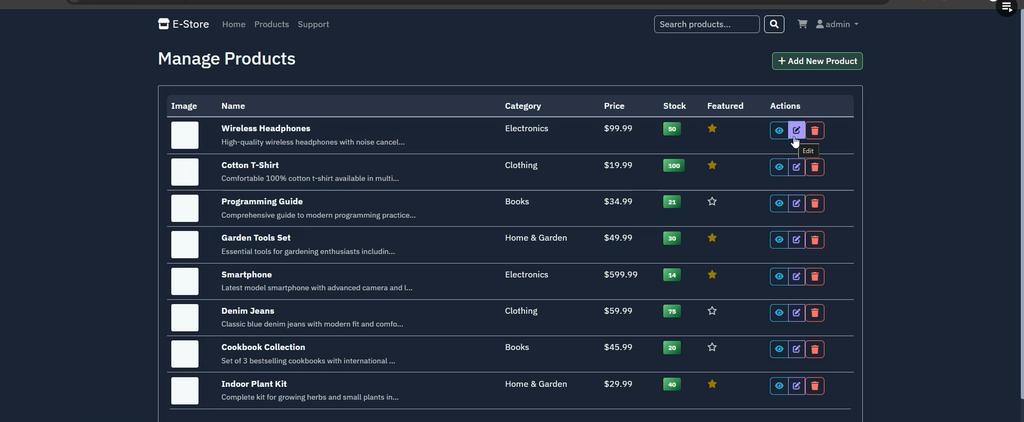
The project includes an Admin Panel that allows the administrator to manage important parts of the e-commerce website.
Through the Django admin panel, the administrator can manage:
- Product listings
- Users
- Customer orders
The admin can add, edit, and delete product listings and can also manage users and customer orders.
8. Responsive Templates
The project uses responsive templates to provide a better user experience across different screen sizes. The interface is designed to make the website easier to use while browsing products and managing shopping activities.
Installation Guide
Follow the steps below to run the E-commerce Website using Python & Django project in Visual Studio Code.
Step 1: Install Python and Django
First, make sure Python 3.x is installed on your computer. Django and the required dependencies can be installed using the requirements.txt file included with the project.
pip install -r requirements.txtStep 2: Open the Project in VS Code
Launch Visual Studio Code and open the project folder:
Django-Ecommerce-Full-System-masterAfter opening the project, you can access the source files and use the integrated VS Code terminal to execute the required Django commands.
Step 3: Apply Database Migrations
Open the terminal inside Visual Studio Code and run the Django migration commands:
python manage.py makemigrations
python manage.py migrate
These commands prepare the SQLite database and create the required database tables for the application.
Step 4: Create a Superuser
To access the Django admin panel, create a superuser using the following command:
python manage.py createsuperuserEnter the required username, email address, and password when prompted by the terminal.
Step 5: Run the Development Server
After completing the setup, start the Django development server using:
python manage.py runserverStep 6: Access the Website
Once the development server starts successfully, open the link shown in the terminal in your web browser. The E-commerce Website will then be available locally.
Usage of E-commerce Website
The project supports three main components: Customer, Admin, and System. Each component performs a specific role in the operation of the e-commerce application.
Customer
The customer is the primary user of the online shopping website. Customers can perform the following activities:
- Register for an account.
- Log in to the system.
- Browse products by categories.
- Add products to the shopping cart.
- Update products in the cart.
- Remove products from the cart.
- Place an order through the checkout process.
These functions provide customers with the basic workflow required to browse products and complete an online order.
Admin
The administrator manages the main backend activities of the e-commerce website through the Django admin panel.
The admin can:
- Log in to the Django admin panel.
- Add product listings.
- Edit product listings.
- Delete product listings.
- Manage users.
- Manage customer orders.
The admin panel provides centralized control over products, users, and orders.
System
The system handles the internal application logic required to operate the e-commerce platform. It manages authentication and product management logic while maintaining session data for cart and order processing.
The system also provides communication between the frontend and backend, allowing the different components of the website to work together smoothly.
Screenshot:-


How to Download
Get This Project
The complete package is available so you can run, study, and submit it with confidence. It includes:
- Full Source Code
- Project Report
- Synopsis
- PPT Presentation
For any queries or a quick response, reach out on WhatsApp: +91 79834 34684
Contributing to the Project
This project can be extended by students and developers who want to improve the existing e-commerce application. The source project provides a practical foundation that can be modified according to learning requirements.
Possible areas mentioned for contribution include:
- Improving the frontend design.
- Adding payment gateway integration.
- Extending search functionality with filters.
- Optimizing the database for larger product catalogs.
Any changes made to the project should follow clean coding practices and maintain proper documentation.
Final Thoughts
The E-commerce Website using Python & Django provides practical experience in developing a real-world online shopping application. The project covers important concepts such as user authentication, product management, product search, cart management, checkout, and order processing.
For students, this project can be useful for understanding how different parts of a Django web application work together. By working with the project, students can strengthen their Django development skills and gain a better understanding of the workflow used in e-commerce systems.
The project can also be used as a portfolio or academic project because it demonstrates practical knowledge of Python, Django, frontend technologies, database handling, authentication, and e-commerce functionality.
Keywords: e commerce website using python, e commerce website using django, django ecommerce project, python ecommerce project, django ecommerce source code, e commerce website project in python, django ecommerce website, python django projects, ecommerce project for students e commerce website project in python with source code
e commerce website project in python github
e commerce website project in python with source code pdf
e commerce website project zip file download
how to build an e commerce website with django and python
django e commerce website tutorial pdf
e commerce website project using django with source code
online stock photo ecommerce website using python