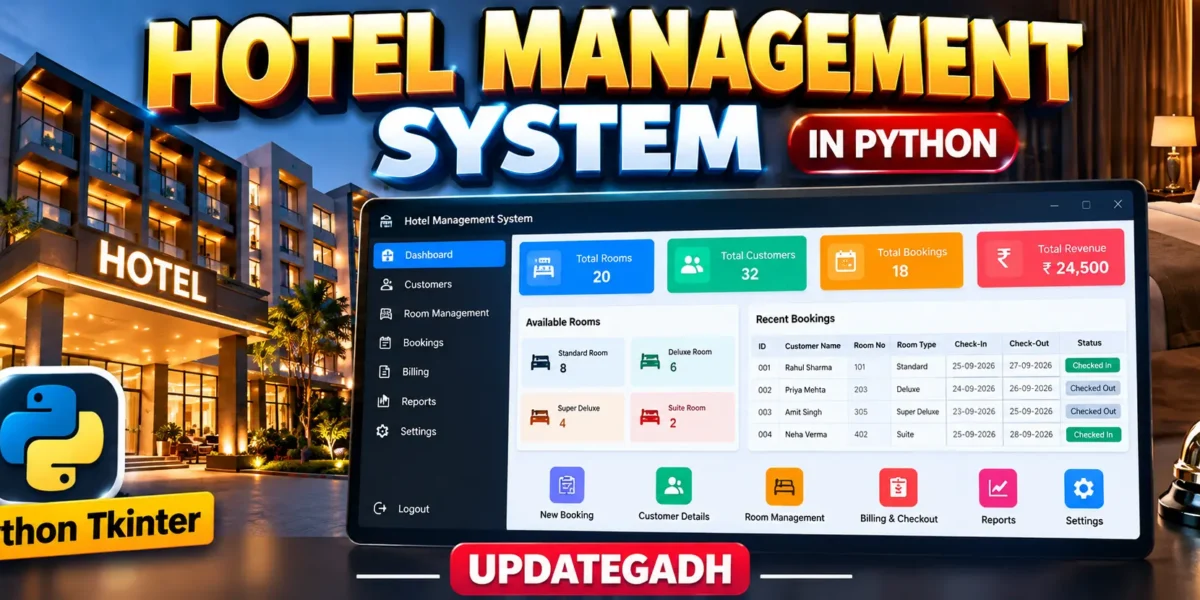
Hotel Management System in Python
The Hotel Management System is a desktop application developed with Python and Tkinter for managing common hotel activities through a single, organized interface. The project is designed as a medium-level college application, so it goes beyond a simple form by connecting customer registration, room availability, booking, room-rent calculation, checkout, billing, and reports. The interface uses a hospitality-focused dashboard layout with a dark navigation sidebar, clear information cards, professional tables, and dedicated screens for each major task.
Complete Advance AI Topics: Click Here
Real Time Projects on YouTube:- DecodeIT
Project Overview
The system is intended for a small hotel where staff need a practical way to maintain guest information and monitor room usage. A customer can be registered with a name, address, and phone number. Hotel rooms are maintained with a room number, room category, nightly price, and availability status. When a booking is created, the selected room is marked as occupied and the application calculates the room rent from the selected number of nights.
| Project Detail | Information |
|---|---|
| Project Name | Hotel Management System |
| Programming Language | Python |
| GUI Framework | Tkinter |
| Database | SQLite |
Key Features
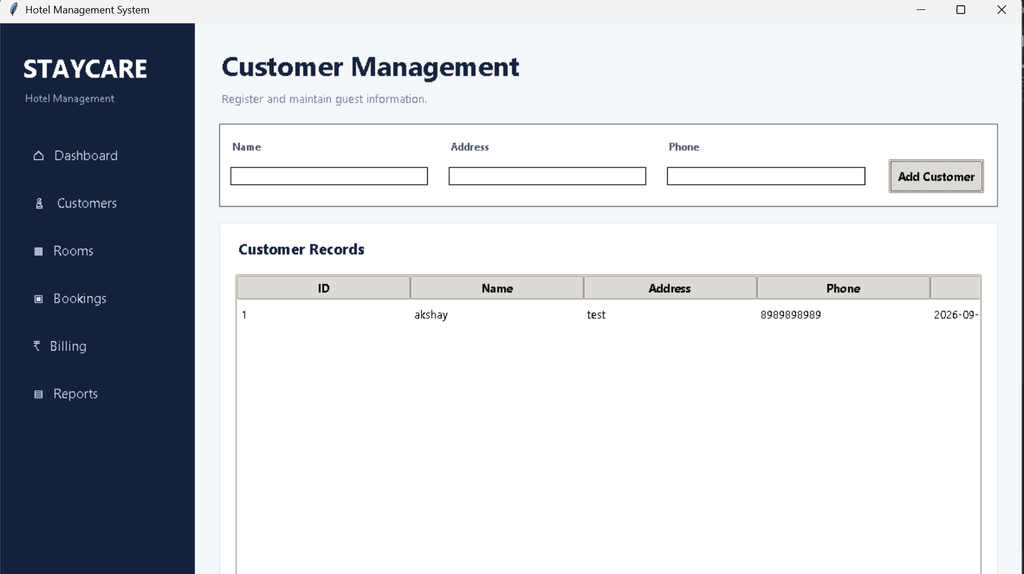
- Customer Registration: Staff can enter and store the guest name, address, and phone number.
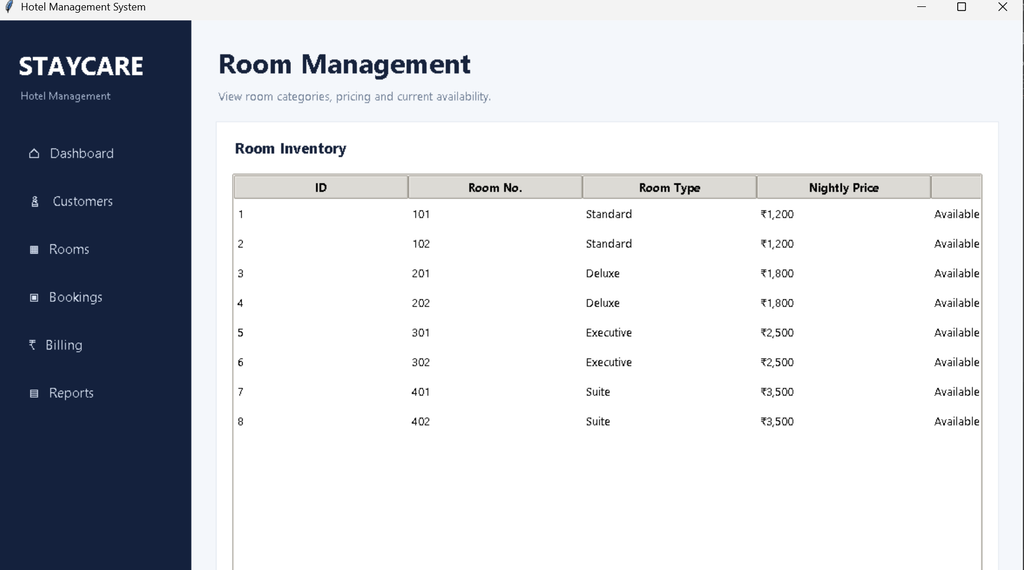
- Room Management: The application maintains room numbers, room types, nightly prices, and current availability.
- Four Room Categories: Standard, Deluxe, Executive, and Suite rooms are included with different prices.
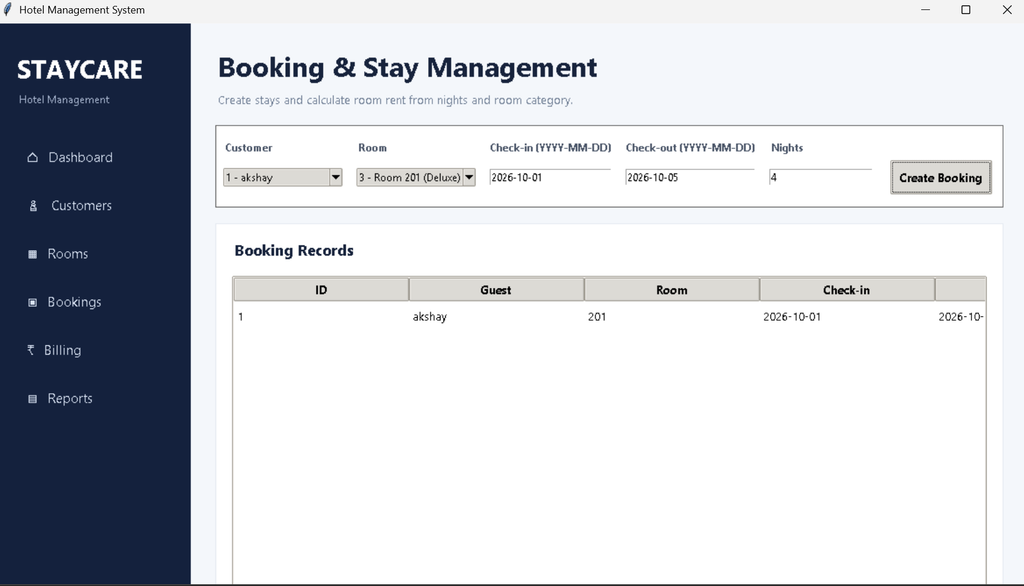
- Booking Management: Staff can select a registered customer, choose an available room, enter check-in and check-out dates, and specify the number of nights.
- Automatic Rent Calculation: Room rent is calculated by multiplying the nightly room price by the number of nights.
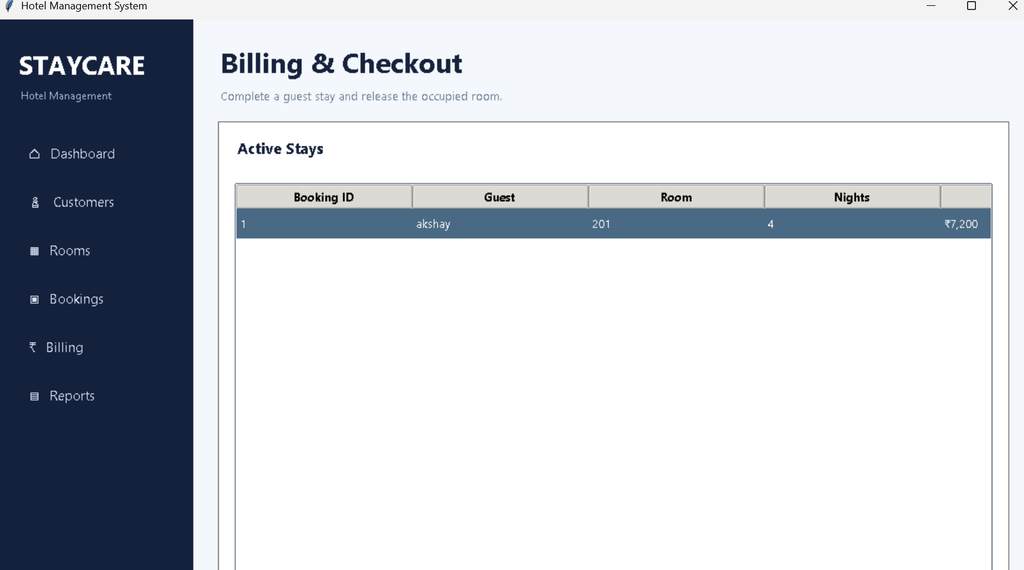
- Billing and Checkout: Active stays can be completed from the billing screen. After checkout, the room becomes available again.
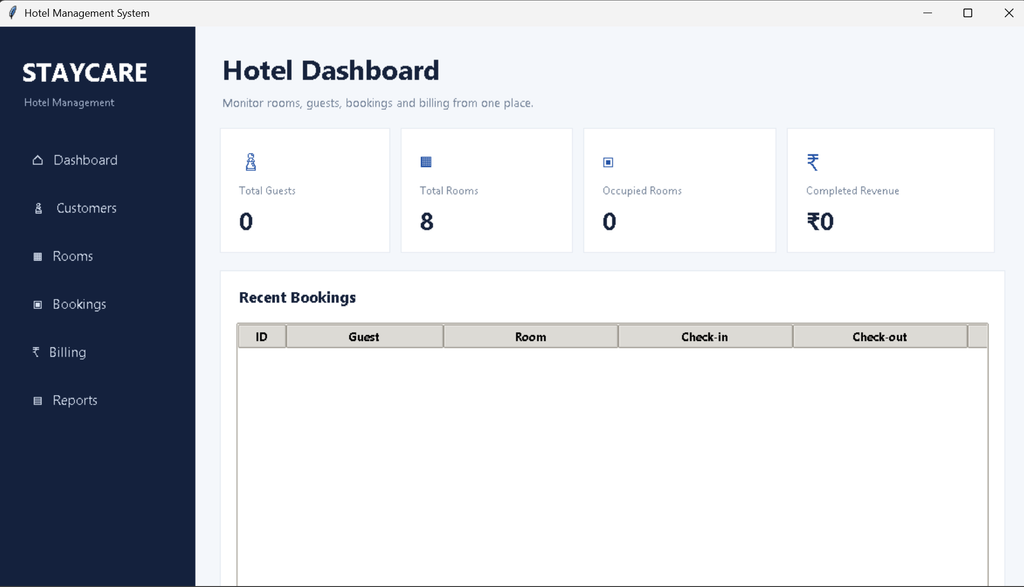
- Dashboard: Important figures such as guests, rooms, occupied rooms, and completed revenue are displayed in summary cards.
- Reports: Booking records, active stays, completed bookings, and revenue can be reviewed from a dedicated report screen.
Project Modules
Customer Module
The customer module provides a simple registration area and a professional record table. Required information is validated before a new customer is saved. The records are stored locally so they can be selected later while creating a booking.
Room Module
The room module displays the hotel’s room inventory. Each room has a unique number, category, nightly price, and status. Availability changes automatically when a booking is created or a guest checks out.
Booking Module
The booking screen connects customers and rooms. Available rooms are shown for selection, while occupied rooms are excluded from new bookings. The user enters dates and nights, and the system calculates the room rent before saving the stay.
Billing and Reports
The billing screen lists active stays and provides a checkout action. Completing a stay changes its status to completed, releases the room, and preserves the final amount. The reports screen presents booking information and summary figures for basic management review.
Professional Dashboard UI
The interface is designed specifically for a hotel environment rather than using a generic form layout. A left sidebar provides navigation to the dashboard, customers, rooms, bookings, billing, and reports. The main area uses spacious cards and clean tables with a hospitality-oriented blue and navy visual identity. The dashboard highlights total guests, total rooms, occupied rooms, and completed revenue. Recent bookings are also displayed so staff can quickly understand current activity.
Database Design
SQLite is used because the application is a desktop project and does not require a separate database server. Three connected tables manage the core information: customers, rooms, and bookings. Customer and room records are referenced by bookings through foreign keys. The database also stores booking dates, number of nights, room rent, total amount, and booking status. This gives the project a reliable data layer while keeping installation simple for college students.
Download complete source code
Screenshot
How the System Works
First, staff register a customer. Next, they open the booking section and select that customer along with an available room. The room category determines the nightly price. After entering the stay dates and number of nights, the application calculates the room rent and stores the booking. The selected room changes from Available to Occupied. When the guest checks out, the booking changes to Completed and the room returns to Available. Dashboard and report values then reflect the updated records.
Installation and Setup
- Install Python 3.10 or a newer compatible Python version.
- Download or extract the project folder.
- Open the folder in Visual Studio Code.
- Open the integrated terminal and confirm Python is available with
python --version. - Start the application with the following command:
python main.pyNo external Python package is required because the project uses Python’s built-in Tkinter and SQLite libraries. The hotel.db database file is created automatically when the application starts for the first time.
Usage
Use the Customers section to register guests before making a reservation. Use Rooms to review available inventory and room pricing. The Bookings section creates a stay and calculates room rent. Use Billing when the guest leaves the hotel. Finally, open Reports to review booking activity and completed revenue. The dashboard provides a quick operational summary without requiring users to open every module.
Frequently Asked Questions
What is the purpose of this project?
It provides a desktop interface for managing customer information, hotel rooms, stays, room-rent calculations, checkout, billing, and basic reports.
Which technologies are used?
The project uses Python for application logic, Tkinter for the graphical interface, and SQLite for local data storage.
Does the project use a separate database server?
No. SQLite is stored locally in the project directory, so a separate database server is not required.
How is room rent calculated?
The application multiplies the selected room’s nightly price by the number of nights entered for the booking.
What happens after checkout?
The booking is marked as completed, the final amount remains stored, and the related room becomes available for another stay.
Can beginners understand the code?
Yes. The project is structured into separate Python modules for the database, dashboard, customers, rooms, bookings, billing, reports, and shared interface components, making the code easier to study.
Future Scope
- Add printable invoices for completed stays.
- Add optional hotel staff login and role-based access.
- Add guest search and date-based booking filters.
- Add additional billing items such as food or service charges.
- Add graphical occupancy trends to the reports screen.
- Add backup and restore options for the local database.
For a college demonstration, the project also makes the workflow easy to explain during a viva. Students can show how a customer record is created, how an available room is selected, how the number of nights changes the calculated rent, and how checkout updates the room status. The separate modules make it easier to locate database queries and interface logic. Because the database is local, the application can be demonstrated on a standard Windows computer without configuring a web server or external database service.
Conclusion
The Hotel Management System provides a practical college-level example of how Python can be used to build a complete desktop management application. Instead of limiting the project to customer data entry, it connects guest records with room availability, bookings, rent calculation, checkout, billing, dashboard summaries, and reports. Tkinter keeps the interface accessible, while SQLite provides structured local storage. The modular design also makes the project suitable for learning GUI programming, database operations, validation, and application workflow. Overall, it presents a clear and maintainable foundation that students can study, demonstrate, and extend with realistic hotel-management improvements.
Keyword:
Hotel Management System|
Hotel Management System – Google Search
hotel management system project
hotel management system project in python and mysql class 12 source code
hotel management system project in java Hotel Management System
hotel management system project in python
hotel management system project with source code
hotel management system er diagram